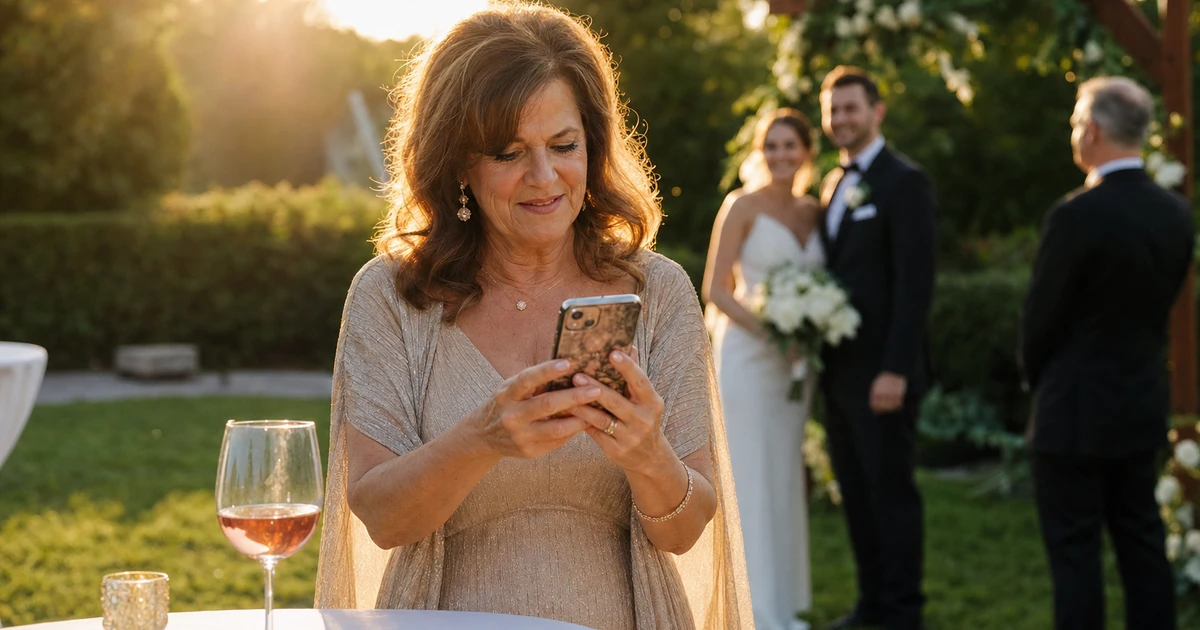
The bride and groom are still under the arbor with the officiant. On the other side of the lawn, near the cocktail bar, an aunt has already opened the gallery on her phone. She is hunting for the frame of her sister wiping her eyes during the vows. Twelve minutes ago, that image was inside the photographer’s tethered camera. It is now zoomed in to 100% on a screen next to a glass of rosé.
That twelve-minute window is what a wedding photo sharing app is actually for. Not “send the gallery two weeks later, polished.” Live galleries the size of the day itself, opening and filling while the day runs.
Below is a walk through one wedding day, hour by hour, and how a real-time photo sharing setup changes what each part of the timeline feels like for the couple, the guests, and the photographer. The wedding photo sharing app this guide is built around is Evoto Instant.
Getting ready: the first hour the gallery is alive
The first images of the day are usually getting-ready coverage — rings on the windowsill, mom helping with the veil, the groom lacing his shoes. None of these feel urgent. The reception will not start for six hours.
But this is the hour where the gallery quietly proves itself. Parents on a flight that just landed see the bride is laughing, not panicking. The maid of honor stuck in traffic confirms the bouquet arrived. Each reassurance happens without the photographer pausing to “send a few.” A Top Banner with the couple’s names and a photographer profile card, set up the day before, means the very first frame to land already looks like the wedding’s own website, not a stock template.
Ceremony: the seven-minute window the day is judged on
Few people pull out their phones during the vows themselves. The interesting moment is the seven to ten minutes right after.
The bride walks back up the aisle and is hugged by everyone. Phones come out in the recessional line. A guest who waited fourteen months for “the wedding photos” is suddenly holding one thirty seconds after the kiss. That single experience changes how every later step of delivery feels to them.
This is also the test for whether a setup is actually real-time or merely fast. A wedding photo sharing app that only uploads when Wi-Fi catches up at the venue will miss this window entirely. A setup that streams from a tethered camera or a paired phone keeps publishing through the recessional walk.
Cocktail hour: the find-your-face moment
Cocktail hour is where the app earns its loudest reaction. Guests have a drink in one hand, a phone in the other, and the gallery filling up in front of them.
Three guest behaviors show up every wedding: someone walks over and asks “did you get us?”, someone screenshots a group shot to a parent who could not attend, and a third person — the camera-shy guest — anxiously checks whether they appear in any frame.
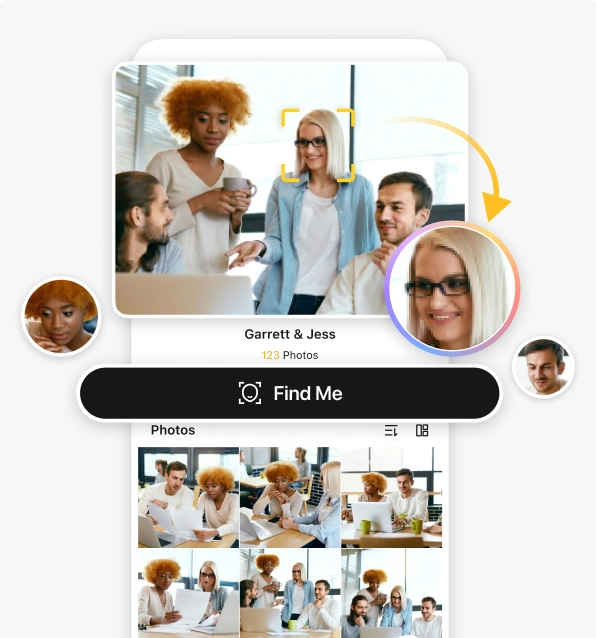
The first two reactions are good. The third is why the app needs proper guest-side discovery, not just a giant chronological scroll. Asking 180 guests to scroll through 600 photos to find themselves is not a real delivery experience. With face-based search on the gallery, a guest scans once and the gallery filters down to the frames containing them. The aunt looking for her sister does not browse — she scans, and the gallery rebuilds around her. Sensitive frames (the bouquet toss with an ex in the background, a relative who asked not to appear) stay unshared until after the day, or sit behind an access code only the couple holds.
Reception and dancing: the gallery as a live feed
Once the first dance starts, the wedding is less about specific poses and more about energy. The role of the photo sharing app shifts with it. The gallery becomes a low-effort backchannel between photographer and couple — they glance between courses to see what coverage is landing — and a participation tool for guests, who favorite the shots they want printed later and react to the photo of the grandparents on the dance floor.
On the guest side, an Evoto Instant project becomes a branded gallery reachable through a link, a QR on the place cards or welcome stand, a text, or an email — with Find Me face search built into the same screen. For a wedding day, that means one setup serves three audiences without three separate handoffs: the couple sees everything, family and bridal party get personal links wired up before rehearsal, and any guest with a phone can scan the global QR once and use Find Me to filter to the photos they appear in.
The morning after: the gallery stops being about speed
By the time the venue is being broken down, the live phase is over. The couple is on a plane or eating leftover cake at someone’s kitchen counter. The gallery now has a different job — long-tail access.
Guests come back to look for photos they noticed last night but did not download. Relatives who could not attend in person open the link for the first time. The couple starts deciding which photos they want printed, which they want kept private, and which they want edited further.
Tips and paid downloads accumulate in this same window — a guest who loved a particular shot leaves a tip, a friend who wants a print-quality copy unlocks one. If the project was running the AI-assisted workflow, the gallery has been arriving in retouched form the whole day. If it was running the no-AI path, this is the moment to apply selective single-image fine-tuning on the few frames the couple specifically asks for, layered on top of the raw deliverables already in the gallery.
The full workflow, end to end
A real-time wedding photo sharing app does not need a complicated setup, but it does need the right sequence. Done in order, the whole thing takes about thirty minutes the night before and runs itself on the day.
- Set up the project the night before. Create the wedding project, add the couple’s names and date, and drop the Top Banner, photographer profile card, and watermarks once — every gallery view inherits them.
- Pick the camera connection that fits the venue. USB or OTG tethering through the Evoto Instant mobile app is the most stable on tight set locations. FTP works when the venue’s Wi-Fi or a personal hotspot is reliable. Some weddings need both at different points in the day.
- Decide which workflow to run for this wedding — and decide it before the day, not on the fly. The no-AI path (Import → Upload → Share) fills the gallery with raw frames in real time, best for the live phase. The AI-assisted path (Import → AI Culling → AI Editing → Export → Share) fills it with already-retouched photos at the cost of a small per-frame delay. The choice is made once, when the project is created.
- Distribute the right link to the right audience. A global link for the couple. Personal links sent to the wedding party and immediate family before the day. A single global QR printed on the place cards or welcome stand so any guest can scan in. Find Me lives inside that gallery for anyone who wants to filter to their own face.
- Wrap the project once the venue clears. Stop live capture. Selective single-image fine-tuning happens on the same project for any frame the couple specifically calls out, regardless of which workflow path ran during the day. Tips and paid downloads sit inside the same gallery — no second link, no second email.
The whole sequence collapses into one project. There is no “wedding gallery 1.0” the couple saw on the day and “wedding gallery 2.0” they get next week. It is one gallery, in two phases.
Final note
Twelve minutes between shutter and the aunt’s screen is not the headline. The headline is that the couple’s parents, sitting at table twelve, never have to send anyone a “did you get the photos yet” text. The maid of honor knows which dance she was in. The guest who hates being photographed can check and exhale before dessert.
A wedding photo sharing app does not replace the photographer’s edit. It rebuilds the window in which delivery happens — from two weeks later to live, alongside the day. The edit still gets done. It just arrives into a gallery that has been alive the whole time.