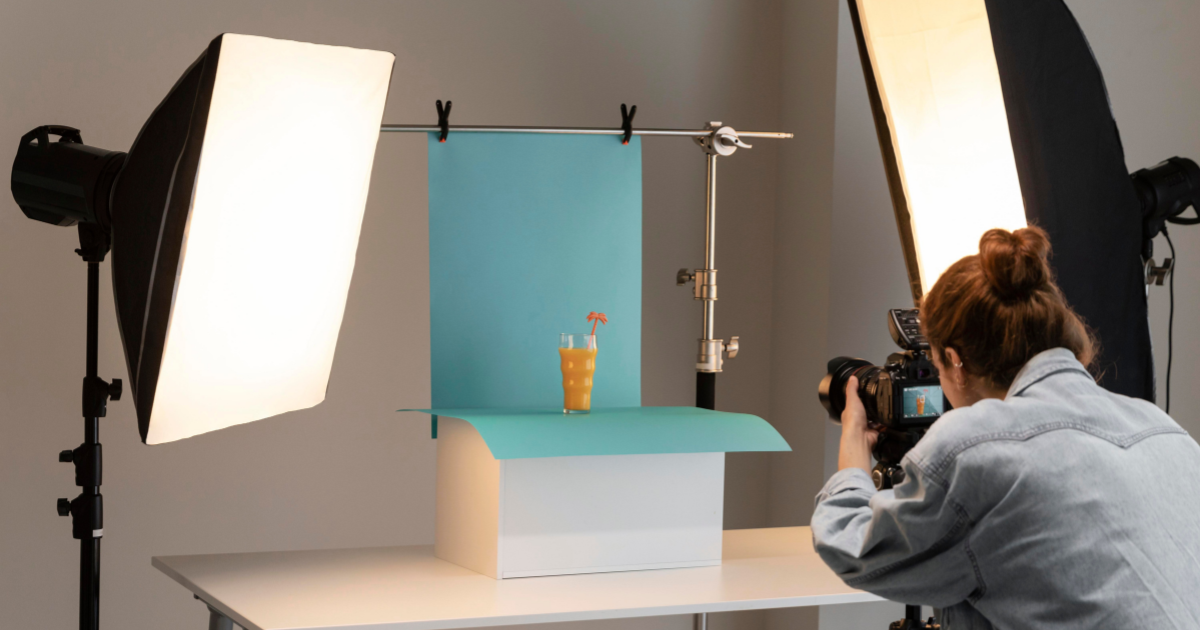
Many people struggle to take good product photos. Pictures often turn out too dark, colors look uneven, or the product doesn’t appear as attractive as it should. These small mistakes can make even good products seem less appealing online and reduce customer trust. Poor lighting, awkward angles, and cluttered backgrounds often cause images to look unprofessional.
You don’t need expensive equipment or advanced skills to fix this. With a few practical techniques, anyone can take sharp, balanced, and professional-looking photos that make products stand out. This guide will help you understand the essentials of product photography and show you how to capture clear, consistent images that highlight every detail with confidence.
Understanding the Basics of Product Photography
Before jumping into the technical parts, it’s important to understand what makes a good product photo. The goal is to show the product as it really looks while making it appealing to customers. Every image should highlight its shape, color, and use without distractions.
A good photo tells people what they can expect when they buy the item. It must be sharp, well-lit, and consistent with your brand’s style. Whether you’re shooting jewelry, shoes, or electronics, clear and detailed pictures help people trust what they see.

Why Professional Product Photography Matters
When people shop online, they rely on visuals to make decisions. A high-quality photo tells customers what they can expect and builds confidence in your brand. On the other hand, poor images can make a product look unreliable, even if it’s excellent in real life. Many users notice small details, such as unclear textures, inconsistent lighting, or inaccurate colors, and these issues can discourage them from purchasing.
Professional product photography and post-processing help you overcome that problem. It brings out the product’s true design, color, and value. When your photos look polished and consistent, users spend more time on your page, and your brand appears more trustworthy.
Essential Equipment and Setup
Getting professional results doesn’t always require expensive gear. It’s more about understanding how to use your tools effectively. With the right setup and a bit of patience, anyone can create photos that look clean, balanced, and appealing to customers.
1. Camera Choices
A DSLR or mirrorless camera gives you precise control over focus, brightness, and depth of field. These cameras are perfect for users who want to fine-tune every shot. However, today’s smartphones can also deliver outstanding results if you learn how to control exposure, lock focus, and use manual settings. For beginners or small business owners, even a phone camera can be a smart starting point, only if you do the post-processing carefully.
Here is the example: shoot products with Phone and turn them into professional-quality images. Swap backgrounds, remove clothing blemishes, and tweak exposure and color for a polished, professional look—no studio required. And you can then export in fixed sizes or custom dimensions, tailored to your needs.
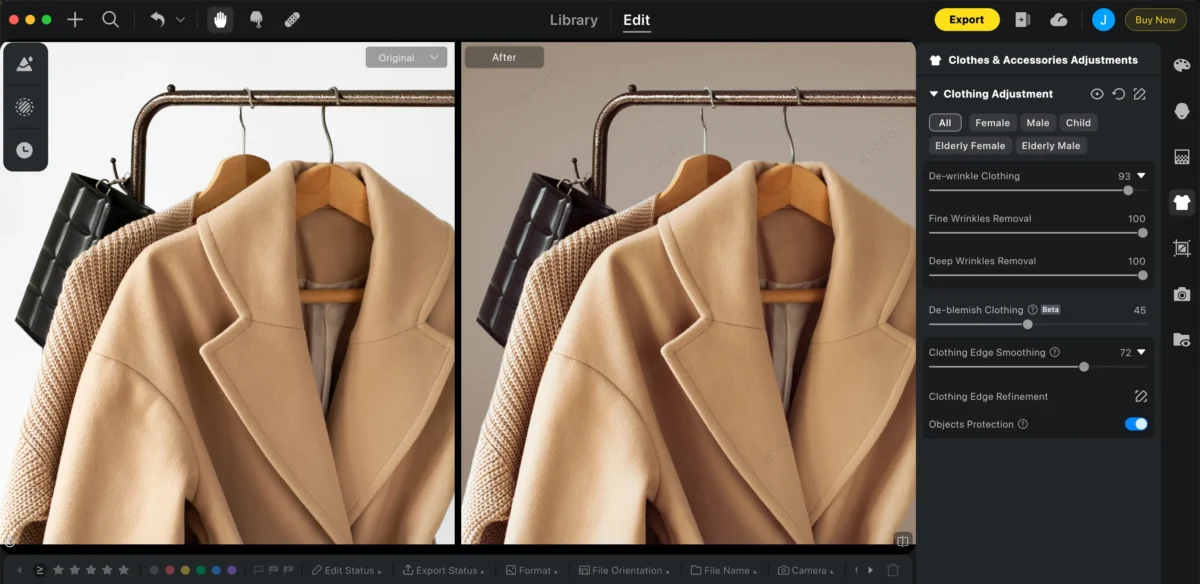
Post-processing has never been easier with Evoto. Shoot your photos, tweak colors, replace backgrounds, edit in batches, and export in any size—all in seconds. Try Evoto and see the difference yourself!


Powerful AI Photo Editor
2. Lenses and Accessories
Different products need different lenses. A 50mm lens offers natural-looking proportions and works well for most objects. If you sell items with small details, like jewelry or watches, a macro lens captures every fine texture clearly.
Accessories like tripods keep your camera steady, while diffusers and reflectors help manage light. These small additions can dramatically improve how professional your images look.
3. Budget-Friendly Alternatives
Not everyone can invest in full studio gear, and that’s completely fine. You can use soft daylight from a window and a sheet of white paper or cardboard as a reflector to fill shadows.
Even a desk lamp with a fabric diffuser can work for basic setups. Affordable LED ring lights are another great option for users who need consistent lighting without spending much.
4. Studio Setup Basics
Keep your space neat and organized before starting a shoot. A sturdy table, a smooth backdrop, and a clutter-free environment make a big difference. Choose neutral backgrounds like white, gray, or beige to highlight your product naturally. By controlling these simple factors, you’ll create images that look clean and professional, even with limited equipment.
1. Preparing for a Successful Shoot
Before you start taking photos, preparation is everything. Many beginners rush straight to shooting, only to end up with photos that feel random or uneven. Spending a few minutes planning and organizing your setup will make your images look far more professional.
Plan Your Vision
Start by deciding how you want your product to look in the final image. Ask yourself what message it should send to the viewer? Should it look clean and simple, fun and colorful, or elegant and premium? This small step helps you define a clear direction.
If you’re new to product photography, create a small mood board for ideas. You can use screenshots from online stores, catalogs, or social media posts that inspire you. Pay attention to how professional brands use color, lighting, and backgrounds. These examples can guide you when setting your own style.
Set Up a Dedicated Space
Having a fixed shooting spot is one of the easiest ways to improve your workflow. If you move your setup every time, you’ll struggle to keep lighting and angles consistent. Instead, choose a quiet area in your home or workspace where you can leave your setup ready for each session.
2. Lighting: The Foundation of Every Great Shot
Lighting is the single most important factor in product photography. It determines how your product’s color, texture, and shape appear to your audience. Without proper lighting, even the best camera will produce. For beginners, learning to manage light is the fastest way to improve photo quality.ce dull or uneven results.
Natural vs. Artificial Lighting
Natural light is free, soft, and easy to use. It’s perfect for beginners working at home. Set your product near a window during the day when light is bright but not direct. Use a thin white curtain or sheet to diffuse the light and reduce harsh shadows. Reflect light onto the darker side of the product using a white foam board or cardboard — this trick evens out exposure and adds depth to your photos.
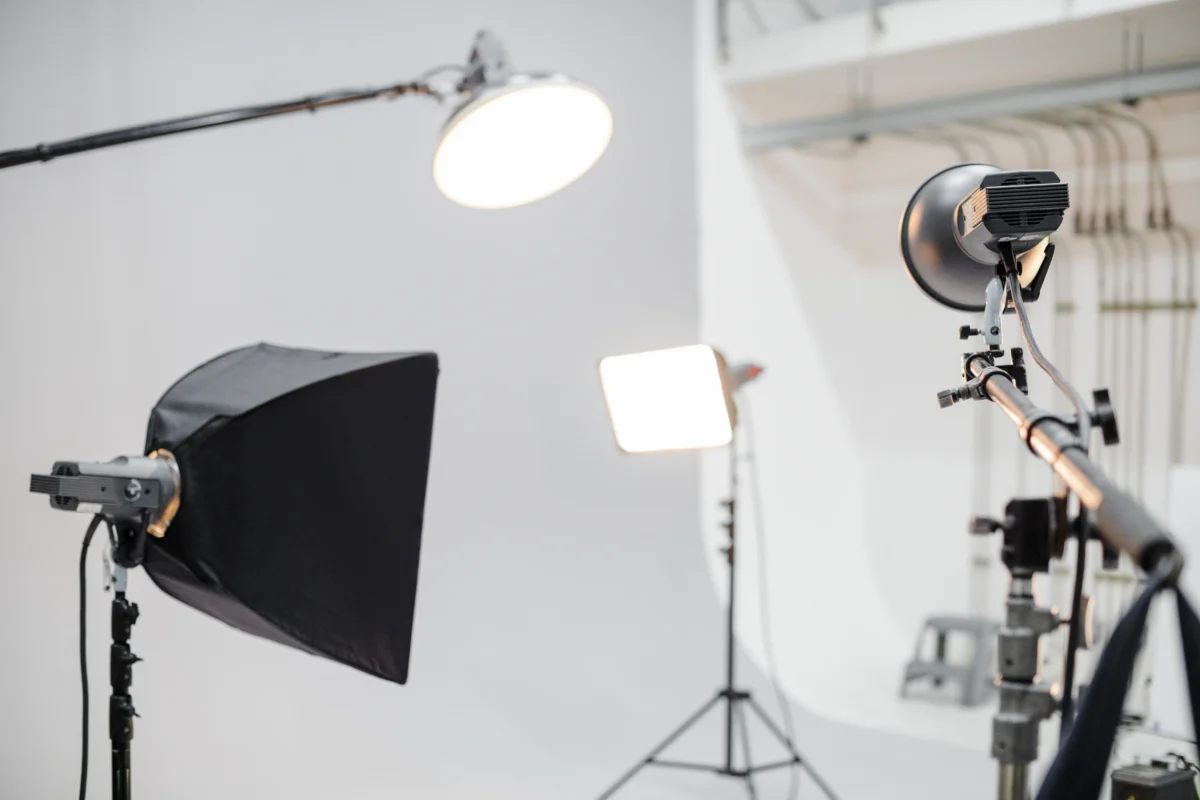
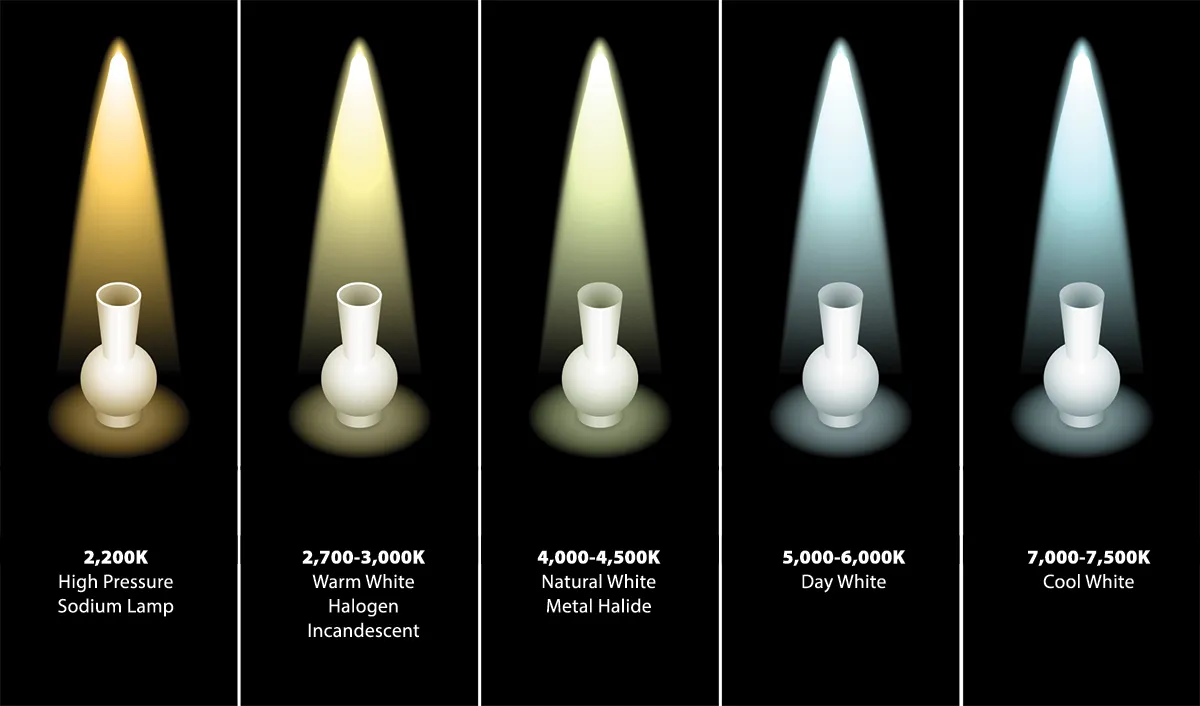
Artificial light, on the other hand, gives you full control. LED panels, ring lights, or softboxes allow you to shoot at any time of day. If you sell multiple products, artificial lighting helps you keep the same brightness and tone across your catalog. For best results, use two lights — one as your main light and another to fill in shadows. Always make sure both lights match in color temperature so your photos look natural.
Master Light Direction and Diffusion
Where you place your light changes everything. Front lighting brightens the product evenly but can make it look flat. Side lighting highlights texture and shape, ideal for fabrics or food items. Backlighting adds depth and works beautifully for transparent products like glass or perfume bottles.
For beginners, start with side lighting at a 45-degree angle to your product. This creates gentle shadows that make the photo look three-dimensional. To avoid harsh lines, use diffusers such as softboxes, tracing paper, or even a white bedsheet in front of your light source.
You can also use a reflector to bounce light back into darker areas. If you don’t have one, a piece of aluminum foil or a white poster board works well. The goal is to create balanced, even lighting without washing out the product’s true appearance.
White Balance and Color Accuracy
Color accuracy is critical in product photography, especially if you’re selling items online. If your camera’s white balance is off, your product may look too warm or too cool, which can mislead customers.
Most cameras and smartphones allow you to set white balance manually. Choose the right setting for your light source — “Daylight” for natural light or “Tungsten” for warm indoor bulbs. You can also use a gray card to adjust white balance precisely before every shoot.
After shooting, check the colors on your computer screen. If they still look off, minor adjustments during editing can fix them. Correct color representation builds trust and reduces product returns because customers see what they’ll actually get.
3. Camera Settings and Equipment
Good equipment helps, but knowing how to use it makes the biggest difference. Beginners often rely on automatic settings, but manual control gives better consistency. Learning a few camera basics can make your images sharper and more professional.
Use the Right Camera and Lens
A DSLR or mirrorless camera offers great flexibility, but even a smartphone can do the job if used correctly. The key is stability and control. Always mount your camera on a tripod to avoid shaky images.
If you have interchangeable lenses, a 50mm lens provides a natural perspective similar to what the eye sees. For small products, a macro lens helps capture fine textures and details. If you’re using a smartphone, turn on the grid feature to align your product properly and tap to lock focus before shooting.
Optimize Settings for Sharp, Balanced Shots
Start with a low ISO (100–200) to keep images clean and free of grain. Use a small aperture (f/8 to f/11) to get everything in focus, from front to back. Adjust the shutter speed to balance exposure — slower speeds let in more light but require a tripod to prevent blur.
If your camera supports it, shoot in RAW format. It captures more detail and makes it easier to adjust brightness and colors later. Check the histogram after every few shots to ensure you’re not losing detail in highlights or shadows.
4. Composition and Styling
A professional photo isn’t just about lighting or gear; it’s about how everything fits together in the frame. Composition guides the viewer’s eye and gives structure to your image.
Follow the Rule of Thirds
Imagine your photo divided into a 3×3 grid. Place the product where the lines meet instead of in the center. This simple rule makes the photo feel balanced and pleasing to look at. If your camera has a grid display, turn it on for guidance.
Leave some empty space around your product — this is called “negative space.” It helps the item stand out and gives your layout a clean, modern look.
Use Props Thoughtfully
Props can make your product feel more relatable, but beginners often overdo it. Choose items that match your theme and don’t distract from the main subject. For example, a watch can be placed beside a wallet and pen for a classy look, or a skincare product might sit near fresh towels for a spa feel.
Keep props simple and relevant. Too many items can confuse viewers and make the photo look cluttered. Always remember: the product should be the hero of the frame.
5. Backgrounds and Surfaces
A clean and consistent background helps maintain focus on the product. Beginners sometimes use busy or colorful surfaces, but these often compete with the item instead of complementing it.
Keep It Clean and Consistent
White, gray, and light beige backgrounds work best because they reflect light evenly. You can use poster boards, fabric sheets, or photo backdrop rolls. For online stores, using the same background for all your images makes your brand look uniform and trustworthy.
Experiment for Creativity
Once you’re confident with plain backgrounds, try adding variety. Textured surfaces like wood, stone, or marble can give your images a unique look. Light-colored fabrics also work well for soft or lifestyle-themed shots.
If you use color, choose one that fits your brand. For example, pastel shades give a calm tone, while bold colors create contrast. Just make sure the background doesn’t overpower the product.
6. Post-Processing and Editing
Even professionals edit their photos. Editing corrects small mistakes and makes the final image look clean and consistent. For beginners, it’s best to start with simple adjustments and avoid heavy filters.
Refine Without Overdoing
Begin by adjusting brightness, contrast, and color balance. Remove any dust spots or distractions. If your background isn’t perfectly white, increase exposure slightly or use a background eraser. The goal is to make your photo look real, not artificial.
Remember, editing should enhance your image, not change how the product looks. Consistency in editing keeps your entire catalog visually balanced.
Use Professional Tools
Editing software makes a big difference in workflow. Tools like Evoto, Lightroom, or Photoshop are great for precise adjustments and Product Photography Editing. You can correct exposure, match colors, and crop images neatly.
If you’re just starting out, free or mobile tools such as Snapseed or Canva are easy to learn. They allow quick improvements without overwhelming settings.
7. Consistency Across Your Catalog
Consistency is what makes your photos look professional as a group. When every image shares the same lighting, angle, and editing style, your brand becomes recognizable and credible.
Build a Visual Identity
Use similar setups and angles for each product. This makes your online store look organized and helps customers compare items easily. You can create presets in your editing software to apply the same brightness, color, and tone across all photos.
Optimize for Different Platforms
Each platform — whether it’s a website, online store, or social media page — displays photos differently. Resize and crop images for each format so they load quickly and stay sharp.
Save images in the correct resolution for the web, usually between 1200 and 2000 pixels wide. A clear, properly sized image keeps your products looking professional everywhere they appear.
Final Thoughts: Turning Simple Shots into Professional Visuals
You don’t need fancy gear to take great product photos — just patience, planning, and good light. When you prepare your setup and understand how light and angles work, every picture improves. Keep practicing, stay consistent, and soon your images will look clean, confident, and ready to attract customers.
Powerful AI Photo Editor