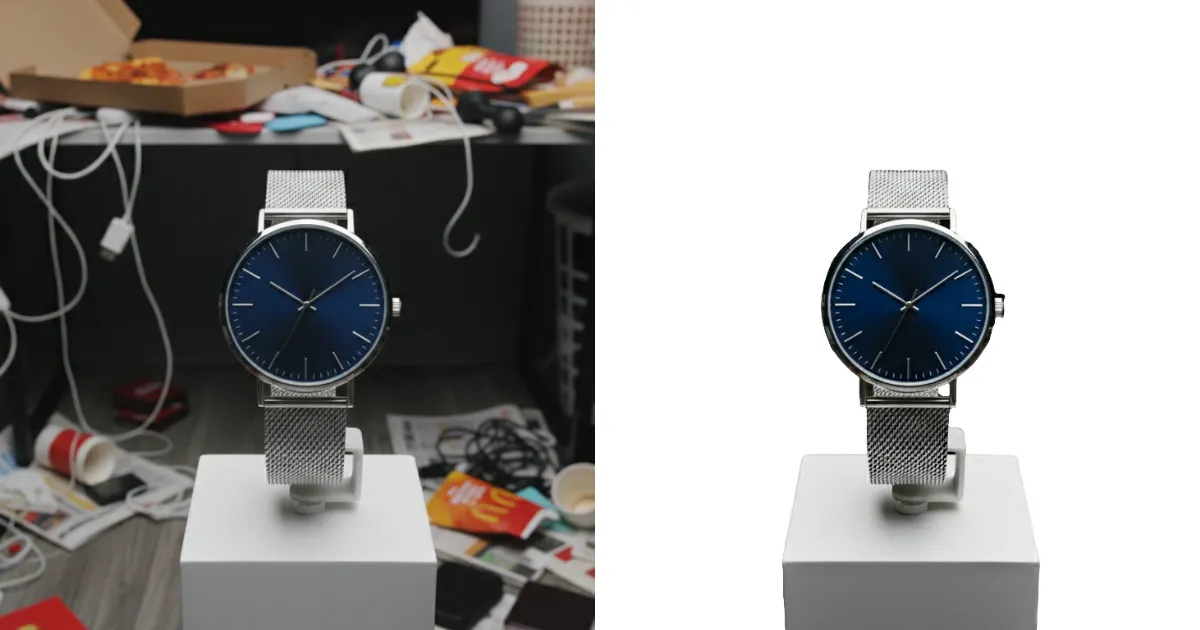
In the competitive world of online shopping, E-commerce product photography plays a crucial role in attracting customers and driving sales. High-quality product images can make the difference between a sale and a lost opportunity. However, many e-commerce businesses make common photography mistakes that can negatively impact the quality of their product photos. In this blog post, we’ll explore some of the most frequent mistakes in E-commerce photography and how to fix them, along with tips on how to enhance your product photos using Evoto, an advanced e-commerce photo editing tool.
Common Mistakes in E-commerce Photography
Even experienced photographers sometimes make errors that affect the quality of e-commerce product photos. Here are a few of the most common mistakes:
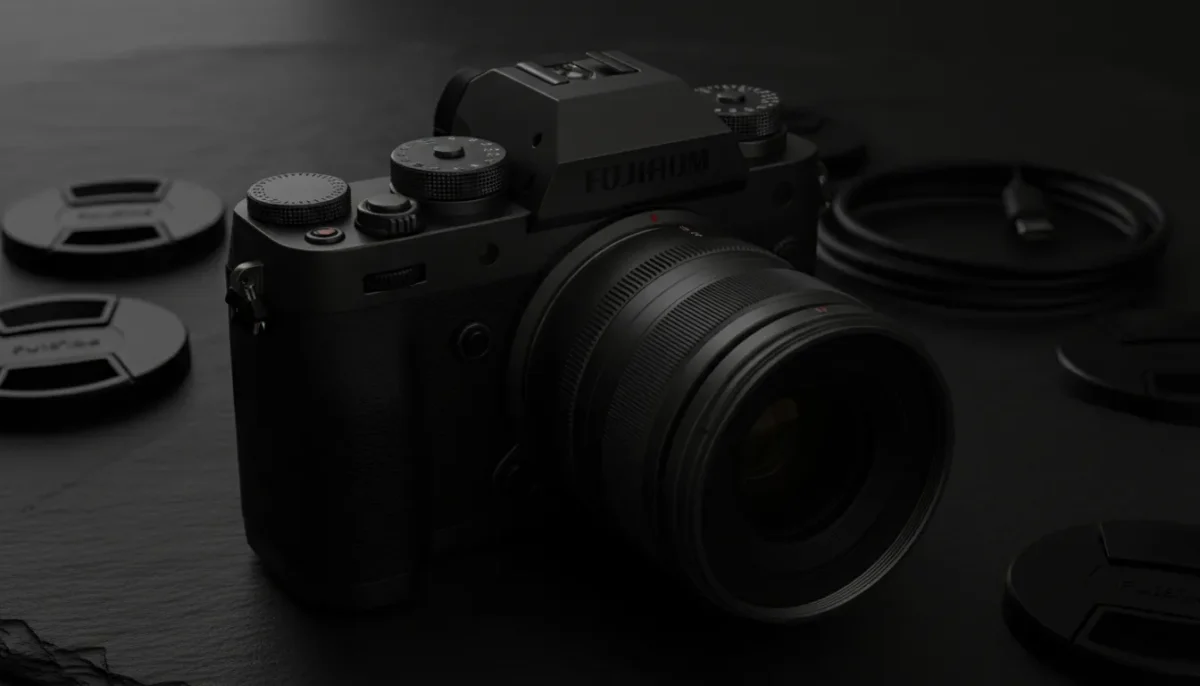
1. Poor Lighting
Lighting is one of the most important aspects of product photography. E-commerce photography requires well-lit images to showcase the product in the best possible way. Poor lighting can lead to shadowy, grainy, or overly bright photos, which can make your products look less appealing.
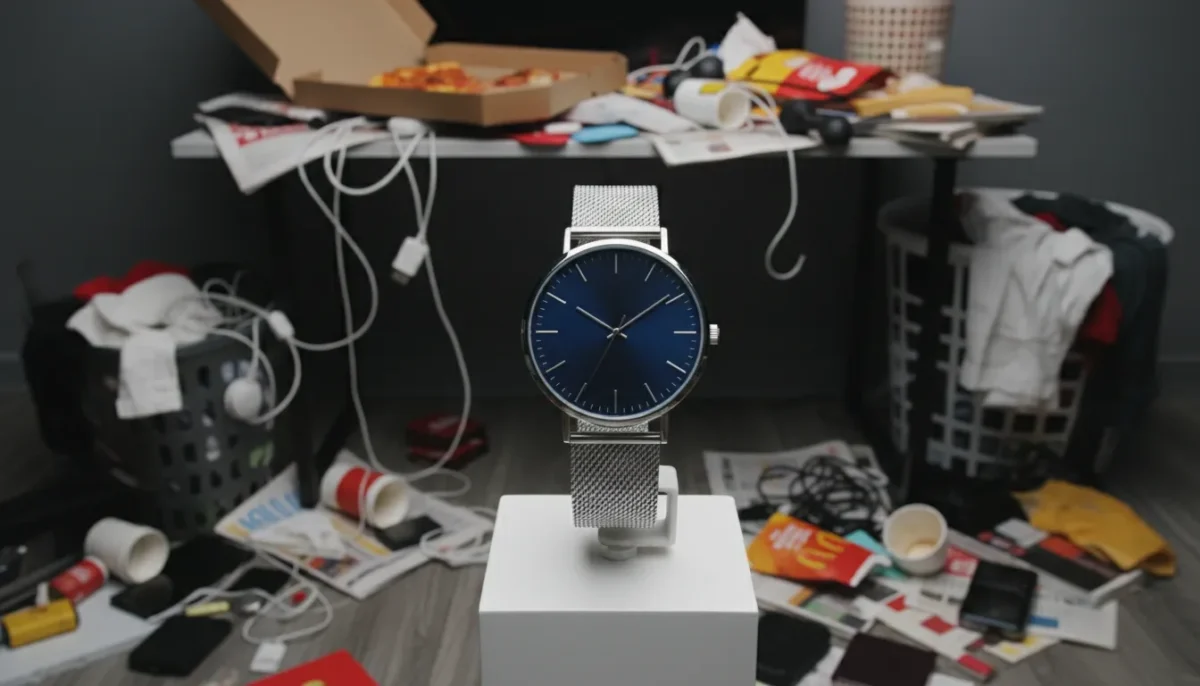
2. Cluttered Backgrounds
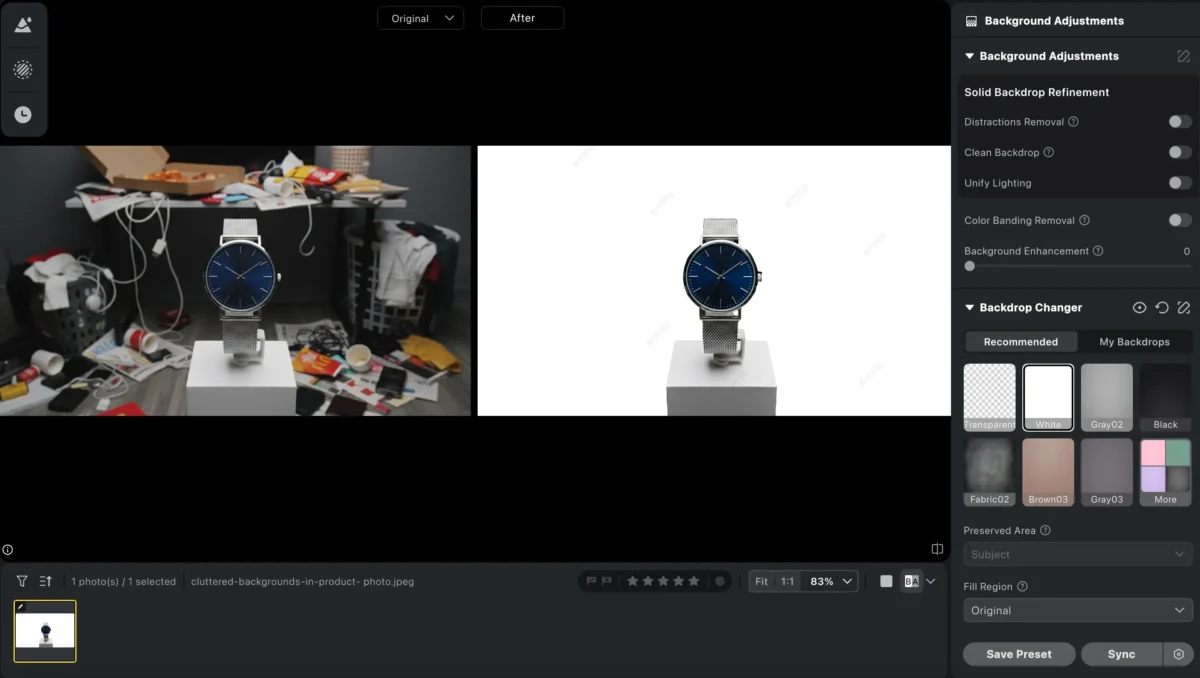
A distracting or cluttered background takes the attention away from your product. Whether you’re shooting e-commerce apparel photography or product shots for e-commerce fashion photography, a clean, neutral background helps highlight the product and makes it easier for customers to focus on what’s being sold.
3. Incorrect Composition
When it comes to e-commerce photography, composition matters. Product photos should be framed in a way that highlights the product’s features. Sometimes, photographers cut off parts of the product, use the wrong angle, or have unnecessary elements in the frame that take away from the focus of the shot.
4. Inconsistent Styling
Inconsistent styling across product photos can confuse customers. Different angles, backgrounds, or lighting styles can create an unprofessional look. For e-commerce fashion photography, it’s important to maintain consistency throughout your shots to build a cohesive and professional brand image.
What Makes Good E-commerce Photography: Key Elements for Stunning Product Photos
When it comes to professional e-commerce photography, there are several key elements to keep in mind to create stunning product photos that drive conversions:
Great Lighting:Lighting can make or break a product photo. E-commerce photography tips always emphasize using soft, diffused light to reduce harsh shadows and bring out the true colors of the product. Natural light is a great option, but using professional lighting equipment can help ensure consistency across all your photos.
Clean and Simple Backgrounds One of the best backgrounds for e-commerce photos is often a simple white or neutral color. This ensures that the product stands out and doesn’t get lost in a busy background. For e-commerce apparel photography, consider using a plain background to highlight the clothing and accessories. In more complex product shoots, consider a slightly textured or colored backdrop that complements the product without overwhelming it.
Proper Composition:Properly framing your product is essential. The product should be centered, with enough space around it to show off its details. Try different angles to show the product in its best light—whether that’s a top-down shot for small items, or a 45-degree angle for larger items.
Consistent Styling:Consistency in styling is essential for building a professional brand image. Whether you are doing an ecommerce photoshoot for fashion or electronics, maintain uniformity in your photography style. This includes the use of consistent backgrounds, lighting, props, and angles.

How to Use Evoto to Perfect Your E-commerce Photography
Evoto is a powerful tool for e-commerce photo editing that can take your product images to the next level. Here’s how you can use Evoto to enhance your e-commerce product photos:


Powerful AI Photo Editor
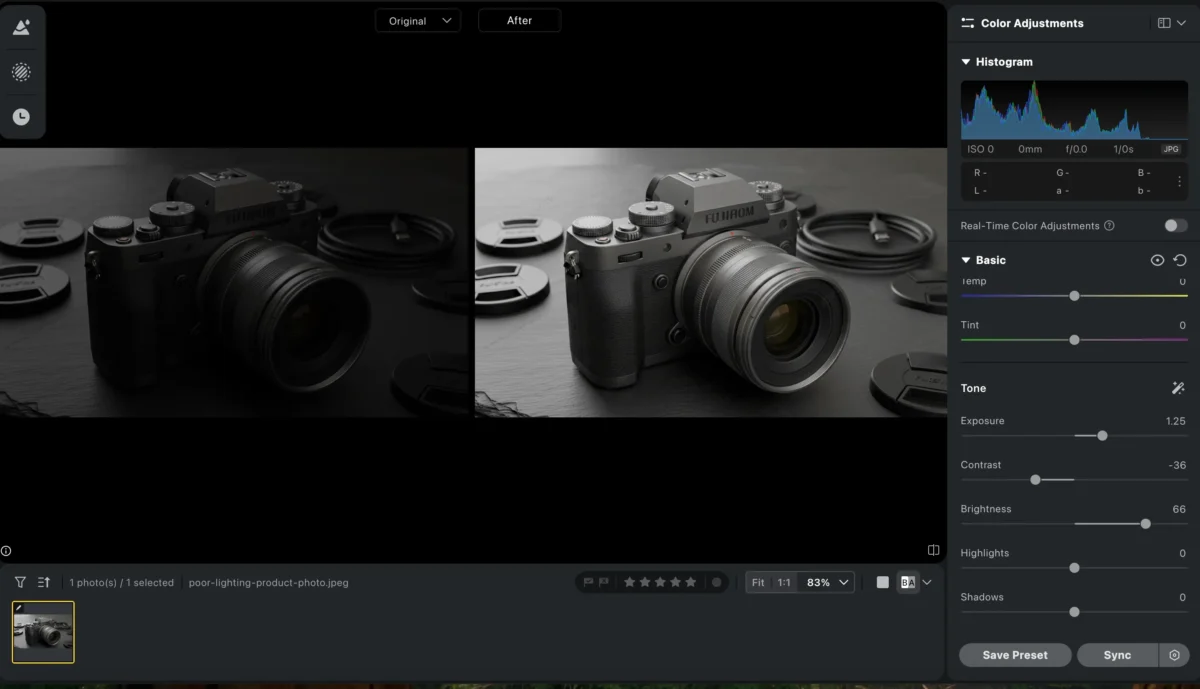
1. Lighting Adjustments
Evoto allows you to adjust the lighting of your images to eliminate harsh shadows and brighten up dull areas. Whether you’re working with photos taken in natural light or under studio lighting, you can easily fine-tune the exposure to ensure your products look their best.
2. Background Replacement
Evoto’s background replacement tool is perfect for fixing background mistakes in your e-commerce photography. If you’ve taken a great product photo but the background is distracting or doesn’t match your brand aesthetic, Evoto allows you to swap out the background with a clean, neutral color or a custom backdrop that fits your brand style.
3. Color Enhancements
Colors play a big role in e-commerce photography. You can use Evoto’s tools to adjust the colors of your product to make them pop. This ensures that your photos are vibrant and true to life, making your products look appealing to customers.
4. Composition Adjustments
Evoto’s crop and rotate tools allow you to adjust the composition of your images, ensuring your product is framed properly and is the focal point of the image.
Try Evoto AI Photo Editor
Retouch photos with Evoto AI and make your photos best! Available on Windows, MacOS and iPadOS.
Conclusion
In E-commerce photography, avoiding common mistakes like poor lighting, distracting backgrounds, and improper composition is essential for creating high-quality product photos that help drive sales. By following the tips outlined in this post and utilizing tools like Evoto for e-commerce photo editing, you can fix common mistakes and elevate your product images to a professional standard. Remember, high-quality, well-edited photos are a key part of any successful e-commerce strategy. With the right tools and techniques, your e-commerce product photos will stand out and help convert viewers into customers.
Powerful AI Photo Editor