

Have you ever looked at a perfectly framed 35mm film photo, only to find an unwelcome pair of glowing red eyes staring back at you? It’s a common issue that can be quite frustrating for film enthusiasts. The good news is that fix red eye in 35mm film photos is easier and more accessible than many people realize. This guide will explain why red eye occurs in film photography and show you effective ways to remove it from your cherished memories.


Powerful AI Photo Editor
Understanding the Red-Eye Phenomenon in Film Photography
Before we dive into solutions, let’s understand the problem. The dreaded red-eye effect happens when the flash from your camera illuminates the subject’s retina. Because the retina is rich in blood vessels, it reflects this light as red. This effect is particularly noticeable in low-light conditions when the subject’s pupils are dilated. Film cameras, with their often direct flash placement, are especially prone to this issue.
Why Film Photos Are Prone to Red Eye
Digital cameras often have built-in technologies to minimize red eye, such as pre-flashes. However, traditional 35mm film cameras typically lack these advanced features. The flash is often very close to the lens, which means the light reflects directly back into the lens from the subject’s eyes. This geometry makes red eye removal a frequent necessity for film enthusiasts.
The Evolution of Red Eye Removal Techniques
In the past, to fix red eye in photos, people often resorted to manual methods like using a special red-eye correction pen on printed photos. This was a painstaking process and often yielded imperfect results. With the advent of digital scanning and powerful editing software, red eye corrector tools have become incredibly sophisticated, making the process much simpler and more effective.
Digitizing Your 35mm Film Photos for Red Eye Correction
The first step to efficiently fix red eye in 35mm film photos is to get them into a digital format. This usually involves scanning your film negatives or printed photographs. High-quality scanning will preserve the details of your images, making the red eye editor tools more effective. There are many services and home scanners available that can help with this.
Choosing the Right Tools for Red Eye Removal
Once your film photos are digitized, you’ll need the right software to fix red eyes. There are numerous options available, ranging from simple red eye remover online free tools to professional-grade photo editing suites. For basic red eye correction, many free tools can do the trick. However, for more precise and nuanced adjustments, a dedicated photo editor is often better.
Introducing Evoto: An Advanced Solution for Red Eye Removal
For those seeking a powerful and intelligent way to fix red eye in film photos, Evoto AI offers an excellent solution. This AI-powered photo editor can detect and correct red eye quickly and accurately. It’s an example of how AI red eye removal technology has advanced, making it easier than ever to get rid of red eye in photos without sacrificing image quality. Evoto simplifies what used to be a complex editing task.
Step-by-Step Guide: How to Fix Red Eye in 35mm Film Photos Using Evoto AI
Here is a simple yet effective guide to help you remove red eye from your 35mm film photos using Evoto AI. The process is user-friendly and designed for high efficiency, allowing you to quickly restore your scanned film images while preserving their natural look.
Step 1: Download, Install, and Import
- Download and install Evoto AI from the official website.
- Launch the application and click the Import Image button.
- Select your digitized 35mm film photo (high-resolution scans are recommended).
Step 2: Locate the Red Eye Tool
- Navigate to the Portrait Retouching panel on the left.
- Expand the Eyes editing options.
- Enable the Red Eye Removal tool from the right-side toolbar.
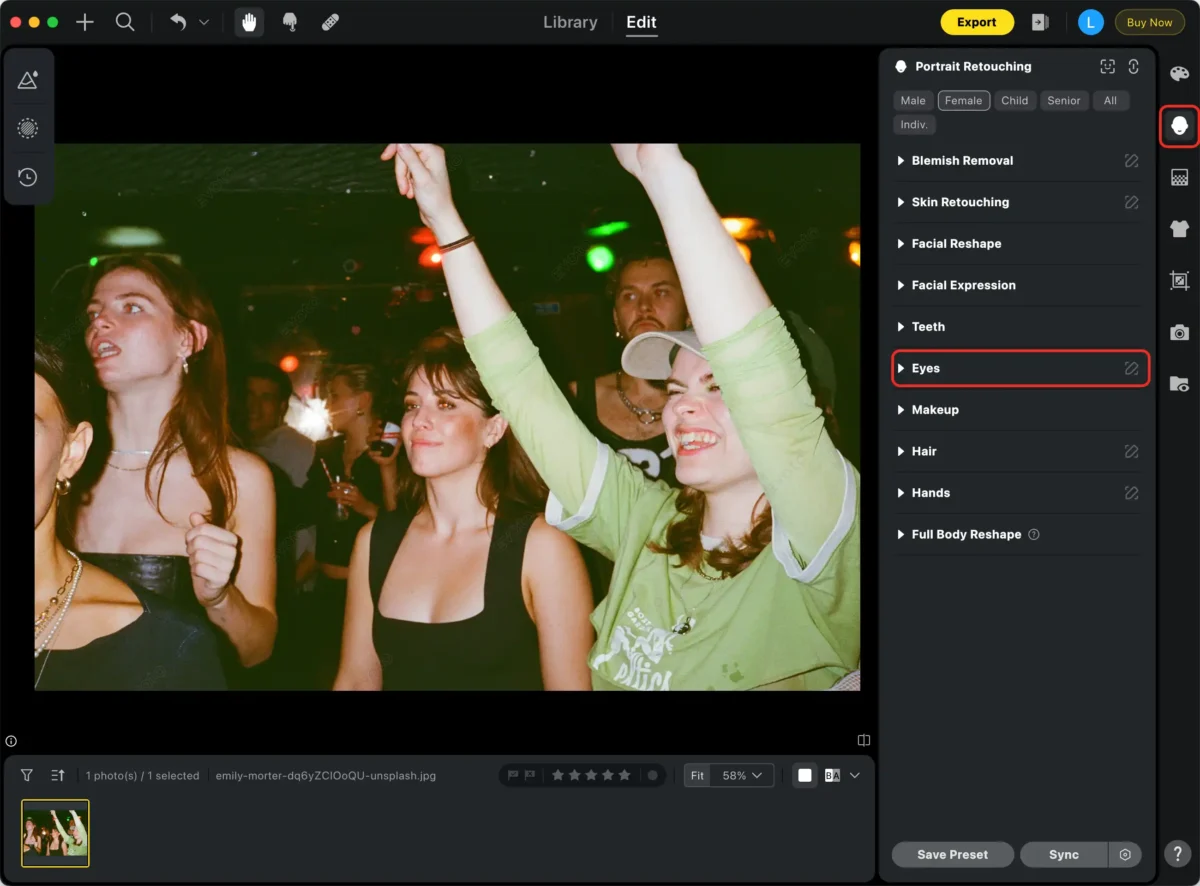
Step 3: Apply Automatic Correction
- Evoto AI will automatically detect red eye areas in the photo.
- With a single click, the AI algorithm corrects the red eye effect.
- This automatic fix works for most common red eye issues.
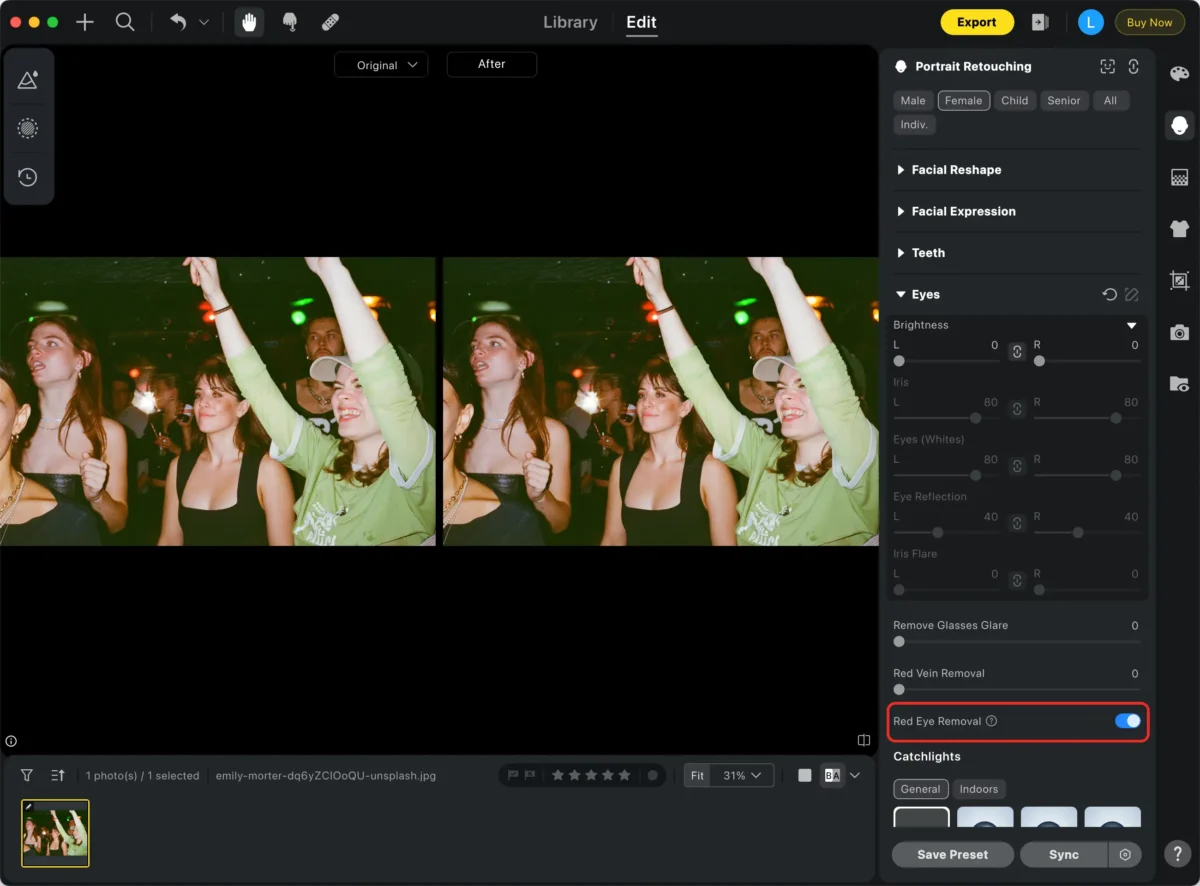
Step 4: Manual Fine-Tuning (If Required)
- Zoom in using Command + Plus (+) for a closer look.
- Adjust the correction area and intensity manually if needed.
- This step ensures a natural appearance, especially under challenging lighting or with unusual eye colors.
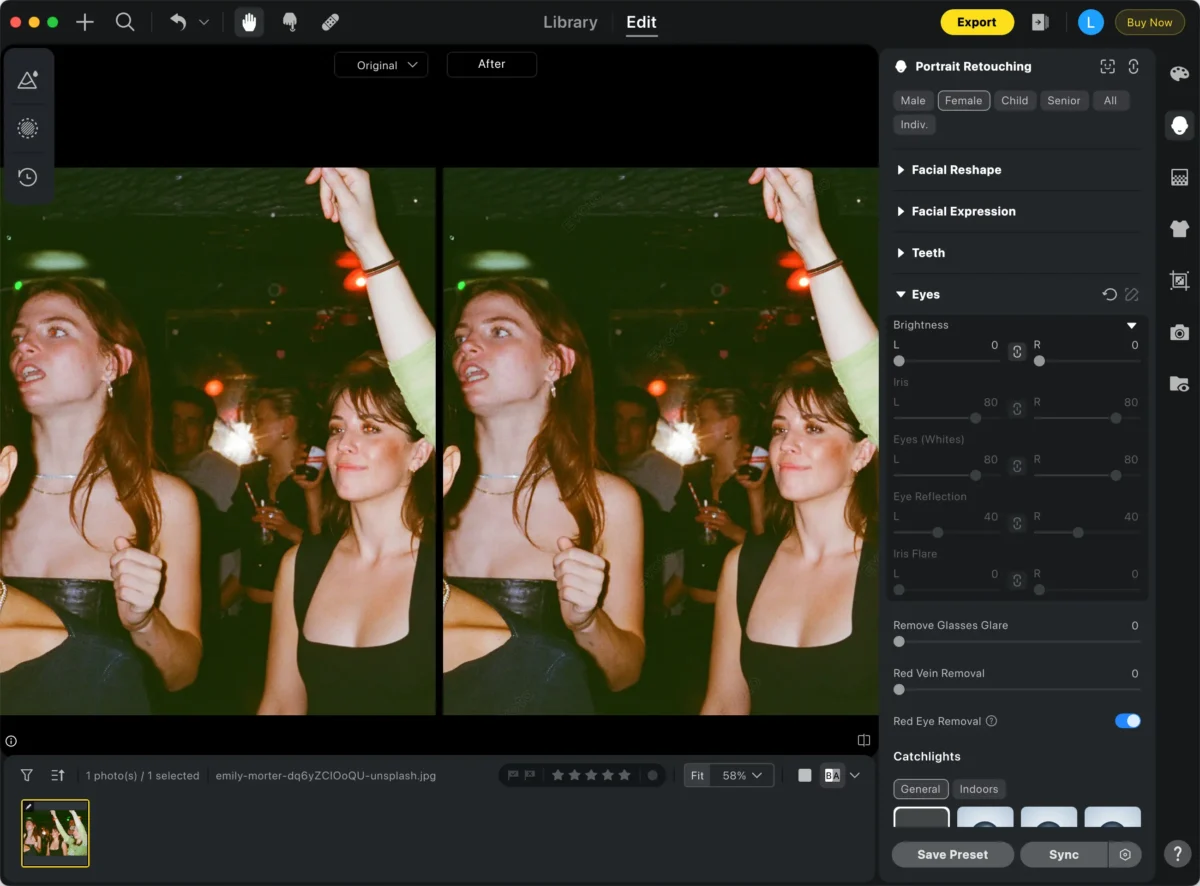
Step 5: Batch Sync & Export
- Use the Sync feature to apply the same correction to multiple photos.
- Click the Export button to save your edited image.
- It is recommended to save the retouched version as a new file to keep the original scan.
With these five simple steps, you can efficiently eliminate red eye from your 35mm film photos. Evoto AI is specially tuned to handle film grain and tonal characteristics, ensuring your memories look both natural and beautiful.
Tips for Preventing Red Eye in 35mm Film Photography
While knowing how to fix red eye in 35mm film photos is useful, preventing it in the first place is even better. Here are some practical tips to minimize the chances of red eye appearing in your future film shots. These simple adjustments can make a significant difference in your photographic outcomes.
1. Use External Flash
If your camera allows, an external flash unit can be positioned further away from the lens. This changes the angle of the light, reducing the direct reflection from the retina. It’s a highly effective way to prevent red eye.
2. Bounce the Flash
Instead of aiming the flash directly at your subject, try bouncing it off a ceiling or wall. This diffuses the light, making it softer and less likely to cause red eye. It also creates more flattering illumination.
3. Increase Ambient Lighting
In well-lit environments, your subject’s pupils will be less dilated, meaning less of the retina is exposed to the flash. Therefore, use natural light or turn on more lights in the room. This helps to fix eyes in photo issues before they start.
4. Ask Subjects to Look Away Slightly
Sometimes, having your subjects look slightly away from the camera lens can prevent the direct reflection of the flash. Even a small angle can make a difference. This is a simple trick to remove red eye effectively.
5. Red-Eye Reduction Mode (If Available)
Some advanced 35mm film cameras may have a built-in red-eye reduction mode. This usually involves a series of pre-flashes before the main flash, causing the subject’s pupils to contract. Check your camera’s manual to see if this feature is present.
Beyond Red Eye: Other Common Film Photo Issues and Solutions
While fix red eye in 35mm film photos is a frequent concern, film photography can present other unique challenges. Understanding these common issues and their solutions can further enhance your film photography experience. Digital tools are invaluable for these corrections.
Dust and Scratches: Film negatives are susceptible to dust and scratches, which can appear prominently in scanned images. Many photo editing software programs, including Evoto, have tools to remove these imperfections. Spot healing brushes are particularly useful here.
Color Shifts and Fading: Over time, or due to improper storage, film photos can experience color shifts or fading. Digitizing them allows you to correct these issues, restoring the original vibrancy and color balance. Advanced color correction tools are essential for this.
Graininess: The inherent grain of film can sometimes be more pronounced than desired. While some grain is part of the film aesthetic, excessive grain can be distracting. Some editing software offers noise reduction tools to lessen graininess subtly.
The Best Red Eye Remover App for Your Needs
Choosing the best red eye remover app depends on your specific needs and budget. For quick and easy fixes, many free apps and online tools are available. For professional results and more comprehensive editing capabilities, software like Evoto or other dedicated photo editors are excellent choices. Research and try out a few options to find what works best for you.
Powerful AI Photo Editor
Conclusion
Don’t let red eye dim the beauty of your cherished 35mm film memories. Although it might seem like a permanent flaw, the right techniques and tools allow you to easily fix red eye in 35mm film photos and restore them to their intended vibrancy. Now is the perfect time to digitize your film collection and bring those vibrant memories back to life, one perfect shot at a time.


