

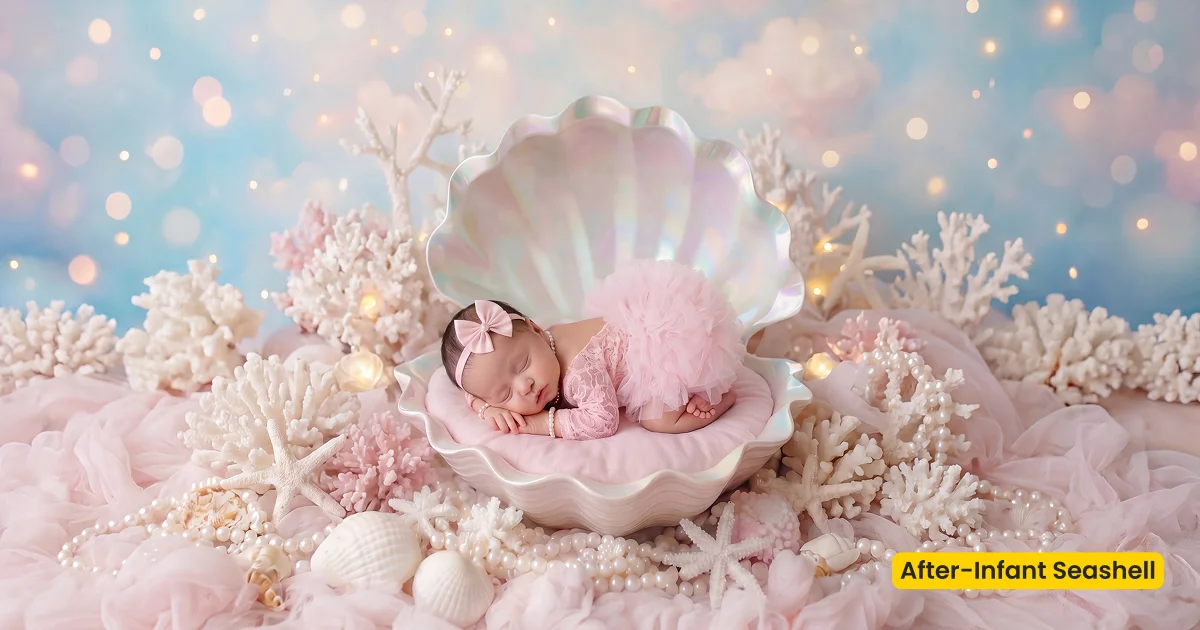
An infant photography scene that places posed newborns in a soft pink seashell with delicate florals, pearly texture, and a gentle pastel glow.
| Style | Newborn / Pearl Seashell Fusion |
|---|---|
| Best for | Posed infant composites, Milestone newborn sets, Fairytale wraps |
| Format | Evoto Asset Hub AI Background Fusion |
| Price | Free |
See the Look in Action
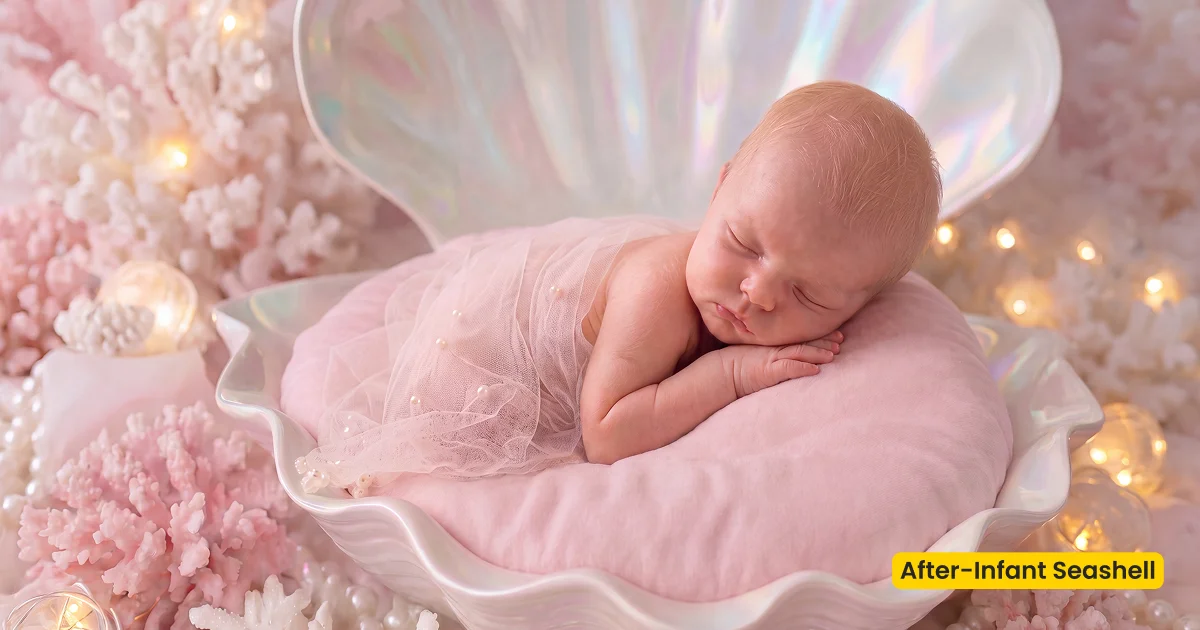
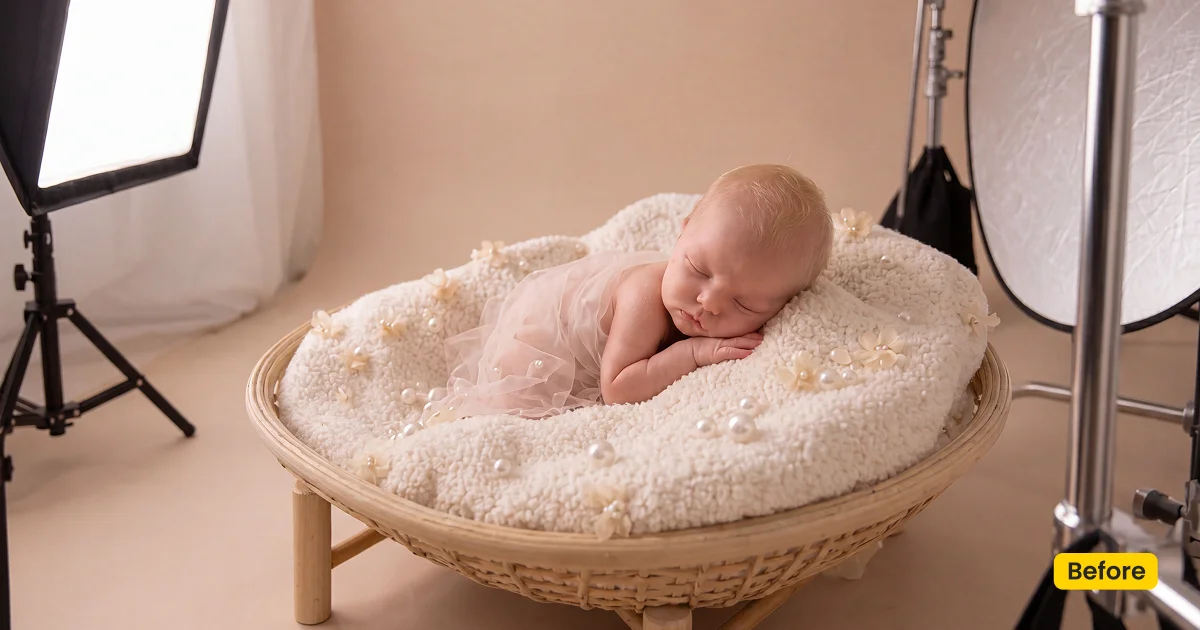
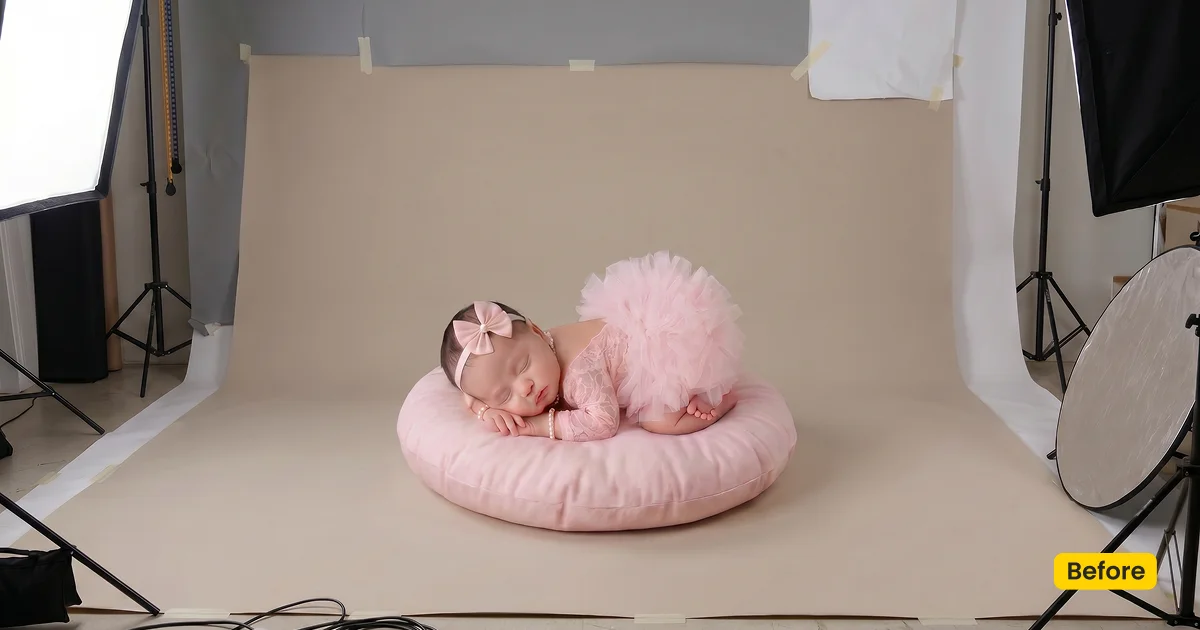
Pearly texture and pastel glow keep the infant composite tender, not carnival-bright.
What This Scene Does
Infant Seashell is a free infant photography scene for posed composites in Evoto. It is an AI Background Fusion asset, not a studio fabric drop. The fusion places the baby in a soft pink seashell set with delicate florals, pearly texture, and a pastel glow, so the frame reads as a fairytale wrap you did not have to build on set.
Pearl and sand tones stay quiet around skin. Florals should feel secondary, not like a flower wall competing with the infant. The underwater-fantasy mood is gentle: think pastel shell, not a theme-park tank. You still photograph the baby on your own wrap; this infant photography scene rebuilds the world around that capture.
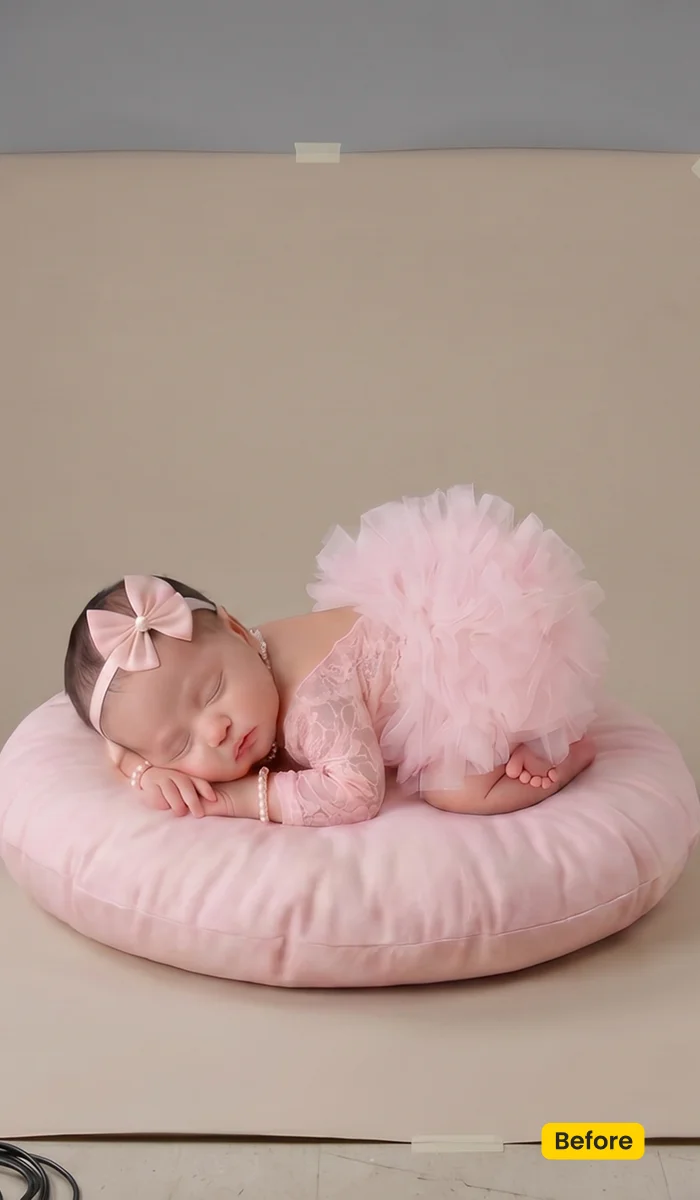
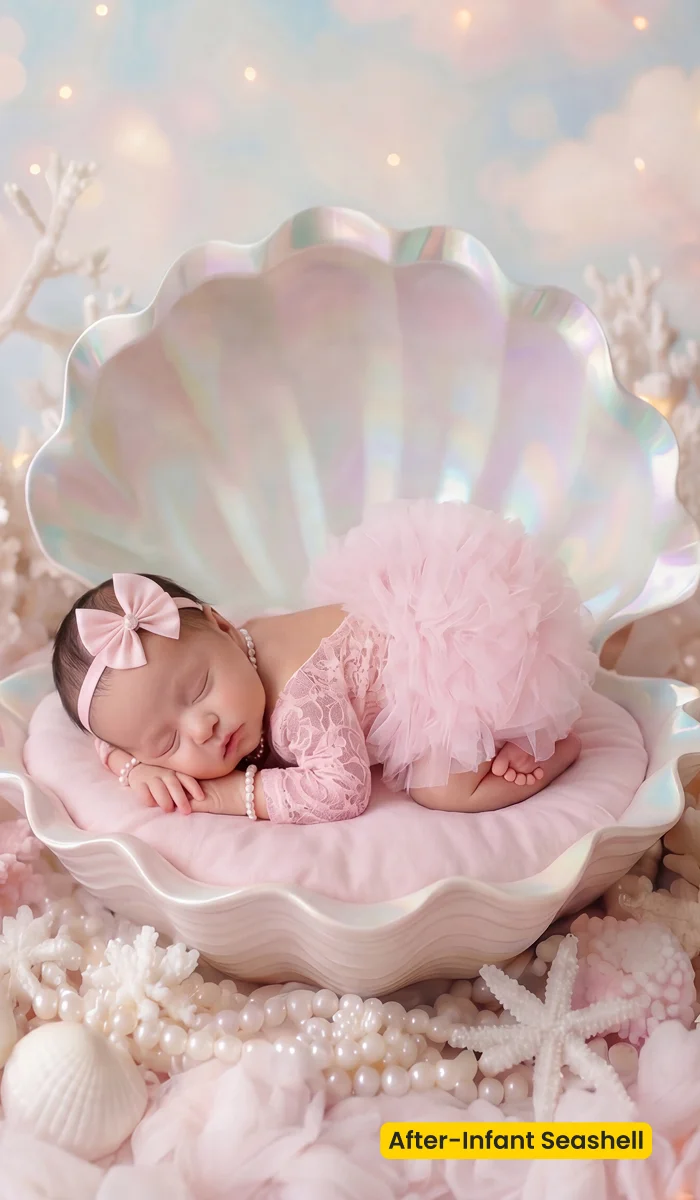
Get this infant photography scene from Evoto. Apply Infant Seashell in AI Lab → AI Background Fusion. Download Evoto to run fusion on the posed set.
Best For / Not For
Best for
- Posed newborn composites that need a pearl seashell world
- Milestone infant sets with a fairytale, pastel brief
- Studio captures on a simple wrap that still need a finished scene
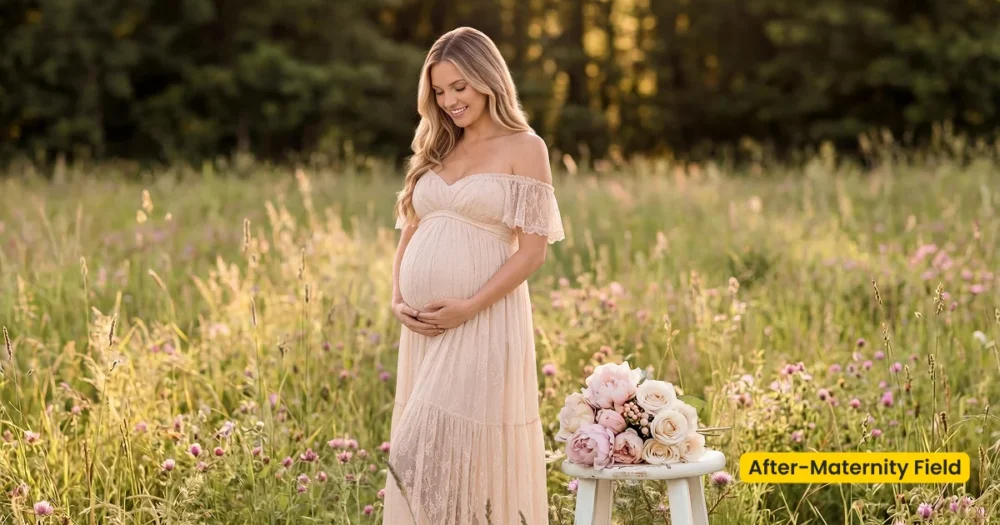
- Albums that continue a Maternity Field outdoor story into the newborn chapter
Not for
- Lifestyle documentary in a real nursery (grade color instead)
- Physical seashell props or printed wraps to ship
- Maternity bump portraits (use Maternity Field)
- Studio Backdrop / fabric-swap jobs (that is Fabric, not Fusion)
Fusion Scene vs Studio Backdrop for Infant Work
Search results mix printed newborn drops with editing assets. Infant Seashell belongs with AI Background Fusion: it rebuilds a pearl seashell world around a baby you already photographed. A Studio Backdrop swap only changes the cloth behind a standing subject.
| Infant Seashell (Fusion scene) | Studio Backdrop / printed wrap | |
|---|---|---|
| What it does | Composites the infant into a seashell scene | Swaps cloth or ships a physical drop |
| WP category | AI Background Fusion → newborn-scene | Studio Backdrop |
| Best for | Posed fairytale newborn composites | Clean fabric behind a standing sitter |
| Apply in | AI Lab → AI Background Fusion | Backdrop Changer or the studio |
What This Infant Photography Scene Holds
After Generate, check whether the baby still leads the frame. These notes describe the scene contents, not a slider recipe.
- Shell and pearl: Soft pink and sand tones. The wrap should feel pearly, not plastic-shiny.
- Florals: Delicate and secondary. If flowers overpower the face, pull back prop layers before you save.
- Glow: Dreamy pastel, fairytale-quiet. Avoid a neon underwater grade.
- Subject edge: Fusion still needs a sharp infant capture. Soft wrap is fine; motion blur is not.
- Overall finish: Tender posed composite, studio-safe, no physical seashell to haul.
Tips for Posed Infant Composites
Fusion will not invent a sharp baby. Shoot the wrap cleanly, then let Infant Seashell rebuild the world. Three habits keep a milestone set consistent.
- Shoot a clean wrap first: A well-exposed, sharp infant frame is the input. Fusion cannot recover a missed focus on eyelashes.
- Reuse the scene preset: Save Infant Seashell and batch the posed set so pearl tones match from frame to frame.
- Keep extra props secondary: Let seashell layers support the baby. Stacking too many foreground objects makes the composite noisy.
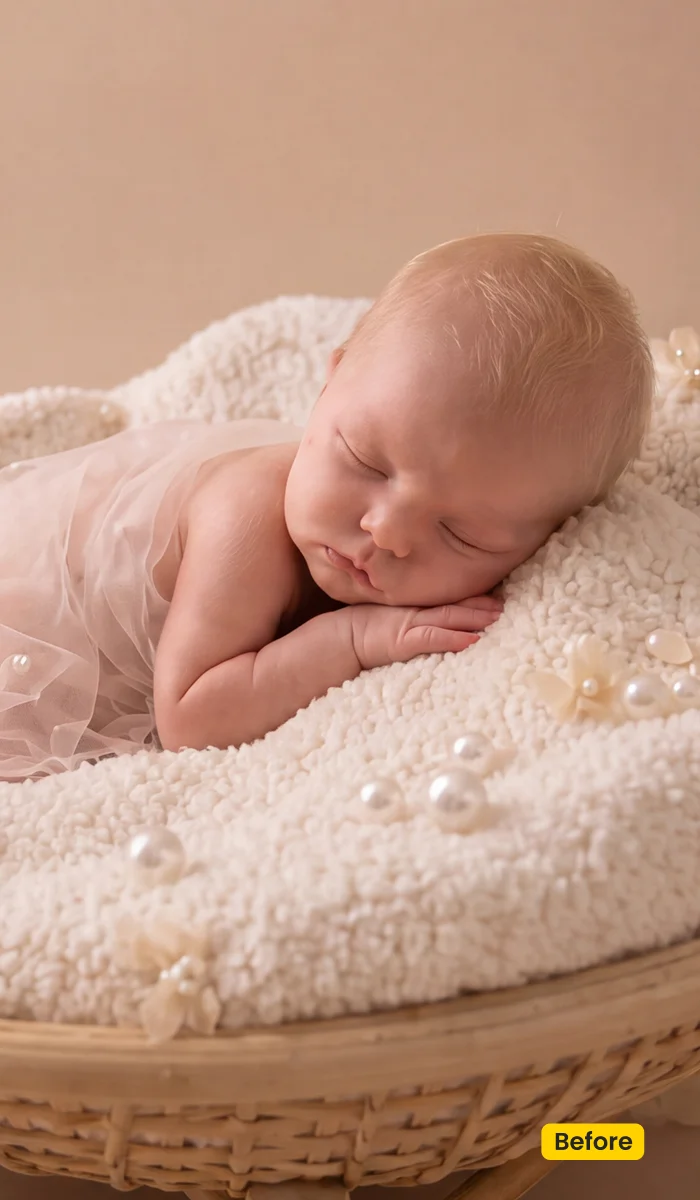
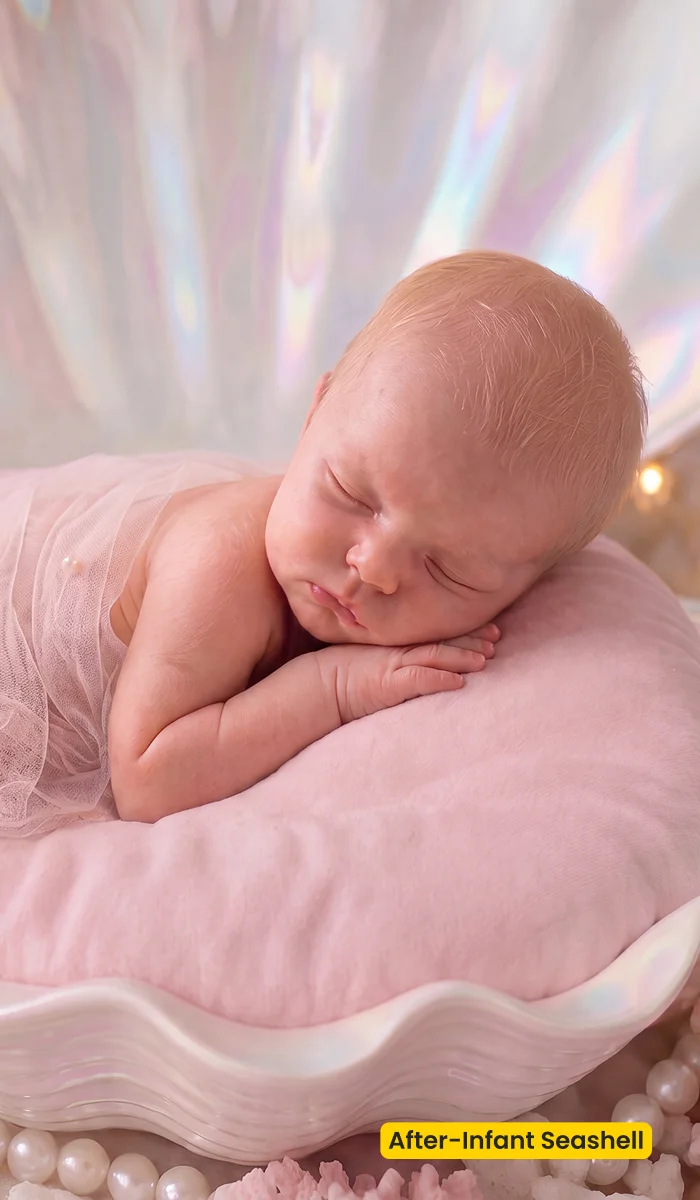
How to Get and Apply Infant Seashell
Step 1. Sync Infant Seashell
Click Get Scene Asset for Free. Sign in on Asset Hub, then sync Infant Seashell. This infant photography scene lives in AI Background Fusion, not in a printed wrap kit.
Step 2. Open Fusion on a sharp, posed wrap
In Evoto Desktop, click AI Lab, then AI Background Fusion. Pick a file where eyelashes are in focus. Skip motion blur; the seashell cannot rescue a soft baby.
Step 3. Keep florals behind the face
In the right panel, open Featured, then the “Infant” category, and choose Infant Seashell. Scale the shell so the baby still leads. Keep Subject Only unless a wrap layer should travel. Leave extra flowers off unless they stay secondary. Click Generate, then check that pearl tones do not turn plastic.
Step 4. Quiet the glow and save the milestone set
Use Character Lighting lightly so the wrap still matches the shell. Click Save, then batch the posed set so this infant photography scene stays consistent from frame to frame.
FAQ
Is this a free Lightroom backdrop file?
No. Infant Seashell is an Evoto AI Background Fusion scene from Asset Hub.
Is this a physical seashell wrap?
No. It is a digital infant photography scene. You still photograph the baby on your own wrap.
Can I use it for maternity?
Use Maternity Field for bump portraits. Infant Seashell is for posed newborns.
Does it train on my baby photos?
Evoto does not use Your Content to train AI generative models unless you opt in. See the Privacy Policy in your account legal pages.
Where do I apply it?
Get it from Asset Hub. In Evoto Desktop: AI Lab → AI Background Fusion → Featured → Infant Seashell → Generate → Character Lighting → Save.
Related Assets
Try Evoto AI Photo Editor
Retouch photos with Evoto AI and make your photos best! Available on Windows, MacOS and iPadOS.



