Fashion ecommerce thrives on turning catwalk trends into sellable products, and clothing photography is the bridge that connects runway inspiration to online shoppers. For apparel ecommerce brands like H&M, Zara, and SHEIN, 2026 Fashion Week (NYFW, Paris, Milan) isn’t just a spectacle—it’s a roadmap for high-converting ecommerce fashion photography. Professional photographers and retouchers need efficient tools to batch-process images, refine garment details, and standardize outputs for ecommerce fashion sites like Shopify and Amazon.
This guide breaks down how to leverage 2026’s biggest trends and AI workflow to elevate your clothing product photography and drive sales.
Fashion Week & Apparel Ecommerce: The Trend Translation Link
Fashion ecommerce success hinges on aligning with what’s hot on the runway. Leading brands like FARFETCH and SSENSE report that trend-aligned apparel product photography boosts click-through rates by 32% (source: Shopify Ecommerce Report 2026). The connection is simple: Fashion Week sets the color, fabric, and silhouette agenda, and ecommerce fashion photography must translate these elements into relatable, shoppable images.
For example, Zara’s 2025 spring collection saw a 45% sales surge after its rich teal dresses were photographed to mirror Saint Laurent’s Paris Fashion Week 2026 runway shots. Fast fashion brands like ASOS rely on this synergy to get trend pieces online within weeks, making clothing photography for e-commerce a critical part of their speed-to-market strategy.
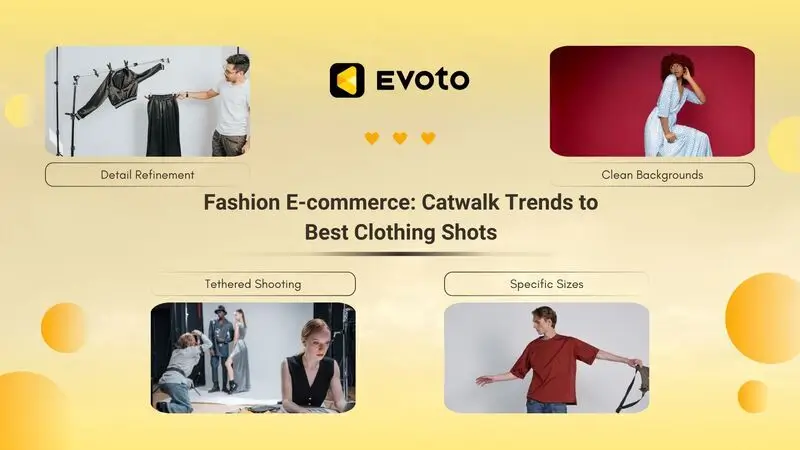
2026 Fashion Week Key Trends: Colors & Garments to Prioritize
2026 Color Trends (Sourced from Vogue, Who What Wear)
- 2026 color of the year: Cloud Dancer (a soft, creamy white featured in Balenciaga and Bottega Veneta’s SS26 collections)—ideal for versatile basics and minimalist designs.
- Bold Hues: Rich Teal (Alaïa, Saint Laurent), Vibrant Purple (Balenciaga, Burberry), and Fuchsia (Alaïa, Chloé)—perfect for statement pieces that stand out on online stores.
- Soft Tones: Cool Blue (Pinterest’s top 2026 trend) and Vintage Peach (Lisa Says Gah, La DoubleJ)—great for casualwear and loungewear lines.
Garment Trends
- Oversized silhouettes (Jil Sander’s tailored blazers, Prada’s chunky knits)
- Textured fabrics (woven leather, fringe, metallic knits)
- Flowy satin dresses (Valentino’s floor-length gowns)
These trends demand clothing brand photography that highlights texture, color accuracy, and fit—critical for reducing returns on B2C e-commerce platforms.
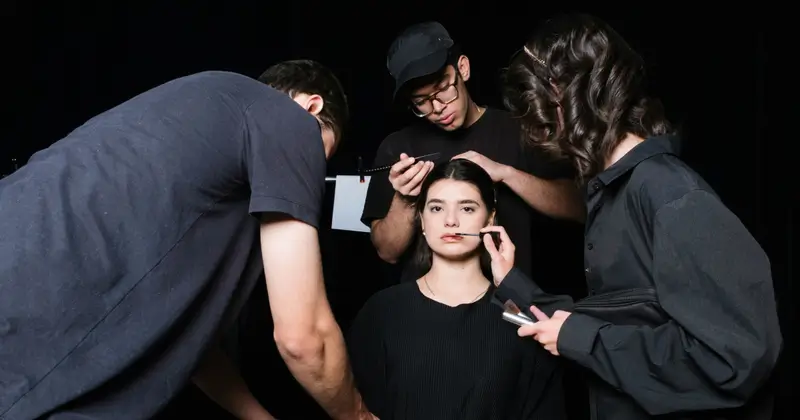
Pain Points in Ecommerce Fashion Photography Post-Fashion Week
Professional ecommerce photography teams face unique challenges when translating runway trends to sellable images:
- Batch overload: Shooting 500+ trend-focused garments (e.g., Cloud Dancer white blouses) requires sorting blurry/closed-eye shots quickly.
- Background distractions: Runway-inspired shoots often have cluttered backdrops that don’t meet ecommerce fashion sites’ clean (white/transparent) requirements.
- Garment imperfections: Wrinkles on satin, lint on knitwear, or uneven color on rich teal pieces can undermine perceived quality.
- Standardization gaps: Inconsistent cropping or color across product lines confuses shoppers—SSENSE notes that cohesive fashion product photography reduces bounce rates by 29%.
A 2026 Ecommerce Photography Survey found that 63% of retouchers cite “batch processing speed” as their top challenge, highlighting the need for efficient tools like Best AI photo culling software.
Read More: How to Eliminate Distracted Images: Remove Background Distractions from Photos
Evoto Fashion Week 2026 Bonus

What Makes High-Converting Ecommerce Fashion Photography?
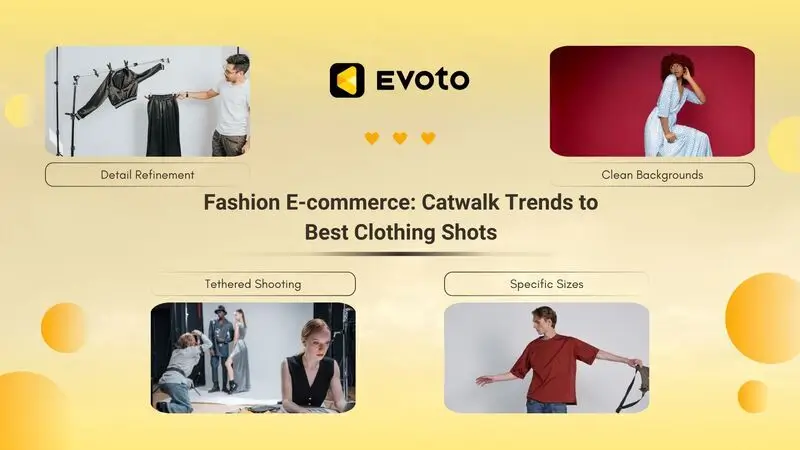
4 Core Criteria for Trend-Driven Shots
- Trend Alignment: Photos must highlight 2026’s key colors (e.g., Vibrant Purple) and fabrics—ASOS’s cool blue tops sold 3x faster after mirroring Prada’s runway texture.
- Clean Backgrounds: Distraction-free (white/transparent) backdrops keep focus on the garment, meeting Amazon and BigCommerce’s platform guidelines.
- Refined Details: No wrinkles, lint removal, or zero color inconsistencies—Cloud Dancer white pieces must have uniform brightness to avoid appearing gray or washed out.
- Standardization: Consistent cropping (full-body, detail shots) and color—fast fashion online shopping relies on this to create a cohesive storefront.
H&M’s 2026 Cloud Dancer sweater campaign is a masterclass: clean white backgrounds, sharp edge details, and consistent lighting across all angles drove a 27% lift in conversions.
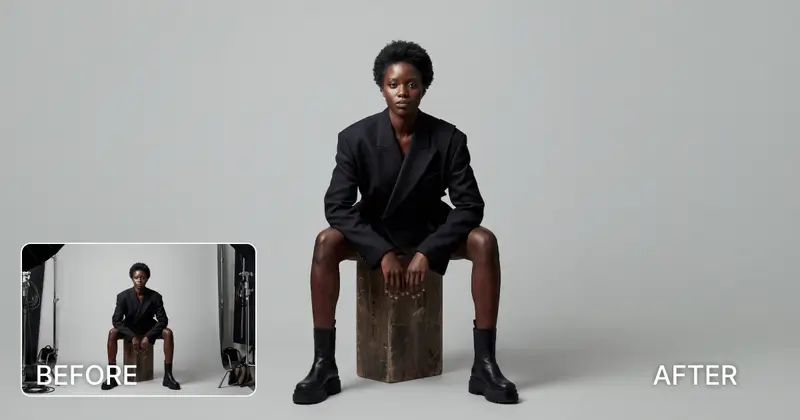
Optimized Evoto Workflow for Fashion Ecommerce
Evoto AI Photo Editor’s workflow streamlines ecommerce product photography from shooting to export, addressing the unique needs of apparel business teams:
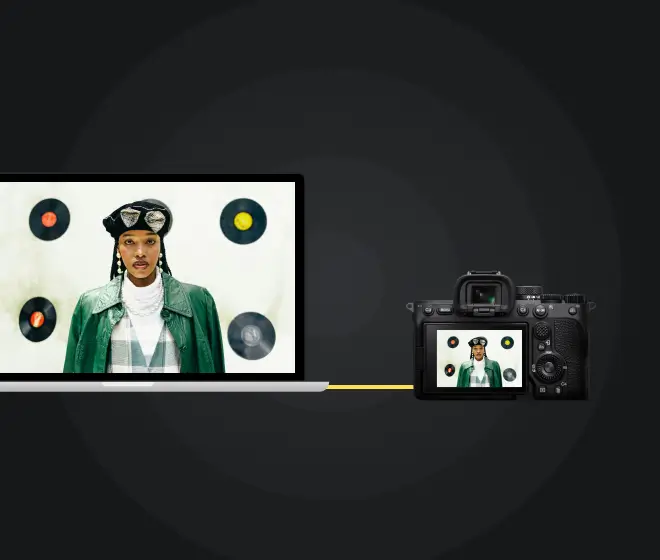
Step 1: Tethered Shooting + Hotfolder Auto-Import
Connect your camera (Canon R5/Sony A1) to Evoto via wired/wireless tethering—Hotfolder auto-imports RAW/JPEG files in real time during tethering shooting, eliminating post-shoot manual import. Filter import types (e.g., only RAW) to avoid clutter, critical for high-volume shoots like Zara’s 2026 spring collection.
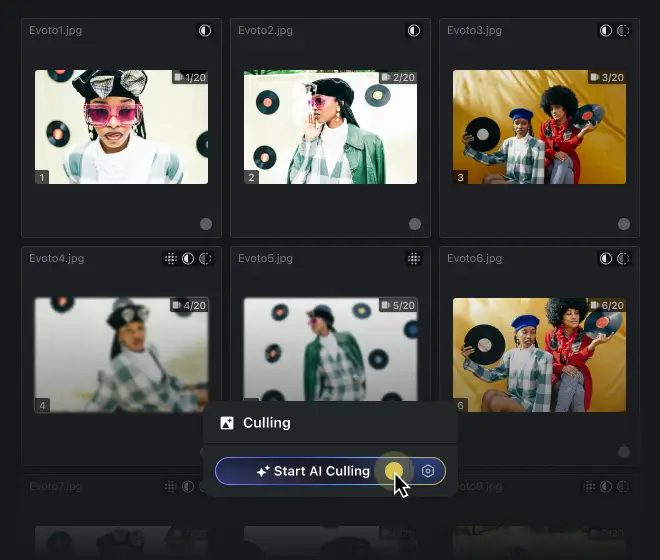
Step 2: AI Culling for Fast Sorting
Use the best AI photo culling software to automatically filter blurry, overexposed, or closed-eye shots. From 500 Cloud Dancer dress photos, Evoto retains 200 usable shots in 2 minutes, saving hours of manual sorting.
Step 3: Clean Backgrounds & Color Consistency
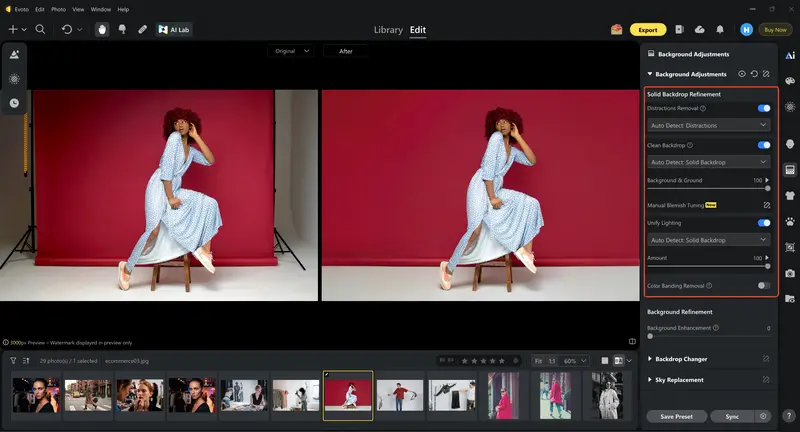
- Remove runway clutter with Bulk background removal for commercial photos—Evoto’s Background Distraction Removal tool creates seamless white/transparent backdrops.
- Use AI Color Consistency to ensure rich teal and Vibrant Purple hues match across batch photos, critical for brand consistency on ecommerce fashion sites.
Step 4: Garment Detail Refinement
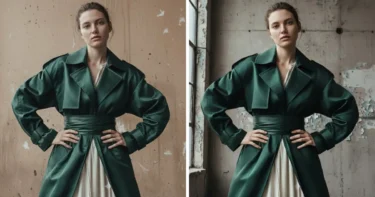
- Fix wrinkles and lint with an AI clothing wrinkle removal tool—preserve fabric texture (e.g., knitwear stitches) while eliminating flaws.
- Smooth garment edges with Clothing Edge Smoothing, ideal for Jil Sander’s oversized blazers and Valentino’s satin dresses.
Step 5: Standardization + Hotfolder Auto-Export
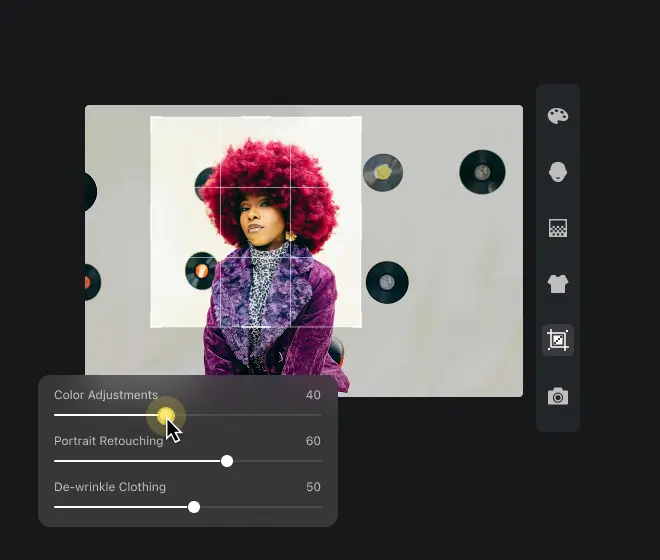
- Apply custom presets (e.g., “2026 Cloud Dancer White Balance”) to batch photos for uniform tone. Or use AI cropping to batch-resize images to specific e-commerce platform image sizes.
- Set ecommerce-specific sizes (Shopify detail page: 800x1000px; Amazon: 1000x1000px) and enable Hotfolder auto-export to designated folders, streamlining delivery to online stores.


Powerful AI Photo Editor
Pro Tips for Elevating Ecommerce Fashion Photography
Shooting Tips
- Prep garments to highlight trends: Steam textured knits to showcase Prada-inspired details; use neutral props to complement cool blue pieces.
- Shoot in RAW to maximize color correction flexibility—adjust Vibrant Purple to match Balenciaga’s runway shade using Evoto’s Best software for color correction in photos.
- Capture 4 mandatory angles (full-body, front, back, detail) to meet BigCommerce’s guidelines and reduce shopper uncertainty.
Retouching Hacks (Evoto-Focused)
- For Cloud Dancer white garments: Use Background Balance to fix uneven brightness—avoiding the “gray” look that hurts conversions.
- For rich teal pieces: Use HSL Selector to tweak hue/saturation without altering model skin tone.
- Batch-apply “2026 Trend Presets” (e.g., Vintage Peach Color Grade) to maintain consistency across flat lay clothing photography and model shots.
SHEIN’s retouching team reduced editing time by 60% using Evoto’s batch preset feature for their 2026 cool blue collection, proving efficiency doesn’t mean sacrificing quality.
Read More:
- Fashion Photography: Elevate Your High-End Editorial Shots at 2026 Runway Shows
- Street Fashion Photography: How to Create Viral 2026 Fashion Week Content Fast
Common Mistakes to Avoid
- Ignoring color accuracy: Vibrant Purple photos that don’t match the actual garment lead to 35% higher returns (source: Amazon Seller Report).
- Overlooking background clutter: Runway props or messy backdrops distract from the garment—use Edit out background distractions in busy photos to clean up shots.
- Neglecting batch consistency: Inconsistent cropping across a product line confuses shoppers on ASOS-style multi-product pages.
- Skipping detail shots: Missing texture close-ups (e.g., woven leather stitches) erodes trust in product quality.
The End
By aligning your ecommerce fashion photography with 2026’s runway trends and using Evoto’s batch-processing workflow, you’ll turn trend-inspired shots into high-converting assets. From Cloud Dancer basics to rich teal statement pieces, the right tools and techniques will help your fashion ecommerce brand stand out in a crowded market.
Powerful AI Photo Editor
FAQs
1. How can I ensure 2026 trend colors like Cloud Dancer stay consistent across batch photos?
Use Evoto’s AI Color Consistence to unify tones across all images. The tool uses a reference shot to adjust hue and brightness, ensuring Cloud Dancer white or rich teal looks uniform. Evoto prioritizes secure data handling and privacy protection for all batch edits.
2. What’s the best way to batch-process 1000+ garment photos for ecommerce?
Leverage Evoto’s Hotfolder auto-import/export and Best AI photo culling software to filter and process images in bulk. Combine with custom presets for color grading to standardize outputs—ideal for fast fashion apparel brands needing quick turnarounds.
3. How do I create clean white backgrounds for clothing photography without manual editing?
Evoto’s Bulk background removal for commercial photos and Background Balance tools automatically create seamless white backdrops. The AI detects and removes clutter, ensuring compliance with ecommerce fashion sites’ requirements.
4. Can Evoto handle RAW files for high-quality ecommerce product photography?
Yes—Evoto is the best AI RAW photo editor for professional photography studios, supporting RAW files from Canon, Sony, and Nikon. It preserves detail while allowing precise color correction and garment refinement.
5. How does Evoto ensure data security when collaborating on team projects?
Evoto’s Cloud Space offers secure project syncing with user data protection features. Team members can access and edit images in real time, with encrypted transfers and version history to prevent data loss. Live delivery of edited images to clients or platforms is also encrypted for added safety.