

Fashion photography has become an essential part of the visual culture in the modern digital age. Whether for magazines, e-commerce platforms, or social media, fashion photo retouching is a critical process that ensures images look professional and captivating. Yet as demands for speed and efficiency continue to rise, traditional retouching methods often prove meticulous yet inconvenient. This is where artificial intelligence-driven fashion retouching technology comes to the fore, delivering stunning visual effects with greater speed and precision.
The Power of Fashion Photography Retouching
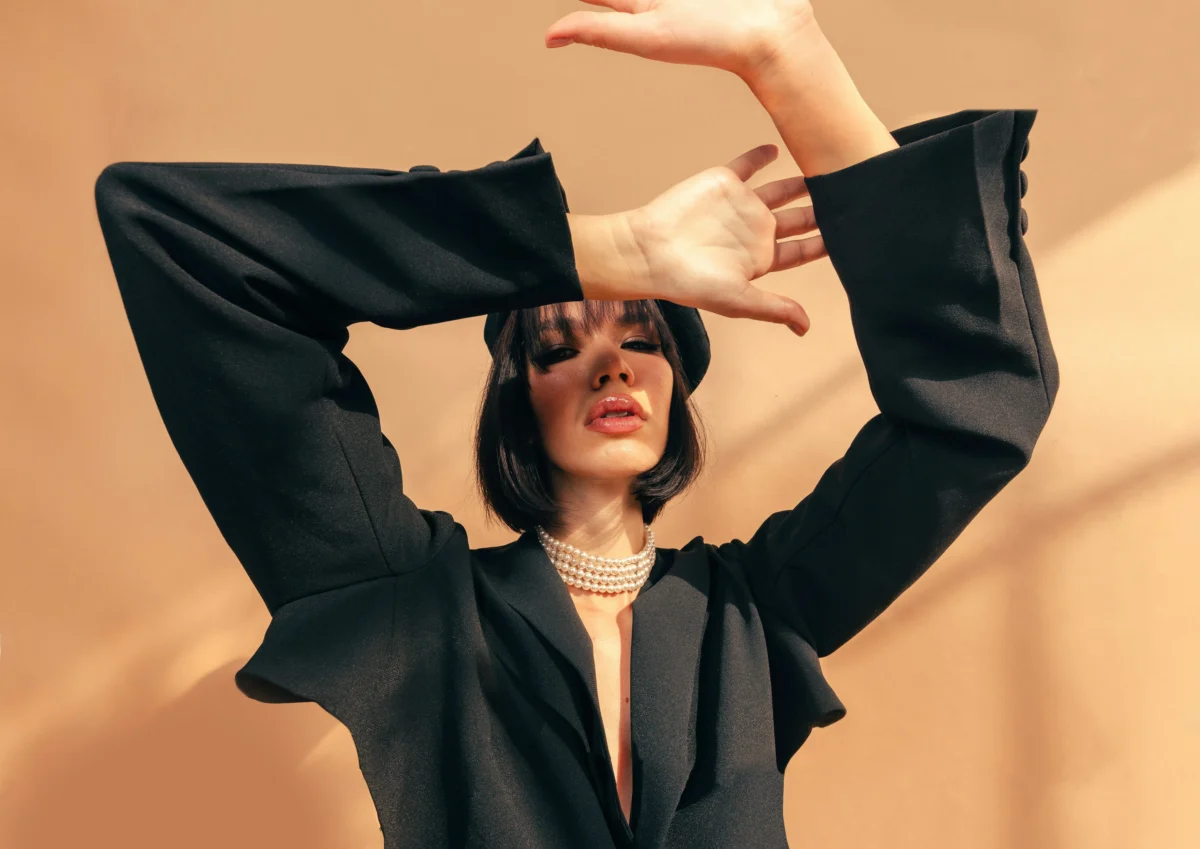
Fashion photography editing is more than just enhancing photos; it’s about refining every detail to present the model, clothing, and setting in the best possible light. Fashion photo enhancement involves several key elements such as skin smoothing, color correction, lighting adjustments, and background removal. With the right retouching, an image can go from ordinary to extraordinary, showcasing products or people in the most flattering way possible.
The goal of fashion image editing is to bring out the essence of the shot while ensuring the edits are seamless, natural, and professional. It’s no wonder that fashion photo retouching has become an integral part of any fashion photographer’s workflow, whether for fashion portraits, e-commerce, or editorial photography.
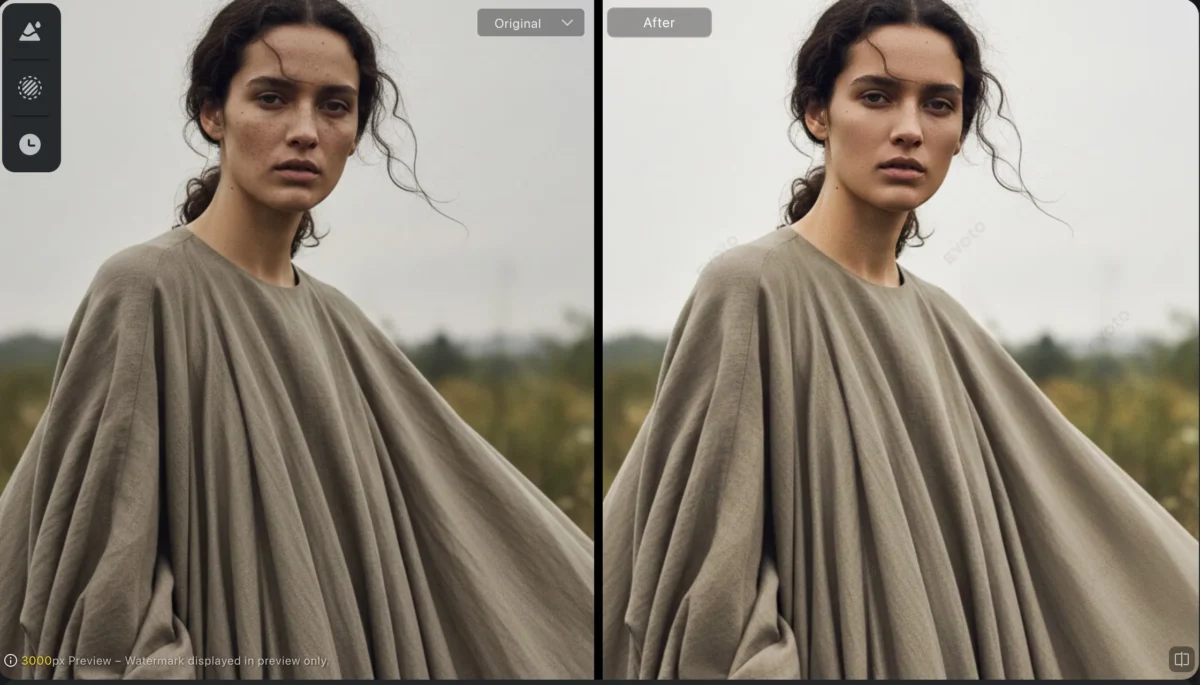
Two Solutions for Fashion Photography Retouching: Photoshop vs. Evoto
When it comes to fashion photography retouching, two popular solutions dominate the scene: Photoshop and Evoto. Both have their strengths, but each offers a different experience and workflow. Let’s take a closer look at both.
Step-by-Step Fashion Retouching with Photoshop
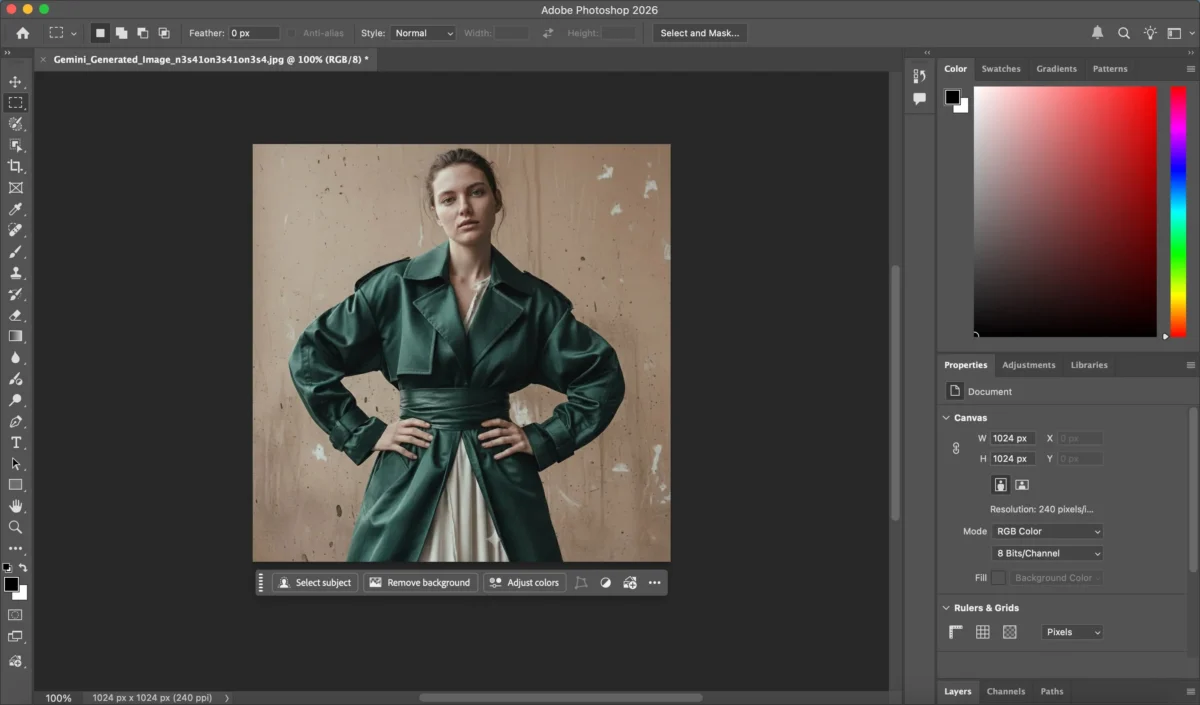
1.Brightness Adjustments:Adjusting highlights, shadows, and overall exposure can significantly enhance the image’s depth and dimension. This is often done with Dodge and Burn techniques or using Adjustment Layers to fine-tune the lighting.
2.Color Grading:To match the desired mood or style, color adjustments are made using Curves, Color Balance, or LUTs. This process is critical in achieving a consistent tone throughout the image, especially in fashion photography.
3.Skin retouching:Photoshop provides advanced techniques like Frequency Separation or the Clone Stamp Tool to smooth the skin while preserving texture. This ensures a natural look without making the skin appear overly artificial.
4.Background cleaning or Background replacement (optional):Photoshop’s Pen Tool or Quick Selection Tool is used to precisely clean and remove the background, allowing for a seamless, distraction-free appearance. This process requires patience and attention to detail, especially when dealing with intricate elements like hair, and is often followed by replacing the background with a new one.
5.Garment Retouching:Photoshop is excellent for garment retouching, whether it’s removing wrinkles, smoothing out fabric, or enhancing colors. This step is crucial in fashion photography to make sure the clothing looks its best.
While Photoshop offers complete control over the retouching process, it requires time, effort, and expertise to achieve professional results.
Step-by-Step Fashion Retouching with Evoto
Evoto, an AI-powered photo retouching software, simplifies and accelerates the retouching process, providing a more efficient workflow. Here’s how fashion photo enhancement works with Evoto:
1.Automatic Brightness Adjustments:Evoto uses AI to adjust the lighting, enhancing shadows and highlights for a balanced, professional look. No more tedious manual dodging and burning—Evoto does it for you in seconds.
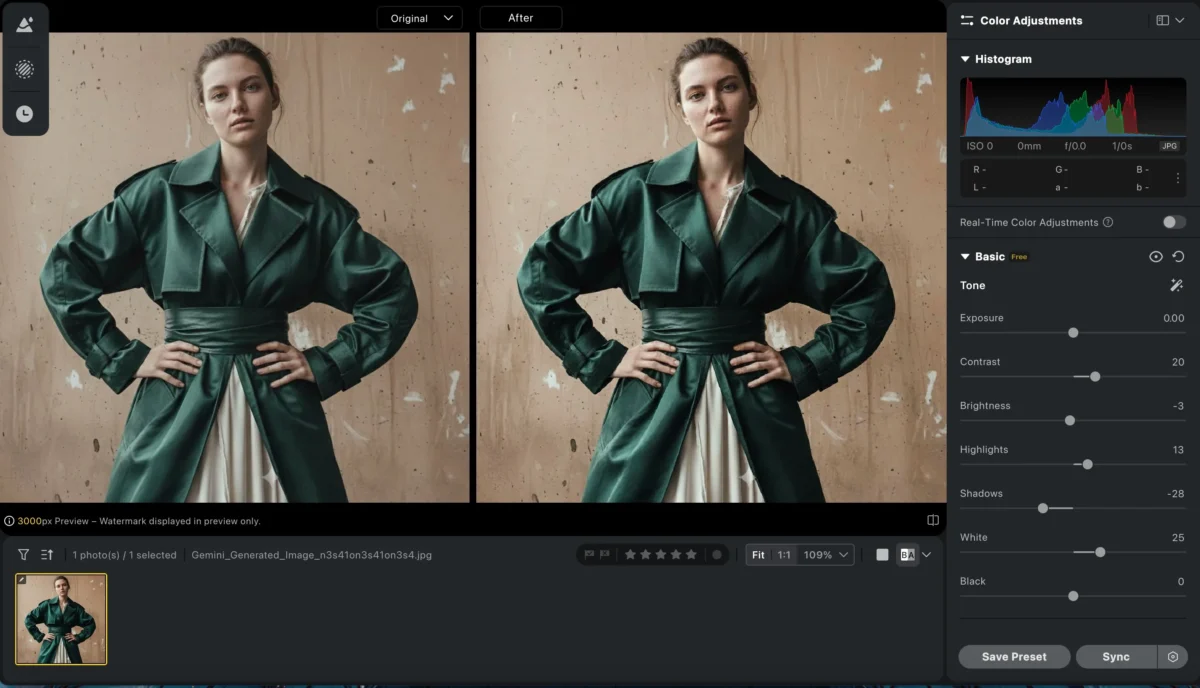
2.Smart Color Adjustments:With Evoto, color grading is made easy. The AI-powered tool automatically adjusts the tones, enhancing the image’s overall mood in just a few clicks. You can fine-tune the color settings with intuitive sliders.
3.Auto Skin Retouching: Evoto’s AI automatically detects and smooths the skin while preserving natural texture. This eliminates the need for manual frequency separation, saving you time while ensuring natural results.
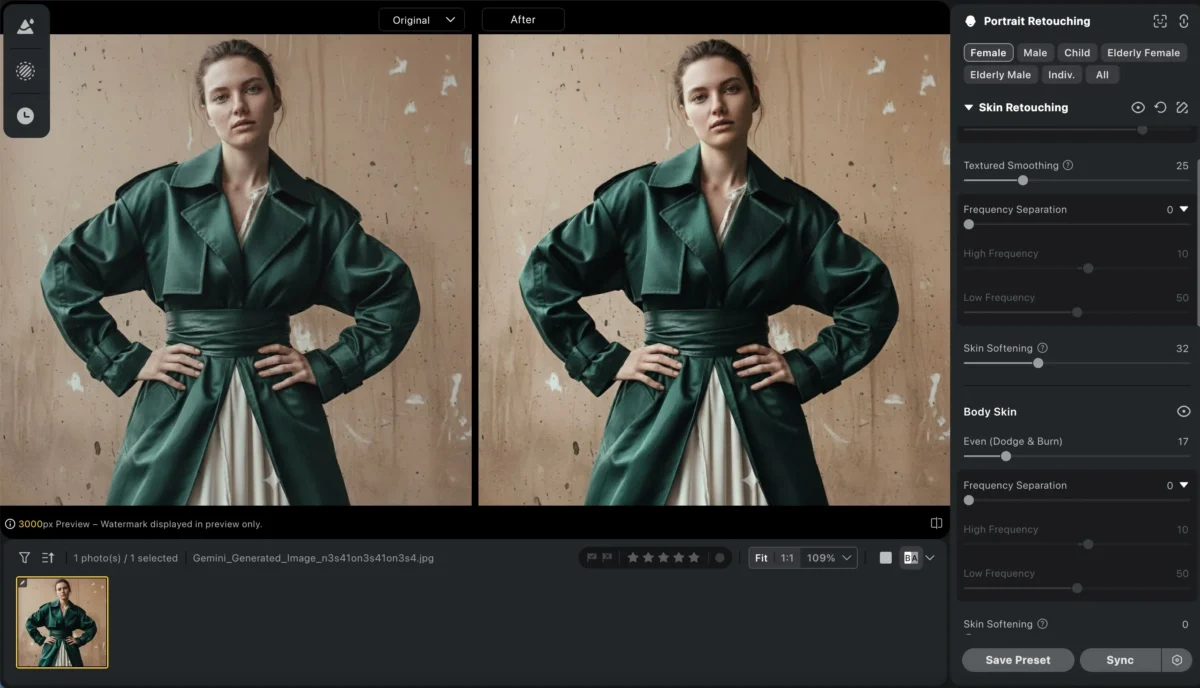
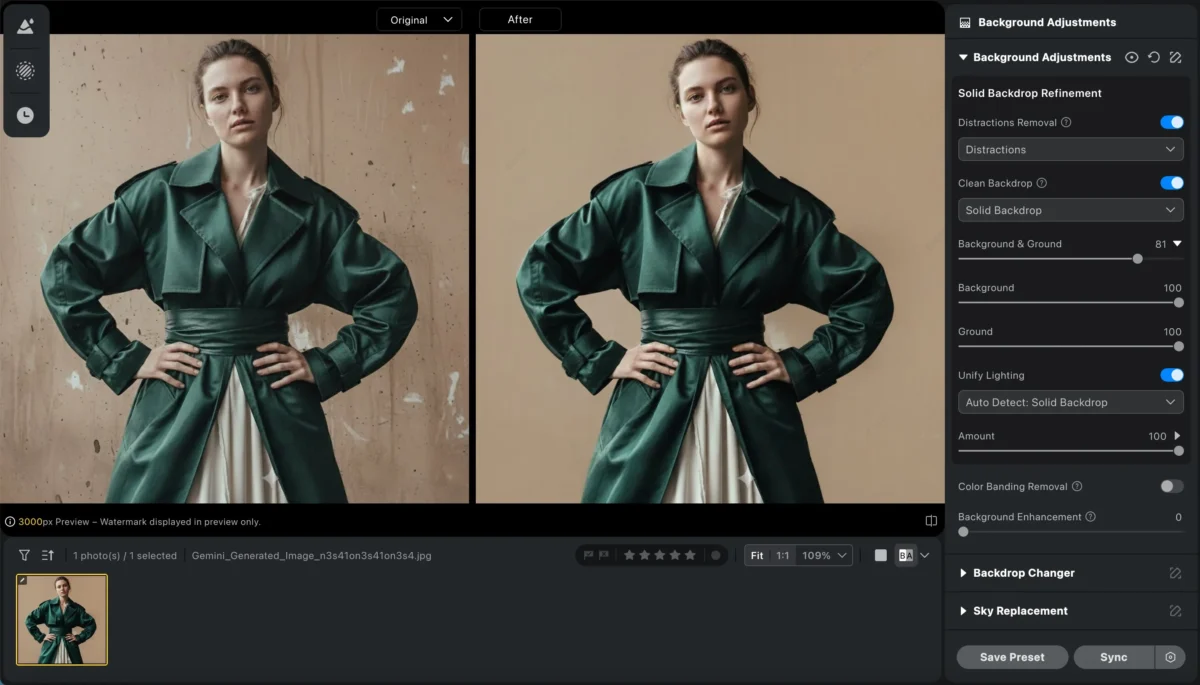
4.Background cleaning or Background replacement (optional): Background Cleaning and Replacement: Evoto’s AI-driven tools effortlessly eliminate imperfections from backgrounds, ensuring a clean, uncluttered result. Subjects can also be separated from their backgrounds, allowing replacement with either images from Evoto’s background library or your own uploaded photos. Whether you opt to replace the background entirely or simply remove blemishes, the entire process is swift, seamless and highly efficient.

5.Garment Retouching:Evoto excels at garment retouching, whether it’s removing wrinkles, sharpening details, or enhancing colors. This step is vital in fashion photography to ensure the clothing looks crisp, polished, and visually appealing, all without the need for manual adjustments.
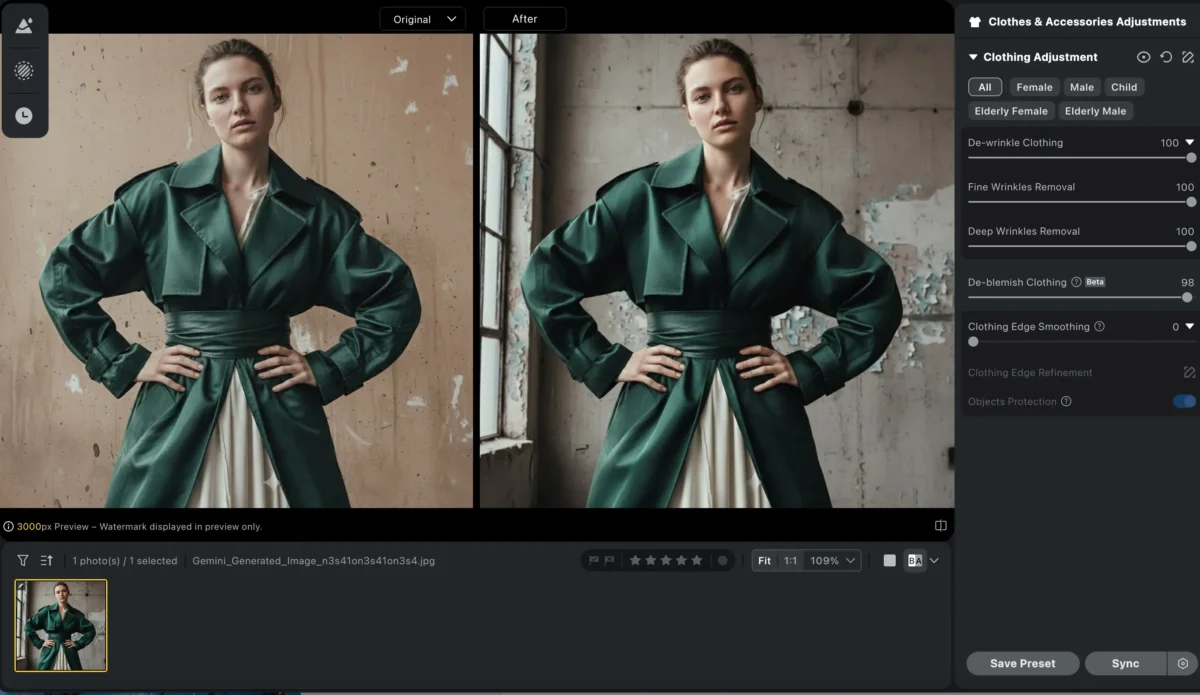
With Evoto, the entire fashion photography retouching process is simplified, saving you time while still achieving high-quality results


Powerful AI Photo Editor
Evoto vs. Photoshop – Which is Better for Fashion Photography Retouching?
| Criteria | Evoto | Photoshop |
|---|---|---|
| Speed and Efficiency | Faster: AI-powered automation handles tedious tasks, achieving professional results in minutes. | Slower: Requires manual work and expertise, especially with multiple images. |
| Ease of Use | Easier: User-friendly, intuitive interface, no prior expertise needed. | Harder: Steep learning curve, more complex tools for beginners. |
| Customization & Control | Balanced: Offers sufficient customization without overwhelming the user. | Ultimate Control: Full manual control for precise adjustments, perfect for experts. |
| Cost-Effectiveness | More Affordable: Lower price with powerful features, suitable for professionals on a budget. | More Expensive: Requires an ongoing subscription, which can be costly over time. |
Powerful AI Photo Editor
Conclusion
In conclusion, both Photoshop and Evoto are excellent tools for fashion photography retouching, but the choice depends on your workflow and priorities. If you’re looking for a fast, efficient, and easy-to-use solution, Evoto is the perfect choice for AI photo retouching for fashion photography. With its AI-powered automation and intuitive controls, you can achieve stunning results in less time and with less effort than ever before.
On the other hand, if you require the utmost control and are willing to spend more time on detailed manual editing, Photoshop may still be the better option. However, for those who need to enhance fashion photos quickly and professionally, Evoto offers a superior, time-saving solution.
Start using Evoto today to streamline your fashion photography editing process and take your work to the next level!
Try Evoto AI Photo Editor
Retouch photos with Evoto AI and make your photos best! Available on Windows, MacOS and iPadOS.



