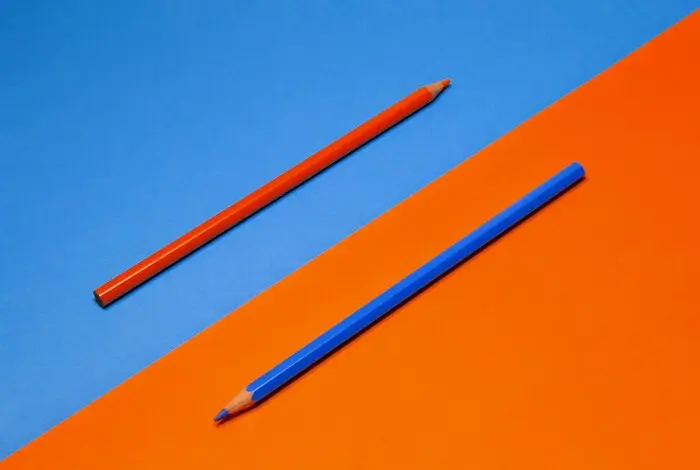
- Complementary (opposite) colors are pairs that sit directly across on the color wheel. In RGB: red–cyan, green–magenta, blue–yellow.
- The opposite color of green is magenta. The opposite color of red is cyan. The opposite color of blue is yellow.
- Color inversion in images replaces every pixel with its complement, which is why inverted photos look like film negatives. Designers and photographers use this for contrast, balance, and creative effects.
If you’ve ever wondered what are opposite colors or asked “what’s the opposite color of green?”, you’re touching on one of the most useful ideas in color theory. Opposite colors — also called complementary colors — are pairs that sit directly across from each other on the color wheel. They create strong contrast and visual pop, and they’re exactly what color inversion uses when you flip an image to a negative look.
This guide explains what opposite colors are, how they work in the RGB model photographers and designers use every day, and how to use color inversion for better images and layouts.
You’ll get clear answers for the opposite color of green, red, and blue; a simple view of the color wheel; and practical tips for using these pairs in photography and design. We’ll also point you to a free tool so you can try inversion on your own photos. For step-by-step ways to invert a photo on your phone, see our guide How to Invert Colors on iPhone: 3 Easy Methods Compared.
What Are Opposite Colors?
Opposite colors are two hues that sit directly across from each other on the color wheel. In color theory they’re usually called complementary colors (see complementary colors on Wikipedia for the broader definition). When you place them side by side, they create strong contrast and make each other look more vivid. When you mix them in paint (subtractive color), they tend to dull toward gray or brown. In light and on screens (additive color), combining two complements at full strength can produce white or a neutral tone.
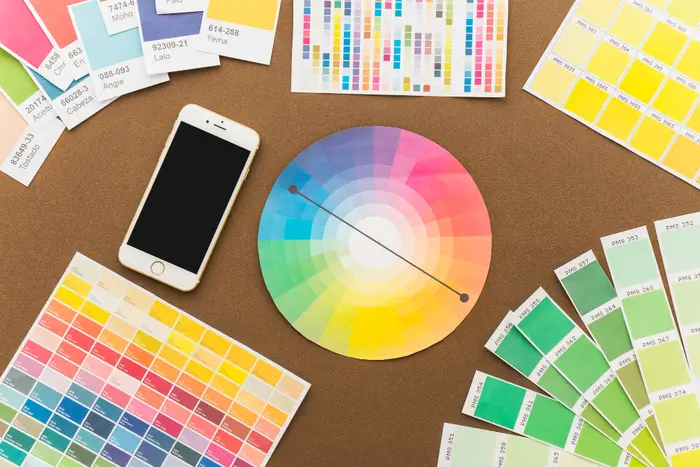
For photographers and designers, the most practical model is the one used by digital images: RGB (red, green, blue). In that model there are three main complementary pairs:
- Red and cyan (green + blue)
- Green and magenta (red + blue)
- Blue and yellow (red + green)
So when we talk about the opposite color of green, we mean magenta. When we talk about the opposite color of red, we mean cyan, and the opposite color of blue is yellow. These relationships are what color inversion uses: each channel is flipped (e.g. 255 minus the original value), so every pixel becomes its complement. That’s why an inverted image looks like a photographic negative — skin tones go blue-green, blue skies go orange, and so on.
The Opposite Color of Green, Red, and Blue
A lot of searches focus on one specific pair: what is the opposite color of green, or of red or blue? Here are the answers in the RGB system that your camera, screen, and editing software use.
| Color | Opposite (Complement) | In RGB Terms |
|---|---|---|
| Green | Magenta | Red + Blue (no green) |
| Red | Cyan | Green + Blue (no red) |
| Blue | Yellow | Red + Green (no blue) |
So the opposite color of green is magenta. The opposite color of red is cyan, and the opposite color of blue is yellow. You’ll see these same pairs on a standard RGB or digital color wheel: each primary (R, G, or B) is across from the mix of the other two primaries.
Other common questions follow the same logic. Yellow’s complement in RGB is blue; orange sits opposite blue on many wheels, so its complement is in the blue range. For day-to-day photo and design work, the three pairs above are the ones that matter for color inversion and for understanding why negatives and inverted images look the way they do. To see how this plays out in film, read Film Negatives in Photography: History, Science, and How to Recreate the Look.
How Opposite Colors Work in Photography and Design
Complementary pairs are used in two main ways: for contrast and balance in composition, and for color inversion in post-production or creative effects.
Contrast and Balance
Placing complements next to each other makes both stand out. A green subject on a magenta background (or the other way around) pops because green and magenta are opposites. The same goes for red–cyan and blue–yellow. In branding and UI, designers often pick one main hue and use its opposite for accents or calls to action so key elements don’t get lost. In photography, knowing the opposite color of green (magenta) or the opposite color of blue (yellow) helps you plan backgrounds, wardrobe, or lighting so the subject and environment don’t fight each other.
Color Inversion
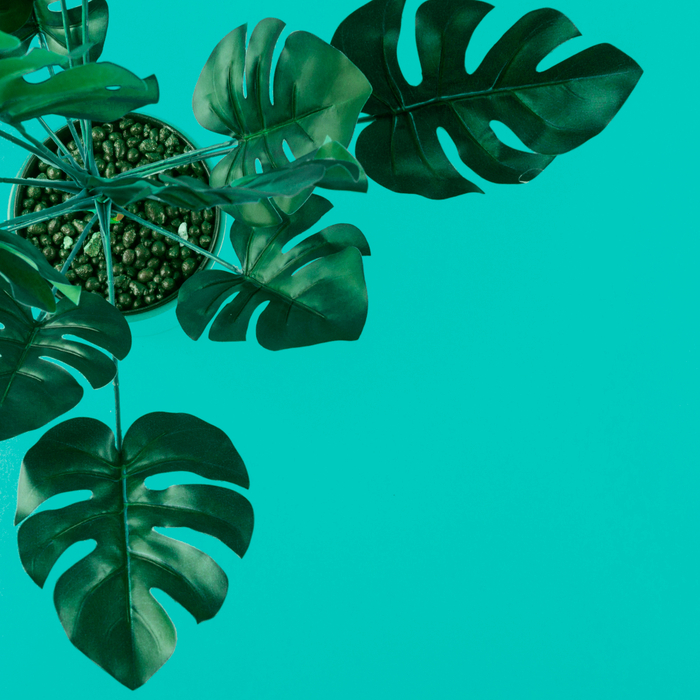
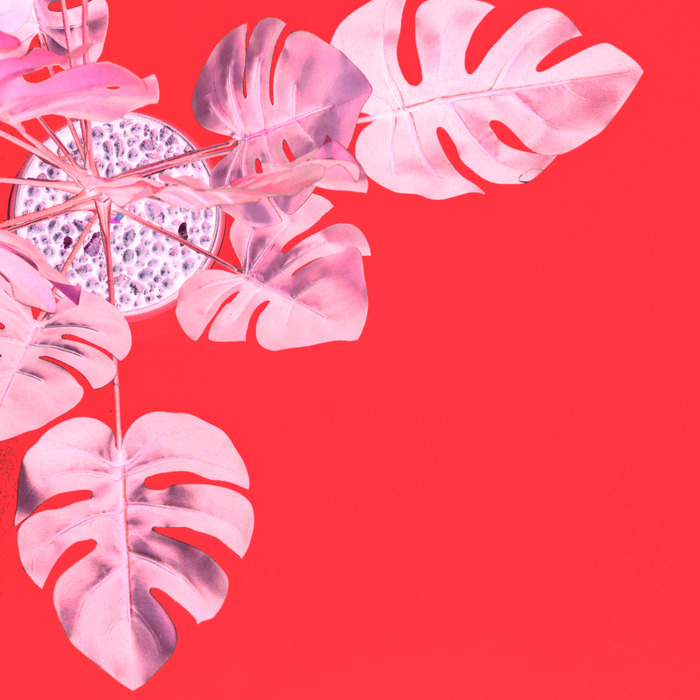
Color inversion applies the idea of opposite colors to an entire image. Every pixel is replaced by its complement: red becomes cyan, green becomes magenta, blue becomes yellow. The result looks like a film negative, which is exactly how analog negatives work. When you invert a scan of a negative (or use a browser-based tool), you’re using these complementary relationships to bring the image back to a normal-looking positive. Inversion is also used for creative looks (e.g. surreal or high-contrast art) and for checking legibility in dark-mode designs.
Evoto’s free image color inverter does this in one click so you can try inversion on any photo without opening heavy editing software — your file is processed in-session and not stored.

Using Color Inversion in Your Workflow
Once you know what are opposite colors and how they map in RGB, you can use inversion in a few practical ways:
- Restore film negatives — Scan a negative, then run it through an image color inverter. The complementary mapping flips the negative back to a positive. This is the same relationship you see when you ask “what’s the opposite color of green?” — the negative’s greenish areas become magenta in the positive.
- Create a negative-style look — Invert a normal photo to get that negative or high-contrast look. Great for album art, social posts, or mood boards.
- Check dark mode — Invert a light UI screenshot to approximate dark mode. Designers use this to see how text and icons hold up when colors are flipped.
You don’t need a desktop app to try it. A browser-based image color inverter (linked once in this article) lets you upload a photo, apply inversion, and download the result. Your file is processed in-session and not stored, so it’s safe for personal and client work.
Summary
What are opposite colors? They’re complementary pairs on the color wheel — in RGB, red–cyan, green–magenta, and blue–yellow. The opposite color of green is magenta; the opposite color of red is cyan; the opposite color of blue is yellow. Photographers and designers use these pairs for contrast and balance, and color inversion uses them to turn an image into a negative (or back from a negative to a positive). If you want to try inversion on your own photos, use a free online image color inverter — no install, one click, full resolution.
Get the Full Evoto Workflow
For more than one-off inversion, try the Evoto AI Photo Editor for portrait retouching, batch processing, and color grading. To download Evoto for desktop or mobile, use the official link: Download Evoto. You’ll get access to the inverter plus the full editing workflow. Start with the free trial to test all features.


Powerful AI Photo Editor
FAQ
What are opposite colors?
Opposite colors (complementary colors) are two colors that sit directly across from each other on the color wheel. In the RGB model used for digital images, the three pairs are red–cyan, green–magenta, and blue–yellow. They create strong contrast and are what color inversion uses when flipping an image to a negative look.
What is the opposite color of green?
In the RGB color model, the opposite color of green is magenta. Magenta is a mix of red and blue light (no green). That’s why film negatives look greenish in areas that will be warm (e.g. skin) in the final positive — the negative is storing the complementary information.
What is the opposite color of red and blue?
The opposite color of red is cyan (green + blue). The opposite color of blue is yellow (red + green). Together with green–magenta, these three pairs are the basis of color inversion in photos and on screens.
How does color inversion use opposite colors?
Color inversion replaces each pixel with its complement: red becomes cyan, green becomes magenta, blue becomes yellow. So the whole image is rebuilt from opposite colors, which is why it looks like a photographic negative. Inverting again (or inverting a negative) brings the image back to a normal-looking positive.
Where can I try color inversion on my photos?
You can use Evoto’s free image color inverter. Upload a photo, click invert, and download the result. No software install; the image is only processed for your session. Works for restoring film negatives, creating negative-style art, or checking dark-mode designs.