Online proofing tools help photographers move client review out of messy email threads, scattered cloud folders, and manual screenshot feedback. Instead of asking clients to download a full folder, mark file names in a message, and send notes back later, a proofing workflow gives clients a structured gallery where they can view, favorite, comment, select, and approve images in one place.
For photographers, the value is not only convenience. The right online proofing workflow can shorten review cycles, reduce back-and-forth, protect files, keep client communication organized, and create a more professional delivery experience. This matters even more for weddings, events, schools, headshot days, brand activations, and any job where hundreds or thousands of images need to be reviewed by multiple people.
This guide explains what online proofing tools should do, how to compare them, and where a platform like Evoto Instant fits into a modern photographer workflow that connects capture, optional culling, AI editing, gallery delivery, client selection, and final handoff.

What Are Online Proofing Tools?
Online proofing tools are gallery-based platforms that let clients review photos in a browser or mobile experience. A basic proofing tool may only let clients mark favorites. A stronger system supports private access, notes, comments, download controls, branding, sharing links, analytics, and sometimes sales or ordering features.
For photographers, proofing is the bridge between editing and delivery. It answers practical questions such as: Which images does the client want retouched? Which photos are approved? Who has viewed the gallery? Which files can guests download? Which images should move into final delivery?
That is why online proofing tools are different from basic file-sharing tools. A Dropbox folder or Google Drive link can hold images, but it does not create a guided review workflow. A proofing tool should help clients make decisions and help photographers act on those decisions.
Why Photographers Need a Better Proofing Workflow
Traditional delivery methods often start to break down when a job becomes more client-facing. Email attachments are too small for full delivery. Cloud folders can feel unbranded and confusing. File transfer links are temporary. Messaging apps compress images and scatter feedback across chat threads.
A stronger proofing workflow gives clients a single destination for review. They can browse, select, comment, and download according to the rules you set. You can keep the experience polished while avoiding the administrative work of tracking approvals manually.
For event and high-volume photographers, the need is even clearer. A wedding may involve the couple, planner, family members, and guests. A school shoot may involve students, parents, teachers, and administrators. A conference may involve attendees, sponsors, and the marketing team. In each case, online proofing tools make the difference between “sending files” and managing a real client experience.
What to Look for in Online Proofing Tools
| Feature | Why It Matters | Best Use Case |
|---|---|---|
| Client galleries | Creates a clean place to browse, review, and approve images | Portraits, weddings, events, schools, commercial jobs |
| Favorites and selections | Lets clients choose keepers without sending file-name lists | Proofing, album selection, retouching requests |
| Comments and notes | Keeps feedback attached to the right image | Retouching, client revisions, team review |
| Private links or access codes | Protects galleries and controls who can view them | Weddings, schools, corporate events, private sessions |
| Download controls | Lets photographers decide who can download and at what quality | Client delivery, guest access, paid downloads |
| Branding | Makes the gallery feel like part of your studio experience | Premium client work, events, commercial galleries |
| Mobile access | Lets clients review images where they already are | Guests, parents, event attendees, busy clients |
| Analytics | Shows visits, views, downloads, sales, and engagement | Events, schools, gallery sales, campaign reporting |
| Sales or ordering | Turns proofing into a revenue opportunity | Events, schools, tourism, sports, print sales |
| Workflow integration | Reduces switching between culling, editing, proofing, and delivery tools | High-volume photographers and studios |
The Problem With Using Generic File Sharing for Proofing
Generic file-sharing tools are useful for storage, but they are not built for photography proofing. Clients may not know which version is final, which images are available for selection, or how to communicate feedback. They may download compressed files, forward the wrong link, or send vague comments like “the third image in the second row.”
Those small issues become costly when the gallery is large. A photographer may spend hours matching client comments to file names, explaining download steps, or resending links. Proofing tools reduce that friction by keeping review actions inside the gallery itself.
The goal is simple: clients should not need instructions to review their photos. They should be able to open the gallery, understand what to do, and send useful selections back without creating extra admin work.
How Online Proofing Fits Into a Wedding Photo Editing Workflow
In a wedding photo editing workflow, proofing usually sits between the first edit and the final delivery. The photographer imports the shoot, culls the strongest images, applies a consistent edit, publishes a gallery, and lets the couple review or share selected images. After feedback, the photographer can finalize retouching, prepare albums, deliver downloads, or open guest access.
This workflow is easier when the gallery supports mobile viewing, private sharing, favorites, and clear download controls. Weddings are emotional, social, and time-sensitive. Couples often want to share highlights quickly, while photographers still need control over what is final, what is downloadable, and what should remain private.
A live wedding photo sharing workflow can also help photographers deliver selected images while the event is still fresh. For some studios, the proofing gallery becomes part of the service itself, not just an after-the-fact delivery step.
How Online Proofing Helps Event, School, and High-Volume Photography
Event, school, sports, tourism, and brand activation photographers often need more than a private gallery for one client. They need routing. Different viewers may need different access paths. Some galleries are broad and public. Others are private, person-specific, or tied to purchase options.
In these jobs, online proofing tools should support fast access, clear navigation, download settings, analytics, and ways for viewers to find their own photos quickly. The best systems reduce the pressure on photographers by letting clients and guests self-serve inside a controlled experience.
This is where real-time client photo gallery workflows become especially useful. Instead of waiting until the entire job is complete, photographers can build a gallery that updates as images are uploaded and prepared.
Where Evoto Instant Fits
Evoto Instant is built for photographers who need a faster path from capture to client-facing gallery. It supports real-time gallery delivery, web and mobile access, and workflows designed for events, schools, weddings, headshot studios, tourism shoots, brand activations, and other high-volume jobs.
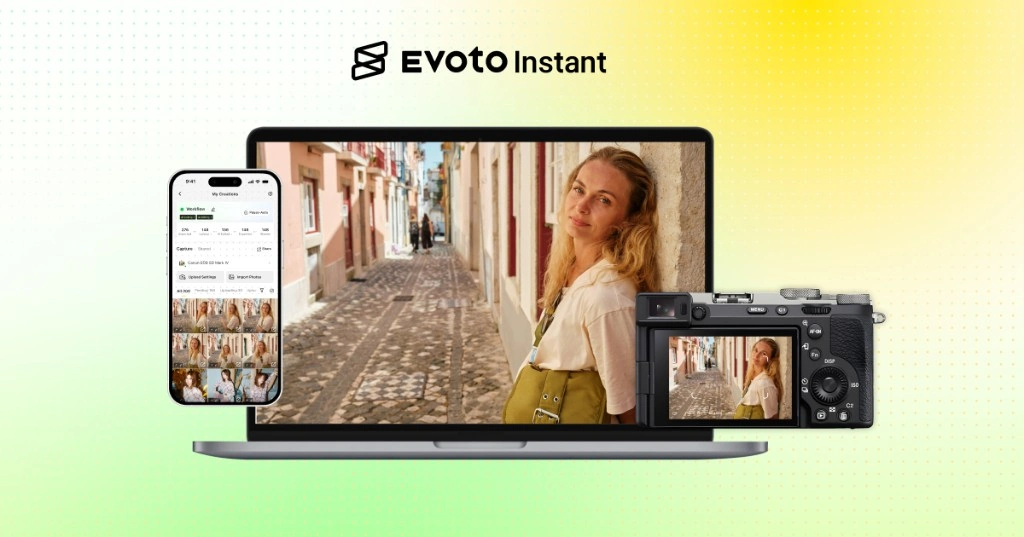
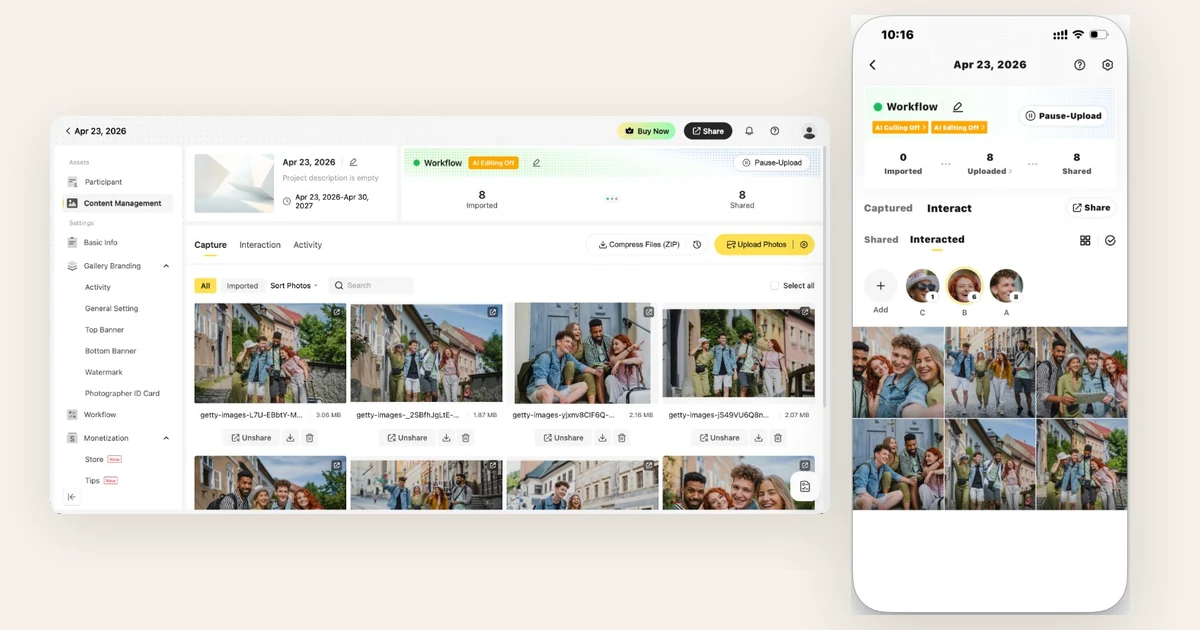
Evoto Instant can support a simple gallery delivery flow when photographers only need to import, upload, and share. It can also support a fuller AI-assisted workflow where images move through culling, editing, export, and delivery. That makes it relevant for photographers who want proofing to connect with the rest of post-production instead of sitting in a separate tool.
On the client side, galleries can be reached through links, QR codes, email, or SMS, with optional access controls. Viewers can browse, favorite, leave notes, and interact with the gallery. For large events, features such as face-based photo discovery and real-time gallery updates can help viewers find relevant images faster.
For studios that currently rely on separate tools for import, culling, editing, cloud upload, proofing, and client communication, the biggest advantage is consolidation. A connected workflow reduces handoffs and makes proofing feel like a natural part of delivery.
Online Proofing Tools vs Photo Delivery Tools
| Category | Primary Purpose | Typical Limitation | Better For |
|---|---|---|---|
| Sending a few preview files | File-size limits and scattered feedback | Small previews only | |
| Cloud folders | File storage and transfer | Little guidance for selection, approval, or comments | Simple file access |
| Transfer links | One-time file handoff | Temporary, transactional, not a review workflow | Final zip delivery |
| Basic galleries | Client viewing and downloads | May not support deeper proofing, analytics, or sales | Portraits and small jobs |
| Online proofing platforms | Review, selection, comments, control, and delivery | Quality varies by workflow depth | Professional client review |
| Integrated gallery workflows | Capture, culling, editing, proofing, and delivery | Requires choosing a platform that fits your business model | High-volume photographers and studios |
How to Choose the Best Online Proofing Tool
Start with the way you shoot. A portrait photographer may only need clean galleries, favorites, comments, and download control. A wedding photographer may need private sharing, mobile access, highlight delivery, guest access, and album selection support. A school or event photographer may need QR codes, access controls, face-based discovery, download rules, sales options, and analytics.
Then look at the rest of your workflow. If you already use separate culling and editing software, a standalone proofing gallery may be enough. If you want fewer handoffs, an integrated workflow can be more efficient. The best proofing tool should reduce decisions for clients and reduce admin work for photographers.
Finally, test the client experience. Open the gallery on a phone. Try marking favorites. Try leaving a note. Try downloading. If the process feels confusing to you, it will feel worse to a client who is not familiar with photography software.
Practical Online Proofing Workflow
- Import the shoot. Bring images in from camera, SD card, cloud storage, desktop sync, or mobile capture.
- Cull the set. Remove duplicates, missed focus, closed eyes, and weak expressions before the client sees the gallery.
- Apply a consistent edit. Use presets or AI editing to make the gallery feel cohesive.
- Publish a proofing gallery. Organize images into a clean client-facing structure.
- Set access and download rules. Decide who can view, favorite, comment, download, or purchase.
- Share through the right channel. Use a link, QR code, email, or SMS depending on the job.
- Collect selections and feedback. Keep comments and favorites attached to the right images.
- Finalize and deliver. Retouch approved images, export finals, and deliver downloads or products.
Common Mistakes to Avoid
- Sending too many weak images. Proofing is easier when the gallery has already been culled.
- Using one open link for every situation. Private events, schools, and commercial shoots often need access control.
- Letting comments live outside the gallery. Feedback should stay attached to the image it refers to.
- Ignoring mobile review. Many clients will proof images on a phone first.
- Overcomplicating downloads. Clients should know what they can download and what still needs approval.
- Forgetting the business side. Gallery visits, favorites, downloads, sales, and conversion data can help improve future delivery.
Final Thoughts
Online proofing tools are no longer just a convenience for photographers. They are part of the client experience. A good proofing workflow helps clients review images faster, gives photographers clearer feedback, and turns delivery into a polished extension of the shoot.
If you only deliver a few final files, a simple gallery may be enough. If you shoot weddings, schools, events, sports, tourism, or high-volume portrait work, look for a proofing workflow that supports private access, favorites, comments, download controls, mobile viewing, analytics, and scalable delivery.
For photographers who want proofing to connect with capture, culling, editing, and gallery delivery, Evoto Instant is worth considering. It gives photographers a more connected way to move from shoot to client gallery, helping reduce manual handoffs while giving clients a faster and cleaner review experience.