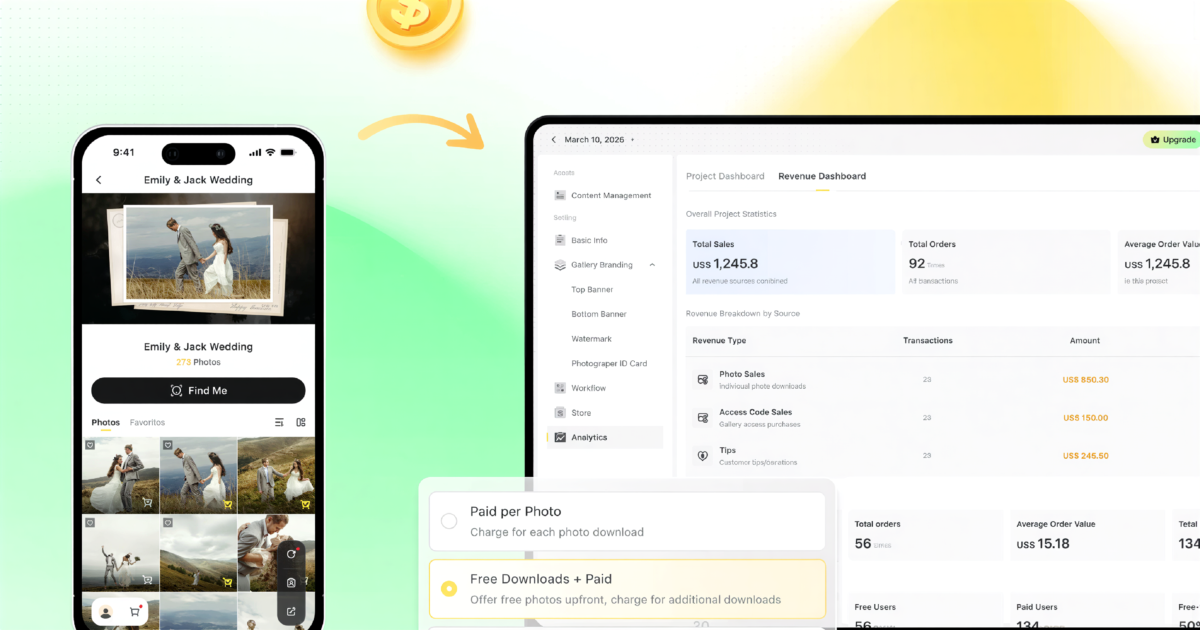
V1.7.0 (May 25, 2026) is the largest structural release Evoto Instant has shipped since the platform launched. A single project now drives three independently configured galleries, while onboarding, AI Editing, and the distribution layer all get a round of polish.
What’s New in V1.7.0
1. Three-Gallery Architecture: Full, FaceKey, Personal
Share is now split into a Settings layer for configuration and a Distribution layer for sharing actions. Three independent Gallery tabs share one project state.
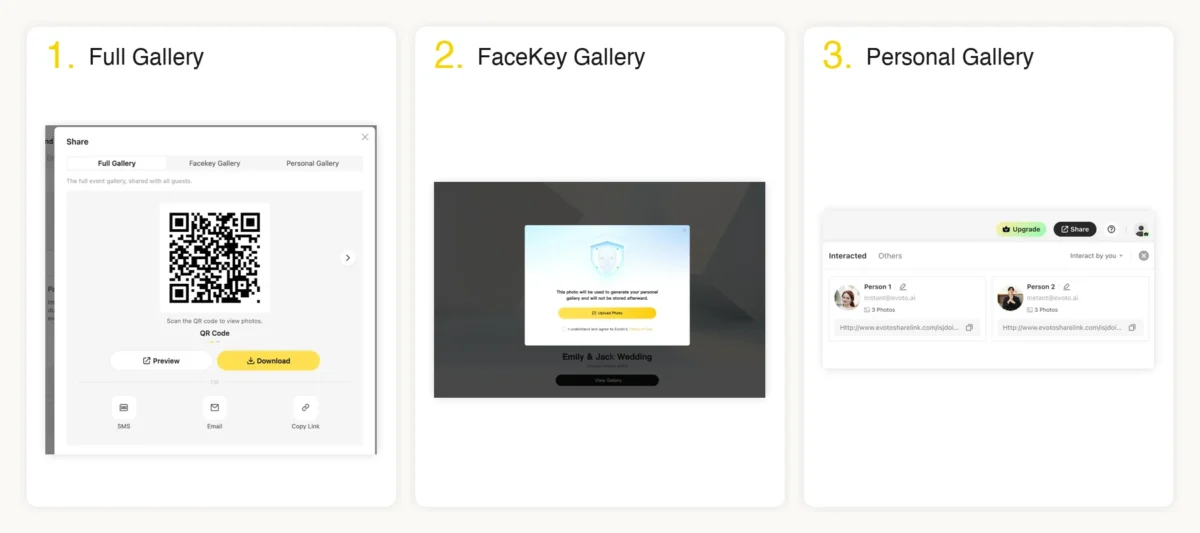
- Full Gallery (formerly Global Gallery): One link for every attendee, optionally protected by an Access Code. Visitors tap Find Me inside the gallery to generate a personal My Photos view filtered by their face.
- FaceKey Gallery (new in V1.7.0): Door-level face gate. Visitors must upload a selfie and submit an email before entering, then see only photos containing themselves.
- Personal Gallery (formerly Individual Gallery): Photographer-curated inside Interact, with the option to mount the entire project gallery alongside the personal photos for VIPs.
- One project state: All three galleries share branding, Activity Settings, and project state, configured once. Find Me is now a Full Gallery setting; Access Code is scoped per gallery instead of one shared password.
2. Onboarding: See It Before You Upload
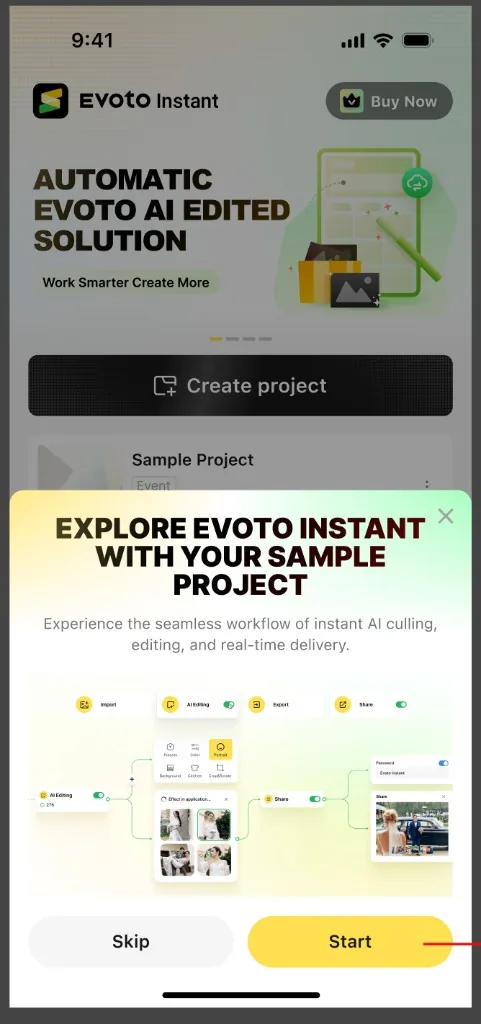
- Sample Project Walkthrough: 5-step guided tutorial (AI Edit, AI Cull, Import, Review, Review). The cloud loads 11 sample wedding photos, AI Culling removes 4 imperfect frames, and AI Editing applies to the remaining 7. New users see value in under two minutes without uploading anything.
- 10 free AI-edited uploads: Experiment with your own photos inside the Sample Project, credit-free and watermarked, outside the regular project quota.
- Preview Gallery: One tap on any Distribution-layer Gallery tab opens the gallery from a visitor’s view. Real projects open in the device’s default browser with photographer-token bypass (Access Code, FaceKey, paywall all skipped); the Sample Project opens in an in-app WebView sandbox.
3. AI Editing: No More Waiting
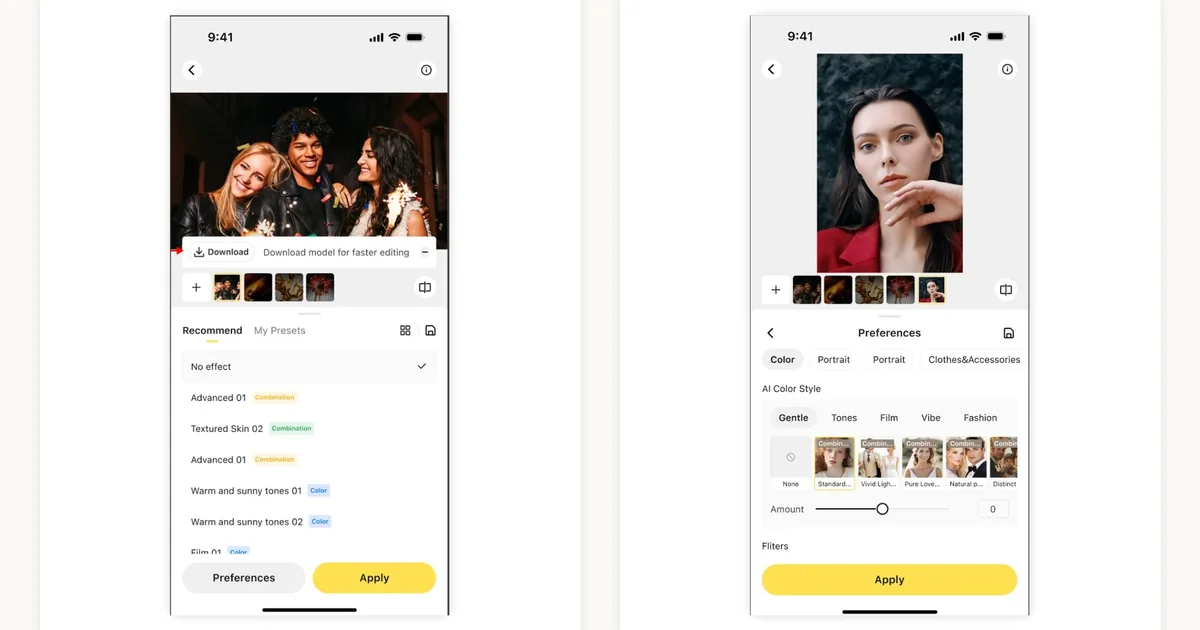
- Always-On Cloud Processing: Uncached models process in the cloud automatically. New users no longer wait for local model downloads; a download banner lets users switch to faster local processing on Wi-Fi when bandwidth is available.
- AI Editing toggle removed: Selecting No effect now turns AI Editing off, one fewer switch to manage in project creation.
- Custom Preset: Any in-place tweak to an official preset saves as a Custom entry under My Presets. The Preferences layout is refreshed to surface what is selected before project creation.
4. Distribution: Interact QR Sharing and Multi-Select Download
Evoto Instant rebuilds the distribution side too.
- Per-participant QR sharing in Interact: Generate a plain QR or a branded QR Poster directly from Interact and display it on-screen at events; guests scan to land instantly on their personal gallery. Participant cards now also show the project-level Personal Access Code in plain text for read-aloud distribution.
- Multi-Select Download (visitor-side): A new Select button at the top of Full, FaceKey, and Personal Gallery lets visitors tap-select multiple photos and download them as a single ZIP. If the selection mixes free and paid photos, a Purchase Notice popup lists how many can be downloaded free now versus need to be purchased.
- Retry on failure: Failed photos are automatically skipped from the ZIP; a Downloads Failed modal keeps the failed selection live for one-tap retry.
- Mobile drag-select: Long-press a thumbnail and drag across the grid to batch-select.
5. Client Engagement: Activity Settings and Download Settings Unlock
- Activity Settings (new block): A Project Setting block consolidating three visitor-engagement switches: Allow Favorites (PRO), Allow Notes (PRO), and Allow Download. Allow Download syncs in real time with Web Workspace. PRO switches default ON for paying members and OFF for non-members.
- Allow Downloads unlocked: The Allow Downloads toggle can now be turned on or off at any time, regardless of Pay-to-download or Photo Protection state. Previously this was force-locked to ON when both were off, which blocked the common “view-only gallery without watermark” setup.
6. Mobile Workflow Polish
- Project Home Settings BAR: A new horizontal button bar above the workflow card surfaces the five most-used settings (AI Edit, AI Cull, Uploads, Sharing, Preferences). Scroll down and the BAR collapses; the legacy gear icon reappears in its original position.
- Project Creation Simplified: The Project Type selector has been removed from Create Project, and the active AI Editing preset (or No effect) is shown inline so photographers can see at a glance whether AI Editing will be applied.
Release Date
V1.7.0 ships to all Evoto Instant users on May 25, 2026. Download Evoto Instant to try it on your next project.


and Share Photos in Real Time
About Evoto Instant
Evoto Instant is a real-time, cloud-based client photo gallery and delivery platform for photographers, available as a mobile app (iOS / Android) and a web app, built around two parallel workflows (a no-AI delivery path and a full AI Culling + AI Editing path) that both end in the same branded, shareable client gallery.