

A wedding photo app for guests gets tested a week after the wedding, not on the wedding day itself. The bride writes: “My mom is asking about the dance with my dad. Can you send it?” Then her plus-one’s mother. Then a friend who saw a story on Instagram. By the time you have answered ten of these, the wedding photo app for guests you set up — a Dropbox link, a Pixieset gallery, or just your email — has quietly failed the test that matters: did each guest find themselves without going through you?
The fix is not “send the gallery faster.” It is a setup that gets each guest the right slice of the gallery, on their own, without the couple becoming a help desk between you and them. This guide walks through what guest experience costs when it breaks, what to look for in a wedding photo app for guests, and how the three-gallery architecture in Evoto Instant — Full Gallery, FaceKey Gallery, Personal Gallery — maps to the way real guests open a link.
What Guest Experience Costs You When It Goes Wrong
Broken guest delivery produces three numbers you would rather not see: about ten guest-side DMs to the couple in week one, three or four forwarded back to you, and a Google review that mentions “photos took forever” instead of “photos were beautiful.” None of that comes from your edit quality — it comes from the seam between your finished work and the people who paid attention at the wedding. The plus-one was never on the RSVP list. The camera-shy guest wants to check before scrolling 800 images. The grandparent wants the family formals, not the dance floor. Each one should be able to answer their own question by opening a link, and when they cannot, the cost lands on the couple, who forward it to you.
What a Wedding Photo App for Guests Has to Get Right
Real-time arrival. A real-time wedding photo app for guests publishes frames during the wedding — through a tethered camera, mobile Capture, or an SD-card pull — so the cocktail-hour photo lands while the couple is still cutting the cake, not on Monday morning.
The right photos per guest, not all 800. A single chronological scroll fails the moment a wedding crosses 200 attendees. Surfacing the right slice — face-filtered or photographer-curated — turns a long scroll into a personal page.
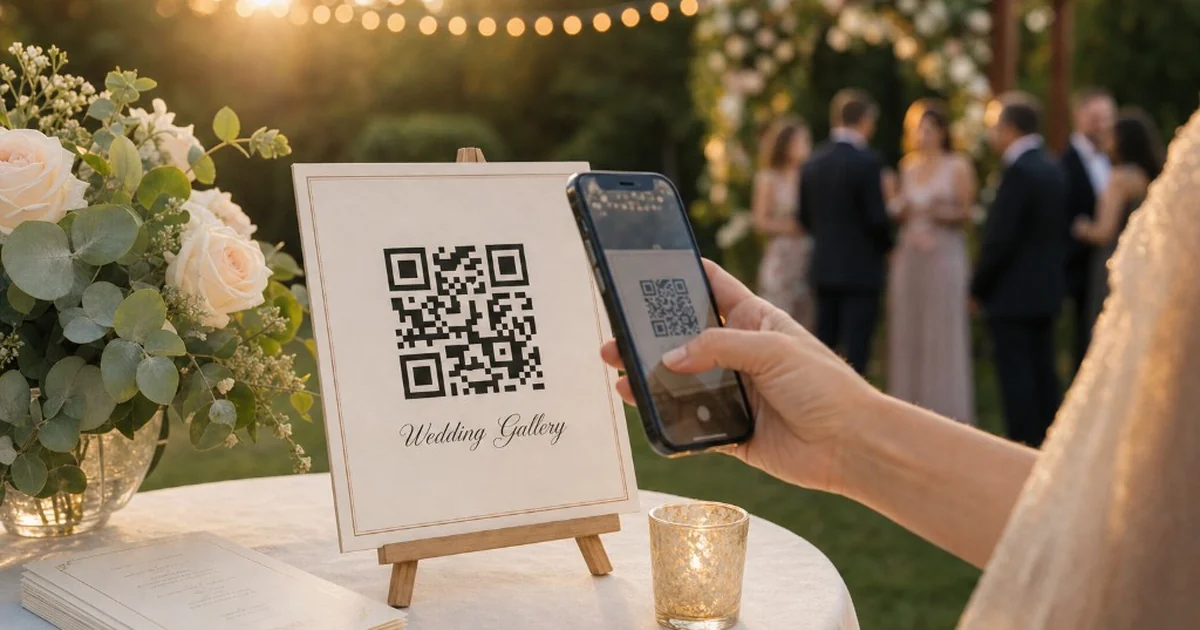
Distribution that does not depend on the couple. Plus-ones, vendors, and late-invited family rarely sit on the RSVP roster. A QR on the welcome table, a wedding photo QR code on the place cards, and a per-person SMS or email handoff for the bridal party each cover a different gap.
A gallery that stays private. A private photo sharing app for the wedding sits behind an Access Code or a face scan, with watermarks on preview frames and downloads gated until the couple is ready to release them — not posted to a feed any cousin can repost.
How Evoto Instant Gives Each Guest the Right Slice of the Gallery
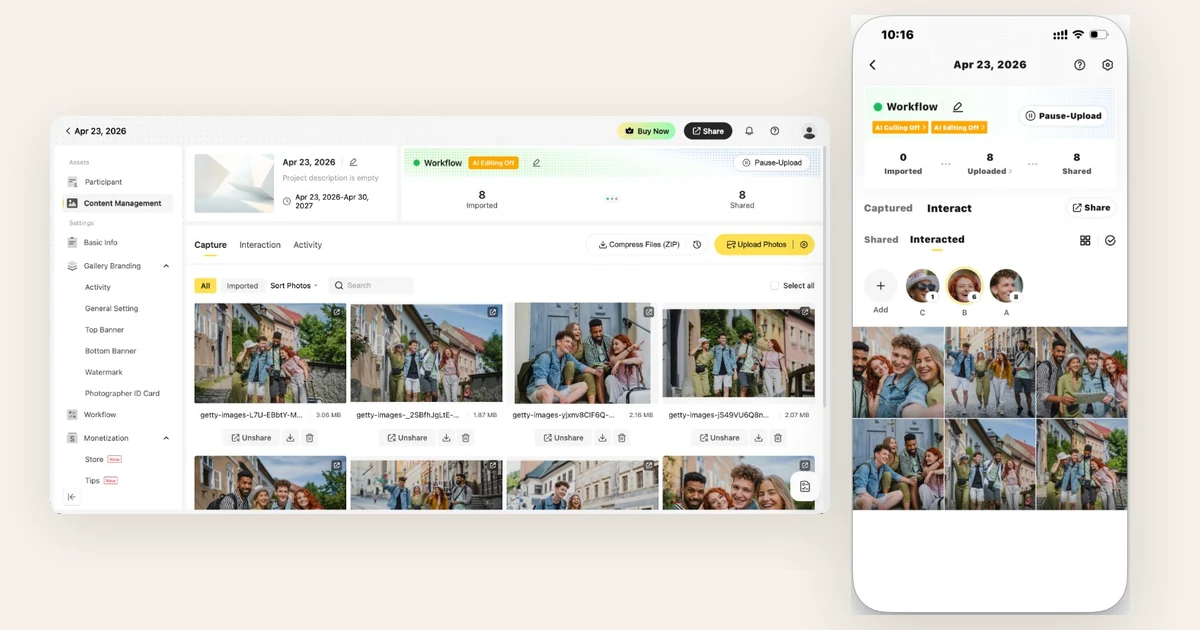
As a wedding photo app for guests, Evoto Instant splits one project into three independently configured galleries, each addressed to a different kind of guest. The photographer sets all three up in the same Share Setting panel; each guest only ever opens the one their link or QR points to.


and Share Photos in Real Time
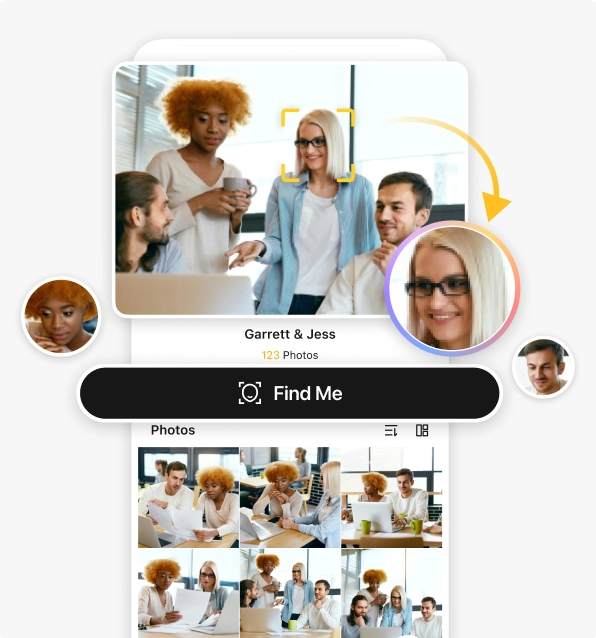
Full Gallery — the whole wedding, on demand. This is the gallery for the couple, the parents, and anyone who wants to browse the entire event. A single link goes out, optionally protected by an Access Code. Inside, any guest can tap Find Me to surface a personal slice — useful for the grandparent who opens the link wanting to find photos of me at the family-formals block without scrolling past the dance floor.
FaceKey Gallery — face-locked entry for every guest. The photographer sends one link; when a guest opens it, they upload a quick selfie and an email before the gallery loads at all. Once inside, they see only photos containing their face — no scrolling past strangers. It behaves like a private photo sharing app, but the photographer never has to manually curate per guest.
Personal Gallery — VIPs the photographer curates. From the workstation, the photographer uses Interact on a face inside the project; the system aggregates every photo containing that person and bundles them into a Personal Gallery that ships by email or QR. Each Personal Gallery supports its own Access Code and can optionally include the full event alongside the curated set.
How the Gallery Reaches Every Guest Without You Becoming the Help Desk
The QR Poster on the welcome table. Every project produces a wedding photo QR code that prints to a poster — placed on the welcome desk, the bar, or every place card. The Evoto Instant mobile app exports the printable poster the night before, and the same QR is available on-screen during cocktail hour.
The group-chat link via the couple. The couple sends one Full Gallery link in the wedding group chat and everyone gets it at once. To share wedding photos with guests who never joined that chat, the same link forwards by SMS or email through the Interact panel.
Preview Gallery — before any link goes out. Preview Gallery lets the photographer open the same gallery a guest would see, without sending the live link. It catches the small things — a wrongly cropped Top Banner, a watermark that overlaps a face, a Find Me prompt that triggers when it should not.
SMS and email for the bridal party. Personal Gallery links go to the bridal party and immediate family from inside Interact. This is where photo sharing for wedding guests gets specific — each link carries its own Access Code, so the maid of honor’s link does not unlock the parents’ curated set.
Turning Guest Engagement Into Reviews, Tips, and Print Sales
What ties the three galleries together is timing. Evoto Instant is built around photos arriving in the gallery while you are still shooting — through PTP tethered cameras, in-app mobile Capture, or an SD card pulled at the end of a set. By the time any guest opens any of the three galleries, the photos from twenty minutes ago are already inside. That turns the wedding photo app for guests from a one-time delivery into a live exchange.
That live exchange is what makes engagement convert. Multi-select Download lets a guest grab a dozen photos in one ZIP across Full, FaceKey, and Personal Gallery. Activity Settings let the photographer toggle Allow Favorites, Allow Notes, and Allow Download per project, including after the gallery goes live. Tips runs in the same gallery on Stripe, and three pricing modes — pay-per-photo, free downloads with paid overage, and full-gallery unlock — share the same project, useful when Full Gallery is free for the couple but extra print-quality downloads are paid for everyone else.
FAQ
Do my guests need to download an app? No. Every gallery opens in any phone or laptop browser through a link, a QR Code, an SMS, or an email. The mobile app is for the photographer.
How does the FaceKey Gallery know which photos belong to each guest? When a guest opens the FaceKey link they upload a selfie and submit an email; the system runs a face vector match and surfaces only photos containing that guest. No account needed.
Can I make sure only invited guests reach the gallery? Each gallery type supports an optional Access Code; FaceKey adds a face-match layer on top of that. Watermarks apply to the free-preview layer.
Can guests download all their photos at once? Multi-select Download lets a guest grab up to several hundred photos across all three gallery types in a single ZIP. On mobile, long-press slide selects across the grid.
Can I turn downloads off for some galleries? Activity Settings exposes Allow Favorites, Allow Notes, and Allow Download switches; toggling Allow Download off blocks free downloads across all three gallery types but never blocks downloads guests have already paid for.
Final note
Guest experience that works is invisible. A wedding photo app for guests that gets it right does not draw attention to itself — the couple never hears “where do I download my photos?” and the photographer is not forwarding ten emails the week after. Reviews, tips, and print orders show up on their own.
and Share Photos in Real Time



