

Download warm sunset sky backgrounds for outdoor portraits, weddings, travel photos and more. Four Asset plates (Sunset 01–04) for evening key light. A Sky Replacement asset, not a wallpaper download.
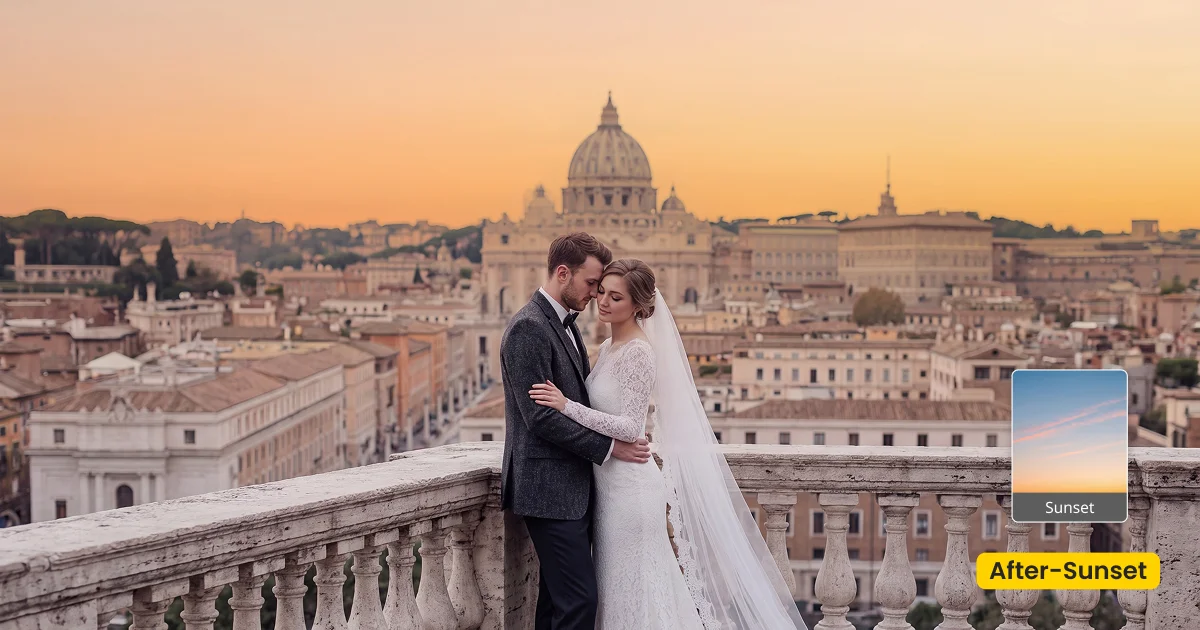
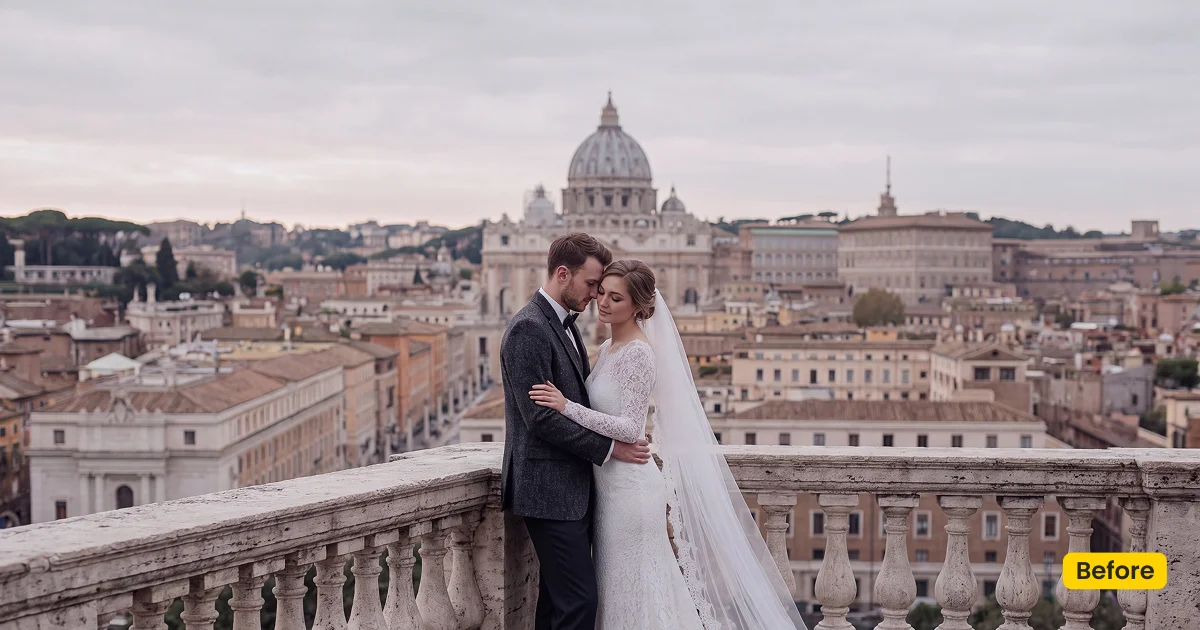
| Style | Sky / Warm Sunset Evening |
|---|---|
| Best for | Outdoor portraits, Evening weddings, Golden-hour events |
| Format | Evoto Asset Hub sky asset |
| Price | Premium |
See the Look in Action
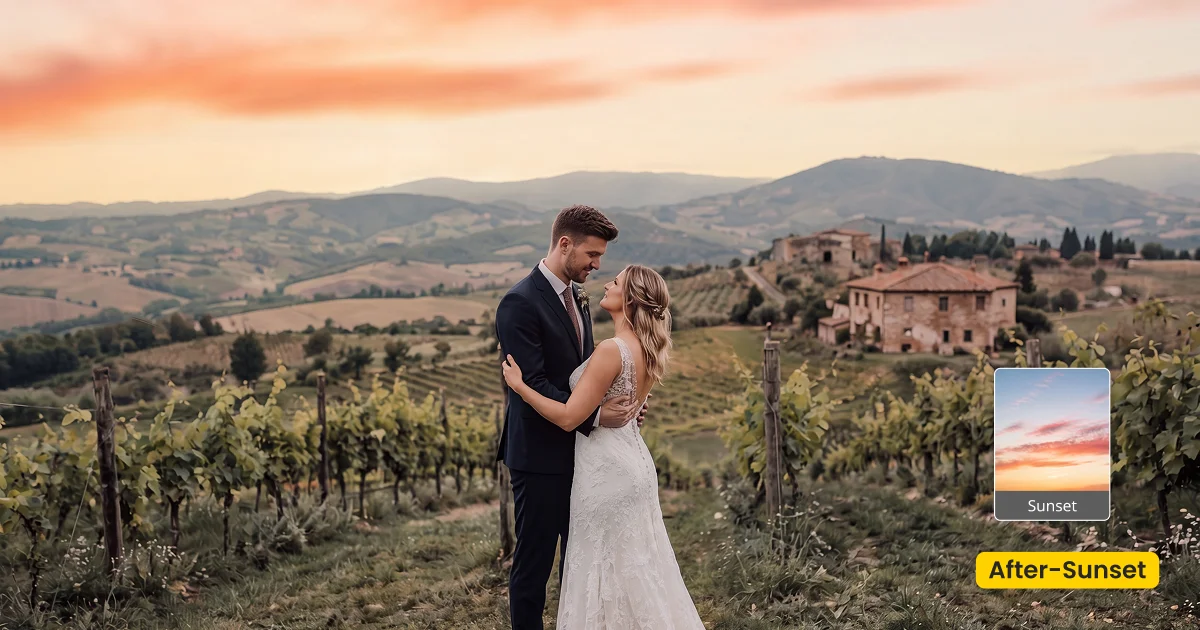
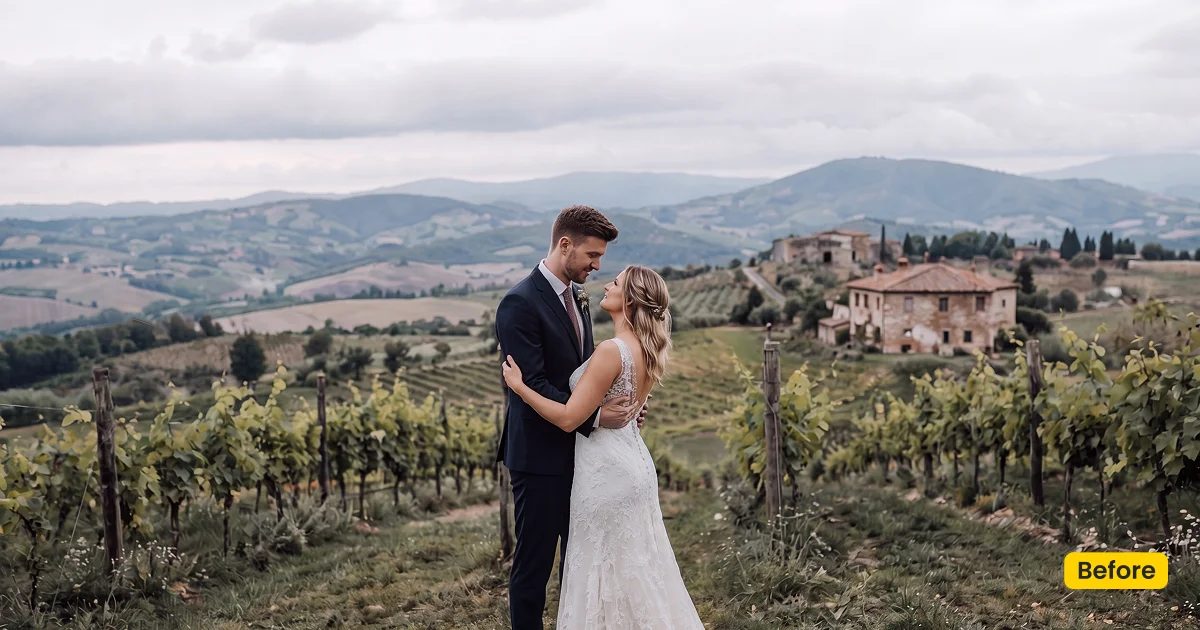
Pick the Sunset plate that matches the warm key already on the faces.
What This Asset Does
Sunset is a Premium sunset sky background set for outdoor evening rescue in Evoto. Unlock the four Asset Hub plates (Sunset 01–04) with an Evoto plan (Hub may show Free for Subscribers). Apply them with Sky Replacement. Blue Sky covers daylight blue; this page is warm evening. This page is not a desktop wallpaper download.
Flat grey lawns pick up a warm ceiling while skin stays honest. Harsh noon blowouts can become evening only if the key light on faces already leans warm—otherwise the swap fights the portrait. Outdoor groups need one Sunset 01–04 variant so the gallery does not jump between plates.
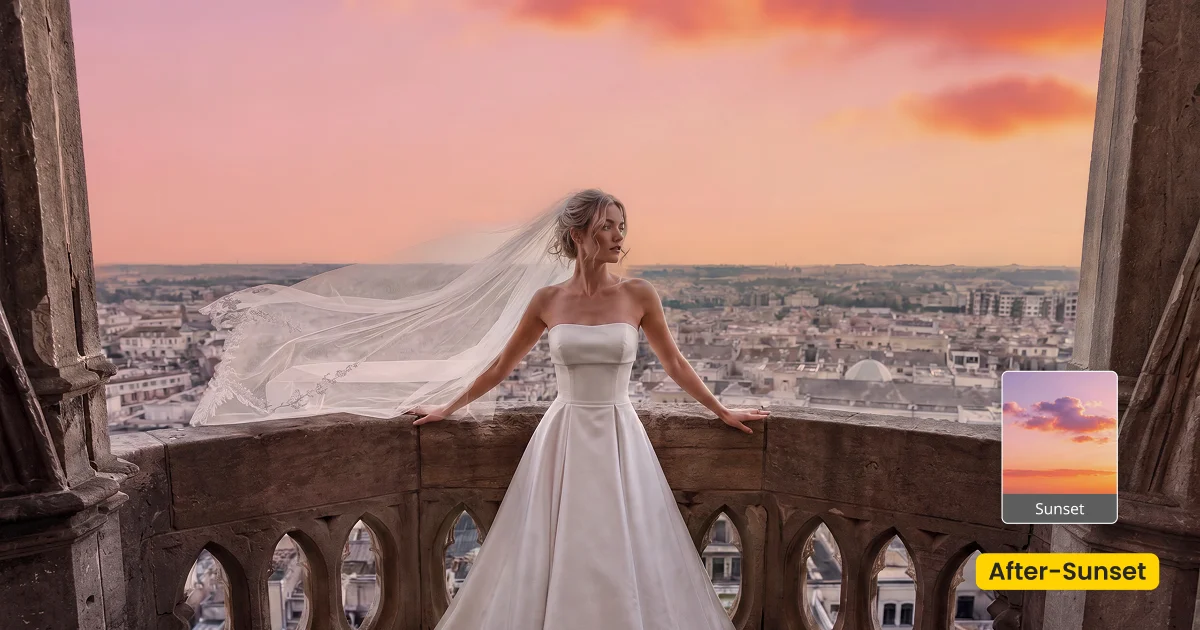
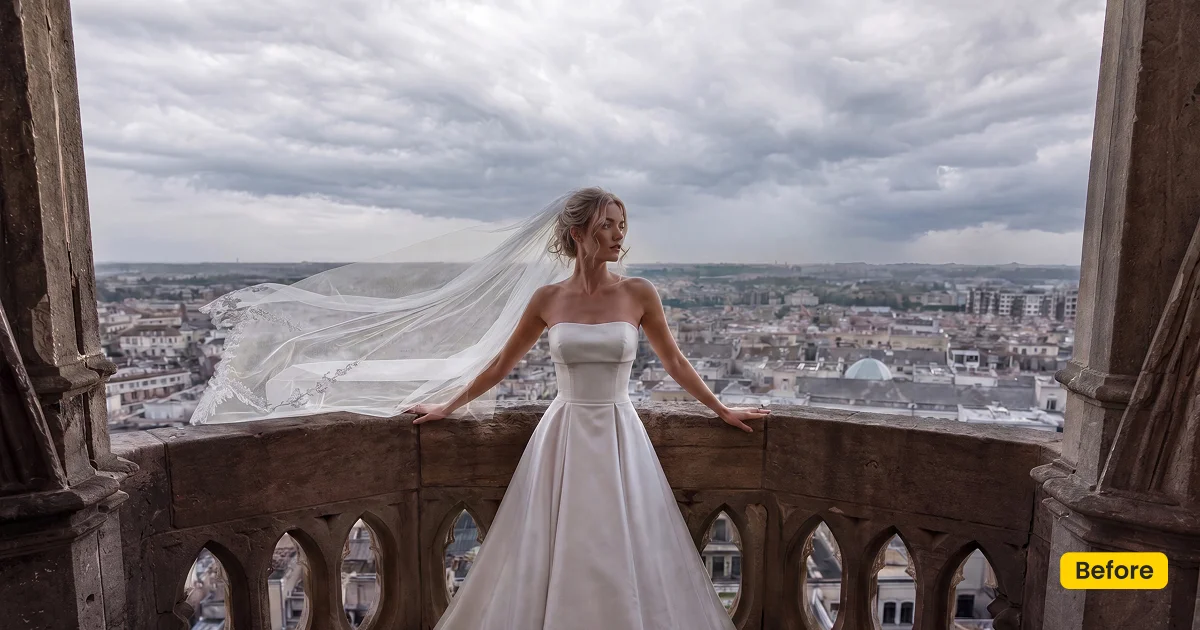
Unlock a Sunset plate from Evoto Asset with your plan. Apply it in Background Adjustment → Sky Replacement. Download Evoto if the desktop app is not installed. The panel works when a sky is detected.
Best For / Not For
Best for
- Outdoor portraits that need warm evening sky
- Wedding lawns and events shot near golden hour
- Frames whose key light already leans warm
- Galleries that stay on one Sunset 01–04 variant
Not for
- Indoor studios with no sky detected
- Desktop wallpaper or phone background downloads
- Daylight blue rescue (use Blue Sky)
- Full location swaps (use Twilight Dream or Wedding Garden)
Photographer Sunset Sky Background vs Wallpaper Download
Sunset sky background often surfaces wallpaper and stock JPG results. Sunset on this page is a Sky Replacement plate you blend into a photograph. If someone wants a lock-screen image, they are in the wrong place.
| Sunset in Evoto | Wallpaper/Stock Sky JPG | |
|---|---|---|
| Intent | Sky Replacement in a photo | Desktop or phone background |
| Color | Warm evening sunset plates 01–04 | Often illustration-heavy or neon |
| Blend | Edge, match, opacity, position | None |
| Apply in | Sky Replacement | OS wallpaper settings |
How Sunset Sits in the Frame
After you pick a plate, spend time on the horizon and hair edge. A believable sunset sky background is a blend problem matched to warm key light, not a one-click wallpaper drop.
- Color: Warm sunset, not daylight blue. Keep it in the same hour as the faces.
- Plate choice: Match the Sunset 01–04 variant to the warmth already on skin and wardrobe.
- Edge transition: Soften hair, trees, and architecture or the swap will halo.
- Match: Human and scenery matching keep skin from going radioactive orange.
- Caution: If Evoto shows no sky detected, pick another frame or a fusion scene instead.
Tips for Warm Evening Sky Swaps
Sky Replacement rescues a sky that already exists in the file. Fix exposure first, pick a plate that agrees with warm key light, then stay on one Sunset variant for the gallery.
- Match warm key light: If faces were lit cool noon, a deep orange plate will look pasted. Choose the Sunset 01–04 plate closest to the catchlights you already have.
- Brush the edges: Soften hair and trees so sunset color does not sit inside foliage.
- One variant per gallery: Reuse the same Sunset 01–04 plate across the set. Switching plates mid-gallery shows in a spread.
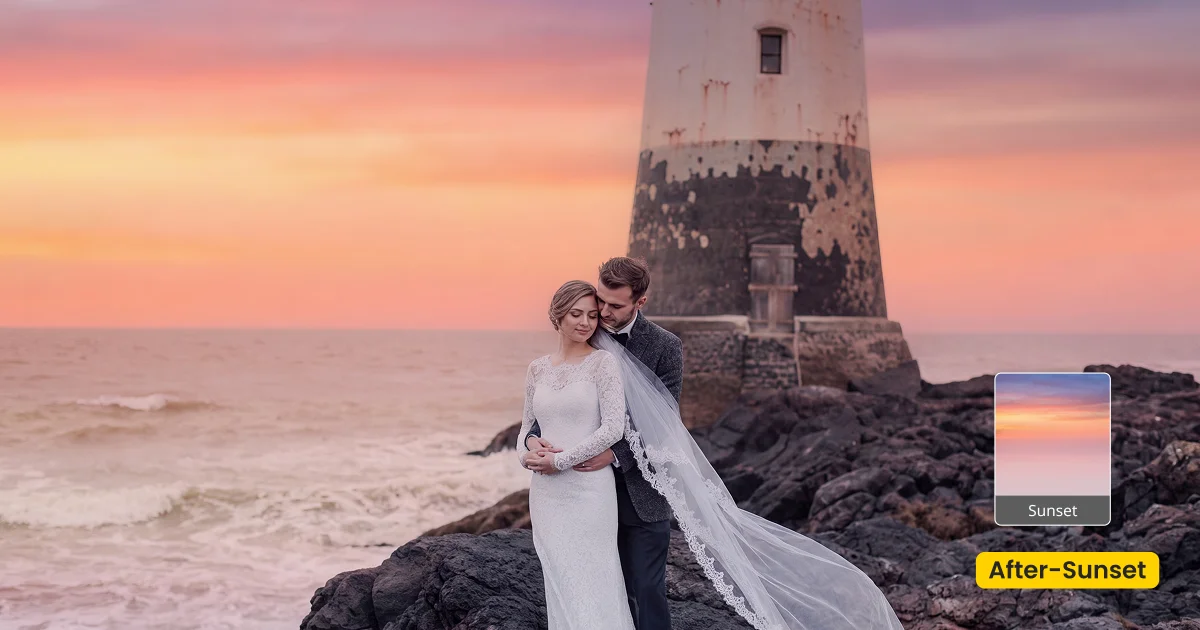
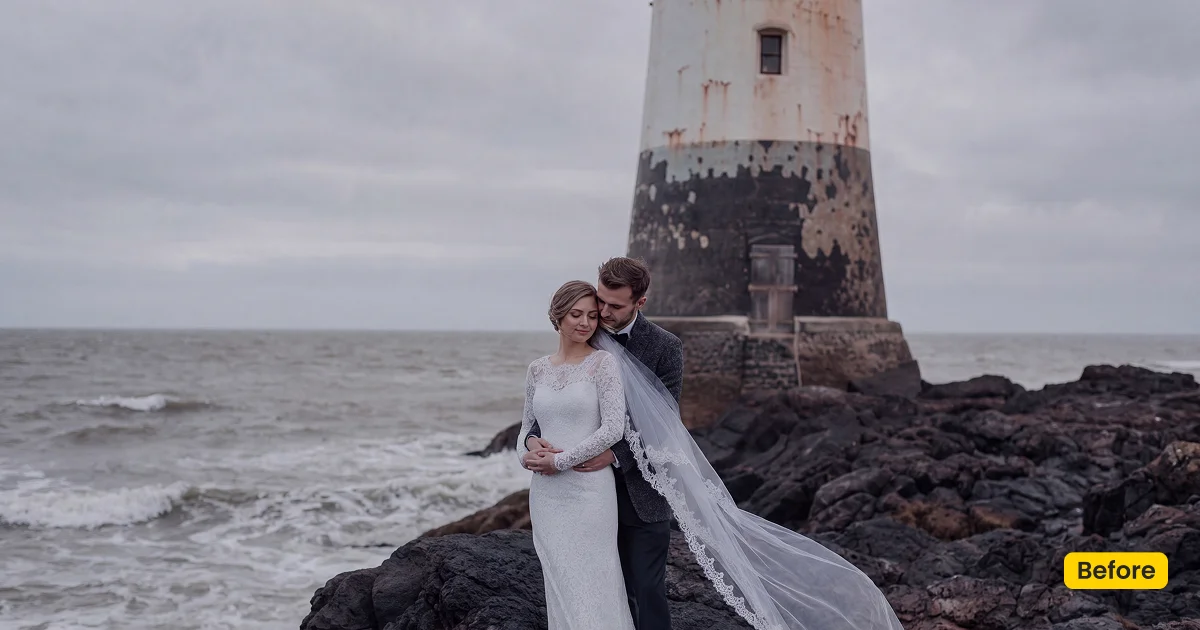
How to Get and Apply Sunset
Unlike a one-click daylight blue swap, Sunset asks you to pick the plate that agrees with evening key light before you refine edges. Stay on that plate for the whole outdoor gallery.
Step 1. Unlock Sunset with an Evoto plan
Click Get Backdrop in Evoto on this page. Sign in on Asset Hub with an account that has an Evoto plan (purchased subscription), then unlock/sync the Sunset plate you need. Without a plan, it stays locked. Four official variants live in Asset Hub:
Step 2. Open Sky Replacement and pick a warm-matching plate
Open Evoto Desktop and load an outdoor frame that still contains sky. Go to Background Adjustment → Sky Replacement. Choose the synced Sunset plate whose warmth matches the key light on the faces—not the most dramatic orange by default.
Step 3. Refine edges and color in Sky Adjustments
Use Sky Adjustments for angle, colors, and reflections so the new sunset sky background blends at the horizon and around hair. Soften trees so warm color does not leak into leaves.
Step 4. Stay on one Sunset 01–04 variant, then export
When one frame looks natural, keep the same Sunset plate across the gallery. Export from Evoto Desktop when the evening read is consistent.
FAQ
Do I need an Evoto plan?
Yes. Sunset is Premium (Asset Hub may show Free for Subscribers). Purchased Evoto plan holders can unlock it. Without a plan, it stays locked.
Is this a free wallpaper?
No. Sunset is a sunset sky background for photo editing in Evoto, applied with Sky Replacement.
How is it different from Blue Sky?
Blue Sky is daylight blue with soft clouds. Sunset is a warm evening. Use Blue Sky for noon rescue; use Sunset when the brief needs dusk warmth.
Is it a Lightroom sky overlay pack?
No. Unlock it from Asset Hub with an Evoto plan and apply it with Sky Replacement.
Related Assets
Try Evoto AI Photo Editor
Retouch photos with Evoto AI and make your photos best! Available on Windows, MacOS and iPadOS.


