

[preset_zone_a]
See the Look in Action
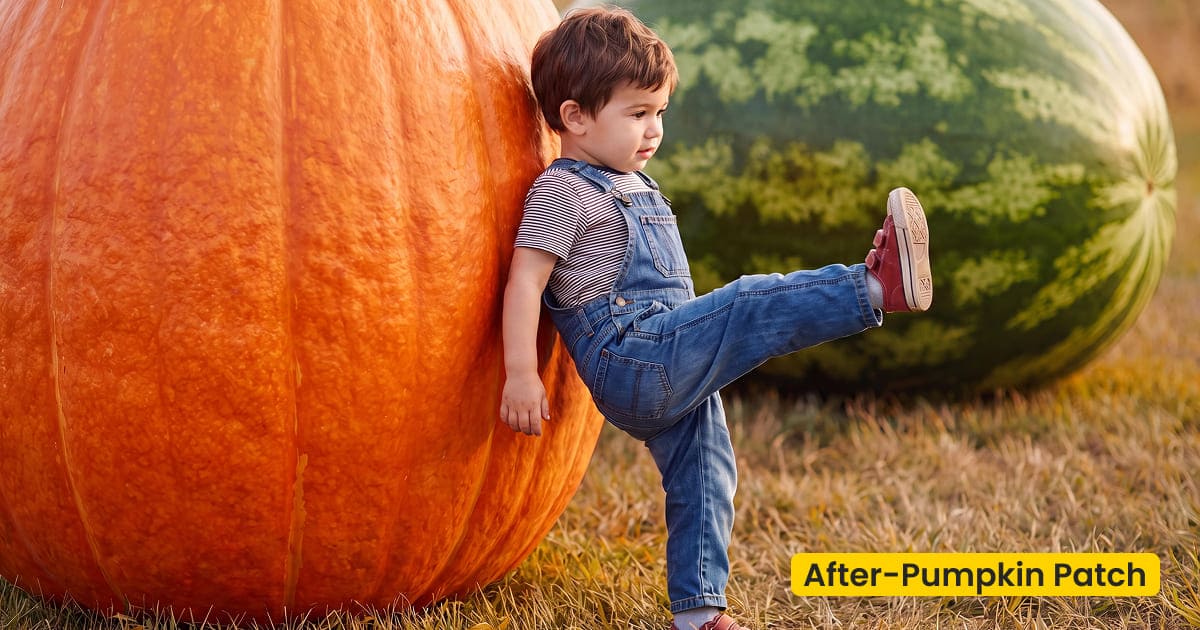
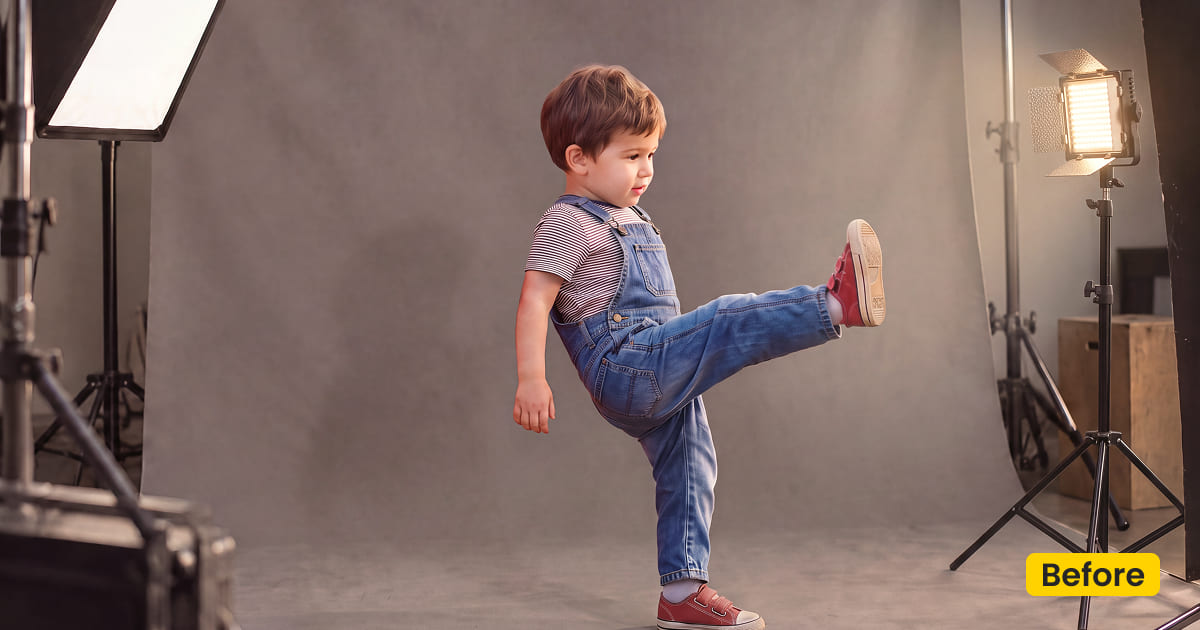
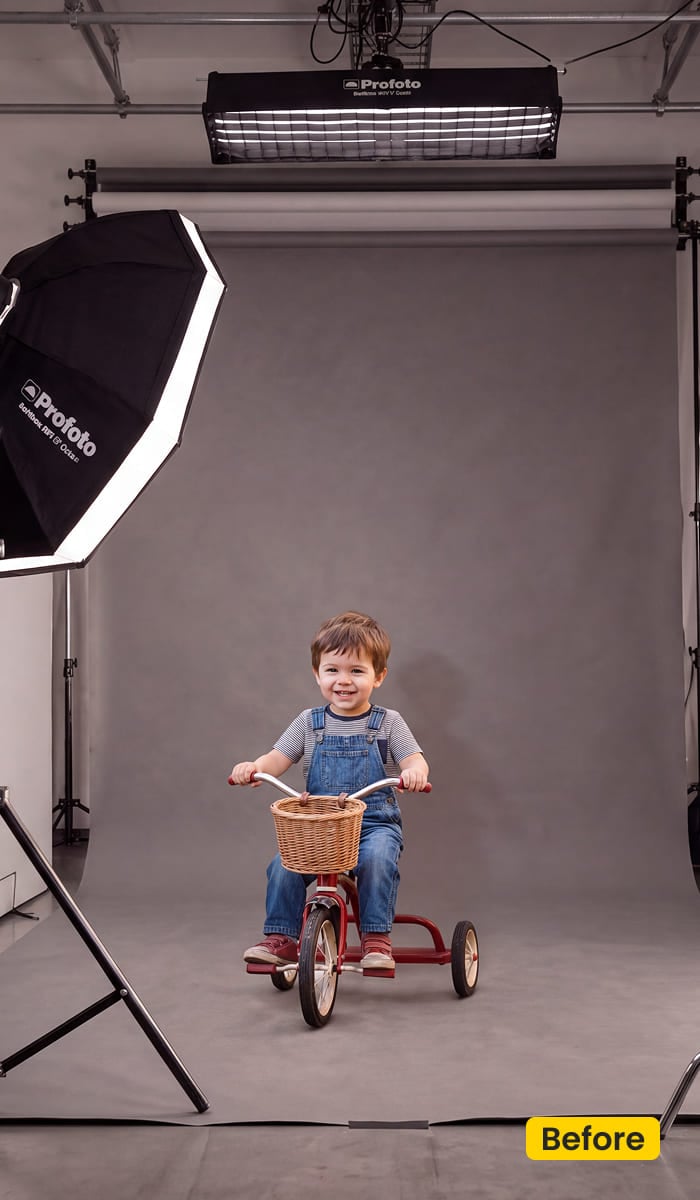
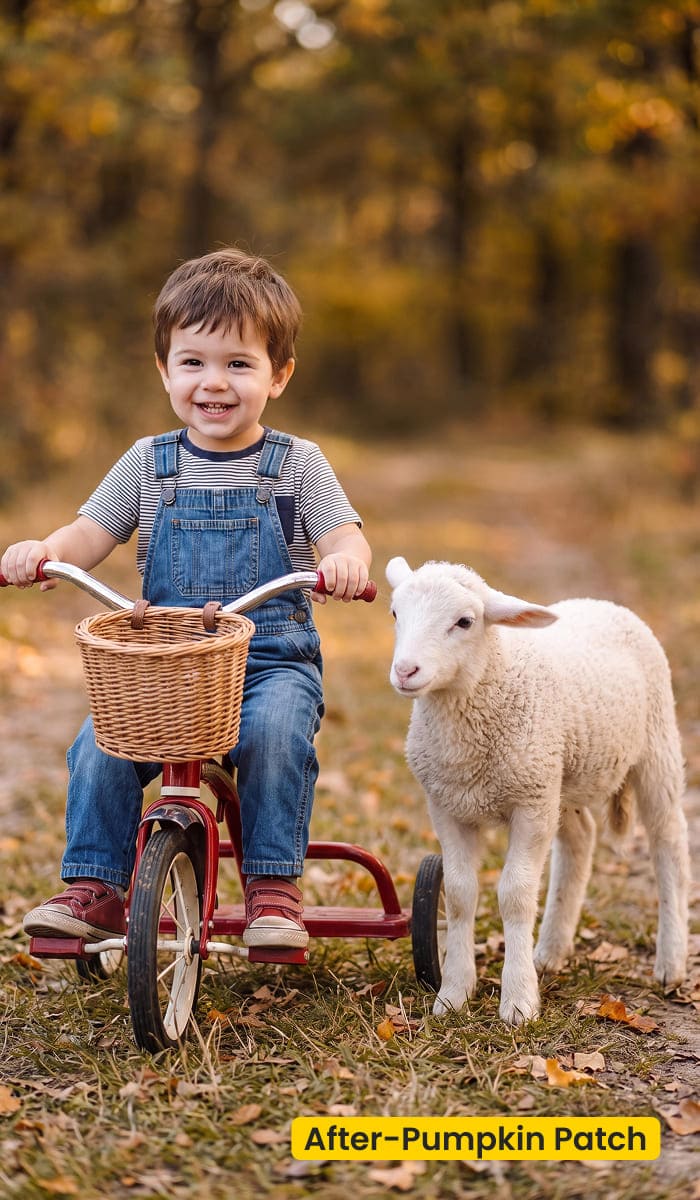
Hay and pumpkins sit with the group so denim and costumes still read.
What This Family Scene Does
Pumpkin Patch is a free family scene in Evoto for pumpkin patch photos. Hay bales, pumpkins, and an amber field sit behind parents and kids, with burnt orange, dry grass, and enough denim blue that the frame does not collapse into one shade of orange. It is an AI Background Fusion plate for a noisy mini, not a quiet bridal aisle.
Sibling stacks, a costume that still has to read as a child, and the candid where someone is mid-laugh can share this field. The plate supplies the place. It does not restyle skin or knitwear.
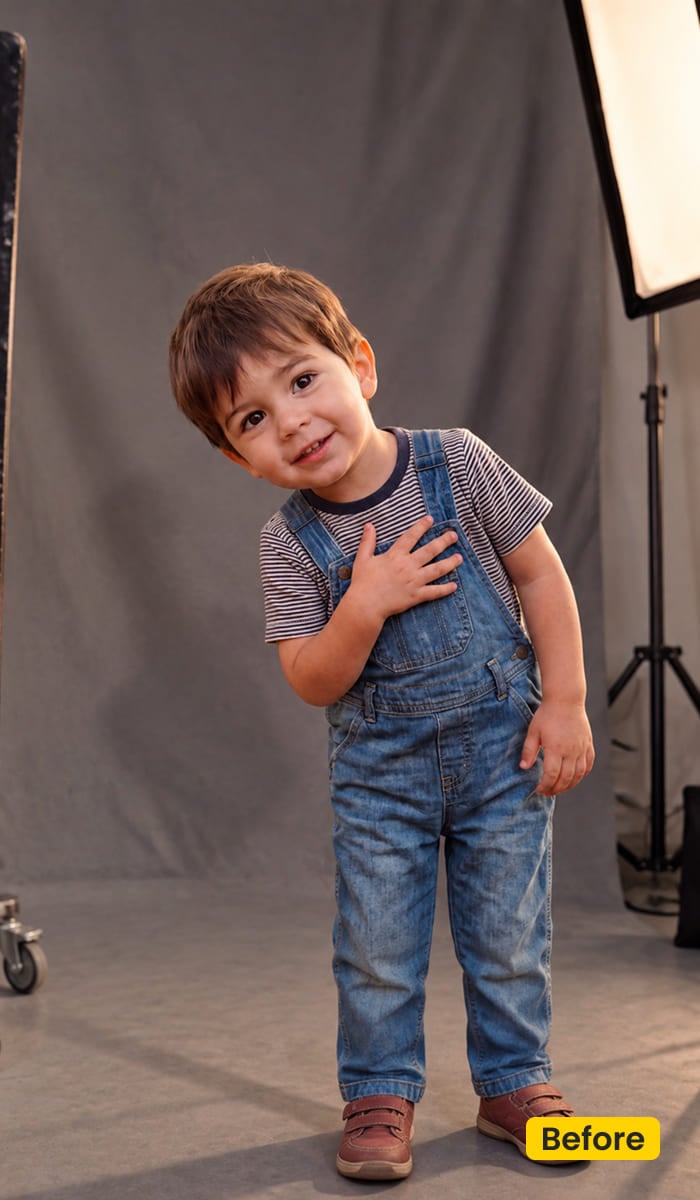
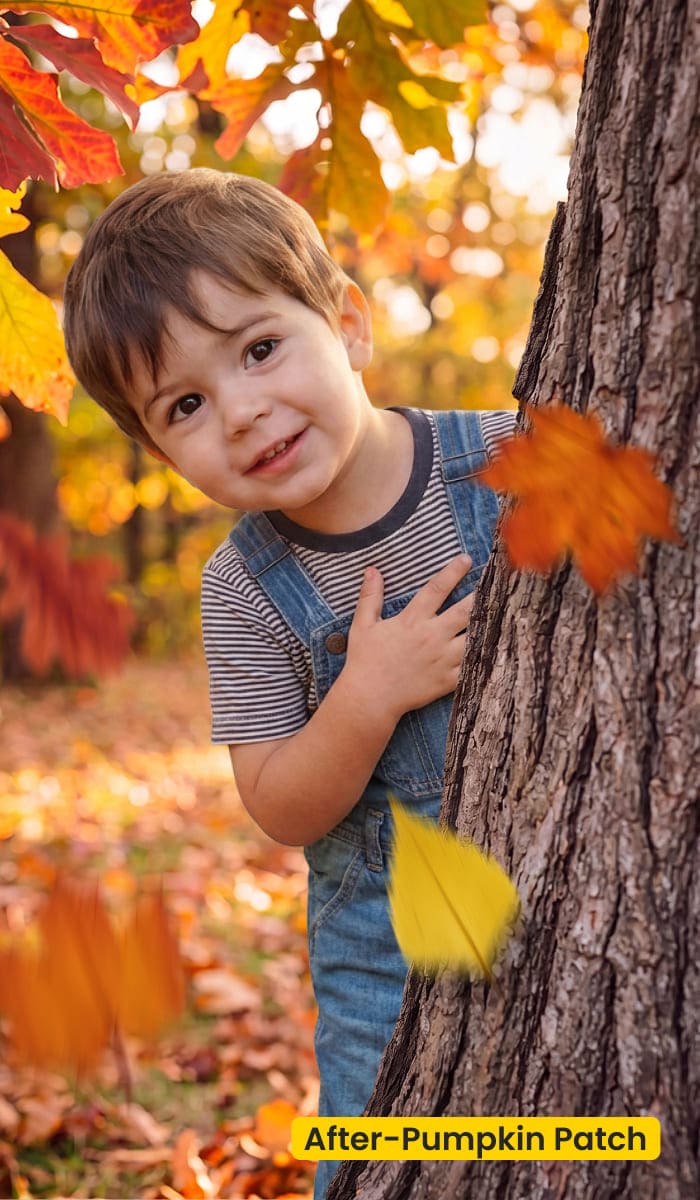
Halloween family photos are the loud version of that mini. The usual booth is hay, a few pumpkins, and a child who will not hold a pose. When the farm rains out, this family scene is the ground. A Thanksgiving table is a different afternoon. Porch portraits from that day belong to Pumpkin Latte.
Get Pumpkin Patch from Asset Hub and apply it with AI Background Fusion. Download Evoto if Desktop is not installed.
Best For / Not For
Best for
- Fall minis that need a patch when the real field was rained out
- Sibling groups and parent-and-kid stacks
- Halloween family photos, when the costume should still look like a child in a field
- Playful candids with hay and pumpkins in the same seasonal field
Not for
- Ceremony aisles and bridal portraits (use Fall Wedding)
- A café table or a portrait at home (use Pumpkin Latte)
- Studio fabric swaps (use Fabric)
- Files already shot in a real patch that only need warmer color
Pumpkin Patch Photos vs a Shade Grade
Pumpkin Patch replaces the ground. Pumpkin Latte only warms a file you already like. Use the table when a client says “fall family” and you still have to decide whether the location is the problem.
| Pumpkin Patch (this scene) | Pumpkin Latte | |
|---|---|---|
| What changes | The field: hay, pumpkins, amber grass | Color only: cinnamon, muted green, peachy skin |
| Who it is for | Halloween family photos, minis, siblings, candids | Café, market, home, a patch you already photographed |
| When it fails | The family already stood in a good patch | The backyard or studio wall is still in the frame |
| Apply in | AI Background Fusion | Preset Management |
What These Pumpkin Patch Photos Include
After Generate, look at the group first. The plate is there to hold them, not to outshout the costumes.
- Pumpkins: Scattered through the field, the way pumpkin photos actually look. They should read as part of the ground, not as a pile stacked on the kids.
- Hay: Bales and loose straw for the parent who crouches and the child who will not stand still.
- Field: Amber grass and a soft brown distance, so the mini does not look pasted on a blank orange wall.
- Palette: Burnt orange plus denim blue. The blue keeps jackets and jeans from disappearing.
- Finish: Pumpkin patch photos for a family scene. Not a wedding aisle, and not a printed autumn backdrop.
Tips for a Noisy Family Mini
A family scene still has to agree with the light on their faces. A noon-white kid in front of an amber field is the tell, and so is a different patch on every frame of the same mini.
- Lock one field for the card: Parents, siblings, and the costume frame should share Pumpkin Patch. A second plate makes the mini look like two locations.
- Leave the real patch alone: If they already stood in hay you like, do not fuse another field over it. Grade that set with Pumpkin Latte.
- Warm the faces after the place is set: Open Character Lighting only once the field is honest. Do not cool the denim back to gray.
- Skip the wrinkled Halloween drop: Orange fabric fights the costume. These pumpkin patch photos should look like a field a child can stand in. A black set piece is the wrong ask.
How to Get and Apply Pumpkin Patch
Pumpkin Patch is a family scene of pumpkin patch photos. The wide group frame tells you if the field fits. The laugh and the costume can follow it.
Step 1. Add the patch to this account
Click Get Scene Asset for Free on this page. Sign in to Asset Hub and sync Pumpkin Patch. You are bringing in a family scene for AI Background Fusion.
Step 2. Open the frame where everyone is in it
Open Evoto Desktop. Click AI Lab, then AI Background Fusion. Use the frame that shows parents and kids together. A tight face crop hides whether the hay actually belongs with the group.
Step 3. Pick Pumpkin Patch and Generate
In the right panel, open Featured and select Pumpkin Patch. Keep the family and anything in their hands, with Subject and Related objects. Use Custom only when you are uploading some other plate. Click Generate.
Step 4. Settle the faces, then finish the card
Open Character Lighting so cheeks agree with the amber field. Click Save. Reuse this family scene on the sibling stack, the costume, and the candid.
FAQ
Is Pumpkin Patch free?
Yes. Get these pumpkin patch photos in Asset Hub and apply them in Evoto.
Can one scene cover the whole mini?
Yes. Save Pumpkin Patch once and use it on parents, siblings, costumes, and candids so the field does not change mid-card.
What if they already stood in a real patch?
Leave the location. Pumpkin Latte warms that file. Pumpkin Patch is for sittings that still need the field.
Is this a bridal autumn background?
No. Fall Wedding is the bridal scene. Pumpkin Patch is a family scene for minis.
Can a rained-out Halloween mini use it?
Yes, when the frame is a family in costume and the missing piece is the patch. It supplies pumpkin patch photos. It does not turn a living room into a haunted set, and it does not set a Thanksgiving table.
Where do I apply it?
Get it from Asset Hub. In Evoto Desktop: AI Lab → AI Background Fusion → Featured → Pumpkin Patch → Generate → Character Lighting → Save.
Related Assets
Try Evoto AI Photo Editor
Retouch photos with Evoto AI and make your photos best! Available on Windows, MacOS and iPadOS.



