

Depth of field is one of the most important ideas in photography, but it is also one of the easiest to oversimplify. Many people learn that aperture affects depth of field and stop there, even though subject distance, focal length, framing, and scene choice all change how much of the photo looks sharp.
That is why depth of field works best when you understand it as a creative control, not just a camera setting. It affects how isolated the subject feels, how much context stays visible, and how the whole image reads. Once that foundation is clear, it also becomes easier to understand when a faster editing workflow can help strengthen background separation in the final image.
TL;DRDepth of field is the range of a photo that looks acceptably sharp. A shallow depth of field keeps only a smaller area in focus, while a deep depth of field keeps much more of the frame clear. Aperture matters, but so do distance, focal length, framing, and sensor size. If the photo already works and you just want a little more background separation later, a faster blur workflow can help, but in-camera control still sets the foundation.
What Is Depth of Field in Photography?
What depth of field actually means
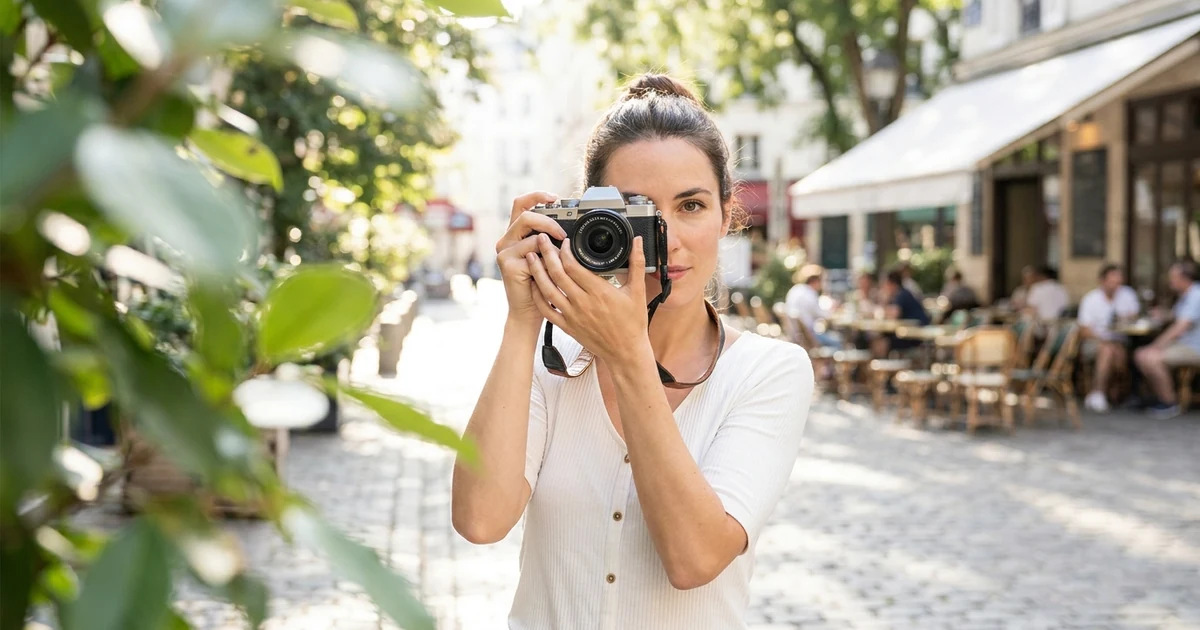
Depth of field is the zone of a photo that appears acceptably sharp. It is not just one exact plane. It is the range in front of and behind the focus point that still looks in focus enough to the viewer.
That means depth of field controls how much of the scene feels sharp at the same time.
What counts as shallow vs deep depth of field
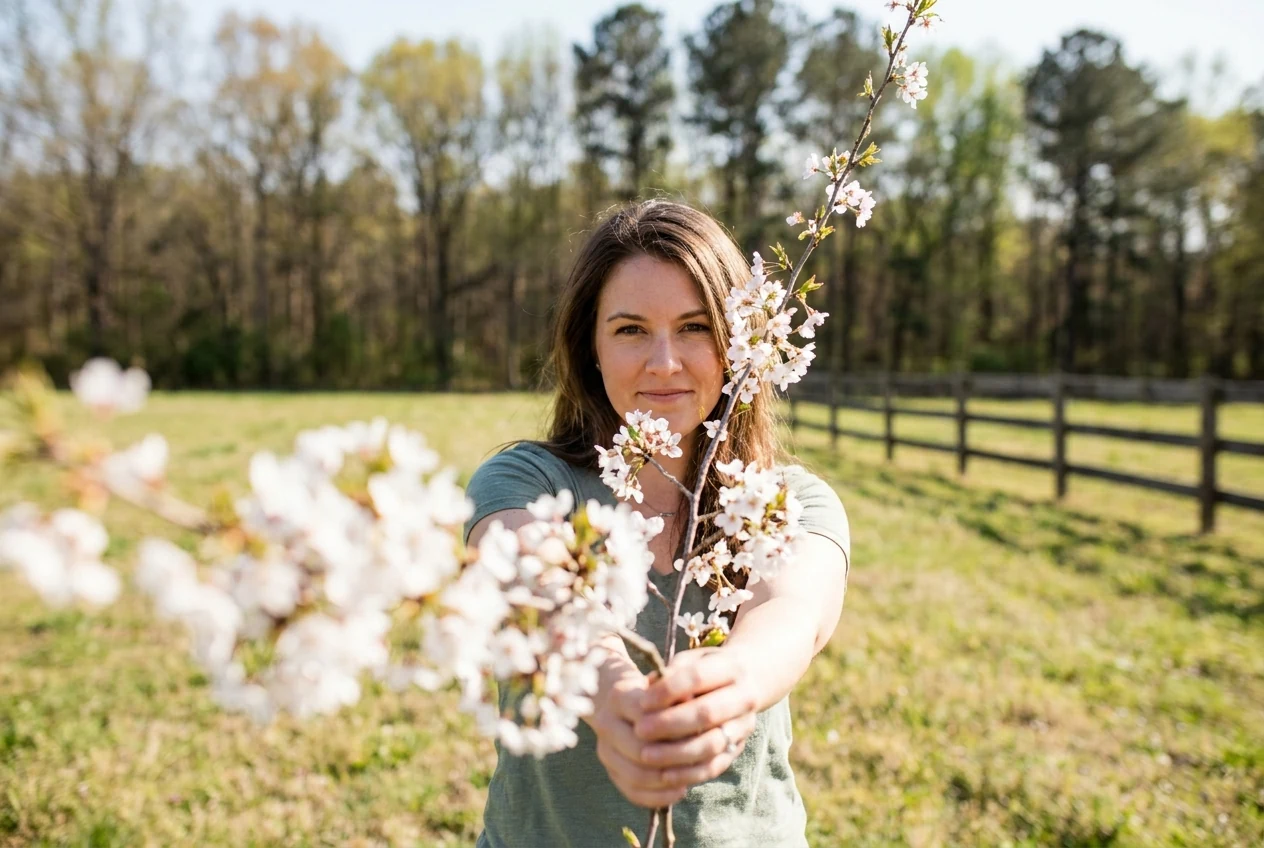
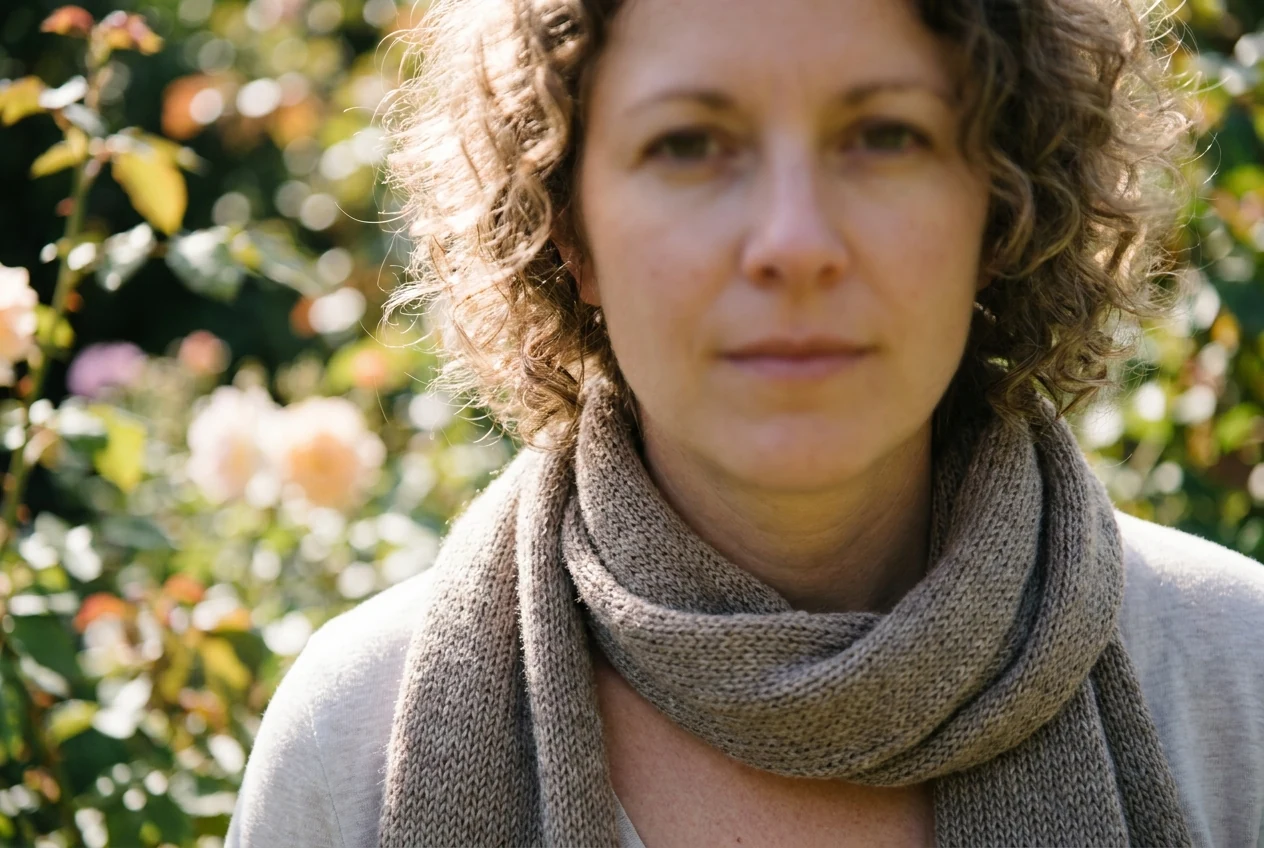
A shallow depth of field means only a small part of the image looks sharp, usually the subject, while the background and sometimes foreground fall softer. A deep depth of field means much more of the frame stays clear from front to back.
Neither one is inherently better. They simply serve different visual purposes.
Why depth of field matters to how a photo feels
Depth of field changes how the viewer experiences the scene. A shallow depth of field can make the image feel softer, more intimate, or more focused on one subject. A deep depth of field can make the image feel more descriptive, spacious, or grounded in the full environment.
This is why depth of field is not just technical. It shapes the emotional and visual emphasis of the photo.
What Affects Depth of Field?
Aperture and why f-stop matters
Aperture is one of the biggest depth-of-field controls. A wider aperture such as f/1.8 or f/2.8 usually creates shallower depth of field, while a narrower aperture such as f/8 or f/11 usually keeps more of the image in focus.
This is the part many people learn first, and it is important, but it is only one part of the picture.
Camera-to-subject distance
The closer you are to your subject, the shallower the depth of field tends to become. The farther away you are, the easier it is to keep more of the scene looking sharp.
This is why moving your body can change the result almost as much as changing your aperture.
Focal length and framing
Longer focal lengths often create stronger background separation, especially when paired with tighter framing. Wider focal lengths usually make it easier to keep more of the environment visible and readable.
But focal length does not act alone. It works together with distance and composition. The way you frame the subject changes how depth of field feels in the final image.
Why sensor size changes the result indirectly
Sensor size affects depth of field indirectly because it influences how you frame the same scene with a given lens and distance. Larger sensors often make it easier to get shallower-looking depth of field for the same type of composition.
That does not mean one format is automatically better. It just means the same visual result may take different settings depending on the camera system.
Shallow Depth of Field vs Deep Depth of Field
When a shallow depth of field works best
A shallow depth of field works well when you want stronger subject isolation. Portraits, close-ups, detail shots, and some product or food images often benefit from a softer background because the viewer’s eye lands more quickly on the main point of interest.
It is especially useful when the background is busy and you want to reduce distraction.
When a deep depth of field works better
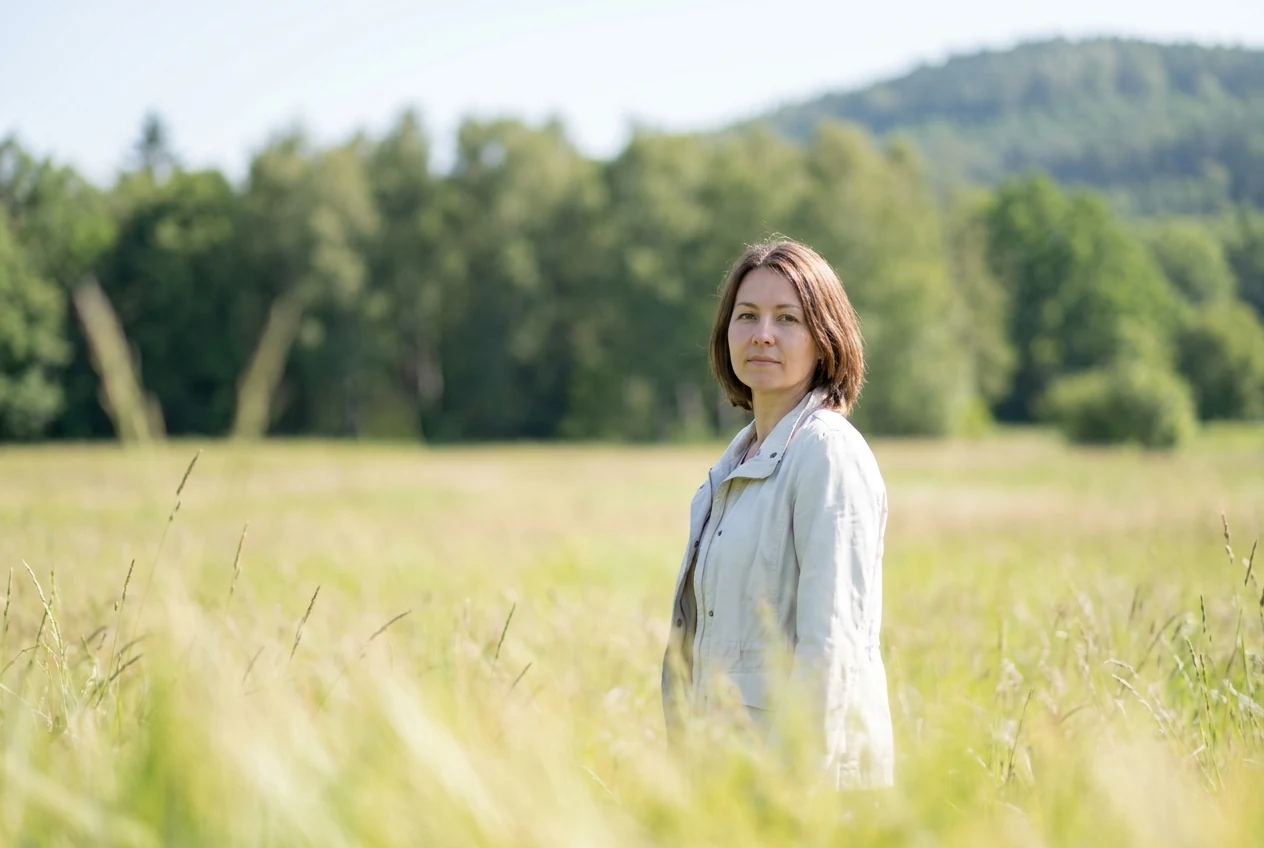
A deep depth of field works better when the environment matters to the image. Travel photos, street scenes, interiors, documentary work, environmental portraits, and many landscape images often need more of the frame to stay readable.
In those situations, background detail is not a problem. It is part of the story.
Why neither one is automatically more professional
One of the most common misconceptions is that shallow depth of field automatically looks more advanced. It does not. A portrait that loses too much context can become weaker. A travel photo with everything blurred except one small subject may miss the whole point of the place.
Depth of field looks most professional when it matches the image goal, not when it follows a trend.
How to Control Depth of Field More Intentionally
Open the aperture when you want stronger subject separation
If you want the background to fall softer, open the aperture. A wider aperture gives you less depth of field and helps the subject separate more strongly from the surroundings.
This is one of the fastest ways to change the feel of the image.
Move closer to the subject when you want less in focus
Distance is a powerful control point. If you move closer, the in-focus zone becomes shallower and the background usually feels softer.
This is especially useful when the lens or camera does not allow extremely wide apertures.
Step back or stop down when you want more of the frame sharp
If you need more context, step back, use a narrower aperture, or adjust your framing so more of the scene stays within the sharp zone.
This is often the better move for travel, architecture, documentary, and context-heavy portrait work.
Match the depth of field to the subject and story
Before changing settings, ask what the image needs. Should the viewer notice the person first and ignore the background? Or should they understand the place as much as the subject?
That question usually leads to better depth-of-field decisions than chasing shallow blur by default.
Common Depth of Field Mistakes
Using shallow depth of field when the subject needs more context
A soft background can look attractive, but it is not always helpful. If the place, surroundings, or visual context matter to the meaning of the image, too little depth of field can weaken the shot.
This is a common mistake in travel and environmental portrait photography.
Expecting aperture alone to solve everything
Aperture matters, but it is not magic. If you ignore distance, focal length, framing, and subject placement, you may not get the result you expect.
Depth of field is shaped by the whole setup, not by one number alone.
Missing focus and calling it shallow depth of field
Shallow depth of field is not the same as missing focus. If the eyes, face, or intended point of focus are not actually sharp, that is usually a focus problem, not a creative blur decision.
This matters because missed focus usually makes the image feel accidental instead of intentional.
How Evoto Can Help When You Want Deep Depth of Field
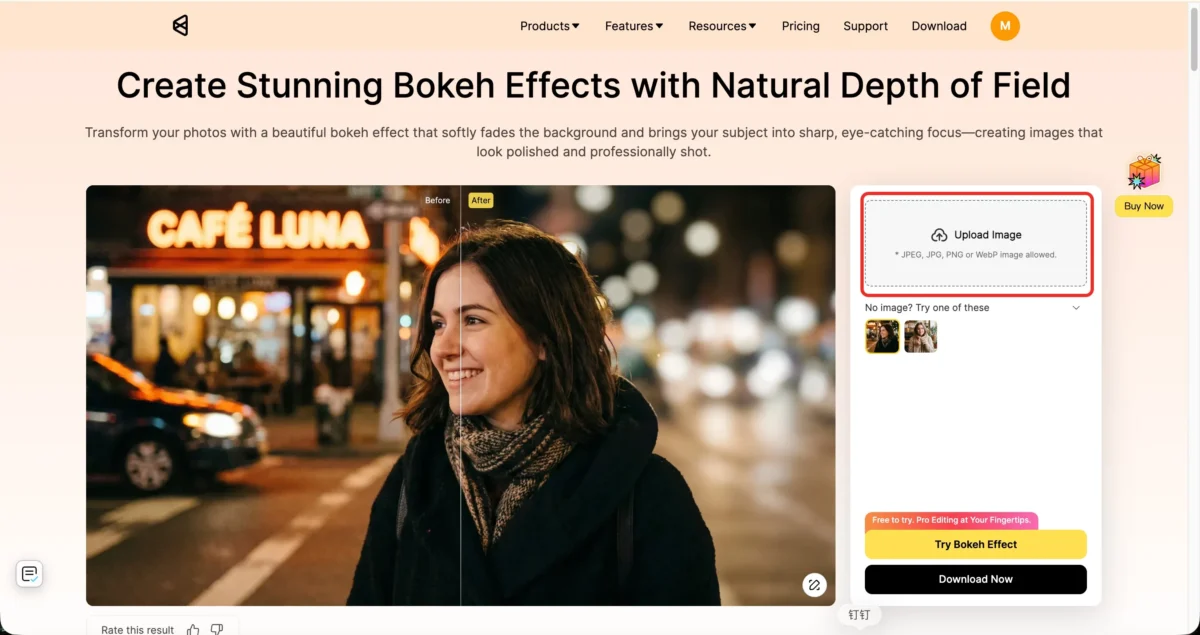
Step 1: Open the image
Go to the Evoto Bokeh Effect Editor and open your photo. The AI automatically detects and separates the subject from the background, so you can start building a shallower-looking depth-of-field effect immediately without manual masking or cutout work.
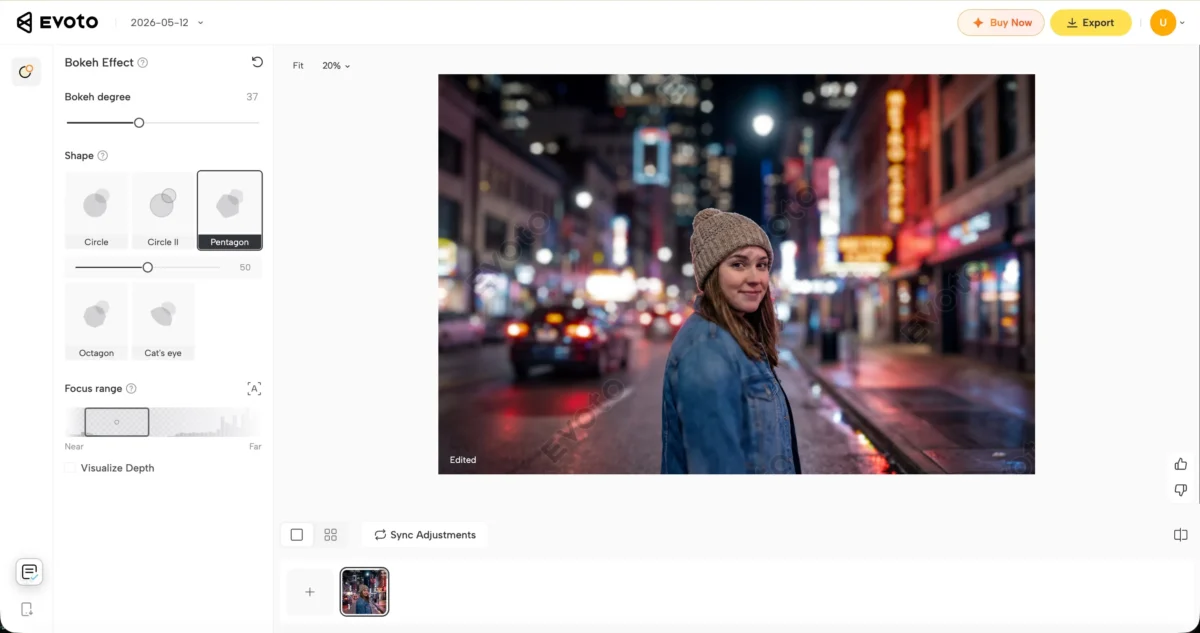
Step 2: Adjust the bokeh degree, bokeh shape, and focus range
Control how soft the background looks by adjusting the blur intensity, choosing different bokeh shapes, and refining the focus range. This helps the effect feel more natural while keeping the subject clear and visually separated from the background.
If you want a broader practical reference on background softening, see How to Blur Background of a Photo. The same basic judgment applies here too: the goal is stronger subject separation, not blur for its own sake.
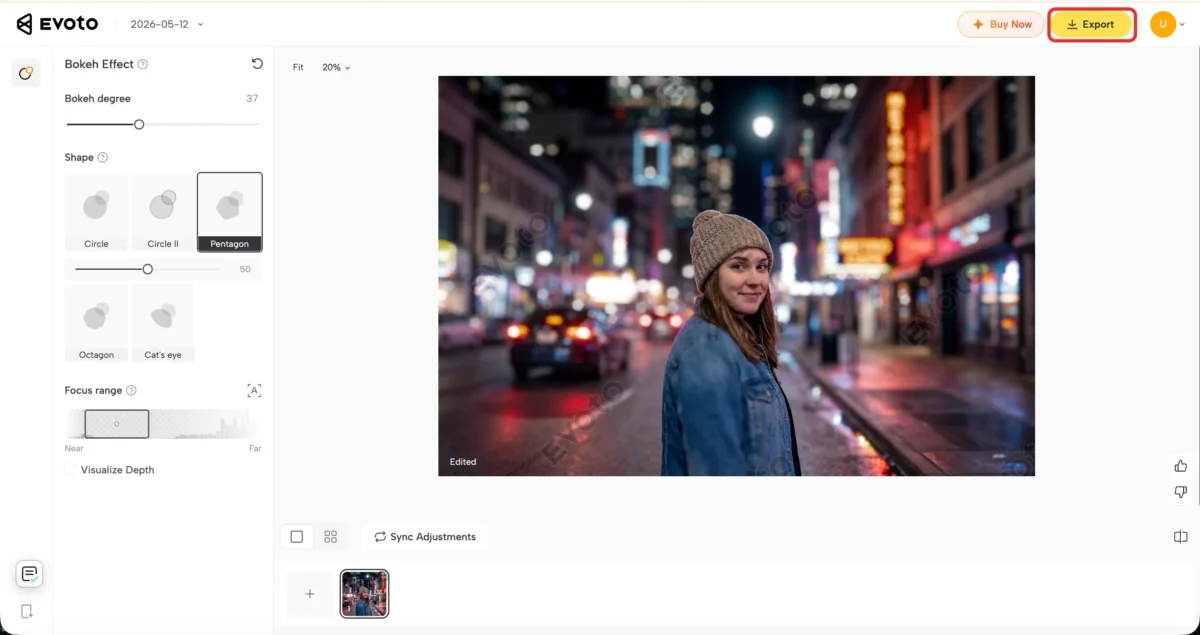
Step 3: Export the final image
Once the depth effect feels balanced and the subject still looks clean and realistic, export the finished image in high quality.
This works best when the original photo already supports the look and you mainly want a faster route than manually building the whole effect in Photoshop. For the full reference workflow this section reuses, see Bokeh Effect in Photoshop.
In-Camera Control vs a More Flexible Bokeh Workflow
Aperture control still matters, but physical limits exist
Depth of field is still influenced first by how the photo is captured. Aperture, focal length, subject distance, and framing all affect how much natural background separation the camera can create.
But even with a fast lens, the result is still limited by physical shooting conditions. Small sensors, crowded environments, limited subject distance, or slower kit lenses can all reduce how strong or clean the background blur looks in-camera.
That is why some photos still feel too flat even when the exposure and focus are technically correct.
When a bokeh editor gives you more flexibility
Sometimes the image already works compositionally and only needs stronger subject separation or a cleaner depth effect during editing.
This is where a tool like Evoto’s Bokeh Effect Editor becomes more flexible than relying entirely on aperture alone. Instead of being locked into the blur strength created during the shoot, you can adjust the background softness, refine the depth range, and control the overall bokeh style afterward with much more precision.
The workflow works especially well for portraits, product photos, smartphone images, and situations where the original lens setup could not create enough natural separation on its own.
Why source image quality still matters
Editing tools can improve depth perception and background softness, but the source image still sets the overall ceiling.
If focus is missed, subject edges are unclear, or the composition does not support separation, even strong bokeh effects can start looking artificial. The best results still come from combining a clean source image with careful depth adjustments afterward.
Final Thoughts
Depth of field is a creative choice, not just a technical setting
Depth of field is not only about how much blur you can get. It is about what the photo needs to show clearly and what can be allowed to fall back.
That is why it matters so much in both technical and creative decisions.
The best result comes from matching focus depth to the photo you want to make
A strong photo does not use shallow or deep depth of field by default. It uses the right amount for the subject, the setting, and the story.
Once you understand that, controlling depth of field becomes much more intentional, and using a faster editing workflow later becomes much easier to judge.
Try Evoto AI Photo Editor
Retouch photos with Evoto AI and make your photos best! Available on Windows, MacOS and iPadOS.



