

TL;DR
- Peak season photography workflow starts in June: model 45–50 post-hours per week for one retoucher before you add July dates.
- Sort galleries P1 wedding contract dates → P2 mini SLAs → P3 upsells—not inbox volume.
- Lock one AI Color Look before the queue mixes wedding and portrait folders.
On a Monday in June, our CRM shows two July weddings already green-lit, a summer portrait mini block on Wednesday, and a May gallery still in QA. One retoucher. Forty-plus hours of post already spoken for before anyone says “yes” to the next inquiry.
Peak season is not a mood board—it is a photography workflow problem. For a wedding + portrait studio, the fight is won or lost in June, when you still have time to write ceilings, not in July, when every “maybe” becomes overtime.
Capacity ceiling: One retoucher · 45 post-hours per week max · weddings before minis when contract dates collide · no new July bookings after the ceiling hits—raise price, move the date, or hire help, not sleep.

If you lead a hybrid studio with one or two editors, this peak season photography workflow guide is for you. Climate context lives in our Super El Niño 2026 planning piece—this article is capacity math only. Mini handoff SOP lives in the summer mini photoshoot sessions workflow companion post.
We use Evoto on Desktop when batch photo color grading is the bottleneck—not because every slider matters, but because repeatable gallery looks protect the queue.
Peak Season Photography Workflow: Weekly Booking Limits
Photo editing workflow hours are the hard limit—not optimism.
We model post-hours per week for a single full-time retoucher at 45–50 hours including cull, color, skin, export, and admin—not shoot days.
| Weddings / week | Mini sessions / week | Est. post-hours / week | Status |
|---|---|---|---|
| 0 | 8 | ~26–32 | Green |
| 1 | 8 | ~38–46 | Yellow |
| 1 | 15 | ~48–56 | Over ceiling |
| 2 | 0 | ~38–48 | Yellow |
| 2 | 8 | ~58–68 | Over ceiling |
Numbers are illustrative · June 2026—log your own timer test before you copy ours.
Wedding photography workflow weight: one Saturday wedding often means 1,500–3,000 raw frames culled to 400–800 deliverables—a range many full-gallery guides describe for an eight-hour day—with 15–30 post-hours for cull, color, skin, and export, depending on second-shooter files and your skin standard. Eight mini sessions might add 8–12 post-hours when looks are locked and batch paths exist (our companion mini workflow logged ~54 minutes per three-look session in a June 2026 timer test—your batch week will differ).
Eight minis alone is not “light”—it is a full portrait week stacked on top of a wedding week. That is when peak season stops meaning marketing and starts meaning math.
Before you raise the ceiling, run margin on the package—our mini sessions for photography profit guide is the right place for that conversation. Here we only ask: Do we have the hours?
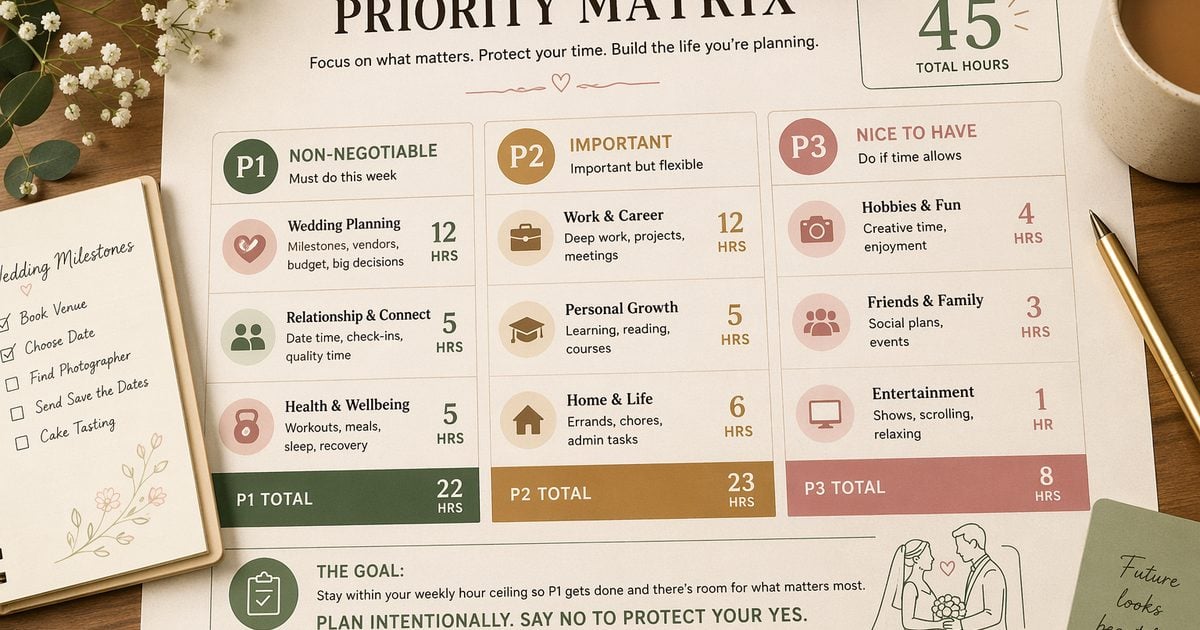
Which Gallery Gets Edited First
Industry guides commonly cite average turnaround time for wedding photos at four to eight weeks for a full gallery, with longer windows in busy months when photographers are shooting and editing back-to-back weekends. Mackey Photo & Video’s client guide describes 4–8 weeks for finals and 48–72 hour sneak peeks—useful context, not your contract.
Your studio SLA can be tighter or looser. What matters in peak season is that written dates drive the queue—not whoever emails loudest.
| Priority | Job type | Trigger |
|---|---|---|
| P1 | Wedding gallery with signed delivery date | Contract date ≤14 days |
| P2 | Mini batch with written SLA | Friday gallery push |
| P3 | Portrait add-ons / upsells | No hard date in contract |
| Hold | New July inquiry (June booking) | Only if weekly hours <90% of ceiling |
Wedding photography turnaround time in your contract should name a calendar date, not “as soon as possible.” P1 exists so a July 20 wedding does not slip behind a July mini block that promised three business days.
We preview wedding gallery turnaround checklists in a later spoke—this matrix is only the sort order when everything is due at once.
The June Red Lines (When to Decline, Not Negotiate)
These are not moral lectures—they are capacity saves.
1. July booking in June when post-hours are already >90% of ceiling.
Saying yes on the call means a delayed P1 wedding two weeks later. Fix: quote August, rush fee, or associate editor—not a verbal “we’ll make it work.”
2. Second shooter booked with no protected post-day on the calendar.
“After the wedding” is not a schedule. Fix: block Friday (or your post-day) before you send the contract.
3. Client wants three gallery looks without post budget.
That is a menu problem, not a lighting problem—see the mini workflow for look locks. Here: decline the extra look or invoice post time.
The U.S. Small Business Administration notes that seasonal owners use the off-peak window to build budgets, systems, and staffing plans before volume hits. June is that window for portrait studios—even if you still shoot engagements.
Copy-paste decline / defer language
Paste into CRM snippets—edit dates and names:
Thanks for reaching out about [date]. Our July post schedule is fully booked at our studio quality standard. The next opening for a new wedding edit queue is [date] at [price tier]. I can hold [date] for 48 hours if you’d like to move forward.
We can shoot your event on [date], but gallery delivery would be [contract date] per our current queue—not the rushed timeline we discussed. Reply “confirm” to accept that date or “pass” to release the hold.
We don’t add gallery looks after booking without a post-time invoice. Happy to send the add-on rate if you want to expand before [deadline].
There is no capacity planner PDF. Track these fields in Notion + Google Calendar:
| Field | Purpose |
|---|---|
| Post-hours budget (weekly) | Matches the table above |
| Protected post day(s) | No shoots booked |
| Wedding P1 flag | Contract delivery date |
| Mini block ID | Batch handoff label for the retoucher |
| Ceiling hit? (Y/N) | Friday review in June |
Hire a Retoucher or Buy Back Software Hours
When three yellow weeks in a row turn red, you are choosing between people and repeatable tools.
| Path | When it fits | Risk |
|---|---|---|
| Freelance retoucher | 3+ weeks over ceiling · wedding line stable | Onboarding time |
| Part-time in-house | 40+ weddings/year | Off-season payroll |
| Batch color / presets | High mini volume · grading eats hours | Wedding skin drift |
| Hybrid | Outsource cull + base grade · QA in-house | Style inconsistency |
Batch edit Lightroom still works if that is your hub—compare handoffs in our Capture One vs Lightroom for batch portrait delivery review if teams argue about export minutes. The point is not brand loyalty—it is hours returned to P1.
On Evoto Desktop, we lock repeatable gallery look work in AI Color Looks before July: one hero grade, Sync across folders, then spot QA. That is how batch photo color grading buys back hours without a new hire. For the wider color and portrait stack, see the AI Photo Editor hub.


Powerful AI Photo Editor
Mini scene swaps still run through AI Background Fusion on protected batch days. Operations detail stays in the summer mini workflow companion post.
What a Mixed Wedding + Mini Week Looks Like
This is one illustrative June week for a two-shooter, one-retoucher studio—not a promise you should copy without your own timer log.
| Day | Shoot | Post |
|---|---|---|
| Mon | Wedding prep/engagement mini block | Off |
| Tue | Wedding | Off |
| Wed | Minimal Clean Studio minis (×4) | Off |
| Thu | Travel or second mini block | Off |
| Fri | — | Protected post day (P1 wedding first) |
| Sat | — | QA + gallery push |
| Sun | Off | Off |
Wednesday Minimal Clean Studio blocks use one light, one backdrop, menu looks like Golden Beach Haze in copy only—same physical set, different graded delivery. That frees Thursday for travel instead of tearing down sand sets.
Rebecca Rice’s mini day breakdown matches what we enforce: the day you shoot ten families is not the day you open Lightroom for color. Friday stays sacred.
HoneyBook’s mini session overview reminds clients that written policies on slot length and delivery keep back-to-back days from collapsing—we borrow that discipline for peak week booking, not for re-explaining 15-minute slots.
Build your peak week calendar
Duplicate this block in Google Calendar, Notion, or your CRM:
| Field | Why |
|---|---|
| Post-hours budget (weekly) | Tied to ceiling table |
| Protected post day(s) | Team cannot book shoots |
| Wedding P1 flag | Sorts Friday queue |
| Mini block ID | Handoff to retoucher |
| Ceiling hit? (Y/N) | June Friday retrospective |
Lock One Gallery Look Before the Queue Explodes
Mixed wedding and portrait folders are where color grading photography drifts—and drift is a hidden fourth wedding.
Our five-step photo editing workflow for color:
- Pick one hero frame per lighting segment (ceremony, reception, studio grey).
- Apply an AI Color Look that matches your delivery spec—preview before batch.
- Spot-check three skin tones (light, medium, deep) on the hero set.
- Sync the look across the folder on Desktop.
- Run AI Color Match on stragglers from mismatched rooms—match color across folders with a reference still, then Control Mode if skin needs a slider pass.
Wedding photo color grading and portrait color grading can share a base look when capture is controlled; they should not share a random Instagram preset per editor mood.
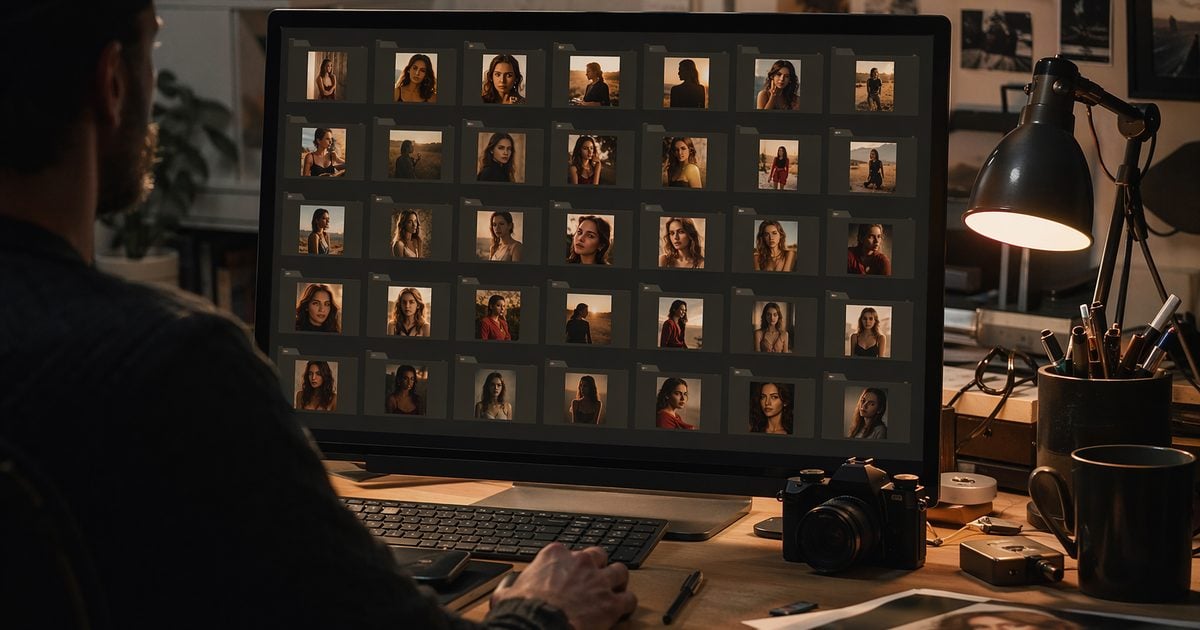
We do not teach Lightroom curves here—we teach one locked look so July is execution, not debate.
What to Email When You’re Already Late
Proactive beats reactive. When P1 will miss by 48 hours, send this—edit brackets, no discount implied:
Hi [Name],
Your wedding gallery was scheduled for [original date]. Our studio is running [48 hours] behind on post production due to [peak volume / equipment—one honest line]. Your new delivery date is [new date]. Sneak peeks, if included in your package, will still arrive by [sneak date].
Reply if you need to talk through timeline—we’ll confirm in writing.
— [Studio name]
That is different from mini “menu surprise” emails in the summer workflow—this is SLA repair, not look expectation management.
Before July Bookings Stack
Freeze three things in June: weekly capacity table, priority matrix, and one primary Color Look per delivery line. Some studios feel calendars stack earlier when weather and booking patterns shift—see why peak season can start earlier without rehashing climate charts.
(Build For Your Peak Season resources are scheduled from July 9. Until then, tighten ceilings—not discount messaging.)
After launch, compare plans on Evoto pricing if you are standardizing color credits across wedding and mini packages. If you have not batch-tested a wedding folder yet, download Evoto Desktop and run one gallery end-to-end before peak week.
Powerful AI Photo Editor
Peak season photography workflow wins when June writes the upper limit—not when July negotiates with caffeine.
Related reads: Mini session margin before you raise the ceiling
FAQ
1. What is a realistic photography workflow capacity for a two-person wedding + portrait studio?
One full-time retoucher at 45–50 post-hours per week is a common ceiling before quality slips. Two shooters can fill that fast with one wedding plus eight minis—track your own June timer test.
2. How long is average turnaround time for wedding photos—and what should we promise instead?
Many public guides, including Mackey Photo’s client timeline, cite 4–8 weeks for a full gallery. Promise a named calendar date in contract—your studio SLA, not the industry average.
3. Should wedding galleries always jump ahead of mini sessions in peak season?
P1 weddings with signed dates yes—minis with written SLAs are P2. Upsells without dates are P3. The matrix prevents loud inbox from reordering the queue.
4. When should we decline July bookings booked in June?
When weekly post-hours are >90% of ceiling or no protected post day exists after the shoot. Defer, price rush, or add editor capacity—do not whisper “yes” on the phone.
5. Is batch photo color grading enough to avoid hiring a retoucher?
It buys hours, not judgment. Locked looks and AI Color Match reduce rework; weddings still need human QA on skin and storytelling frames.
6. Can we use the online trial for batch gallery looks at peak volume?
Not for production queues. Batch photo color grading with AI Color Looks and Sync belongs on Evoto Desktop. Preview a hero frame in the trial; do not promise a full July wedding folder from the browser tool alone.
7. Where does batch portrait editing workflow detail live?
Ingest, cull, and folder pipeline depth is planned for our batch portrait workflow spoke—this article stops at capacity and color lock.
8. Does Evoto use my client photos for AI training—and is batch editing ethical?
Evoto’s Privacy Policy states that Your Content is not used to train generative AI models without explicit opt-in consent, and that service-improvement opt-ins still exclude model training. For ethical AI in professional retouching, you keep creative control: which looks sync, which frames export, and what clients receive. Some features process files through secure cloud pipelines for inference—review retention and consent settings in-app. Obtain client permissions your jurisdiction requires for wedding and portrait files.
Methodology & Author
Author: Evoto Editorial Team — studio operations editors
Experience basis: illustrative mixed-studio week model · June 2026 capacity assumptions · post-hour ranges from internal timer tests
Market context: wedding delivery and deliverable counts cited from publicly posted studio client guidance; studio SLAs are intentional choices, not industry mandates
Limitations: peak-volume batch color grading requires Evoto Desktop; browser trial is for single-frame exploration; climate planning is out of scope (see Super El Niño related post)
Last reviewed: 2026-06-20



