
Warm holiday pack. Red sweater. Tungsten bulbs. The neck goes mustard. The wall goes green. Family minis and church-hall portraits do this every year. That crash is why people hunt photo editing presets every November. The pack is rarely the whole problem. The RAW opened flat. The filter sat on chalk. A warmth slider does not fix the unwrap.
Here is the gift that does move the needle, and only for a short window:
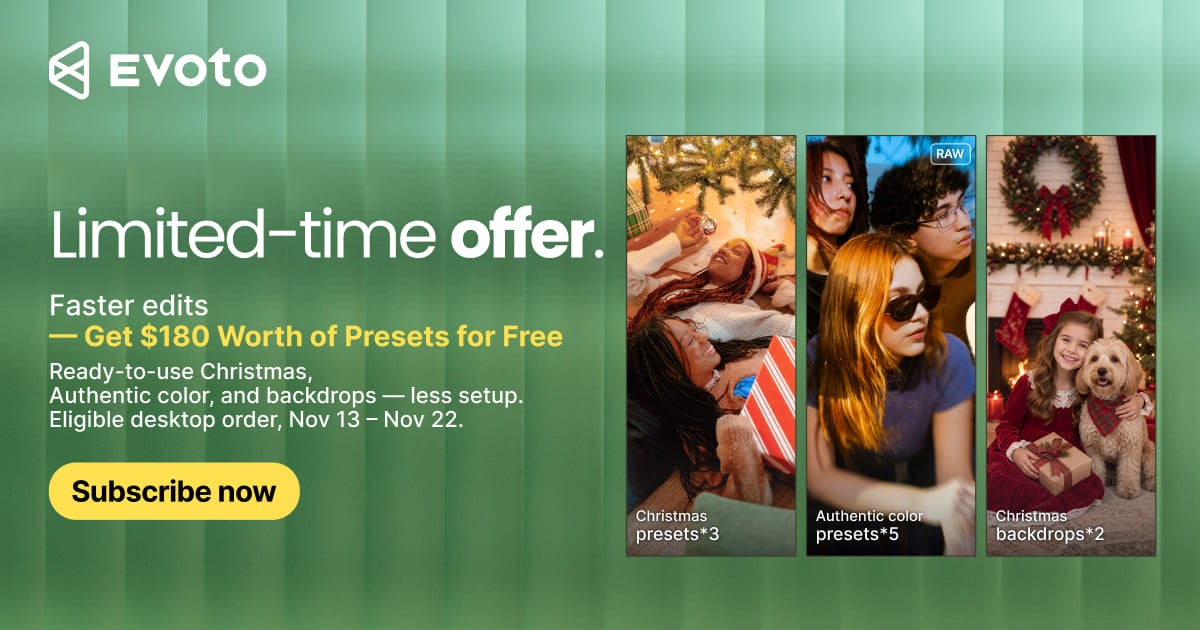
- When: 13–22 November, local time
- How: Finish a paid Evoto Desktop plan in that window
- Value: A pack priced at $180. Not a coupon code. Not a free ZIP wall
- What: 5 holiday sets for indoor festive frames, plus 5 RAW texture looks built for the Authentic profile
- Where: Asset Hub → gifted. Ten looks. One claim. No second shop cart
Miss 22 November and this paid shelf stays empty. Later sale-week Hub access on Pricing is a different offer, not an extension of this claim.
Shop packs often sell warmth alone. This one pairs holiday taste with a RAW base that keeps necks and walls honest. Turn on the Authentic profile in Evoto Desktop 8.1.0 first. Then dress the file with the gift. Clothes on a gray body still fit badly.
Authentic Look in One Minute
Think of the RAW as undeveloped film. Evoto Authentic Profile is how Evoto v8.1.0 develops that film in Color. It is a Profile option for RAW: richer color, smoother tone. You can switch Standard and Authentic. You can set a default for new imports. JPEG files do not get it. iPad and smartphone do not get it.
It is not a slider named Warmth. It is not one of the gifted presets. Filters change taste after the unwrap. This changes the unwrap.
If Adobe Color already made the face gray, read the gray-skin RAW note first. Then come back for the pack. Photo editing presets are the side dish. The update is the plate.
What Photo Editing Presets You Get ($180 Gift)
Treat this as one Lightroom preset bundle sized pack, not a hunt through free folders. Exact set names appear in Asset Hub after you claim.
| In the pack | Type | What it is for |
|---|---|---|
| Five holiday sets | Presets and Hub scenes | Warm indoor portraits and festive rooms |
| Five RAW texture looks | Presets | Skin-safe grades on Authentic look |
AI photo editor plans that qualify are Desktop-related paid plans in this window. Monthly, Cloud, Instant, Video, and app-only buys are out. iPad purchases that include the gift still need Evoto Desktop to use the Authentic look and the files.


Powerful AI Photo Editor
The $180 figure is the stated gift value, not cash back. Separate shop packs sit in another cart. This gift lands under gifted in Asset Hub, next to favorites and purchased files. Preview presets, Looks, backdrops, and skies in the editor. A thumbnail is a preview, not a rebuilt room.
Put the Gift on Authentic Look, Not Instead of It
A common rescue order is “warmth slider, then white balance.” That order still fails when the profile is gray. Free Christmas Lightroom presets style packs are fine for practice, not for a full gallery. Color Match can hint at a direction, but clothes and skin shifts can drift the match. Preset Management reuses a look across a set. It does not replace Authentic look.
| Layer | What it is | What it is not |
|---|---|---|
| Authentic look | Evoto (8.1.0) RAW Profile update | One of the gift presets |
| Gift presets and scenes | Taste and setting on that base | A replacement for conversion |
| Free scatter packs | Practice | A whole-set delivery look |
These photo editing presets sit on a Authentic profile. Apply them after the unwrap. On tungsten, white balance first. Then the holiday look. Then a backdrop from the same Hub group if the room is the problem, not the face.
Claim the Pack in Asset Hub
Three steps, in product order.
Step 1: Finish a paid Desktop plan
Finish a qualifying Desktop purchase in the 13 to 22 November local window. A login without payment does not fill the gifted group.
Step 2: Open the Gifted group in Asset Hub
Open Asset Hub inside Evoto. Assets sit under favorites, purchased, and gifted. That is where the gifted photo editing presets land. Browse presets, Looks, backdrops, and skies without leaving the editor. Try first, then keep what you will actually deliver.
Step 3: Apply the Authentic, then the gift
Turn on Authentic look for new RAWs in Evoto Desktop 8.1.0. Then apply the gifted preset. Browse the wider Hub library on the Evoto Assets index.
For Evoto product presets in general, see photo presets. This page is only the timed gift. If two shooters share a Hub login, agree on one Authentic default first, then pick one gifted look for the living-room set.
You can download Evoto for Desktop and claim from Hub after purchase.
Powerful AI Photo Editor
Two Things to Keep
The Authentic look is the Color update to remember. The photo editing presets in the $180 gift are the matching set. Unwrap the RAW. Then dress it. Then export.
FAQ
1. Which photo editing presets are included in the $180 gift?
Five holiday sets and five RAW texture presets. Exact names appear in your Asset Hub gifted group after you claim.
2. Is Authentic look one of the presets?
No. It is the RAW Profile update in Color on Evoto v8.1.0. The gift sits on that base.
3. Do I apply the gift before or after the Authentic?
After. Unwrap first. Then the pack. Gray Adobe Color plus a warm pack is how necks go yellow.
4. Are free Christmas Lightroom presets the same thing?
No. Those are scatter practice files, the kind covered in free Lightroom presets. This is an official paid-window pack. A free XMP still fails if you skip the Authentic.
5. Where do I download them, and when?
After payment in the 13 to 22 November local window, in Asset Hub. It does not reopen after 22 November. Later sale-week Hub access is separate. No public ZIP wall. Open Hub, then the gifted group.
6. Who does not get the gift?
Monthly, Cloud, Instant, Video, and app-only. iPad users still open the files in Evoto Desktop. A login with no paid plan in the window does not fill the gifted group.
7. Is this the same as the old Evoto presets article?
No. Photo presets cover product presets in general. This post is only the timed gift window.
8. Should I buy a plan now just for the pack?
Only if you already needed Evoto for portraits this winter. The $180 figure is gift value, not cash back. If you only wanted a free Lightroom folder, this page is the wrong shop.
9. Does Evoto train AI on my photos? Can I use the presets on client work?
Evoto does not use your photos to train AI generative models unless you clearly opt in. Client use follows Hub and plan terms. Edit files you have the right to edit. Do not sell an AI finish as an in-camera original.
Methodology
Checked against Evoto Desktop 8.1.0 Color Profile for Authentic look, Asset Hub gifted / purchased / favorites groups, and Preset Management reuse. Gift window and $180 value follow the 2026 Black Friday offer: five holiday sets plus five RAW texture presets, 13 to 22 November local time. No invented shop prices or retouch times. Last reviewed 2026-11-13.