Managing thousands of photos can quickly turn into a headache for professionals. You capture images for clients, projects, or personal collections, but soon the folders on your computer become cluttered.
Finding a specific file takes longer than it should, duplicates waste storage space, and the lack of proper organization slows down your workflow. Many photographers also struggle with software that doesn’t sync well across devices or fails to handle large libraries efficiently.
The solution is to use reliable photo gallery software designed for organizing, sorting, and managing images without frustration. These tools save time, improve productivity, and help you focus on creativity rather than file management.
In this article, I’ll tell you 10 of the best photo gallery software options for professionals in 2025. I personally try each of these tools so you get an honest look at their features, pros, and cons. Whether you’re after simple organization, advanced AI search, or professional editing integration, this list will guide you to the right choice.
What is Photo Gallery Software?
Photo gallery software is a program that helps you keep your photos in order instead of scattered across different folders. It gives you tools to sort, tag, and group your pictures so they are easy to find when you need them. With features like search, filters, and automatic organization, you can quickly locate a single photo from thousands.
Many tools also use smart technology, such as face recognition or location data, to make organizing even faster. For professionals, it makes digital photo management smoother and saves hours of manual work. Some options even combine image organization with editing, so you don’t have to switch between apps.
In short, this type of software is designed to help photographers, designers, and businesses handle large photo collections with less effort.
Benefits of Photo Organizer Software
Using photo gallery software comes with many clear benefits. The first is saving time, since you don’t need to scroll through messy folders to find a picture. These tools offer search functions, tags, and filters that improve image organization and make it easier to track down files. Another big benefit is stronger digital photo management, as the software helps group duplicates and keeps your library organized.
- Many of the best software options also provide safe backup and syncing, so your work is always protected.
- On top of that, some programs include built-in editing features, allowing you to manage and adjust photos in the same place.
- For professionals, this means a smoother workflow and more time to focus on creative projects.
1. Evoto

Evoto AI is one of the best photo gallery software tools designed to make image organization quick and simple, even for people who are just getting started with digital photography. Instead of spending hours sorting files into folders, Evoto uses smart technology to recognize faces, detect duplicates, and apply automatic tags. This makes it easier to locate photos without wasting time searching manually. It’s a practical option for anyone who wants smooth digital photo management without having to learn complicated settings.
Evoto also combines a powerful photo organizer with a professional editor, letting you manage your images and perform advanced edits all within a single platform.
Key Features:
- Quick import of large photo collections
- AI-powered photo culling
- Duplicate photo finder and remover
- Smart search with keywords and filters
- Batch editing for basic adjustments
- Clear and beginner-friendly interface
Pros:
- Saves time by automatically sorting and tagging images
- Duplicate cleaner keeps storage free of unnecessary files
- Easy navigation that even beginners can understand
- Offers both organization and simple editing in one program
Cons:
- Cloud syncing options are still limited
Compatible: Windows, macOS
Pricing: Starts at around $10 per month, with a free trial so you can test it before paying.


Powerful AI Photo Editor
2. Tonfotos

Tonfotos is a simple tool made for people who want easy photo organizing without extra steps. It scans your folders and arranges photos into a clean layout automatically. One highlight is geotagging support, which allows you to sort pictures by location. This is especially helpful if you have travel albums and want to see them on a map.
Key Features:
- Automatic folder scanning
- Geotagging and map view
- Quick import of large photo collections
- Clean and straightforward interface
Pros:
- Beginner-friendly design
- Works fast, even with big libraries
- Doesn’t slow down your computer
Cons:
- Few editing features
- Very basic design
Compatible: Windows, macOS
Pricing: Free version available, with optional upgrades.
3. ON1 Photo RAW
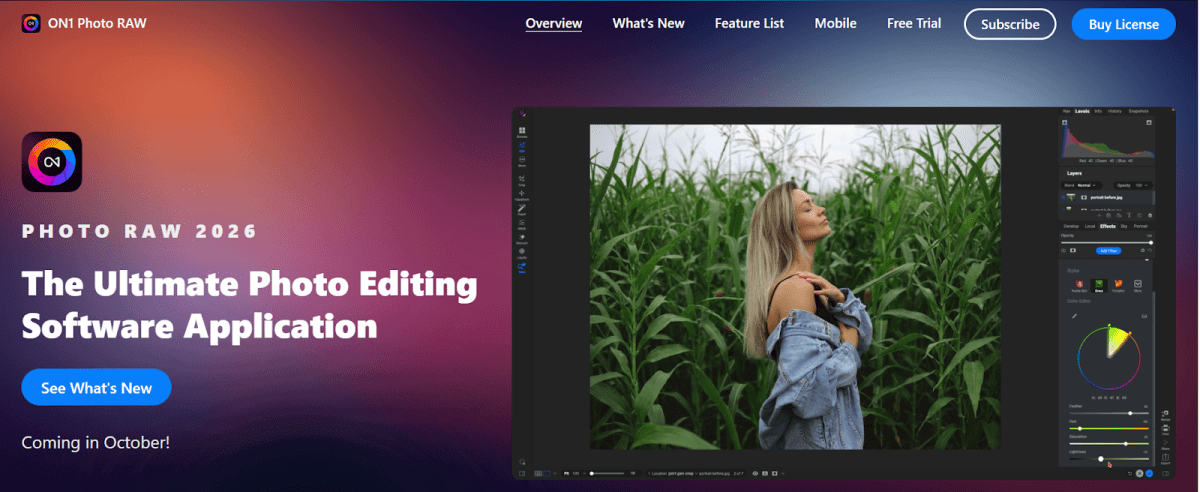
ON1 Photo RAW is a mix of a photo organizer and a professional editor. It allows you to manage your files while also offering advanced editing features in one package. Many photographers use it because it handles RAW files very well and offers tools similar to Lightroom.
Key Features:
- File cataloging and keyword tagging
- Cloud syncing across devices
- Presets and filters for faster editing
- Non-destructive editing
Pros:
- Complete editing and organizing in one program
- Catalog system speeds up searching
- Supports most camera formats
Cons:
- Takes time to learn for new users
- Requires a strong computer for smooth use
Compatible: Windows, macOS
Pricing: Subscription starting at $7.99 per month.
4. Adobe Bridge
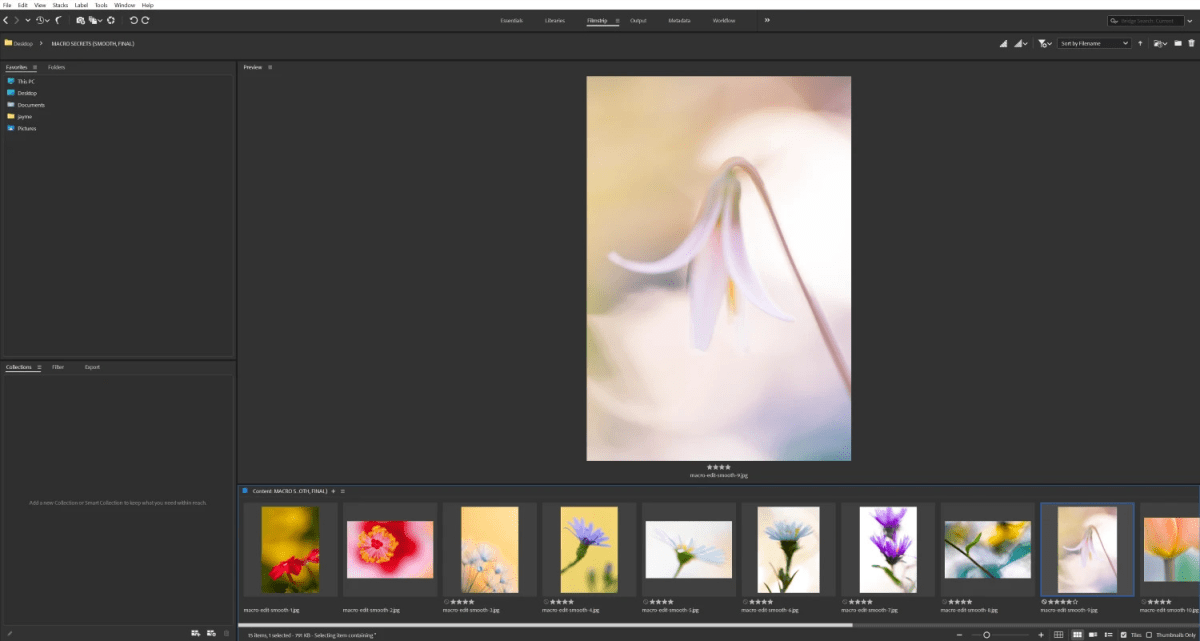
Adobe Bridge is free software from Adobe that helps you manage photos with detailed tags and metadata. It works best if you are already using Photoshop or Lightroom, as it connects directly with them. For beginners, it may look a bit advanced, but once you learn the basics, it’s powerful.
Key Features:
- Batch renaming and keyword tagging
- Integration with Adobe Creative Cloud apps
- Strong metadata editing tools
- Preview files without opening them
Pros:
- Great for users of other Adobe products
- Free to download
- Flexible tagging system
Cons:
- It can be heavy on older computers
- Less friendly for complete beginners
Compatible: Windows, macOS
Pricing: Free with an Adobe account.
5. Apple Photos

Apple Photos comes built-in on Macs and iPhones, making it a natural choice for Apple users. It automatically organizes your images into albums by date, location, or people, and syncs across all your devices through iCloud. While it’s not made for professionals who need advanced tools, it works well for casual use.
Key Features:
- Automatic smart albums
- Cloud syncing with iCloud
- Simple editing tools
- Face and location recognition
Pros:
- Free and easy to use
- Works across all Apple devices
- Smooth syncing with the cloud
Cons:
- Limited editing compared to Pro Tools
- Not available for Windows
Compatible: macOS, iOS
Pricing: Free (iCloud storage upgrade available).
6. Capture One Pro
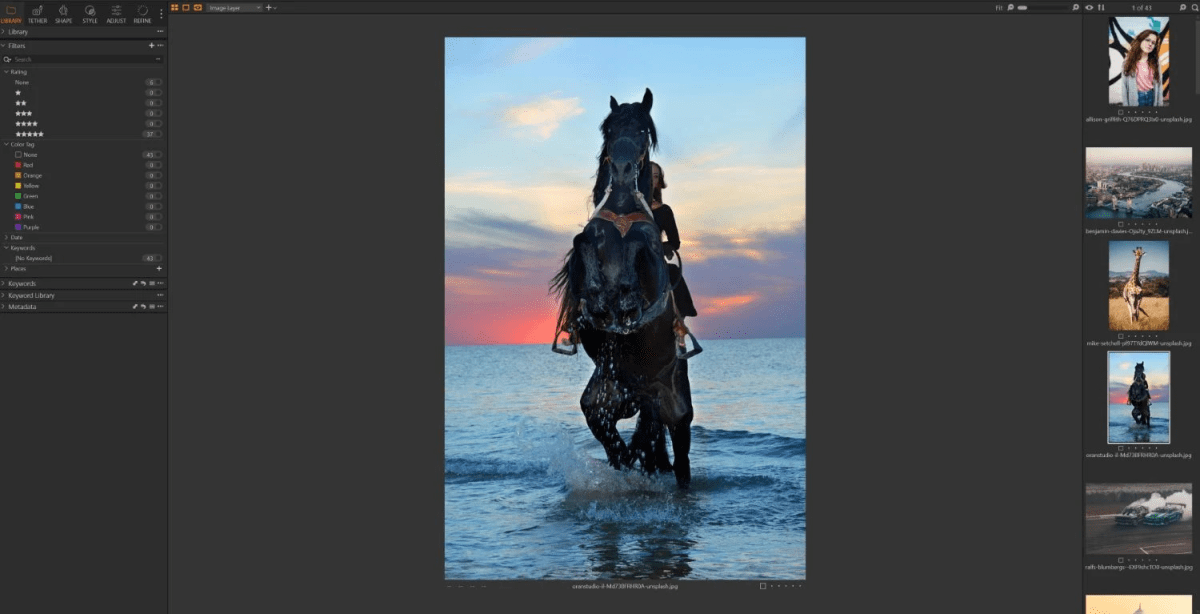
Capture One Pro is well-known among professional studio photographers. It offers very strong color grading tools and tethered shooting, which is ideal for live studio work. It also has a detailed catalog system for large collections. While it may feel too advanced for complete beginners, it delivers excellent results.
Key Features:
- Professional color control
- Tethered shooting support
- Catalog and session-based organization
- Layer-based editing
Pros:
- Industry-level editing tools
- High-quality output
- Reliable for professional work
Cons:
- Expensive compared to other software
- It can be overwhelming for new users
Compatible: Windows, macOS
Pricing: $299 one-time or $24/month subscription.
7. FastStone Image Viewer
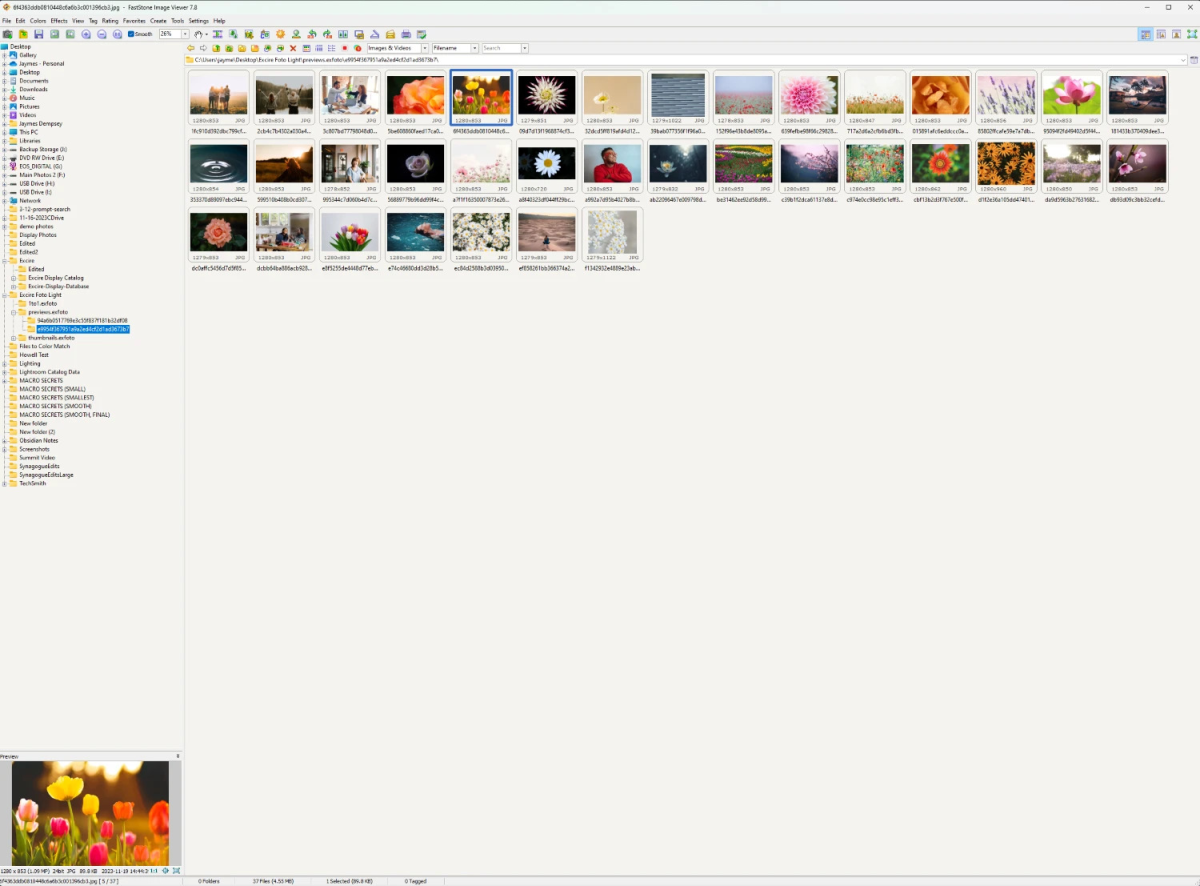
FastStone Image Viewer is a lightweight option for Windows users who want speed. It opens images quickly and supports many file formats. Although it lacks advanced editing, it offers slideshows and batch conversion, which are great extras.
Key Features:
- Fast browsing and previewing
- Batch conversion and renaming
- Basic editing tools
- Slideshow creation
Pros:
- Free for personal use
- Very fast and responsive
- Handles many file types
Cons:
- The interface looks outdated
- No advanced editing functions
Compatible: Windows only
Pricing: Free (donation license available).
8. Adobe Lightroom Classic
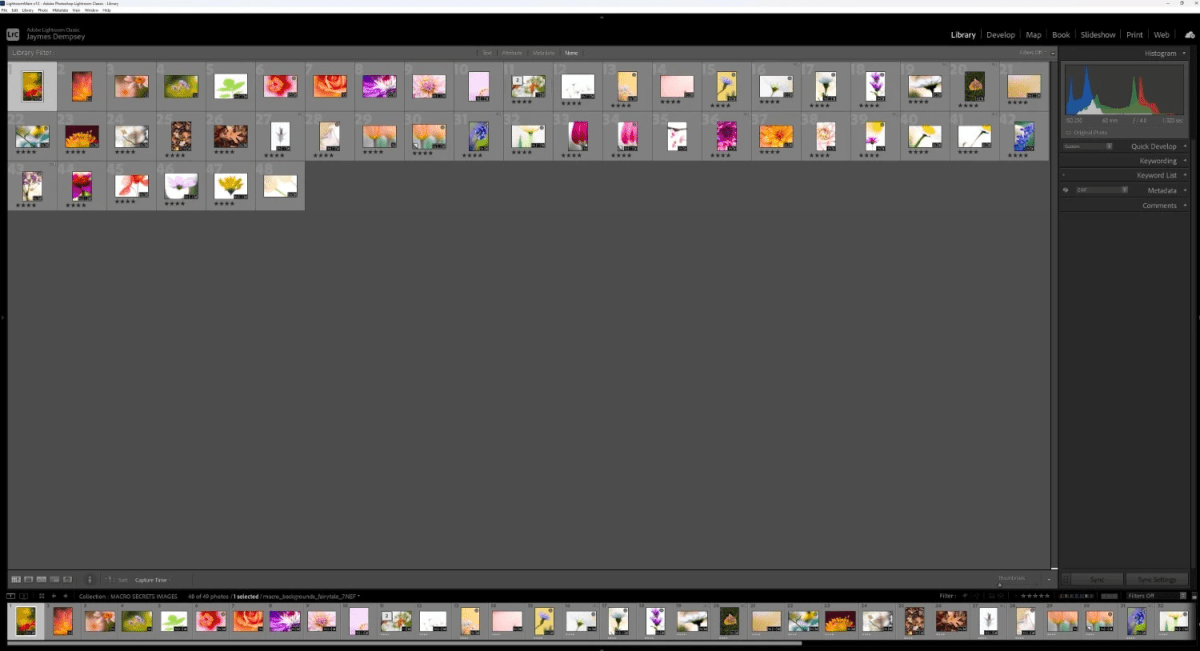
Lightroom Classic is a favorite among professional photographers worldwide. It combines organizing tools with advanced editing in one platform. Beginners may need time to adjust, but once learned, it becomes a powerful everyday tool.
Key Features:
- Catalog-based file management
- Advanced photo editing tools
- Cloud syncing with Creative Cloud
- Presets for quick adjustments
Pros:
- Industry standard for professionals
- Strong catalog system
- Regular updates from Adobe
Cons:
- Requires a subscription
- Steeper learning curve
Compatible: Windows, macOS
Pricing: Included with Adobe Creative Cloud plans, starting at $9.99/month.
9. ACDSee Photo Studio Ultimate 2025
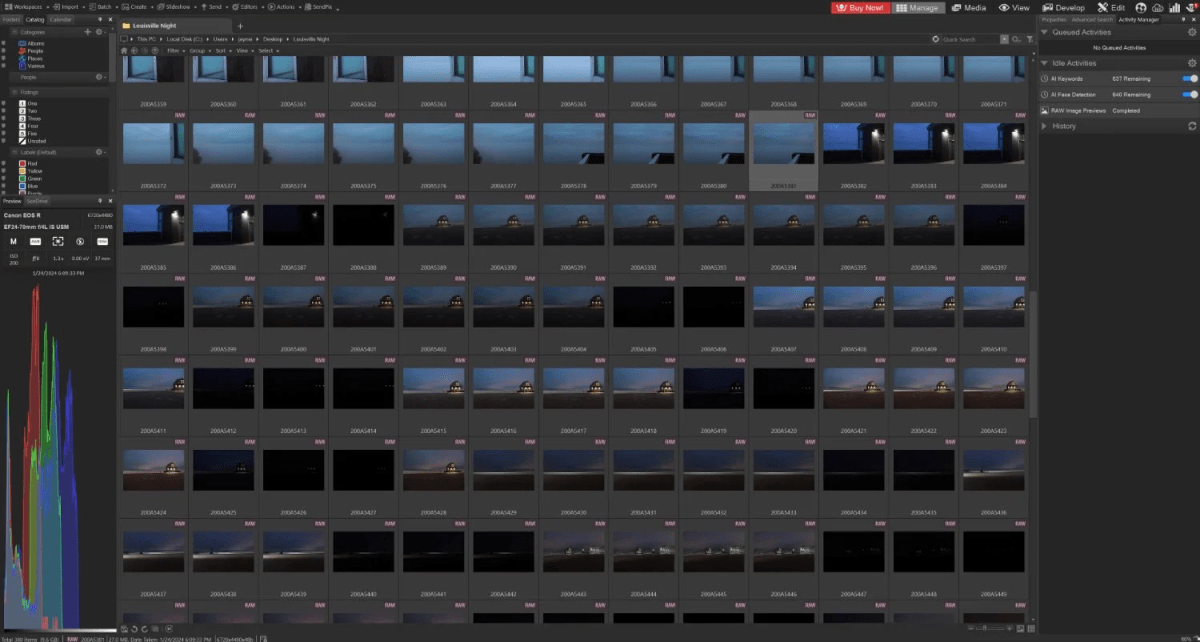
ACDSee Photo Studio is an all-in-one program that mixes editing, organizing, and workflow tools. The 2025 version brings better performance and updated features. It’s useful for people who want everything in one software without needing multiple programs.
Key Features:
- Digital asset management
- Layer-based editing
- Cloud syncing options
- Face recognition
Pros:
- Combines editing and organizing
- Flexible pricing (subscription or one-time license)
- Good for large photo libraries
Cons:
- Interface can feel crowded
- Some tools require practice
Compatible: Windows, macOS
Pricing: Around $89 for a license or $8.90/month.
10. Luminar AI
Luminar AI focuses on artificial intelligence to speed up photo editing while also helping with library management. It’s beginner-friendly because the AI handles many adjustments for you. While it’s more of an editor, it includes enough organizing tools for simple collections.
Key Features:
- AI-based editing tools
- Template suggestions for fast results
- Organizing folders and albums
- Supports RAW files
Pros:
- Very beginner-friendly
- Quick automatic enhancements
- One-time purchase option
Cons:
- Limited compared to full library managers
- AI edits may not suit every style
Compatible: Windows, macOS
Pricing: One-time license from $79.
How to Choose the Right Photo Gallery Software
Picking the right tool depends on your needs and your budget. Beginners may prefer free or simple options like Apple Photos, FastStone, or Tonfotos. These programs keep things easy and help with basic organizing. Professionals, on the other hand, often need advanced tools such as Evoto, Capture One Pro, or ON1 Photo RAW because they combine strong editing with organizing features.
When making a choice, ask yourself:
- Do I only need to store and sort photos, or do I also want editing tools?
- Will I use the software on one device, or do I need cloud syncing across several?
- Am I looking for a free option to get started, or am I willing to invest in a subscription or license for professional use?
The right program should not only keep your files organized but also fit smoothly into your daily workflow.
Final Thoughts
Keeping photos organized is no longer optional for professionals who deal with large libraries. The right photo gallery software reduces stress, saves time, and helps you focus more on creativity instead of file searching.
Out of all the tools listed, the best software for you will depend on how you balance cost, features, and ease of use. Whether it’s free tools for basic organizing or premium programs with editing included, there’s a reliable choice available for every level of photographer.
Evoto AI Photo Editor – Faster Edits, Finer Control