

Christmas is the season for creating lasting memories, and what better way to preserve those special moments than through beautiful photos? Whether you’re planning a professional Christmas photoshoot or capturing spontaneous family moments, great Christmas photography is all about adding warmth, magic, and personality.
Below are some creative Christmas photo ideas for 2025, along with expert Christmas photography editing tips to help your photos stand out and shine.
1. Play with Soft, Warm Lighting
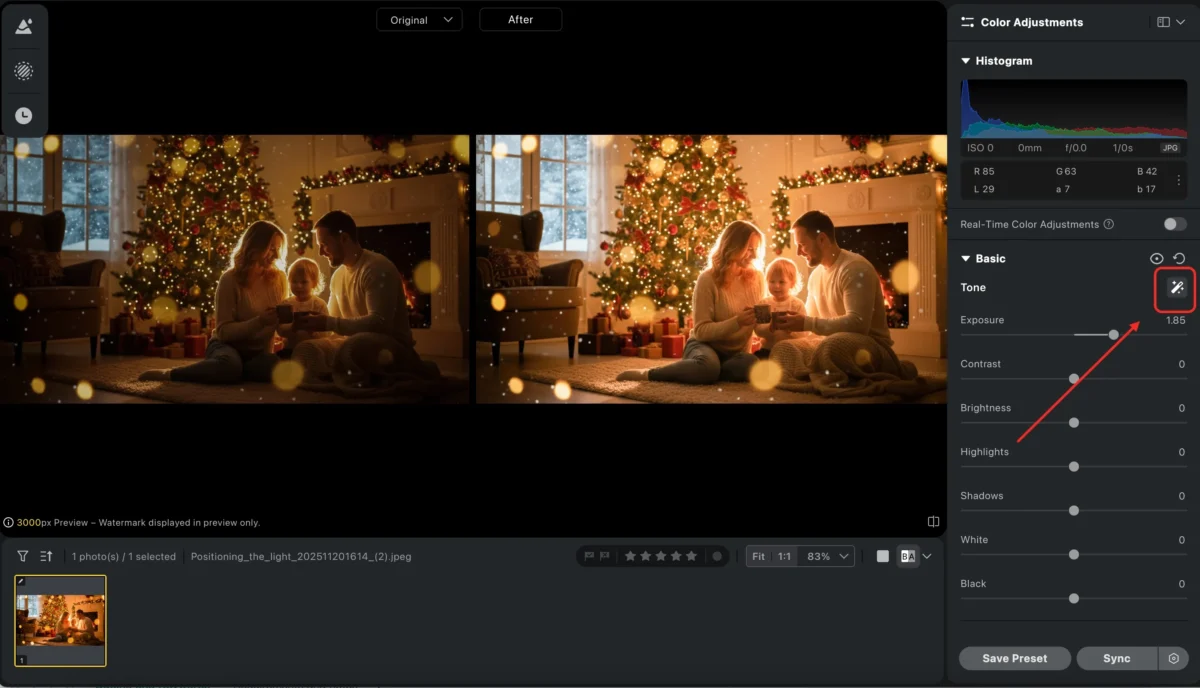
Christmas is all about warmth and comfort. Whether you’re using natural light or incorporating candles, Christmas lights, or firelight, these glowing sources add a magical touch. A subject sitting by the fireplace, surrounded by softly flickering candlelight, or framed by the glow of the Christmas tree can create a cozy, intimate atmosphere.
Pro tip: Position your light source behind the subject to create a soft, glowing halo effect, and expose for the brightest highlights. This technique will naturally enhance the warmth of the scene while adding depth and a serene, magical vibe.
Use Evoto’s exposure recovery tools to bring out details in the shadows without compromising the cozy, glowing atmosphere.
2.Use Red and Green Tones for Festive Vibes
Nothing says Christmas like traditional red and green. Whether it’s a red sweater against a snow-covered backdrop or a deep green dress paired with a glowing fireplace, these classic Christmas colors can instantly set the mood.
Pro tip: Combine warm, golden light with rich reds and greens to create that nostalgic, festive feel.
If the lighting becomes too harsh or the colors shift during the shoot, use Evoto‘s color balance and HSL (Hue, Saturation, Lightness) adjustments to fine-tune the tones. This ensures your reds and greens pop without distorting the skin tones, helping you achieve the perfect Christmas photoshoot ideas.

3.Highlight the Details of Christmas Costumes
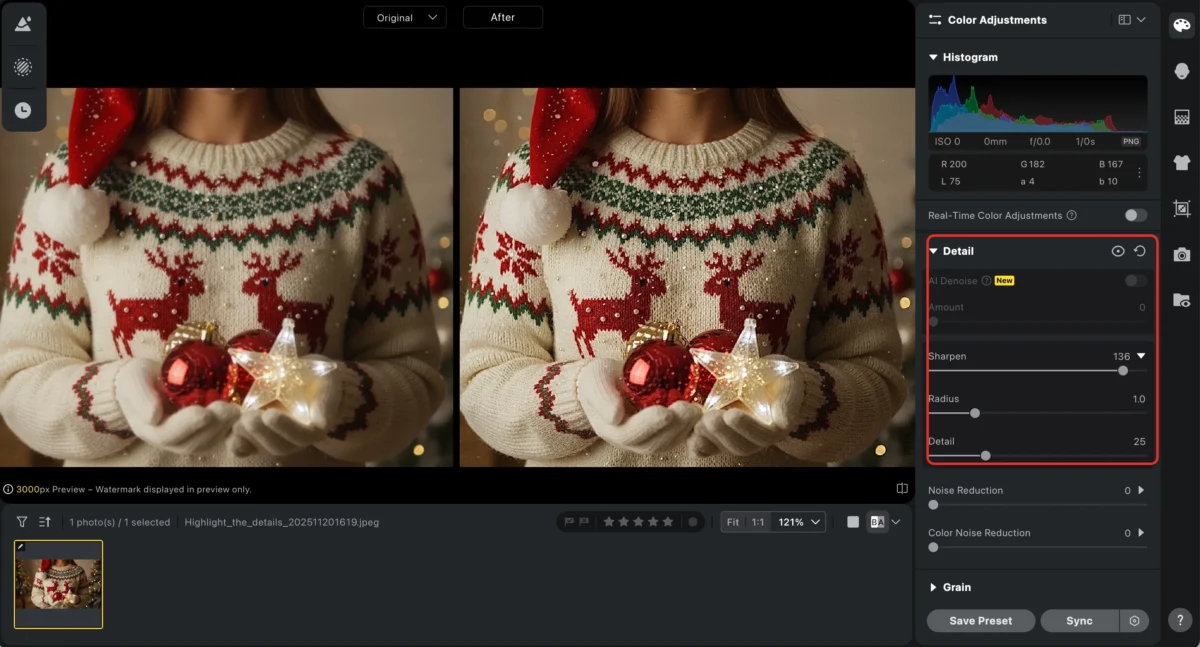
Christmas outfits—whether it’s a cozy sweater, a Santa hat, or a sparkly dress—are the stars of your holiday photos. Pay attention to textures like knitwear, twinkling ornaments, or even the soft glimmer of a snow-covered scene. Soft, directional lighting and a shallow depth of field will help emphasize these textures.
Pro tip: Use a macro lens or focus on small details like snowflakes on your subject’s coat, the embroidery on a sweater, or the twinkle of ornaments in their hands.
After your Christmas photoshoot, you can sharpen key details and correct any color discrepancies with Evoto’s editing tools, especially if the fabrics looked dull under mixed or artificial lighting. This is one of the best Christmas photography editing tips to make sure your photos stay vibrant and detailed.


Powerful AI Photo Editor
4. Capture Movement and Energy
Christmas doesn’t have to be all still portraits. The holiday season is full of lively moments—kids running to the tree, the excitement of tearing open presents, or a couple dancing under the mistletoe. Capturing these spontaneous, energetic moments will give your photos a lively, cinematic feel.
Pro tip: To capture motion, try using a slower shutter speed and a flash to freeze the subject’s movement while blurring out the rest of the scene. This creates a magical, ghostly trail effect, especially when children rush to open gifts or snowflakes swirl in the air.

5. Tell a Holiday Story with Your Photos
Christmas is the perfect time to weave a visual narrative—whether it’s the magic of decorating the tree, preparing Christmas dinner, or families exchanging gifts. Think of your shots like scenes from a holiday movie. Use props like a mug of hot cocoa, a stack of presents, or even a sleigh to tell a story of your Christmas traditions.
Pro tip: Think about your composition like a movie still. Place your subjects in a way that hints at what’s happening before or after the photo. A child peeking under the tree or a couple sharing a quiet moment by the fireplace can evoke a deeper narrative.
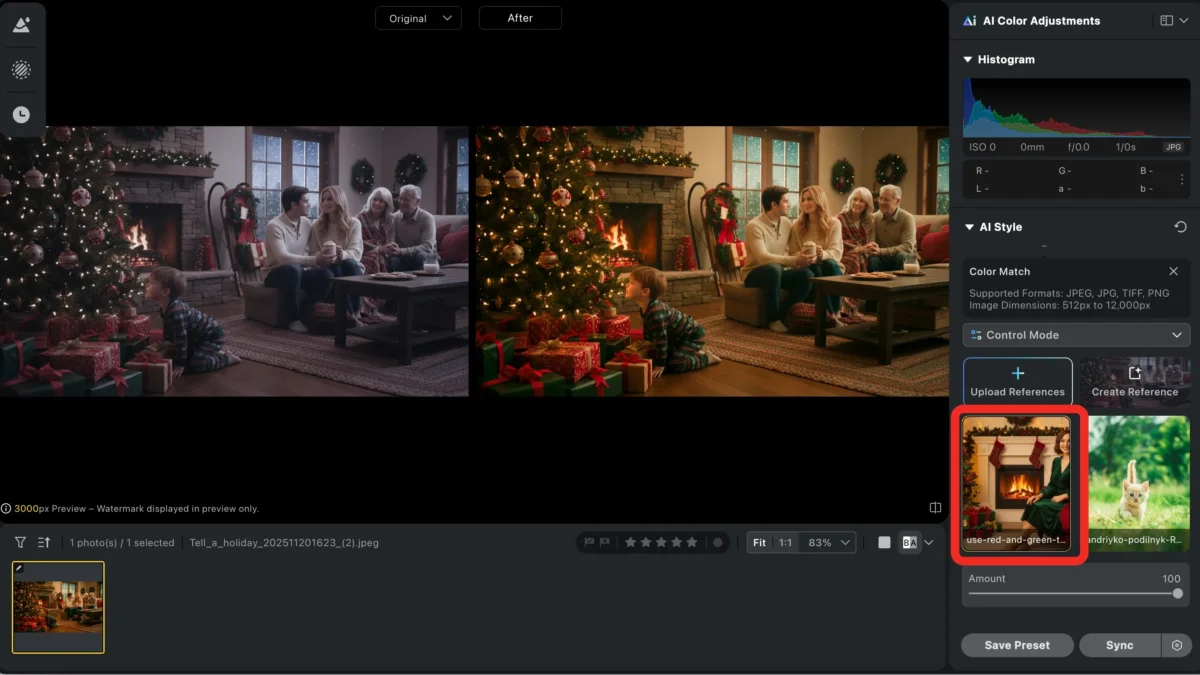
In post-production, Evoto’s color grading tools help create a cohesive mood across your series. Whether you want a classic red-and-green glow or a frosty, snowy aesthetic, you can adjust the tones to match your vision. This is an essential Christmas background idea for photos, as it enhances the mood and story you’re telling.
6. Edit with the Spirit of Christmas in Mind
Great Christmas photography doesn’t end when the camera clicks. Thoughtful post-processing can make your photos feel even more magical. But remember—don’t over-edit! You still want the warmth and emotion of the season to shine through.
Pro tip: Start with adjusting exposure and tone recovery, then move into fine-tuning any color shifts caused by artificial lighting. Subtle selective retouching, like smoothing skin or enhancing the glow of Christmas lights, can bring the magic to life.
With Evoto’s AI-powered workflow, repetitive edits (like adjusting brightness or removing blemishes) are a breeze, while still giving you full control to fine-tune every shot for the best Christmas photo editing tools.
Powerful AI Photo Editor
Final Touches Before You Share
Once your edits are complete, it’s time to share your holiday magic with the world. Export high-resolution versions for prints and lighter, web-ready ones for social media. If you’ve shot a full Christmas session, Evoto’s batch editing can save you a lot of time while keeping your images consistent across the entire set.
Capture the Christmas Magic with Evoto
The holiday season is the perfect time to experiment with creative photography and storytelling. Whether you’re capturing family Christmas pictures or taking festive portraits, there’s no limit to the magic you can create. With Evoto’s editing tools, you can enhance the warmth of your photos, fine-tune colors, and add that extra touch of holiday sparkle.
Ready to turn your Christmas photos into unforgettable memories? Let Evoto help you bring the magic to life, one click at a time.
Try Evoto AI Photo Editor
Retouch photos with Evoto AI and make your photos best! Available on Windows, MacOS and iPadOS.



