Many photographers face a common problem when they take pictures in RAW format. The files are large, hard to open on normal devices, and they don’t look very sharp at first. Without the right tool, it becomes frustrating to manage these images, and the photo quality often suffers. Beginners especially feel lost because they don’t know which software will give them the best results.
The solution is to use a raw converter. These tools help turn RAW files into clear, editable photos without losing detail. By using the best RAW software, photographers can improve their workflow, save time, and keep their image quality intact. In this guide, we’ll go through the top 7 options in 2025, and I’ll also try them myself to see which ones really make photo editing easier.
What is a RAW Converter and Why Do Photographers Need It?
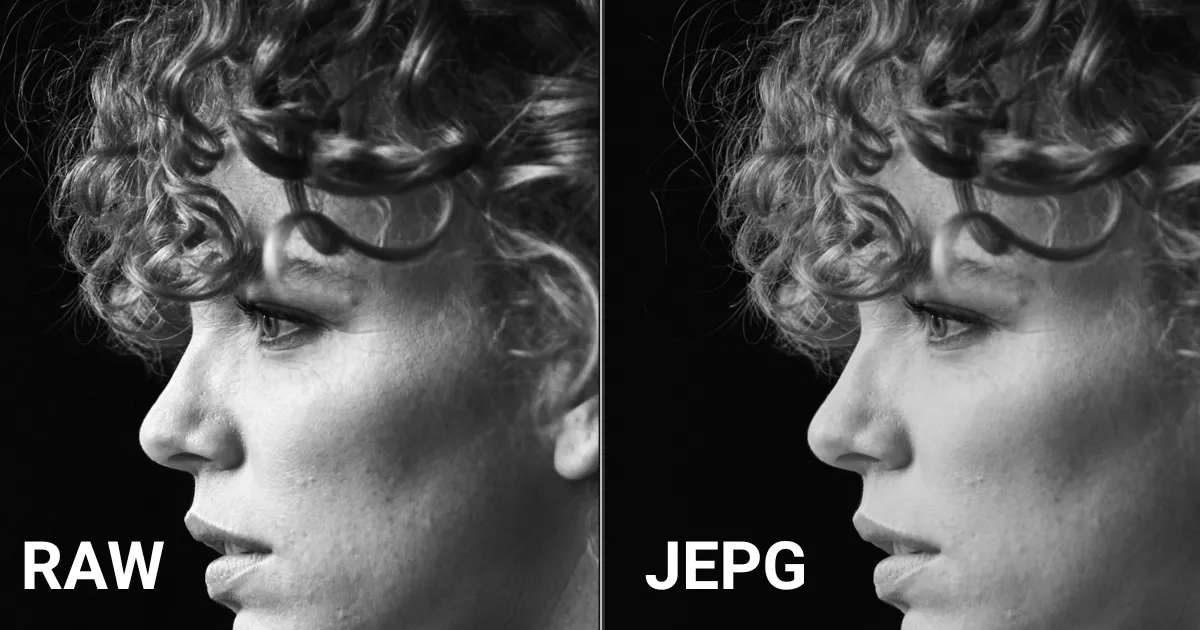
A RAW converter is a type of software that takes the unprocessed photo from your camera and turns it into a clear image you can edit. When you shoot in RAW, the camera saves all the details, but the photo looks flat and dull at first. That’s because it hasn’t been processed yet.
With a raw converter, you can adjust brightness, colors, and sharpness while keeping the highest image quality. It gives you much more control than a regular JPEG file. Many photo editing tools include a built-in converter, but dedicated converters are often faster and more powerful. This is why professional photographers and even beginners use the best RAW software to make their photos look sharp, natural, and ready to share.
Key Features to Look for in a RAW Converter
When picking a RAW converter, there are a few features that matter most:
- Ease of use – A simple design helps beginners learn quickly.
- Speed – The faster the software loads and edits photos, the smoother your workflow.
- File support – The best tools support multiple camera brands and RAW formats.
- Editing options – Exposure, color, and white balance controls are important.
- Image quality – The converter must keep photo detail sharp after exporting.
- Cost – Some tools are free, while others come with subscriptions or one-time fees.
These factors make the difference between software that frustrates and one that truly improves your editing process.
7 Best RAW Converters for Photographers in 2025
1. Evoto AI Photo Editor
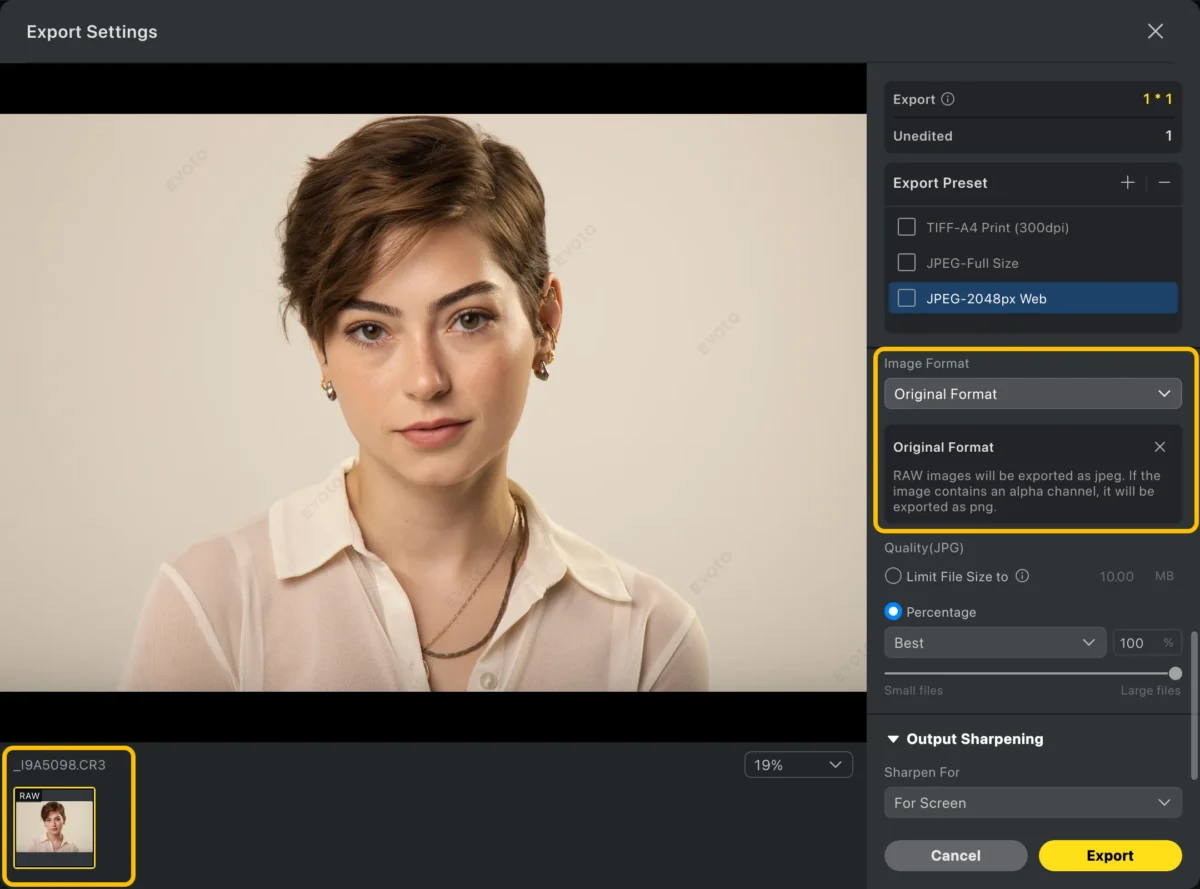
Evoto AI Photo Editor is a modern raw converter designed to make editing faster and simpler. It uses AI to automatically fix exposure, colors, and details, while still allowing manual adjustments. Many photographers in 2025 consider it among the best RAW software because it keeps high image quality while saving time.
Key Features
- AI auto-corrections for tone, exposure, and color balance.
- Portrait editing tools, such as skin smoothing and blemish removal.
- Batch editing for multiple RAW files at once.
- Advanced color grading options.
- Works well with other photo editing tools.
Pros
- Easy for beginners yet powerful for professionals.
- Produces clean, sharp results with natural tones.
- Saves hours of editing with AI-powered tools.
Evoto AI Photo Editor – Faster Edits, Finer Control
2. Adobe Camera Raw
Adobe Camera Raw comes built into Photoshop and Lightroom, making it one of the most widely used converters. It delivers consistent results and supports almost every camera brand. For photographers who already use Adobe products, this raw converter is a natural choice.
Key Features
- Seamless integration with Photoshop and Lightroom.
- Wide support for RAW formats.
- Strong tools for exposure, contrast, and white balance.
- Non-destructive editing that preserves image quality.
- Regular updates for new cameras.
Pros
- Trusted by professionals worldwide.
- Works with industry-standard software.
- High-quality results with full editing control.
3. Capture One Pro
Capture One Pro is known for its color grading power and professional workflow tools. It is often called the best RAW software for studio photographers because of its precision and tethered shooting support.
Key Features
- Exceptional color correction and grading.
- Layer-based editing similar to Photoshop.
- Tethered capture for studio shoots.
- Fast handling of large RAW files.
- Supports multiple camera brands.
Pros
- Professional-grade tools.
- Superior color management.
- Handles large photo sessions smoothly.
4. DxO PhotoLab 7
DxO PhotoLab 7 is popular for its automatic lens and noise corrections. It is a great raw converter for photographers who work in low light or want clean, natural results straight out of the software.
Key Features
- DxO’s DeepPRIME noise reduction.
- Lens correction profiles for hundreds of lenses.
- Smart lighting adjustments.
- ClearView Plus for removing haze.
- Excellent image quality preservation.
Pros
- Outstanding noise reduction.
- Perfect for landscape and low-light photography.
- Strong automatic corrections save time.
5. PhotoRaw
PhotoRaw is designed as an all-in-one photo editing tool with strong RAW conversion capabilities. It offers a mix of simple editing features and advanced adjustments, making it a good middle ground for many photographers.
Key Features
- Non-destructive RAW editing.
- Local adjustments with brushes and gradients.
- Support for layers and masking.
- Batch processing of RAW files.
- Good export quality.
Pros
- Combines editing and RAW conversion.
- Flexible for different photography styles.
- Clear and simple interface.
6. CloudConvert
CloudConvert is a web-based solution that works directly in your browser. While not as advanced as desktop software, it’s helpful when you need to quickly convert RAW files to other formats without installing heavy programs.
Key Features
- Online RAW to JPEG/TIFF/PNG conversion.
- Supports hundreds of file types.
- Batch conversions available.
- Works on any device with internet access.
- Easy for beginners to use.
Pros
- No software installation required.
- Fast and simple for quick jobs.
- Compatible with multiple file types.
7. RawTherapee
RawTherapee is a free, open-source raw converter. Despite being free, it offers many advanced features that rival paid tools. It is often recommended to beginners who want high image quality without paying for premium software.
Key Features
- Powerful exposure and color adjustment tools.
- Non-destructive editing.
- Wide support for RAW formats.
- Batch editing capability.
- Cross-platform availability (Windows, macOS, Linux).
Pros
- Completely free.
- Strong set of professional tools.
- Great for budget-conscious photographers.
Comparison Table of RAW Converters in 2025
| Software | Best For | Strengths | Platform | Price |
| Evoto AI Photo Editor | Portraits, fashion | AI editing, fast workflow | Win/Mac | From $9/mo |
| Adobe Camera Raw | General/pro use | Adobe integration, reliability | Win/Mac | Adobe plan |
| Capture One Pro | Studio, professional work | Color grading, tethered shooting | Win/Mac | From $24/mo |
| DxO PhotoLab 7 | Low light, landscapes | Noise reduction, lens fixes | Win/Mac | From $129 |
| PhotoRaw | All-in-one editing | Local adjustments, layers | Win/Mac | One-time fee |
| CloudConvert | Quick online conversions | Simple, browser-based | Web | Free + plans |
| RawTherapee | Beginners, budget users | Free, pro-level controls | Win/Mac/Linux | Free |
How to Choose the Right RAW Converter for Your Photography Style
The right raw converter depends on your workflow and budget. If you want powerful color control, Capture One Pro is a strong choice. For automatic noise and lens correction, DxO PhotoLab 7 is excellent. Evoto is ideal for portrait photographers who value speed, while Adobe Camera Raw is best for those already using Adobe’s suite.
For those on a budget, RawTherapee is a free option that still delivers high image quality. If you only need quick conversions, CloudConvert is a lightweight solution. The best RAW software is the one that matches your style—studio, travel, portrait, or casual.
Final Thoughts
RAW files give photographers the highest level of detail and flexibility, but they need the right software to process them. Each converter on this list has unique strengths, from Evoto’s AI tools to Capture One’s professional-grade color control. By trying different options, you can find the one that fits your workflow and keeps your image quality intact.
Whether you choose a free tool or invest in professional photo editing tools like Evoto, a good converter will save time and help you get the best out of every shot.


Powerful AI Photo Editor