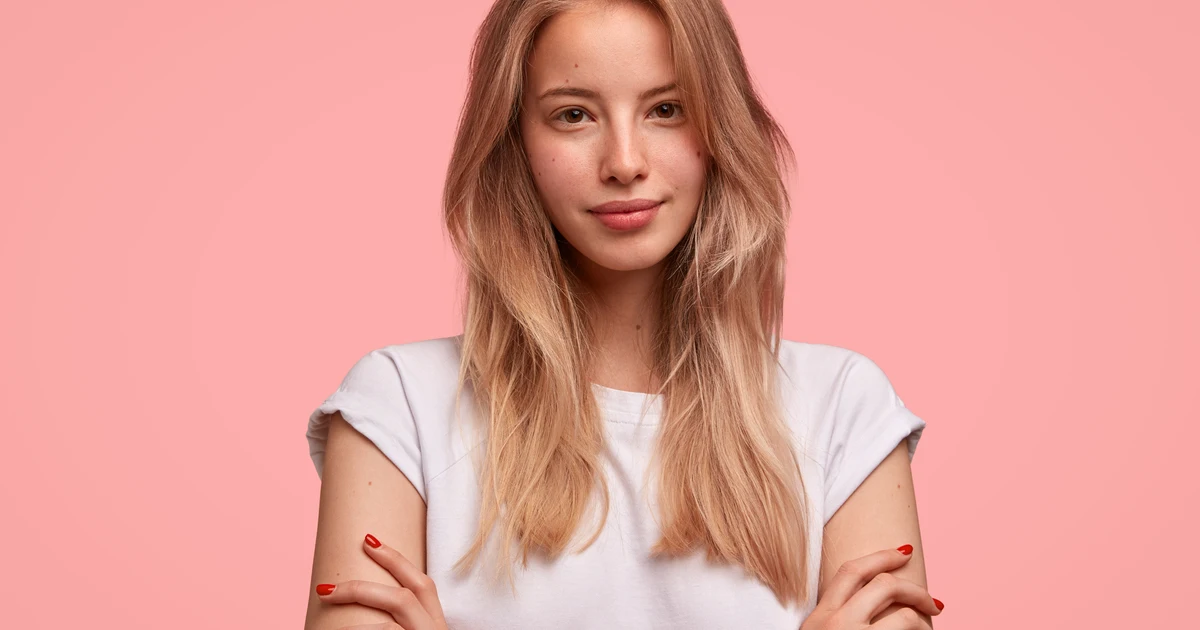
Trying out a new hair color has never been easier. With the rise of blonde hair color apps, anyone can experiment with stunning blonde shades without committing to a chemical treatment. Whether you’ve always dreamed of platinum blonde highlights or simply want to see how a warm honey tone suits you, modern tools make it effortless.
One of the best options on the market is Evoto AI, a powerful hair color changer that allows you to preview multiple hair colors digitally. With Evoto’s AI hair color changer, you can instantly see yourself as a blonde, experiment with different shades, and find the perfect look—all from the comfort of your home.


Powerful AI Photo Editor
What is a Blonde Hair Color App?
A blonde hair color app is a digital tool that lets users try on various shades of blonde without ever picking up a hair dye. These apps use AI technology to automatically detect hair in your photos and apply realistic color changes, giving you a professional-quality preview.
Using a blonde hair color app like Evoto, you can explore everything from subtle highlights to bold platinum transformations. Unlike traditional methods, there’s no risk of hair damage or disappointing results—you simply upload a photo, select a blonde tone, and see the transformation instantly.
Why Use a Blonde Hair Color App?
Many people ask questions like, “What would I look like as a blonde?” or “How would I look with platinum blonde hair?” With a blonde hair color app, you can answer these questions in seconds.
The advantages are clear:
- Safe experimentation: No chemicals, no damage.
- Time-saving: Instantly preview your new look without multiple salon visits.
- Confidence-building: Decide if a bold new shade truly suits you before committing.
- Fun and creative: Play with different shades of blonde and discover your ideal style.
How to Use Evoto Hair Color Changer
Evoto AI makes virtual hair coloring intuitive and realistic. Here’s how to use it to try blonde hair:
Step 1: Upload Your Photo
Start by uploading a clear photo where your hair is fully visible. The better the lighting and angle, the more accurate the result.
Step 2: Select Hair Color
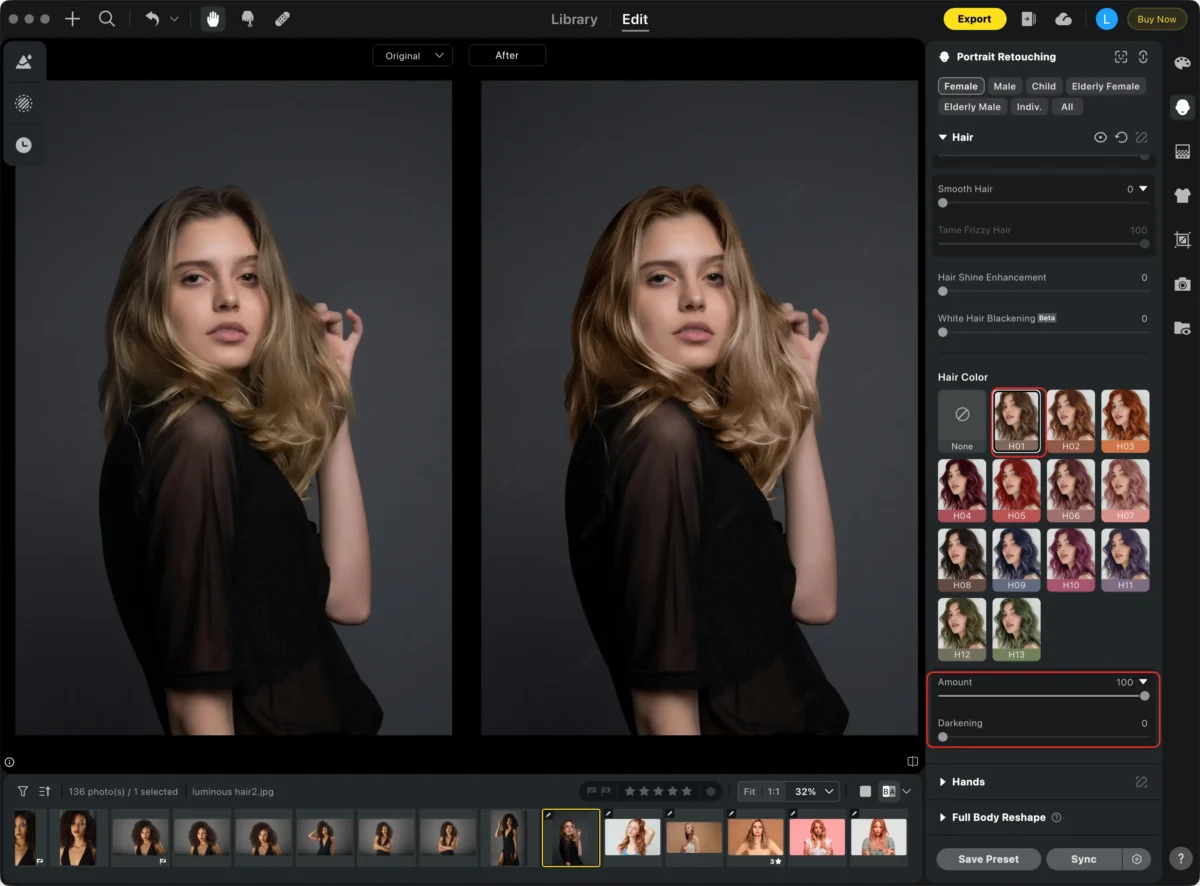
Navigate to Portrait Retouching > Hair >Hair Color and select your desired blonde shade.
- For light brown or medium hair: Choose shades like H01. Set the Intensity slider to 60 or higher and keep the “Darkening” at 0 to achieve a natural blonde.
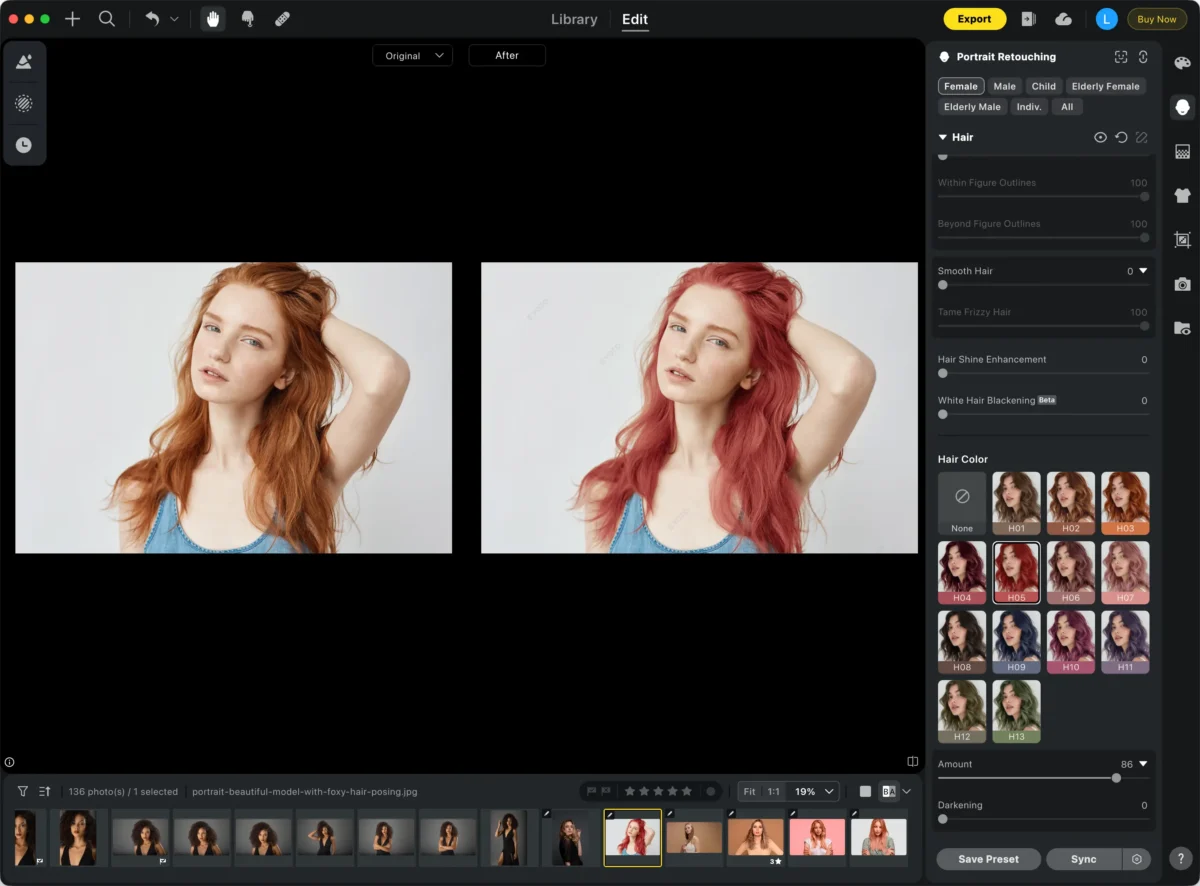
- For dark hair: It may not be possible to achieve a natural blonde look in one step. However, trying red, pink, or other vibrant shades can be a unique and creative alternative. With Evoto’s AI hair color changer, you can explore different tones and find the one that brings out your personality best.
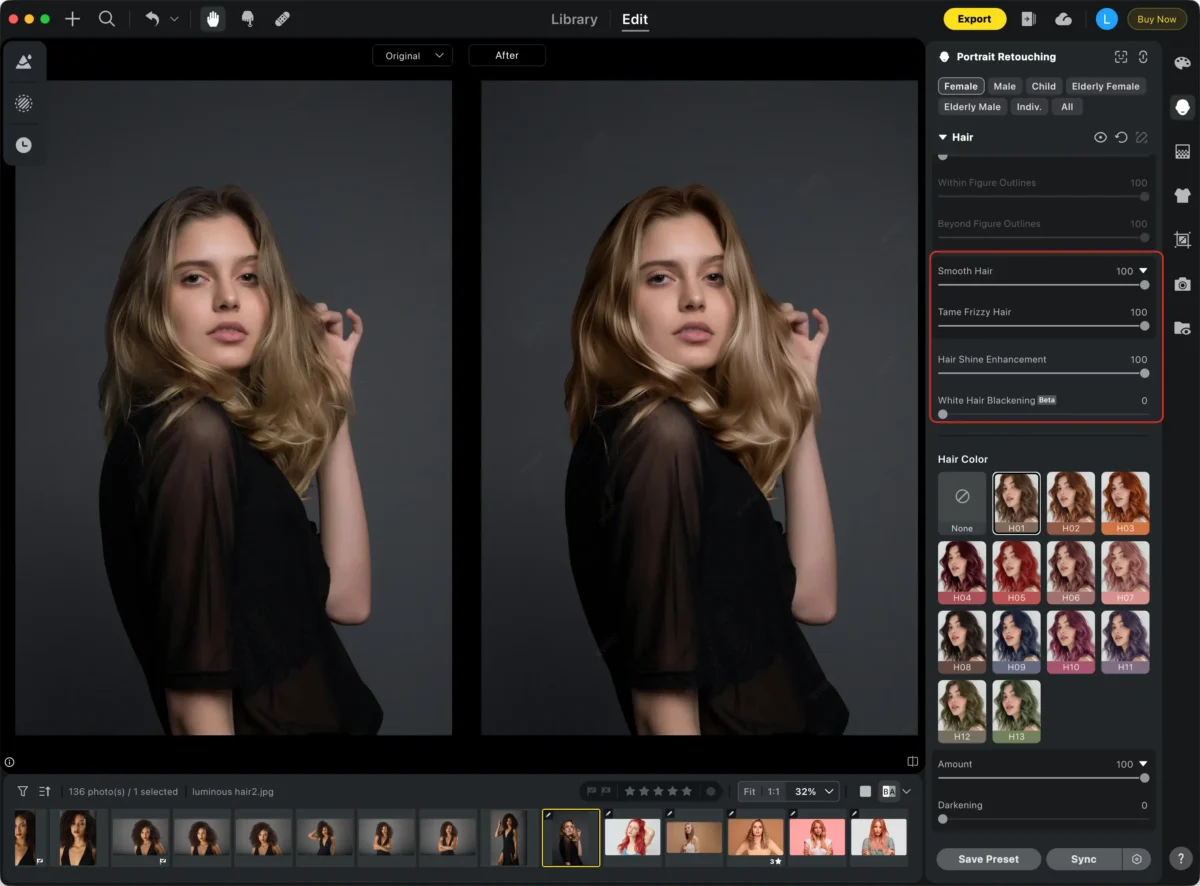
Step 3: Apply and Preview
Use the sliders for Smooth Hair and Hair Shine Enhancement in Evoto to instantly make your hair look softer and shinier. Adjust the intensity to achieve the perfect smoothness and luminous blonde effect in real time.
Step 4: Save Your Edited Photo
Once satisfied, export your photo in high-quality formats like JPG, PNG, RAW, or TIFF. This makes it easy to share with friends or save for inspiration.
Tips for Trying Blonde Hair Colors
To make the most out of your virtual hair transformation, consider the following tips:
- Lighting matters: Take photos in soft, natural light to ensure realistic results.
- Experiment with different shades: Platinum, ash blonde, warm golden, or honey tones all give unique effects.
- Use free hair color filters: Tools like Evoto’s free hair color filters allow you to experiment safely and quickly.
- Consider your undertone: Blonde shades can look dramatically different depending on your skin tone, so try multiple variations.
Exploring Free Hair Color Filters and Virtual Try-On
Evoto’s blonde hair color app includes a range of Virtual Hair Color Try-On options. These features let you experiment with several blonde shades, from subtle highlights to bold full-color transformations, without leaving your home.
Some popular functions include:
- Blonde hair filter: Apply instantly to see a realistic blonde effect.
- Hair color finder: Discover which blonde shades suit your face shape and skin tone.
- Blonde hair color effect: Adjust brightness, highlights, and saturation to achieve a natural look.
- AI hair color changer: Let Evoto’s intelligent AI do the work while you explore freely.
By using Evoto’s tools, you can find out questions like, “What would I look like as a blonde?” or “How would I look with platinum blonde hair?” safely and efficiently.
Combining Hair Color Filters with Creative Inspiration
For those curious about more dramatic transformations, Evoto’s bleached hair filter and platinum blonde hair ideas sections are perfect. Even if your hair is dark and cannot fully become blonde instantly, you can still preview the effect, experiment with style, and gain inspiration for future salon visits.
This makes Evoto not just a blonde hair color app, but also a hair color changer that lets users safely explore, experiment, and visualize their hair in any blonde variation.
Conclusion
A blonde hair color app like Evoto AI is the ultimate tool for anyone curious about blonde hair. With intuitive sliders, real-time previews, and powerful AI, you can try multiple shades—from honey blonde to platinum—without any commitment or risk.
Whether your hair is naturally light, medium, or dark, Evoto helps you:
- Experiment safely with blonde shades.
- Preview your new look instantly.
- Plan future salon treatments with confidence.
Curious about how would I look with platinum blonde hair or what would I look like as a blonde? With Evoto AI, you can answer these questions today—turn your hair transformation dreams into instant reality, all with a single click.
Powerful AI Photo Editor