

If you shoot people on video — podcasts, interviews, weddings, beauty content, brand spots — video retouching software is the tool that turns raw footage into something that looks broadcast-ready. Not louder. Not filtered. Just clean: skin that holds its texture, brows that match, teeth that aren’t yellow, complexion that’s even from frame one to the closing slate. This guide walks through what video retouching software is, why 2026 is the year it goes mainstream, the seven features worth paying for, and how Evoto Video puts all of it into a single workflow.
What Is Video Retouching Software?
Video retouching software is a tool that retouches the people inside a video clip — skin, blemishes, wrinkles, facial features, teeth, body proportions — without baking on a beauty filter and without the editor having to mask frame-by-frame. It sits next to your NLE (Premiere, Final Cut, DaVinci), not instead of it. Where a beauty filter warps and smudges the image, a real video retoucher uses AI face tracking and per-area sliders to keep the underlying structure intact. If you’ve ever lived with eye bags or acne on a clip because manual rotoscoping wasn’t worth the night, that’s the gap this category closes.
Why 2026 Is the Year Video Retouching Goes Mainstream
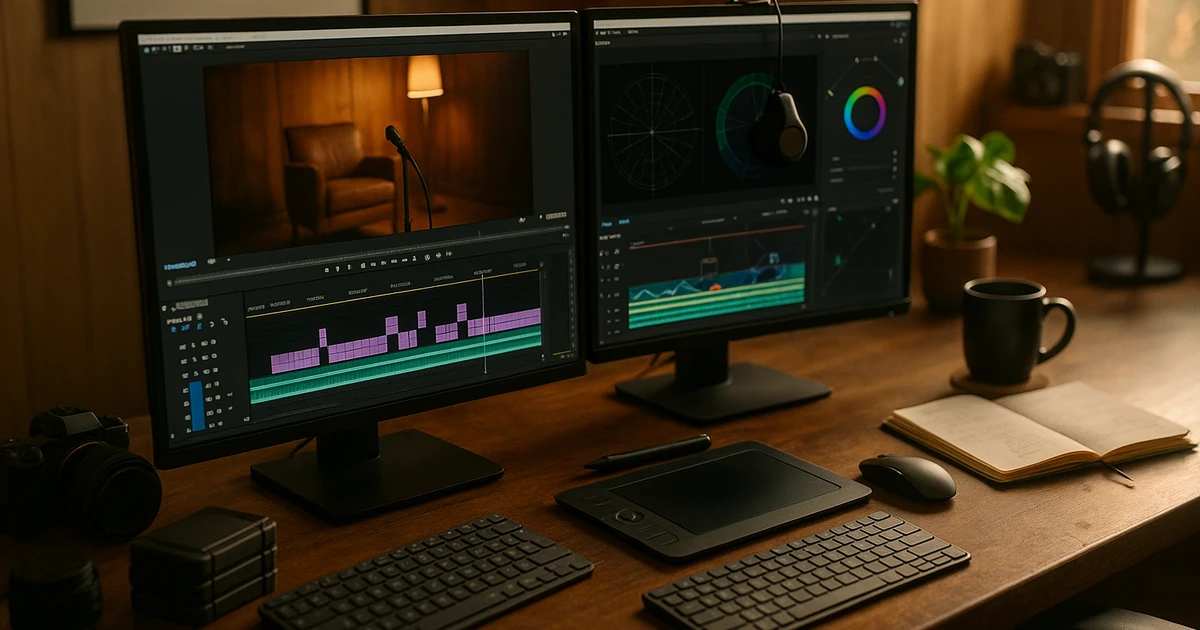
Three things happened over the last two years. First, AI face trackers got accurate enough to follow a head across rotation, expression change, and partial occlusion without keyframes — so retouching that used to take a weekend now takes a slider drag. Second, short-form vertical video pushed close-up framing into every feed, and 4K capture made every pore, line, and yellow tooth a high-resolution feature. Third, audiences swung hard against the obvious filter look. The bar is now “polished but real”, and meeting it without a tool built for video is brutally slow.
Seven Features Worth Paying For in 2026
When you compare video retouching tools — or weigh one against doing it the hard way in your existing NLE — these are the capabilities that actually change the outcome.
1. Frame-consistent AI tracking
The retoucher should set sliders once and have AI propagate the change to every frame, even as the subject turns or speaks. No keyframing. No manual masks. Anything less and you’re just doing photo retouching slowly, multiplied by 24 frames a second.
2. Per-area sliders for blemishes
Acne, freckles, dark circles, eye bags, red veins, and stray hairs should each have their own slider. Bundled “auto beautify” looks fake because it treats every problem with the same brush. Per-area control is what lets you erase one pimple without softening the rest of the face.
3. Skin texture preservation
This is the single thing that separates a real video retouch app from a filter. Pores, fine lines, and micro-detail must survive the smoothing pass. If the after-frame looks like a wax sculpture, the tool is wrong.
4. Left/right independent facial sliders
Real faces are asymmetric. The best tools let you reshape one eyebrow, one cheek, or one jaw line without moving the other side. This is how you fix a droopy brow on one eye or balance a slightly uneven smile.
5. Wrinkle-type specific control
Forehead wrinkles, eleven lines, crow’s feet, smile lines, marionette lines, and neck wrinkles each soften differently in real skin. A capable retoucher gives each one its own slider so you can soften, not erase.
6. Body refinement, not just face
If the camera goes wider than chest-up, you’ll want body tools too — head and neck width, shoulder, waist, arm, leg, and posture sliders, plus body blemish and stretch mark removal.
7. Teeth, eyebrows, and makeup in the same app
Teeth whitening, eyebrow reshape and restyle, and full beauty makeup (eyeshadow, blush, lipstick, contour) should live next to the skin tools. Round-tripping to another app for any of these breaks the workflow.
Evoto Video — Built Around These Seven Principles
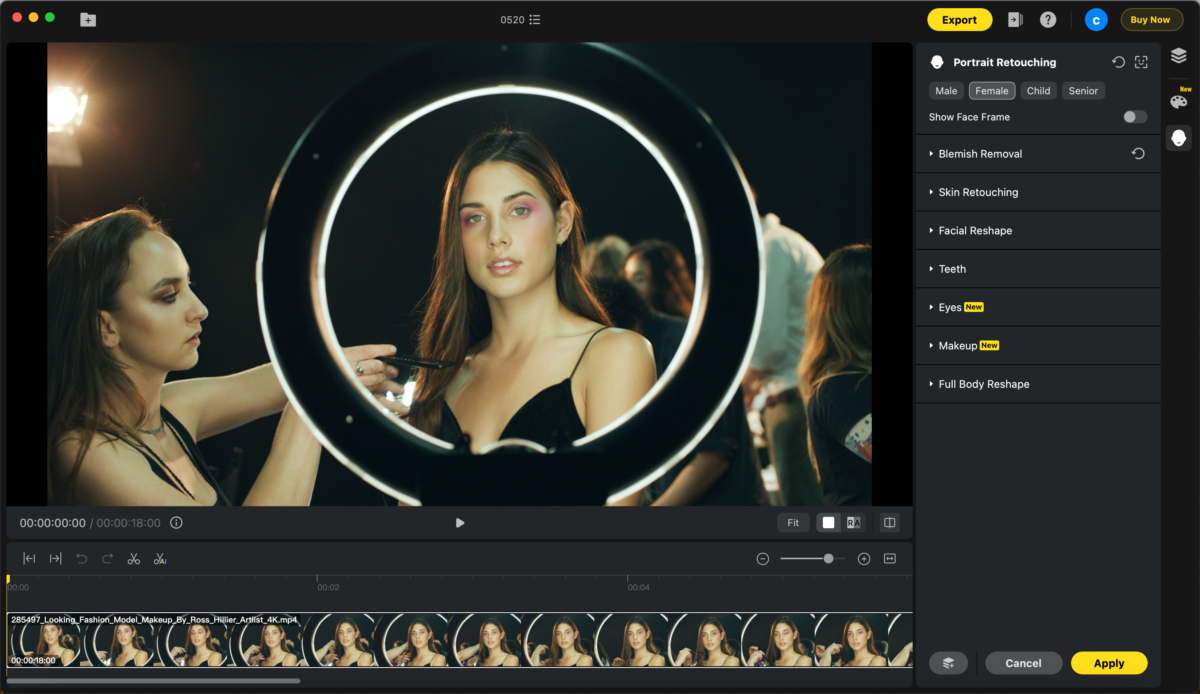
Evoto Video is the AI video retouching software we build at Evoto for exactly this brief — a desktop app for Windows and macOS that does professional-grade video retouching without keyframing or masking. The right-hand Portrait Retouching panel covers all seven feature areas from above: Facial Reshape (face shape, eyebrows, eyes, nose, mouth — most with L/R independent sliders), Eyebrow Makeup, Blemish Removal, Wrinkle Removal, Skin Retouching, Teeth, Makeup, and Body Refinement. Each module has dedicated sliders for the per-area control mentioned in section 3. The same AI tracker runs underneath everything, so the change you set on frame one follows the subject to the end of the clip.
A Five-Minute Workflow from Footage to Polished Cut
The end-to-end loop in Evoto Video looks like this:
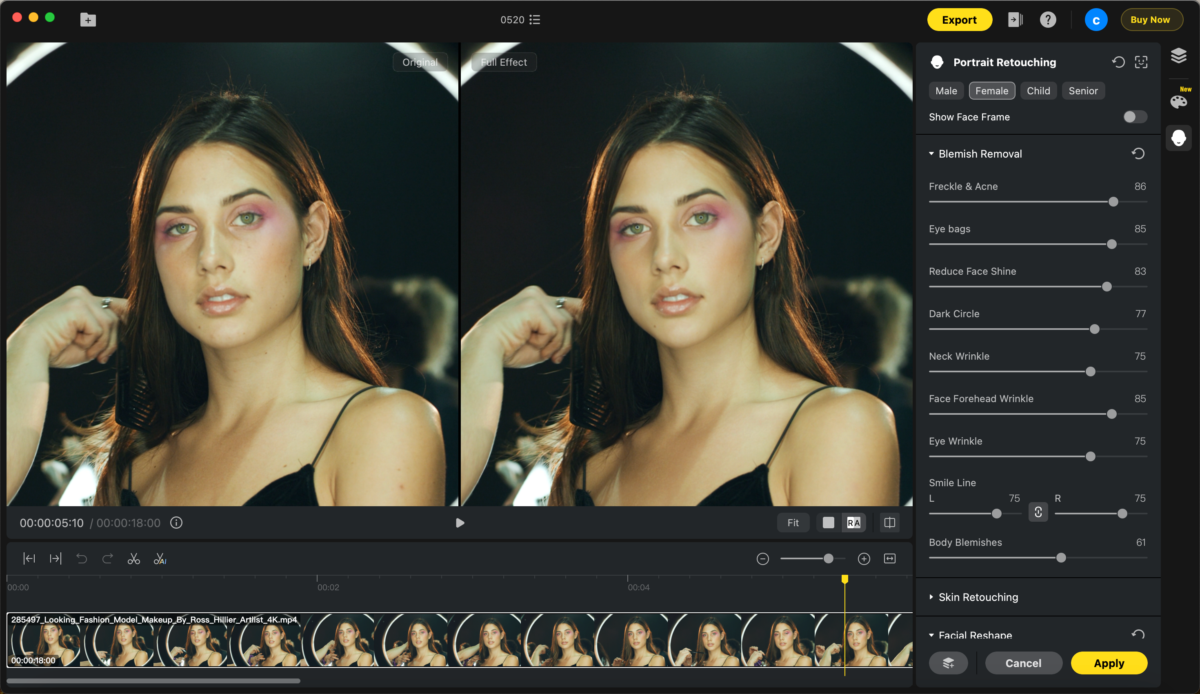
- Import your clip. The AI auto-detects the face (or faces) and locks tracking.
- Open Portrait Retouching and dial the modules you need — Blemish Removal, Skin Retouching, Eyebrow Makeup, Teeth, whatever the shot calls for.
- Use the Compare slider to A/B against the original at any point.
- Preview the full clip at native speed to confirm the retouch holds across motion.
- Export to MP4, MOV, or your delivery format. Drop it into your edit timeline.
That’s the entire loop. No keyframing, no rotoscoping, no per-shot manual masks.
Evoto Video – Be the First to Edit Smarter
Professional-grade AI color grading and retouching for video creators.
Pick Your Workflow by Creator Type
The right slider mix depends on what you shoot.
Interview and podcast
Skin Smoothing (light), Eye Bags, Dark Circles, Blemish Removal, Forehead Wrinkles. The talent looks rested without looking edited — guests should still look like themselves.
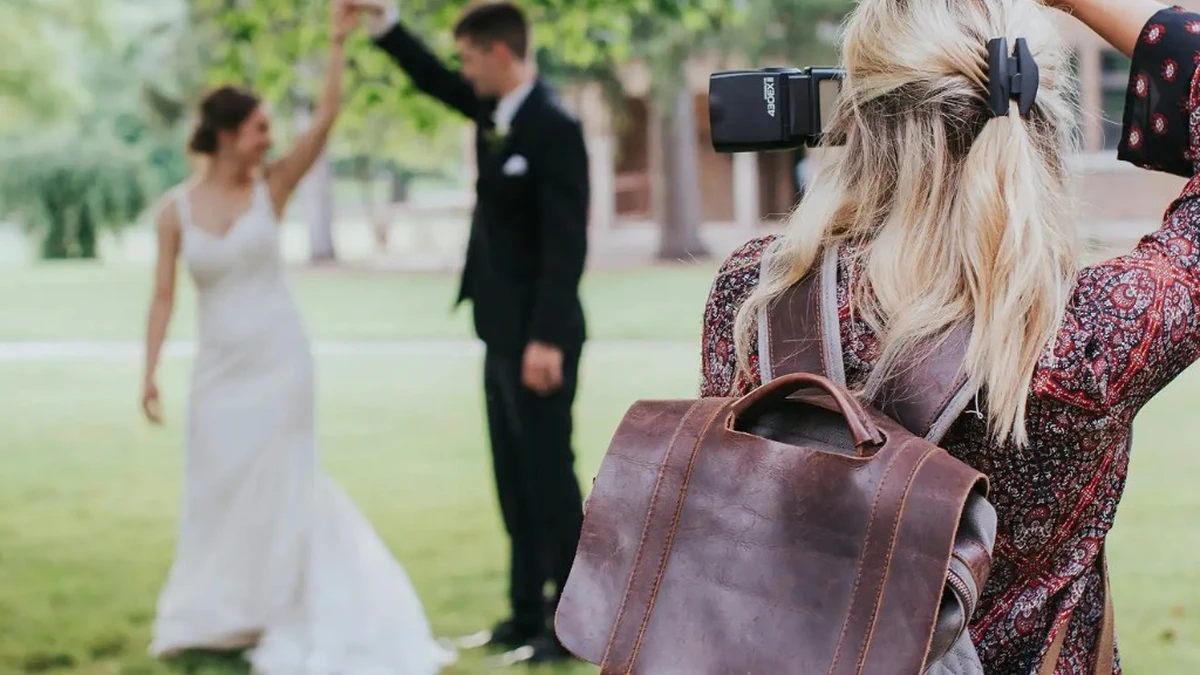
Wedding videographer
Skin Radiance, Teeth Whitening, Eyebrow Makeup, plus a light Facial Reshape pass to balance asymmetric features. Couples on the most-watched day of their lives, polished without looking airbrushed.
Beauty and fashion creators
The full stack — Makeup (eyeshadow, blush, lipstick, contour), Eyebrow Makeup, Skin Retouching, Facial Reshape, and Body Refinement for wider framing.
Brand and corporate talking-head
Consistent skin tone, no obvious blemishes, even brows, clean teeth. The goal is “nothing distracting”, and a good video retoucher gets you there in one pass per executive.
Beyond Portraits — AI Color Match and Color Grading
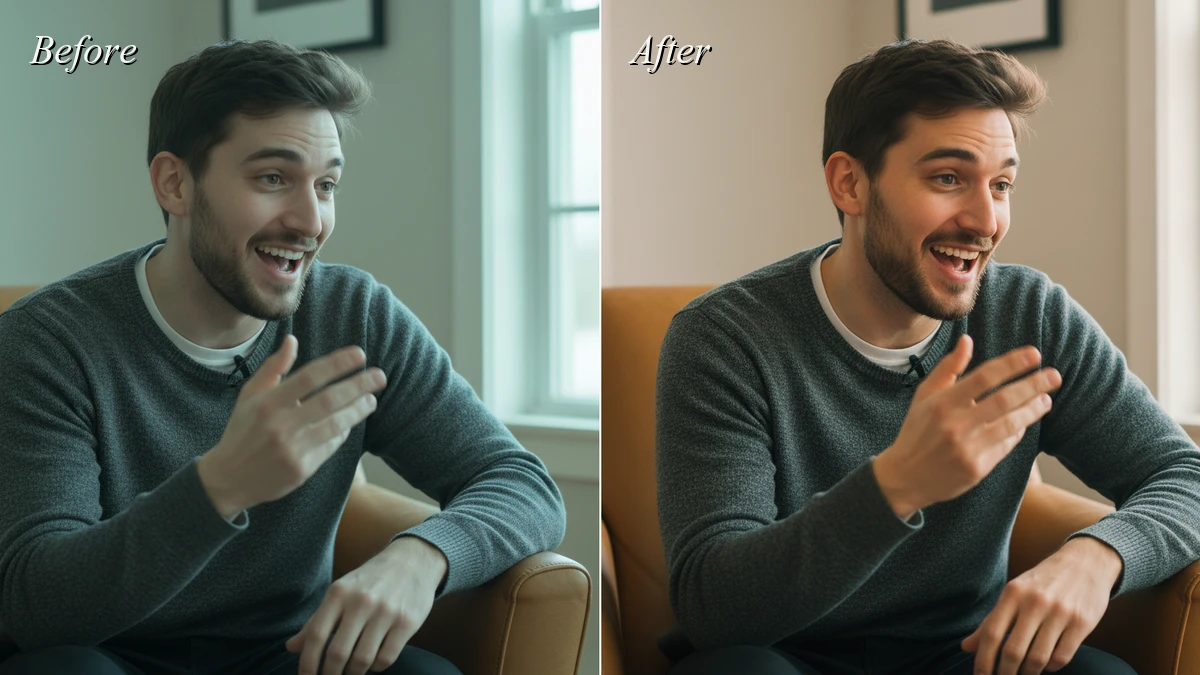
One more thing Evoto Video brings inside the same app: AI Color Match and color grading. Color Match takes a reference frame and conforms the rest of your clips to it automatically, killing white-balance and exposure drift between multi-cam setups or shots filmed at different times of day. Color grading covers white balance, exposure, contrast, lift/gamma/gain, and LUT-style looks. It’s not meant to replace a dedicated colorist on a feature, but for the 90% of creator work where you want clean, consistent, cinematic color across a project, you skip the second app and the round-trip. Polished portraits land harder when the color underneath them is right.
Conclusion
The right video retouching software in 2026 is the one that respects skin texture, gives you per-area control, tracks faces frame-by-frame without keyframing, and covers the whole portrait — face, brows, teeth, body. Evoto Video was built around that brief, and pairs it with AI Color Match and grading so the polished face lives in a polished frame. Download Evoto Video and try it on the next clip you’d rather not retouch by hand.
Evoto Video – Be the First to Edit Smarter
Professional-grade AI color grading and retouching for video creators.
FAQ
Can I retouch faces in video without keyframing?
Yes. Modern AI tools like Evoto Video use frame-consistent face tracking. You set the sliders once and the AI applies the same retouch to every subsequent frame, tracking through rotation and expression change with no manual keyframes.
What hardware do I need to run video retouching software in 2026?
On macOS, any Apple Silicon Mac (M1 and up) handles 4K retouching smoothly. On Windows, a modern CPU with a discrete NVIDIA GPU (RTX 30-series or newer) is the sweet spot. 16 GB of RAM is the practical minimum for 4K work.
Can video retouching software handle full-body shots, or just faces?
The good ones cover both. Evoto Video’s Body Refinement module includes head width, neck width, shoulder, waist, arm, leg, and posture sliders, plus body blemish and stretch mark control — wider shots, gown reveals, dance and fashion content all on the menu.



