

Staring at a great shot with no caption? Start with the vibe, not the font menu. Strong Insta post caption ideas begin as a mood match: wanderlust for open road frames, warmth for birthday candles, quiet intimacy for two-person portraits, confidence for a well-lit selfie. Type and templates come after you know what the photo is trying to say.
TL;DR
- Match scene to line: Travel favors open sky placement; birthdays need warm short lines that clear candles and faces; couples and selfies reward minimal copy in negative space.
- Keep on-photo quotes short: Roughly three to eight words on the image; save questions and hashtags for the caption field below the post.
- Style in Evoto: Upload, pick a “Templates” thumbnail, type your line, tune placement, export “JPEG” when the thumbnail test looks clean.
- Fix busy backgrounds: Light “Stroke” and soft “Shadow” beat rewriting the quote when skylines or party lights swallow the letters.

Buffer’s social team notes that Instagram remains visual first, yet captions still drive saves, comments, and time on post (Buffer Instagram caption guide). That split matters here: your grid image carries the mood, while the caption below can ask a question or add context. When the words live on the photo, shorter lines usually win because thumbs scroll fast.
Style the line on the photo. Browse “Templates” in Add Text to Image on the Evoto official site, drop in a short quote, and export a “JPEG” when placement and readability look right at phone width.
Travel and Wanderlust: Captions That Match the Horizon
Travel posts breathe when type sits in open sky, sand, or road negative space. These travel lines are strong Insta post caption ideas for horizon shots. Keep lines to one or two short sentences on the image itself. Sans-serif “Templates” with a light “Shadow” read cleaner on gradients than script fonts that fight peaks and horizon lines.
Lines to try
- Wander often, wonder more. Center in the lower third and leave sky open so mountains or city lines stay visible.
- Collect moments, not things. Use a bottom band on wide landscape frames; avoid covering the main peak or landmark.
- Miles away, right on time. Anchor in a corner on road shots so the line does not cross windshield glare.
- Salt in my hair, map in my pocket. On beach frames, place type in the upper third over soft sky, not over breaking waves.
- Let the sea set you free. Wide ocean scenes: small centered type with light stroke if foam brightness competes with white fill.
- Main character energy, exit 12. Road trip humor: lower left placement, away from faces and dashboard highlights.
- Somewhere between here and happy. Train or window shots: place type on darker glass or interior shadow zones.
- Golden hour is a personality. Sunset frames: add light stroke if cloud brightness eats plain white type.
Travel frames often need a backdrop swap before type, especially when tourists crowd the scene. If you cleaned the background first, the change photo background guide explains that edit path. Then return here for the line and placement.
Sans plus light “Shadow” beats decorative scripts on travel frames because detail in mountains and water already competes for attention. Let the landscape stay loud and keep type simple. Save longer storytelling for the caption field; keep on-image lines short.
Birthday Posts: Warm Lines Without the Clutter
Birthday photo caption ideas work best when they celebrate the person, not the typography. Warm, plain language beats joke fonts that age badly in a family album. Place lines on the upper third or bottom band so candles, cake, and faces stay visible. These lines also work well as Insta post caption ideas for party grids.
Lines to try
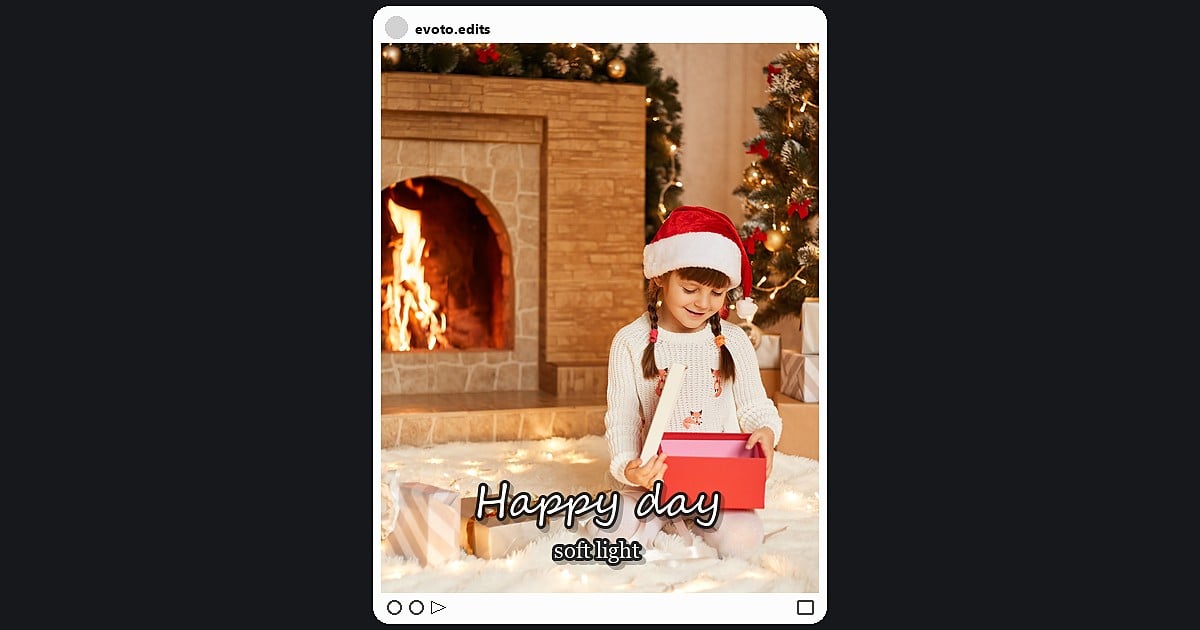
- Happy day, soft light. Above the subject on portraits; add a thin stroke if bright balloons sit behind white type.
- Another lap around the sun. Bottom band on wide group shots with clear faces in the middle ground.
- Made of cake and good chaos. Kid parties: corner type keeps messy table detail visible.
- Grateful for you today. Close portraits: small line under chin level, not across the smile.
- Year newer, heart fuller. Balloon walls: centered type with stroke if colors compete with fill.
- Let them eat cake. Table scenes: lower third, away from flame highlights near candles.
- Cheers to your chapter. Group photos: top center over a plain wall, not over heads.
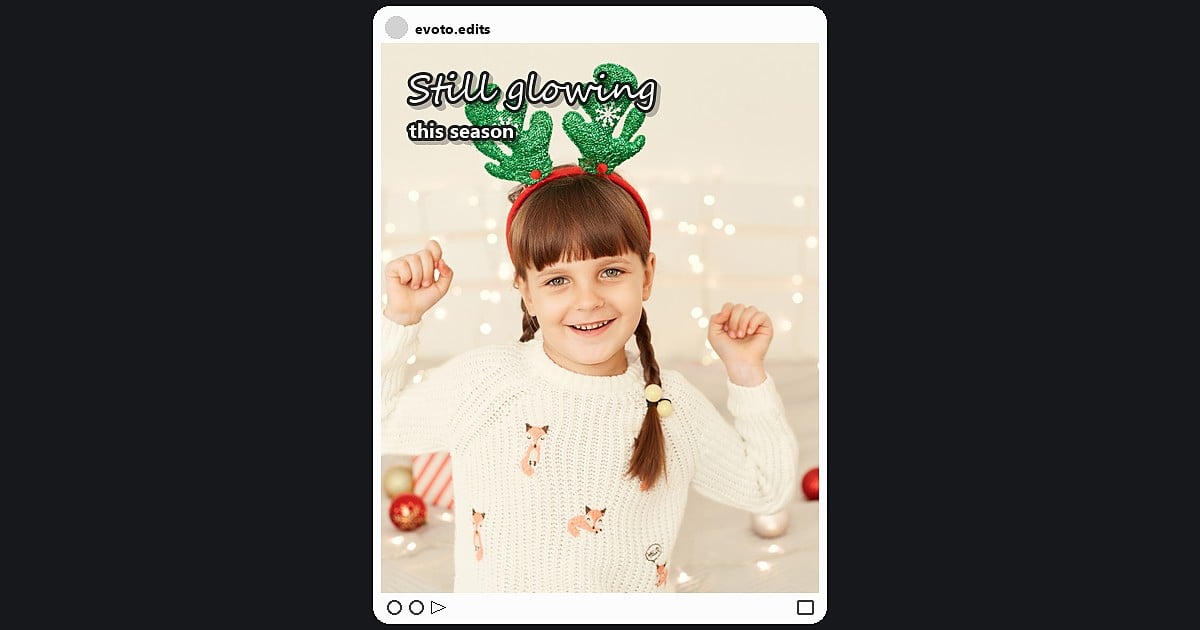
- Still glowing. Tight portrait: minimal corner text so skin tones stay the focus.
Birthday light is warm but messy: flickering candles create hot spots behind white type. Preview small and add stroke if the flame edges eat your letters.


Powerful AI Photo Editor
Couple Photos: Captions That Feel Intimate, Not Cheesy
Captions for couple photo posts fail when they sound like greeting cards. Aim for plain language, present tense, and two lines maximum on the image. Place type in negative space beside bodies, not over joined hands, rings, or faces. Soft “Templates” with light “Shadow” usually feel more intimate than heavy outline styles.
Lines to try
- Us, in our favorite light. Offset toward darker bokeh so skin highlights stay clean.
- Home is a person. Short center bottom line on walking-away shots.
- Same sky, same story. Wide landscape couples: upper third over open sky.
- Held hands, full hearts. Lower third on paths or beaches; keep type off fingers.
- Quiet love, loud gratitude. Indoor candids: template with soft shadow, not heavy outline.
- Two moods, one playlist. Casual street frames: corner anchor away from signage clutter.
- Still choosing you. Anniversaries: small caps centered in negative space.
- Built from small moments. Candid laughs: type in blurred background zones only.
Photo quotes short, beat paragraphs on couple frames because viewers read faces first. If the background is busy, readability beats poetry. We cover stroke and shadow fixes later in this guide.
Selfies and Everyday Posts: Minimal Text, Maximum Face
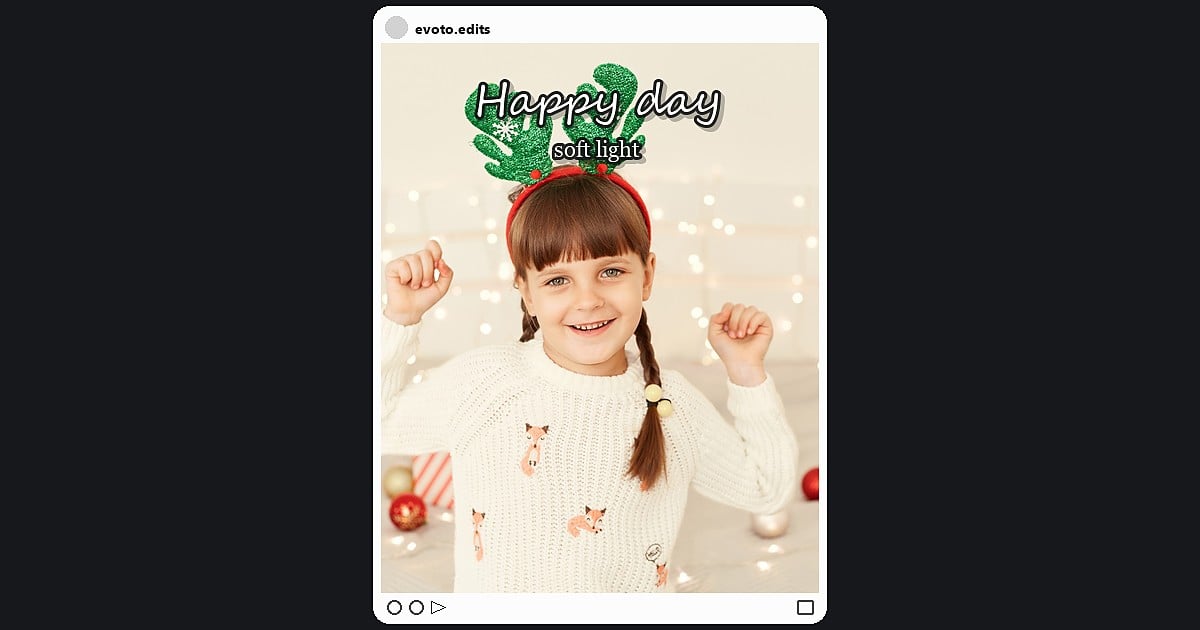
Caption ideas for pictures of yourself reward restraint. Corner placement keeps eyes on the face. Semi-transparent type works only when the background is already simple; busy bathroom tiles, mirrors, and cluttered desks still need a stroke like any other busy scene.
Lines to try
- Soft launch, big energy. Top corner, opposite the face bias in the frame.
- Mood: unbothered. Lower opposite corner on close crops.
- Proof I left the house. Casual outdoor selfies with open background space.
- Main character, minor edits. Mirror shots: keep type away from reversed text in the reflection.
- Feeling like a good decision. Close crop: tiny bottom line, not across the eyes.
- Note to self: keep going. Morning light: upper third over window shadow, not over the face.
- Today counted. Street selfies: stroke if bright sky sits behind hair edges.
- Same me, clearer light. Post-edit selfies: subtle corner tag so the retouch stays believable.
For text on photo for Instagram selfies, treat type like jewelry: one piece is enough. Short Insta post caption ideas in a corner leave the face as the hero. A faint corner watermark with your handle can mark creator work without a full sentence; keep opacity low so it does not read as a stock stamp.
Scene, Tone, and Placement at a Glance
Use this table as a cheat sheet, not a rulebook. Move type when the subject or light demands it.
| Scene | Tone | Suggested Placement |
|---|---|---|
| Travel/horizon | Open, airy | Lower third or corner on sky/road |
| Birthday | Warm, playful | Upper third or bottom band; clear faces |
| Couple | Intimate, plain | Negative space beside bodies, not over hands |
| Selfie / daily | Confident, minimal | Corner lines; avoid covering eyes |
Good Insta post caption ideas respect the subject boundary first and the font second.
From Idea to Post in About Three Minutes (Evoto)
You already have the words from the pools above. The finish is a short “Text” panel pass in Evoto, not a full design rebuild. Use it to turn short Insta post caption ideas into a shareable JPEG.
Go to Evoto’s Add Text to Image page and try the steps below for best Instagram post caption image:
Step 1. Upload the Photo
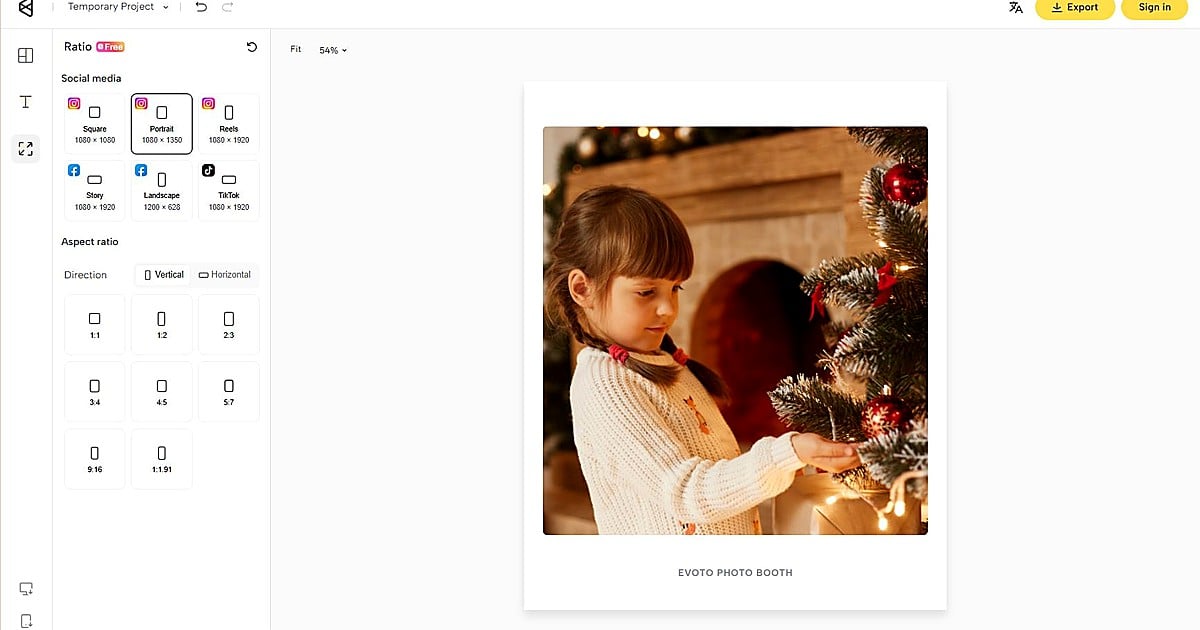
Open Add Text to Image and upload a JPG, PNG, or WebP photo. Pick a frame with negative space when you can so the quote does not fight the subject.
Step 2. Choose a Template That Matches the Scene
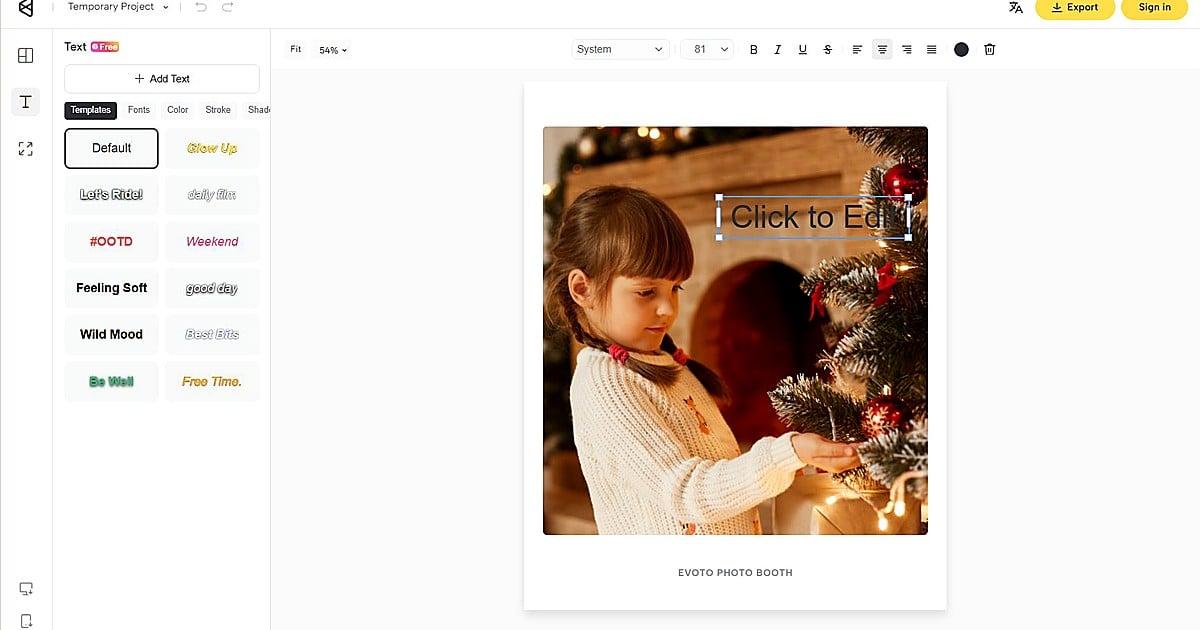
Select a “Templates” thumbnail that fits the mood: bottom band for travel horizons, corner quote for selfies, centered minimal line for birthdays. Switch templates without losing your typed words if the first look feels off.
Step 3. Type, Place, and Check the Safe Zone
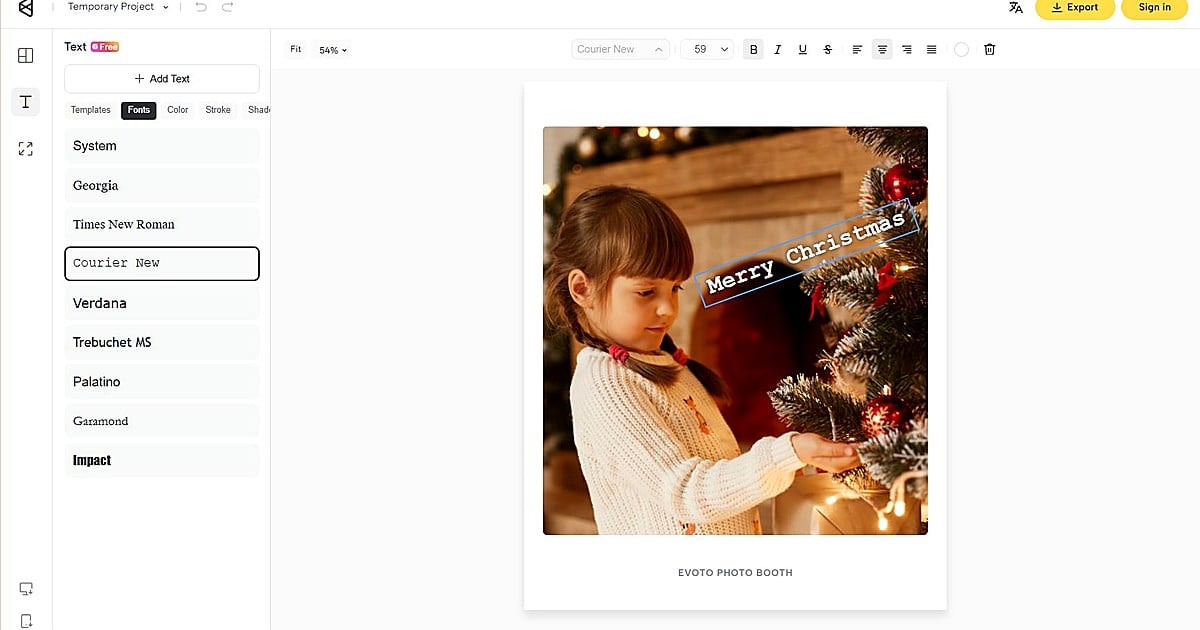
Enter your line and drag it away from eyes, candles, logos, and horizon highlights. Shrink the preview to phone width. If the phrase feels crowded, shorten the copy before you touch font size in “Fonts”.
Step 4. Export JPEG
Export “JPEG” when readability looks clean at feed size. If the background still fights the words, open “Stroke” and “Shadow” before you save. A styled on-photo quote can ship as the grid image while a longer story or question lives in the Instagram caption field below.
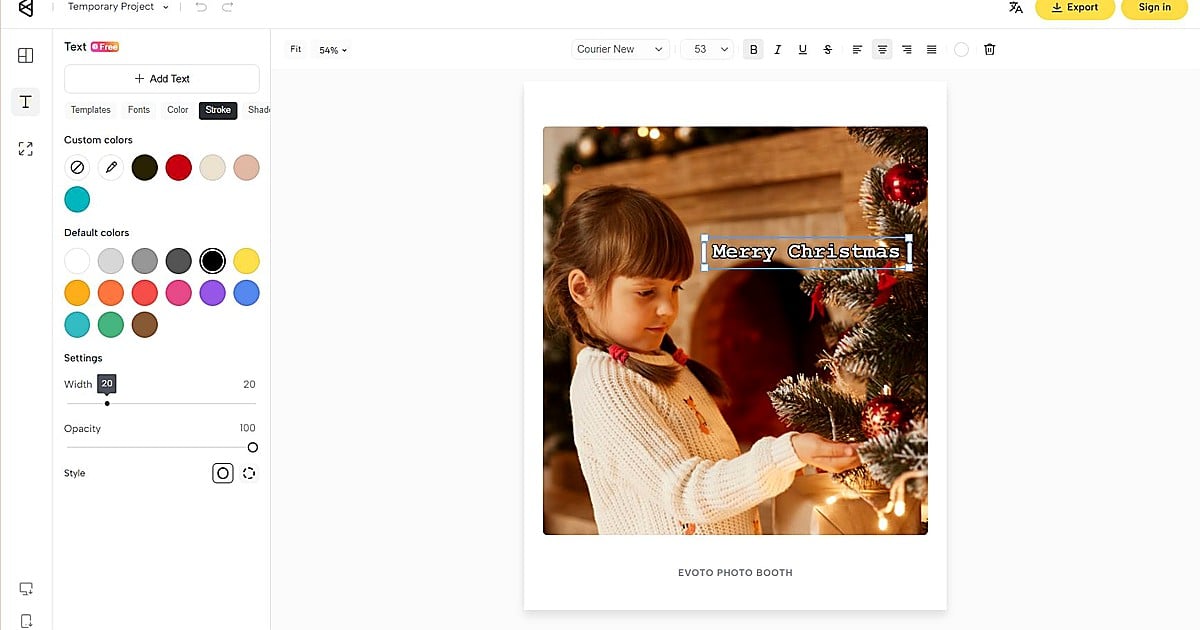
That workflow answers the practical “how do I get this line onto the photo?” question without opening a multi-page design file. Evoto keeps “Templates”, “Fonts”, “Stroke”, and “Shadow” in one “Text” panel. A styled quote on photo export can carry the mood on the grid while the caption field holds context, questions, or hashtags.
Powerful AI Photo Editor
When Your Background Fights the Words
“Templates” cover most casual posts. When skylines, neon, or party lights still swallow your line, switch from font shopping to contrast fixes. Shorten the copy, move it to a calmer background area, then add a light “Stroke” and soft “Shadow”. See how to make text readable on a photo for sky, portrait, and street presets.
How to Add Text to a Photo on Web or iPhone (Step-by-Step)
This article focuses on Instagram post caption ideas and placement. If you still need the full platform walkthrough, use the companion guide below. It compares three paths so you can pick the least friction route before you return to styling quotes.
| If You Are… | Start Here | Why |
|---|---|---|
| At a laptop with the file handy | Evoto Web | Full keyboard, “Templates”, “Stroke” / “Shadow”, free “JPEG” export |
| On iPhone with the shot in Photos | Photos “Markup” | Fastest plain label when you only need one line |
| On iPhone and want a finished caption card | Evoto App | Same “Text” panel as Web, better for styled grid posts |
| On Android with inconsistent Gallery tools | Evoto App | Cross-device template and stroke controls |
The linked tutorial walks each path in order: Web upload through export, iPhone “Markup” steps, Evoto App import through “JPEG” save, and a short Android note when OEM menus differ. Read the path that matches your device, add your quote from the pools above, then export when the line survives a phone-width preview.
How to add text to a photo on Web and iPhone covers upload formats (JPG, PNG, WebP), the “Text” panel controls, and export boundaries such as keeping type inside the canvas so nothing trims at the edge.
Download Evoto and explore more useful photo editing tools:
Powerful AI Photo Editor
Bottom Line: Insta Post Caption Ideas That Respect the Photo
Strong posts pair a clear image with a short line that matches the scene. Pick the vibe, borrow a line from the pools, place it with respect for faces and highlights, then let “Templates” handle polish. Good Insta post caption ideas leave room for the photograph to breathe; the typography should feel intentional, not pasted on as an afterthought.
When the words are ready, style them in Evoto and export. When the background fights back, fix contrast with “Stroke” and “Shadow” before you rewrite the quote. When you need clicks and menus, the Web and iPhone guide above completes the loop.
Turn the idea into a post. Open Add Text to Image, choose a “Templates” thumbnail, type your quote, and export when it reads at feed size.
FAQ
1. What Are Good Insta Post Caption Ideas When I Do Not Want a Long Paragraph?
Use one or two short lines from the scene pools above. Travel favors open, airy phrases. Birthdays favor warm specifics. Couples favor plain language. Selfies favor confident minimal lines. Save longer storytelling for the caption field under the post.
2. Can I Use These Quotes as On-Photo Text, Not Just the IG Caption Field?
Yes. These lines are written for on-photo placement with sizing and “Stroke” in mind. You can still add context, questions, or hashtags in the Instagram caption box without duplicating the same sentence on the image.
3. How Short Should Photo Quotes Be for Instagram?
Aim for roughly three to eight words on the image itself. Longer copy belongs in the caption field or in carousel slides. Shorter on-photo lines survive small screens and busy feeds.
4. What If My Quote on Photo Looks Unreadable on a Busy Travel Shot?
Shorten the line, move it to a calmer background area, and add a light “Stroke“ plus soft “Shadow”. The section above on busy backgrounds links to the full readability guide.
5. Do I Need a Separate Design App for Quote Posts?
Not necessarily. If you already have the photo and a short line, a focused photo text editor with “Templates” and export is enough for many grid posts. Heavy multi-page layouts still belong in full design suites.
6. Does Evoto Use My Photos to Train AI Generative Models?
No. Evoto never uses Your Content to train AI generative models without your explicit, proactive, opt-in consent. Running the features you request is not the same as using your uploads for general model training. See Evoto’s Privacy Policy for the current wording.
7. Are Templates Enough for Branded or Client Work?
“Templates” are a fast baseline for personal grids and small business posts. Client deliverables still deserve human QC: check spelling, brand color, readability at export size, and consent for recognizable faces. Export a proof “JPEG” before you publish or send.



