
Photo noise—grain, random specks, and color distortion—often appears in low-light or high-ISO shots, reducing image quality. Photo denoiser tools help fix this by smoothing noise while preserving detail. Today, both traditional editors and AI image denoiser apps provide effective solutions. In this guide, we review the 10 best denoise software options for photographers and editors.
Common Problems in Photo Denoising
While denoising improves photo quality, challenges remain. Over-smoothing can erase details like hair or texture, while uneven reduction affects shadows and highlights differently. High-resolution images may process slowly, and some tools have limited RAW compatibility or overly complex settings.
These challenges make choosing the best denoise software essential. Below, we explore tools that balance speed, detail preservation, and ease of use.
10 Best Denoise Software You Never Miss
With so many options available, finding the best denoise software can feel overwhelming. To help you decide, here are 10 powerful tools—ranging from professional AI solutions to beginner-friendly apps—that make noise reduction fast and effective.
1. Evoto
Evoto AI has a desktop and online AI denoise tool designed for professional photo retouching. Its image denoiser works in batch mode, making it ideal for handling large RAW collections.

The software offers two dedicated denoising options:
- Slider noise reduction for controlling luminance noise
- Color noise reduction for removing chromatic specks while preserving accuracy
With an intuitive interface, Evoto allows editors to denoise image files while maintaining natural details. It supports portraits, landscapes, and night shots, ensuring smooth workflow integration. Pricing follows a credit-based model, giving flexibility for different editing needs.
Evoto is one of the best denoise software picks for pros needing both precision and speed. It also allows fast denoising with its online denoiser.


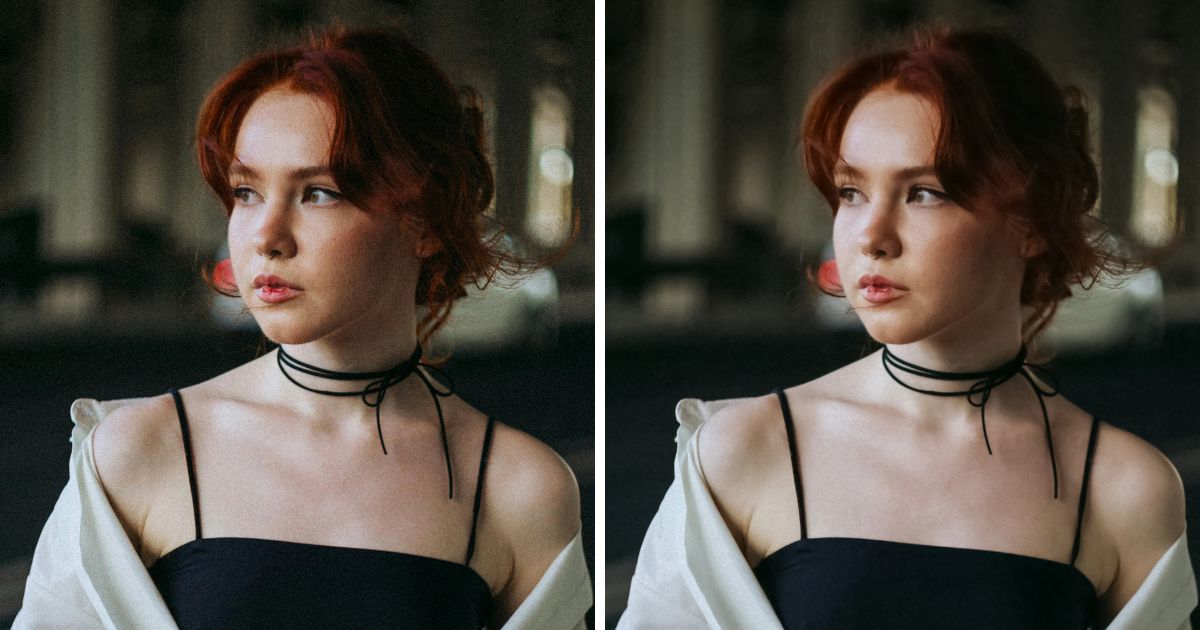
The following are the before-and-after images of the tool.


2. Photoshop
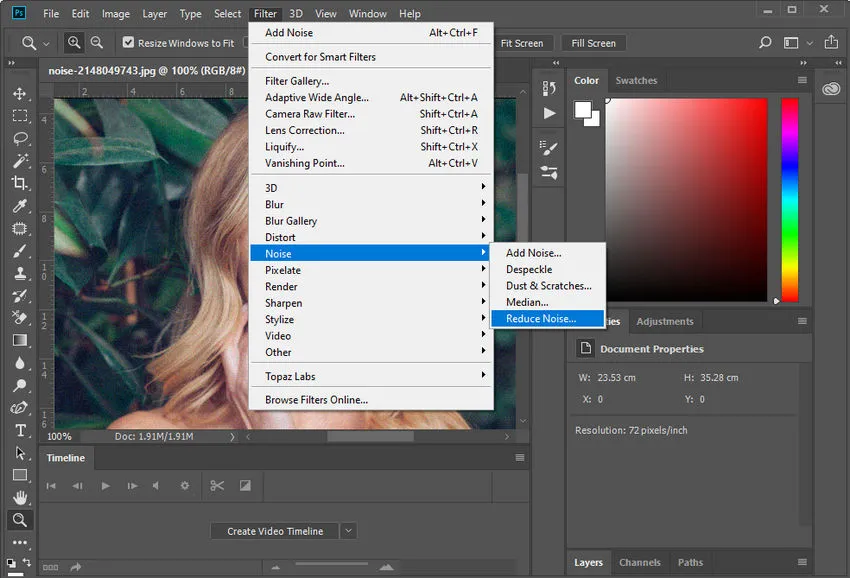
Adobe Photoshop offers both manual sliders and AI-powered noise reduction. It’s an advanced photo denoiser perfect for professionals. The tool excels at detail control but comes with a steep learning curve. While processing can be slower than dedicated AI image denoiser apps, its precision makes it reliable for high-end retouching. Photoshop supports RAW, TIFF, and JPEG files. Subscription pricing may be costly, but it remains a powerhouse for those who want granular control.
3. Lightroom
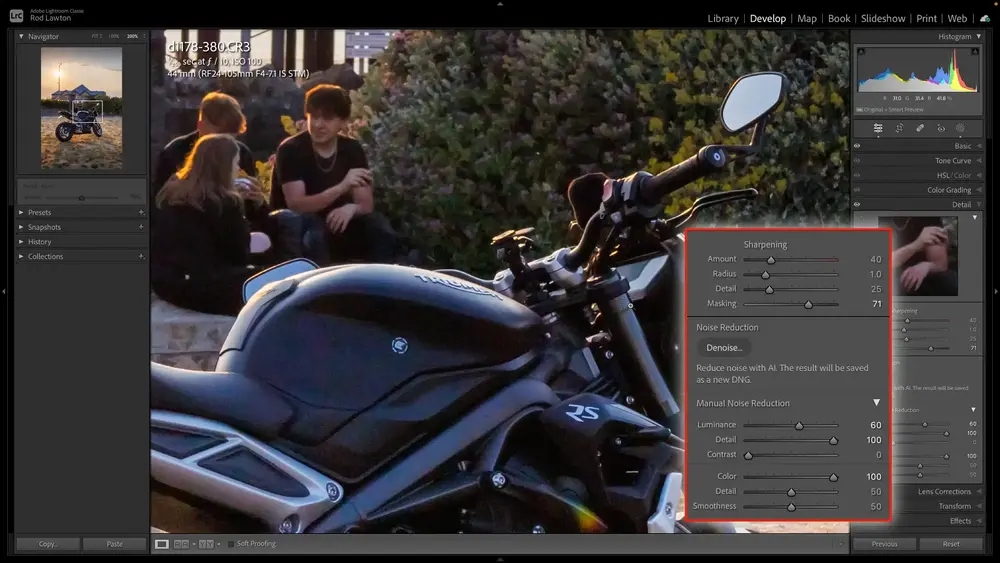
Adobe Lightroom integrates noise reduction into its editing workflow, with both slider adjustments and the newer AI Denoise feature. It’s great for photographers managing large RAW catalogs. Lightroom balances usability and precision, making it one of the best denoise software for professionals. Though not as specialized as Topaz, its AI tool produces clean results while preserving detail. Pricing follows Adobe’s subscription model, catering mainly to serious photographers.
4. Skylum Luminar Neo
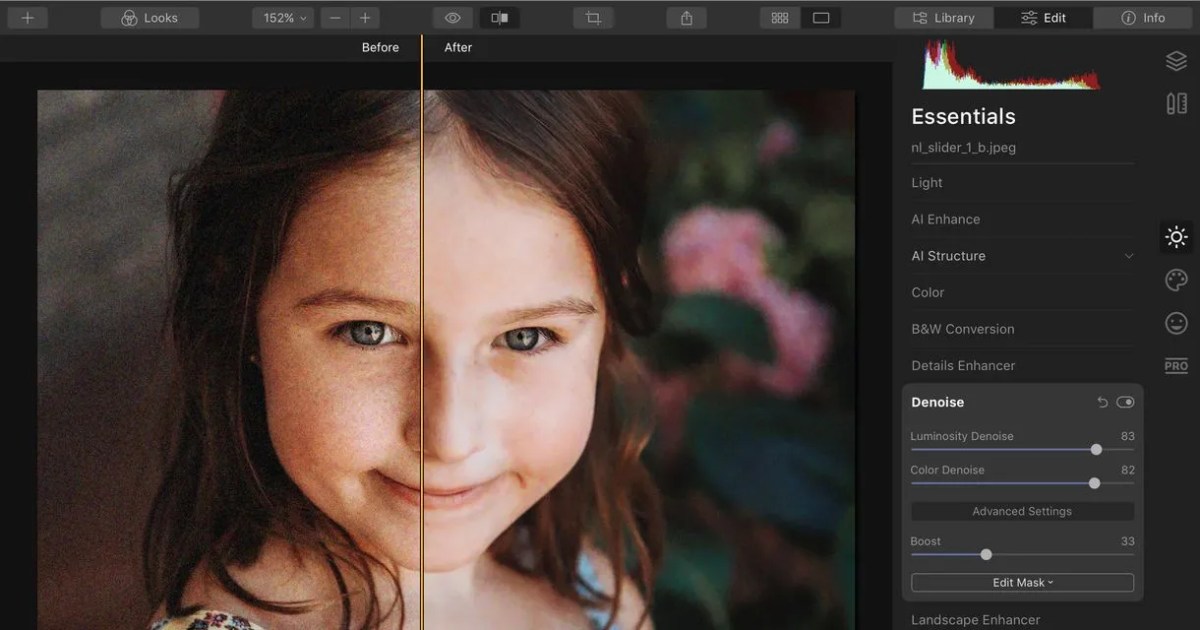
Luminar Neo is an AI image denoiser built into a broader editing suite. Known for its user-friendly design, it appeals to hobbyists and semi-pros. One-click noise reduction makes it ideal for image sharpening and casual editing, though advanced controls are available. It supports JPEGs and RAW files and works efficiently on most devices. With both subscription and one-time purchase options, Luminar Neo provides flexibility. For those seeking simplicity with AI power, it’s among the best denoise software options.
5. DxO PhotoLab
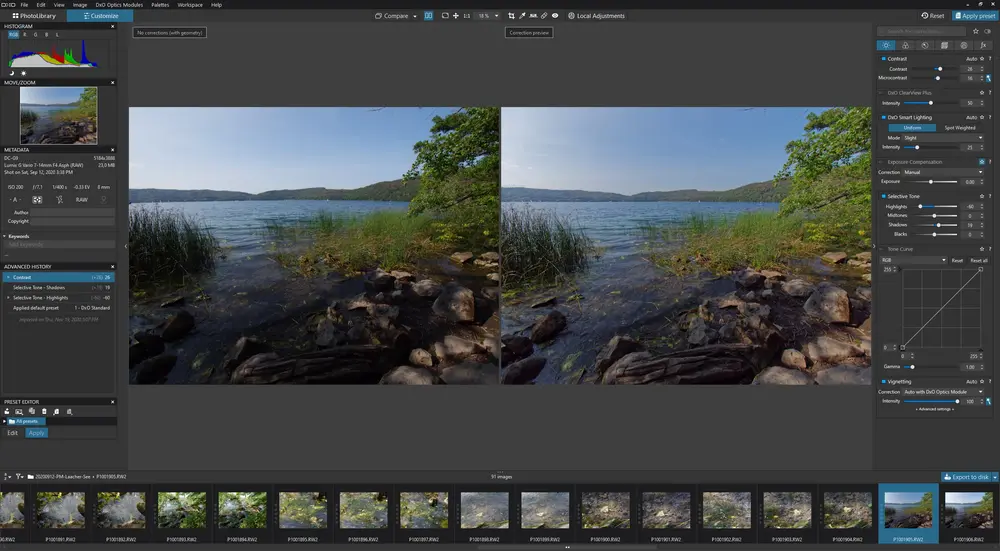
DxO PhotoLab is famous for its DeepPRIME AI denoising technology. This advanced photo denoiser delivers exceptional detail preservation, even in high-ISO RAW files. It’s highly efficient, producing results quickly compared to manual tools. DxO caters mainly to professional photographers who demand maximum image quality. While its price is higher, its precision and speed justify the investment. For serious editors, DxO is one of the best denoise software available.
6. Topaz Labs DeNoise AI
Topaz DeNoise AI is a specialised AI denoise software. Unlike all-in-one photo editors, it focuses solely on noise removal. With multiple AI modes tailored for different noise types, it excels at detail retention. Processing speed is moderate but worth the wait for the quality results. Topaz supports RAW and JPEG formats, making it versatile for photographers. Its mid-range pricing makes it a top choice for those prioritising accuracy. Among the best denoise software tools, Topaz is highly recommended for detail lovers.

7. Pixelcut
Pixelcut is a mobile-first AI image denoiser, perfect for social media users. Its quick, one-tap denoise image feature makes editing simple for non-professionals. While not as precise as desktop tools, it’s effective for casual photos, portraits, and everyday shots. Pixelcut processes images rapidly and offers free and premium versions. As a lightweight option, it’s one of the best denoise software for mobile content creators.
8. Picsart
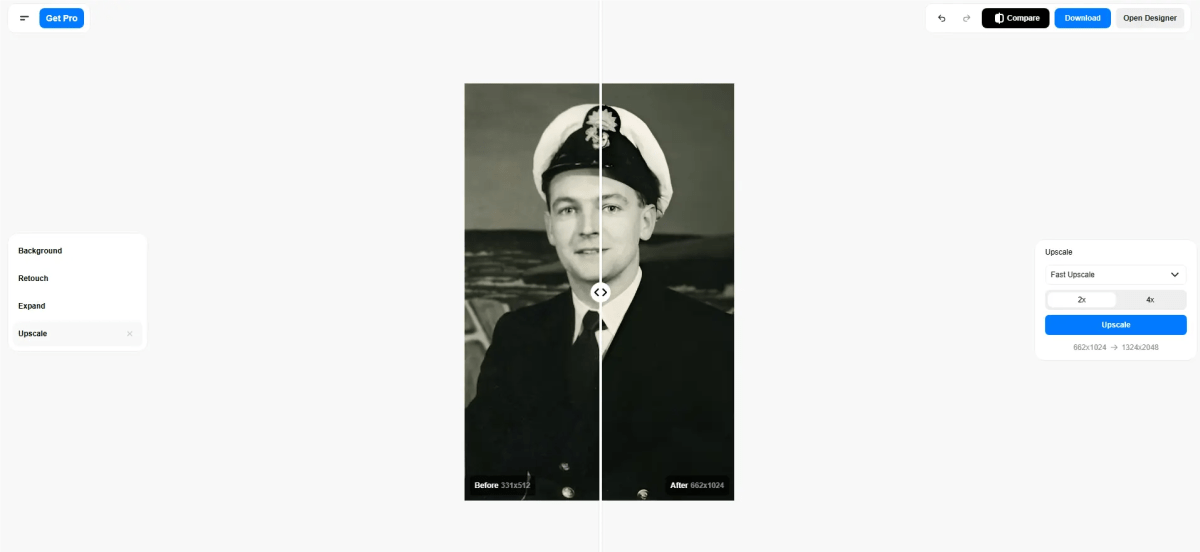
Picsart, a popular online and mobile editor, includes a photo denoiser tool as part of its all-in-one editing suite. It’s designed for casual users who want fast results without advanced settings. With AI-driven noise reduction, Picsart balances ease and efficiency. It’s free with optional premium upgrades, making it a budget-friendly choice. While not professional-grade, Picsart qualifies as one of the best denoise software for beginners or social users.

9. Nero
Nero now offers an online AI denoise solution, making it simple for beginners and hobbyists to clean up their photos without installing heavy software. Its image denoiser works with just a few clicks, processing both JPEG and RAW formats quickly. While not as advanced as DxO or Topaz, it delivers solid results for everyday use. Affordable pricing and accessibility make Nero one of the best denoise software picks for users looking for a lightweight AI image denoiser online.
10. Fotor
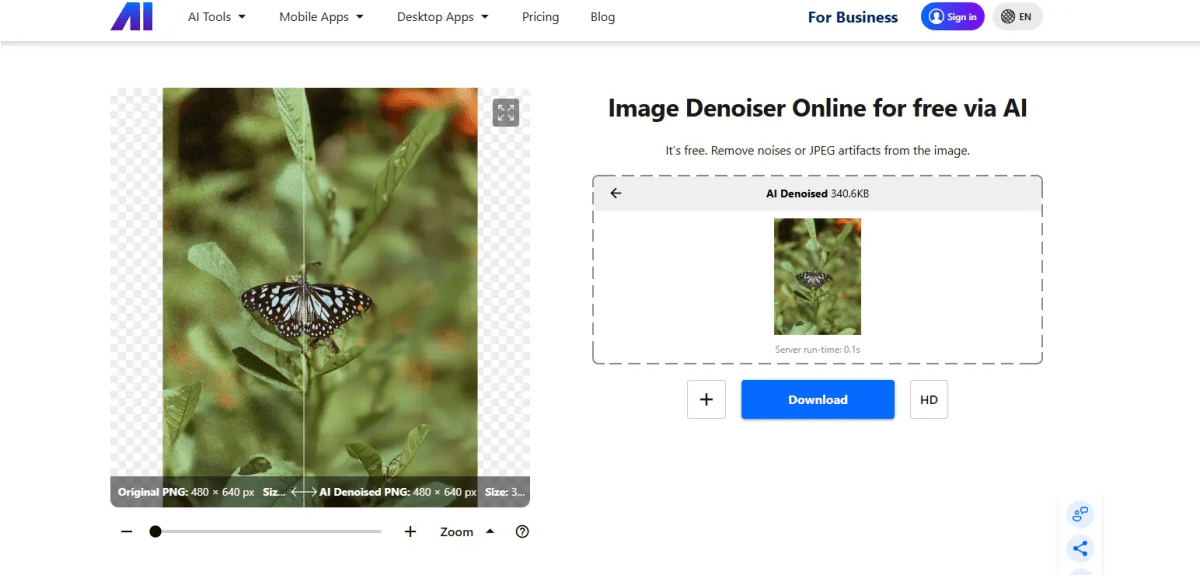
Fotor is an online and mobile free denoiser app with AI-based one-click noise reduction. It’s extremely beginner-friendly and supports both RAW and JPEG formats. While it lacks advanced customization, Fotor excels at fast processing and accessibility. Available in free and premium tiers, it’s widely accessible. For anyone seeking the best denoise software without complexity, Fotor is a strong choice.

Best Denoise Software Comparison Table
| Tool | Operation | Effectiveness | Speed | Price | Best For |
|---|---|---|---|---|---|
| Evoto | AI, Sliders, Batch denoiser | Excellent | Fast | Free trial available, Start at US$0.05/credit | Pro editors |
| Photoshop | Manual/AI | Very High | Medium | US$22.99/mo | Professionals |
| Lightroom | Sliders/AI | High | Medium | US$11.99/mo | Photographers |
| Skylum | AI | High | Fast | Start at $119/one time payment | Semi-pros |
| DxO PhotoLab | DeepPRIME | Excellent | Fast | Free trialStart at $119.99/one time payment | Pros |
| Topaz Labs | AI | Excellent | Medium | $199/one time payment | Detail lovers |
| Pixelcut | AI mobile | Moderate | Fast | Free trialStart at $10/mon | Social media |
| Picsart | AI simple | Moderate | Fast | Free trialStart at $5/mon | Casual users |
| Nero | AI online | Good | Fast | Free trialStart at $22.99/mon | Hobbyists |
| Fotor | AI online | Good | Fast | Free trialStart at $3.33/mon | Beginners |
Summary
The right image denoiser can transform noisy shots into professional-looking photos. For precision, AI denoise tools like Evoto, DxO PhotoLab, and Topaz stand out, while simpler apps like Fotor and Picsart work well for casual needs. Ultimately, the best denoise software depends on your workflow, budget, and editing goals.


