

In today’s digital age, the ability to edit facial expressions in photos has become more important than ever. Whether it’s for a professional headshot, social media profile, or personal memories, achieving the perfect expression is crucial. With advanced AI technology, tools like Evoto AI Facial Expression Changer allow you to adjust facial expressions effortlessly, making your photos look natural and polished.
Why We Need to Change Facial Expressions
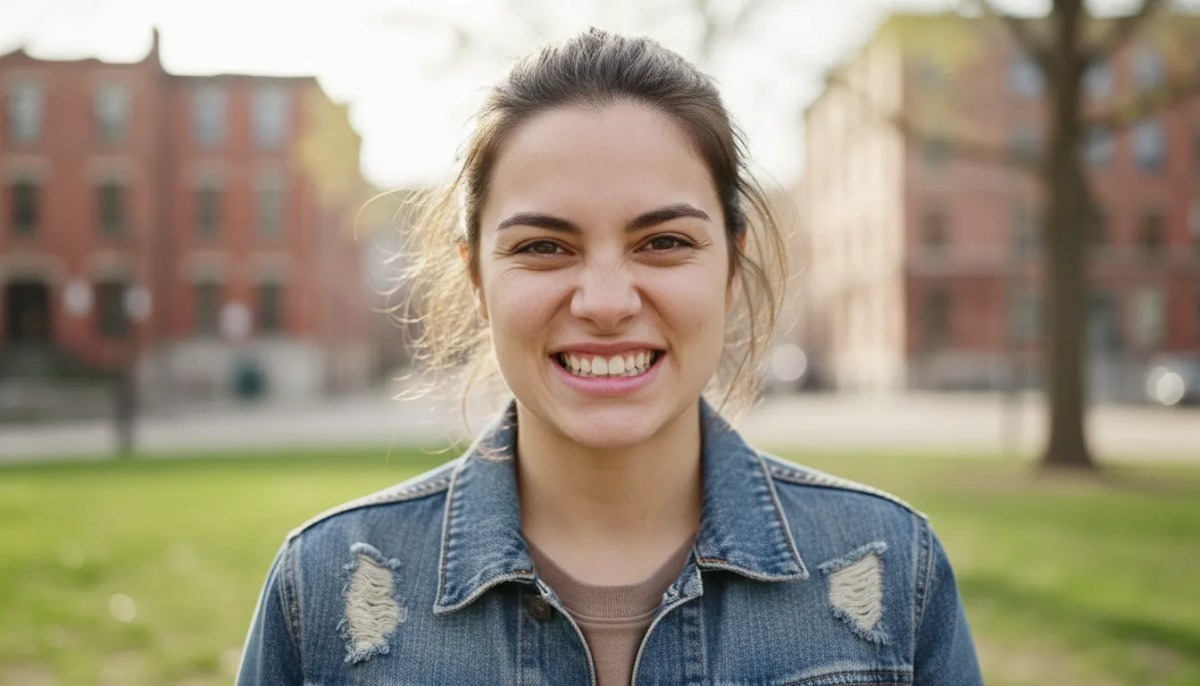
Facial expressions play a crucial role in how we convey emotions, impressions, and even our personality in photos. Sometimes, we may not realize it, but awkward expressions, forced smiles, or stiff looks can affect the overall quality of a photograph.
For example, a soft smile can make your image look more approachable and friendly, while a forced smile might come across as less genuine. Adjusting your facial expression in photos is a simple yet effective way to create the perfect look for various situations, whether for a professional photo expression editing or a casual snapshot.
Situations Where We Need to Change Our Facial Expressions
There are several situations where editing facial expressions can make a significant difference in the impact of your photo:
- Professional Headshots: A genuine smile or neutral expression often works best in professional settings. AI photo editing tools can help adjust your expression to appear confident, approachable, and professional.
- Social Media Photos: On platforms like Instagram or Facebook, your facial expression can convey your mood and personality. Evoto AI Facial Expression Changer can help you create the ideal expression for your audience, whether it’s a smiling photo or a more contemplative look.
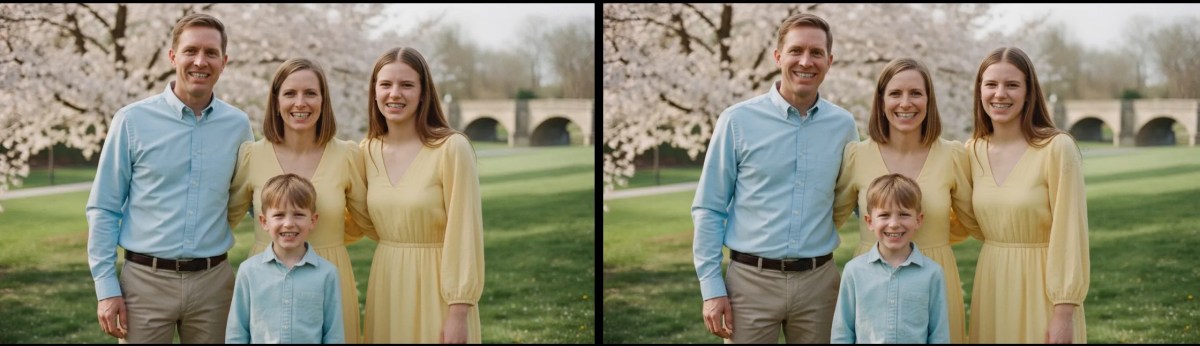
- Family or Group Photos: In group shots, it’s easy to end up with awkward smiles or mismatched expressions. Using an AI facial expression changer online, you can quickly align everyone’s expressions to ensure a more cohesive and natural look.
How AI Tools Can Help Change Facial Expressions |Evoto AI Facial Expression Changer
Evoto AI’s Expression Changer is an advanced tool designed to help users quickly and easily fix awkward or unnatural facial expressions in photos. Whether it’s adjusting smile or creating a more composed, neutral expression, this tool offers a simple solution for enhancing your images while maintaining a natural look.
With just a few clicks, the Facial Expression Changer allows you to adjust and refine your facial expression. You can:
- Soft Smiles: Transform stiff or awkward grins into more relaxed, natural smiles.
- Create Neutral Expressions: Perfect for professional photos or when a softer, more composed look is needed.
- Adjust Smile Intensity: Fine-tune how intense or subtle a smile is, ensuring it matches the mood of the photo.
- Close Mouths: Easily close open-mouth smiles for a more polished look.
Whether you’re trying to dial down an exaggerated expression or fix a awkward smile, the AI photo editing tools makes the process quick and straightforward.
Step-by-Step Guide to Change Facial Expressions
Here’s a more detailed step-by-step guide on how to adjust facial expressions in photos:
Step 1: Choose the Right Photo
Select a clear image where your face is well-lit, and the expression you want to change is visible. The clearer the photo, the more accurate the AI editing tool will be.
Step 2: Upload to Evoto AI Facial Expression Changer
Open the tool and upload your photo. Evoto uses AI technology to detect facial features and suggests the most appropriate adjustments.
Step 3: Choose Expression Adjustments
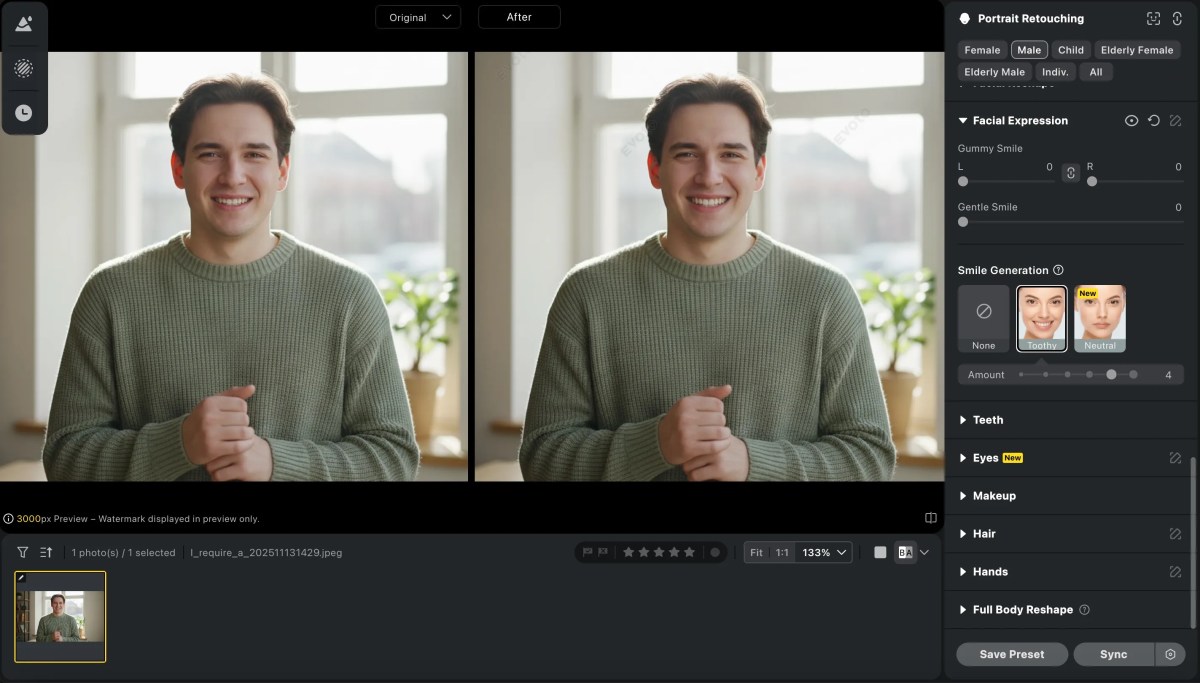
You can choose“Smile Generation” to adjust a natural smile in your photo. The AI will analyze the nuances of your facial features and automatically recommend the best changes.
Step 4: Make Manual Adjustments
If you’re looking for a more refined result, you can manually tweak specific aspects of your expression, such as the curve of the mouth, the degree of a smile.

Step 5: Final Touches
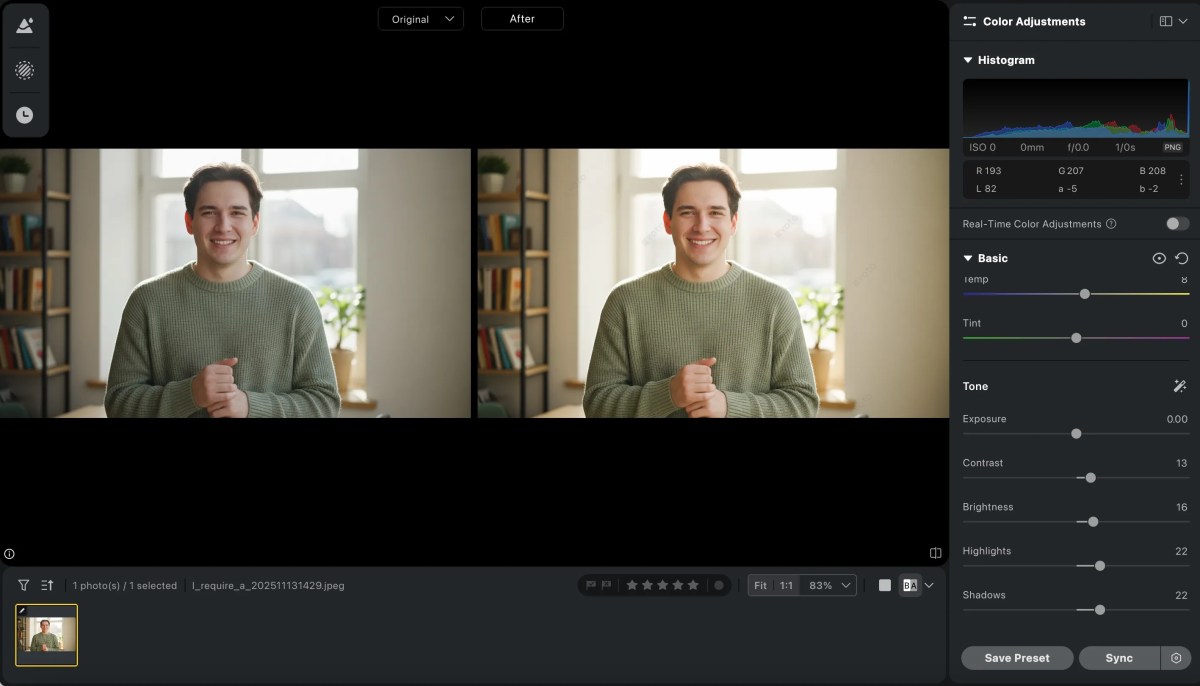
Once you’re happy with your expression, make sure to adjust any other minor details such as brightness, contrast, or skin tone. This ensures a seamless and natural look. You can also use other features like body editor, blemish remover, red eye remover and so on to make your photo look more perfectly.
Step 6: Save and Share
After completing the edits, save the file in your preferred format, and you’re ready to share it on social media or use it for your professional portfolio.


Powerful AI Photo Editor
Evoto AI Facial Expression Changer vs Photoshop
While Photoshop is widely used for photo editing, it requires advanced skills and can be time-consuming, especially when trying to adjust facial expressions. With Evoto AI Facial Expression Changer, however, you can easily make adjustments in a few clicks. Here’s a comparison:
| Feature | Evoto AI | Photoshop |
|---|---|---|
| Ease of Use | User-friendly interface, suitable for beginners and professionals. | Requires mastering multiple tools and techniques. |
| AI Technology | Uses advanced AI to automatically detect and adjust facial expressions. | No built-in AI for facial expression editing; manual adjustments needed. |
| Time Efficiency | Fast and efficient process for changing facial expressions. | Time-consuming, especially for detailed facial expression adjustments. |
| Result Quality | Specializes in facial expression changes, ensuring accurate and natural results. | High-quality results, but more general photo editing, not specifically for facial expressions. |
Conclusion
Changing facial expressions in photos has never been easier, thanks to AI-powered tools like Evoto AI Facial Expression Changer. Whether you’re fixing an awkward smile, adjusting your expression for a professional headshot, or simply wanting to look your best in personal photos, this tool offers a simple and effective solution. With advanced AI photo editing tools, you can enhance your images and make sure your facial expressions align perfectly with the tone of the photo. Try Evoto AI Facial Expression Changer today, and take your photo editing to the next level!
Try Evoto AI Photo Editor
Retouch photos with Evoto AI and make your photos best! Available on Windows, MacOS and iPadOS.


