

The Importance of Editing Your Facial Expression in Profile Picture
In today’s digital world, your profile picture is the first thing people notice. Whether it’s for LinkedIn, Instagram, or any other social platform, your profile photo plays a crucial role in shaping your first impression. A professional, well-edited profile picture can boost your credibility, create a positive impression, and increase engagement. However, capturing the perfect expression in a photo isn’t always easy. That’s where the ability to edit profile pictures comes in, helping you fine-tune your look and make a lasting impact.
This is where Evoto AI Facial Expression Changer comes in. With AI-powered technology, editing your profile picture has never been easier. Instead of spending hours in Photoshop, you can use this profile photo editor to adjust your smile, change facial expressions, and enhance your image, all while maintaining a natural, professional look.

How Evoto AI Helps You Edit Your Facial Expression in Profile Pictures Easily
Evoto AI is revolutionizing the way we edit profile pictures. Traditional photo editing can be time-consuming and requires a certain level of expertise. With Evoto AI, you don’t need to be a professional photographer or photo editor to get stunning results. Whether you’re adjusting your smile, enhancing your expression, or changing the background, Evoto AI simplifies the process and makes it accessible to everyone.
Here’s how Evoto AI makes editing profile pictures effortless:
- AI-Powered Editing: The tool uses advanced AI algorithms to automatically detect and adjust facial expressions, allowing you to change smiles in profile photos, add warmth, or soften any harsh expressions. Whether you need to enhance a subtle smile or fix a stiff, awkward expression, Evoto AI does the heavy lifting for you. The AI can also adjust key facial features like your eyes and eyebrows to create a more balanced, friendly look.
- Quick and Simple: Forget the complicated processes of traditional editing software. You can edit profile pictures online without needing to download any heavy software. Simply upload your photo, and the AI will automatically detect the key features of your face — making necessary adjustments to the smile, eyes, and other facial elements. The entire process is quick and intuitive, taking just a few clicks to enhance your image. Additionally, Evoto AI offers a seamless background replacement feature, allowing you to quickly swap out distracting or unprofessional backgrounds. You can choose from a range of professional or artistic backgrounds to complement your photo and create the perfect look for platforms like LinkedIn or Instagram.
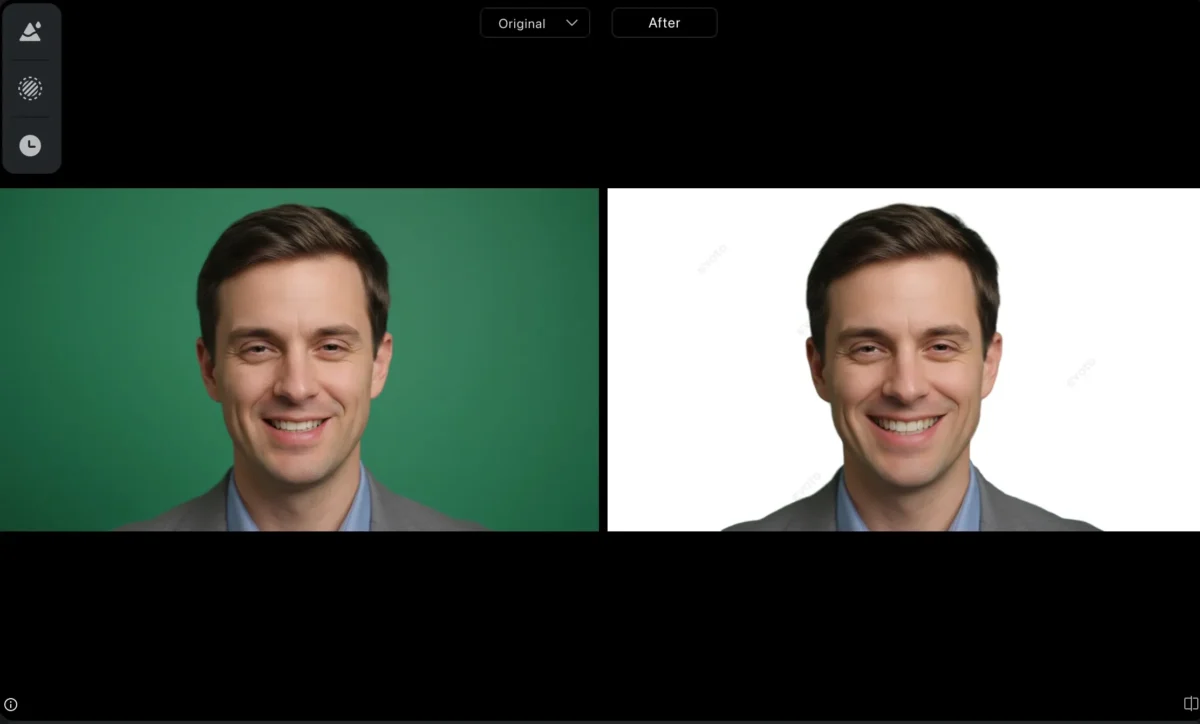
- Natural Results: Unlike some editing tools, Evoto AI ensures that your profile picture looks natural and authentic. It doesn’t over-edit or create unrealistic results — the goal is to enhance, not alter, your true expression. Whether you’re enhancing a profile photo for LinkedIn, editing Instagram profile pictures, or changing your background to something more fitting, Evoto AI ensures that the final result is polished, professional, and true to your original appearance. This makes your profile photo stand out in a natural way, without looking overdone or artificial.


Powerful AI Photo Editor
How to Edit Your Facial Expression in Profile Pictures Using Evoto AI: A Step-by-Step Guide
Editing your profile photo has never been this simple. Follow these easy steps to make your profile picture shine:
Step 1: Upload Your Photo
Begin by uploading your image to the Evoto AI facial expression changer. Choose a clear portrait photo to get the best results.
You may also try our “AI Smile Filter” features online for a simple facial expresion changing.
Step 2: Adjust Your Smile
Whether you want to enhance a subtle smile or make a forced smile look more natural, Evoto focuses specifically on improving your smile in profile photos. The AI automatically detects your mouth and surrounding features, allowing you to tweak the smile effortlessly. You can softe and widen, your smile to make your profile picture look warm, approachable, and professional.
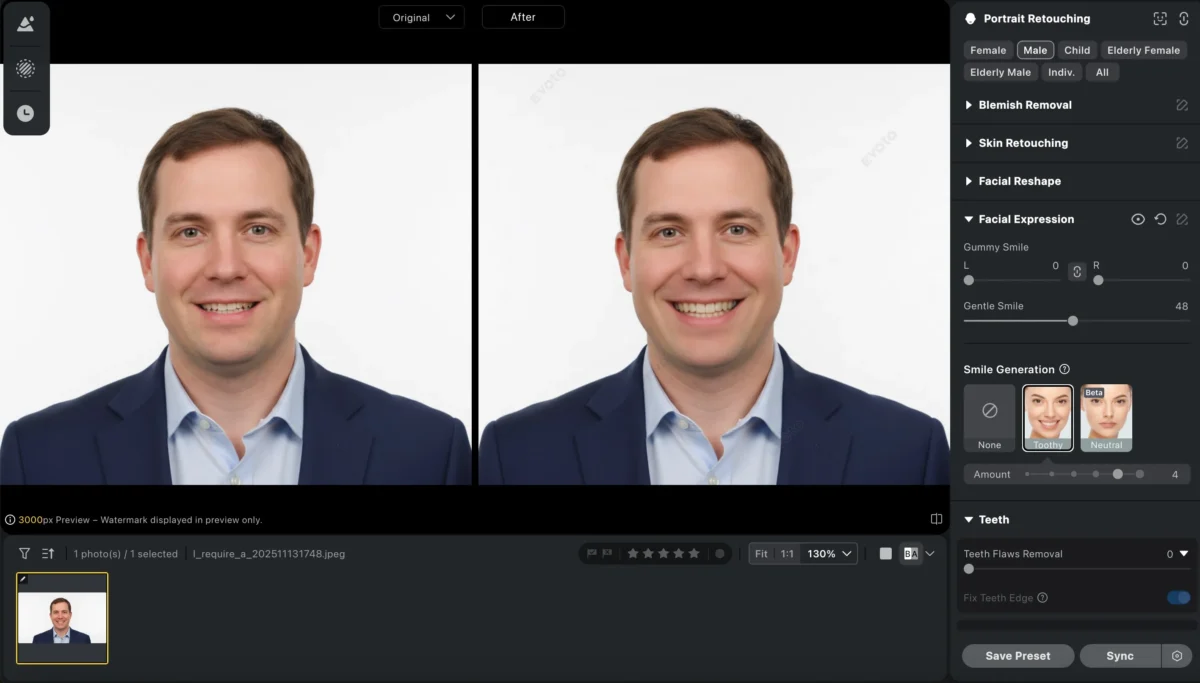
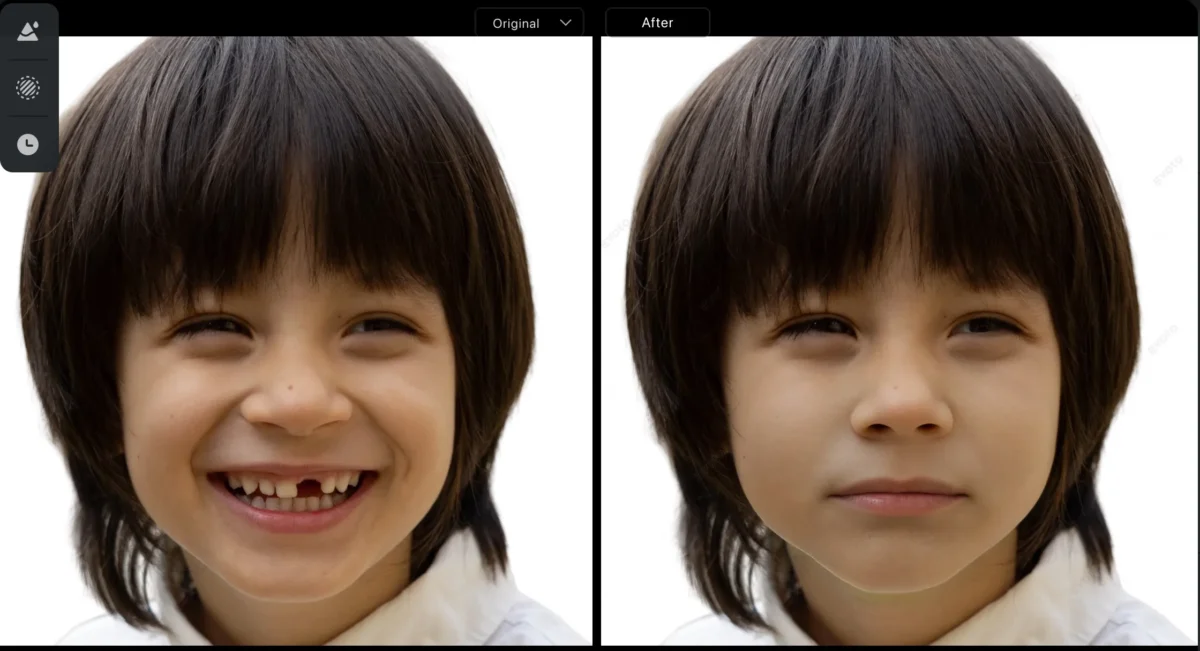
Additionally, our feature allows you to enhance a smile by subtly closing the mouth, creating a more natural and refined expression.
Step 3: Preview and Adjust
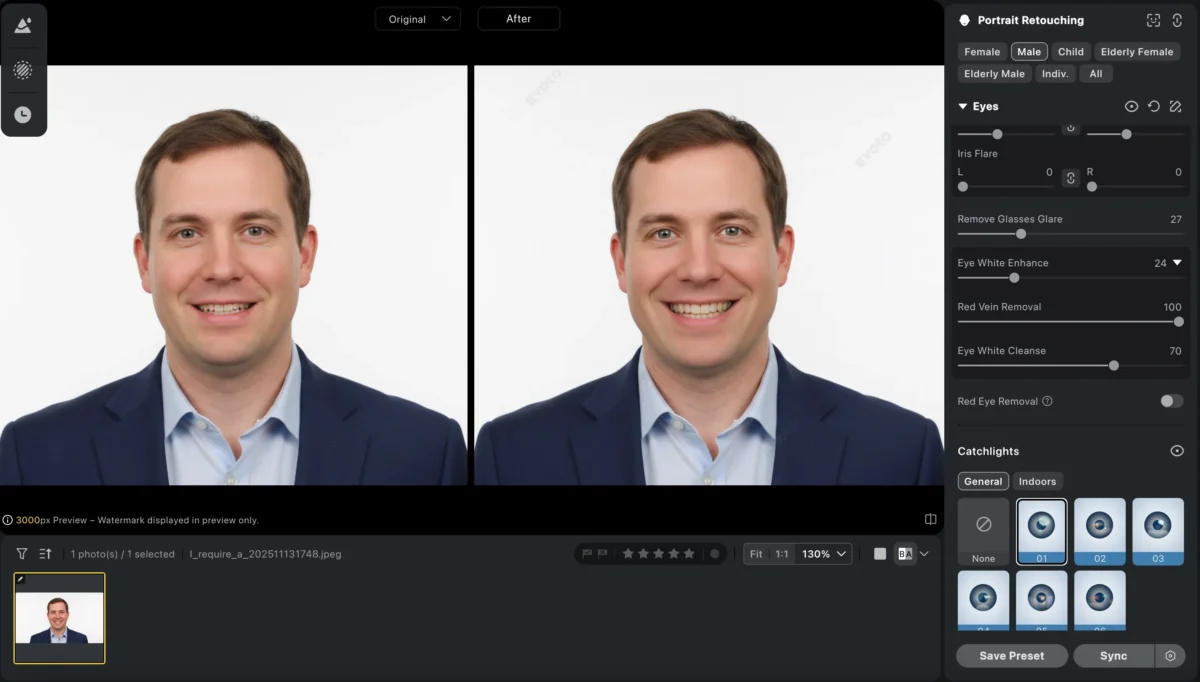
After selecting your preferred expression, you can preview the changes made. Fine-tune the adjustments if needed to get a result that feels just right. And you can also use another tool like teeth adjustment o eyes asjustment to make your photo to be more perfect.
Step 4: Save Your New Profile Picture
Once you’re satisfied with your edited profile photo, click save, and download your newly enhanced profile picture. You’re now ready to update your LinkedIn, Instagram, or any other social media account with a picture that reflects your personality and professionalism.
Evoto AI vs. Photoshop: Why AI is the Future for Profile Picture Editing
While Photoshop has been the go-to tool for professional photo editing for years, it’s not always the best option for everyday users. Editing profile pictures in Photoshop requires significant skill and can take time, especially when adjusting facial expressions or fixing awkward smiles.
Here’s how Evoto AI stands out:
Time Efficiency: Editing profile pictures with Evoto AI is incredibly quick. In just a few clicks, you can adjust your facial expressions and enhance the overall quality of your image. Photoshop, on the other hand, requires a steep learning curve and often takes longer.
Simplicity: Evoto is designed for ease of use. No need to spend hours learning complex editing tools. Anyone can use it, whether you’re editing a profile photo for LinkedIn or enhancing a casual Instagram profile picture.
Natural, Realistic Results: AI technology ensures that your photos look authentic. In Photoshop, it’s easy to over-edit, but with Evoto AI, the goal is always to maintain a natural, professional look.
Powerful AI Photo Editor
Conclusion
Your profile picture is a key part of your online identity, and Evoto AI Facial Expression Changer makes it easier than ever to perfect your photo. Whether you want to enhance profile pictures, edit Instagram profile pictures, or improve profile picture quality for professional platforms like LinkedIn, Evoto AI can help you create a natural, approachable, and professional image in minutes.
Don’t let awkward smiles or stiff expressions ruin your first impression online. With AI-powered tools like Evoto AI, you can effortlessly make profile pictures look natural, enhance facial expressions, and ensure your online presence truly reflects your personality. Start editing your profile picture today and experience the magic of AI-powered editing!
Powerful AI Photo Editor



