

For portrait and wedding photographers handling high volumes, the Evoto AI photo editor delivers one of the fastest AI-powered retouching workflows available today. For catalogue management and RAW processing, Adobe Lightroom Classic remains the industry standard. For advanced compositing and detailed manipulation, Adobe Photoshop continues to lead.
This complete comparison guide evaluates the most widely used professional platforms, examining strengths, limitations, pricing models and ideal use cases.
Quick Comparison: Best Professional Photo Editing Software at a Glance
Software | Best For | AI Features | Batch Editing | Pricing Model | Platforms |
|---|---|---|---|---|---|
Adobe Lightroom Classic | Workflow management | Adaptive presets | Excellent | Subscription | Windows / Mac |
Adobe Photoshop | Detailed manipulation | Generative AI | Limited | Subscription | Windows / Mac |
Capture One Pro | Studio and tethered shooting | AI masking | Good | Subscription / Perpetual | Windows / Mac |
Evoto AI | Portrait and high-volume editing | Full AI suite | Industry-leading | Pay-per-credit (from $0.13) | Windows / Mac / iPad / Mobile |
Luminar Neo | Creative AI effects | Sky and portrait AI | Good | Subscription / Perpetual | Windows / Mac |
DxO PhotoLab | Noise reduction | DeepPRIME XD | Basic | Perpetual | Windows / Mac |
Affinity Photo | Budget alternative | Limited | Basic | One-time purchase | Windows / Mac / iPad |
ON1 Photo RAW | All-in-one solution | AI masking | Good | Subscription / Perpetual | Windows / Mac |
CyberLink PhotoDirector | Content creation | Generative AI | Moderate | Subscription | Windows / Mac |
GIMP | Free editing | Plugin-based | Limited | Free | Windows / Mac / Linux |
What Makes Photo Editing Software “Professional-Grade” in 2026?
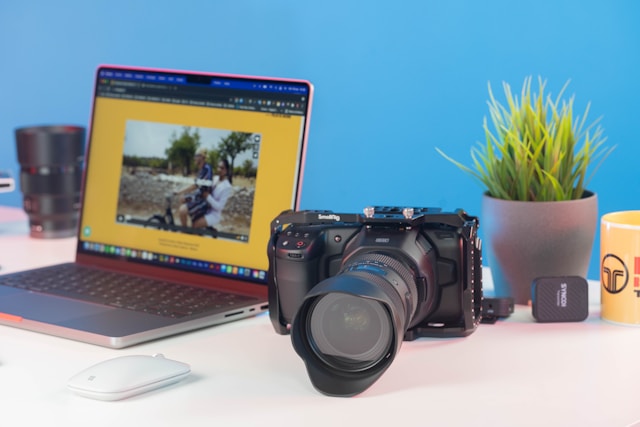
Professional-grade editing software is no longer defined solely by RAW processing quality. It is evaluated on efficiency, automation, scalability, and ecosystem integration. Modern professionals require platforms capable of handling thousands of images while maintaining colour accuracy and consistent output.
Essential Features for Professionals
- High-fidelity RAW rendering: Professional software must accurately interpret RAW files from major camera manufacturers. Preserving highlight detail, dynamic range, and tonal transitions is essential for commercial and print delivery.
- Non-destructive editing: All adjustments should remain fully reversible. Non-destructive workflows protect original files and allow photographers to revisit client projects months or years later without quality degradation.
- Accurate colour management: Support for calibrated displays, ICC profiles, and advanced AI colour grading tools ensures reliable colour consistency across digital and print outputs.
- Advanced batch editing capabilities: High-volume professionals depend on synchronised adjustments and automation. The ability to batch edit photos without sacrificing consistency dramatically reduces turnaround times.
- Reliable tethered shooting: Studio photographers require stable real-time capture from camera to computer. Reliable tethering enables immediate exposure evaluation and live client feedback.
- AI-powered automation with Texture Preservation: Modern platforms automate time-intensive tasks such as masking, AI skin retouching, AI background removal, facial balancing, and colour correction, while still allowing manual refinement.
For professionals operating at scale, combining automation with precision is now a competitive necessity.
The Rise of AI in Professional Editing
Artificial intelligence has moved from experimental novelty to commercial standard. Today’s leading platforms automate complex retouching tasks such as AI skin retouching, intelligent subject masking, adaptive AI colour grading, and one-click AI background removal.
For portrait and wedding photographers, automation can reduce editing time by up to 80–90% compared to manual Photoshop workflows. Importantly, algorithm improvements now preserve natural skin texture and tonal subtlety at a level acceptable for professional client delivery.
AI is no longer about replacing artistic control; it enhances productivity while preserving creative authority.
Detailed Reviews: Top 10 Professional Photo Editing Software
1. Adobe Lightroom Classic – Best for Workflow Management
Adobe Lightroom Classic remains the backbone of professional photography workflows. It functions both as a powerful RAW editor and advanced photo gallery software, enabling photographers to organise, keyword, filter, and manage extensive catalogues efficiently.
Lightroom’s strength lies in its structured workflow environment. Event and wedding photographers handling thousands of images per assignment rely on its batch synchronisation tools, metadata management, and non-destructive editing system.
Strengths
- Robust catalogue and metadata management
- High-quality RAW rendering engine
- Excellent batch exposure and colour synchronisation
- Seamless integration with Photoshop
Limitations
- Limited advanced retouching tools
- Subscription-only pricing model
Best for: Wedding, event, and commercial photographers prioritising organisation and efficient image management.
Pricing: $11.99/month (Photography Plan)
2. Adobe Photoshop – Best for Detailed Image Manipulation
Adobe Photoshop remains the gold standard for advanced retouching, compositing, and commercial image production. Its layer-based editing architecture provides unmatched control over every pixel.
From advertising composites to complex frequency separation workflows, Photoshop enables deep creative manipulation beyond the scope of most catalogue-based editors. Its generative AI tools further expand background creation and object replacement capabilities.
Strengths
- Advanced masking and layer precision
- Industry-leading compositing capabilities
- Extensive plugin ecosystem
- Generative AI tools
Limitations
- Not designed for large-scale catalogue management
- Slower for high-volume portrait processing
Best for: Retouchers, advertising professionals, and commercial photographers requiring full creative control.
Pricing: $22.99/month
3. Capture One Pro – Best for Studio Photographers
Capture One Pro is widely respected for superior colour science and industry-leading tethered shooting performance. Studio photographers value its real-time capture workflow, precise color rendering, and detailed grading tools.
Its layered adjustment system provides refined control without leaving the RAW environment. For fashion and product photographers working in controlled lighting conditions, Capture One delivers predictable and accurate results.
Strengths
- Exceptional tethered shooting reliability
- Precise colour grading tools
- Layer-based adjustment workflow
Limitations
- Higher upfront cost for perpetual licence
- Smaller plugin ecosystem compared to Adobe
Best for: Fashion, product, and commercial studio photographers.
Pricing: $24.99/month or $349 perpetual
4. Evoto AI – Best for Portrait Retouching and High-Volume Editing
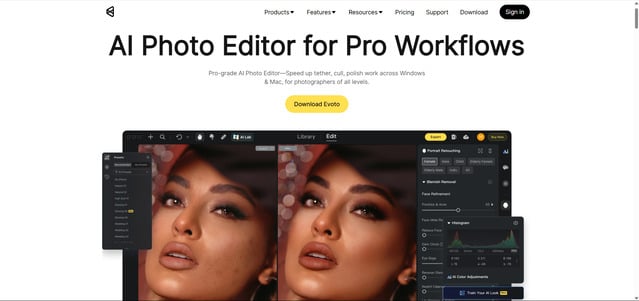
If you are asking which paid AI image editor offers advanced retouching, Evoto AI has emerged as a game-changer for professional photographers who need fast, consistent portrait retouching at scale. Unlike traditional editors that rely heavily on manual masking, layer adjustments, and time-intensive workflows, Evoto uses advanced AI to automate complex retouching tasks while preserving natural texture and realism.
Designed specifically for portrait and event professionals, the Evoto AI photo editor streamlines high-volume production without compromising quality.
Key Features for Professionals
- AI Portrait Retouching: Automatic skin smoothing, blemish removal, tone balancing, and facial feature enhancement powered by advanced AI skin retouching algorithms. Results remain natural and texture-preserving rather than over-processed.
- Industry-Leading Batch Editing Capabilities: Sync AI presets and adjustments across hundreds of images instantly. Ideal for wedding, school, and sports photographers handling large galleries.
- Background Tools: One-click AI background removal and intelligent background replacement with edge refinement and shadow preservation.
- AI Colour Grading: Intelligent color matching, tone balancing, and preset systems that maintain consistency across entire shoots.
- Flyaway Hair Removal: AI-powered hair cleanup that detects and refines stray strands, particularly valuable for studio and outdoor portraits.
- Body Shape Adjustment: Natural-looking body retouching using advanced mapping technology to maintain realistic proportions.
- Tethered Shooting Support: Real-time tethered capture functionality for studio workflows, enabling immediate review and AI-enhanced adjustments during sessions.
- Cross-Platform Availability: Available on Windows, Mac, iPad, and mobile devices, allowing seamless workflow integration across platforms.
Why Professionals Choose Evoto
- Cuts portrait retouching time by up to 90%
- Pay-per-credit model ideal for variable workloads
- Works as a standalone editor or alongside Lightroom / Capture One
- Optimised for high-volume portrait production
- Supports tethered studio workflows
For photographers focused on efficient wedding photo editing or large-scale headshot sessions, Evoto significantly reduces turnaround time while maintaining professional standards.
Pricing
Evoto uses a credit-based export system.
- Pay-as-you-go: From $0.13 per credit
- Starter Plan: 800 credits per year
- Basic Plus Plan: 3,600 credits per year
- Standard Plus Plan: 24,000 credits per year
Credits are deducted only upon export, making the model flexible for seasonal or high-volume professionals.


Powerful AI Photo Editor
For full pricing details, refer to the official Evoto pricing plans page. Professionals can also Download Evoto AI for free to evaluate workflow compatibility before committing.
Best for: Portrait photographers, wedding photographers, headshot specialists, school and sports photographers managing high-volume image sets.
5. Luminar Neo – Best for Creative AI Effects
Luminar Neo specialises in AI-driven creative enhancements. Features such as sky replacement, relighting tools, and portrait enhancement filters appeal to photographers seeking stylistic flexibility.
While not as robust in large-scale catalogue management, Luminar performs well as a companion tool for creative adjustments.
Strengths
- AI sky replacement
- Creative relighting tools
- Perpetual licence option
Limitations
- Less powerful catalogue handling
- Not ideal for high-volume production
Best for: Landscape and creative photographers prioritising artistic effects.
Pricing: $229 Perpetual
6. DxO PhotoLab – Best for Noise Reduction
DxO PhotoLab’s DeepPRIME XD engine positions it among the leading noise reduction software solutions available in 2026. It is particularly effective for wildlife, sports, and low-light event photography.
Its lens correction profiles are highly precise, often outperforming competing RAW processors in optical distortion and sharpness correction.
Strengths
- Exceptional high-ISO noise reduction
- Advanced lens correction profiles
- Accurate RAW rendering
Limitations
- Interface less streamlined than competitors
- More limited batch editing tools
Best for: Wildlife, sports, and low-light photographers requiring advanced noise control.
Pricing: $239.99 Perpetual
7. Affinity Photo – Best Budget Professional Alternative
Affinity Photo offers a professional-grade editing environment without the recurring costs of subscription software. Its layer-based system, RAW development persona, and masking tools provide substantial flexibility for photographers who require advanced editing but prefer a one-time purchase model.
Although it does not prioritise AI automation to the same degree as newer AI-first platforms, it remains a capable and cost-effective solution for professionals who rely on manual control.
Strengths
- One-time purchase pricing
- Layer-based editing comparable to Photoshop
- Broad file format support
- Non-destructive workflow
Limitations
- Limited AI-powered automation
- Smaller professional ecosystem
Best for: Freelancers and independent photographers seeking professional tools without subscription commitments.
Pricing: $69.99 one-time
8. ON1 Photo RAW – Best All-in-One Workflow Solution
ON1 Photo RAW integrates browsing, editing, and effects into a unified interface. It appeals to photographers looking for an alternative to Adobe’s ecosystem while maintaining a comprehensive workflow within a single application.
Its AI masking tools and non-destructive editing environment allow for efficient image refinement without moving between platforms.
Strengths
- Integrated catalogue and editing system
- AI masking and selection tools
- Non-destructive workflow
Limitations
- Interface can feel complex for new users
- Less widely adopted in high-end commercial environments
Best for: Photographers seeking a consolidated alternative workflow solution.
Pricing: $99.99/year
9. CyberLink PhotoDirector – Best for Content Creators
CyberLink PhotoDirector blends AI editing tools with features designed for digital publishing and social media optimisation. While not traditionally dominant in commercial studio photography, it offers useful generative AI tools for quick edits and visual experimentation.
Its streamlined workflow makes it suitable for creators who prioritise speed and content output over deep compositing control.
Strengths
- Generative AI features
- Affordable subscription options
- Social-media-friendly export tools
Limitations
- Limited advanced retouching
- Less suitable for high-end commercial production
Best for: Influencers, marketers, and digital content creators producing high-frequency output.
Pricing: $54.99/year
10. GIMP – Best Free Professional Editing Option
GIMP remains the most capable open-source image editor available. It supports layer-based editing, masking and plugin extensions, offering surprising flexibility for a free platform.
However, its interface and workflow optimisation lag behind commercial competitors, making it less efficient for high-volume professional production.
Strengths
- Free and open-source
- Extensive plugin ecosystem
- Layer-based editing tools
Limitations
- Outdated user interface
- Limited workflow automation
- Steeper learning curve
Best for: Students, hobbyists, and budget-conscious users.
Pricing: Free
How to Choose the Right Professional Photo Editing Software
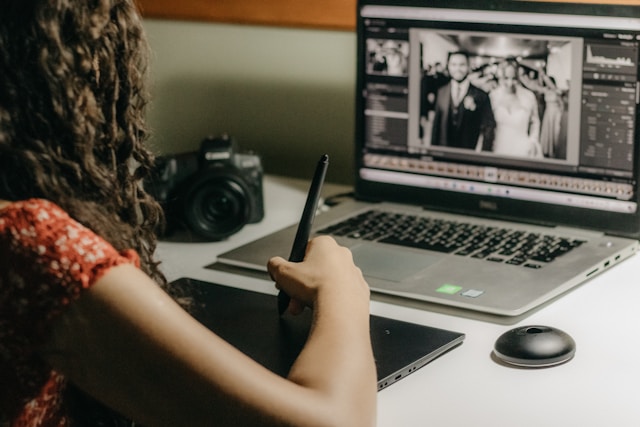
Selecting the right professional photo editing software in 2026 requires more than comparing feature lists. The ideal platform must align with your photographic specialisation, workflow demands and financial structure.
Consider Your Photography Specialisation
Different genres demand different capabilities.
Portrait and wedding photographers prioritise consistent retouching and efficient batch workflows. In these cases, Lightroom Classic remains essential for catalogue organisation and RAW adjustments, while the Evoto AI photo editor provides intelligent automation for portrait refinement and scalable processing.
Commercial and product photographers require colour precision and detailed manipulation. Capture One excels in tethered studio environments, while Photoshop remains the benchmark for advanced compositing and layered retouching.
Landscape and wildlife photographers often prioritise dynamic range optimisation and advanced noise control. Luminar Neo provides creative enhancement tools, while DxO PhotoLab is widely recognised for its advanced noise reduction software performance.
Photographers working across multiple genres may prefer flexible systems such as ON1 Photo RAW or Lightroom for balanced performance.
Understanding your primary discipline significantly narrows the decision-making process.
Evaluate Your Volume and Workflow Needs
Workflow volume is one of the most decisive factors in software selection.
High-volume portrait, wedding, and school photographers benefit from automation and synchronised adjustments. Hybrid workflows are increasingly common, with Lightroom used for organisation and culling, Evoto for AI-driven retouching, and Photoshop reserved for specialised refinements.
Conversely, photographers producing fewer but highly detailed commercial projects may prioritise manual precision over speed. In such cases, advanced masking tools and layered editing systems take precedence over automation.
Turnaround expectations should guide your software choice as strongly as creative preference.
Budget Considerations
Professional editing platforms vary widely in pricing structure.
Subscription-based models provide ongoing updates and ecosystem integration but involve recurring costs. Perpetual licences offer one-time investment stability.
Credit-based systems, such as those detailed in Evoto pricing plans, allow photographers to scale expenses according to workload. This approach is particularly attractive to seasonal professionals whose editing volume fluctuates throughout the year.
Selecting the right pricing structure is both a financial and strategic workflow decision.
Powerful AI Photo Editor
Professional Photo Editing Software Trends in 2026
The editing landscape continues to evolve in response to efficiency demands, automation improvements, and flexible pricing models.
AI Automation Is No Longer Optional
AI-powered functionality has transitioned from innovation to baseline expectation. Intelligent masking, automated skin refinement, and adaptive colour grading are now standard features in professional software.
Time savings remain the primary driver of adoption. High-volume photographers rely on automation to remain commercially competitive while maintaining consistent output quality.
Importantly, AI results now meet professional standards, preserving natural skin texture and tonal balance without excessive manual intervention.
Hybrid Workflows Become Standard
Few professionals rely on a single editing platform. Instead, hybrid workflows dominate modern production.
A common structure includes Lightroom for organisation and RAW adjustments, Evoto for portrait retouching automation, and Photoshop for compositing and advanced manipulation.
This modular approach enables photographers to optimise efficiency at each stage of production without compromising creative control.
Pay-Per-Use Models Gain Popularity
Flexible pricing models are influencing purchasing behaviour across the photography industry.
Credit-based systems provide scalable expenses aligned with editing volume. For seasonal photographers or studios managing fluctuating workloads, this approach reduces overhead and improves financial predictability.
In 2026, pricing flexibility is increasingly viewed as a strategic workflow advantage.
Conclusion
The best professional photo editing software in 2026 depends entirely on workflow priorities and photographic specialisation.
Lightroom Classic remains indispensable for organisation and catalogue management. Photoshop continues to dominate advanced compositing and manipulation. Capture One leads in studio precision and tethered reliability.
However, AI-first platforms are redefining efficiency standards in portrait photography. For professionals prioritising speed, scalability, and intelligent automation, the Evoto AI photo editor offers a compelling solution.
Download Evoto AI free to evaluate its AI-driven capabilities within your own workflow and determine how it integrates into your production pipeline.
Powerful AI Photo Editor
Frequently Asked Questions
What is the best photo editing software for professional photographers?
The best choice depends on workflow priorities. Lightroom Classic remains the industry standard for catalogue management and batch adjustments, while Photoshop leads in advanced compositing. For high-volume portrait work, the Evoto AI photo editor provides efficient automated retouching.
What photo editing software do most professional photographers use?
Most professionals combine Lightroom and Photoshop as their primary workflow foundation. Increasingly, photographers integrate AI tools such as Evoto to automate AI skin retouching and improve batch editing capabilities without sacrificing quality.
Is Evoto AI suitable for professional photography?
Yes. Evoto AI is designed specifically for high-volume portrait workflows. Its automation of complex tasks, including AI-based background removal and advanced smoothing techniques for skin, makes it particularly valuable for wedding and school photography.
What is the best AI photo editing software for professionals?
For portrait and wedding specialists, Evoto AI provides one of the most comprehensive AI-driven retouching systems available. For creative landscape work, Luminar Neo is widely used. Adobe’s ecosystem also includes powerful AI masking and adaptive adjustments for general professional use.
Is there a one-time purchase alternative to Adobe?
Yes. Capture One, Affinity Photo, DxO PhotoLab and ON1 Photo RAW all offer perpetual licence options for photographers who prefer avoiding recurring subscription costs.
What is the best photo editing software for batch processing?
Lightroom Classic remains strong for batch exposure and colour synchronisation. However, for portrait photographers needing automated retouching at scale, Evoto’s industry-leading batch editing capabilities provide substantial efficiency gains, particularly in large wedding photo editing workflows.



