

TL;DR
- Wedding photography editing after a grey-sky wedding means routing first—sky path, scene path, or honest indoor preview—not throwing the same fix at every frame.
- A rain-day wedding photo editing workflow for 50 sneak-peek frames typically budgets 8–12 post-hours (illustrative studio log · one retoucher)—light retouch, not an 800-image full gallery.
- Outdoor preview rescue applies when sky is detected; otherwise use background scene compositing or deliver indoor-first previews.
- Manual mask-by-mask work on fifty frames under a 72h clock often runs ~14–18 hours in our logs; AI-assisted batch paths landed at ~9.5 hours in one June timer test—your set may differ.
“The outdoor portraits look flat—can you fix the sky before the sneak peek?”
You know that email. It arrives while ~2,400 raws still wait in cull and 50 preview frames owe a 72-hour hybrid delivery—the kind of promise we break down in our how long do wedding photos take to get back guide. Wedding photography editing here is not a field-shooting lecture. It is the rescue shift: dull outdoor light, sneak peek on the clock, and a couple who booked Golden Beach vibes on a day the sky delivered dishwater grey.
Meanwhile in Berlin, Midea PortaSplit units sold out faster than festival tickets (CNN—shoppers chasing anything that cools a bedroom while Europe’s fixed AC rate sits around one in five homes). Your edit bay is the same physics in miniature: GPU fan maxed, export bar crawling, and you wondering if wedding photography editing should include “…after my laptop throttles.”
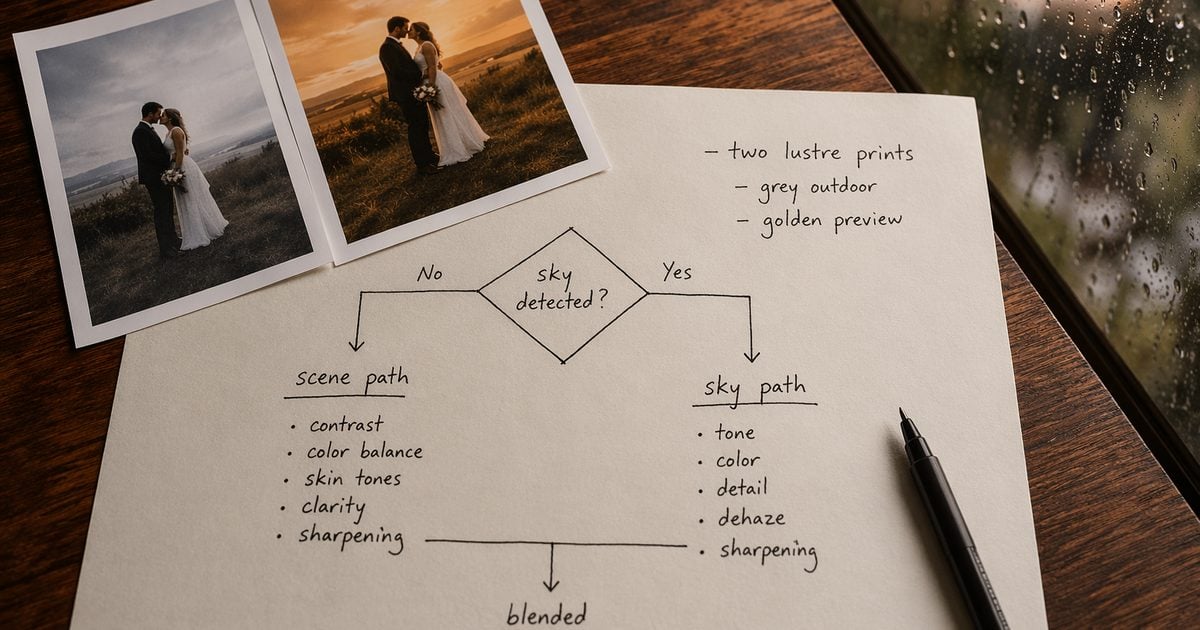
Decision gate: If the sky is not detected, sky tools will not save you—pick scene compositing or deliver honest indoor previews. Your wedding photo editing workflow starts with a two-column decision, not a preset hunt.
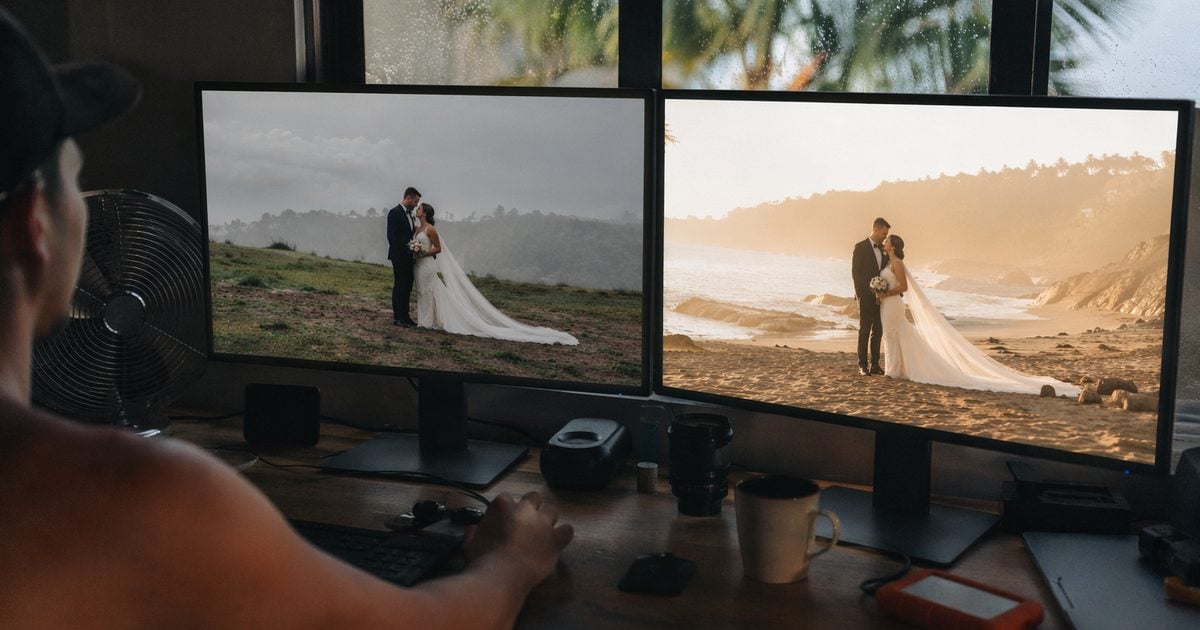
We run preview rescues on Evoto when folder labels and batch scope matter—because rain-day wedding photography editing is a production problem, not a one-hero flex.
Wedding Photography Editing: Sky vs Scene Decision Table
Rain-day wedding photography editing goes wrong when every frame gets the same treatment. Cull first. Route second. Batch third.
| Scene type | Sky detected? | Path | What you are doing | Illustrative min/frame |
|---|---|---|---|---|
| Outdoor portrait · sky >30% | Yes | Sky path | Outdoor preview rescue | 2–4 (AI batch) · 8–12 (manual mask) |
| Outdoor · sky behind trees/buildings | No / partial | Scene path | Background scene compositing | 4–8 (AI) · 12–18 (manual) |
| Indoor reception · messy background | N/A | Scene or crop | Scene pack / reframe | 3–6 (AI) · 10–15 (manual) |
| Stranger in hero frame | N/A | Retouch path | Distraction removal | 2–5 |
| Full gallery color unity | N/A | Color lock | Reference-frame matching | Batch · see delivery SLA guide |
Reshoot vs rescue (decision math—not drama):
| Option | Illustrative cost/time | Choose when |
|---|---|---|
| Mini reshoot (half-day) | €800–2,500+ · 4–6 week slip | Zero usable outdoor hero raws |
| AI-assisted 50 preview rescue | 8–12 post-hours · June 2026 | ≥10 usable hero raws |
| Honest indoor-only preview | 3–6 post-hours | Contract allows an indoor-first sneak peek |
| Manual-only rescue on 50 | ~14–18 post-hours | No batch tools · tight mask standards |
Pix Wedding aggregates 400–800 edited deliverables from 2,000–4,000+ raws on a long day—the 50 preview set is a slice, not the wedding. Bark cites 24–32 hours total post behind an 8-hour shoot; preview rescue is one chapter of that book.
Scene — Elen & James, Lake Como, overcast afternoon:
Forty-two outdoor portraits, sky a uniform sheet of grey. Hybrid contract: 50 previews in 72h. Elen wanted Tropical Garden warmth; James worried about “fake skies.” You cull to 50, tag 31 sky-path / 19 scene-path, run batches in 10-frame slices because the spare bedroom edit station has no AC, and the PortaSplit your assistant bought for home suddenly makes sense in your inbox stress dreams. 9.5 post-hours logged. Sneak peek out on hour 68. Full gallery timeline unchanged. The couple got summer; you got sleep.
Wedding Photo Editing Workflow: The 50-Image Preview Path
This wedding photo editing workflow is the seven-step path we reuse—pass standards included, because handoffs happen mid-job.
| Step | Action | Pass standard |
|---|---|---|
| 1 | Cull to 50 keepers | Blur / duplicates rejected |
| 2 | Split sky vs scene folders | Every frame path-tagged |
| 3 | Sky path batch | Sky-detected frames only |
| 4 | Scene path batch | No detectable sky |
| 5 | People cleanup on ≤5 heroes | Distractions gone |
| 6 | Reference still + preview look | Three skin tones checked |
| 7 | Export + client email | 72h SLA met |
Scope (50 preview frames only): Sneak peek · light retouch · not full gallery. Illustrative total: 8–12 post-hours (AI-assisted) vs ~14–18 (manual-heavy) · June 2026 studio log · one retoucher · Desktop · not an industry median.
Photography Life on culling is right: on a rain-day subset, selection often costs more than polish. Cull hard before you rescue anything.
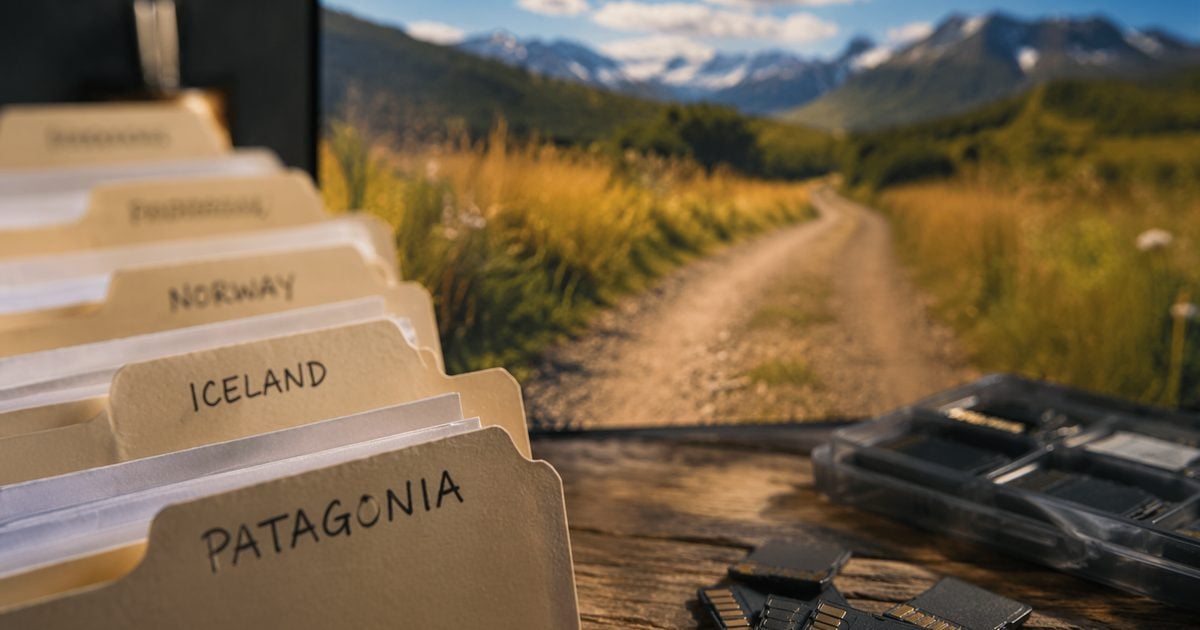
Set Up Your Preview Folder Tree (Copy-Paste Ready)
Create this once; reuse every grey-sky wedding:
/WeddingID_Preview/
  /01_sky_path/
  /02_scene_path/
  /03_hero_retouch/
  /04_color_locked/
  /05_export/
- Build the five folders at your project root—catalog, session, or DAM—fixed names so any retoucher can jump in.
- After cull, sort each preview into
01_or02_per the decision table. Suffix filenames_sky/_scene. - Export only from
05_export/.
Where AI-Assisted Tools Save Sitting Time (Manual vs Batch)
We compare manual finishing (hand masks, frame-by-frame polish) with AI-assisted batch paths on Desktop—not “Brand A vs Brand B.”
Desktop editors across the industry now offer generative sky swaps, background tools, and portrait stacks; if you are mapping that wider landscape, our review hubs compare feature categories neutrally: Lightroom vs Luminar vs Evoto. This section is what we run after routing—not a shopping list.
Cull: shrink the rain-day pile before you touch skies
What it does: Flags blur, duplicates, and exposure misses so you are not rating 180 rain-day raws one arrow-key at a time.
Quick steps:
1. Import the outdoor subset on Desktop.
2. Run AI culling.
3. Human lead confirms keepers—especially “only photo with the officiant’s reaction.”
4. Log the ratio; move to folder split.
Manual vs AI-assisted: Hand-picking ~180 rain-day raws into 50 often runs ~2.5–3.5 hours; AI-narrowed review commonly lands ~1–1.5 hours in our preview jobs—that hour back matters when sneak peek is 72h.

Sky path vs scene path: batch the route you already chose
Sky path — outdoor preview rescue when sky is detected:
1. Batch sky-detected frames only via outdoor preview rescue.
2. Custom sky assets ≤20MB where uploads are supported.
3. One path per file—do not stack sky and scene on the same image.
Scene path — background scene compositing when sky is not the fix:
1. Subject cutout + scene pack or custom plate via background scene compositing.
2. Character lighting blend when key light does not match the plate—manual tweak expected.
3. Batch in 10–15 frame slices if the machine thermally throttles.
Manual vs AI-assisted (50 preview · illustrative studio log):
| Path | Manual mask / composite | AI-assisted batch |
|---|---|---|
| 28 sky-path frames | ~3.5–5.5 h | ~45–75 min |
| 22 scene-path frames | ~4–6 h | ~90–120 min |
| ≤5 hero retouch | ~45–90 min | ~25–45 min |
Hand-masking every edge at 200% zoom is valid craft—it just does not fit a 72h fifty-frame promise unless you priced a rush fee.
Color lock + portrait QA: one hero still, fifty previews that match
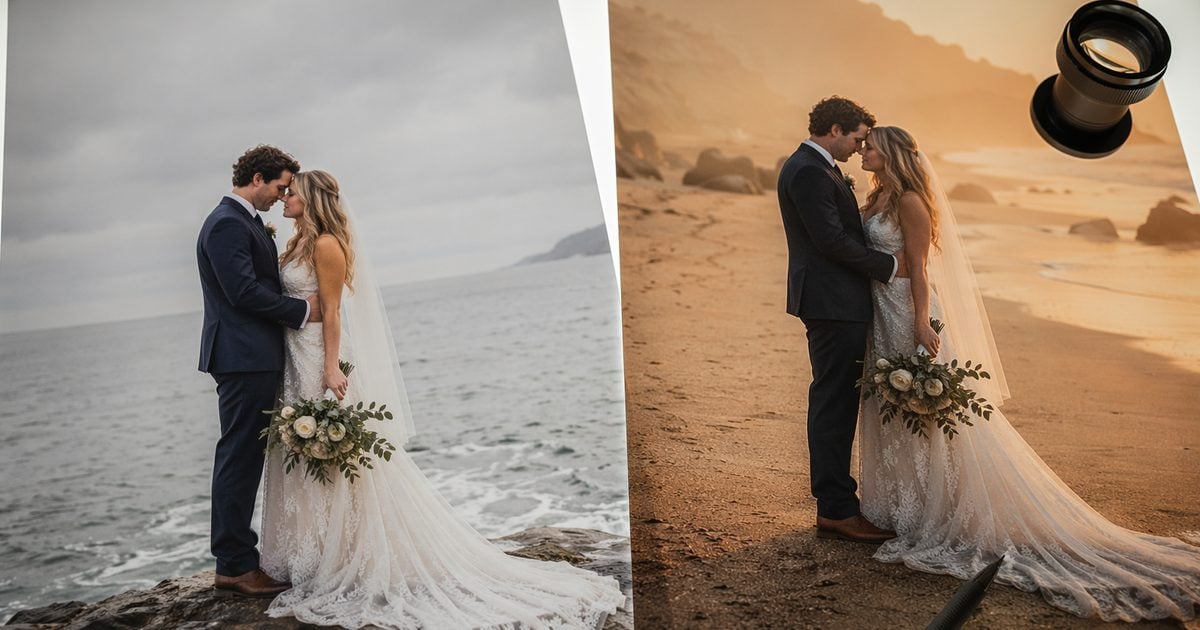
What it does: AI Color Transfer matches preview selects to one reference still; portrait retouching syncs skin on the same faces across the set; people removal handles ≤5 distraction heroes.
Quick steps:
1. Lock one reference after path batches.
2. Match the 50 preview selects to that still.
3. Spot-check three skin tones.
4. Retouch exceptions only— not another full pass on all 50.
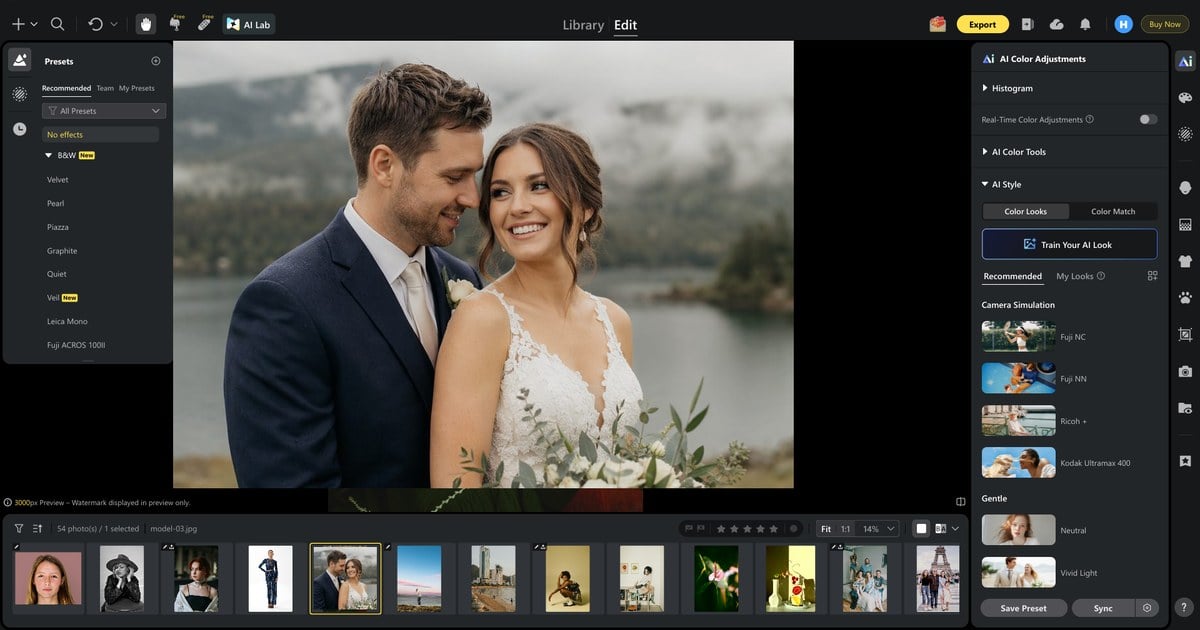
Manual vs AI-assisted: Hand-grading 50 previews to match one hero often runs ~2–3 hours; reference-frame batching with exception queue commonly lands ~45–75 min in our June tests.
For the full portrait and color map, see the AI Photo Editor hub.


Powerful AI Photo Editor
Golden Beach, Tropical Garden, Rooftop Glow—Preview Looks Without a Reshoot
Couples sell summer in the booking consult; clouds sell dishwater on the day. Golden Beach Haze, Tropical Garden, and Rooftop Golden Glow are preview targets we tag at cull—not promises for all 2,400 raws during sneak-peek week.
- Scene pack or custom plate on scene-path frames only.
- Lighting blend where the couple’s key light fights the plate.
- Skip optional foreground layers on most previews—save sitting time.
- Full-gallery rescue waits for color lock on the keeper set, not preview panic.
Client Scripts: Rain-Day Preview Without Over-Promising
Paste into CRM canned responses or a Notion Rain-day scripts page.
Proactive (shoot + 24h):
“Thanks again for yesterday. Sneak peek may lead with indoor moments while we cull outdoor sets. Some outdoor previews may include background enhancement where weather flattened the sky—we’ll note that at delivery. Full gallery timeline stays [date] per contract.”
Delivery (72h):
“Your 50 preview frames are attached. Full gallery remains [date]. Reply with three favorites so we align the hero look for the rest of the folder.”
Pushback (client wants every outdoor frame re-skied):
“Preview rescue covers the contracted 50 selects. Re-skying the full gallery is separate scope—we can quote after color lock on keepers.”
Name preview count, look standard, and reshoot triggers in contract language. For sneak-peek and full-gallery calendar fields, use our how long do wedding photos take to get back checklist as the delivery-timeline reference.
When Your Edit Room Runs Hotter Than the PortaSplit Queue
Shoppers camp outside appliance stores for PortaSplit because sleep matters. Your wedding photography editing queue cares about sitting time—and a throttling GPU eats both.
| Signal | Workflow tweak |
|---|---|
| Laptop thermal throttle | Sky/scene batches of 10–15 · export at night |
| No fixed AC (common in EU) | Scene batches in morning cool hours |
| Back-to-back heatwave weeks | Hold 72h preview · full gallery +1 week per SLA |
Think of it like this: they are optimizing bedroom temperature. You are optimizing repeatable routes so you are not hand-masking the same grey sky twice because the first pass picked the wrong path.
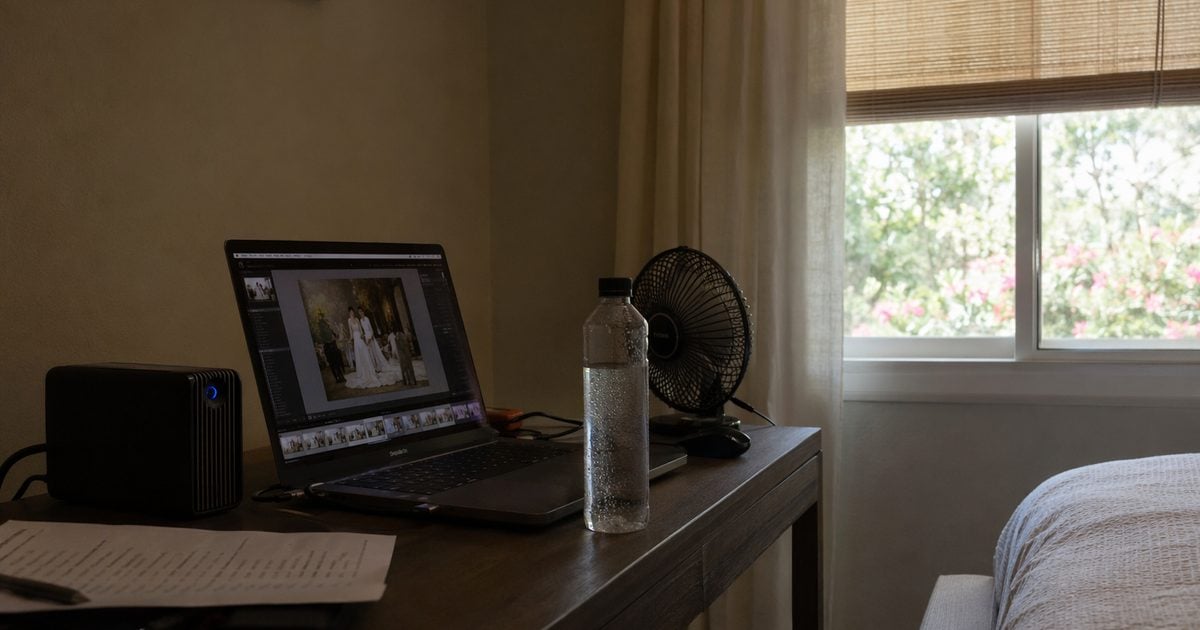
Rain-day wedding photography editing does not have to mean a reshoot—if your wedding photo editing workflow picks sky vs scene at cull and exports only from 05_export/.
If you have not batch-tested a preview rescue folder on Desktop yet, download Evoto and run fifty frames through one sky path and one scene path before you promise 72h.
Powerful AI Photo Editor
If you are batching preview rescue on Desktop this summer, Evoto pricing lists current plans.
FAQ
1. Rain-day wedding photography editing—sky path or scene path first?
Cull first; route per frame. Sky path when sky is >30% of frame and detected. Scene path when sky is blocked or the whole background fails. Retouch path for distractions—not sky problems.
2. How many post-hours should a 50-image preview rescue budget?
Illustrative June 2026: 8–12 hours AI-assisted · ~14–18 hours manual-heavy · light retouch · dual paths · color lock. We logged 9.5 hours once (28 sky / 22 scene). Full-gallery delivery hours are a separate planning topic from this 50-frame preview scope.
3. When is a reshoot cheaper than post-rescue?
Rarely in preview week. Studio reshoot models run €800–2,500+ (illustrative) plus 4–6 weeks slip. Rescue wins with ≥10 usable hero raws and hybrid 72h already sold.
4. Manual finishing vs AI-assisted batch—for a 50-frame sneak peek?
Both can deliver quality; the difference is sitting time. Manual mask work on 50 previews under 72h commonly runs ~14–18 post-hours in our logs; labeled folders + AI-assisted sky/scene/color batches landed ~8–12 (one test: 9.5 h). Pick the path that matches what you sold—and what your calendar can hold.
5. Full gallery rain rescue—same workflow as preview?
No. Preview = 50 frames · this post. Full gallery = selective rescue on flagged sets plus full checklist color lock—not scene compositing on every raw.
6. Indoor-only sneak peek—will clients accept it?
Often yes with a proactive script, indoor-first hybrid tier, and outdoor rescues on the full-gallery timeline. Document background enhancement where compositing applies.
7. Golden Beach / Tropical Garden—scene pack or custom plate?
Scene packs ship faster in preview week. Custom plates, when the brochure shows a specific venue look, budget extra QA per frame.
8. Does the wedding photo editing workflow change in peak season?
Steps stay the same; calendar tightens. Preview 72h holds; full gallery may need +1 week in heat stacks.
9. Why does the outdoor preview rescue skip some outdoor frames?
Tools that require detected sky skip occluded frames—that is, a routing cue to scene path, not a reason to panic.
10. Sky path and scene path on the same image?
No. One path per file. Double-processing costs hours and often adds edge artifacts.
11. Does Evoto use my wedding photos for AI training?
Evoto’s Privacy Policy states that Your Content is not used to train generative AI models without your explicit opt-in consent. Personalized AI Look training, if you use it, relies on images you upload for your own Look—not on client galleries by default. Rain-day raws imported for culling, sky rescue, or scene compositing are not public training data under default policy terms.
12. Is rain-day compositing ethical for wedding clients?
Compositing for client delivery is a disclosed production choice—not documentary journalism. State in contract or delivery notes that previews may include background enhancement where weather flattened the outdoor light. Obtain venue and couple permissions your jurisdiction requires (GDPR/CCPA, where applicable). You control which frames export and which look standard you sell.
13. Is AI culling safe for wedding client privacy?
Culling sorts and flags—it does not rewrite pixels like compositing or retouch tools. If a venue contract restricts cloud processing, read Evoto’s privacy terms before uploading. When in doubt, cull locally and run rescue paths only on the approved keeper set.
14. Is the AI people removal tool ethical in wedding photos?
Use it for distraction removal on hero frames—not for erasing guests who matter to the story. Offer uncropped alternates when appropriate. Complex occlusion still needs manual QA; do not promise invisible removal on every frame.
Methodology & Author
Author: Evoto Editorial Team — wedding post-production editors
Experience basis: illustrative rain-day preview model · Elen & James scene composite · June 2026 timer test · 50-image light-retouch scope
Market context: Bark post multiples; Pix Wedding image counts (secondary); Photography Life culling; CNN Jun 2026 heat/AC reporting
Limitations: outdoor preview rescue requires detectable sky; production preview batches require Evoto Desktop; manual vs AI hours are illustrative studio logs, not industry medians; tool comparison links describe feature categories—not rain-day routing
Last reviewed: 2026-06-28



