

Photography is an ever-evolving art, and mastering the craft requires both practice and knowledge. Whether you’re a beginner or looking to improve photography skills, these five tips will help you improve and refine your techniques. Let’s dive into how you can take your photography skills to the next level!
1. Enhance Your Photography Aesthetic
Improving your photography aesthetic is essential to creating visually appealing images. One great way to achieve this is by exposing yourself to various photography styles and understanding what makes a photo visually compelling.
- Photography Magazines: Reading photography magazines like Professional Photo and Photo can be an excellent way to stay updated on the latest trends, techniques, and inspiration. These magazines feature works by top photographers and discuss the technical aspects that make their images stand out.
- Image Websites: Platforms like Pixabay and Getty Images offer high-quality, curated photos that can help you learn about composition, lighting, and framing. By studying these images, you can identify patterns and understand how professional photographers approach different genres of photography.

By constantly engaging with such sources, you’ll naturally begin to enhance your photography style and aesthetic.
2. Learn More About Photo Editing
Understanding how to enhance your photos in post-processing is a crucial step in improving your photography skills. Learning how to edit images effectively allows you to transform a good photo into a great one.
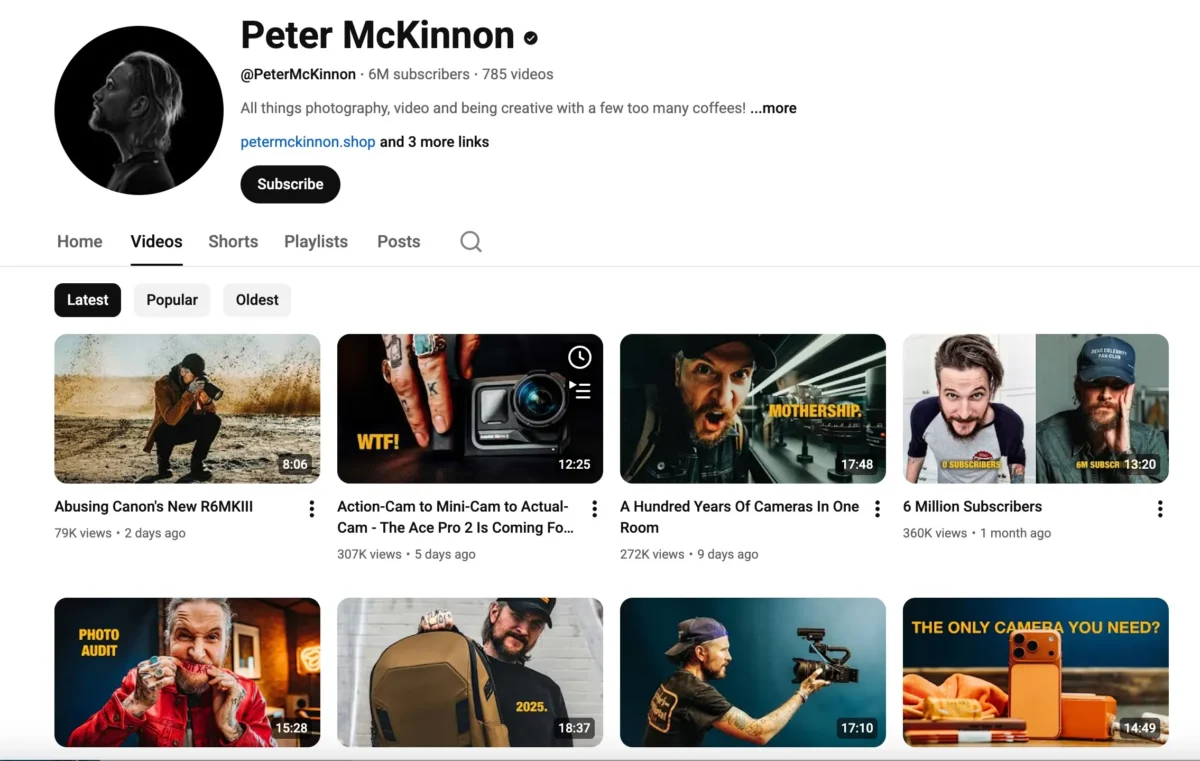
- YouTube Tutorials: There are countless online tutorials to help you master photo editing. Channels like Peter McKinnon’s YouTube channel are fantastic for beginners and advanced photographers alike, providing in-depth tutorials on various editing techniques.
- Photography Blogs: For more detailed advice and tips on photo editing, blogs can be an excellent resource. One standout resource for learning editing skills is Evoto’s blog. It covers a wide variety of topics, from basic photo editing tips to more advanced techniques, making it a perfect place to improve your photography editing skills.

By dedicating time to learning photo editing through videos and blogs, you’ll greatly enhance your photography editing skills.
3. Learn to Use Photo Editing Software
Mastering photo editing software is a game-changer for any photographer. Two popular tools that can significantly enhance your photography are Photoshop (PS) and Evoto.
- Photoshop (PS): Photoshop is the industry standard for photo editing. It offers an array of powerful tools that allow you to manipulate images down to the smallest detail. Its versatility makes it suitable for every type of photographer, whether you’re retouching portraits or enhancing landscapes. However, Photoshop has a relatively high learning curve, requiring a significant time investment to master, and its image editing workflow is quite complex. Therefore, we need software like Evoto to help us streamline this process.
- Evoto: Evoto is an AI-powered photo editing software that simplifies the process, making it perfect for both beginners and professionals. One of the biggest advantages of Evoto is its automation features, which speed up workflows, especially when handling large batches of photos. With its intuitive interface and smart tools, Evoto helps photographers edit images quickly without losing quality. Evoto includes numerous features to assist photographers in completing image editing tasks quickly, such as AI Color Match, AI Skin Retouching, and AI Background Remover.
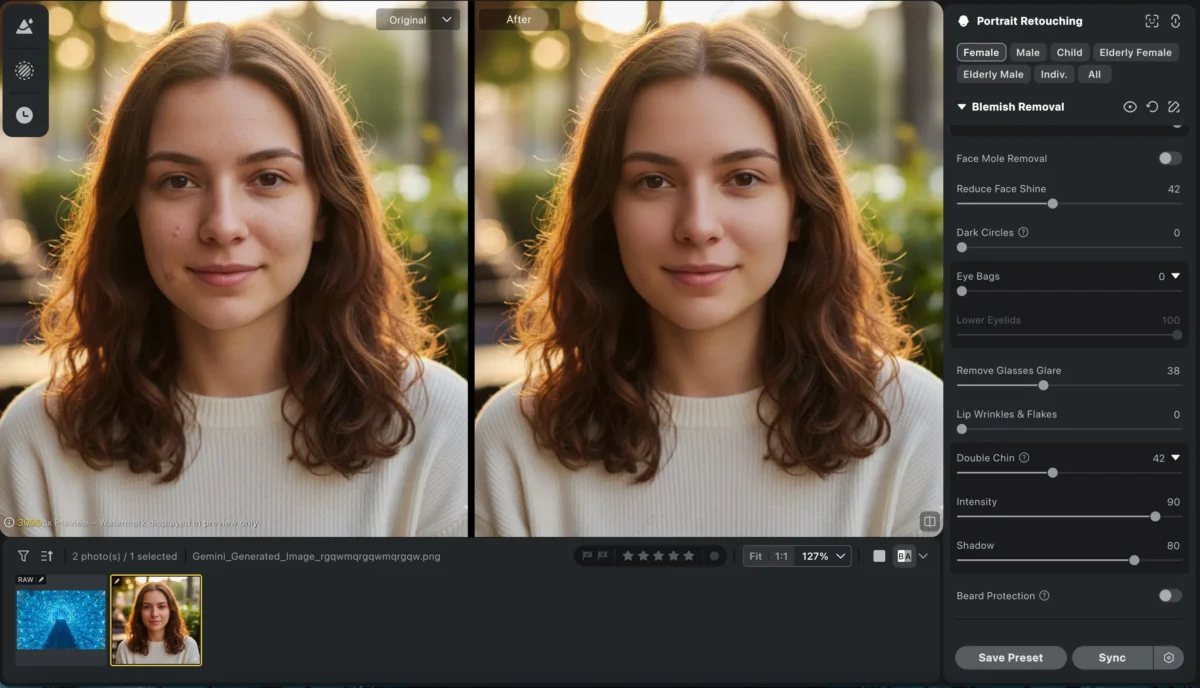
By mastering both Photoshop and Evoto, you’ll be able to tackle any photo editing task and elevate your photography improvement journey.


Powerful AI Photo Editor
4. Shoot in RAW Format
One of the most important tips to improve your photography is shooting in RAW format. RAW files contain all the data captured by your camera’s sensor, offering a higher level of flexibility in post-processing.
- Benefits of RAW Format: Unlike JPEG, RAW format allows you to adjust exposure, white balance, contrast, and other settings without losing quality. This is particularly useful when recovering details from shadows or highlights in difficult lighting conditions.
- Editing RAW in Evoto: Evoto’s AI editing engine can non-destructively read this RAW data, automatically optimizing exposure, white balance, color, and noise, while also allowing for fine adjustments to contrast, levels, and color grading, achieving high-fidelity image quality and accurate colors. Even in complex lighting or high dynamic range scenes, it easily recovers shadow and highlight details. For photographers, this means they can achieve professional-quality photo processing with fewer steps and in less time, fully unlocking the potential of RAW images.
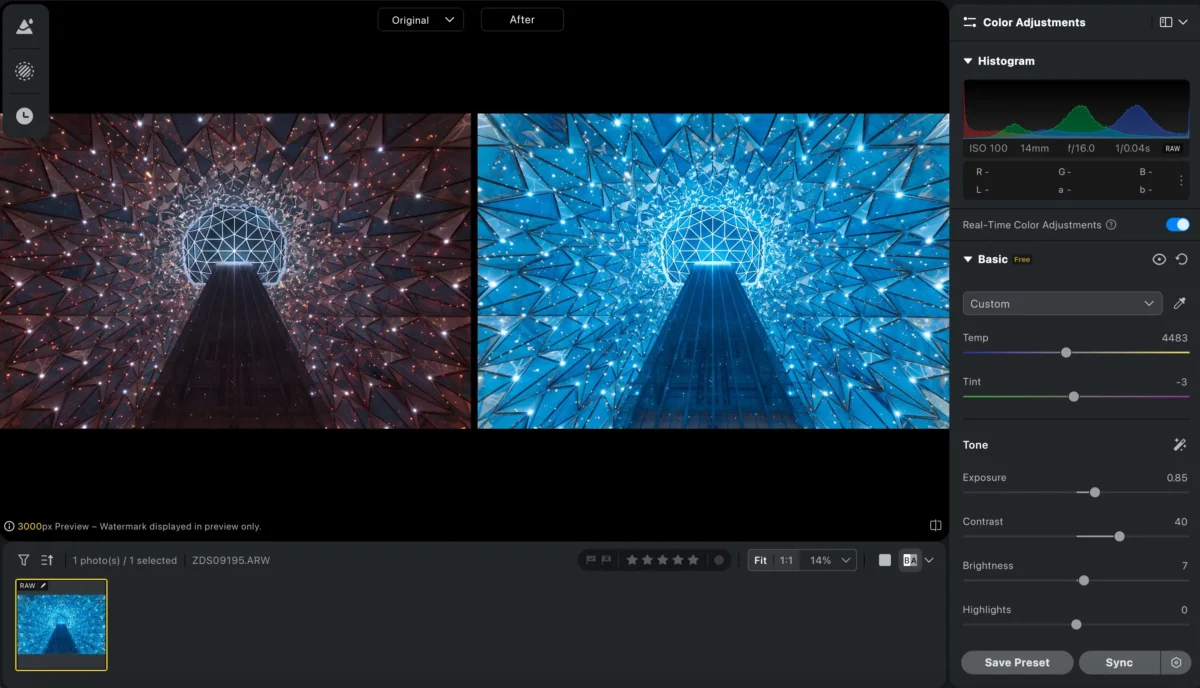
By shooting in RAW format and leveraging Evoto’s editing capabilities, you can improve the quality and flexibility of your photos.
Powerful AI Photo Editor
5. Learn to Use Presets
Using presets is an excellent way to speed up your editing process while maintaining consistency across your images.
- Benefits of Using Presets: Presets are pre-configured settings that can apply to your images to quickly achieve a desired look or style. They save you time and effort, especially when you have a large batch of photos to edit.
- Using Presets in Evoto: Evoto comes with a range of built-in presets that are easy to apply to your photos. Plus, you can save your own custom presets to the cloud, allowing you to access them anywhere. This feature is particularly useful for photographers who want a quick and consistent editing process.
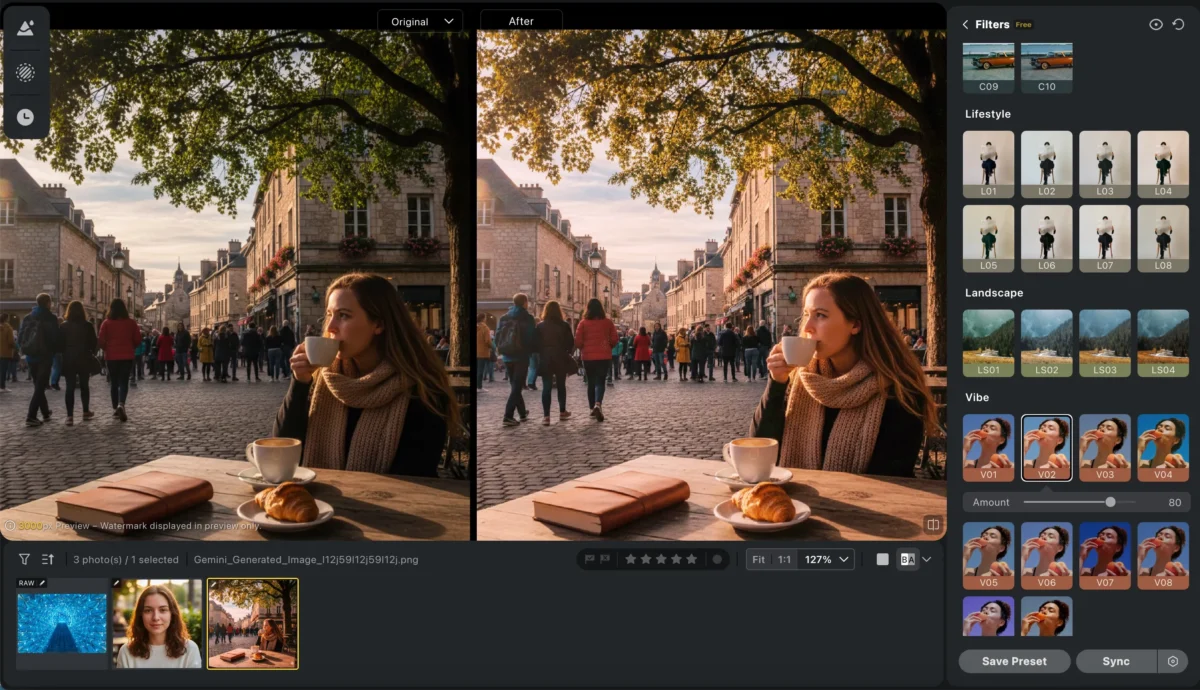
By incorporating presets into your editing workflow, you’ll enhance your photo editing tips and speed up your photography improvement process.
Conclusion
Improving photography skills takes time and dedication, but by following these tips, you’ll see significant improvements in both your shooting and editing techniques. Whether you’re enhancing your aesthetic, learning editing software, shooting in RAW, or using presets, each of these steps plays a crucial role in enhancing your photography skills development.
To take your photography even further, try using Evoto AI to streamline your editing workflow and get professional results quickly. With the right tools and continuous learning, you’ll soon be taking your photography to new heights!
Try Evoto AI Photo Editor
Retouch photos with Evoto AI and make your photos best! Available on Windows, MacOS and iPadOS.



