

Your Discord already has a channel named after the joke. Your group chat already has the reaction face. Learning how to make stickers at home is how that energy leaves the phone and shows up on an ita bag, a scrapbook or pin board journal, a trade-table freebie sheet, or a Telegram pack link your mutuals actually add.
TL;DR
- Make a sticker master from your photo or original fanart, export a normal transparent PNG, then choose Discord, Telegram, print, scrapbook, or offline trades.
- Matching packs spread faster than one random JPEG. Bias colors and outline weight matter.
- Printable sheets fuel cupbase swaps, doujin tables, and queue freebies; kiss-cut sheets peel clean for handouts.
- Your own photos and drawings are safest; official IP needs permission if money is involved.
Fandom already taught people how to speak in stickers. BLACKPINK-era pink-and-black desk setups, BTS anniversary binder spreads, Stray Kids concert D-1 countdowns, Taylor Swift Eras Tour scrap pages, Demon Slayer and Jujutsu Kaisen fan tables, Genshin Impact sticker sheets at cons. The culture is loud even when the printer is small. Evoto helps you build the file from a real photo; you decide whether it lives in a server, a zip bag, or both.
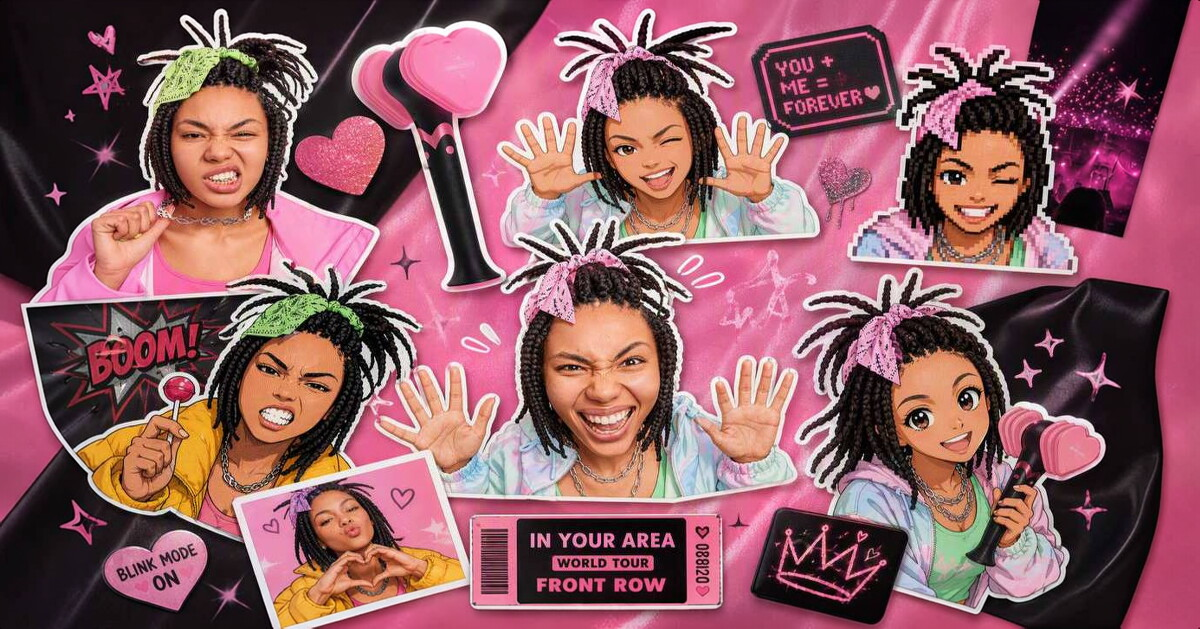
A quick reality check before the romantic montage: naming a franchise in this article is about search language and culture, not a license to rip official art. Agencies and studios own their marks. Your selfie in concert light, your cosplay, your original sketch: that is the lane this workflow loves.
When you are ready to make the master, open Evoto, or download Evoto if you prefer the desktop install, and treat the next section like a crafting stream. Imperfect first sheets are part of fandom lore.
Open Evoto’s Photo to Sticker Maker, upload a fan-forward photo you have rights to use, and export a PNG before you print or upload anywhere.


Powerful AI Photo Editor
How to Make Stickers at Home (Fandom-Ready Workflow)
Step 1: Pick Source Material the Community Will Recognize as Yours
Good inputs: a clear bias selfie after makeup, a cosplay close-up, a pet the server already calls a mascot, or a photo of fanart you drew. Soft far-away stage shots rarely survive as tiny stickers, even if the setlist was legendary.
Skip scanning official photocards, lightstick logos, or studio key art for commercial sheets. Even for “just Discord,” prefer photos you took or art you created. Copyright does not evaporate because the file is cute.
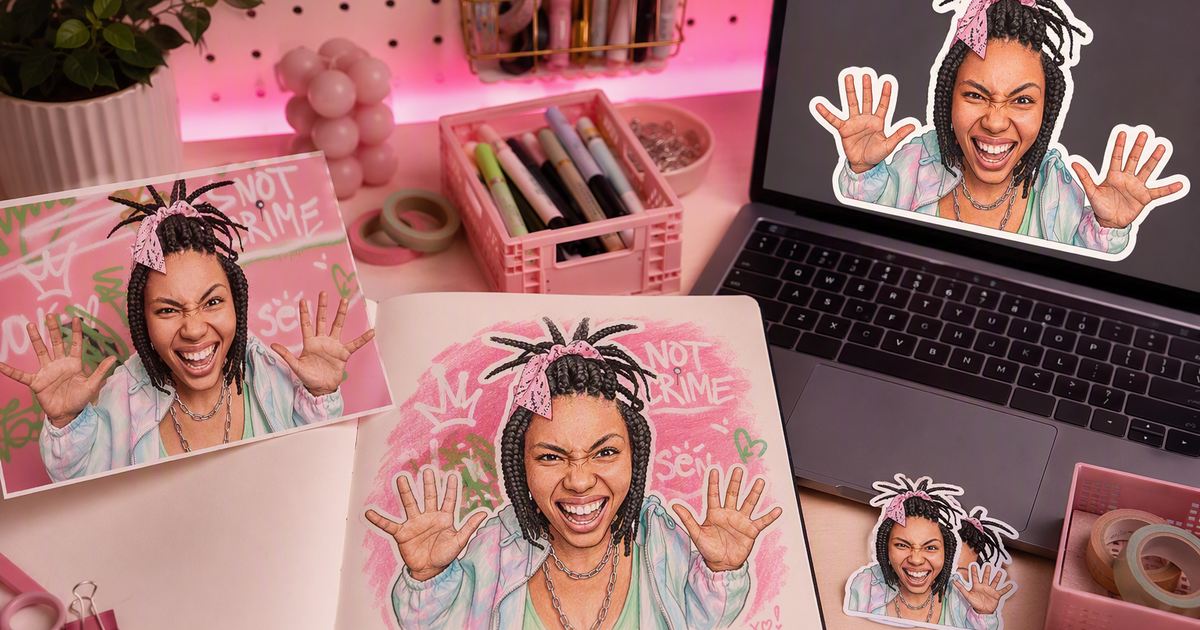
Step 2: Generate a Look That Matches Your Lane
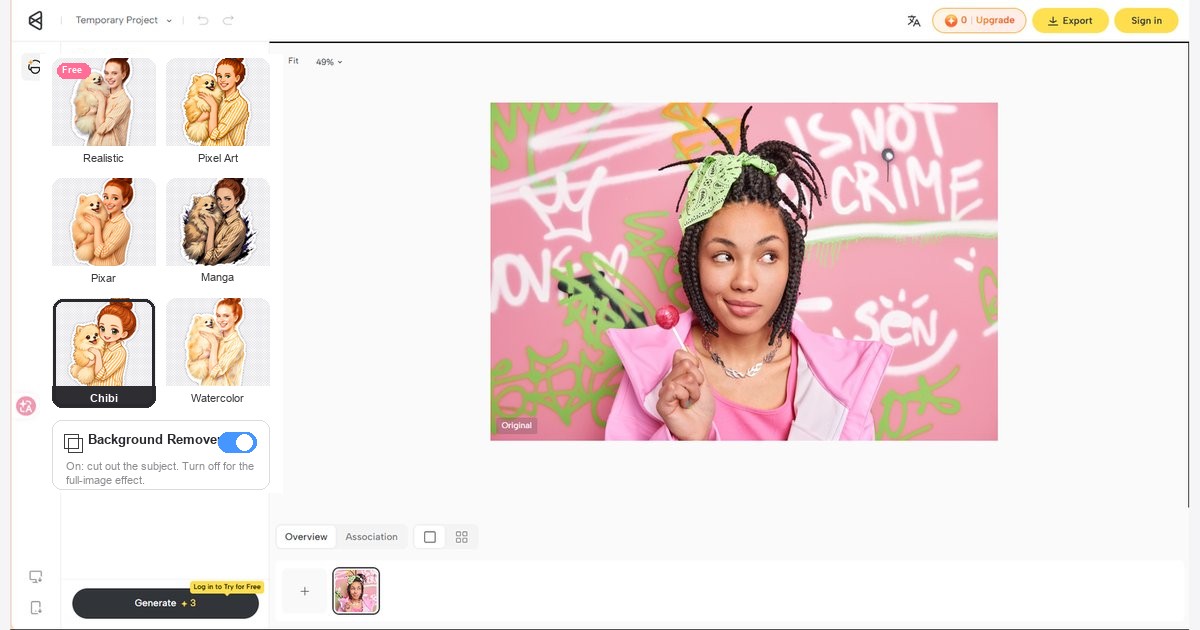
Go to Evoto Sticker Maker. Realistic cut-outs suit “this is literally my concert face.” Stylized Anime-inspired or illustration looks suit sticker walls that echo anime desk culture or pink-black stage energy without copying a trademarked logo. Leave “Background Remover” on for floating chat stickers and die-cut-style collage pieces; turn it off for soft gray square stickers that become seals, branding inserts, and journal badges: crisp edges, maximum print area, square or lightly rounded corners.
If you want the slower browser recipe for every control name, keep How to Make Stickers from Photos for a second sitting. Tonight, one strong master is enough.
Step 3: Export the Master, Then Choose an Exit Ramp
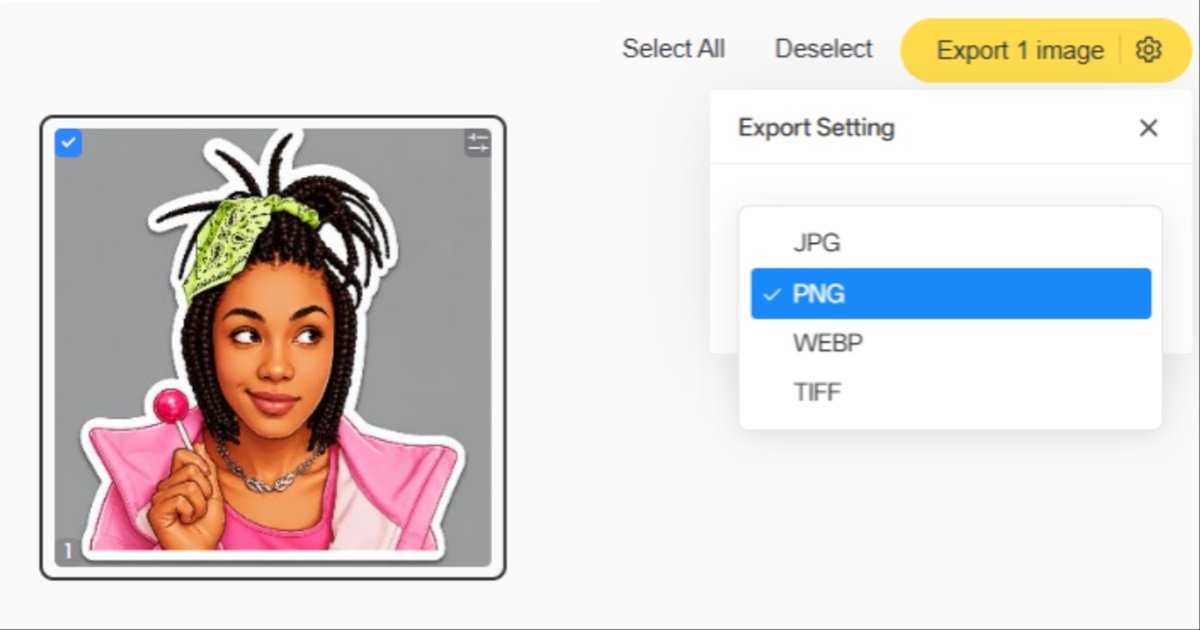
Use “Export” as a normal PNG so transparency survives print, scrapbook collage, and chat alike; that is the everyday sticker format, not a special wrapper. Some stylized options may require a paid plan or in-app balance; check the live note, then finish the file. From here, the roads split: community packs, printable sheets (die-cut singles or kiss-cut packs), or a print shop you hire yourself. Evoto does not manufacture stickers or ship parcels.
Unify edge lengths later with Image Resizer when a server demands exact pixels.
Fandom Sticker Ideas: What Actually Spreads
Stickers raise visibility when they are repeatable. Anyone practicing how to make stickers at home learns fast that a matching outline becomes a calling card in busy channels. A freebie sheet at a trade table starts conversations a silent photocard stack cannot.
Reaction and Bias Packs
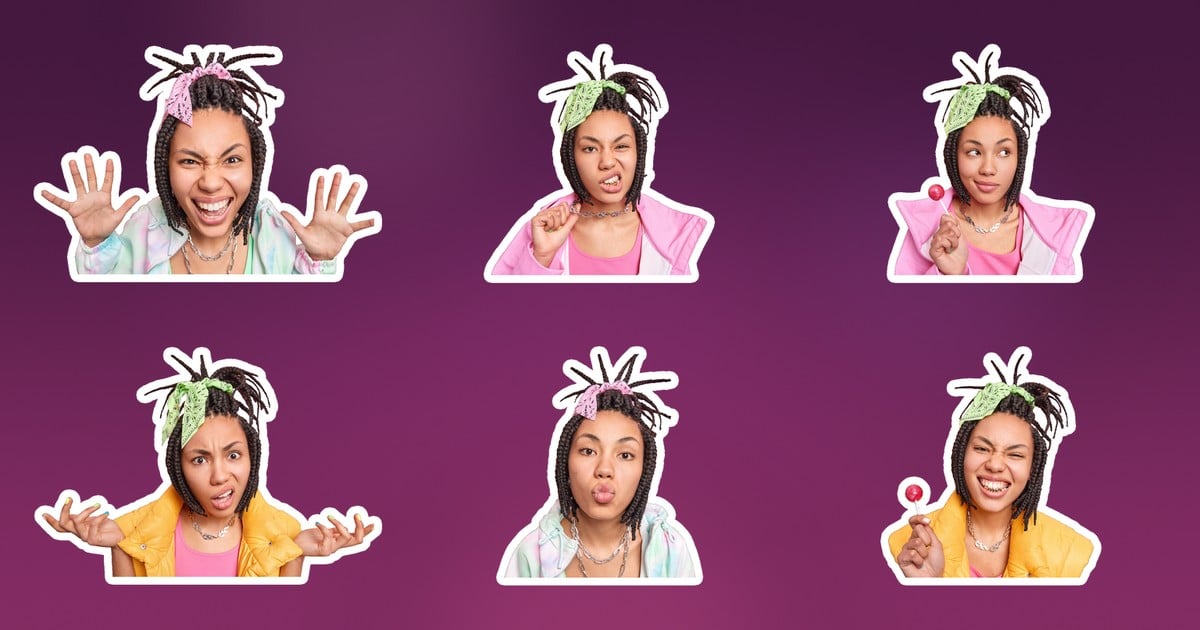
Build six emotions: scream, protect, clock out, hyped, soft, deadpan. K-pop spaces, whether someone is flying a BLACKPINK-inspired color desk, a BTS anniversary moodboard, or a Stray Kids concert countdown, often unify packs with bias colors so replies feel branded without fake “official” stamps. Anime and game servers (think Demon Slayer fan tables, Jujutsu Kaisen sticker circles, Genshin Impact con freebies) do the same with character-mood faces drawn by you or styled from your cosplay photos, not ripped from studio assets.
Taylor Swift Eras Tour scrap cultures and Western pop fandoms use the same trick: consistent visual language beats one viral JPEG that never gets a sequel.
Photocard and Envelope Sealing Stickers
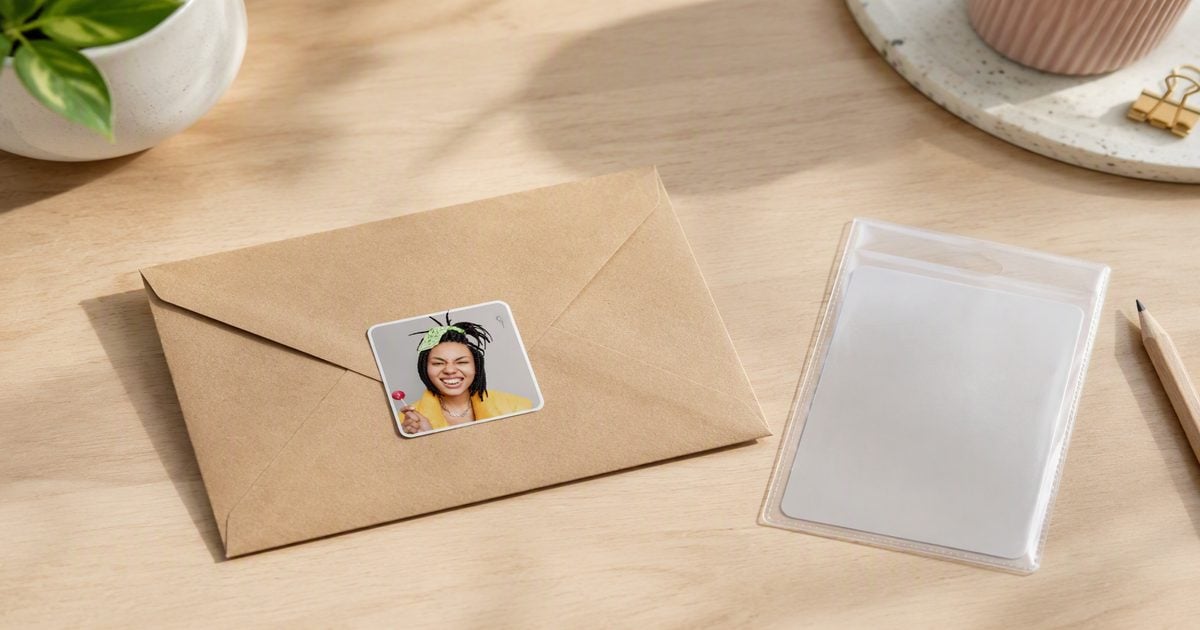
Trading culture loves finishing details. Soft gray square stickers, crisp edges, maximum print area, available with square or rounded corners, become envelope seals, packaging inserts, and “from my trade stack” marks. They photograph well in haul posts and make fan mail feel intentional, especially when you are swapping photocards after a comeback week or anniversary drop.
Concert Lines, Cupbase, and Offline Trade Tables
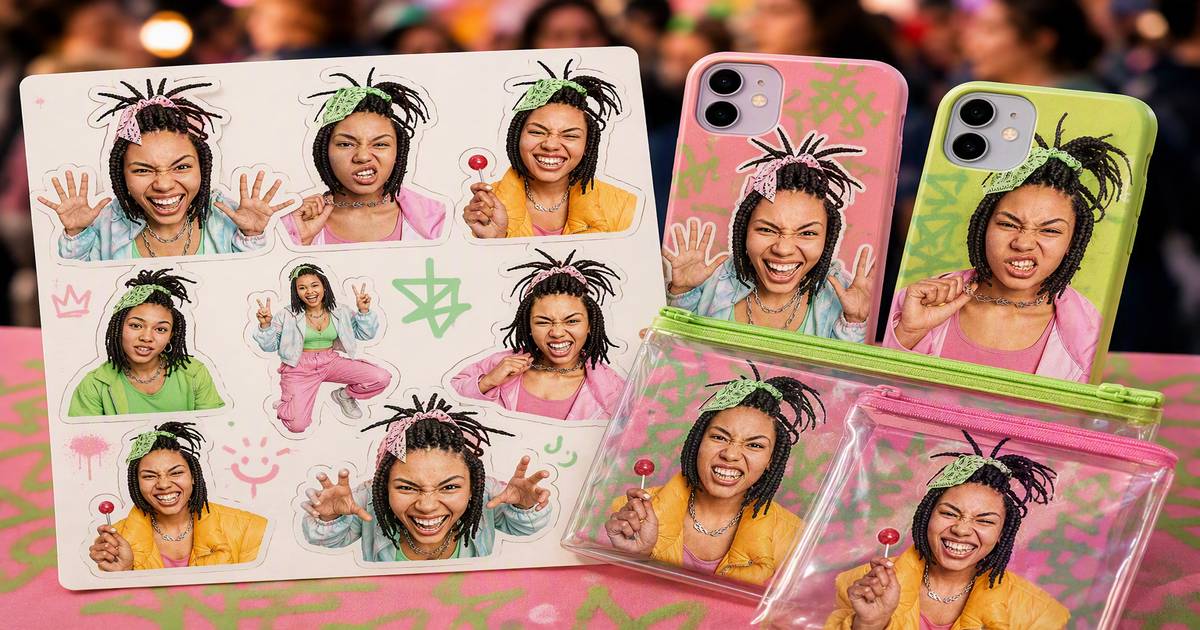
Offline is where how to make stickers at home pays rent. Print a sheet before Cupbase exchanges, album-signing queues, doujin tables, or campus club booths. Hand someone a freebie, and you earn a chat invite faster than a business card.
Keep a small legend in the bag: handle, “fan-made / not official,” and content notes for mature doujin art. Polite labeling builds trust, and trust spreads your name through the next table over.
Ita Bags, Scrapbooks, and Pin Board Journals
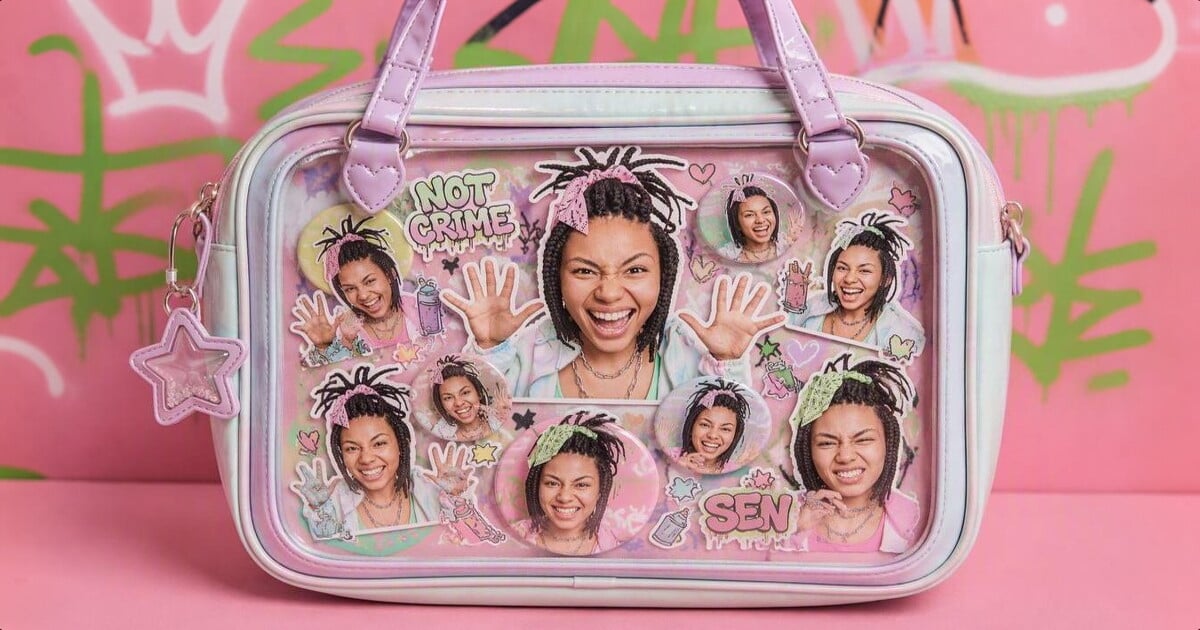
Ita bags (those clear-window display bags fans load with badges and photocards) are sticker magnets, edges, straps, and insert cards; all welcome small prints. Scrapbook stickers belong on binder anniversary spreads, pin board journals, Eras-tour scrap pages, and desk moodboards, the same creative lane as hand-lettered pages and photo collage, not just chat reactions. Laptop lids get the same treatment. Lean into anime sticker-wall aesthetics or pink-black stage energy if that is your lane, without printing trademarked logos or idol faces you do not have rights to sell.
Creator Loops and Server Utility Stickers
Some fans fund convention weekends with original-art sheets. That is real, and a copyright cliff if you sell unlicensed IP. Mods also use stickers for welcome messages, rule reminders, and event RSVPs so channels stay active between comebacks.
Creative application checklist
- Bias reaction pack
- Pairing/joke pack for friends-only chats
- Concert D-1 countdown seals
- Trade envelope seals
- Doujin table freebie sheet
- Server role-color stickers
- Pet “mascot of the fandom”
- Fan-mail thank-you seals
- Stream overlay corner stamps
- Scrapbook/pin board journal spreads
- Ita bag edge and insert décor
- Cupbase “nice to meet you” mini sheet
Powerful AI Photo Editor
How to Make Discord Stickers from Your Fan Photos
Discord stickers behave like oversized emoji inside servers. Public upload guidance typically calls for about 320 × 320 PNG within a modest size cap, plus permission to manage expressions. Confirm details on Discord’s guide to creating and uploading stickers when you are ready to click upload, after your Evoto master exists.
Resize the PNG to 320 with Image Resizer, leave a transparent margin, then upload with a clear name and emoji tag so search works. Same outline weight across the set reads as one fandom language in a crowded sidebar.
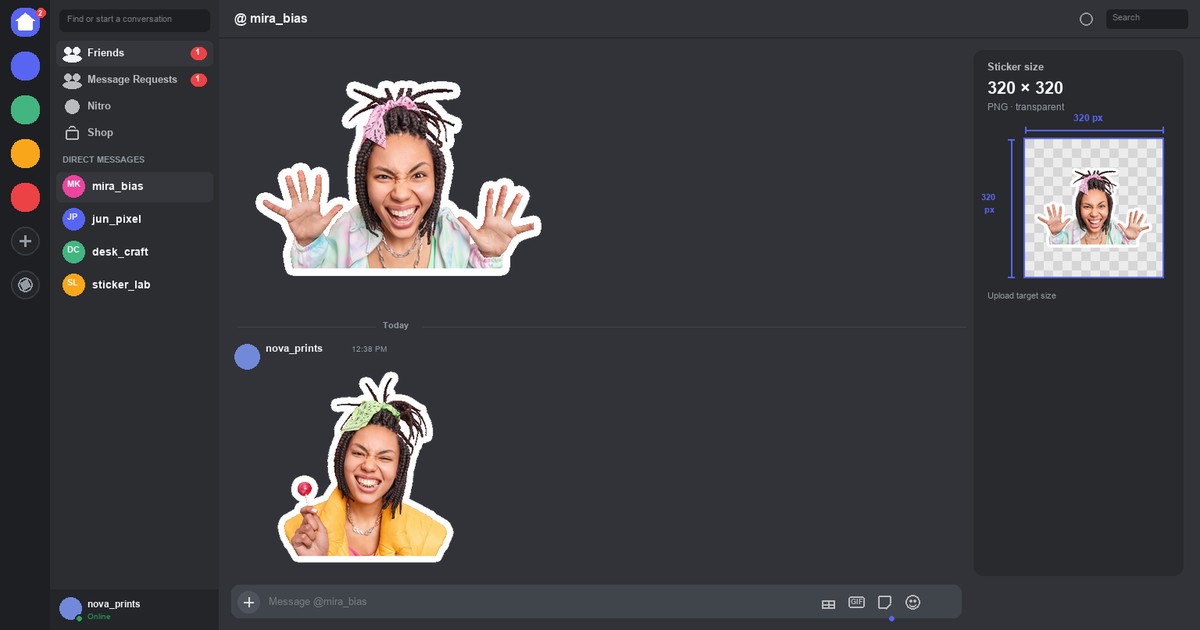
How to Make Telegram Stickers for the Group Chat
Telegram packs travel as shareable links, perfect for fan groups that live outside Discord. Open the official @Stickers bot, start a pack, send PNGs, assign emojis, publish, and drop the link in your chat. Same Evoto master; different canvas and bot flow.
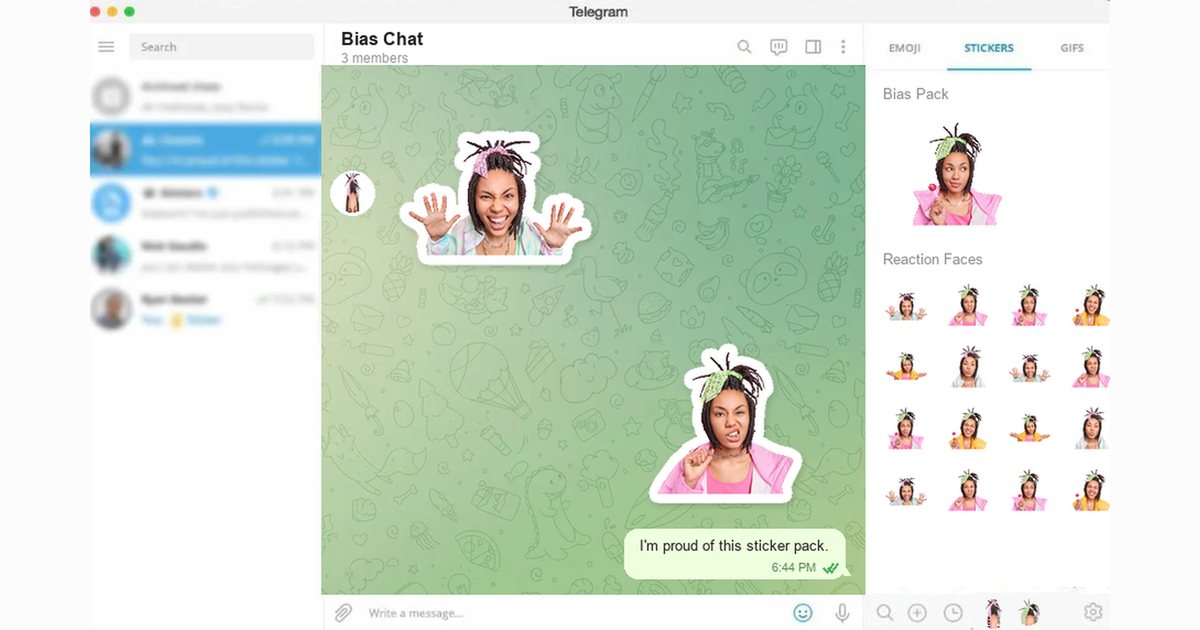
For Telegram’s own sticker overview and pack culture notes, see Telegram’s stickers blog post; then follow the live prompts inside the official @Stickers bot.
Printable Sticker Sheets and Home Printing for Trades
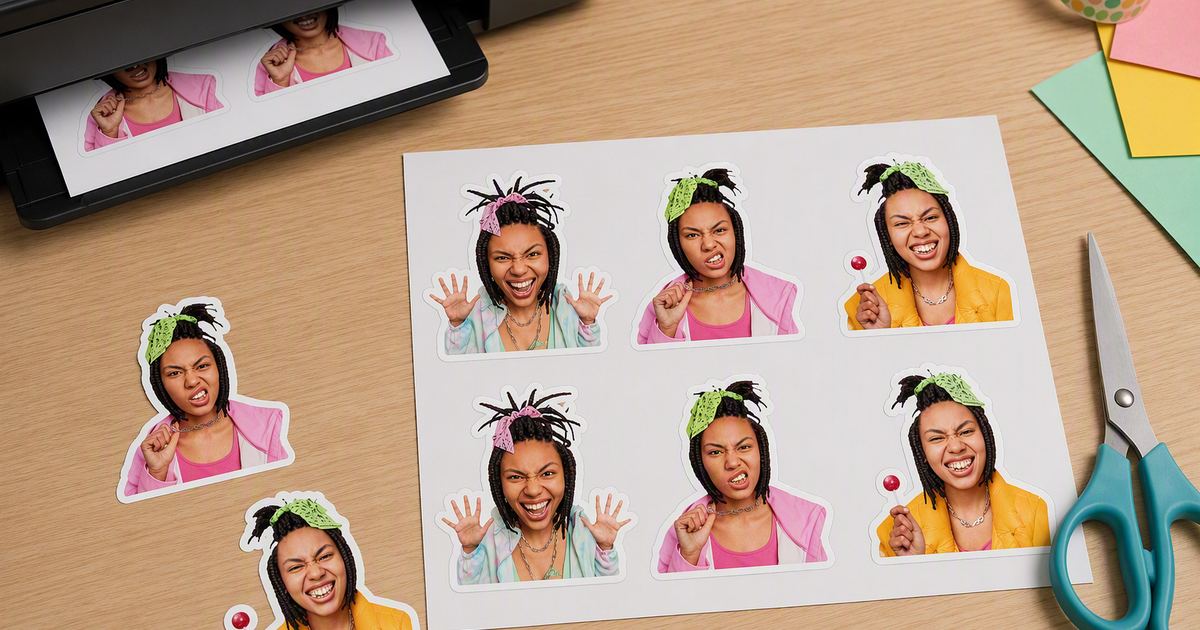
Use printer-matched sticker paper. Arrange a printable sticker sheet with even gutters so cutting stays sane. Test on plain paper first. This is where how to make stickers at home leaves the chat app and becomes a craft table habit.
When you DIY custom stickers, two cut styles matter:
- Die-cut stickers follow the outline of the art, great for single custom stickers that look store-bought once peeled.
- Kiss-cut stickers sit on a backing sheet: easy to peel, easy to hand out, ideal for sticker packs and retail-style freebie stacks.
Optional laminate helps bottles and outdoor bags; indoor trade freebies often skip it. Evoto supplies digital artwork only. If you hire a shop, ask for bleed, cut type (die cut vs kiss cut), and color-profile notes before you order hundreds of a design you might revise after the next comeback.
When transparency still feels slippery after a bad export, read How to Make a Transparent PNG. If you only need a plain cutout without sticker styling, open PNG Maker.
WhatsApp Fan Chats
WhatsApp groups use different canvas rules. Follow How to Make WhatsApp Stickers from Photos when that is the main room your fandom occupies.
Other Tools Fans Mix In
Once the how-to and tips above are clear, a short tool map helps if you are comparing options, not as the main recommendation.
- Picsart and similar mobile editors: fine for quick social stickers; packs can look template-y.
- Canva: handy for sheet layouts and text badges after you already have cut-outs.
- Prompt-only AI sticker sites: invent new characters from text; weaker when you need your own face or cosplay.
- Phone gallery cutouts: emergency one-offs, weak consistency across a full set.
- Print-shop upload portals: bulk physical runs after you supply a master; they do not fix copyright.
Evoto still fits this article’s job best when the sticker must stay anchored to your real photo, keep a clean outline, and export a sharp PNG you can resize for Discord or line up on a printable sheet. Many fans mix tools anyway. Evoto for the cut-out, Canva for sheet layout.
Powerful AI Photo Editor
Wrap-Up
How to make stickers at home is a fandom skill disguised as a craft project: honest source photos, a transparent PNG master, then Discord, Telegram, scrapbook stickers, ita bag décor, or a kiss-cut trade-table sheet. Once how to make stickers at home feels routine, packs spread culture, and copyright keeps that culture sustainable. Evoto will not ship a box to your door, but it will help you leave the house with better freebies.
Reopen Photo to Sticker Maker from the CTA above when the next bias photo lands, polish portraits in the AI Photo Editor when a face needs a gentler pass, or download Evoto for desktop sessions beside the same habit.
FAQ
1. How Do I Make Stickers at Home for Fandom Use?
Create a sticker master from your photo or original fanart, export a normal PNG, then upload to Discord/Telegram or print a sticker sheet for scrapbooks, offline trades, or kiss-cut handouts.
2. Can I Use Idol or Anime Images?
Only with rights. Official art, logos, and many celebrity likenesses are protected. Your own photos and original drawings are safest. Selling unlicensed IP stickers can create legal risk. For a neutral primer, skim WIPO’s Copyright FAQ, then follow your local rules.
3. Discord vs Telegram: Which First?
Choose Discord if your community is server-based and you can upload expressions. Choose Telegram if you need a shareable pack link. Many fans do both from one master.
4. Cut-Outs or Gray Squares for Fan Mail?
Cut-outs for chat reactions and scrapbook collage. Soft gray square stickers for sealing stickers, packaging inserts, branding accents, and journal cards.
5. Do You Print or Ship Physical Stickers?
No. Evoto provides digital downloads only. Print at home or through a provider you hire.
6. Can I Sell Stickers I Make?
You can sell original work you have rights to. You are responsible for copyright, publicity rights, and platform rules. Evoto is a creation tool, not a licensing office.
7. Picsart or Canva Instead of Evoto?
They are fine for templates and layouts. For photo-anchored stickers with a print-ready PNG master, Evoto is usually the stronger first step; see the short tool note near the end of this guide. Many fans still mix tools afterward.
8. Does Evoto Use My Photos to Train AI Generative Models?
No. Evoto never uses Your Content to train AI generative models without your explicit, proactive, opt-in consent. Uploads support your edit session. Evoto’s AI features are meant to assist ethically, helping you refine what you bring, not claiming your fan photos for general model training.



