

Every photographer knows the struggle that after a wedding, event, or e-commerce shoot, you’re left with thousands of photos that must be reviewed one by one. This tedious process of choosing the best shots, known as culling, often takes longer than the shoot itself. Traditionally, photographers rely on Lightroom’s star ratings and flags to manage selections, but these manual methods are limited and inefficient. That’s where AI culling software like Evoto steps in, transforming the workflow with lightning-fast automation, intelligent recognition, and high accuracy.
What is Photo AI Culling Software?
Before diving into specific tools, it’s worth exploring how Lightroom’s built-in culling features compare to modern AI-driven alternatives.
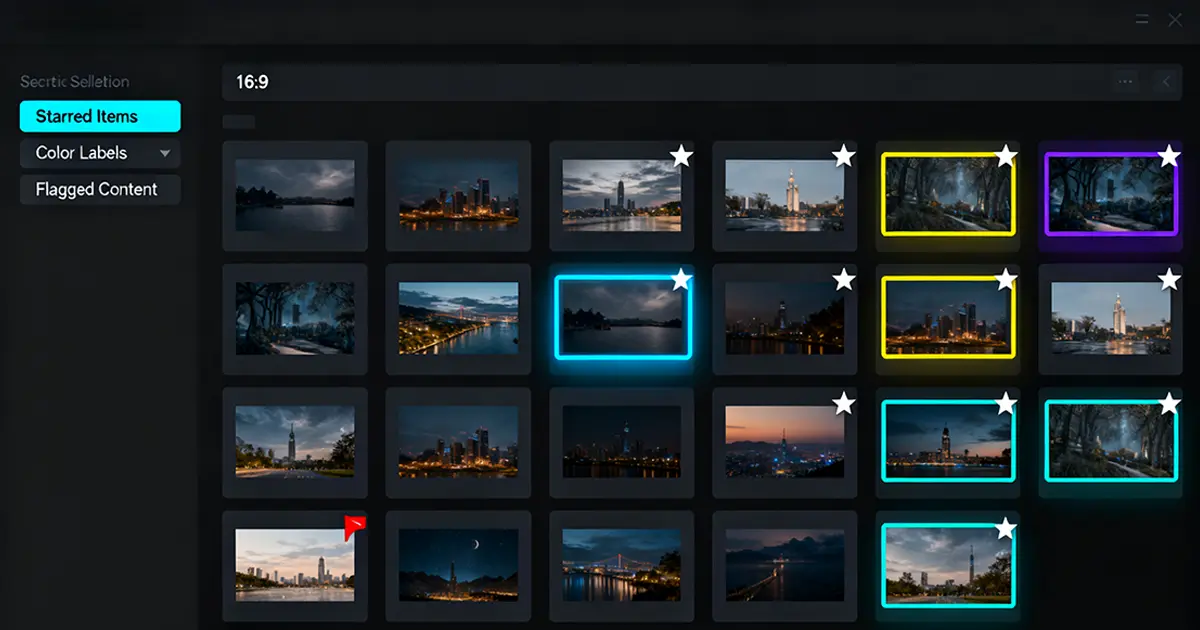
Photo culling is the first and most crucial step in post-production. It involves selecting the best images while discarding blurry, duplicate, or poorly composed ones. In professional photography, especially weddings or product shoots, this process determines the efficiency and quality of the final portfolio.
While traditional culling requires manual review, AI culling software automates this task with smart algorithms that detect duplicates, closed eyes, or blurry shots. Compared to manual labor, photo culling AI saves hours, reduces stress, and ensures more consistent results.
The Advantages and Disadvantages of Lightroom Photo Culling Tool
Adobe Lightroom remains a favorite among photographers for organizing and basic culling. Its strengths and weaknesses in culling photos include:
Advantages
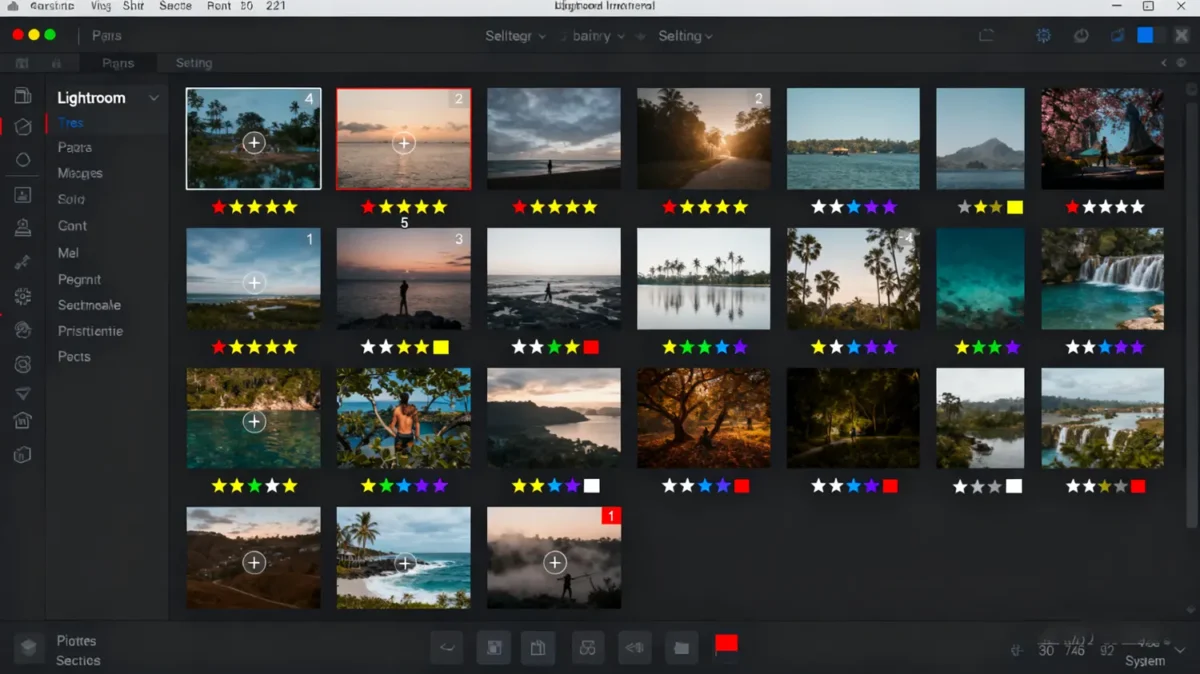
- Built-in Adobe ecosystem: Lightroom is part of the Adobe Creative Cloud, meaning photographers can organize, cull, and edit within the same environment. Images move seamlessly from culling to post-processing without requiring file transfers or third-party software.
- Ratings, flags, and facial recognition: Lightroom offers a simple yet effective organization system through star ratings, color labels, and flagging. Photographers can quickly mark favorites or rejects during a first pass. Its facial recognition tool also helps locate images of specific people in a large catalog.
- No extra learning curve: Since many photographers already use Lightroom daily for photo editing. There’s no need to learn a new interface or import files into another application.
Disadvantages
- Duplicate detection: When you capture bursts or series of similar shots, Lightroom cannot intelligently identify the best image. Photographers must manually compare and choose, which is inefficient for bulk shoots.
- Accuracy issues: While Lightroom’s facial recognition and flagging are helpful, they don’t reach the accuracy level of an AI culling software. It struggles to detect closed eyes, subtle blurs, or out-of-focus images.
- Time consumption: When handling thousands of RAW files, Lightroom’s preview generation and manual selection process are slow. A large wedding or e-commerce project can take hours—or even days—to cull effectively.
While Lightroom works for casual users, it falls short when handling large-scale professional projects, making specialized photo culling software for photographers essential.
What Makes Evoto AI Culling Software Powerful?
Compared to the low-efficiency and low-accuracy culling tool like Lightroom, Evoto stands out as one of the best AI photo culling software solutions for professionals.
Ultra-fast culling
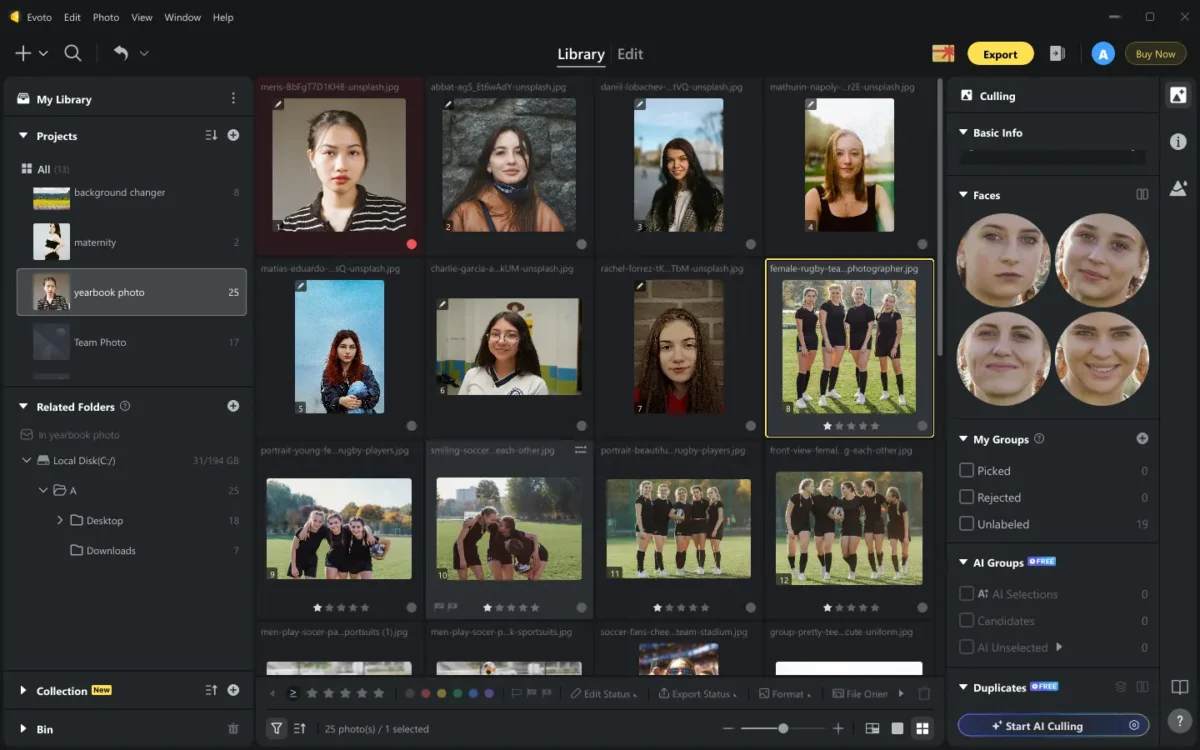
Evoto’s bulk photo selection AI processes cull thousands of RAW files, like e-commerce or wedding shoots, in seconds, drastically cutting down the time spent on repetitive tasks.
Intelligent recognition
This AI culling software supports blurry photo detection and quickly flags out-of-focus shots, and its AI closed-eyes detection retains portraits with the right expressions. Also, it helps save no duplicate images.
Smart grouping
Evoto AI culling software offers smart grouping. For example, a sequence of similar wedding portraits is grouped together so the photographer can instantly select the best smile or pose.
Flexible control
Although powered by automation, Evoto doesn’t take away creative control. Its adjustable filtering intensity lets photographers set how strict or lenient the culling should be.
Workflow efficiency
Beyond culling, it integrates seamlessly into the full editing process. Once the best images are selected, they can flow directly into Evoto’s AI photo editing and batch processing tools for retouching, color correction, or enhancements. Thus, users don’t have to switch between platforms but can ensure a complete workflow solution.
With features like AI duplicate photo remover, AI blurry photo detection, and AI closed eyes detection, Evoto AI culling software ensures photographers can focus on creativity rather than repetitive tasks.
Which is Better: Evoto vs. Lightroom on Photo Culling
When comparing the Lightroom AI culling workflow with Evoto’s dedicated AI culling system, the differences reveal two very distinct approaches to photo selection. Lightroom works best as an organizational and editing tool with some basic culling capabilities, while Evoto AI culling software is purpose-built to automate and accelerate the culling stage at a professional level.
Workflow
Lightroom relies on a semi-automated workflow, where photographers use flags, star ratings, and color labels to mark selections manually. While this provides flexibility, it requires constant user input and repetitive review.
By contrast, Evoto AI culling software offers full automation through bulk photo selection AI. Its smart grouping system clusters similar photos together, and instant recommendations highlight the strongest images within each set. This minimizes decision fatigue and makes the workflow far more efficient for large projects.
Accuracy
Lightroom’s built-in facial recognition and basic filters are helpful but limited. It cannot reliably detect subtle blurs, closed eyes, or small quality issues in group shots.
Evoto AI culling software, on the other hand, is powered by advanced photo culling AI that performs AI blurry photo detection, AI duplicate photo removal, and AI closed-eyes detection with a high degree of precision.
Handling duplicates
In Lightroom, photographers must manually compare similar photos side by side, which is both time-consuming and mentally draining. Evoto solves this with intelligent grouping that automatically categorizes duplicate or near-identical images.
Speed
Lightroom can handle small collections reasonably well but struggles with performance when processing thousands of high-resolution RAW files. Previews take time to load, and manual culling can stretch into hours or even days.
Evoto, by contrast, is engineered for high-volume workflows. It can process entire wedding or e-commerce shoots in seconds, delivering ready-to-review selections almost instantly.
In short, Lightroom remains practical for beginners or casual projects, but for professional photographers who require offline AI photo culling, seamless integration with editing, and the ability to scale, Evoto clearly offers the superior solution.
The Common Applicable Scenarios for AI Culling Software
AI culling tools are versatile and fit into multiple photography scenarios:
Wedding photography
Weddings often generate 5,000–10,000 photos in a single day, captured across ceremonies, receptions, and candid moments. Manually sifting through this volume is exhausting, especially when many shots are near-duplicates of group portraits or dance floor sequences.
Wedding photo culling AI automatically identifies closed eyes, blurry shots, and duplicate bursts, allowing photographers to deliver curated galleries faster.
E-commerce photography
Online retail requires consistency above all. A single product might have hundreds of shots in different lighting setups, angles, and backgrounds. AI photo culling software for photographers ensures that only sharp, properly lit, and consistent images can be retained.
This reduces retouching workloads and keeps product catalogs professional-looking. For e-commerce studios managing daily bulk shoots, bulk photo selection AI is a game-changer.
Group/Educational photography
Class photos, corporate headshots, and team portraits often involve large groups of people, which increases the likelihood of closed eyes, awkward expressions, or inconsistent poses.
Traditional manual review is tedious, but AI culling software quickly scans through the entire set, identifying the sharpest frames with everyone looking their best. Features like AI closed-eye detection are especially valuable in these scenarios, ensuring clients receive polished group photos without imperfections.


Powerful AI Photo Editor
Conclusion
Culling is one of the most time-consuming steps in photography, but AI is changing the game. AI culling software maximizes productivity by automating repetitive tasks, detecting blurs and duplicates, and streamlining photo selection. Lightroom works well for casual use, but for professionals handling thousands of images, Evoto offers unmatched speed, intelligence, and flexibility.If you want accuracy, scalability, and efficiency, Evoto is your go-to AI photo culling software—whether for weddings, e-commerce, or large-scale projects. Try the AI photo culling free trial, explore AI photo culling pricing, and even download AI photo culling to revolutionize your workflow today.



