

Photos often capture fleeting moments, but the smallest details—like your facial expression—can have a significant impact on how you appear. One subtle yet powerful adjustment is closing your mouth in a photo. Whether you’re aiming for a more professional look or simply want to improve the quality of your selfies, mastering this detail can elevate your photos dramatically.
Why Close Mouth in Photos is So Important
When it comes to photos, facial expressions are everything. They convey emotions, set the tone, and influence how others perceive you. A mouth closed expression can significantly improve the overall look of your photos. Here’s why:
Professionalism: A closed mouth gives off an air of poise and composure. Whether you’re updating your LinkedIn profile picture or preparing for a corporate headshot, closing your mouth helps you look polished and confident.
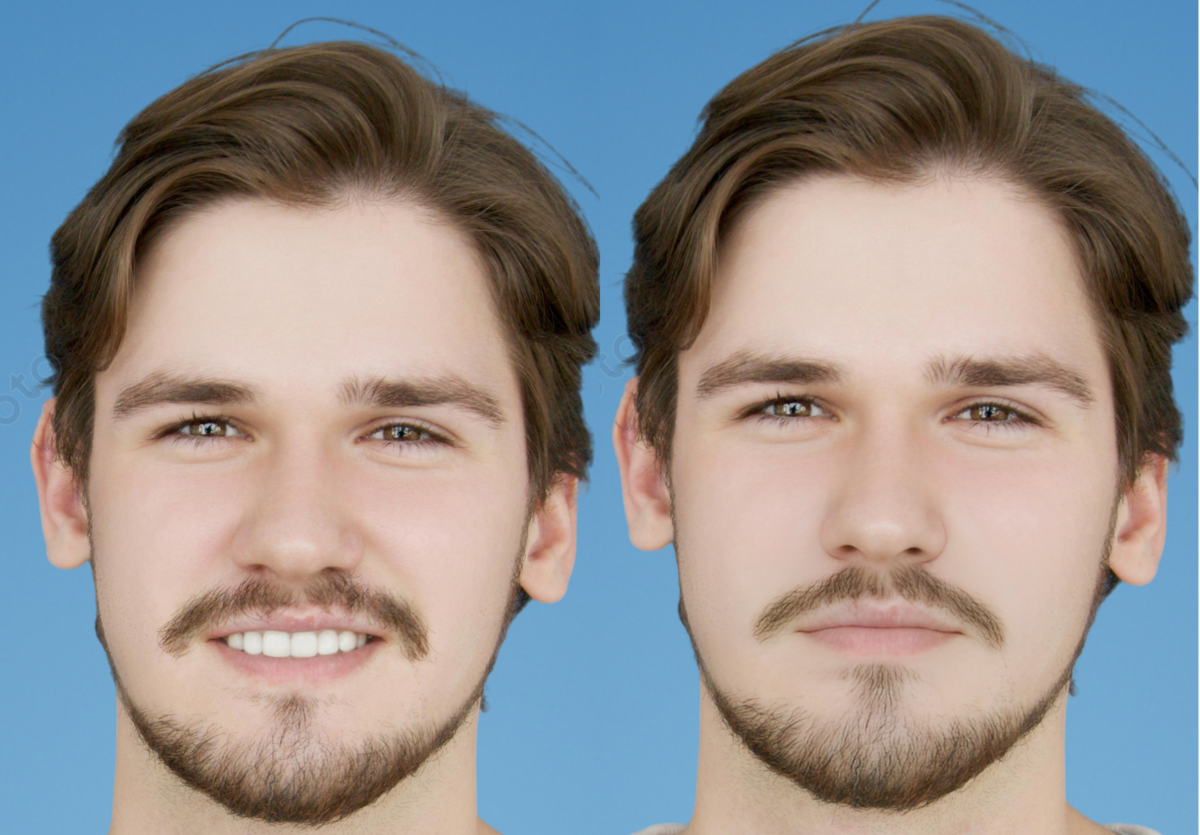
Natural and Relaxed Look: Sometimes, when people smile in photos, their mouth opens too wide, leading to an exaggerated or forced expression. Closing the lips in a photo often results in a more natural and relaxed appearance, making you look less stiff and more approachable.
Symmetry and Balance: In portraits or headshots, mouth position in photos can impact your facial symmetry. A closed mouth creates a balanced look, avoiding any awkward tension that can occur with a wide grin or an open mouth.
Easier to Edit: Close mouth photo editor tools often produce better results because it’s easier to adjust and enhance a natural closed-mouth expression than to fix a wide-open mouth that looks unnatural.
Top Scenarios Where You Need to Close Mouth in Photos
There are several situations where a closed-mouth expression is more appropriate or desired:
Professional Headshots: Whether it’s for your resume, business card, or LinkedIn profile, closing your mouth in a photo can make you look more professional. It helps you appear focused, confident, and approachable, without looking overly casual or too smiley.
Formal Events: In photos taken at formal events like weddings, galas, or corporate meetings, a closed-mouth smile is often more appropriate. It shows a level of elegance and sophistication.
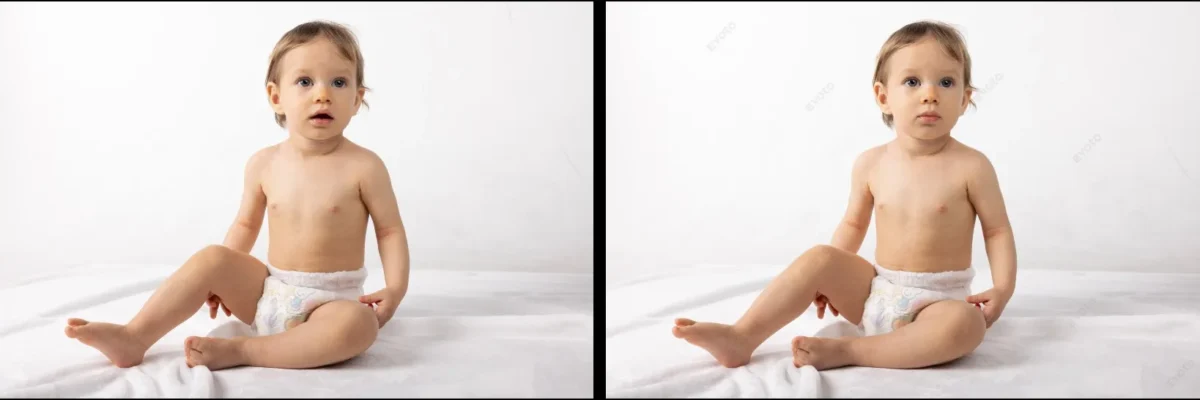
Passport or ID Photos: For official documents like passports, ID cards, or driver’s licenses, there are usually strict guidelines about facial expression. Mouth closed expressions are often required to comply with these regulations.
Job Interviews: Whether it’s a photo you use on your job application or for your professional social media, presenting a calm, composed expression with a closed mouth can help you appear serious yet approachable.
Profile Pictures: For dating apps or social media platforms, a subtle closed-mouth smile can make you look more inviting and warm without coming across as overly enthusiastic.
Two Methods to Close Your Mouth in Photos: Photoshop and Evoto
There are multiple ways to edit your photos and close your mouth in a photo. The two most popular tools used for this are Photoshop and Evoto. Both have their strengths, and choosing the right one depends on your needs, skills, and time available.
How to Close Your Mouth in Photoshop
Photoshop offers powerful editing tools but can be challenging for beginners. Here’s a quick guide:
- Open Your Photo: Start by importing your image into Photoshop.
- Select the Mouth Area: Use the Lasso Tool to outline the mouth.
- Use Clone or Liquify Tool: Adjust the mouth position with the Clone Stamp or Liquify Tool.
- Blend Edges: Smooth the edges to ensure a seamless look.
- Final Touch-Up: Use the Healing Brush Tool to fix any imperfections.
While Photoshop provides full control over edits, it requires time, skill, and patience. For faster and easier results, consider using Evoto, which simplifies the process.
How to Close Your Mouth in Photos Using Evoto
Evoto is an AI-powered photo editor that makes it much easier to achieve the perfect mouth closed expression in photos, especially for those who don’t have extensive photo editing experience. Here’s how you can do it:


Powerful AI Photo Editor
1.Upload Your Photo: First, upload your image to Evoto AI .
You may also try our “AI Smile Filter” features online for a simple facial expresion changing.
2.Adjust the Expression: Evoto automatically detects facial features.Click “Facial Expression”, find the“Smile Generation” and choose the“Neutral” to close your mouth in the photo by adjusting the position of the lips. Select the level you require.
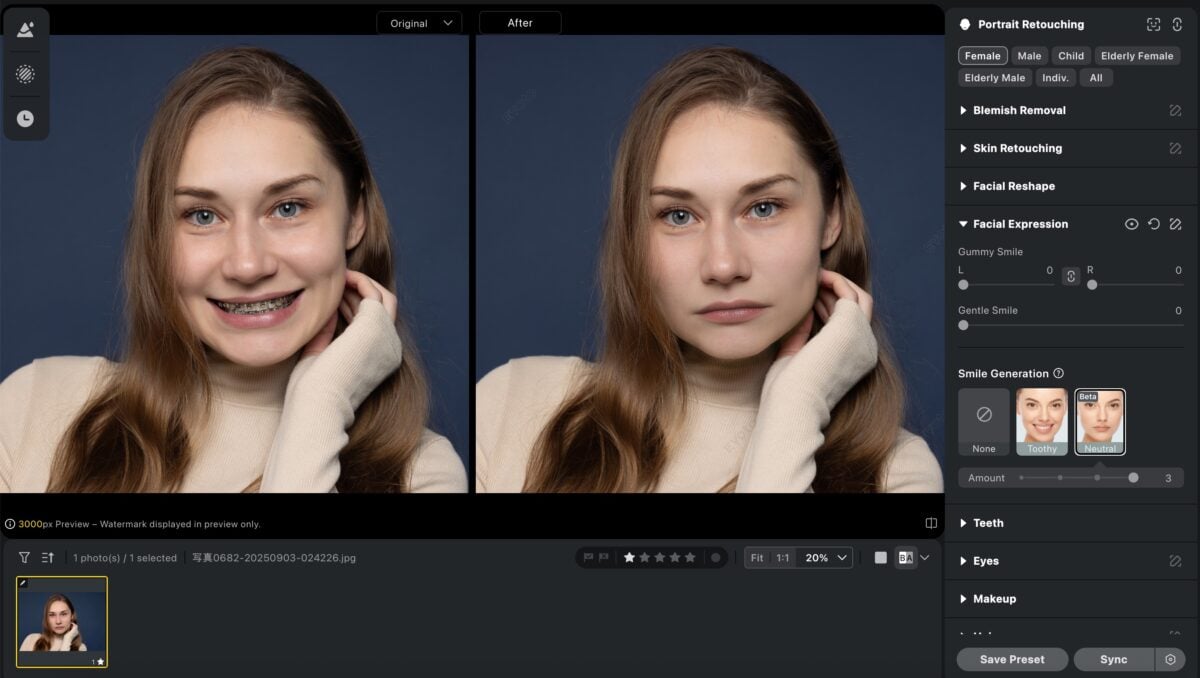
3.Fine-Tune the Image: You can further refine the photo by smoothing out wrinkles, retouching your skin and editing your eyes.
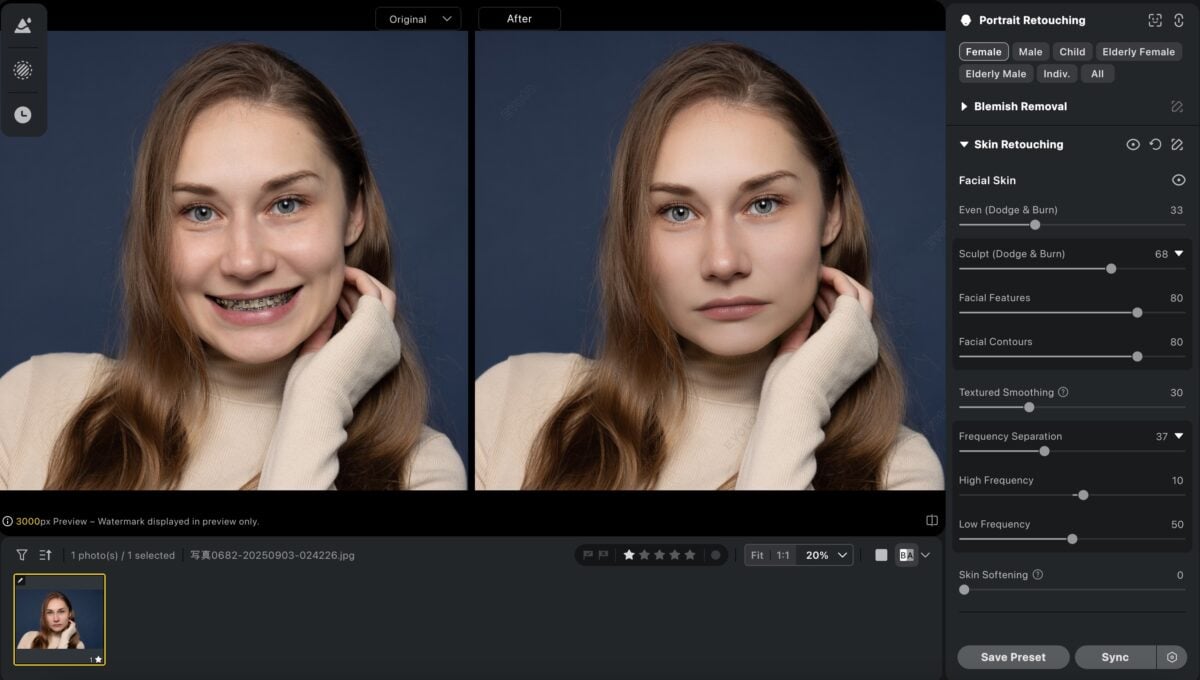
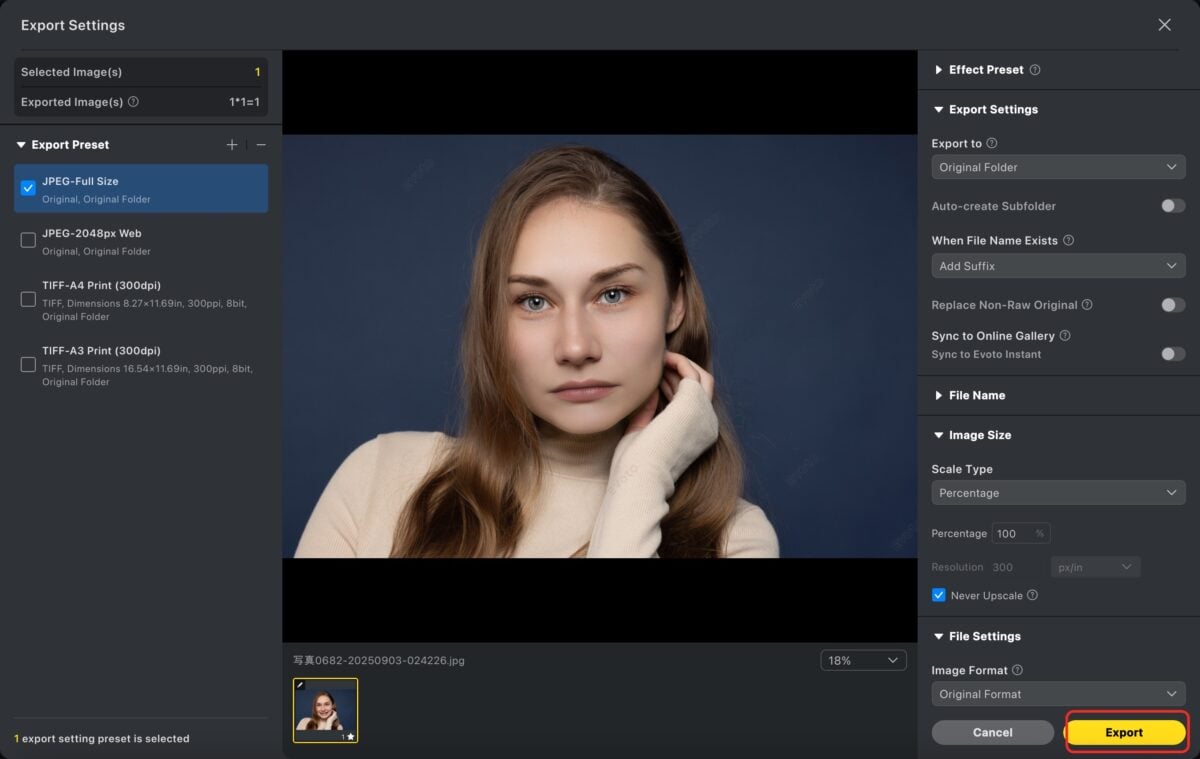
4.Download Your Edited Photo: Once satisfied with the edits, Click “Export” to download the image, and you’re done!
The great thing about Evoto is its ease of use and speed. The AI tools do most of the work for you, making it a perfect choice for people who need quick results without the steep learning curve of Photoshop.
Powerful AI Photo Editor
Photoshop vs. Evoto: A Comparison of Their “Close Mouth in Photo”
Both Photoshop and Evoto offer ways to close your mouth in a photo, but they cater to different user needs. Let’s compare them:
| Feature | Evoto | Photoshop |
|---|---|---|
| Ease of Use | AI-powered tools make it very user-friendly, no advanced skills needed. | Requires practice and precision; more complex for beginners. |
| Time Efficiency | Quick and automated process; close mouth in a few clicks. | Time-consuming; requires manual adjustments with tools like Liquify. |
| Flexibility and Control | Focuses on speed and efficiency; fewer manual editing options. | Full control and customization over edits for precision. |
| Cost | More affordable, with free options available. | Requires a subscription, higher investment. |
Powerful AI Photo Editor
Conclusion
Both Photoshop and Evoto are excellent tools for achieving the perfect mouth closed expression in photos. If you’re a professional looking for complete control and don’t mind spending time on the editing process, Photoshop is your go-to tool. However, if you’re looking for a faster, easier, and more affordable way to close your mouth in a photo without much hassle, Evoto is a fantastic choice.Regardless of the tool you choose, remember that a mouth closed expression can transform your photos, giving you a polished, confident look for both personal and professional use.



