TL;DR
- Super El Niño 2026 outlooks point to hotter, longer high-demand seasons—more shoot days, more files, more nights at a warm laptop.
- Use the off-season to train Personalized AI Look in Evoto (~200 edited samples) so peak season is apply-and-QA, not rediscover-your-style per gallery.
- Lightroom XMP presets and catalogs can feed training material, but Evoto completes the workflow inside its own export path—plan training before heat and backlog compound.
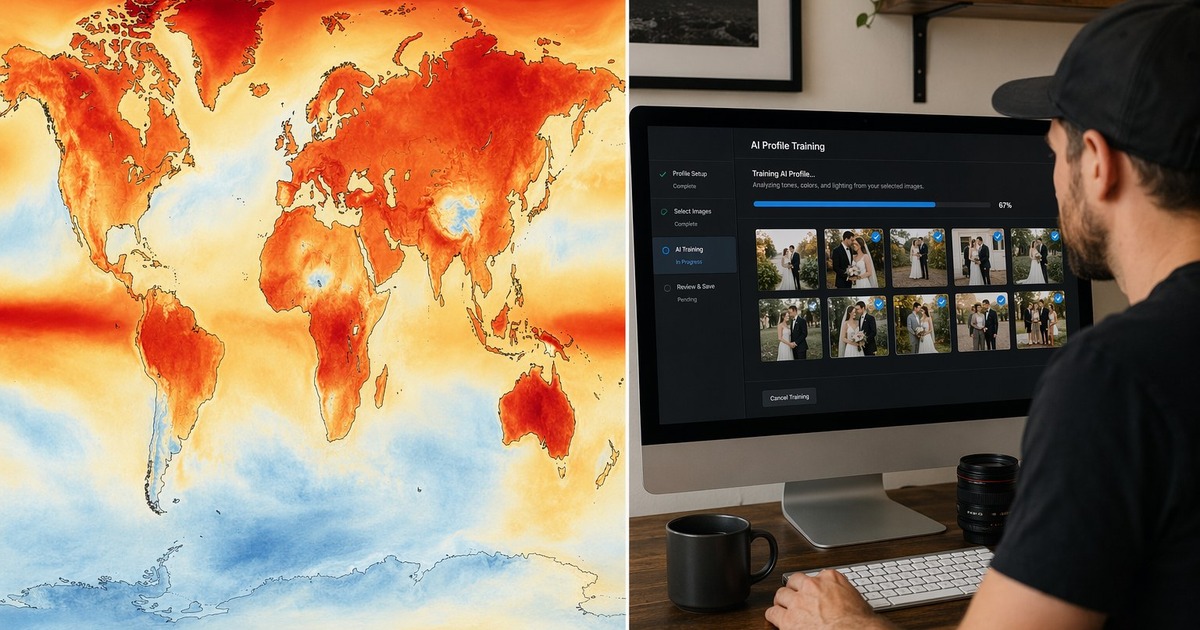
Climate headlines are not just for scientists anymore. Search interest in super el nino 2026 is really a business question: Will my 2026–2027 calendar stay packed, and will my edit room stay overheated long after the dances end?
Short answer: probably more volume, more heat stress, less patience for manual slider marathons.
This article connects UN/WMO-style outlook language to a practical pre-season task for super el nino 2026—train your color identity before demand spikes—and shows how Evoto’s Personalized AI Look turns past edits into a batchable profile.
Your Task Map: Climate Outlook → Studio Capacity
| Stakeholder worry | Underlying task | Constraint | Success metric |
|---|---|---|---|
| Client | “Will you deliver by Friday?” | 3,000 RAWs, one editor | On-time gallery with consistent color |
| You | “Can I survive July?” | Hot room + thermal throttling | Finish before midnight without redoing style |
| Business | “Do I hire second editor?” | Margin on package price | Predictable minutes per image |
Generic climate posts stop at charts. A useful super el nino 2026 article for photographers should answer: what do I do in March–May so July is execution, not panic?
What Super El Niño 2026 Means for Shoot Seasons
El Niño phases influence global temperature patterns and rainfall. UN and WMO communications in 2026 have highlighted elevated odds of record warmth in coming years (see UN News on global temperature outlook 2026–2030 and The Guardian’s record heat warning).
For photographers, second-order effects matter more than the acronym:
- Longer outdoor season windows in some regions (more booking days—and more midday heat).
- Compressed indoor AC demand where venues are booked back-to-back.
- Higher file counts when clients add mini-sessions “while the weather holds.”
Pair climate context with US drought/heat reporting (Yale Climate Connections on 2026 warmth) only when it helps readers plan—not to fear-monger.
Example: a Midwest studio books May–October weddings 15% denser than 2024. Same team, more cards, same laptop. Without a pre-trained look, color grading becomes the bottleneck—and the fan never stops.
Why More Heat Means More Files—and Less Patience
Heat changes behavior:
- Clients shoot earlier and later to avoid midday, which can increase session count across a week.
- Second shooters deliver more cards when highlights are “cheap insurance.”
- You sit longer in culling because fatigue hits faster in a warm room.
Each extra hour at the desk is not neutral. GPUs sustain boost clocks, chassis exhaust warms your knees, and decision quality drops. That is when sliders get random, presets get abandoned, and “we’ll fix color on the exports” turns into a 2 a.m. rebuild.
During a super el nino 2026 booking surge, that spiral hits faster because file counts climb before you have a repeatable grade.
The fix is not “work harder.” It is pre-decide the color system while the calendar still has training days.
Train an AI Look Before Peak Season
Evoto’s Personalized AI Look (introduced in Evoto 7.0) learns your color style from edited samples. Product documentation highlights:
- Minimum ~200 images with color effects applied (format rules vary: RAW-only, JPEG/TIFF-only, or both requiring 200 of each type).
- Training sources: Lightroom Classic or Evoto projects.
- Training runs in the background—upload in batches, verify rejected images, and finish the job before peak season starts.


Powerful AI Photo Editor
Why this matters for super el nino 2026 planning: you move creative decisions before heat and volume arrive. Peak season becomes:
- import/cull;
- apply your AI Look;
- QA outliers;
- export—instead of reinventing warmth, contrast, and skin hue per wedding.
Step 1 — Curate a honest training set
Pick weddings you are proud of, not experiments. Exclude frames with only local tweaks, only noise reduction, or only lens corrections—Evoto excludes “non-color” edits from training eligibility.
Step 2 — Match color mode and format
Color Look vs black-and-white Look must match your training set. RAW-only profiles cannot be applied blindly to phone JPEGs.
Step 3 — Run training in the off-season
Upload in batches; verify rejected images. Document which years/lighting styles you included so you can retrain after a deliberate rebrand.
Step 4 — Pilot on one full gallery
Compare AI Look output against your manual hero edits. Adjust acceptance thresholds before you touch June-July volume.
Step 5 — Pair with batch consistency tools
After Look application, use Basic Group Color Consistency (Match selected photos to your active reference for white balance and exposure) on tricky groups such as reception mixed light. See urban heat island desk workflow for sync strategy.
From XMP Presets to a Repeatable Batch Style
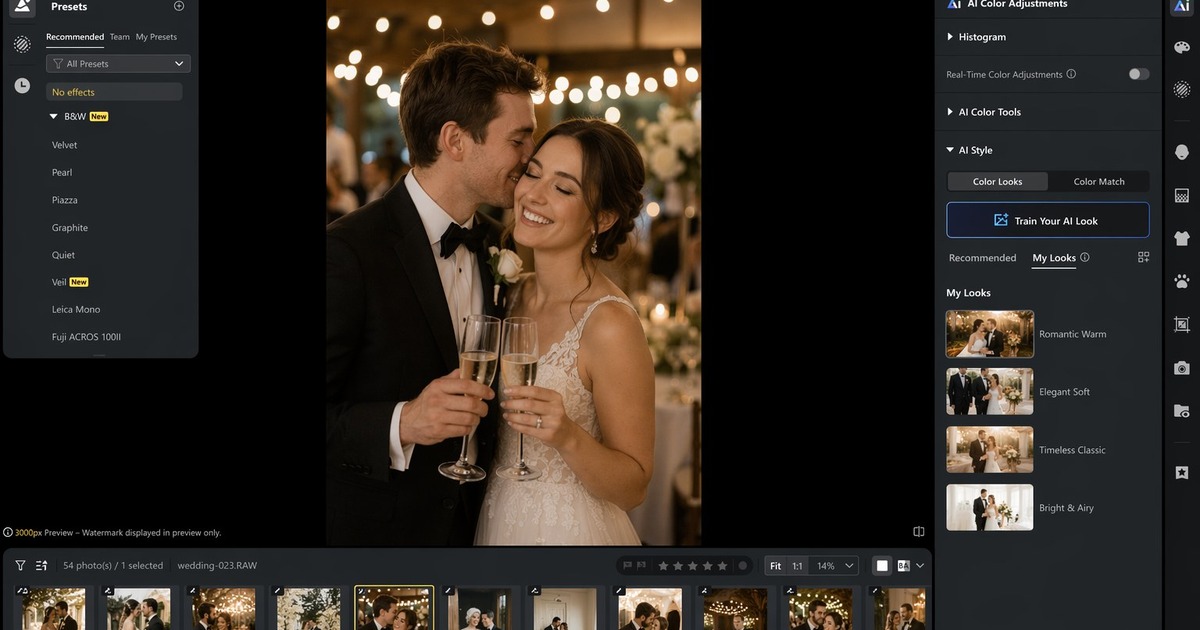
Many studios already invested years in Lightroom XMP presets. Evoto supports importing XMP presets for use inside Evoto and can incorporate Lightroom-edited history into AI Look training sources, per Desktop documentation.
Since Evoto 7.2, Lite Personal AI Look also lets you create a Personal AI Look from a single XMP file or Evoto color preset—a fast off-season test before you commit to a full ~200-image profile.
Position the workflow honestly:
- XMP is training and starting-point material;
- delivery happens in Evoto’s batch path;
- clients care about consistent galleries, not which app icon you clicked.
Practical hybrid path:
| Asset you already have | Off-season action | Peak-season action |
|---|---|---|
| XMP family (warm film, true color) | Tag which matches brand default | Import for one-off fixes |
| LR catalogs of 2024–2025 weddings | Select 200+ globally edited frames | Train AI Look |
| Evoto 2025 projects | Audit eligible color edits | Apply Look + sync |
If you need a preset-centric feature overview, see preset photo editor.
Sometimes you just gotta try it out for yourself. Train one off-season AI Look on a past wedding catalog, apply it to a full gallery, and see whether peak-season color work shrinks to QA instead of reinvention. To start training before bookings stack up, download Evoto.
Powerful AI Photo Editor
A Pre-Season Checklist for Wedding and Event Photographers
90 days before peak
- [ ] Audit 3 full weddings for training eligibility
- [ ] Train AI Look; document version name (
Look-2026-Summer-v1) - [ ] Define QA sheet: skin, greens, reception mixed light
- [ ] Test export times on your hottest room day of week
60 days before peak
- [ ] Update client communication on heat-adjusted timelines
- [ ] Pair Look workflow with culling SOP
- [ ] Link heat-action fusion plan for unsafe outdoor add-ons (heat action plan article)
30 days before peak
- [ ] Run one mock week: shoot Saturday, deliver Monday with Look + sync
- [ ] Measure laptop peak temperature and throttle events
- [ ] Decide second-editor triggers (file count, not panic)
Common mistakes
- Training on inconsistent years. Mixing 2018 matte film with 2024 true-color looks confuses the model. Fix: one era per profile.
- Skipping pilot galleries. Fix: one full wedding sign-off before batch season.
- Treating AI Look as skin retouch. Fix: portrait cleanup stays in portrait tools; Look is color identity.
Related Reads in This Heatwave Series
- Heat action plan: shoot less outside, fuse more in post
- Urban heat island: cut desk heat with batch sync
Conclusion
Super El Niño 2026 is a planning signal, not a studio disaster headline. Hotter, busier seasons reward photographers who front-load style decisions while the calendar still breathes. Training Personalized AI Look on your real edited work—often with help from existing XMP and catalog libraries—turns peak season into controlled application instead of nightly color reinvention.
You cannot air-condition the Pacific. You can air-condition your workflow.
Explore AI Photo Editor for the full retouch stack. Start training before the bookings stack up: download Evoto.
Powerful AI Photo Editor
FAQ
1. Does super El Niño 2026 guarantee a hotter wedding season?
Nothing is guaranteed region by region. Outlooks suggest elevated heat risk and busy outdoor calendars—use that as a reason to pre-train, not to panic.
2. How many images do I need to train AI Look?
Evoto documentation cites about 200 edited color images minimum, with format-specific rules. Mixed RAW/JPEG requirements can increase the count.
3. Can I use only XMP presets without training?
You can import XMP for use in Evoto, but AI Look is separate—it learns from finished edits. Presets alone are not a substitute for a trained profile.
4. Will AI Look replace my creative judgment?
No. It replaces repetitive global color decisions. You still QA skin, whites, and storytelling frames.
5. What if my style changes mid-season?
Train a new profile (v2) during a slow week. Do not mutate a live profile mid-wedding run without regression tests.