

TL;DR
- An urban heat island stores daytime heat in concrete and releases it at night; your edit station does the same with CPU, GPU, and display heat.
- The practical task is not “edit faster at any cost”—it is to finish the batch with fewer high-load passes so the machine cools sooner.
- Evoto Preset Sync, Individual Sync, Multi-Image Color Consistency, and Mask Presets help you match groups in fewer steps instead of opening multiple catalogs and re-drawing masks.
If you search urban heat island, you usually get city planning charts, pavement temperatures, and public-health warnings. That is useful context—but wedding and school photographers in 2026 are also asking a narrower question: why does my studio still feel brutal at 11 p.m. when the shoot ended at noon?
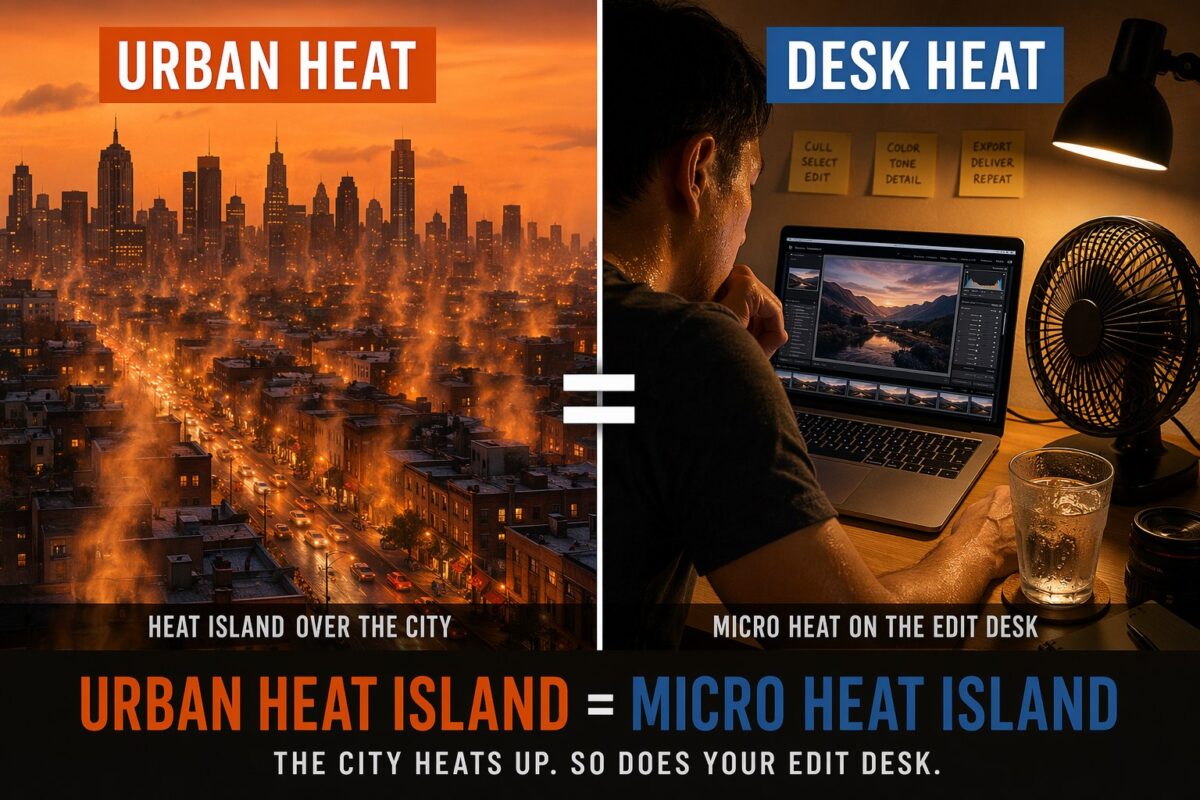
The answer is layered. Cities trap heat. Apartments without reliable AC trap heat. And a closed edit room with a laptop, external monitor, and two apps fighting for RAM creates a micro heat island on your desk. The heat island effect does not pause because you are “only retouching.”
This guide maps the science to a real studio task for anyone researching urban heat island effects on indoor edit stations, then gives a workflow you can run this week—not a generic software list.
Your Task Map (What You Are Actually Trying to Solve)
Before sliders, define the job in plain language:
| Layer | Your real task | Typical constraints | How do you judge success? |
|---|---|---|---|
| City | Survive record summer nights | No AC, upstairs studio, heat dome afterglow | The room drops below “oppressive” after you stop working |
| Machine | Deliver 200–800 portraits | One laptop, one GPU, deadline tomorrow | Export finishes without thermal throttling |
| Quality | Match color across the set | Same venue, light, mixed poses | Skin and background read consistently at print size |
Most SERP pages stop at the first row. This article connects all three—and shows why shorter high-load editing time is a valid response to the impact of urban heat island conditions on home studios.
What Is an Urban Heat Island?
In simple terms, an urban heat island forms when cities replace soil and vegetation with asphalt, concrete, glass, and dark roofs. Those surfaces absorb solar energy by day and release it slowly at night. Air temperatures stay higher than in nearby rural areas, especially after sunset.
You do not need a PhD to use the concept professionally. Photographers already feel it on location: brick alleys radiate warmth, plaza stone holds heat under evening portraits, and clients sweat through formals. Public reporting on hot cities and cooling inequality (for example, Forbes on urban heat and cooling access) is a fair external anchor when you explain delivery delays to clients—not as weather commentary, but as operational context.
For neutral definitions, urban heat island (Wikipedia) and heat island effect (EPA summary) are stable references your team can cite in handbooks.
Example: a photographer in Phoenix finishes a 4 p.m. outdoor session at 108°F, drives home, and starts culling at 8 p.m. The apartment is 86°F because the building stored heat all day. That is the same physics class as downtown pavement—just at room scale.
Your Desk Is a Micro Heat Island
Now shrink the model to one workstation:
- Heat sources: CPU/GPU rendering previews, sustained 4K display output, spinning external drives, even a warm power brick on the floor.
- Heat storage: closed room, curtains down, little airflow—like a pocket of concrete that will not vent.
- Night lag: fans keep spinning long after you click “export,” which matches how urban surfaces release stored heat after dark.
Comments from summer 2026 editing threads—“laptop at 300 degrees,” “fan sounds like a jet”—are not jokes. They are thermal feedback. Every minute you spend re-opening catalogs, re-drawing masks, and re-matching color on image 47 of 200 is another minute the micro heat island stays active.
That is why “buy a bigger cooler” is incomplete advice. The better question is: what work can you remove from the hot part of the pipeline?
Why Batch Sync Beats Opening Five Catalogs
A common summer mistake is treating each gallery as an isolated mini-project: one .lrcat for school day one, another for day two, a third for the dance floor set, then manual copy-paste of settings.
Each hop costs time and heat:
- App launch and cache warm-up (GPU load spike).
- Re-finding your hero adjustments.
- Re-applying local masks that should have been reusable.
In Evoto, the counter-strategy is sync-first batch design:
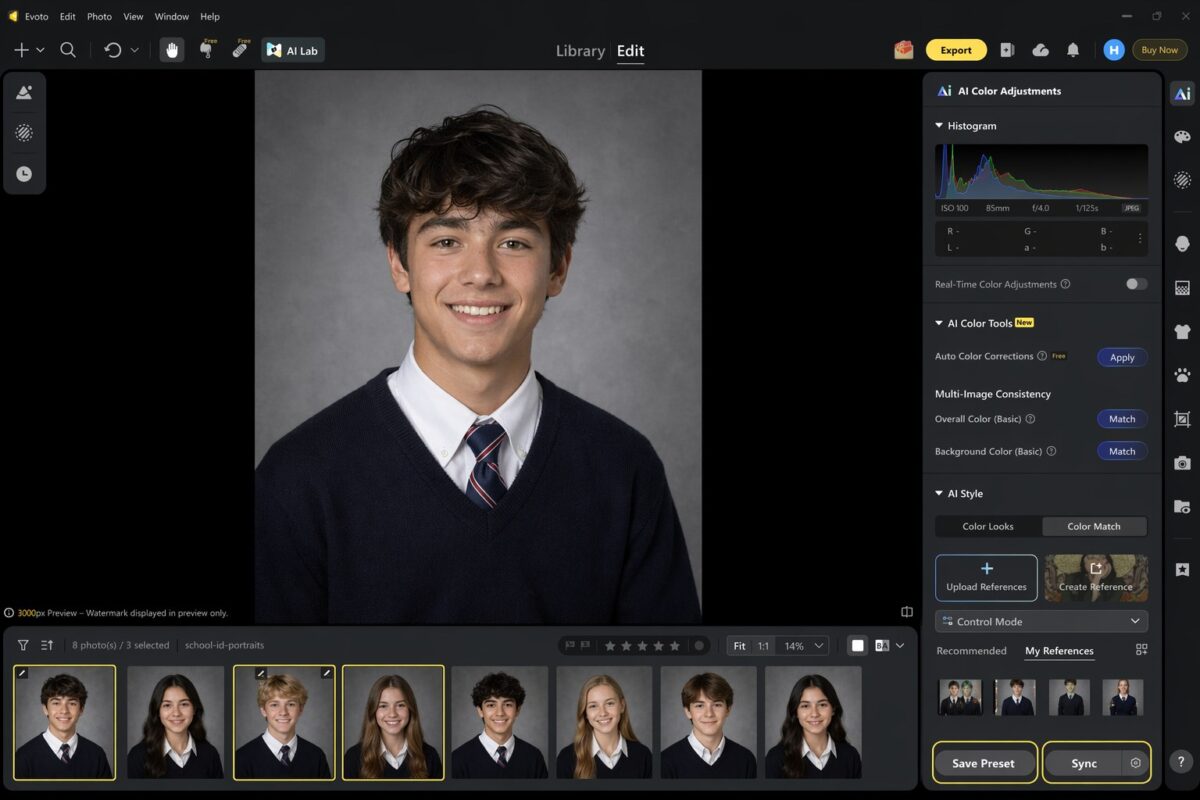
- Preset Sync: update a shared preset once; tokens can keep teams aligned without forcing everyone to re-login for every tweak (per Evoto Desktop release notes on preset sharing sync).
- Individual Sync: push subject-level adjustments across a group; semantic person masks can replace per-frame mask work when the pose family matches (custom brush masks still need manual care—Evoto documents that limitation clearly).
- Mask Preset: save repeatable local mask combinations (linear/radial blends included) so you are not rebuilding the same cheek or background isolation fifty times.
Concrete case: a school photographer has 320 IDs across six homerooms, same gray backdrop, same strobe height. Without sync, “fix background gray” becomes 320 manual passes. With one approved reference frame + Preset Sync + background mask preset, you convert a hot afternoon into a short QA pass.
If you are comparing tools broadly, see the top photo editing software for professionals, then decide whether your bottleneck is creativity or repeated mechanical work.
Multi-Image Color Consistency in One Pass
Color drift is another hidden heater. When you manually chase white balance on each file, the GPU keeps rendering previews, and your eyes stay locked on the screen.
Evoto’s Multi-Image Color Consistency (under AI Color Tools → Auto Color Corrections) uses a reference image to pull a batch toward one tone. In studio language:
- Overall Color (Basic): match full-frame color relationships across selects.
- Background Color (Basic): unify backdrop hue and brightness when the same paper or wall is shifted slightly between periods.
Evoto’s own guidance notes that these tools work best when backgrounds share similar lighting—exactly the school ID, headshot, and mini-session lanes that explode in summer.
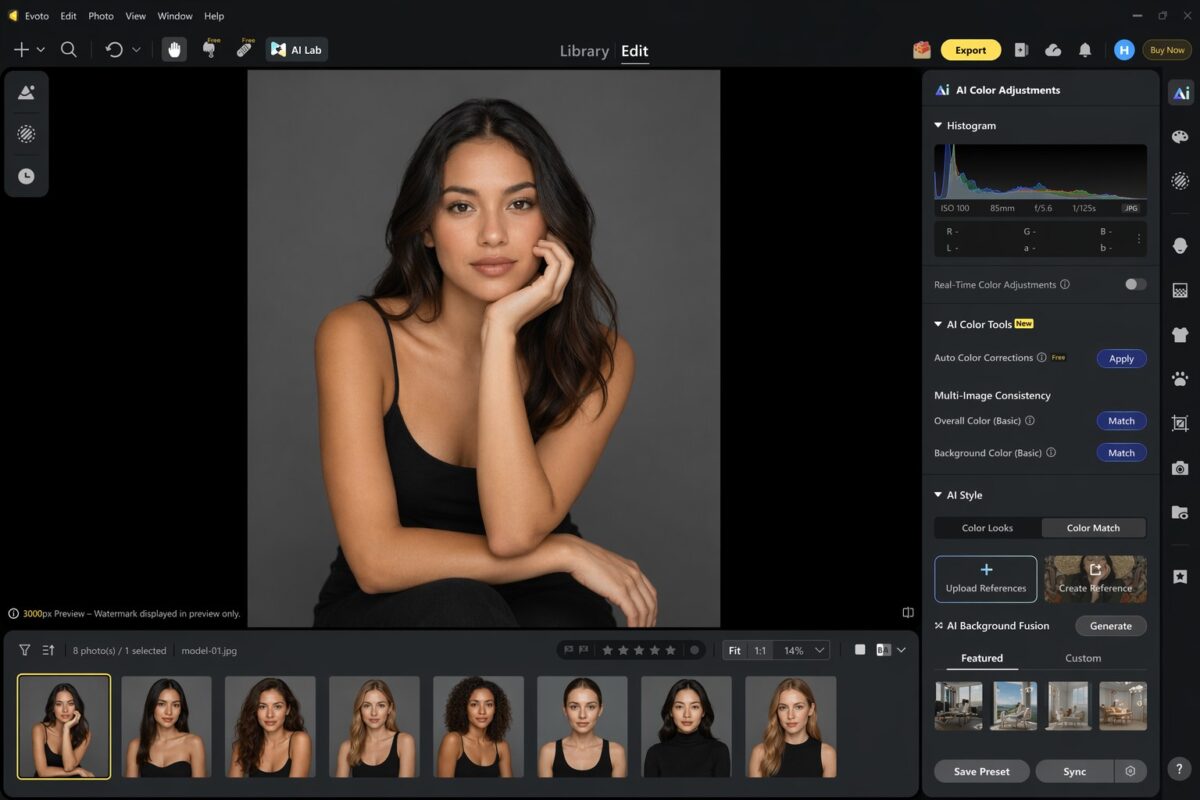
Workflow tip: pick the most neutral, best-exposed frame as reference—not the most stylized hero. Stylized references bake mistakes into the whole set.
For teams also fighting capture-side exposure error, pairing batch color work with camera metering modes reduces the correction load before you ever sync.
Sometimes you just gotta try it out for yourself. Run one summer school folder through Preset Sync and Multi-Image Color Consistency, then see whether your laptop fan quiets down sooner. To test the sync workflow on desktop or mobile, download Evoto.


Powerful AI Photo Editor
Practical Tips to Cut Editing Time (and Heat) This Summer
Use this checklist as your post-production heat island plan:
| Step | Action | Why does it lower the desk heat? |
|---|---|---|
| 1 | Group by light direction + backdrop | Fewer reference profiles = fewer GPU passes |
| 2 | Build one hero frame per group | Stops re-inventing adjustments |
| 3 | Apply Preset Sync + mask presets | Removes repeated local drawing |
| 4 | Run Multi-Image Consistency | Cuts per-file color tweaking |
| 5 | Export once per group | Avoids reopening multiple catalogs |
Common mistakes
- Mistake: syncing across different lighting setups. A cloudy outdoor set and a tungsten reception set should not share one sync profile. Fix: split groups first, sync second.
- Mistake: overusing stylized references. Fix: reference frame should look “boring correct,” not Instagram bold.
- Mistake: ignoring laptop placement. Even perfect sync cannot fix a machine breathing recirculated hot air. Fix: elevate the laptop, ventilate intake, pause exports during peak room temperature if you can.
When you want the feature-level detail in one place, open AI Color Match and map which panels your studio actually uses before peak season.
Related Reads in This Heatwave Series
- Heat dome Europe: tether and preset on set — cut overnight, rework before the room heats up again.
- Cooling poverty: 600 photos and a laptop that will not cool down — when backlog, not weather, traps you at the desk.
Conclusion
An urban heat island is not only a city map story. It is a useful model for why your edit room stays punishing after sunset—and why batch design matters. When you replace repeated manual passes with Preset Sync, Individual Sync, Multi-Image Color Consistency, and Mask Presets, you shorten the window where CPU, GPU, and your body share the same trapped heat.
The high-temperature season does not ask you to work less creatively. It is asking you to stop paying heat tax on work the software can carry once.
For a full retouch environment beyond color matching, explore AI Photo Editor. When you are ready to test the sync workflow on a real gallery, download Evoto.
Powerful AI Photo Editor
FAQ
1. Does urban heat island science apply to home studios?
Yes, as an analogy. Cities store and release heat in built surfaces; enclosed edit rooms store machine and body heat with limited airflow. The impact of urban heat island thinking helps you plan ventilation and workload, not just camera gear.
2. What is the fastest way to unify 200 school portraits?
Group by lighting, pick one reference frame, apply Preset Sync and Multi-Image Color Consistency, then spot-check at 100% on edges and skin—not at thumbnail size.
3. Can Individual Sync replace every local mask?
No. Evoto documents that custom brush masks are not syncable the same way semantic person masks are. Build mask presets for repeatable areas, and keep truly custom work for outliers only.
4. How does this connect to heat dome or cooling poverty articles?
Heat dome pieces focus on on-set tether workflows; cooling poverty pieces focus on massive backlogs. This article sits in the middle: desk-side batch heat from inefficient repetition.
5. Should I still use Lightroom catalogs?
You can import .lrcat workflows into Evoto when that fits your studio. This series treats Lightroom as a migration path, not the H1 keyword—your goal is shorter high-load time, not app religion.



