Learning how to protect photos online starts with three layers: visible deterrents (watermarks), invisible ownership proof (copyright metadata), and active monitoring (reverse image search).
Watermark photos for public previews, embed IPTC copyright metadata in every export, and register important work to strengthen your legal position.
Track image usage online with reverse image search tools so you catch theft early and protect both your clients and your brand visibility.
Every image you publish is also an image someone can copy. If you want to know how to protect photos online without locking your work away, the answer is not a single trick — it is a layered habit built into your workflow.
This guide walks through the practical steps: how to watermark photos, embed copyright metadata, prevent photo theft at the source, and track image usage online. Whether you shoot weddings, portraits, or commercial work, these methods protect client photos online while keeping your portfolio working hard for your brand.
Why Image Protection for Photographers Matters
For working photographers, images are inventory. When a frame is lifted without permission, you lose licensing revenue, control over how your work appears, and sometimes the trust of the client whose face is now circulating uncredited.
There is a brand cost too. A photo reused on a stranger’s feed with no attribution erodes the photography brand visibility you spent years building. Protecting your work is not paranoia — it is protecting the asset that earns you commissions. The good news: a few repeatable habits cover the vast majority of real-world theft.
Step 1: Watermark Photos the Smart Way
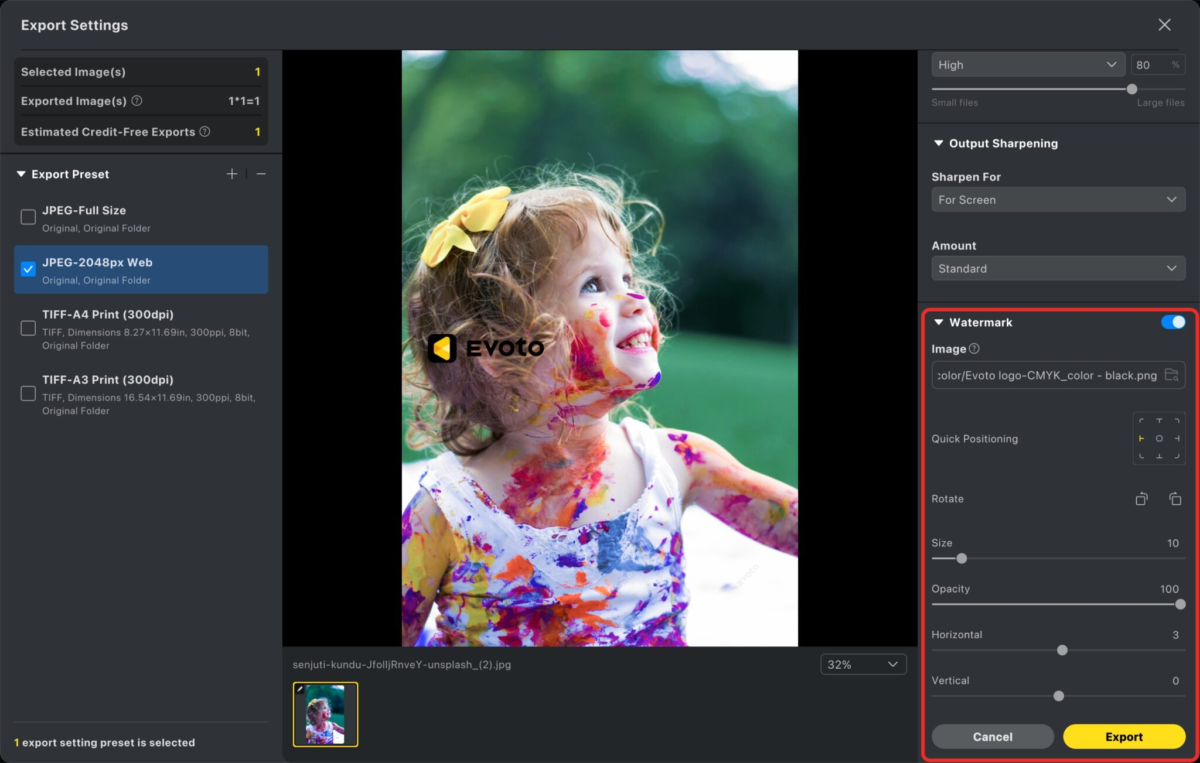
A watermark is your first visible deterrent. It signals ownership and makes a casual grab far less appealing. The goal is to watermark photos so they are clearly yours without ruining the viewing experience.
Where to Place a Watermark
Avoid the bottom corner alone — it is the easiest spot to crop out. For previews and proofs, place a semi-transparent mark across a central, hard-to-remove area of the image. Keep opacity around 30–50% so the photo still sells the work while staying protected.
When to Skip the Watermark
Final delivered files for paying clients usually should not carry a heavy watermark. Reserve visible marks for public galleries, social previews, and proofing. For delivered work, lean on the invisible layers below instead.
Step 2: Embed Photo Copyright Metadata
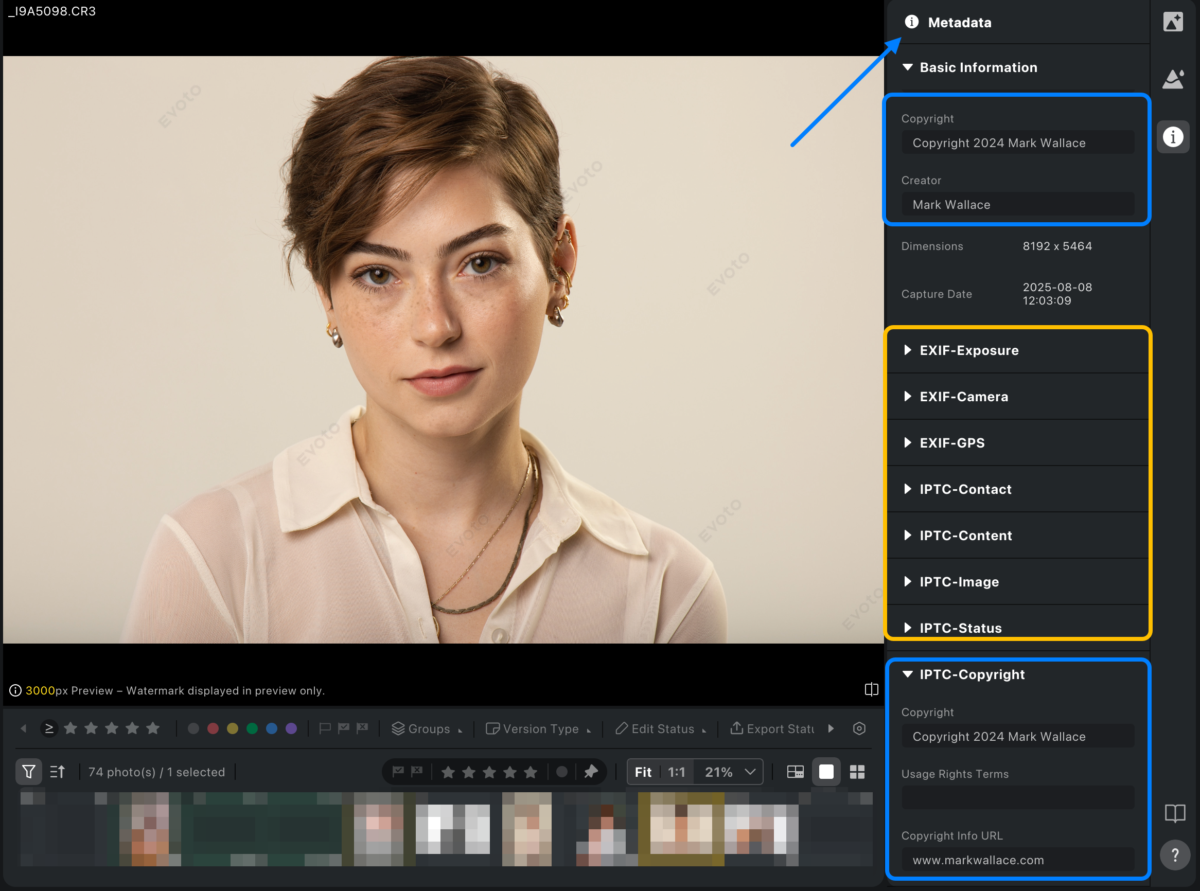
Photo copyright metadata is the invisible proof that travels inside the file itself. Embedded IPTC and EXIF fields record who made the image and how it may be used — data that strengthens your claim if a dispute ever reaches a platform or a court.
Set these as a default metadata preset in your editor so the fields apply automatically on export. Note that some social platforms strip metadata on upload — another reason to pair metadata with watermarks and active monitoring rather than relying on it alone.
If you’re adding metadata to a large number of photos, batch editing can save hours of manual work. Tools like Evoto let you apply copyright, creator details, and keywords to multiple images at once, helping you stay organized and protect your work with minimal effort.
The best way to prevent photo theft is to make casual copying inconvenient. None of these steps are bulletproof, but together they filter out the easy grabs.
Upload smaller, web-optimized files. Publish images at display resolution, not print resolution. A low-res copy is far less useful to a thief.
Disable right-click saving on your portfolio site where your platform allows it. It stops the laziest copying, even if a determined user can bypass it.
Use protected client galleries. Deliver client work through password-protected galleries with download controls, so you protect client photos online and decide who gets the full-resolution files.
Add a clear usage policy. A short, visible note on licensing tells honest users how to do the right thing — and removes the “I didn’t know” excuse.
Step 4: Track Image Usage Online with Reverse Image Search
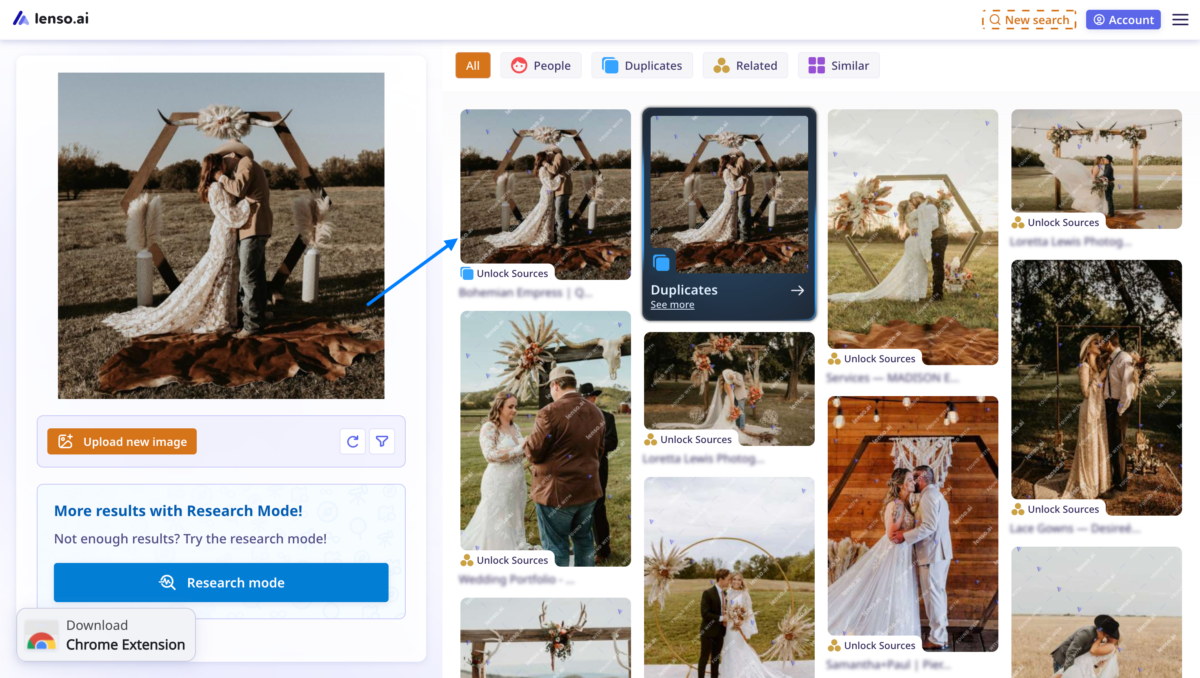
Deterrence only goes so far, so the final layer is monitoring. Reverse image search for photographers lets you track image usage online and catch unauthorized copies while they still matter.
How to Run a Reverse Image Search
Upload a representative frame — or paste its URL — into a reverse image search tool. The engine scans the web for visually matching images and returns the pages where your photo appears. Specialized tools built for creators can even surface edited, cropped, or color-shifted copies that basic searches miss.
Build a Monitoring Routine
Pick your most valuable or most-published images and search them on a regular cadence — monthly for an active portfolio, or after a big campaign goes live. Keep a simple log of where each image legitimately appears, so an unfamiliar result stands out immediately. When you find an unauthorized use, document the URL with a screenshot before taking action.
Step 5: Respond When Your Work is Stolen
Finding a stolen image is unsettling, but a calm, documented process resolves most cases without a lawyer.
Document everything. Screenshot the infringing page with its URL and date visible. Your embedded copyright metadata and original RAW file are your proof of authorship.
Reach out first. Many “thefts” are honest mistakes. A polite message requesting credit, a licensing fee, or removal often settles it.
File a takedown. If there’s no response, submit a DMCA takedown notice to the host or platform. Most have a standard form.
Escalate when it’s worth it. For commercial misuse or high-value work, registered copyright gives you the strongest legal footing to pursue damages.
Protect Your Brand Visibility, Not Just the File
Protection and promotion are the same effort viewed from two sides. A consistent, polished portfolio is easier to recognize as yours — which makes uncredited copies stand out and reinforces your photography brand visibility wherever your work travels.
That consistency starts in post-production. A creator-friendly workflow that keeps your color, retouching, and presentation uniform across a gallery makes your style unmistakable. Tools like the Evoto AI photo editor help you deliver natural, consistent results across large batches, so every image you publish looks deliberately, recognizably yours.
Frequently Asked Questions
What is the best way to protect photos online?
There is no single best method — layering is what works. Combine visible watermarks on previews, embedded copyright metadata on every export, protected client galleries, and regular reverse image searches. Together they deter theft, prove ownership, and help you catch misuse early.
Do watermarks actually stop photo theft?
Watermarks stop casual copying and signal ownership, but a determined thief can crop or clone them out. Treat watermarks as a deterrent for public previews, and back them up with copyright metadata and active monitoring rather than relying on them alone.
How does copyright metadata help if platforms strip it?
Many platforms remove metadata on upload, but the embedded data still lives in your original files and any copies that retain it. That record supports your authorship claim in a dispute, which is why it should be one layer of protection, not your only one.
How do I protect client photos online without annoying clients?
Deliver final files through password-protected galleries with controlled downloads, and skip heavy watermarks on paid deliverables. Use watermarks only on public previews and proofs, and rely on metadata plus monitoring to protect the delivered work.
Build Protection Into Your Everyday Workflow
Knowing how to protect photos online comes down to habits, not gadgets: watermark your previews, embed copyright metadata on export, lock down client galleries, and monitor with reverse image search. Done consistently, these layers protect your revenue, your clients, and the brand you’ve built one frame at a time.
And because protection and presentation go hand in hand, a fast, consistent editing process keeps your work recognizable everywhere it appears. Try Evoto free to give every image you publish the professional, on-brand polish that makes your photography unmistakably yours.