

TL;DR
- Lock named looks at booking, shoot one grey seamless all week, batch photo compositing on a protected post day.
- Summer mini photoshoot sessions stay realistic at 25–30 minutes on set and ~50–60 minutes post per family (three looks, illustrative timer test).
On a Tuesday in June, our front desk confirms three summer mini photoshoot sessions back-to-back. The seamless in the studio is still the same roll of grey we hung on Monday. The family walking in at two o’clock is not here to pick a vibe from Pinterest—they already checked Tropical Garden and Golden Beach Haze in last week’s confirmation email. That is the whole point of this workflow: menu first, physical set second, post in batches.
Run sheet: Grey capture Monday–Thursday → retoucher batches scenes Friday → galleries out within three business days. Clients choose named looks when they pay the deposit, not on the set.
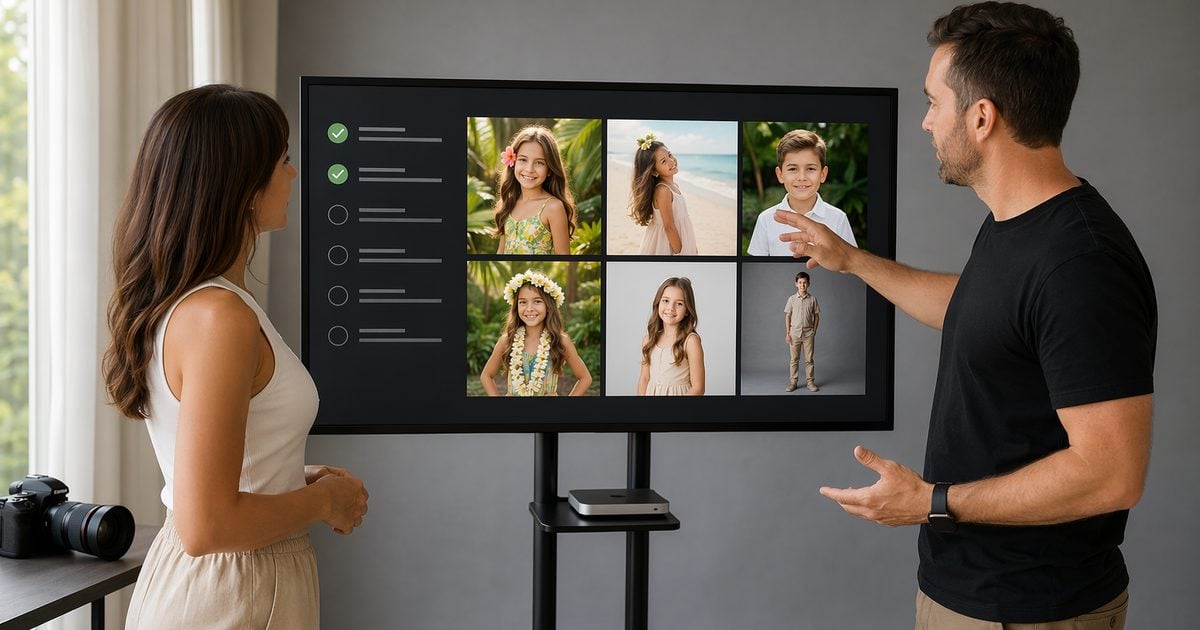
If you lead a studio that already runs photographer mini sessions and wants summer mini sessions to feel like a conveyor belt instead of twenty custom projects, keep reading. Package math and margin live in our mini sessions for photography profit guide—this piece is only about handoffs.
Back-to-Back Minis: A Four-Question Gut Check
Before we stack July, we ask four yes-or-no questions. If any answer is no, we fix the process before we add dates.
- Do clients pick named looks before shoot day? If they still decide on the set, we lose five minutes per family and the retoucher gets surprise scenes.
- Is one neutral backdrop up all peak week? Swapping paper mid-week changes color drift and white balance. We batch photo compositing on Fridays because the capture stays boring.
- Does one person own post on batch day? When everyone “helps” with edits, halos slip through.
- Can we state a delivery date in writing at booking? Vague “soon” promises cause the angry emails that eat admin time.
Pose ideas are not delivery plans. For wardrobe and inspiration, see a summer photoshoot ideas roundup on the Evoto blog—this guide covers booking-to-gallery operations only.
We use Evoto on Desktop for batch scene work after skin passes. For the wider portrait stack, see the AI Photo Editor hub. You do not need every slider memorized—you need roles written down.
Summer Mini Photoshoot Sessions: Three-Business-Day Handoff
Summer mini photoshoot sessions only stay on schedule when each role knows what “done” means.
- Booking (front desk / CRM). Deposit paid, look names locked, delivery date typed, digital-scene disclaimer sent. HoneyBook’s mini session overview notes that slots usually run 15–30 minutes and that written policies on length, image count, and lateness keep back-to-back days from collapsing. We book 25–30 minutes of shooting inside that window.
- Shoot (photographer). One key light, one grey seamless, pose changes only. This is studio portrait photography rhythm, not a location scout.
- Post (retoucher). Cull, portrait retouching, scene apply, light QA, export—see the next sections for order.
- Delivery (studio or VA). Gallery live, one closing email, upsell only if it was on the menu.
Many mini guides, including STRYNG’s practical mini session walkthrough, describe 48–72 hour proof windows and finals within about a week. We promise three business days on purpose—it is a studio SLA, not an industry law. Say it in the confirmation email so “fast” means a date, not a vibe.
Field note (illustrative · June 2026)
- Test: single operator · Evoto Desktop 7.3.0 · Better-style booking · three menu looks
- Capture: 27 minutes · 18 keepers (~6 per look) · grey seamless
- Post (timer stopped): 54 minutes—cull 6, portrait finish 14, AI Background Fusion scenes 20, Character Lighting QA 8, export 6
- Output: three themed exports ready for gallery upload
Your minutes will differ. Log one real week before you copy our SLA.
Why We Shoot Grey, Not the Scene Clients Buy
Clients buy backgrounds for portraits from a menu—Golden Beach Haze, Tropical Garden, maybe a golden hour portrait mood in the copy. In the room, we shoot grey backdrop photography, not sand.
Savage’s seamless papers are built as non-reflecting portrait surfaces. Their favorite paper colors roundup includes Fashion Gray, which working photographers describe as versatile for compositing and overlays in post. We hang Studio Gray or similar medium tones—see Savage Studio Gray specs for the fine-tooth, low-glare paper we mean.
A busy week is not the time to chase perfect white or moody black for extraction. Grey forgives minor exposure drift when Friday’s photo compositing batch runs hot.
Beach color on location is a different craft. If clients compare us to sand-and-sky edits from their camera roll, we point them to how to edit beach photos for on-location work—and we clarify that our beach look is a studio delivery, not a travel day.
A neutral capture backdrop workflow still applies when you standardize grey or white before fusion. Keep capture dull; keep delivery flexible.
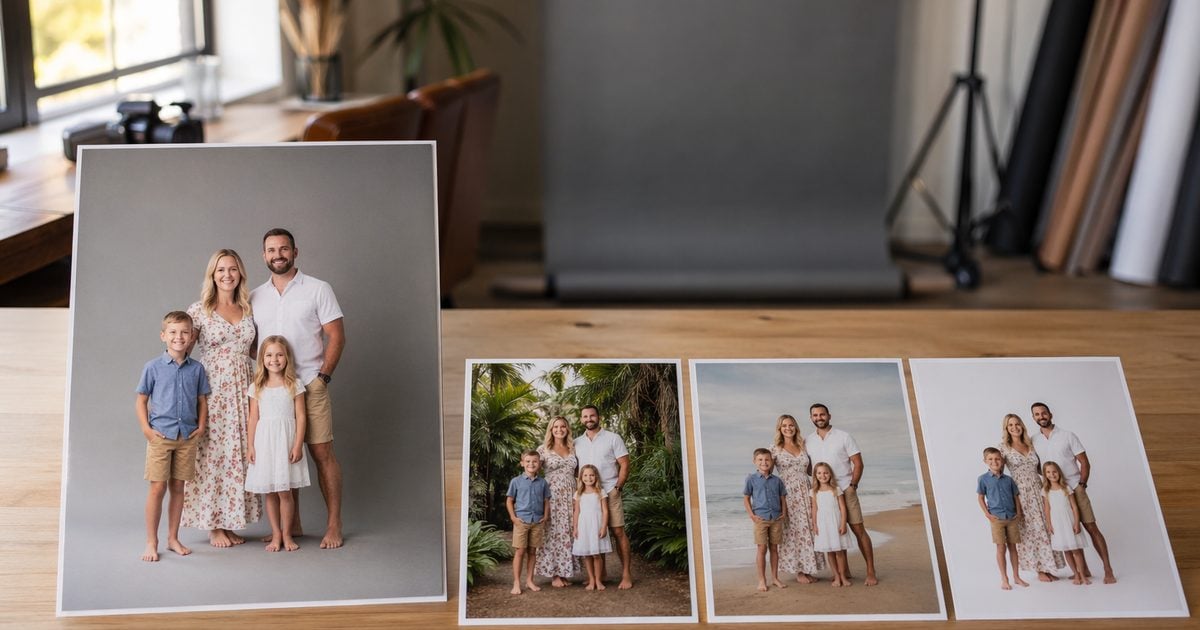
Lock the Look Before They Walk In
Negotiation belongs in the inbox, not the lobby. When looks stay open on shoot day, mini photoshoot sessions turn into mini design meetings.
Our summer menu maps client-facing names to scene packs we already graded:
| Menu name | Scene pack | Client-facing line |
|---|---|---|
| Clean Studio | Minimal Clean Studio | Bright, simple portraits |
| Tropical Garden | Tropical Garden | Summer green |
| Golden Beach Haze | Golden Beach Haze | Soft beach glow, studio-safe |
| Neon City Night | Neon City Night | Evening color |
| Rooftop Golden Glow | Rooftop Golden Glow | Warm skyline light |
Thumbnails on the booking page match the names in CRM. The photographer only verifies: “Today we’re shooting for Tropical Garden and Golden Beach Haze—you approved those on June 12.”
Scene swaps run through our themed session backgrounds pipeline on Desktop—AI Background Fusion.
Build your booking lock-in block
Paste the fields below into HoneyBook, Dubsado, or your confirmation email builder:
| Field | Why it matters |
|---|---|
| Session date + arrival window | The lateness policy only works if the window is explicit |
| Look names chosen (checkbox list) | Must match the menu table above |
| Deliverable count per look | e.g., 6–10 finals per look (adjust to your package) |
| Delivery date (calendar date) | Tied to a three-business-day SLA |
| Digital-scene sentence | Preview thumbnails are representative, not pixel-perfect matches |
Copy-paste confirmation language (edit names/dates):
Your summer mini photoshoot session is confirmed for [date] at [time]. You selected: [Look A], [Look B]. We will deliver [number] edited images per look to your gallery by [delivery date]. Final scenes are digital studio compositions built from your session; they will match the menu previews you approved, not a specific beach or garden location.
Late arrivals may shorten shooting time per our studio policy, so the following families stay on schedule.
That is the whole lock-in—no PDF required.
Skin First, Scenes Second
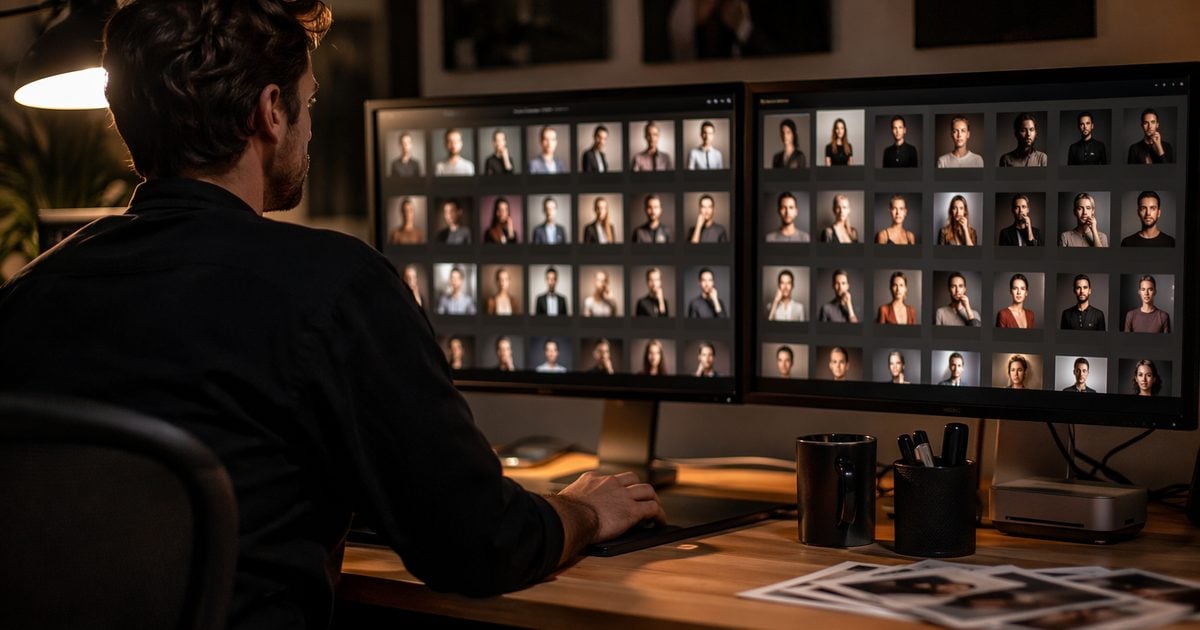
We tried swapping backgrounds before skin work once. Edges looked fine until someone healed a flyaway through a new mask. Now, portrait retouching always leads.
- Cull to true keepers—no scene fantasies on rejects.
- Batch portrait finish—skin, basic tone, sync settings across the set. Batch portrait finishing lives here.
- AI Background Fusion—cutout, apply menu scenes, optional foreground.
- Character Lighting on hero frames—light direction check, not a second creative edit.
- Export gallery sizes and backup.
| Step | Minutes (illustrative) |
|---|---|
| Cull | 6 |
| Portrait finish | 14 |
| Scene batch | 20 |
| Light QA | 8 |
| Export | 6 |
| Total | 54 |
Teams that cull in Lightroom before finishing elsewhere still follow the same order—handoffs add minutes you must price elsewhere (Capture One vs Lightroom for batch portrait delivery).
Online trial does not support batch AI Background Fusion. Multi-look summer mini sessions at volume need Evoto Desktop. Trial a single frame if you want; do not promise three menu looks from the browser tool alone.


Powerful AI Photo Editor
What a Twenty-Session Week Actually Looks Like
Two shooters, one retoucher, twenty summer mini photoshoot sessions in a week—this is our illustrative ceiling for a two-shooter studio, not a guarantee every crew should match.
| Day | AM | PM | Post |
|---|---|---|---|
| Mon | 5 sessions | — | Off |
| Tue | 5 sessions | — | Off |
| Wed | 5 sessions | — | Off |
| Thu | 5 sessions | — | Off |
| Fri | — | — | Batch all scenes |
| Sat | QA + stragglers | Gallery push | Light |
We do not open the cull on shoot night. Rebecca Rice’s mini day breakdown mirrors what we learned the hard way: the day you shoot ten families is not the day you judge skin tone.
batch photo editing runs by scene pack, not by client folder chaos—every Tropical Garden file gets the same base scene before we move to Golden Beach Haze. If any session drifts past ~60 minutes of post, we drop a look or add a second batch day—not free overtime.
When the calendar math stops working, the fix is usually in the profit and package guide linked at the top—not another backdrop roll.
When the Gallery Surprises the Client
- The Instagram beach. They expected Malibu; they got your menu beach. Fix: same thumbnail in the email they signed and on the booking page—never a random reel as the reference.
- Halos at the hairline. Fix: grey capture with even key, then Character Lighting on three spot frames before upload.
- The lobby add-on. “Can we sneak in Neon too?” Fix: menu-only policy in writing; upgrades get a new date.
- The trial batch test. Fix: Desktop for production; tell staff the browser tool is for singles.
Two sentences we repeat in email so support tickets stay low:
Your gallery will be live by [date]. Scenes are digital compositions from your studio session and will match the menu previews you selected—they are not on-location photographs.
If you need a look not on the menu, reply before your session date to reschedule with an updated invoice.
Before July Fills
Freeze menu thumbnails and Desktop presets before the calendar sells out. Summer mini sessions fail in admin, not in camera.
After launch, compare plans on Evoto pricing if you are standardizing scene credits across packages. If you have not batch-tested a three-look folder yet, download Evoto Desktop and run one mini end-to-end before peak week.
Powerful AI Photo Editor
Summer mini photoshoot sessions scale on handoff discipline—grey once, looks locked early, skin before scenes—not on stacking physical sets.
FAQ
1. How long should summer mini photoshoot sessions run on set?
Most industry write-ups, including HoneyBook’s mini session guidance, describe 15–30 minute slots. We shoot 25–30 minutes inside that window with one light and one backdrop.
2. What backdrop for portrait photography works if we swap scenes in post?
Medium grey seamless—non-reflecting paper such as Savage Studio Gray or Fashion Gray from their color favorites list. Avoid busy patterns that fight matting.
3. Should clients choose looks at booking or at the session?
At booking. On-set changes steal time from the next family and break Friday’s batch plan.
4. Do you retouch portraits before or after compositing?
Before. Finish skin and base tone, then run AI Background Fusion, then Character Lighting QA.
5. Is a three-business-day gallery realistic for summer mini sessions?
It is a studio choice. Many mini workflows described by guides like STRYNG run 48–72 hours to first proofs and about a week to finals. Three business days is aggressive but workable if batch day is protected and looks are locked.
6. Can we batch photo compositing on the online trial?
No. Batch AI Background Fusion requires Evoto Desktop.
7. Where do mini photoshoot sessions pricing and packages fit?
In the dedicated mini sessions for photography guide—this article covers operations only.
8. Does Evoto use my client photos for AI training—and is batch compositing ethical?
Evoto’s Privacy Policy states that Your Content is not used to train generative AI models without explicit opt-in consent, and that service-improvement opt-ins still exclude model training. For ethical AI in professional retouching, you keep creative control: which looks clients buy, which scenes batch, and what exports. Some features process files through secure cloud pipelines for inference—review retention and consent settings in-app. Obtain client permissions your jurisdiction requires for family and portrait files.
Methodology & Author
Author: Evoto Editorial Team — studio operations editors
Experience basis: illustrative walkthrough above (27 min shoot · 18 keepers · 54 min post · Desktop 7.3.0 · June 2026 timer test)
Week model: twenty-session sample calendar for a two-shooter, one-retoucher studio—adjust to your crew
Limitations: online trial does not support batch AI Background Fusion; composite QA remains human; badly exposed grey captures cannot be fully rescued in fusion
Last reviewed: 2026-06-20



