

The recommended Instagram carousel size is 1,080 × 1,350 pixels per slide (4:5). Keep every panel at that same ratio, then split a wide master canvas into equal 1,080-pixel-wide files if you want a seamless Instagram carousel.
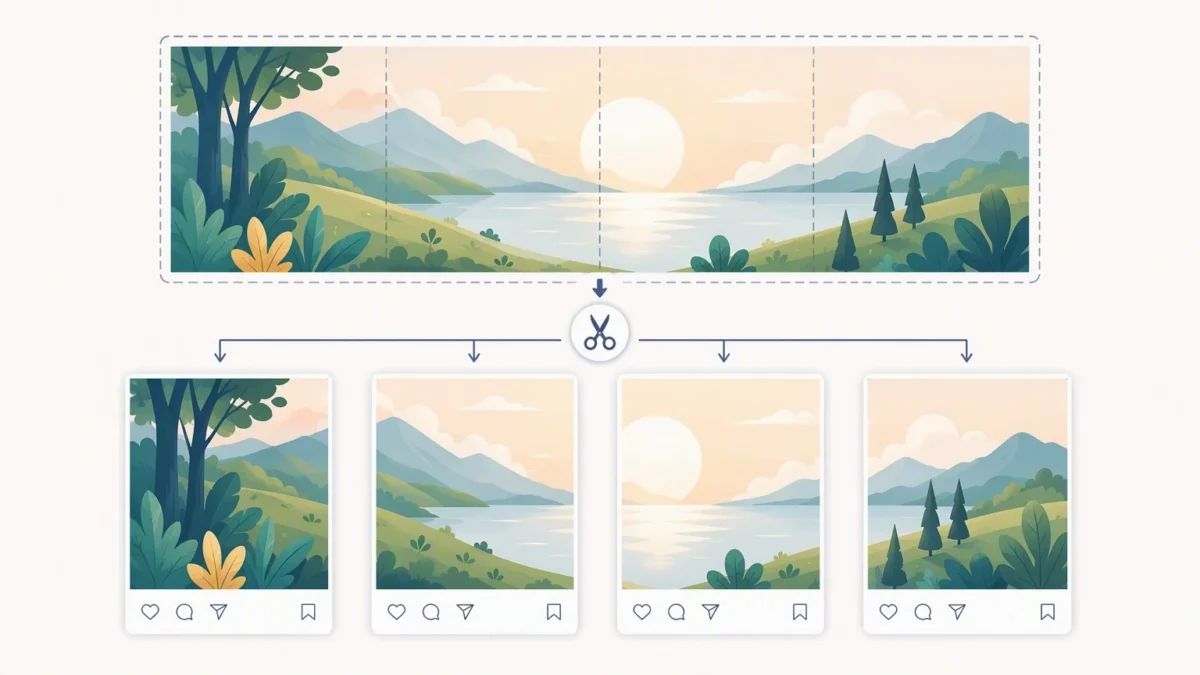
Instagram Carousel Size: The Recommended Dimensions
An Instagram carousel is a single post with multiple photos or videos that viewers swipe through. Choose one Instagram carousel size before you upload, then crop every image to that same frame. Instagram applies one orientation to the entire carousel, so mixing a tall portrait image with a square or landscape image can lead to cropping.
| Format | Aspect ratio | Recommended export size | Good use case |
|---|---|---|---|
| Portrait | 4:5 | 1,080 × 1,350 px | Portraits, wedding details, educational slides |
| Square | 1:1 | 1,080 × 1,080 px | Balanced grids, product collections |
| Landscape | 1.91:1 | 1,080 × 566 px | Panoramas and wide scenes |
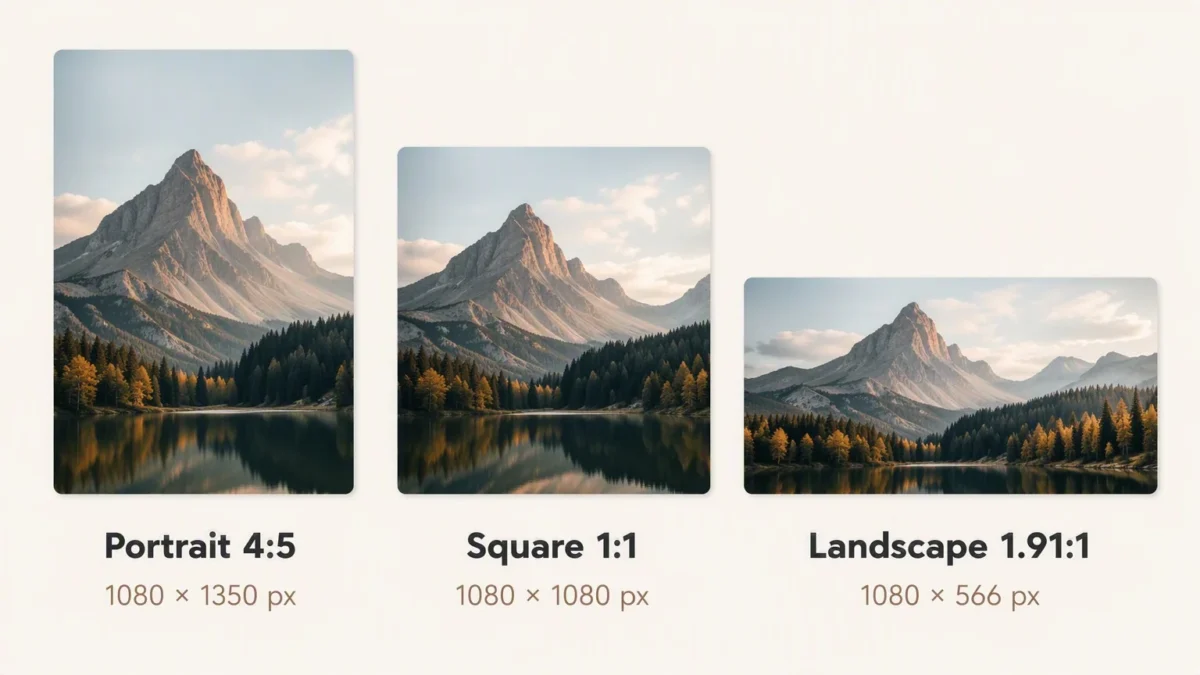
For most creators, a 4:5 Instagram carousel size is the most useful choice because it occupies more vertical space in the feed than a square or landscape post while keeping a familiar photo proportion. It is especially practical for headshots, fashion images, wedding portraits, and step-by-step education. A landscape carousel can be the better editorial decision when the story depends on a wide scene; do not force every image into portrait just to use more feed space.
Why Consistent Carousel Sizing Matters
Consistency is not just a technical detail. It protects composition. If a bride’s face sits close to the top edge in the first image, a different crop on the next slide can make the sequence feel uneven. When a design spans multiple slides, inconsistent dimensions can also break the visual connection at every swipe.


Powerful AI Photo Editor
How to Make a Seamless Instagram Carousel
A seamless Instagram carousel is a series of individual slides designed as one continuous image. A horizon line, backdrop, typography treatment, or repeated visual element appears to continue from one panel to the next. Each slide must still work on its own, because people may enter the post from any panel and may not swipe through the entire sequence.
- Choose your final slide format first. For a portrait carousel, each panel is 1,080 × 1,350 pixels.
- Decide how many panels the story needs. Start with the narrative, not an arbitrary number of slides.
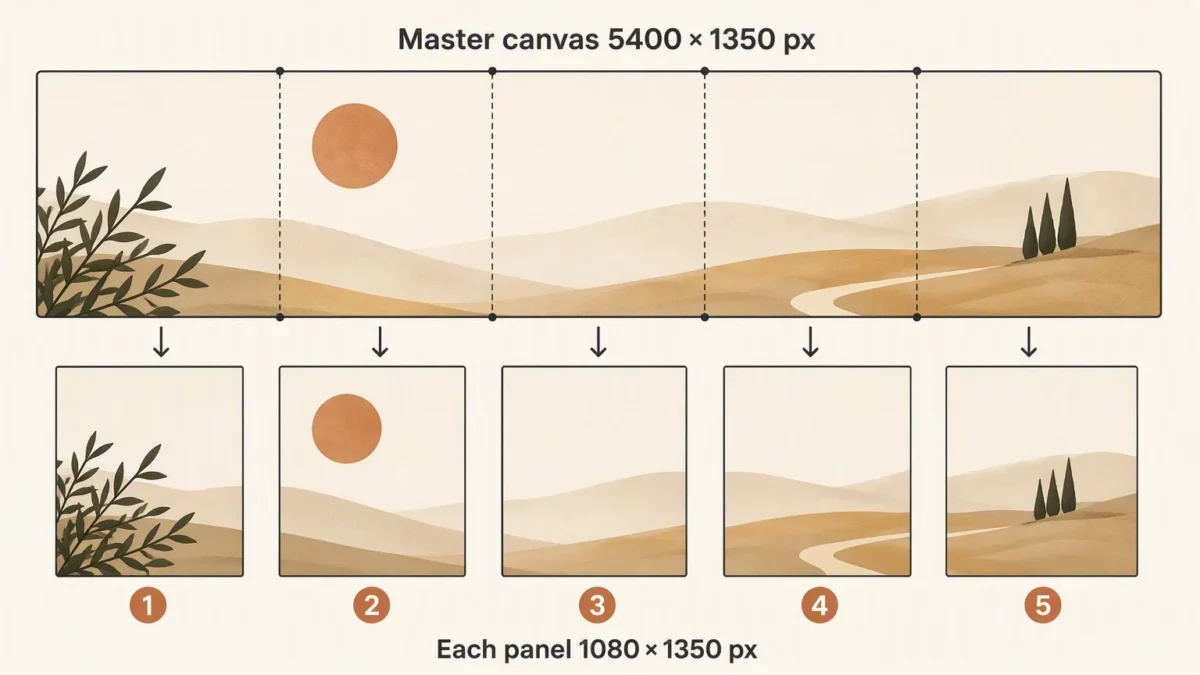
- Create a master canvas that is 1,350 pixels high and 1,080 pixels wide for every planned panel. For five portrait slides, the canvas is 5,400 × 1,350 pixels.
- Add vertical guides every 1,080 pixels. Those guides are the exact boundaries between slides.
- Place key subjects, faces, and essential text away from each cut line. Let low-risk visual details, such as a wall texture or distant background, carry the transition.
- Split the master canvas into equal panels, then export the panels in left-to-right order.
- Upload the files in that same order and review the preview before publishing. If Instagram suggests a different crop, stop and correct the source files rather than accepting an unintended crop.
How to Use an Instagram Carousel Splitter
An Instagram carousel splitter takes a wide master image and cuts it into equal panels at your chosen Instagram carousel size. It can save time, but it cannot fix a weak layout. Before using one, confirm the tool lets you choose the number of panels and preserves your intended output dimensions. A splitter that simply divides an arbitrary image may create files that Instagram crops later.
- Start with a master file whose width equals 1,080 multiplied by the number of slides.
- Use only equal-width panels; do not hand-crop each one independently.
- Name exports sequentially, such as carousel-01 through carousel-05.
- Open the exported files in order before uploading to check that the transition is continuous.
- Keep a master file with guides so you can revise a panel later without rebuilding the carousel.
A Practical Workflow for Photographers and Retouchers
For a portrait or wedding carousel, edit the individual images first, then build the carousel layout. That order keeps skin tone, exposure, and color consistent before you make creative crop decisions. Select a lead image with a clear focal point, follow it with supporting moments or detail images, and reserve the final slide for a concise closing thought or a strong standalone frame.
If you are preparing a large set of portraits, finish a consistent retouching pass before you build the carousel layout. Compare skin tone, white balance, and crop across the set first. If you already batch-retouch in Evoto, complete that pass, then review every image at full size before you split the master canvas.
Design Tips That Prevent Awkward Carousel Cuts
Treat every panel edge as a risk zone. Avoid putting eyes, hands, a product edge, or a word directly on the split. A transition across soft background texture can look intentional; a transition through someone’s face almost never does. If you use text, keep the message readable within a single panel instead of requiring viewers to reconstruct a sentence across a swipe boundary.
- Put the strongest visual or clearest promise on slide one.
- Use the same type scale, margins, and color treatment across all panels.
- Leave extra room near the outer edges for profile-grid previews and interface overlays.
- Use subtle directional cues, such as a subject looking toward the next panel, rather than relying on a hard visual trick.
- Check the post on a phone before publishing. Desktop layouts can hide small spacing problems.
Common Instagram Carousel Mistakes
| Mistake | What happens | Better approach |
|---|---|---|
| Creating slides in different aspect ratios | Instagram may crop some images to match the carousel frame. | Crop every image to one selected format before upload. |
| Splitting after adding edge-to-edge text | Words or letters are cut at the swipe boundary. | Keep essential text fully inside one panel. |
| Using a low-resolution master canvas | Fine detail and text can look soft after upload. | Build each panel at 1,080 pixels wide or larger, then export at the target size. |
| Uploading files out of order | The visual narrative and seamless effect break. | Use numbered filenames and select files left to right. |
| Making every slide depend on the panorama | A viewer who sees only one slide misses the message. | Give each panel a focal point and a clear role in the story. |
Powerful AI Photo Editor
Accuracy note: Instagram’s available formats and carousel limits may change. Before publishing an important campaign, verify current upload requirements in the Instagram Help Center and test the final sequence in the Instagram mobile app.



