

Senior Picture Editing is an essential part of capturing memorable milestones in a student’s life. Every detail matters in these photos, from facial expressions to the clothes worn. A well-chosen outfit can elevate the overall impression, while wrinkles, stains, or poorly fitting clothing can distract from the subject. As a photographer, ensuring that your clients look polished and confident is crucial. Fortunately, Evoto AI provides a suite of tools specifically designed for professional senior picture editing, helping you perfect both the individual and their outfits.
When preparing for a senior photo session, many students and parents underestimate the impact of clothing details. Wrinkles, creases, or dust on garments can make even the best photo appear unprofessional. With Evoto AI senior picture editing, you can remove these distractions, delivering a clean and polished look that highlights the subject’s personality and style.


Powerful AI Photo Editor
Choosing the Right Outfits for Senior Pictures
When advising students on senior pictures, photographers should emphasize the importance of outfit selection. The right clothing can significantly impact the final image and make senior picture editing easier and more effective. Key recommendations include:
- Color: Encourage students to wear solid colors and avoid large patterns or logos. Solid tones photograph well and help the subject’s face and expressions stand out clearly.
- Style: Suggest classic and simple styles. For male students, button-down shirts, blazers, and fitted trousers are ideal. For female students, dresses, blouses, or tailored outfits create a polished and professional appearance.
- Fabric: Certain fabrics wrinkle easily or reflect light unevenly, such as silk, linen, or cotton blends. While Evoto AI can correct minor fabric imperfections during senior picture editing, selecting the right material beforehand reduces post-processing time and ensures more natural results.
By guiding students to make thoughtful outfit choices, photographers can capture portraits that look professional and balanced. When combined with effective senior picture editing, these photos will achieve a polished, refined appearance.
Common Clothing Challenges in Senior Pictures
Even with careful planning, clothing issues may arise during the shoot:
- Wrinkles and creases are common in sleeves, collars, or dress fronts.
- Dust, lint, and stains can appear on the fabric, particularly in dark-colored outfits.
- Uneven edges or poorly aligned clothing can affect the photo’s composition.
- Lighting inconsistencies can make fabrics appear dull or patchy.
Addressing these issues manually can be time-consuming. Evoto AI simplifies the process, allowing photographers to focus on capturing the perfect expression while the software handles clothing refinement.
Step-by-Step Tutorial: How to Beautify Outfits with Evoto
Beautifying outfits in senior pictures is easier than ever with Evoto AI. Follow these steps:
Step 1: Upload Your Photo
Import the high-quality portrait into the Evoto editor. The software supports RAW, JPEG, PNG, and TIFF formats. This ensures you maintain full resolution for editing.
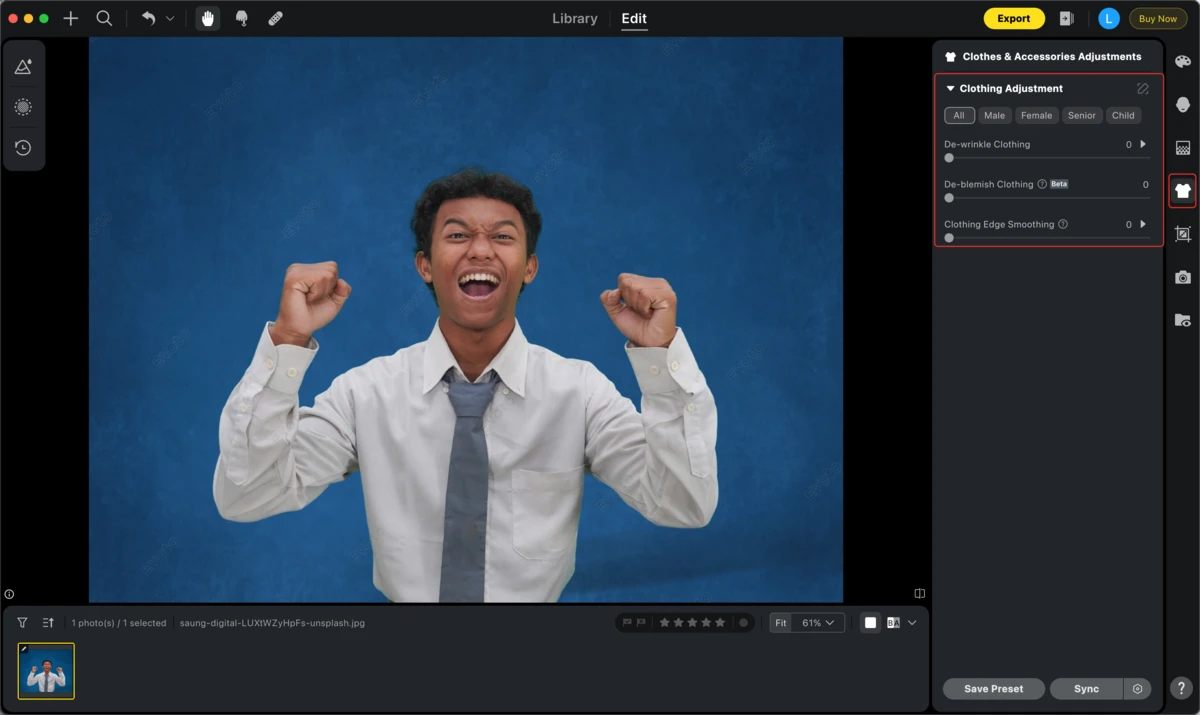
Step 2: Open the Clothing Adjustment Panel
Navigate to the “Clothes and Accessories Touch-up” panel on the right side. Expand the “Clothing Adjustment” section to access de-wrinkle, blemish removal, and Clothing Edge Smoothing tools.
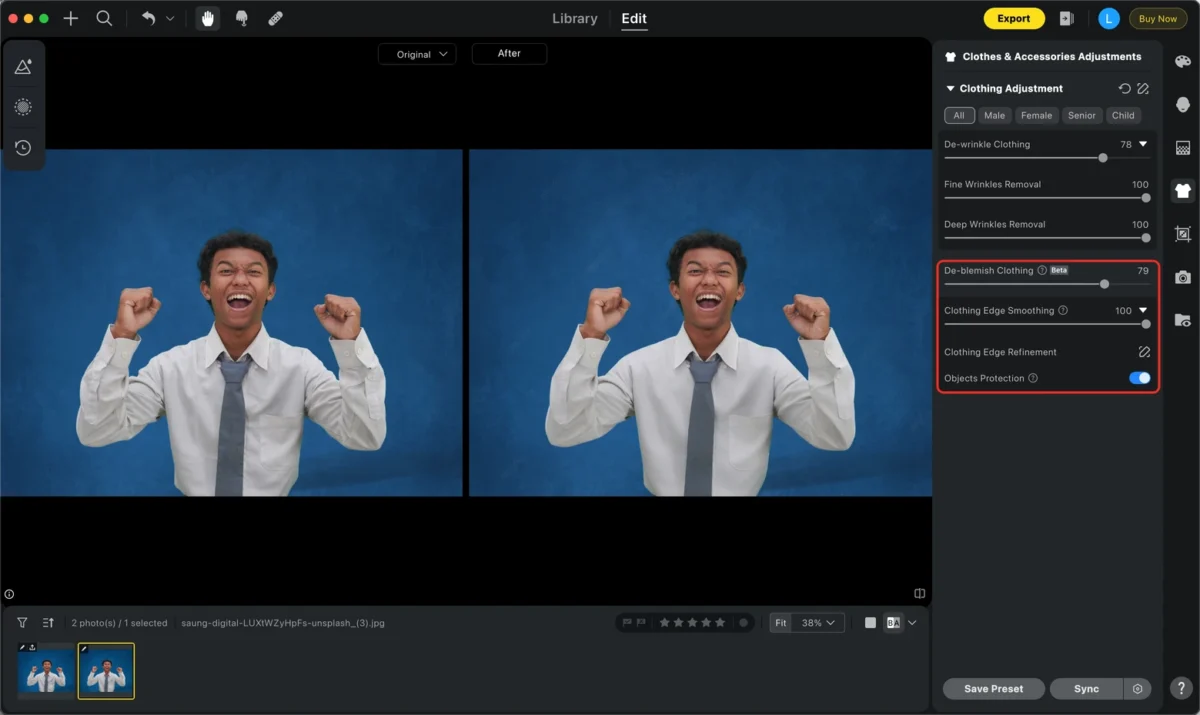
Step 3: Remove Wrinkles and Creases
Use the sliders to remove wrinkles from collars, sleeves, or dress fronts. Evoto AI identifies fine and coarse lines, smoothing fabric naturally without losing texture.
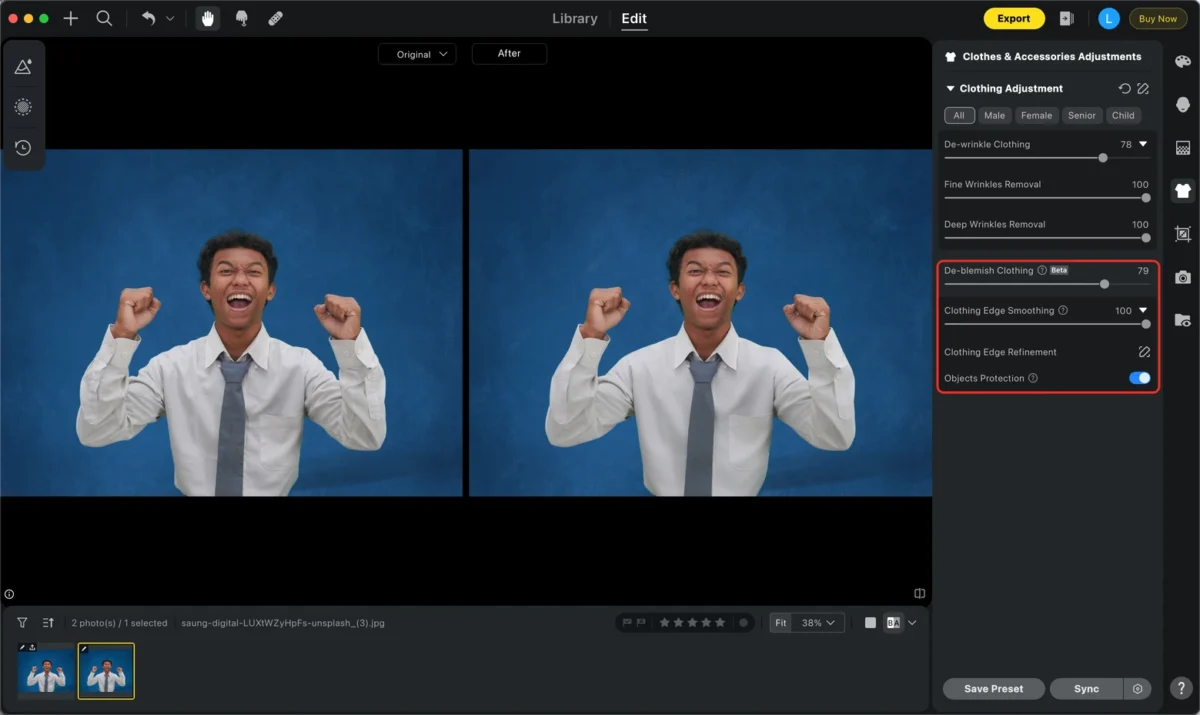
Step 4: Remove Blemishes
Activate the blemish removal feature to erase dust, lint, or small stains. The AI automatically detects imperfections and ensures the clothing looks clean and polished.
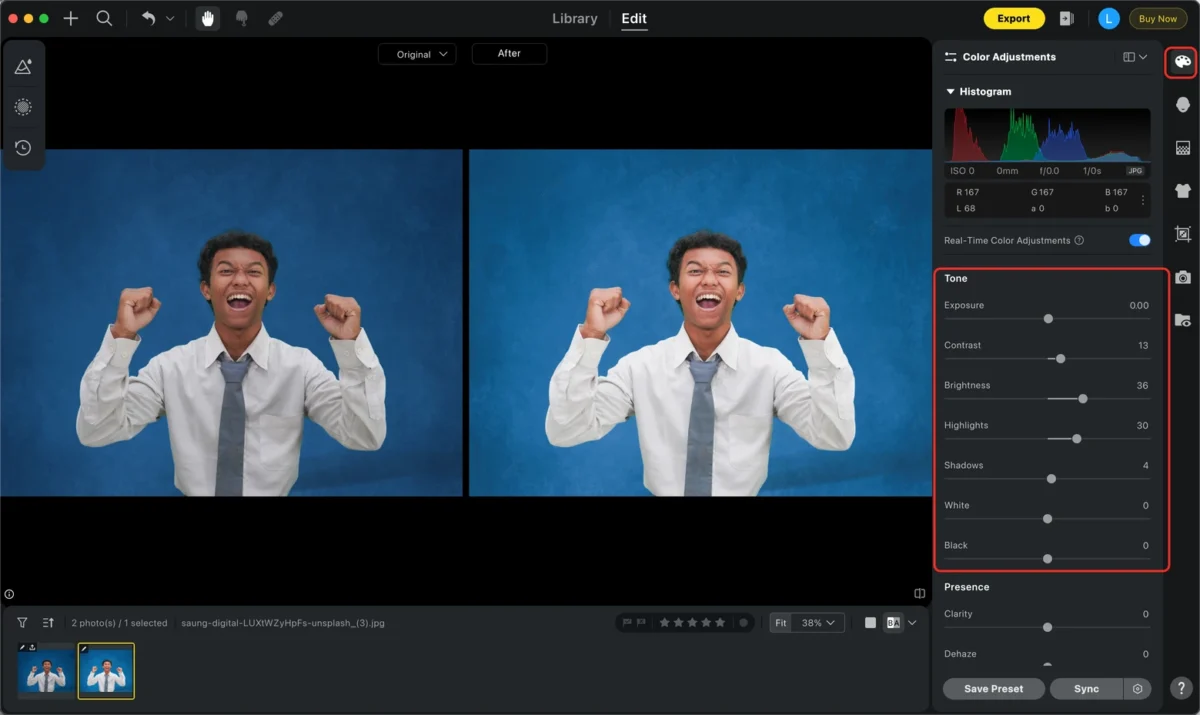
Step 5: Adjust Brightness and Color
Evoto AI balances lighting and colors across the outfit. Shadows or uneven brightness can be corrected, making the clothes appear vibrant and consistent.
Step 6: Preview and Export
Check the edits in real time. Once satisfied, export the image in high resolution. Evoto AI preserves the original quality while enhancing the clothing’s appearance.
Additional Evoto AI Features for Senior Picture Editing
Evoto AI goes beyond clothing edits, providing comprehensive tools for senior pictures:
- Background Replacement: Swap backgrounds for a studio, outdoor, or creative look.
- Portrait Retouching: Smooth skin, remove wrinkles, and adjust facial features.
- Real-Time Group Editing: Perfect for class or family photos, automatically optimizing multiple faces.
- Preset Synchronization: Apply a consistent style across all senior pictures.
- Face Symmetry and Pose Correction: Fine-tune head tilt, gaze, and expressions for a professional result.
These features make Evoto AI a versatile tool, ensuring senior pictures are not only clothing-perfect but also polished overall.
How Senior Picture Editing Enhances Your Photography
Integrating senior picture editing into your workflow improves efficiency and quality:
- Professional Finish: Wrinkle-free, blemish-free clothing ensures your photos look polished.
- Time-Saving: AI-assisted edits reduce manual retouching, allowing faster turnaround.
- Consistency: Batch edits and preset application maintain uniformity across all portraits.
- Client Satisfaction: Students and parents appreciate flawless photos that highlight personality and style.
Practical Tips for Shooting Senior Pictures
Even with AI editing, careful preparation enhances results:
- Encourage subjects to wear clean, well-fitted outfits.
- Choose solid-colored garments to simplify post-editing.
- Keep accessories minimal to keep focus on the person and their outfit.
- Pre-shoot trial and adjustment help ensure proper composition and garment alignment.
By combining these tips with Evoto AI, photographers can produce images that are polished, professional, and timeless.
Real-Life Applications of Evoto AI in Senior Picture Editing
Graduation Photography
Professional photographers use Evoto to smooth wrinkles in graduation gowns and clean backgrounds, preparing photos for portfolios or certificates.
Apparel E-Commerce
Online clothing stores rely on Evoto to create wrinkle-free product images. This enhances visual appeal and drives higher engagement and sales.
Personal Portraits and Selfies
Students can retouch their own senior photos quickly. Evoto allows effortless editing, including outfit smoothing, brightness adjustment, and blemish removal.
Cosplay and Costume Photography
Bloggers and enthusiasts use Evoto to perfect costumes, removing wrinkles and optimizing texture to showcase characters authentically.
Batch Editing for Consistency
Evoto AI supports batch processing, allowing multiple senior pictures to receive uniform edits in minutes. This is essential for schools, yearbooks, and photo studios.
Conclusion
Senior pictures are a once-in-a-lifetime memory. Every detail, from clothing to facial expression, contributes to the overall impact. With senior picture editing using Evoto AI, photographers can effortlessly remove wrinkles, correct imperfections, and ensure clothing looks flawless.
Evoto AI also provides background replacement, portrait retouching, batch editing, and preset synchronization. By combining smart AI tools with careful shooting, photographers can produce senior pictures that are professional, polished, and memorable.


