

TL;DR
- What is Capterra Best Ease of Use award? It is a category-based recognition used by software buyers to identify products perceived as easier to use.
- In 2026, Evoto AI appeared in Best Ease of Use rankings for both Artificial Intelligence and Photo Editing categories.
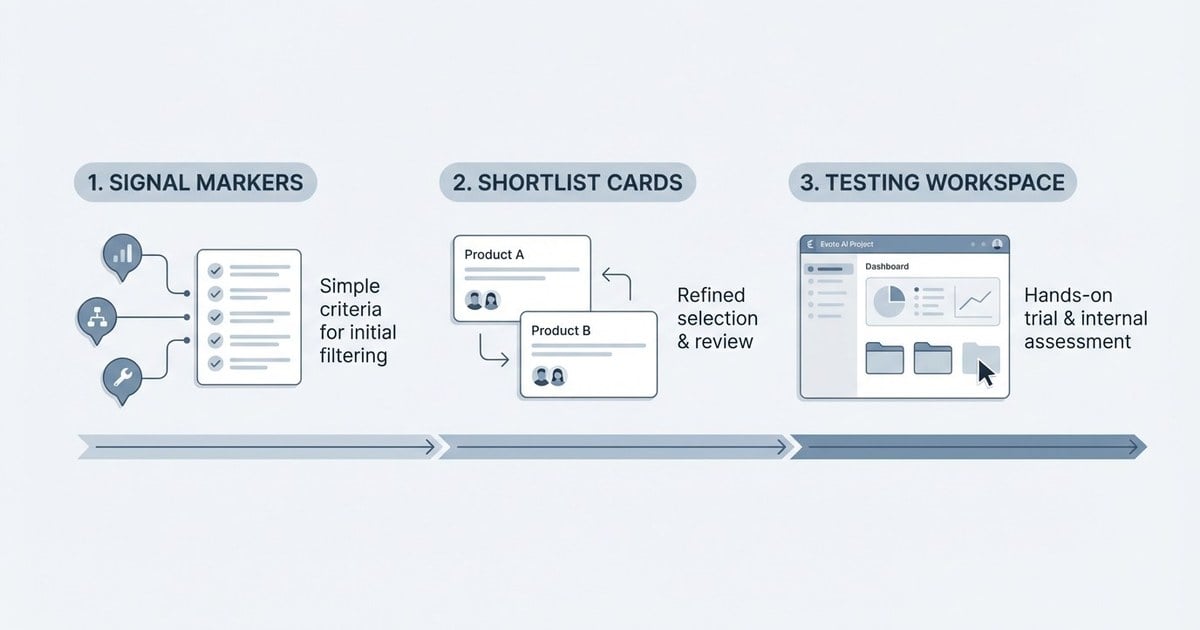
- The award is most useful as a shortlisting signal, not a final buying decision by itself.
- Buyers should combine ranking insights with hands-on product testing, workflow fit checks, and team onboarding requirements.
What Is Capterra Best Ease of Use Award?
If you are asking “what is Capterra Best Ease of Use award?“, the short answer is that it is a usability-focused recognition shown within software categories on Capterra. It helps buyers quickly identify products that users describe as easier to adopt and operate in real work settings.
Unlike feature lists that only describe what software can do, an ease-of-use ranking highlights how manageable the day-to-day experience may be for real teams. For buyers, this is especially relevant when onboarding speed, operational consistency, and training effort are major concerns.
In 2026, Evoto AI appeared in Capterra’s Best Ease of Use rankings for two categories, Artificial Intelligence and Photo Editing, making it a useful example for understanding how these recognitions work in practice.
How to Read This Award Correctly
A common mistake is to read any software badge as a complete quality verdict. A better approach is to treat it as one high-value data point in a larger evaluation framework. If you are comparing tools in 2026, use the award to narrow the list, then validate against your own workflow requirements.
| Question | How to Use the Award Signal |
|---|---|
| Is the tool easy for new users? | Use Best Ease of Use as an initial confidence marker, then run onboarding tests. |
| Will it work for my exact workload? | Check your own image types, style standards, and export flow before deciding. |
| Can it scale with volume? | Validate batch workflows, team consistency, and review cycles in trial mode. |
| Should I trust one badge alone? | No. Combine rankings with direct product evaluation and business constraints. |
For this reason, understanding what is Capterra Best Ease of Use award includes understanding its limits. It helps you prioritize where to look first; it does not replace technical, creative, and operational testing.
Why Ease of Use Matters More in AI Photo Editing
AI photo editing software promises speed, but speed only creates value when the workflow is dependable. Teams need predictable controls, understandable interfaces, and outputs that stay aligned with style expectations. If editors spend too much time learning the system or fixing inconsistent results, automation gains shrink quickly.
That is why usability recognitions can be meaningful in categories like AI and Photo Editing. They indicate that buyers are not only comparing algorithm claims, but also real production usability. In practical buying conversations, “easy to use” often translates into reduced training time, faster turnaround, and smoother collaboration between photographers and retouchers.
When evaluating an AI Photo Editor, many teams now score products on three dimensions: creative control, operational speed, and usability under deadline pressure.
Evoto as a 2026 Example
Evoto’s 2026 appearance in both Artificial Intelligence and Photo Editing Best Ease of Use contexts offers a useful case study. It suggests that users see the product as accessible from both a software-platform perspective and a practical editing-workflow perspective.
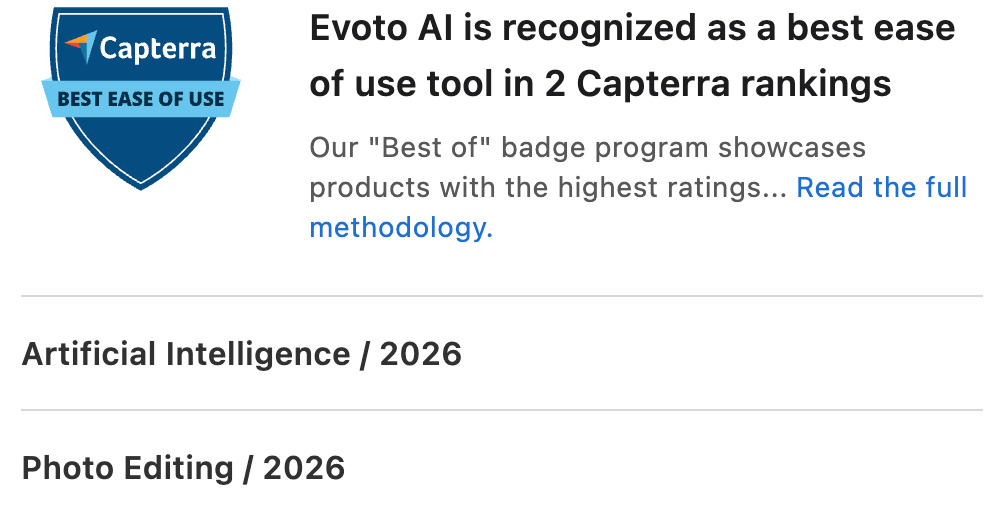
Source: Capterra
For buyers, this dual signal can be relevant in two scenarios:
- Scenario 1: Individual professionals who need fast adoption without a long setup period.
- Scenario 2: Multi-editor teams that require repeatable output and lower coordination overhead.
If you want to test fit directly, you can start with download Evoto AI and run a short validation sprint using your own files, style presets, and deadlines.


Powerful AI Photo Editor
For feature-level checks, evaluate controls such as portrait retouching precision, export behavior, and batch editing consistency. You can also review workflow guides in Evoto’s educational resources on portrait retouching and photo editing tips.
Step-by-Step: How Buyers Should Use Capterra Ease-of-Use Signals
Step 1: Build a Shortlist from Relevant Categories
Start with the categories that match your use case. For photography businesses, Photo Editing is obvious, but Artificial Intelligence can surface tools that have broader automation strengths.
Step 2: Translate “Ease of Use” into Internal Criteria
Define measurable criteria before testing: time to first acceptable result, number of manual corrections per batch, and team learning time. This prevents subjective bias.
Step 3: Run a Controlled Trial
Use the same project set across shortlisted tools. Compare speed, consistency, and editor confidence. Record differences rather than relying on memory.
Step 4: Validate Team and Client Fit
Confirm output quality against your client standards and delivery model. A tool can feel easy but still fail your aesthetic or handoff requirements.
Step 5: Decide with Combined Evidence
Use awards and rankings as context, then prioritize your measured trial outcomes. This is the most reliable way to turn market signals into a sound procurement decision.
Common Misunderstandings (and How to Avoid Them)
- Misunderstanding: “An ease-of-use badge means best in every dimension.”
- Correction: It mainly reflects usability context, not every technical attribute.
- Misunderstanding: “If software is easy, quality is guaranteed.”
- Correction: Quality still depends on controls, presets, operator skill, and review process.
- Misunderstanding: “I can skip internal testing.”
- Correction: Internal testing is still necessary to validate your exact workflow and style requirements.
Final Takeaway
So, what is Capterra Best Ease of Use award in practical terms? It is a high-value filtering signal for software buyers, especially when usability drives productivity.
In 2026, Evoto AI’s appearance in both Artificial Intelligence and Photo Editing contexts makes it a relevant case for photographers and studios that prioritize speed plus consistency.
The smart approach is straightforward: use the award to shortlist, then run your own workflow-based validation. If the tool performs well in your real production environment, external recognition and internal evidence can reinforce each other and support a confident decision.
Powerful AI Photo Editor
FAQ
Is Capterra Best Ease of Use an official certification?
It is a ranking-style recognition used in software categories, not a legal compliance certificate. Treat it as market guidance for product evaluation.
Why is Evoto AI mentioned in both AI and Photo Editing contexts?
Because it operates at the intersection of AI automation and practical photo-editing workflow, and was recognized in both category contexts in 2026.
Should I choose software based only on badges?
No. Use badges and rankings for shortlisting, then decide based on controlled trials with your own workflow and quality requirements.
Where can I verify Evoto’s listing details?
You can check Evoto’s profile and review context directly on Capterra at this listing page.



