

Quick answer
- nikon metering on the Z6 III (stills): matrix, center-weighted, spot, highlight-weighted—each unpacked below with Nikon references up front.
- Spot follows the active focus point in many AF modes (~1.5% frame, per Nikon). Video menu has no spot. Plan hybrid exposure with zebras and the modes Nikon allows.
- After capture, keep palettes cohesive with Evoto. The closing section lists editing, masking, and install links.
If you shoot Nikon, you likely searched nikon metering because matrix looks “right” on the LCD yet feels wrong in post. That is usually a priority mismatch. It is not a broken sensor.
This guide tracks Nikon’s online manual. It then turns menu language into wedding, portrait, and stage habits. Stills: Metering. Video: Metering (video).
You rarely meter alone. You also juggle shutter speed and ISO. If motion fails before exposure does, read Shutter Speed: How It Changes Motion and Exposure in Real Photos. For plain vocabulary before Z menus, try What Is Metering Mode on a Camera?.

Nikon Metering on the Z6 III: Vocabulary and Four Stills Modes
Labels like “matrix” help only when you know what the camera optimizes. The four stills options below are not moods. They answer one question: which tones win when the scene fights itself?
For cross-brand wording, see camera metering modes. For skin-first language on Z bodies, best metering mode for portraits maps the same wars in portrait terms.
When you grade finals, AI Photo Editor rewards NEF/HEIF shot with intent. Sliders rarely fix highlights you never held.
The blocks below track nikon metering on the Z6 III photo menu. Nikon’s manual language sits in the prose. Each mode ends with a field anchor you can spot on a job.
- Matrix — whole-frame interpretation when pace beats micromanagement.
- Center-weighted — middle of the frame owns the story; Custom Setting b5 adjusts the weighted area.
- Spot — ~1.5% of the frame (per Nikon), tied to the active focus point in many AF modes.
- Highlight-weighted — protects fragile highlights first—stage sparkle, satin, specular skin.
Matrix Metering
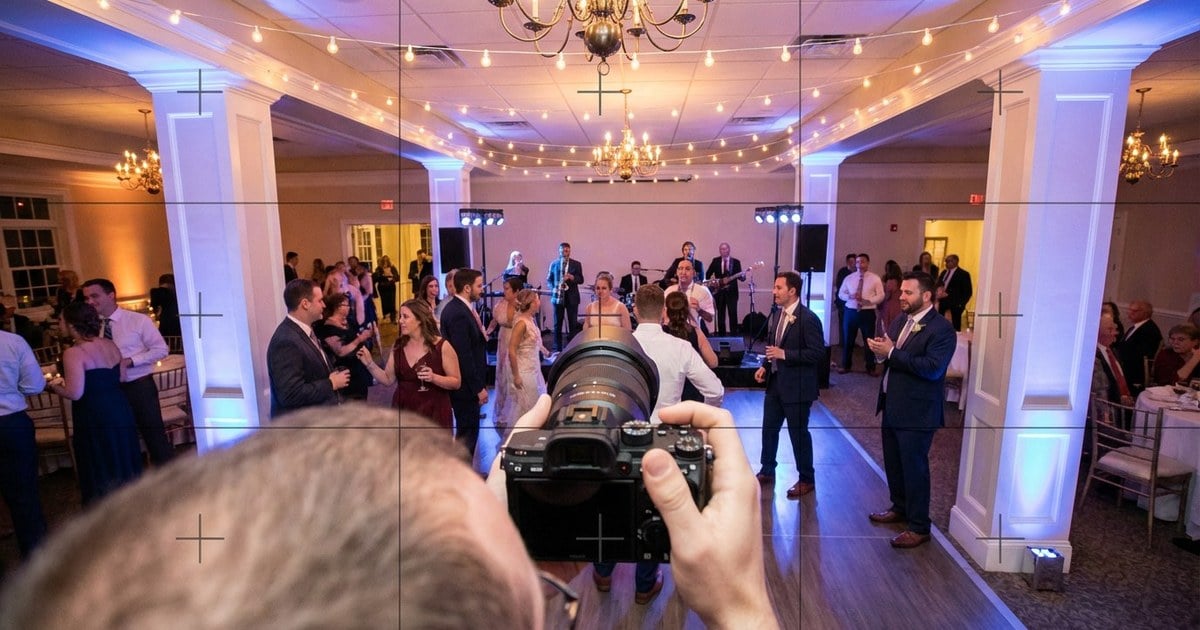
Reception ballrooms, travel, and mixed tungsten-plus-LED rooms love matrix. Nikon meters a wide area. It sets exposure from tone, color, composition, and distance. Results stay “close to the naked eye.” In practice the body averages context. It keeps the whole frame believable—not just one cheek.
Tiny field anchor: wide shot of a toast with warm uplight and cooler fill LED; matrix often keeps the room honest while you worry about composition, not every step of the walk.
When groups fill the frame and you need edge discipline without fisheye drama, Wide-Angle Lens: What It Does, When to Use It, and How to Avoid Distortion pairs with matrix-heavy coverage.
Center-Weighted Metering
Center-weighted is the “face in the middle” lane. Nikon assigns the greatest weight to the center, useful when subjects dominate the composition, and recommends it when using filters with exposure factor over 1×. You can tune the weighted area size in Custom Setting b5—do that once at home, not during vows.
Reach for it when:
- A speaker or couple stays centered under predictable podium or altar light.
- Edges are bright but not the story—conference stages, straight-on corporate headshots.
- You want less sky voting than matrix might allow without jumping all the way to spot.

Spot Metering
Spot is precision tied to where the camera is looking. Nikon meters a circle about 4 mm (0.16 in.) on the focusing screen—roughly 1.5% of the frame—centered on the current focus point in supported AF modes; with Auto-area AF, metering uses the center focus point instead. That means spot is only as honest as your AF discipline.
Field reality: park the point on a lit cheek midtone, not a black lapel or chrome mic stand—or exposure swings hard. That is aim, not sensor mysticism.

Highlight-Weighted Metering
Highlight-weighted is the “don’t blow the sparkle” mode. Nikon assigns the greatest weight to highlights to reduce loss of detail in highlights—explicitly citing spotlit performers on stage. Use it when speculars and costume shine fail before skin midtones do, not when you simply dislike the mood of the light.
For how contrast shapes mood without muddy lows, High Contrast Images: What Makes Them Strong, and How to Keep Them Clean complements highlight-weighted drills. For analog-style tone curiosity after you protect highlights in camera, Film Negatives in Photography: History, Science, and How to Recreate the Look is an optional long read—linked here so it does not crowd the Quick Answer.

Video on the Z6 III: Why Spot Is Missing From the Movie Menu
Nikon states spot metering is not available in the video recording menu and cross-references the stills metering page (Metering (video)). Translation for hybrid shooters:
- Build a movie exposure plan with the modes Nikon actually exposes for video.
- Lean on zebras, waveform (if you output to an external recorder), and consistent white balance—spot is not there to save you in the movie UI.
- When you switch from stills to video on the same rig, re-check metering mode; assumptions from the photo menu do not always carry.

Comparison Table (Z6 III Stills)
Use the ladder below, then adjust for your grip and how much of the frame your subject owns.
| Priority | Strong first try | Backup |
|---|---|---|
| General wedding reception | Matrix | Center-weighted for centered speeches |
| Spotlit performer | Highlight-weighted | Spot if you need tighter sampling |
| Centered headshot | Center-weighted | Matrix if background is volatile |
| Tiny subject in bright world | Spot | Highlight-weighted if speculars clip |
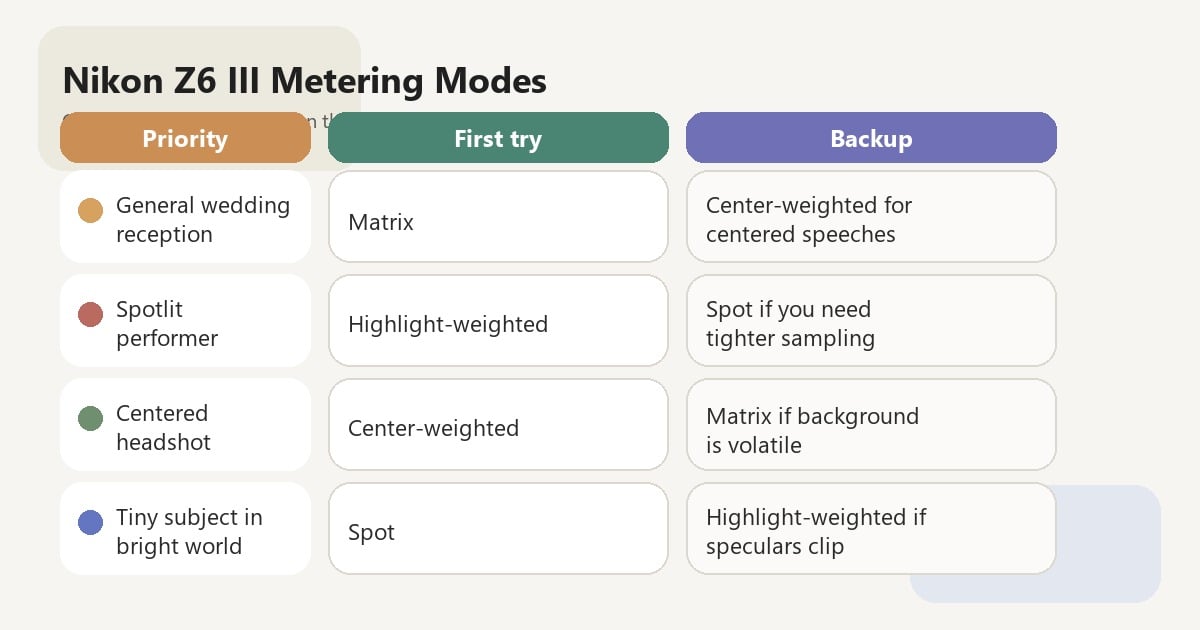
You have the ladder. The step-by-step workflow below turns those rows into a field habit.
Step-by-Step: Z6 III Metering Workflow You Can Repeat
These steps assume stills on a Z6 III or equivalent Nikon Z body. Metering and AF-area choices interact—set your i Menu, My Menu, or Fn assignments before the job, not during the first dance.
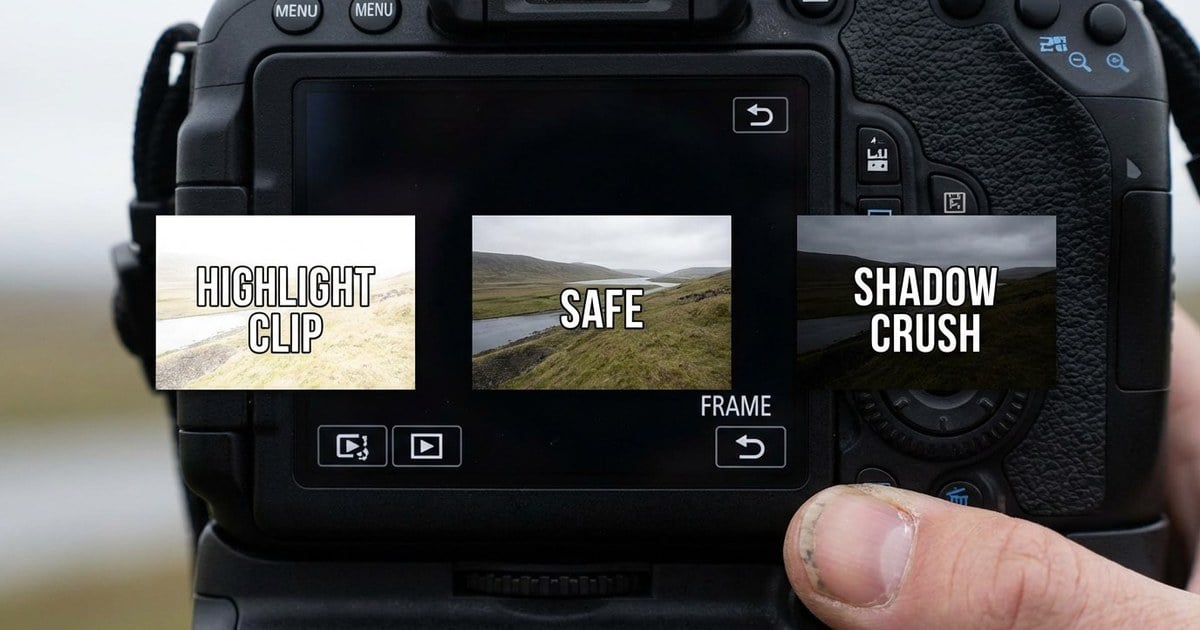
Step 1: Name What Fails First—Highlights, Skin Midtones, or Shadows
Before you spin dials, finish this line: “If I lose _____, the frame is undeliverable.” Satin clipping? Gray skin in mixed LED? Crushed tux? Nikon metering choices only help after that priority is clear.
If you work with a second shooter, say the line aloud—accidental AF-area changes love to arrive right when spot metering is live.
Step 2: Map the Failure to Matrix, Center-Weighted, Spot, or Highlight-Weighted
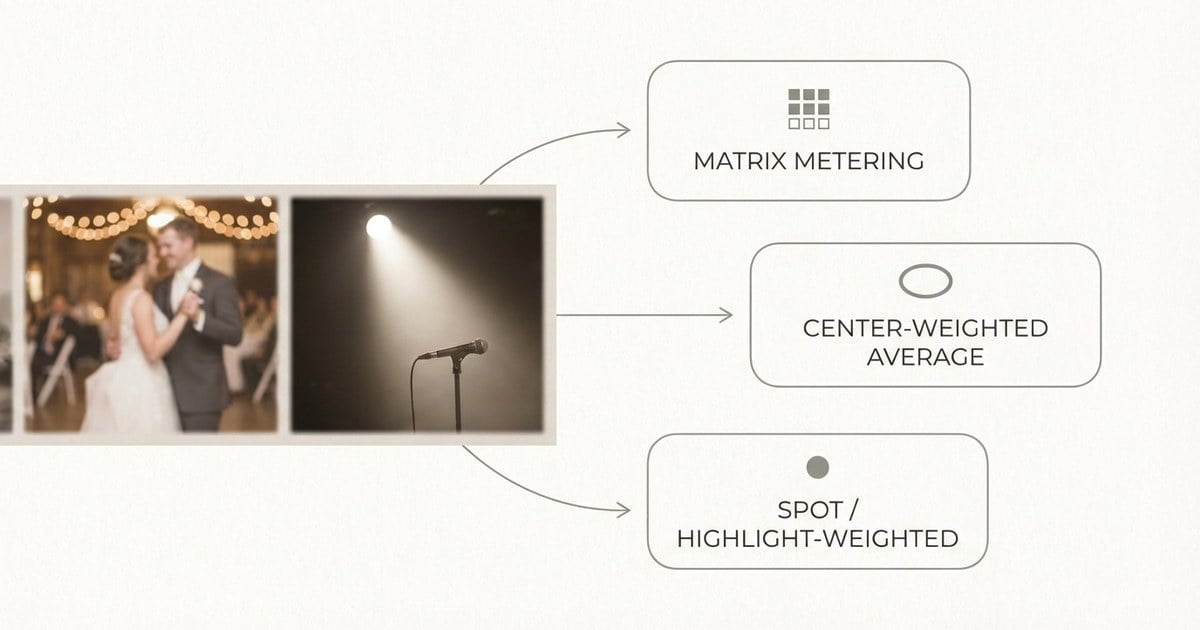
Highlight survival (stage sparkle, dress seams) → try highlight-weighted before you brute-force negative compensation. Centered subject vs bright rim → center-weighted or matrix plus careful compensation. Tiny tone in a beam → spot, only if your focus point discipline is already muscle memory. Room-wide storytelling under moderate contrast → matrix.
Step 3: Treat the Focus Point as Part of the Meter (Especially in Spot)
For spot metering, Nikon’s tie to the active focus point means AF-area mode is exposure mode. Confirm Auto-area behavior (center metering) before the processional. Half-press, breathe, and verify the point sits on skin, not wardrobe accidents.
Step 4: Confirm on the Histogram After a Test Frame
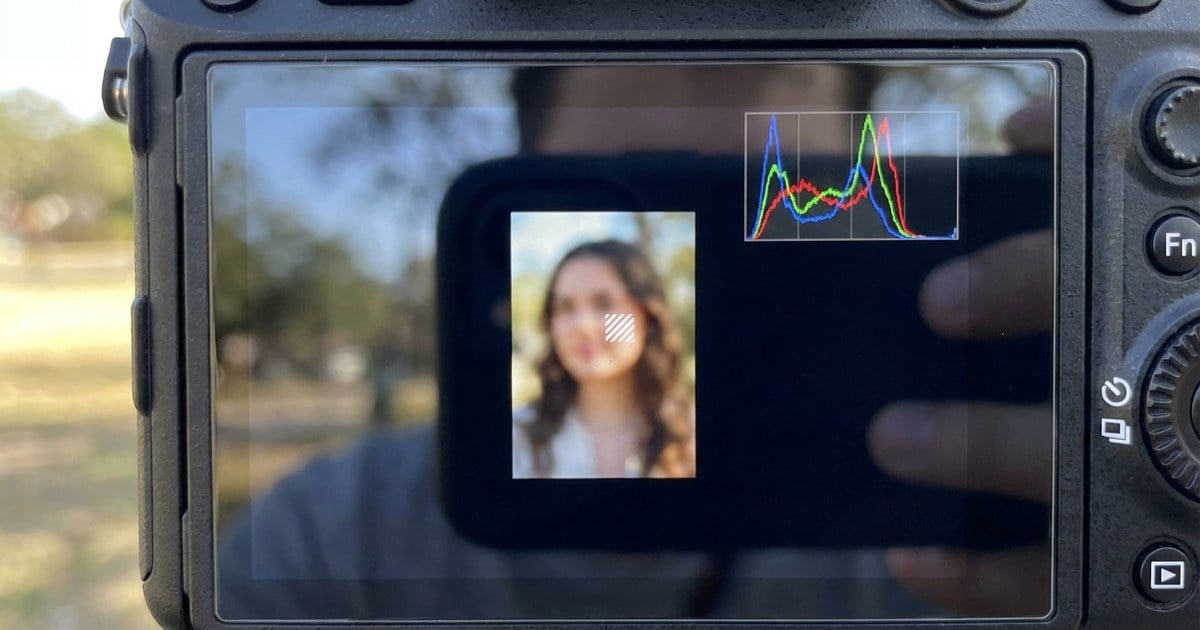
Ceremony shade, sun formals, and reception LED read differently on the graph. Open the RGB histogram when you can. Highlight warnings matter on satin and specular skin. Nikon metering recommends exposure. It does not replace the graph (Histogram (photography)).
Step 5: Nudge Compensation, Then Hold One Lane per Lighting Block
Ride exposure compensation in 1/3-stop clicks while you watch the graph move. Then keep one metering lane and one compensation habit per block—ceremony shade, sun formals, reception LED—so the set does not look like three different photographers.
Common Nikon Metering Mistakes
These are rhythm slips, not bad gear. None break the nikon metering ladder above. They only cost frames while you relearn old lessons.
- The wandering spot. Spot saves tiny targets only when aim is stable. On scattered group photos, return to matrix until subjects cluster.
- Highlight-weighted as a lighting fix. It weights measurements—it does not fix impossible light direction. Fix geometry first, then mode.
- Forgetting video has no spot. Build a movie exposure plan with available video metering modes plus zebras—do not assume stills habits carry over (Metering (video)).
If Evoto is in your stack, keep it within reach before the closing section below:


Powerful AI Photo Editor
After the Shoot: Consistency and the Bottom Line
Metering protects pixels. Editing protects consistency. Evoto focuses on efficient, privacy-conscious batch portrait and event work. Your files stay yours. The workflow respects creative control.
- Workspace: AI Photo Editor for keeper sets you metered with intent.
- Triage long bursts: AI photo culling before you polish.
- Hotspots and masks: AI masking editor.
- Install: Download Evoto. Desktop installers: Mac and Windows builds on evoto.ai.
Bottom line: nikon metering on the Z6 III is blunt: matrix reads context; center-weighted guards centered subjects; spot is focus-linked precision; highlight-weighted guards fragile highlights. Video drops spot—plan hybrid shoots with open eyes.
FAQ
1. Does Spot Metering Follow the Focus Point?
Nikon describes spot metering centered on the current focus point for many AF modes, with Auto-area AF metering the center focus point instead.
2. What Size Is Nikon’s Spot Area?
Nikon states about 1.5% of the frame for the documented spot circle.
3. Is Highlight-Weighted Only for Stage Work?
No, but Nikon explicitly examples spotlit performers—any scene with fragile highlights can benefit.
4. Can I Use Spot Metering in Video on the Z6 III?
Nikon documents spot metering is not available in the video recording menu.
5. Where Is Center-Weighted Area Customized?
Nikon references Custom Setting b5 Center-weighted area.
6. Is Matrix “Smarter” Than Spot?
It is broader. Spot can be more precise when you know exactly what to measure.



