

Image masking has become one of the most powerful tools in photo editing. Whether you’re a photographer, designer, or visual content creator, mastering this technique opens up new possibilities for precise image manipulation. In this article, we’ll explain what image masking is, how it’s used in editing, and how Evoto AI makes the process faster and more intuitive.
What Is Image Masking?
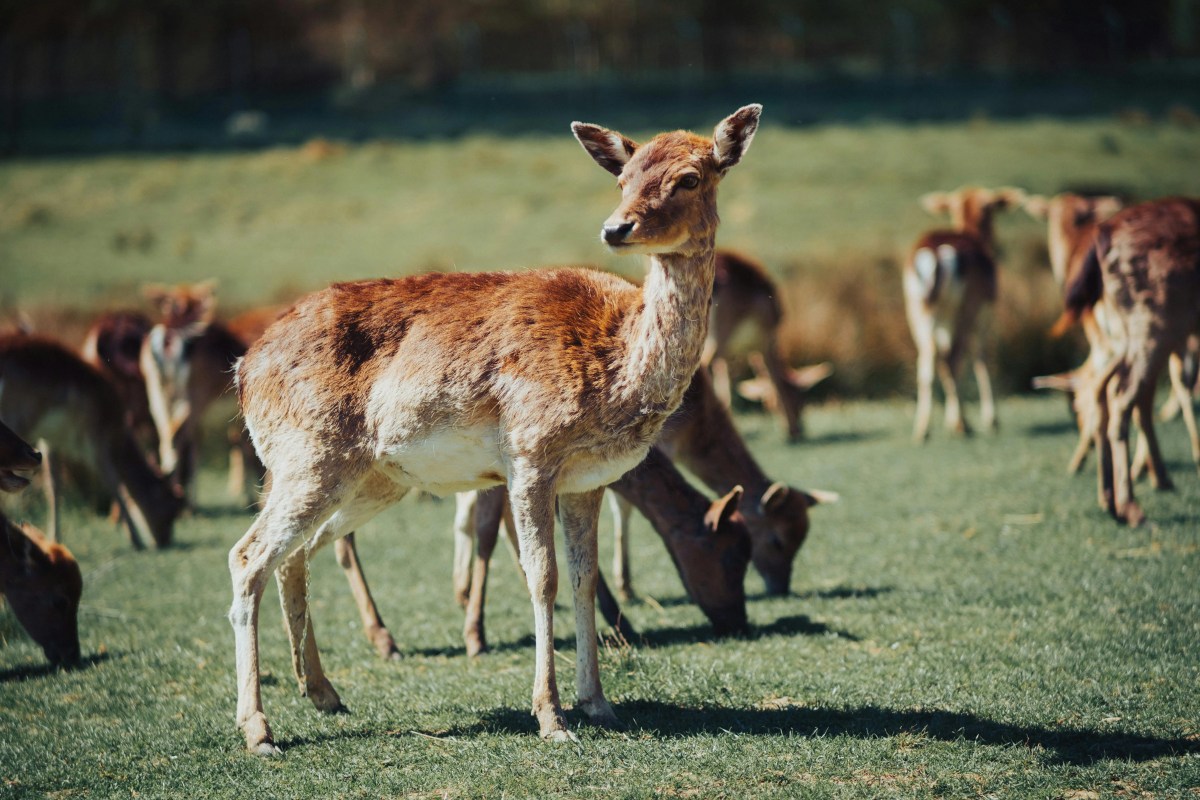
Image masking is a non-destructive technique in photo editing that allows you to control which parts of an image are affected by adjustments. Think of a mask like a digital stencil: areas that are white on the mask reveal the underlying image and receive edits, while black areas are protected and remain unchanged. Shades of gray provide partial transparency, enabling smooth, natural transitions.
Masking gives you surgical precision — you can isolate and enhance specific sections of a photo, blend exposures, apply effects selectively, or make detailed adjustments without altering the rest of the image. It’s essential for tasks like retouching portraits, replacing backgrounds, and refining complex details.
Why Image Masking Matters in Photo Editing
Image masking is indispensable because it lets you edit with accuracy and control. Instead of applying changes globally — which can lead to uneven results — masking ensures that edits only affect the intended areas. This preserves the overall image quality while enabling targeted enhancements.
For example:
- Retouching skin in portraits without affecting hair or background
- Blending multiple exposures for HDR effects
- Enhancing the sky’s color without over-saturating the landscape
- Isolating products in e-commerce photos for clean, professional results
Common Types of Image Masking
There are several masking techniques used in photo editing, each suited to different tasks:
Layer Masks: A foundational, non-destructive way to paint visibility on a layer.

Clipping Masks: Apply edits based on another layer’s shape or transparency.
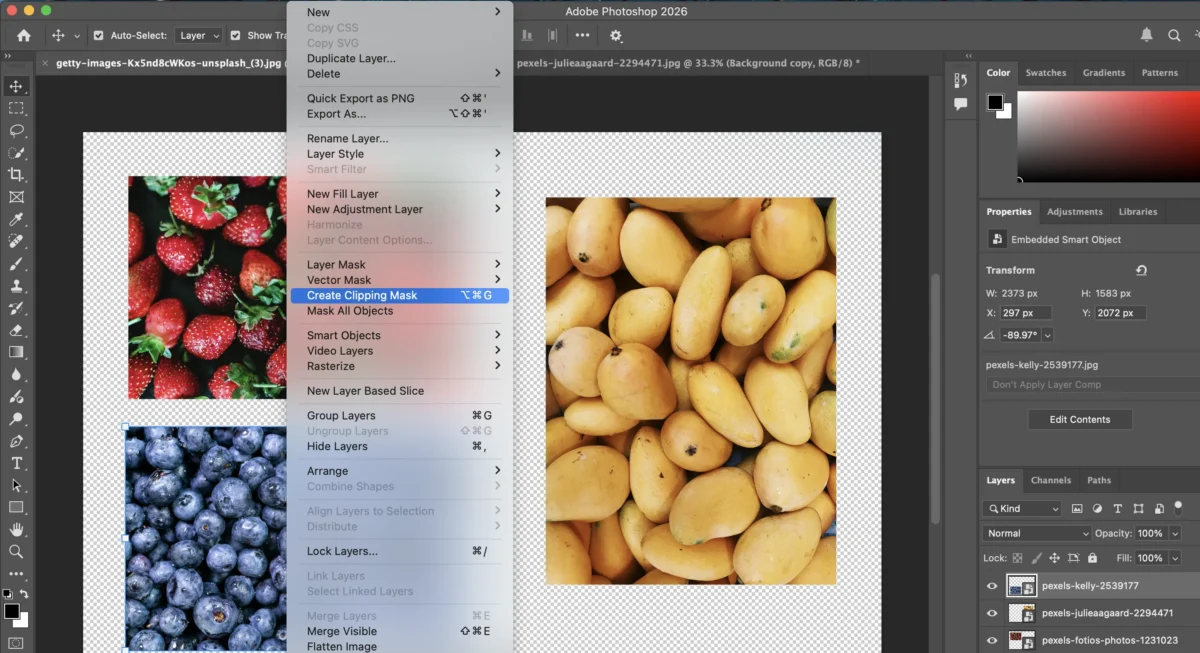
Alpha Channel Masks: Use stored transparency data for highly detailed control.

Vector Masks: Use scalable vector shapes for crisp, clean masking.
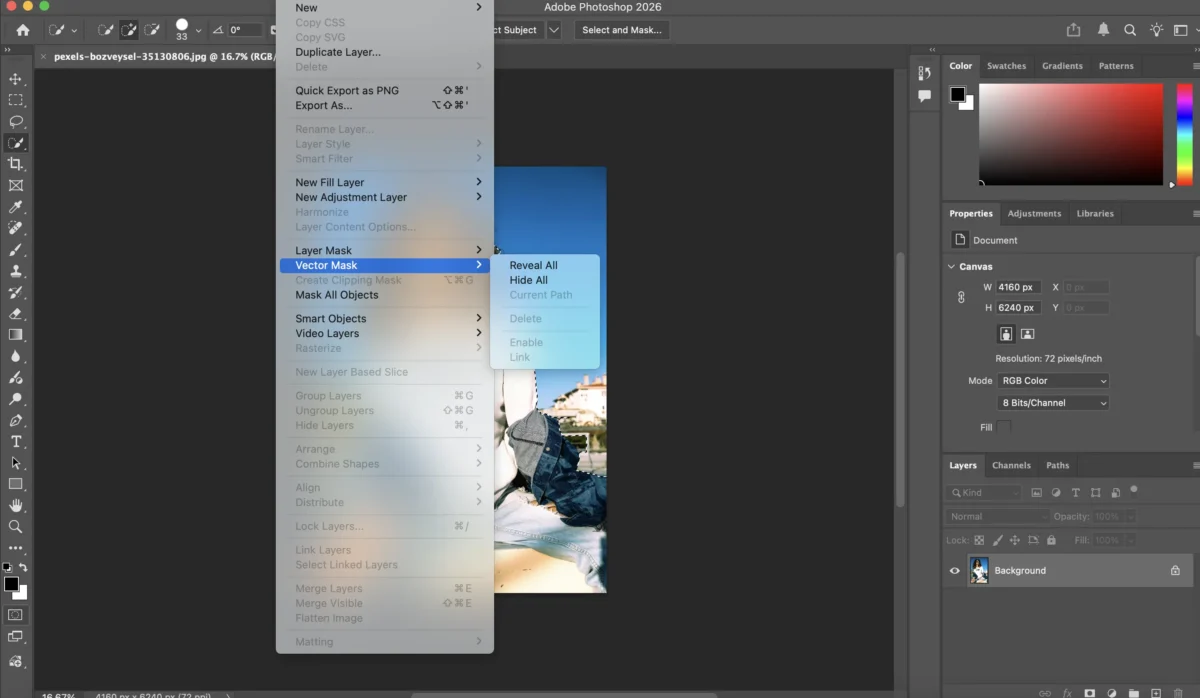
Quick Mask Mode: A temporary, brush-based way to refine selections before finalizing them.

Mastering these methods empowers you to handle everything from basic edits to complex compositions.
How Image Masking Is Used in Real Editing
Image masking isn’t just a theoretical concept — it’s widely used across photographic genres:
Portrait Retouching: Isolate the subject to enhance eyes, soften skin, or sharpen features.
Background Replacement: Swap or blur backgrounds cleanly without leaving halos.
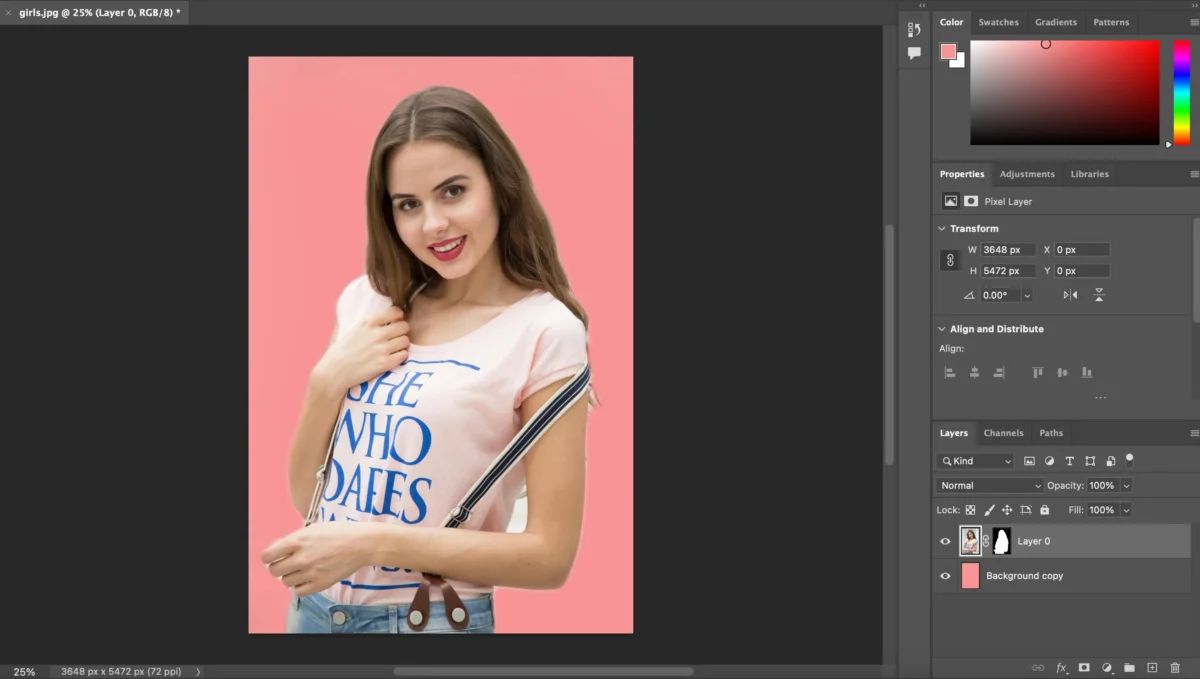
Selective Adjustments: Boost color, contrast, or exposure in specific elements like skies or foliage.
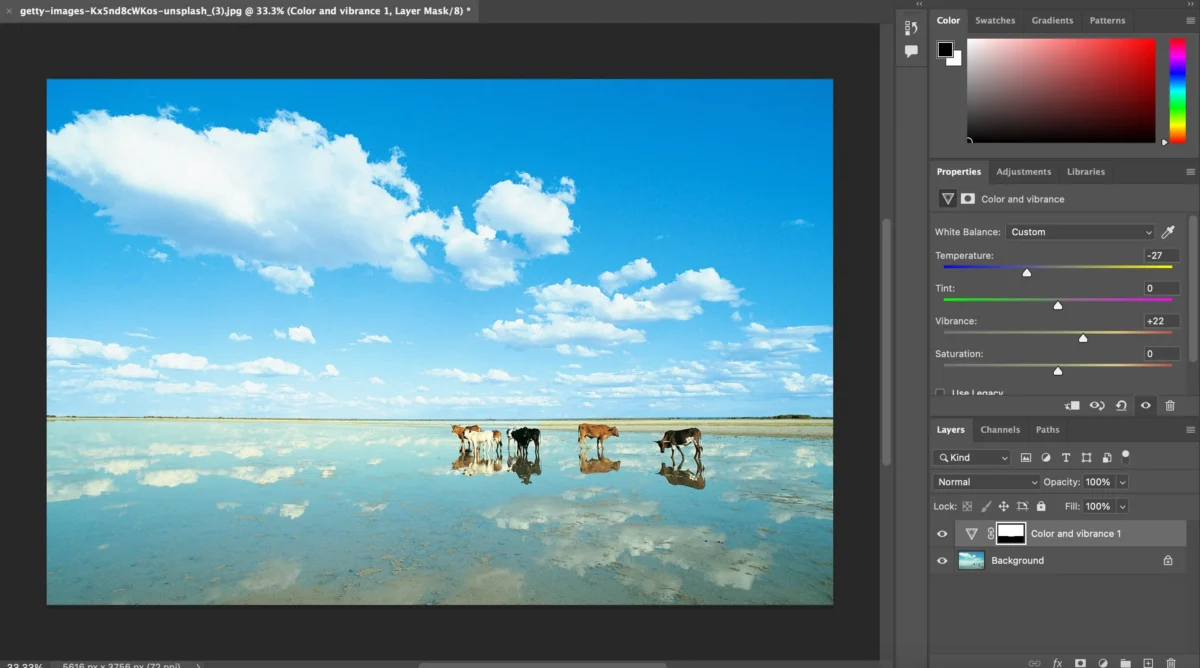
Creative Effects: Apply unique filters to particular areas for artistic editing.
Object Removal: Mask around an object to delete or replace it smoothly.
By focusing adjustments only where needed, image masking elevates your editing precision and artistic control.
The Traditional Masking Workflow in Tools Like Photoshop
In traditional editors such as Adobe Photoshop, image masking often involves manual selection and layer work:
1.Create a Selection: Using tools like the Lasso, Quick Selection, or Pen Tool to define areas you want to edit.
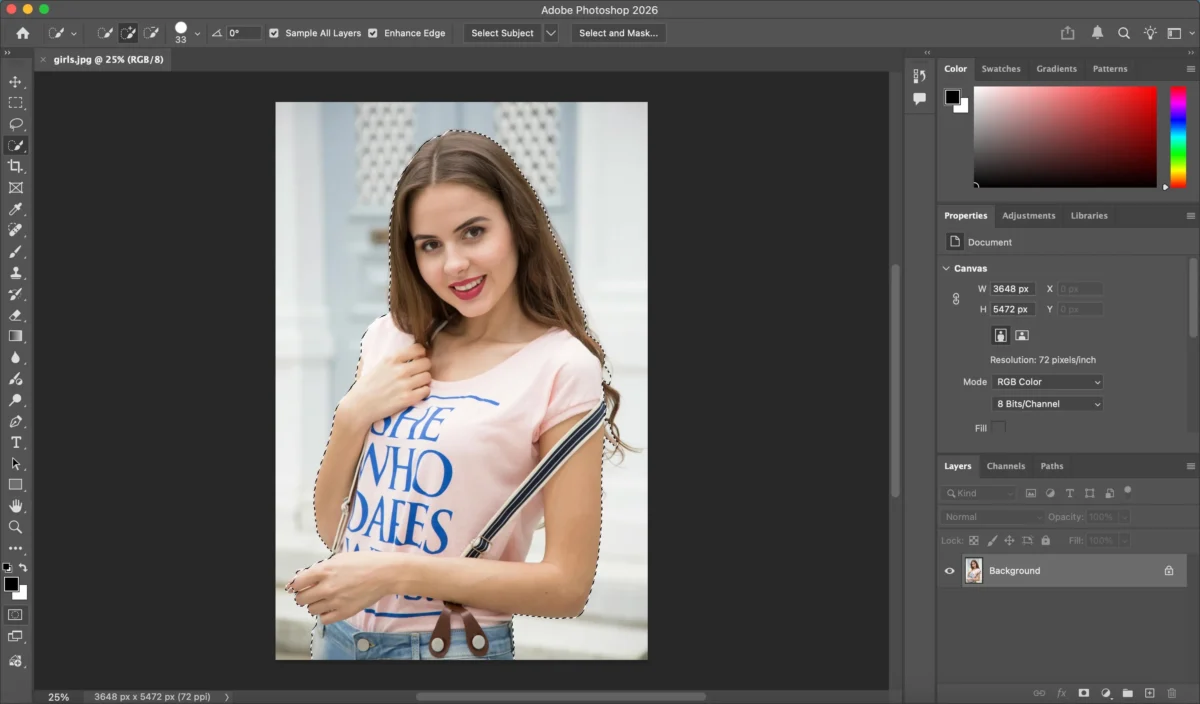
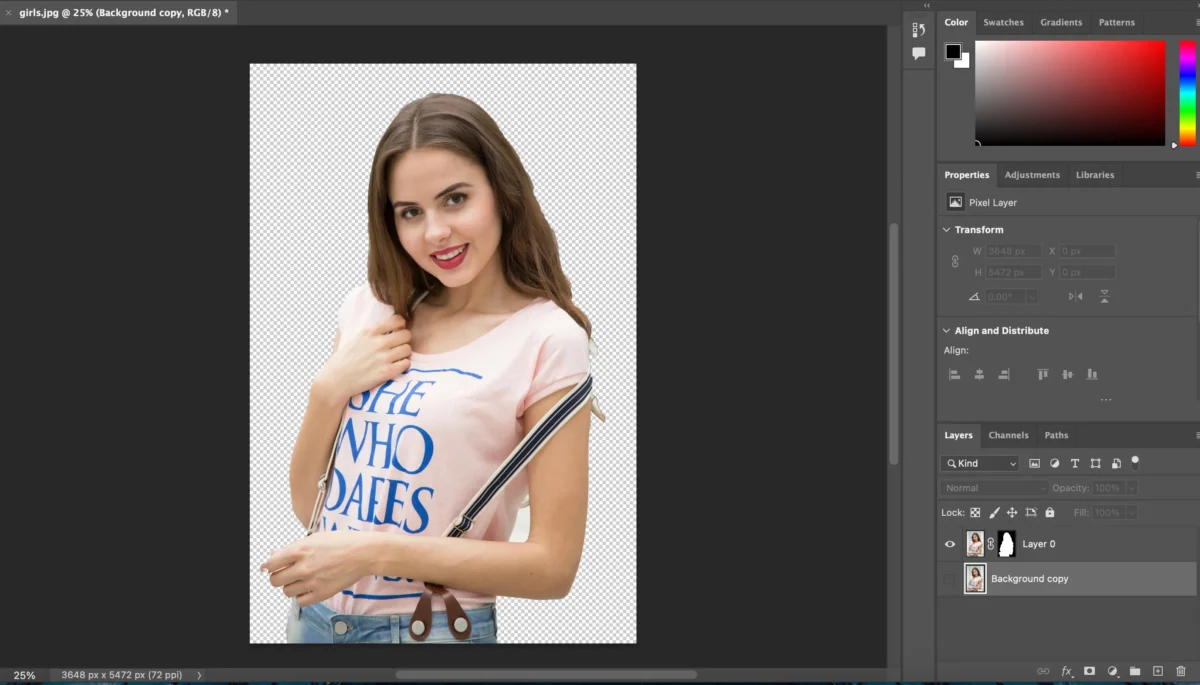
2.Add a Mask: Convert your selection into a layer mask so that your edits only apply to that area.
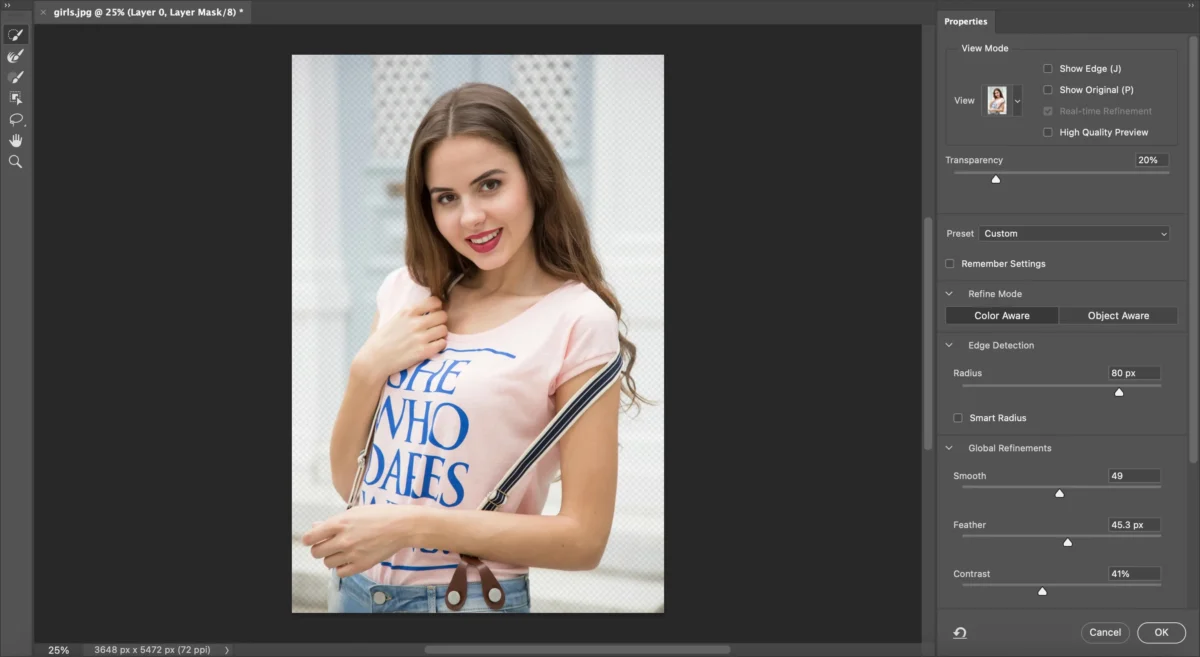
3.Refine the Mask: Use brushes and feathering to soften edges and perfect transitions.
4.Apply Adjustments: Make exposure, color, or effect changes through adjustment layers.
5.Fine-Tune and Export: Check for artifacts and adjust mask edges before exporting.
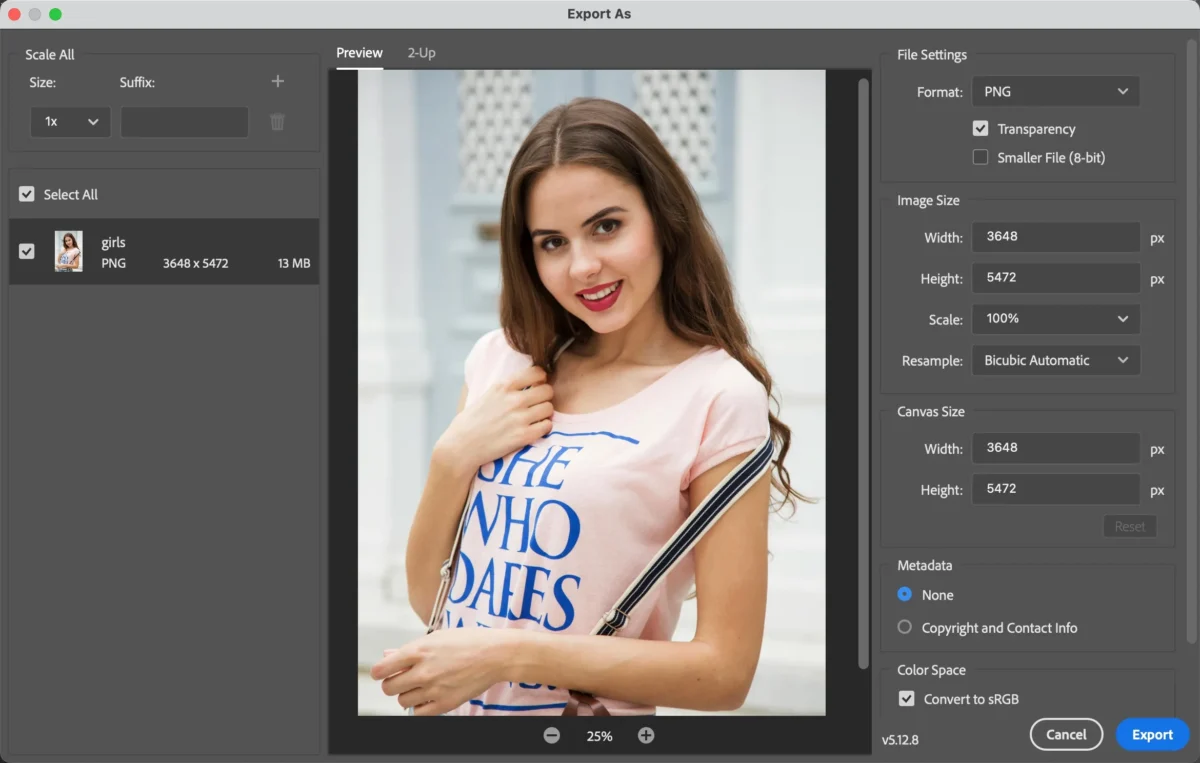
While powerful, this manual process can be time-intensive — especially for complex selections or detailed portraits.
How Evoto AI Simplifies Image Masking
Evoto AI revolutionizes image masking by automating the most time-consuming parts of the workflow with intelligent AI.


Powerful AI Photo Editor
Instead of painstaking manual selection, Evoto’s AI:
Automatically detects key elements such as people, sky, hair, and objects
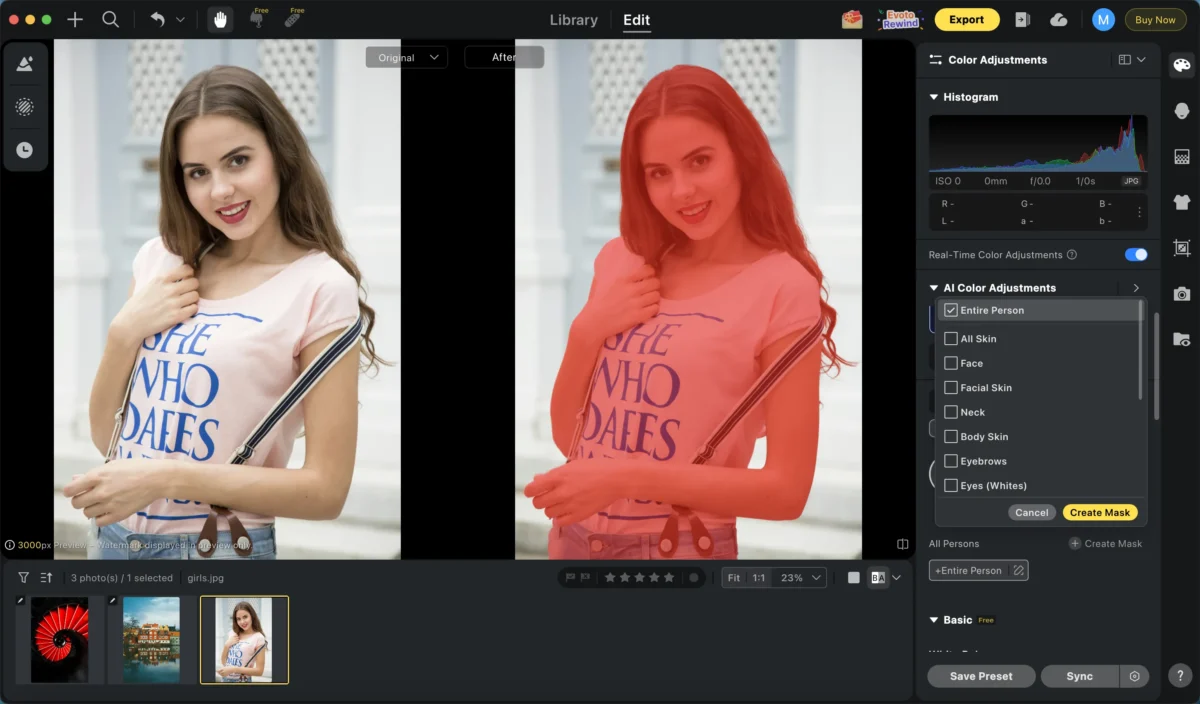
Applies precise masks with a single click
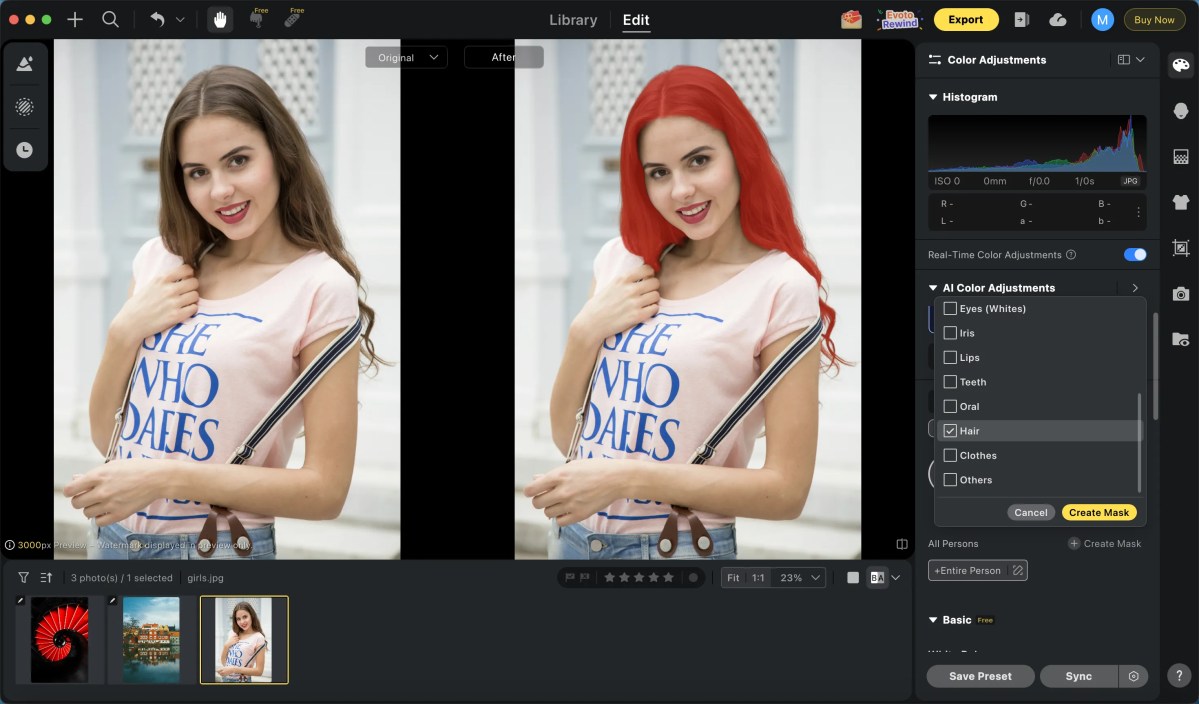
Lets you refine effects non-destructively without losing the original image quality
The result? You can perform complex masking tasks — like isolating a subject, enhancing details, or replacing backgrounds — in a fraction of the time required by traditional methods.
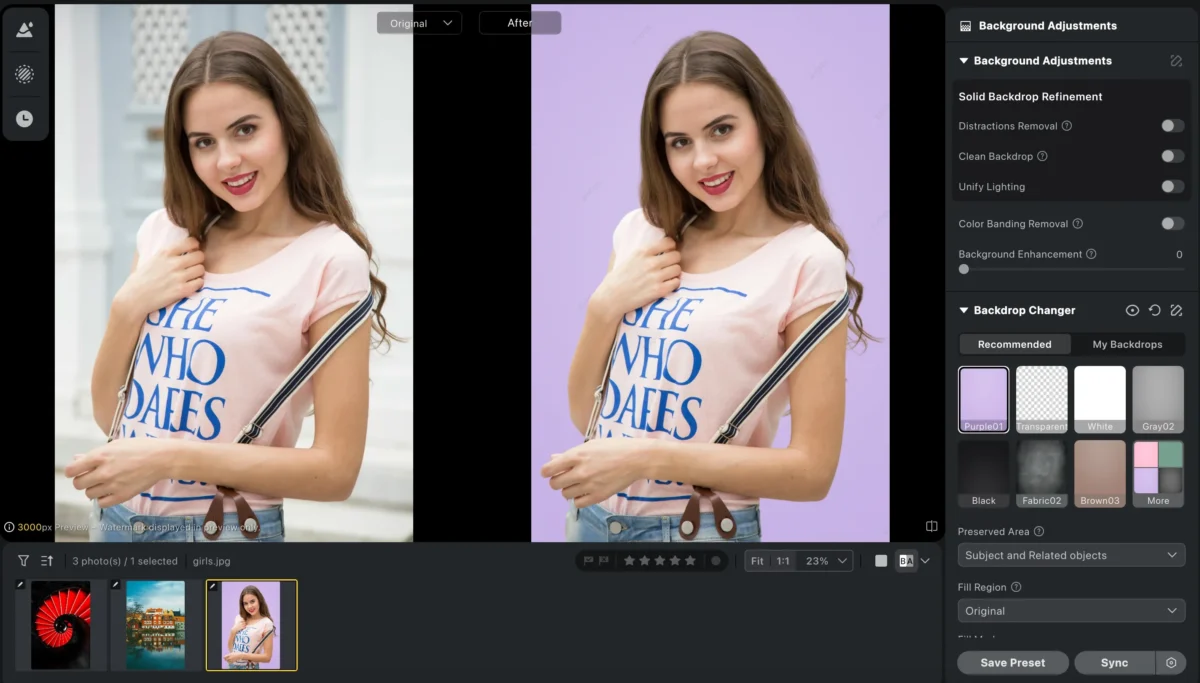
Real-World Benefits of AI-Powered Masking
AI-driven masking tools, like those in Evoto AI, unlock several practical advantages:
- Speed: Mask subjects automatically in seconds, not minutes.
- Consistency: Apply uniform masks across batches of images.
- Ease of Use: No deep technical skills required — great for beginners and pros alike.
- Precision: AI delivers accurate selections even for detailed edges like hair or fur.
Whether you’re a portrait photographer working with clients or an e-commerce creator polishing product shots, Evoto AI helps you achieve professional-grade results faster and more reliably.
Conclusion
Image masking is a foundational technique that gives photographers and editors precision and creative freedom. Traditionally, it’s a manual process that requires patience and experience, especially in tools like Photoshop.
However, AI-powered tools like Evoto AI simplify image masking by automating key steps, enabling you to isolate subjects, apply selective edits, and enhance your photos with minimal effort. With Evoto AI, you get the best of both worlds: the control you expect from masking techniques and the efficiency of modern AI technology.
Try Evoto AI Photo Editor
Retouch photos with Evoto AI and make your photos best! Available on Windows, MacOS and iPadOS.



