

A wide-angle lens can make a scene feel bigger, closer, and more dramatic in a single frame. That is why it is so useful for landscapes, interiors, architecture, and environmental scenes. It also changes the frame in ways beginners notice fast: more field of view, more visible foreground, and more distortion if the camera position is careless.
This guide explains what a wide-angle lens actually is, what it changes in a photo, where it works best, why wide-angle photos often fall flat, and how to use and edit them more cleanly.
What Is a Wide-Angle Lens?
A wide-angle lens is a lens with a shorter focal length that captures a wider field of view than a standard lens. In practical terms, many beginners start feeling that wider look somewhere around 35mm and shorter on a full-frame camera.
That does not mean you need to memorize a full focal-length chart. The useful point is simpler: as the focal length gets shorter, you see more of the scene in the frame.
It is also important to know that sensor size changes how wide a lens feels. On a crop sensor camera, the same lens usually looks less wide than it does on full frame. That is why a lens that feels clearly wide on one camera can feel more moderate on another.
What a Wide-Angle Lens Changes in a Photo
A wide-angle lens changes more than just how much fits in the frame.
The first change is field of view. You can include more sky, more ground, more walls, or more of the room without stepping back as much. That is why wide-angle lens photography is so common in places where space matters.
The second change is foreground emphasis. Objects close to the lens look larger and more dominant, while the background appears farther away. This can make a photo feel deep and dynamic, but it can also make the frame feel awkward if the foreground is empty or unimportant.
The third change is perspective distortion. The lens itself is not magically bending reality on its own. What usually creates the strongest distortion is shooting very close to a subject with a wide-angle lens. The closer you get, the more stretched proportions can become, especially near the frame edges.
This is why wide-angle photos are easy to fill badly. Because you can include so much, it is easy to end up with a frame that has no real focal point, weak structure, or too many distracting elements competing for attention.
When to Use a Wide-Angle Lens
Landscapes
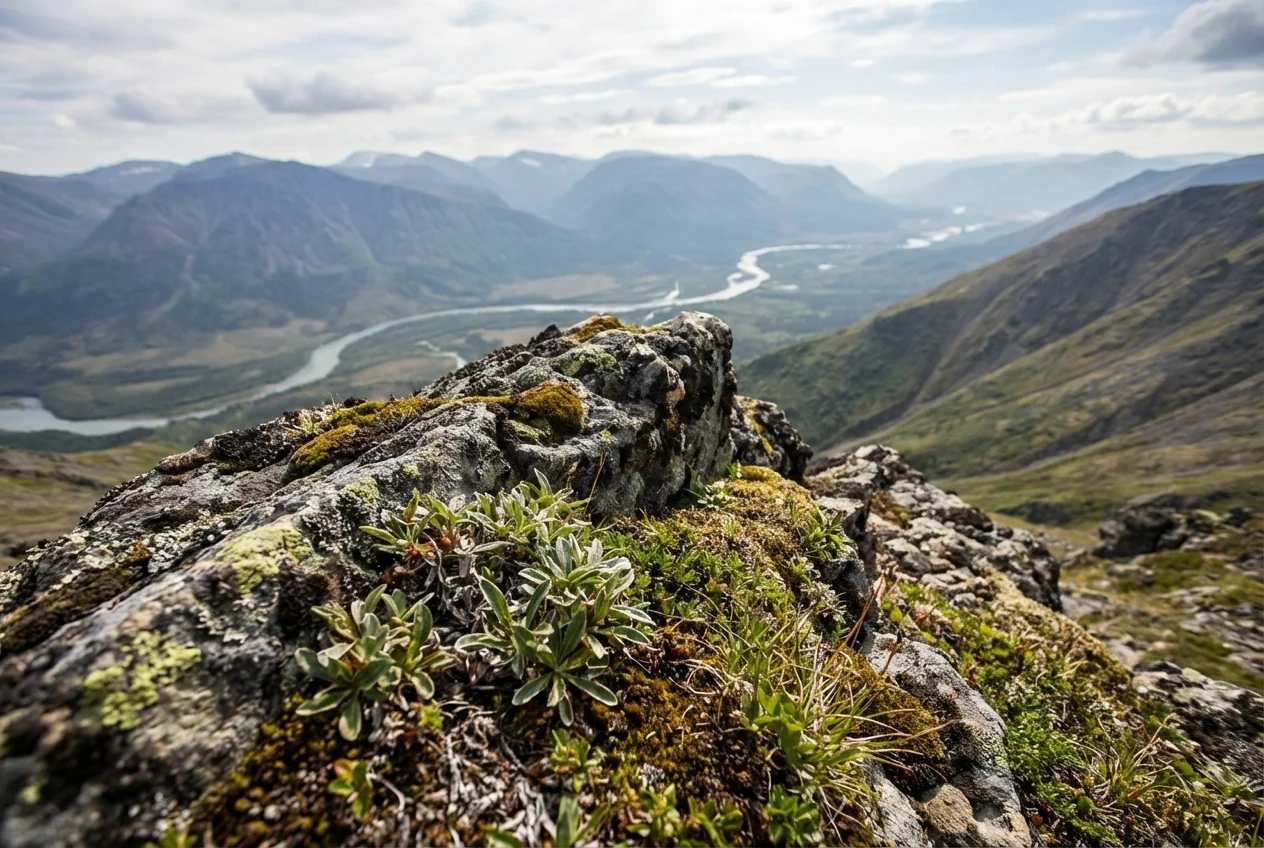
A wide-angle lens for landscape photography is useful when you want to show the shape of a place, include a strong foreground, or build a sense of depth from front to back.
It works best when there is something meaningful close to the camera, not just empty space at the bottom of the frame.
Architecture and interiors
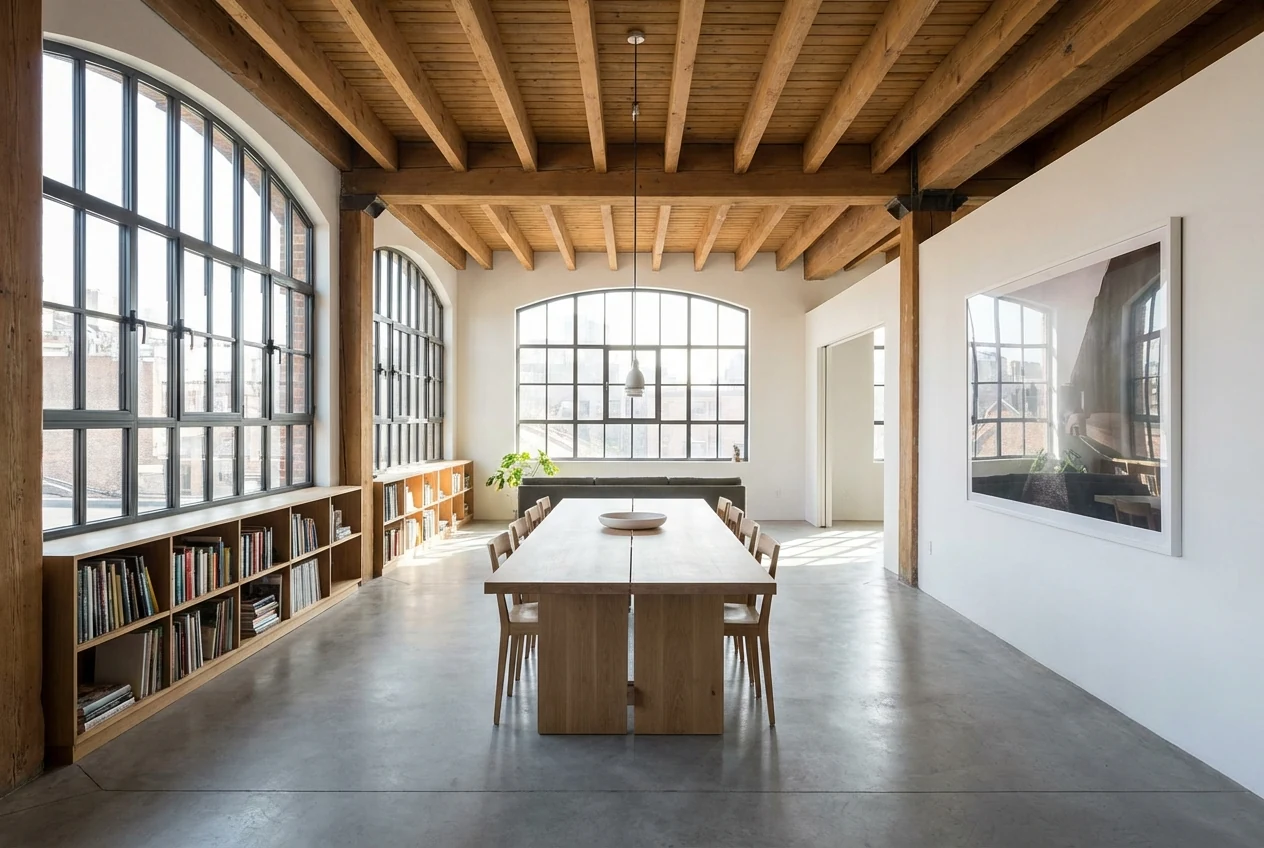
Wide-angle lenses are a natural fit for architecture and interiors because they help you fit more of the space into one image. They are especially useful when you cannot physically move farther back.
The challenge is that straight lines become more sensitive. Small tilts can quickly make walls, windows, and corners look wrong.
Street and environmental scenes
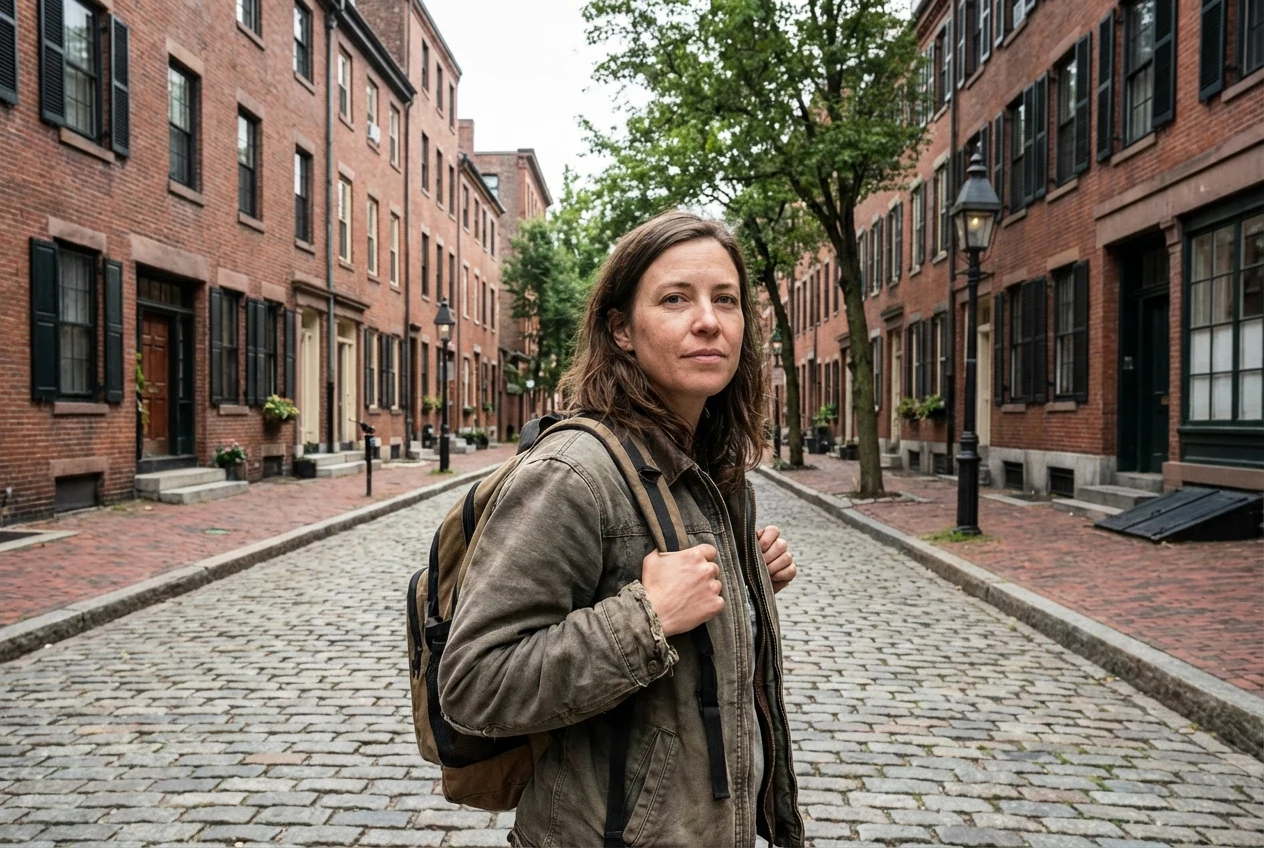
A wide-angle lens also works well in street and environmental photography when you want to show a subject in context instead of isolating them from the scene.
This can make the image feel more immediate, but only if the composition is controlled. Otherwise, the extra space can make the frame feel busy and unfocused. If the scene also includes movement, the lens choice still needs to work with the right shutter speed so the frame does not fall apart for a different reason.
Selective creative portraits
Wide-angle lenses can work for portraits, but they need more care. They are usually strongest when you want a more creative environmental portrait or when the setting matters as much as the person.
They are less forgiving when you place faces too close to the edge or shoot too close without intention. That is where stretching becomes obvious.
Why Wide-Angle Photos Often Fall Flat
One common problem is that the frame has no real subject. A wide-angle lens shows more, but more is not the same as better. If nothing clearly leads the eye, the image feels empty instead of immersive.
Another problem is cluttered edges. Beginners often focus on the center of the frame and forget to check the corners. A wide frame makes that mistake easier to see.
Tilt is another common issue. If the camera is not level, horizons can lean and buildings can start falling backward. In architecture, interiors, and landscapes, that often makes the image feel accidental.
Standing too far away is also a frequent mistake. Many wide-angle photos feel weak because the photographer includes a large scene without getting close enough to anything important. The result is a frame with space but no clear point.
Finally, people placed near the edge can stretch in unflattering ways. Faces, arms, and bodies often look distorted there, especially when the camera is already close.
How to Use a Wide-Angle Lens Better
Get closer with intent
Wide-angle photos usually get stronger when you move closer to the real subject. That is how you make the frame feel purposeful instead of thin.
The key is to get closer on purpose, not randomly. Decide what should feel large and important, then let the lens build around that choice.
Add a foreground element
A good foreground gives a wide-angle image structure. It helps the viewer enter the frame and makes the larger scene feel connected.
This is especially useful in landscapes, street scenes, and interiors where depth is part of the appeal.
Level the camera when straight lines matter
If you are shooting buildings, rooms, or a horizon-heavy scene, leveling the camera makes a big difference. A small tilt can create a much messier photo than beginners expect.
Sometimes the creative choice is to tilt. But if the scene depends on clean lines, start level first.
Watch the frame edges before you shoot
Wide-angle lens uses often fail at the edges, not in the middle. Check the corners for cut-off objects, stretched people, bright distractions, or shapes that pull attention away from the subject.
A quick edge check before you press the shutter can save a frame.
Use lines and layers to guide the eye
Leading lines, repeated shapes, and layered depth all work well with wide-angle lenses. Roads, fences, hallways, tables, and window lines can help organize a wider frame.
Without that structure, a wide-angle photo can feel like a lot of information with no direction.
How to Edit Wide-Angle Photos in Evoto


Powerful AI Photo Editor
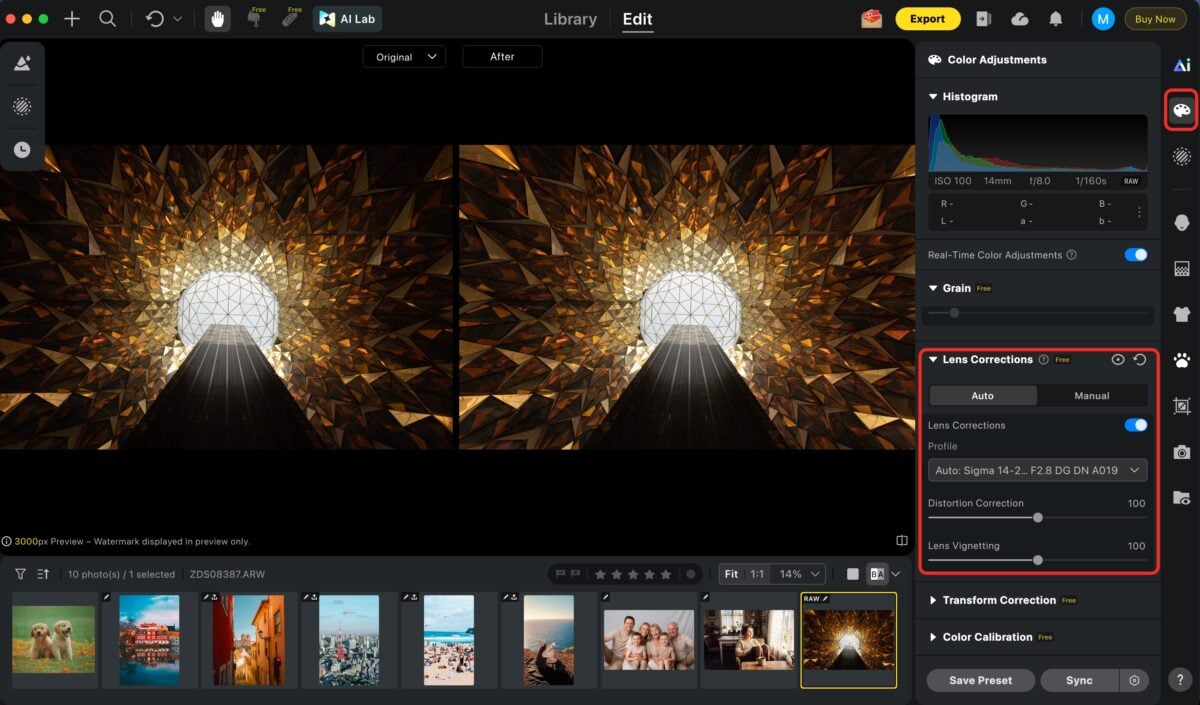
1.Correct distortion before you judge the frame
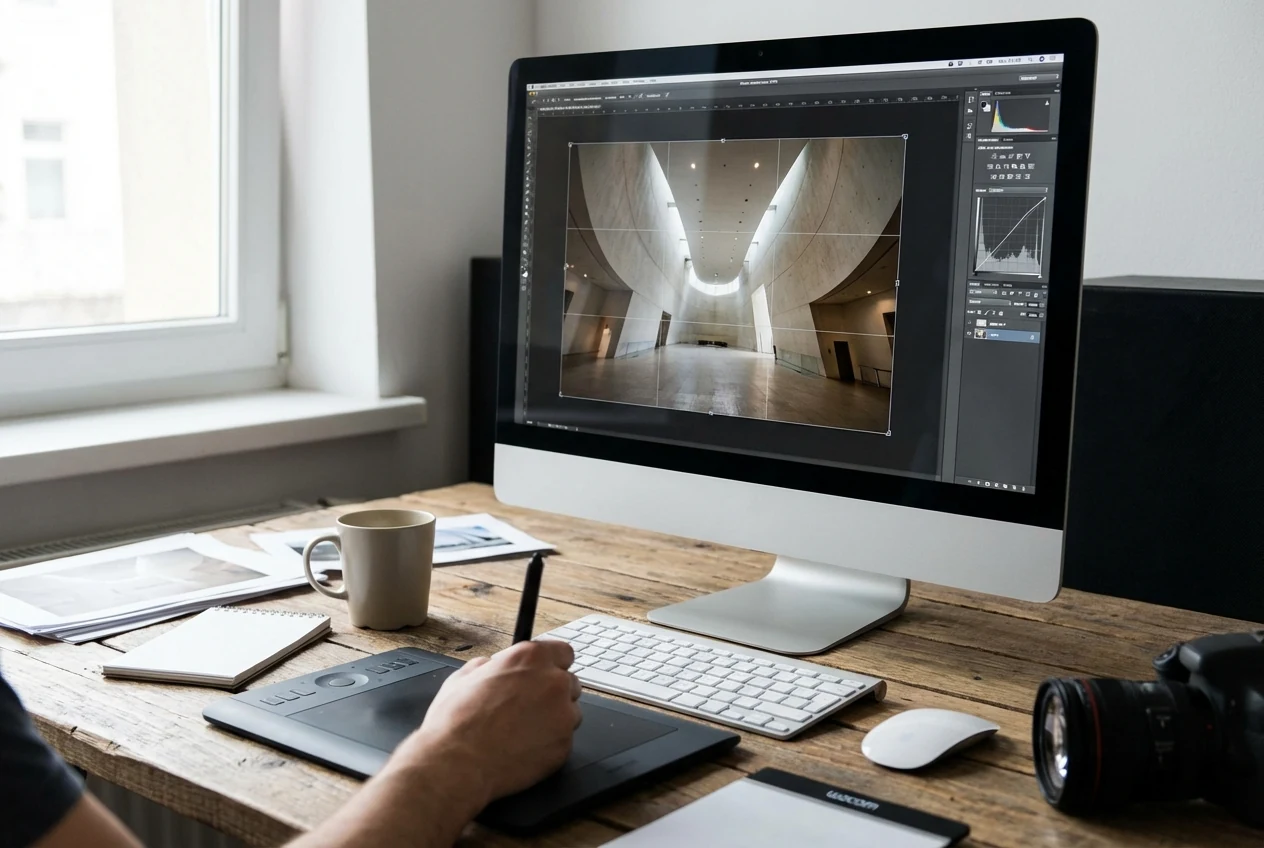
Start by correcting lens distortion first. Wide-angle photos often look more exaggerated before basic correction, so it is hard to judge the frame accurately if you skip this step.
This is where Lens Corrections matter. They help reduce distortion and vignetting so you can see the image more honestly before making bigger decisions.
2.Fix perspective when lines and walls need to look right
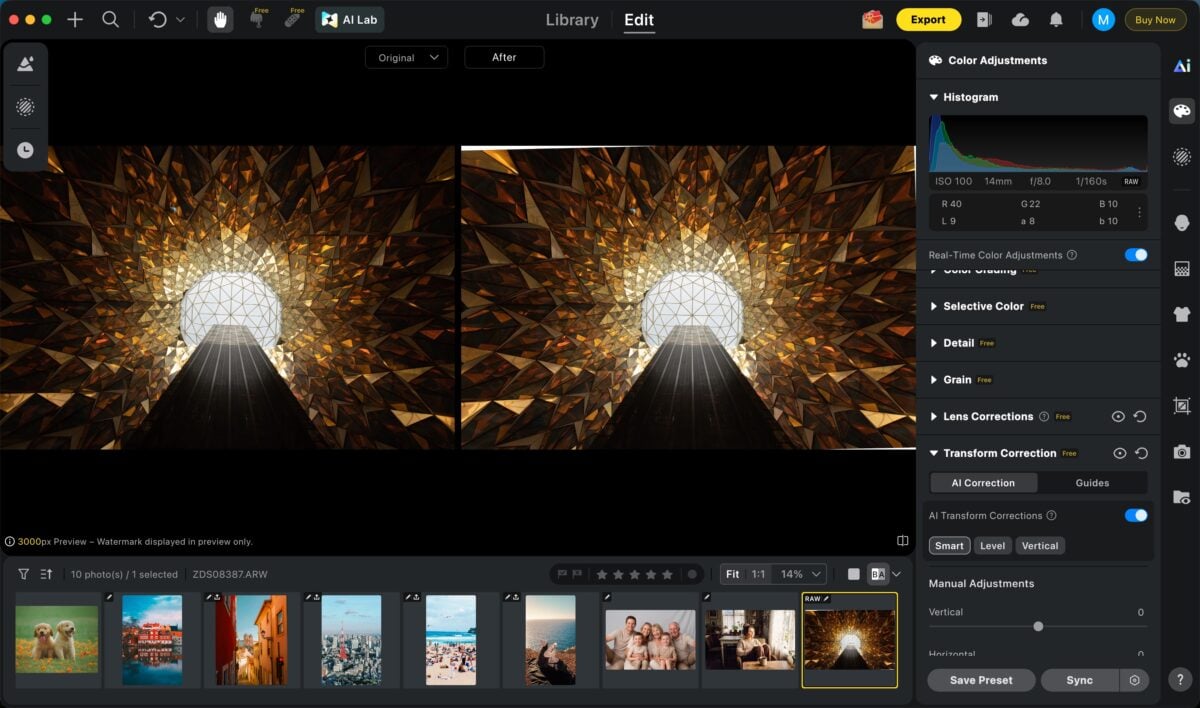
If the photo includes buildings, interiors, or any obvious straight lines, perspective should come next. Walls, windows, and vertical edges can start leaning quickly in a wide-angle shot, especially if the camera was tilted up or down.
Use AI Perspective Correction here to straighten verticals and horizontals before you think about the final composition. It is easier to compose well after the geometry stops fighting the frame.
3.Crop after the geometry is clean
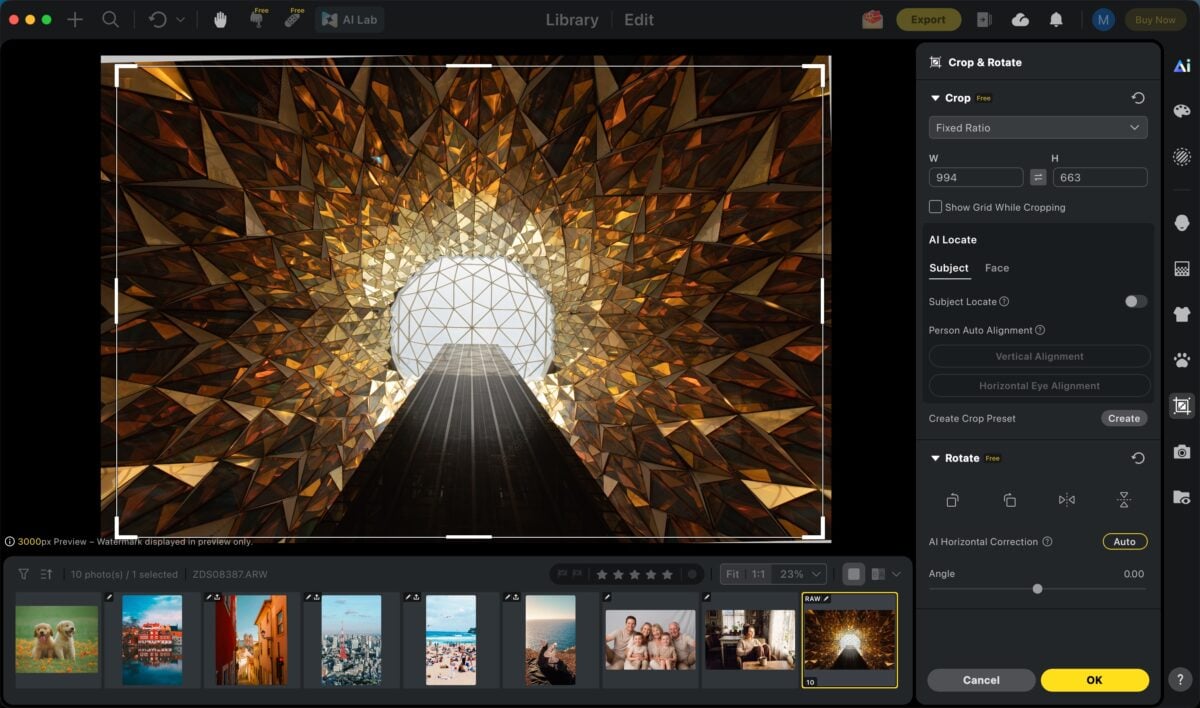
Once distortion, perspective, and horizon problems are under control, crop the image for the final framing. This is the point where you can remove weak edges, clean up empty corners, and strengthen the subject placement.
Cropping earlier usually makes the workflow messier because geometry fixes often change the frame shape. That is why Crop makes more sense after the frame is already straight and stable.
4.One-Click Color Grading for a Consistent Final Look
Color refinement comes last, but it can completely elevate the final image. Whether you are polishing a single wide-angle shot or keeping an entire gallery visually unified, one-click color grading makes the process dramatically faster.
With Evoto’s AI Color Match, you can instantly apply a refined color style in one click using professionally designed built-in presets, or upload your own reference image and let AI analyze its color mood, tones, and visual atmosphere. The system then intelligently transfers that style onto your photo, helping you achieve a cohesive look without manual color balancing.
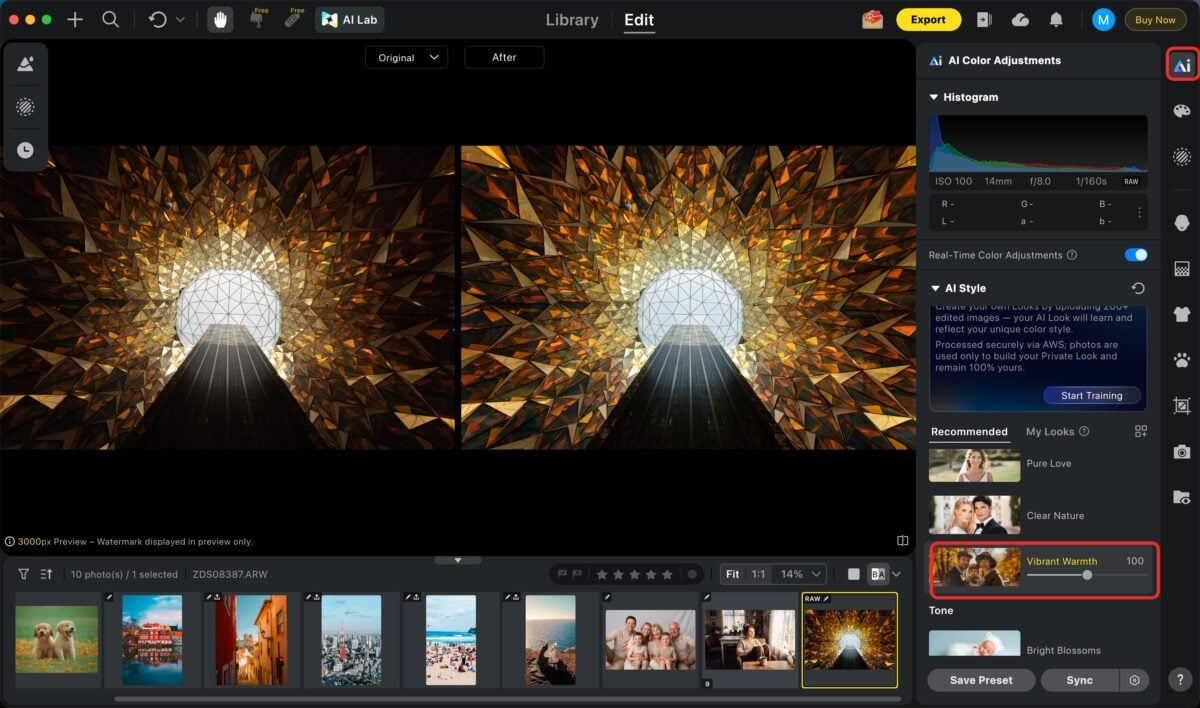
This makes it especially useful for photographers who want faster delivery, stronger visual consistency, and a signature style that can be repeated across multiple images.
Final Thoughts
A wide-angle lens is useful because it changes both the space you can include and the way that space feels. That is what makes it powerful, but also what makes it easy to misuse.
If you understand what a wide-angle lens changes, choose scenes that benefit from that wider view, and control distortion before it becomes distracting, your photos will feel much more intentional.
On the editing side, the cleanest workflow is to fix distortion, perspective, horizon, and crop first, then do any final polish only after the geometry is already right.
Try Evoto AI Photo Editor
Retouch photos with Evoto AI and make your photos best! Available on Windows, MacOS and iPadOS.



