

Some photos feel calm before you even understand why.
The subject is clear. The frame has room. Nothing is fighting for attention. Your eye knows where to land. That is often the result of negative space.
Negative space in photography is the simple, empty, or low-detail area around the main subject. It can be sky, water, fog, snow, sand, shadow, a plain wall, a soft background, or a wide area of blur. It does not have to be perfectly blank. It just has to be quiet enough to support the subject instead of competing with it.
For working photographers, this is not only a composition idea. It is a practical field decision. Negative space helps you simplify a busy location, make a small subject feel intentional, create mood quickly, leave room for design or editorial use, and reduce the amount of cleanup you need later.
Quote: TL;DR Negative space is the simple area around your subject. Use it when you want a cleaner frame, stronger focal point, more breathing room, or a quieter mood. Start with a clear subject, choose a background that does not compete, leave enough room for the subject to breathe, and check the edges before you shoot. In post, refine negative space with crop, tonal control, background cleanup, and consistent color without making the image feel fake.
What Is Negative Space in Photography?
Negative space is the area around the main subject that carries less visual detail.
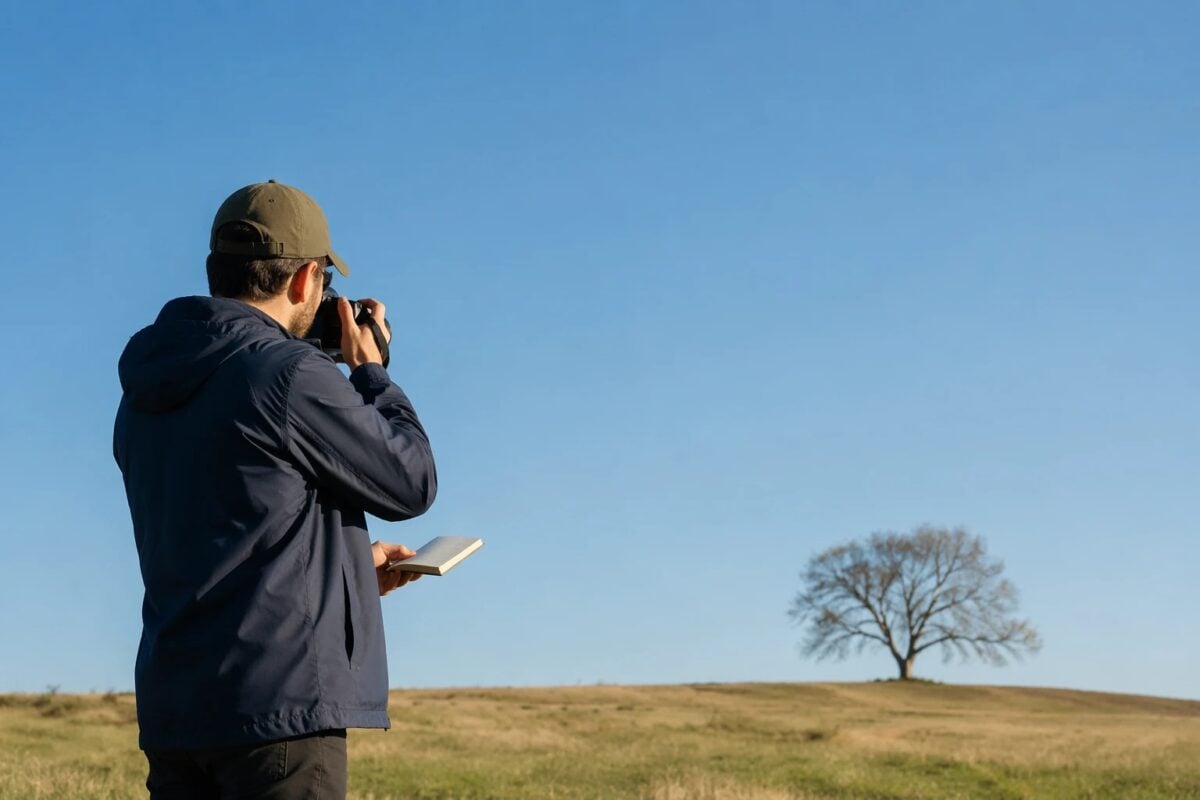
Positive space is the subject itself. If you photograph a person standing under a wide sky, the person is positive space and the sky is negative space. If you photograph a flower against a soft green blur, the flower is positive space and the blur is negative space. If you photograph a boat on calm water, the boat is the subject and the water around it becomes the supporting space.
The important word is supporting. Negative space is not just emptiness. It has a job. It gives the subject room to breathe, reduces visual clutter, creates balance, and helps the viewer understand the photo faster.
This is why negative space can make a small subject feel stronger. The subject may take up only a small part of the frame, but the space around it tells the viewer that the subject matters.
Negative Space vs Empty Space
Negative space is intentional. Empty space is accidental. That is the difference.
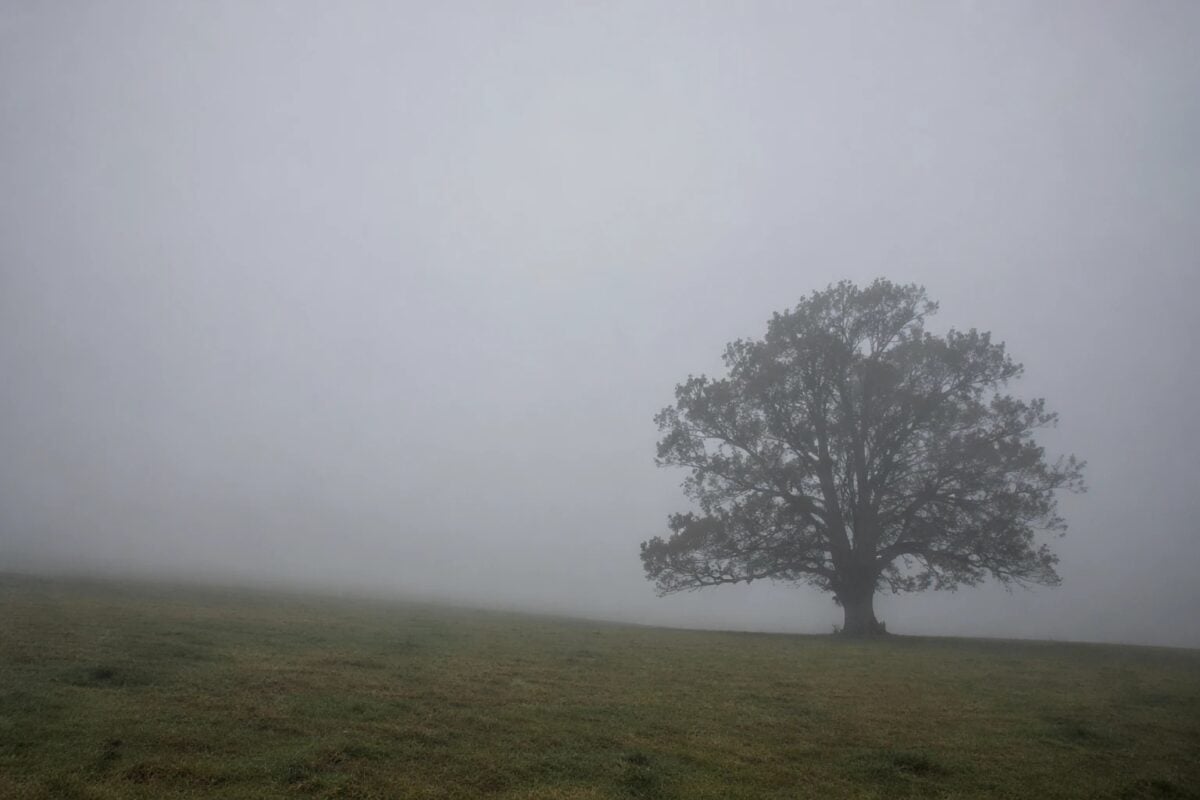
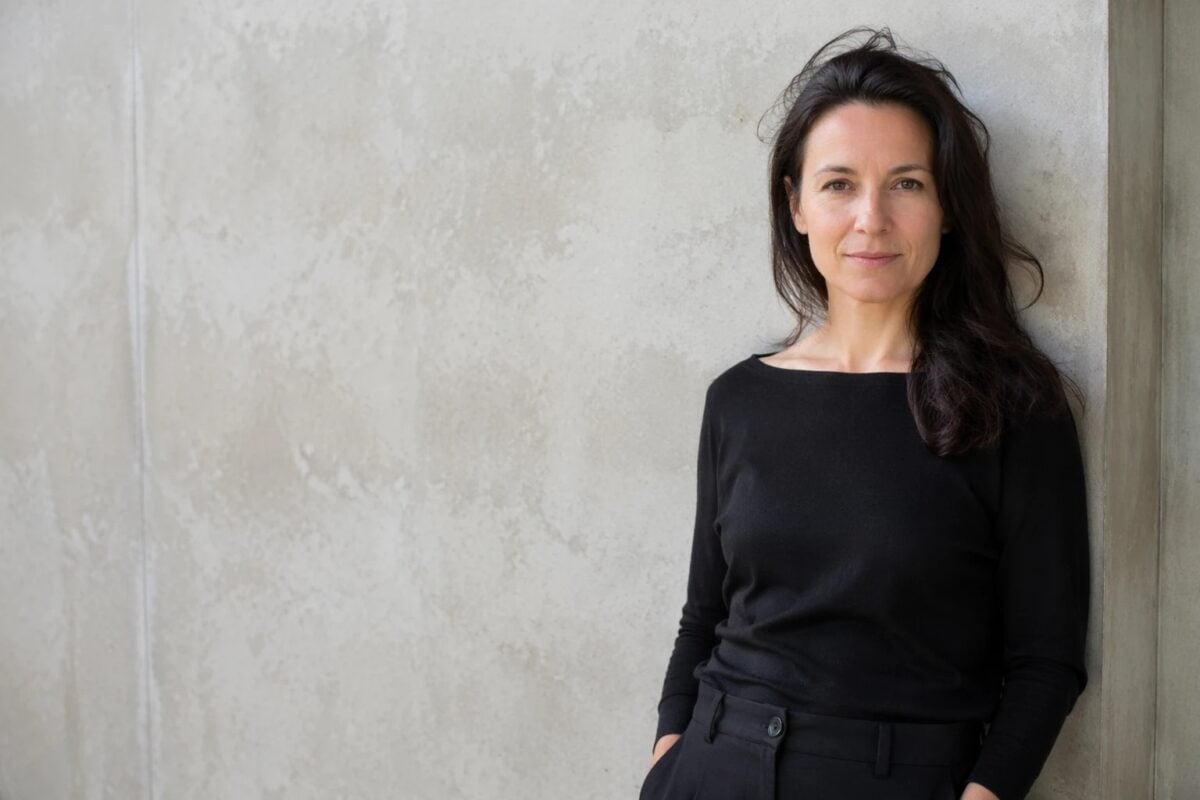
A clean sky behind a bird can be negative space because it helps the bird stand out. A blank wall beside a portrait can be negative space because it gives the face room to breathe. Fog around a tree can be negative space because it removes distractions and creates scale.
But a random blank area can also weaken a photo.
If the subject is too small, too unclear, or too weak to hold the frame, the image may feel unfinished. If the empty area has a bright sign, random pole, messy texture, or awkward edge, it stops being clean support and becomes distraction.
Ask one question: Does the space help the subject?
If yes, it is probably working as negative space. If no, you may need to move, crop, wait, simplify the background, or change the angle.

Why Negative Space Works
Negative space works because it reduces competition. Most weak compositions do not fail because there is nothing interesting in the scene. They fail because too many things are interesting at the same time. The viewer sees the subject, then a bright corner, then a sign, then a hand, then a branch, then a background shape.
Negative space removes some of that noise.
It can help a photo feel:
- calm
- spacious
- minimal
- quiet
- lonely
- editorial
- graphic
- dramatic
- balanced
It also controls scale. A small person against a large landscape can make the place feel huge. A single product on a clean surface can feel premium. A portrait with open space can feel more emotional than a tight crop because the viewer feels the space around the person.
The space changes the reading of the subject. That is why negative space is a composition tool, not just a background choice.
Start With a Subject Strong Enough to Hold Space
Negative space works best when the subject is clear. Before you look for empty areas, decide what the photo is about.
Your subject can be:
- a person
- a face
- a gesture
- a bird
- a tree
- a product
- a building
- a flower
- a car
- a mountain
- a small figure in a wide landscape
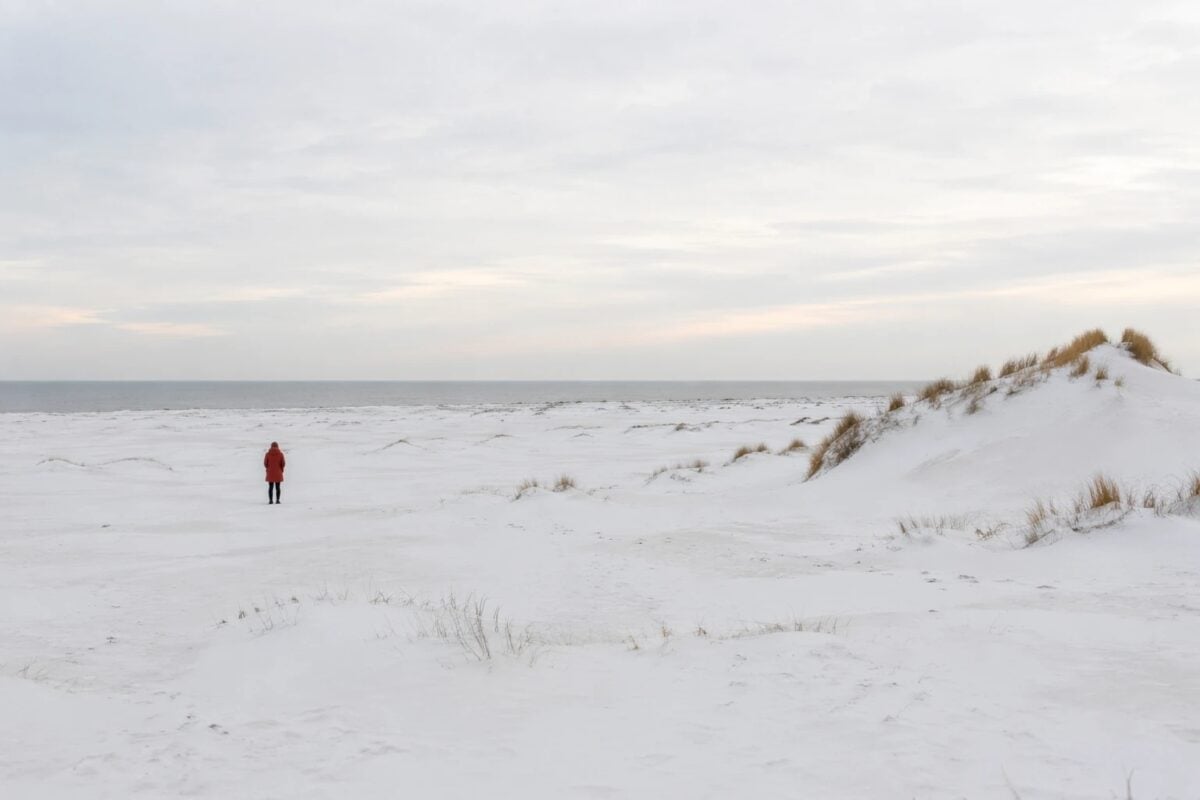
The subject does not have to be large. It just has to have enough visual weight. Visual weight can come from a face, strong shape, bright tone, bold color, sharp focus, movement, contrast, or story. A tiny red coat in a snowy field can hold a huge amount of space. A pale subject against a pale wall may not.
This is where many negative space photos fail.
The photographer sees a beautiful empty area and forgets that the subject still has to carry the frame. Start with the subject. Then decide how much space it can hold.
Choose a Background That Can Stay Quiet
The easiest way to create negative space is to find a simple background.
Look for:
- open sky
- calm water
- fog
- snow
- sand
- grass
- shadow
- plain walls
- clean architecture
- soft blurred backgrounds
- large areas of tone or color
The background does not need to be blank. Texture can work if it stays quiet. A sand dune, cloudy sky, grassy field, or concrete wall can all become negative space if the details do not fight the subject.
The key is low competition. If the background has strong shapes, bright spots, text, faces, or hard edges, it may not function as negative space anymore. It may become another subject.
When the background is busy, move. One step left can place a portrait against a plain wall instead of a sign. A lower angle can put a subject against the sky instead of a crowded street. A longer lens can compress the background into soft color. A wider aperture can turn clutter into blur.
Negative space is often made by position, not luck.
Give the Subject Room to Breathe
Negative space is not about placing the subject far away for no reason.
It is about giving the subject the right amount of room. For a portrait, that might mean leaving space in the direction the person is looking. For a landscape, it might mean letting the sky take two-thirds of the frame. For a product photo, it might mean leaving clean space for text or layout. For a travel image, it might mean making the person small enough to show the size of the place.
A useful starting point is to let negative space take more than half of the frame when the subject is strong enough. That does not mean every photo needs 70% empty space. Some images only need a little breathing room. Others can survive with 80% or more because the subject is bold, isolated, or emotionally clear.
The test is simple: Can the viewer find the subject immediately?
If yes, the space is probably helping. If no, the subject may be too small, too low contrast, or placed in the wrong part of the frame.
Use Placement to Control Balance
Negative space depends on placement. A subject in the center of a clean frame can feel calm and formal. A subject near the edge can feel tense, lonely, dynamic, or editorial. A subject placed on a third can feel balanced without becoming too static.
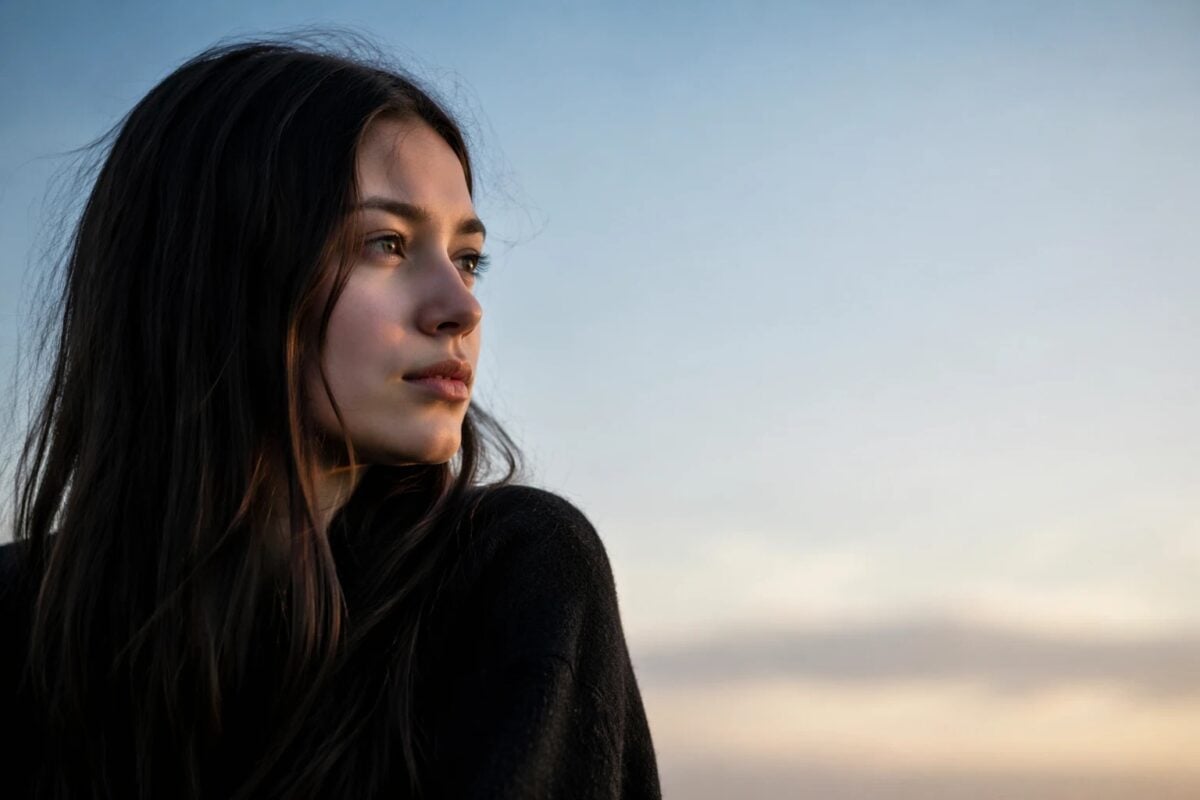
Use the direction of the subject. If a person looks to the right, leave space on the right. If a cyclist moves left, leave space on the left. If a bird flies upward, give it room above. Space in the direction of attention gives the viewer somewhere to go.
This matters in portraits too. If the subject is looking out of the frame and all the space is behind them, the image may feel cramped. If the space sits in front of their gaze, the frame usually feels more natural.
Negative space is not only about how much space you leave. It is about where that space sits.
Use Negative Space in Portrait Photography
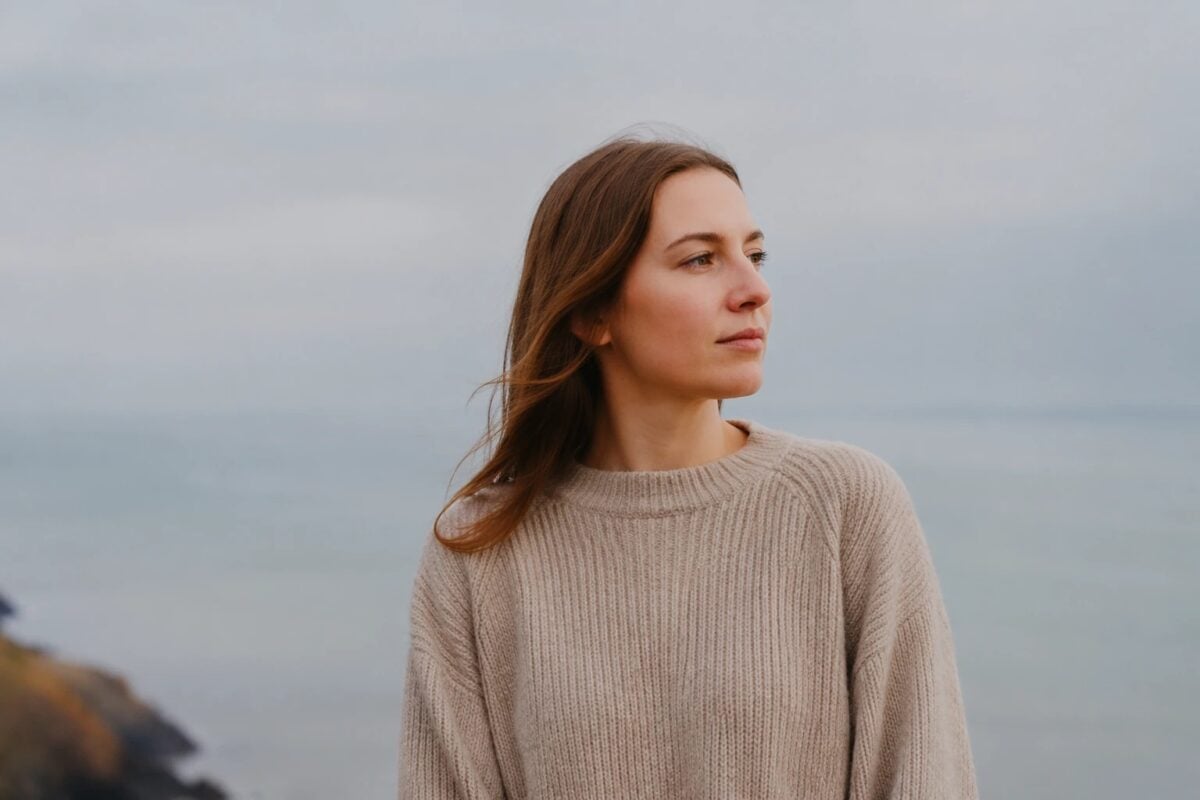
Negative space portraits are useful when you want the person to feel clear without filling the frame.
This works well for:
- editorial portraits
- environmental portraits
- bridal portraits
- maternity portraits
- studio portraits
- brand portraits
- travel portraits
- quiet documentary moments
A plain wall, open sky, window light, shadowed room, field, or soft background can all become negative space around the person.
For working portrait photographers, negative space helps when the location is visually busy. Instead of placing the subject in front of every interesting background element, choose one clean area and let the person carry the frame.
Give small direction:
Move one step away from the wall.
Turn your face toward the light.
Look into the open space.
Keep your hands still.
Hold that posture.
Those small directions help the subject stay strong while the space stays quiet.
Use Negative Space in Landscape and Travel Photography
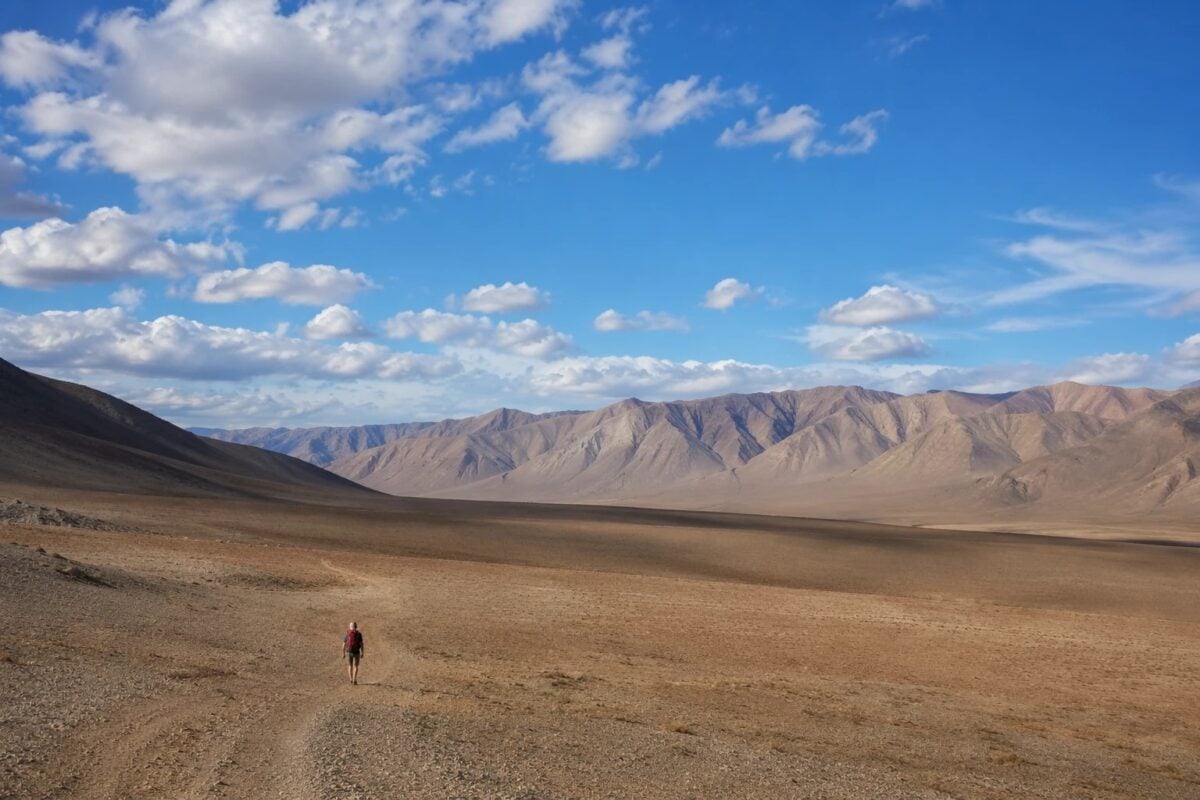
Landscape and travel photography are natural places for negative space. Wide skies, water, sand, roads, fields, fog, snow, and empty streets can all create room around the subject. A lone person, tree, car, cabin, animal, rock, or building can become the point of interest.
The main advantage is scale. A small person in a huge landscape tells the viewer how large the scene feels. A single tree in fog can feel calm or lonely. A boat on open water can feel peaceful or isolated depending on the light and color.
Do not use negative space only because the scene is wide. Choose what the space is doing.
Is it showing scale? Is it creating calm? Is it making the subject feel alone? Is it giving room for movement? Is it simplifying a busy place?
If the answer is unclear, the photo may need a stronger subject or a tighter crop.
Use Negative Space in Product and Detail Photos
Negative space is also useful for product, food, macro, and detail work.
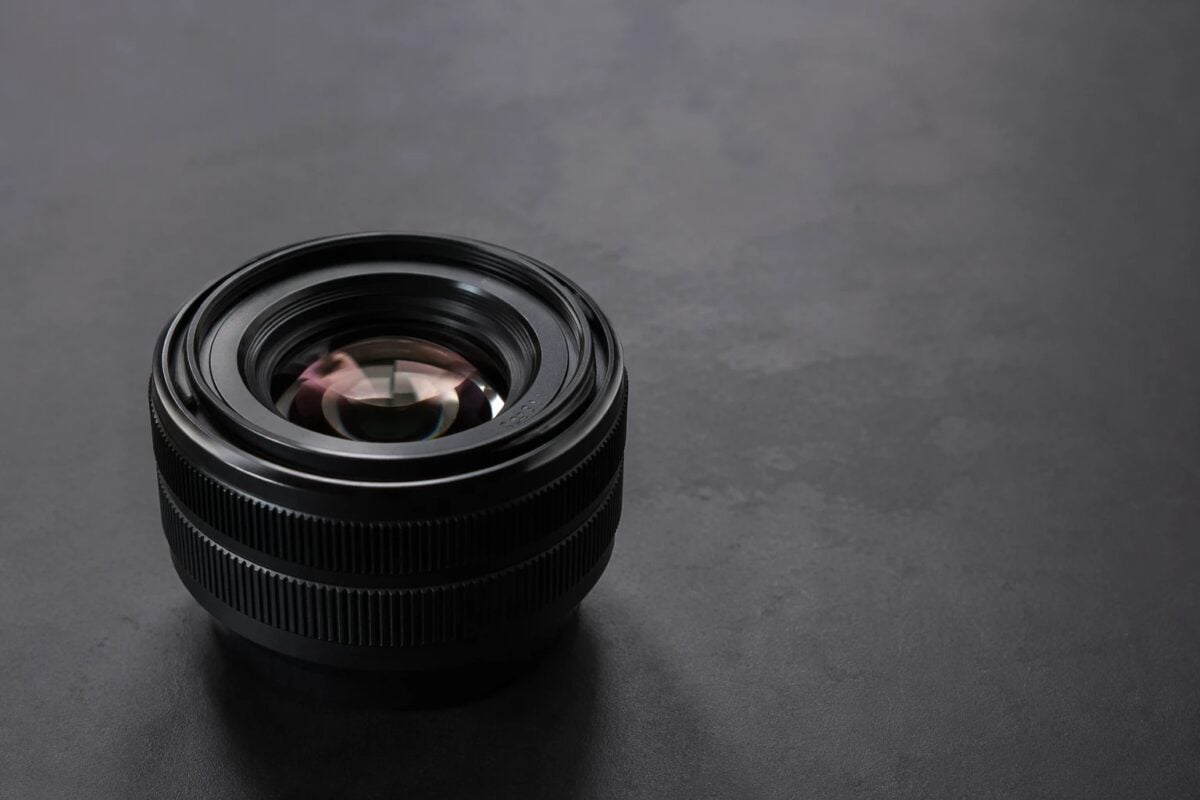
A product on a clean surface can feel premium when the space around it is controlled. A ring, flower, watch, perfume bottle, shoe, or camera can stand out more clearly when the background is simple and the edges are clean.
This is practical for commercial work because negative space can leave room for copy, layout, or social media crops.
For detail photos, use shallow depth of field carefully. A wide aperture can turn a busy background into soft negative space, but the subject still needs enough sharpness and shape. If the blur becomes more interesting than the subject, the composition loses control.
Keep the background quiet. Keep the subject precise. And let the space do less so the detail can do more.
Common Negative Space Mistakes
The first mistake is using space without a clear subject. Negative space cannot rescue a weak focal point. If the viewer does not know what matters, the empty area will feel random.
The second mistake is making the subject too small. Scale can be powerful, but the subject still needs visual weight. If it disappears, the image feels empty instead of intentional.
The third mistake is leaving distractions inside the space. A bright sign, branch, person, trash can, hard shadow, or random object can ruin the quiet area. Negative space needs to stay low competition.
The fourth mistake is cropping too tightly. If the mood depends on breathing room, do not remove all the space in post. Tight crops can destroy the calm that made the image work.
The fifth mistake is ignoring direction. A subject that looks or moves one way usually needs space in that direction. Empty space behind the action can make the frame feel backward unless you are creating tension on purpose.
How to Improve Negative Space in Post-Production
The strongest negative space decisions usually happen in camera.vBut post-production can refine the frame.
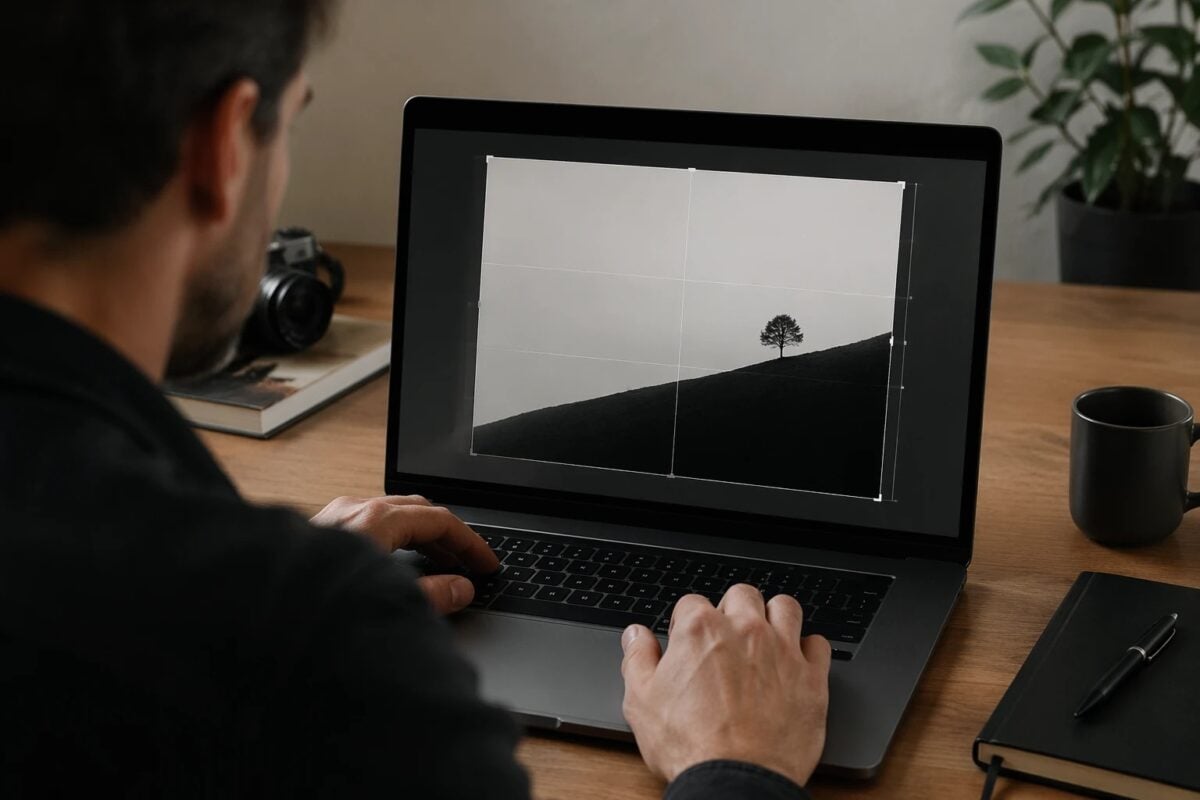
Start with the crop. If the subject is too centered, move it slightly off center. If the frame has too much dead space, crop just enough to restore balance. If the subject needs more room, choose a wider crop and protect the breathing space.
Then check distractions. Small bright marks, edge objects, color patches, or background shapes can pull attention away from the subject. Clean only what matters. The goal is not to make the scene artificial. The goal is to keep the space from competing.
Use tone and color carefully. You can darken a bright corner, soften a busy background, cool down a distracting warm patch, or lift the subject slightly so the eye lands where it should. If the negative space is meant to feel calm, avoid heavy contrast or oversaturated color that makes the space louder than the subject.
Editing should support the composition you already intended. It should not make the photo look like it was rebuilt.
Where Evoto Fits in the Negative Space Workflow
Negative space looks simple, but simple frames are unforgiving.
When there are fewer elements, every distraction becomes easier to notice. A small object near the edge, uneven background tone, messy wall mark, color shift, or overdone crop can weaken the whole frame.
That is where post-production becomes a support layer.
For RAW files where the subject and space need clean tonal separation, Evoto Camera RAW Photo Editor can support highlight recovery, shadow control, and a cleaner base edit before you refine the frame.
If the negative space is broken by small background distractions, Evoto Object Removal can help reduce visual clutter around the subject without making the scene feel fake.
For portrait work, Evoto Portrait Retouching can help keep attention on the face, skin, and expression while preserving natural texture. This matters because negative space often makes the subject more exposed. The viewer has fewer places to look, so the portrait details need to stay clean but believable.
For full galleries, consistency matters. If one image uses soft blue negative space and the next turns warm or muddy, the set can feel uneven. Evoto AI Color Looks can help keep a coherent color direction, while Evoto Batch Edits can apply that direction across related images that share similar light.
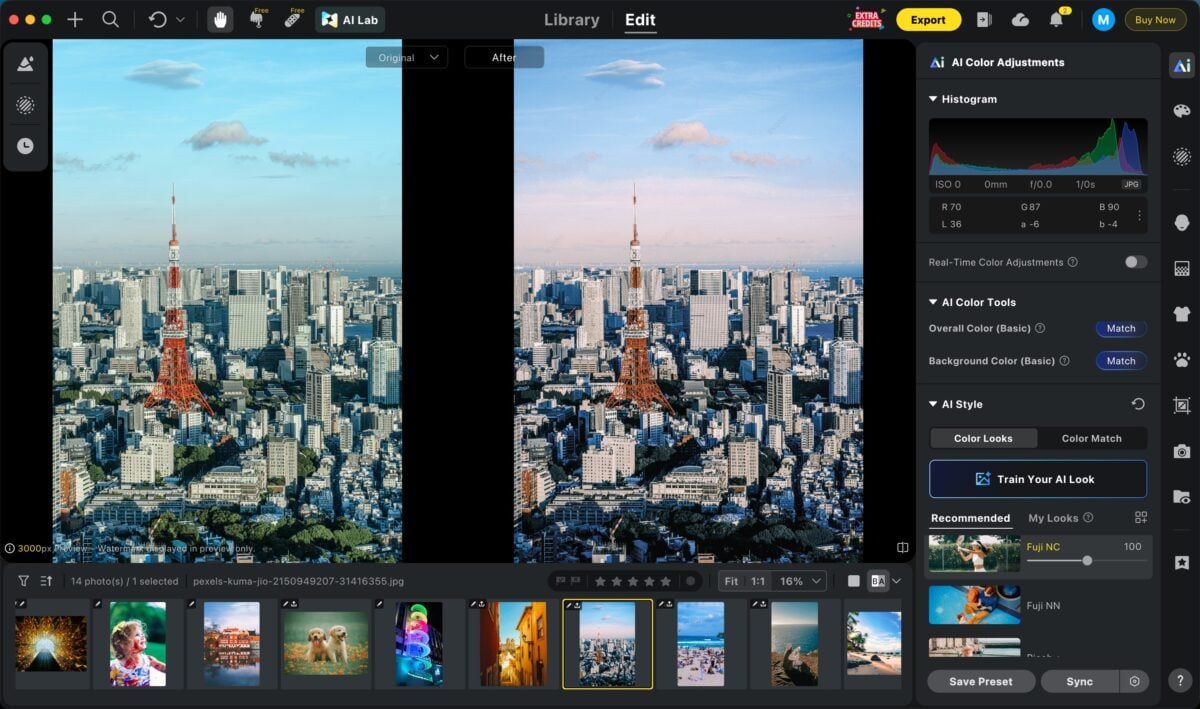
Evoto’s guide to local adjustment is also useful when the fix is small: a background patch, edge highlight, subject lift, or subtle tonal correction inside the negative space.
The goal is not to replace composition.
The goal is to finish the frame cleanly: clear subject, quiet space, believable edit, and consistent delivery.


Powerful AI Photo Editor
A Simple Field Checklist
Before you take the photo, ask:
- What is the subject?
- Is the subject strong enough to hold the space?
- Does the background stay quiet?
- Is the space in the right direction?
- Are the edges clean?
- Is there a bright object pulling attention?
- Would a lower angle, longer lens, or wider aperture simplify the frame?
After you take the photo, ask:
- Does the viewer know where to look first?
- Does the empty area support mood, scale, or balance?
- Would a small crop improve the relationship between subject and space?
- Are there distractions to remove or reduce?
- Does the edit keep the space quiet?
This checklist keeps negative space practical. You are not just making the frame emptier. You are making the subject easier to read.
Final Thoughts
Negative space in photography is not wasted space. It is controlled space.
It gives the subject room to breathe, simplifies the frame, creates scale, and changes the mood of the image. It can make a portrait feel quiet, a landscape feel huge, a product feel clean, or a small subject feel more important than its size.
Start with a clear subject. Choose a quiet background. Leave space with intention. Check the edges. Use post-production to refine the crop, tone, color, and distractions without making the image feel artificial.
The best negative space photos do not feel empty. They feel clear.
Try Evoto AI Photo Editor
Retouch photos with Evoto AI and make your photos best! Available on Windows, MacOS and iPadOS.



