

There’s nothing quite like celebrating Halloween with your closest friends—and capturing those moments on camera makes the experience even more memorable. A best friend Halloween photo shoot is a fantastic way to showcase costumes, creativity, and shared laughter. Not only do these themed photos make great social media content, but they also serve as cherished keepsakes for years to come. Halloween photography has become a popular trend, blending fun, creativity, and personal storytelling.
Planning Your Halloween Photoshoot
A successful best friend Halloween photo shoot starts with thoughtful planning. Here are some ideas to make your session unforgettable:
- Creative Costumes and Props: Coordinate costumes with your best friend, choose fun props, and experiment with quirky poses to bring out personality and humor in your photos.
- Choosing Locations: Consider indoor setups, outdoor autumn scenery, decorated rooms, or pumpkin patches to complement your Halloween theme.
- Using Evoto AI: Enhance your photos with AI beauty filters and the makeup photo editor. These tools can perfect your looks, balance colors, and make your Halloween photos truly standout.
Try combining your costume ideas with props like pumpkins, candles, or spooky backdrops. For group shots or matching themes, think about poses that encourage interaction and natural expressions.
Evoto AI Makeup Editor: Perfect Your Halloween Looks
To make your best friend Halloween photoshoot ideas even more magical, Evoto AI offers an advanced AI Makeup Editor & Beauty Filter. Here’s how it can transform your photos:
- Precise Highlights & Contours: Adjust facial highlights and contours with intuitive sliders to make your portraits more three-dimensional and vivid.
- Lip Makeup Effects: Choose the perfect lipstick color, texture, and brightness to enhance smiles and match your costume theme.
- Enhanced Eye Makeup: Adjust eye makeup saturation, luminance, and dimension to make your eyes pop in every shot.
- Custom Makeup Presets: With 20+ full makeup presets and 80+ partial beauty filters, fine-tune everything from eyebrows, eyeshadow, and eyeliner to blush and lipstick.
- Batch Apply Makeup: Edit multiple photos at once to ensure a consistent and professional look across all shots.
- AI Facial Recognition: Precisely detect facial features so that makeup is naturally and accurately applied every time.
- Beginner-Friendly and Professional: Whether you’re new to photo editing or a seasoned photographer, Evoto AI provides simple controls with professional-grade results.
By leveraging the beauty filter online and makeup photo editor, your Halloween photos can look polished, fun, and ready for sharing. These features allow for creative portrait photography that elevates your themed shots.


Powerful AI Photo Editor
How to Use Evoto AI Makeup Editor
Enhance your best friend Halloween photo shoot with Evoto AI Makeup Editor in just a few simple steps:
Step 1: Import Portrait Photos
Upload your photos from your camera or file directory. Evoto AI will automatically detect and analyze facial features to prepare for precise beauty retouching.
Step 2: Add Makeup to Your Photos
Navigate to the “Portrait Retouching” panel and select the “Makeup” tab. Adjust sliders to customize your makeup look, or simply apply the preset beauty filters with one click.
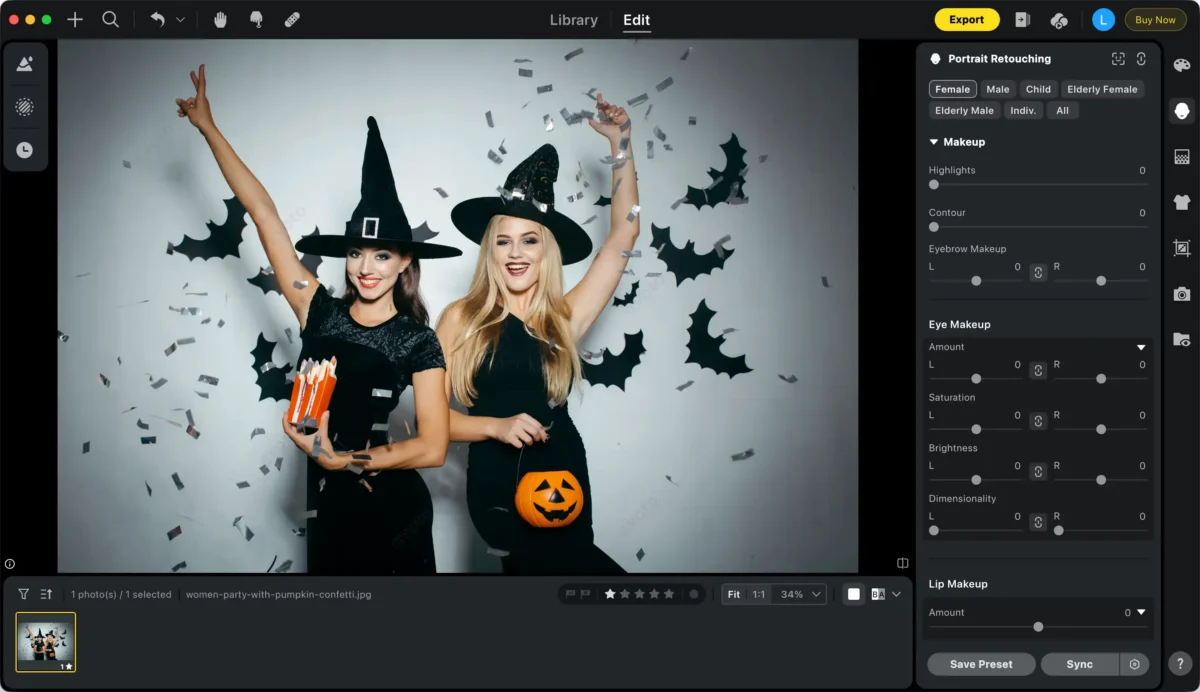
Step 3: Apply Makeup Edits in Bulk (Optional)
Select multiple photos with similar facial features and click “Sync” to batch apply the makeup edits. This ensures a consistent look across all your images.
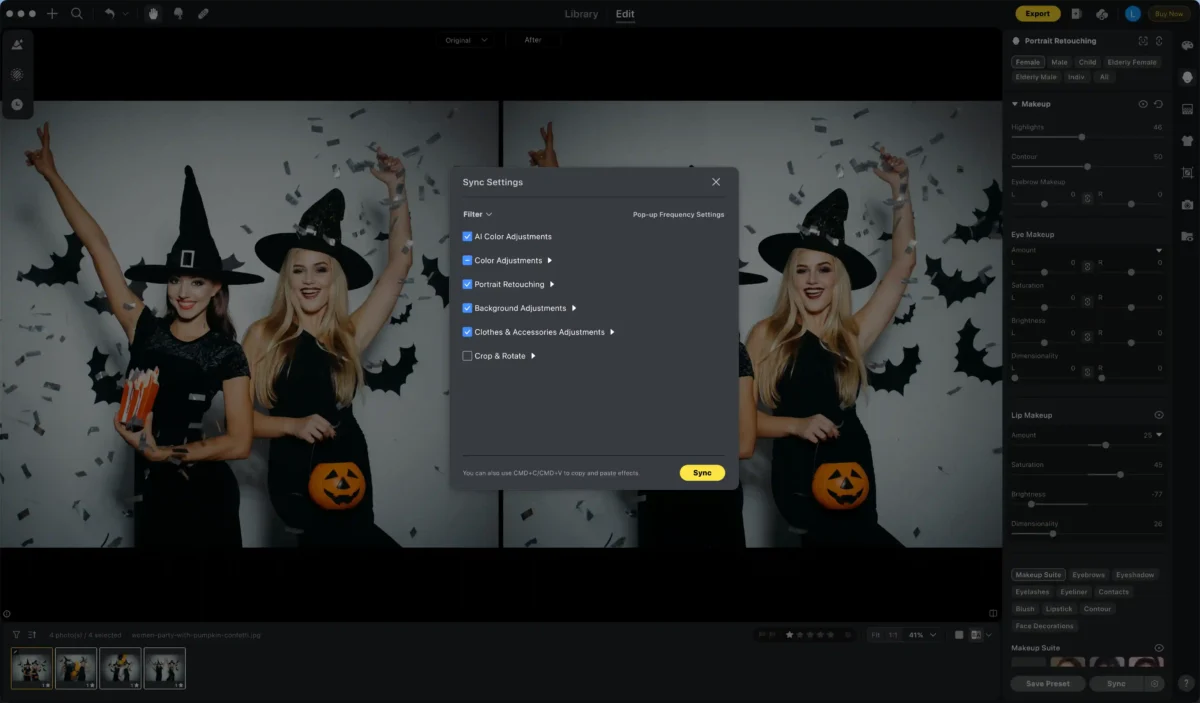
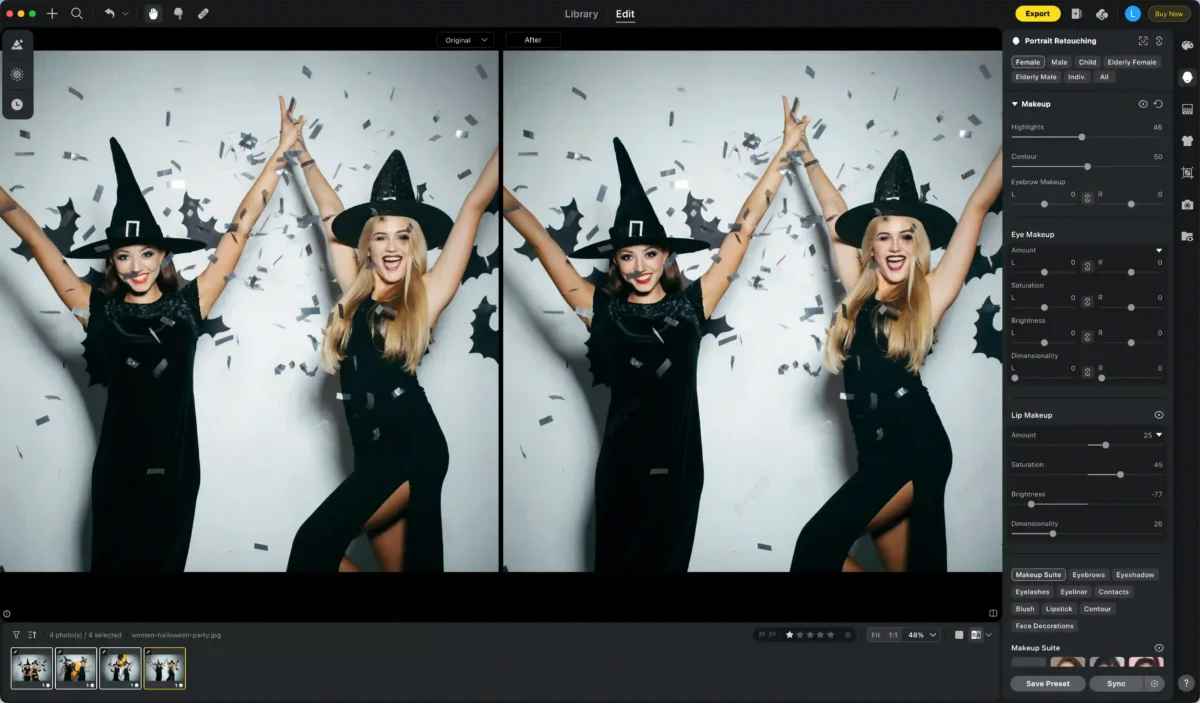
Step 4: Save Your Photos
Once satisfied with your edits, click “Export” to save your photos in RAW, TIFF, PNG, or JPG formats.
With Evoto AI Makeup Editor, you can transform your photos faster, with finer control, and achieve professional-level results. The editor is available for Windows, macOS, and iPadOS, making it easy to enhance your best friend Halloween photoshoot anywhere.
Fun Twists and Current Trends
A best friend Halloween photo shoot isn’t just about costumes—it’s about capturing seasonal vibes and creative ideas:
- Autumn-Themed Shots: Combine the rich colors of fall with your Halloween costumes for a cozy and visually appealing photoshoot.
- Social Media-Friendly Series: Create mini-series photos with friends, experimenting with poses, angles, and props that look great online.
- Group Shots: Expand beyond one-on-one photos to include multiple friends for lively, fun group compositions.
Keep an eye on trending poses and seasonal aesthetics to make your Halloween images stand out. Using AI beauty filters, your photos can maintain consistent tone, color, and facial enhancements.
Conclusion
A best friend Halloween photo shoot is a unique way to celebrate friendship, creativity, and the festive season. With thoughtful planning, coordinated outfits, and tools like Evoto AI’s makeup photo editor and beauty filters, your Halloween photography can reach a professional level.
So, grab your best friend, plan your costume, and don’t be afraid to experiment with poses and props. Use Evoto AI to add makeup touches and beauty filters to every photo, ensuring your memories are vibrant, polished, and unforgettable. Capture, edit, and share the magic of Halloween with your best friend like never before!



