

Some parts of a photo pull attention before the viewer understands the scene.
A bright window. A red jacket. A face in hard light. A dark shape near the edge. A textured foreground. A small subject surrounded by clean space. That pull is visual weight.
Visual weight in photography is the amount of attention an element carries inside the frame. It is one of the most useful ways to understand why a composition feels balanced, cluttered, calm, tense, or unclear. The viewer’s eye usually goes to the heaviest visual element first. If that element is your subject, the photo feels controlled. If it is a random highlight, sign, hand, branch, or background shape, the photo can feel off even when the exposure and focus are technically fine.
For working photographers, visual weight is practical. It helps you decide where to place the subject, what to remove from the frame, how to use light, when to leave negative space, and how to refine the image later without making the edit look forced.
What Is Visual Weight in Photography?
Visual weight is the attention value of an element inside the frame. Anything that catches the eye has visual weight.
That can include:
- a face
- a bright highlight
- a bold color
- a large object
- a dark shadow
- a sharp edge
- a detailed texture
- a high-contrast shape
- a subject near the frame edge
- a clean area of negative space
The more an element pulls attention, the heavier it feels. Visual weight does not always match physical size. A small red coat in a muted landscape can feel heavier than a mountain. A tiny bright sign in the background can overpower a portrait. A small face in clean light can carry more weight than a large dark wall.
This is why composition is not only about placing objects. It is about controlling attention.

Visual Weight vs Focal Point
Visual weight and focal point are related, but they are not the same thing. The focal point is what the photo is about. Visual weight is what the viewer notices.
Ideally, the focal point should carry the strongest visual weight. In a portrait, the face or eyes should usually pull attention first. In a product image, the product shape, label, or key detail should feel strongest. In a landscape, the main tree, figure, road, mountain, or light path should carry enough weight to anchor the frame.
Problems begin when visual weight goes somewhere else.
If the subject is a bride in soft light but the viewer sees a bright exit sign first, the sign has too much visual weight. If a family portrait is technically sharp but a colorful toy near the edge pulls attention first, the toy is visually too heavy. If a travel image includes a small person in a huge landscape but the person has no contrast, the subject may not have enough visual weight.
Before pressing the shutter, ask: Where does my eye go first? If the answer is not the subject, the frame needs adjustment.

What Creates Visual Weight?
Visual weight comes from several forces working together.
The most common are color, contrast, light, size, texture, detail, sharpness, placement, and recognizability. Faces and text are especially strong because viewers naturally try to read them.
You do not need to memorize a rule for every situation. You need to notice what is pulling your eye.
Color and Contrast
Color is one of the fastest ways to create visual weight. A red jacket in a gray street scene becomes heavy. A yellow dress in a green field becomes heavy. A warm skin tone against a cool background becomes heavy. Strong color tells the viewer where to look.
Contrast works the same way. Light against dark feels heavy. Dark against light feels heavy. Sharp against soft feels heavy. Saturated against muted feels heavy.
Use this deliberately. If the subject needs to be the first read, give it enough color or tonal separation. If the background is more colorful than the subject, it may become the real focal point. This is common in street, wedding, event, and travel photography, where signs, clothing, flowers, lights, and decor can steal attention from the moment.
The fix may be simple: Move the subject. Change your angle. Wait for a cleaner background. Reframe so the bright object leaves the edge.
Use the edit later to lower saturation or brightness in the distraction.

Light and Shadow
The eye often goes to the brightest meaningful area first. That makes light one of the strongest tools for controlling visual weight.
If the subject is in clean light and the background is quiet, the viewer usually knows where to look. If the background is bright and the subject is dark, the viewer may look past the subject.
Shadows can also carry weight. A dark shadow across a pale wall can feel heavy. A strong silhouette can become the main subject. A shadow shape near the edge can create tension even if it is not physically large.
Use light to build hierarchy. In a portrait, the face should usually have enough light to lead the eye. In a wedding ceremony, the couple should not be visually weaker than the window behind them. In a product photo, the product edge and surface should be more readable than the background. In a landscape, the main subject should sit inside the light pattern instead of disappearing outside it.
Good lighting does not only make a photo pretty. It decides what matters.

Size and Scale
Large objects usually feel heavier than small ones. A foreground rock, building, tree, dress, bouquet, or dark wall can dominate a frame because it takes up space. That can be useful if the large object is the subject or a supporting anchor. It becomes a problem when it competes with the subject.
Scale is more flexible than size. A small subject can still feel visually heavy if it has contrast, clean placement, strong color, or negative space around it. A lone person in a wide landscape can feel powerful because the space gives them importance. A small bird in a clean sky can become the heaviest part of the frame because there is nothing else to compete.
This is where visual weight connects with negative space. Space can make a small subject stronger. Clutter can make a large subject weaker.

Texture, Detail, and Sharpness
Detailed areas pull attention. The eye wants to inspect texture: hair, lace, leaves, stone, fabric, jewelry, grass, tree branches, rough walls, reflections, and patterned backgrounds. Detail is not bad. But it needs to be placed intentionally.
If the subject is detailed and the background is smooth, the subject gains weight. If the background is detailed and the subject is soft or low contrast, the background may win.
Sharpness works similarly. A sharp subject against a soft background feels clear. A soft subject against a sharp background feels confused. This is why aperture, lens choice, subject distance, and background distance matter so much in portraits and detail work.
When the background carries too much visual weight, you can:
- open the aperture
- move the subject farther from the background
- use a longer focal length
- choose a simpler angle
- wait for a cleaner moment
- reduce texture or contrast in post
The goal is not to erase every detail. The goal is to decide which detail deserves attention.

Placement and Frame Edges
Where an element sits affects how heavy it feels. Centered elements feel stable. Off-center elements feel more dynamic. Elements near the edge or corner can feel tense because they pull the eye outward.
This is why edge distractions are so damaging. A small bright object near the center may be annoying. A small bright object near the edge can be worse because it pulls the viewer out of the frame. A hand, branch, sign, face, or hard shadow touching the border can create visual tension that was never intended.
Before shooting, scan the edges.
Look for:
- bright spots
- partial faces
- text
- strong colors
- cut-off hands
- poles or branches
- high-contrast objects
- sharp background lines
If something near the edge pulls attention, remove it in camera when possible. A small step is often better than a long edit.

Use Visual Weight to Build Balance
Balance in photography does not mean both sides of the frame look equal. It means the visual pull feels intentional.
A large dark shape on one side can be balanced by a smaller bright subject on the other. A face can be balanced by negative space. A bold color can be balanced by a calm background. A detailed foreground can be balanced by a simple sky.
The question is not: Are both sides the same?
The better question is: Does the attention move through the frame in a controlled way?
If the eye goes to the subject first, moves to supporting elements, then returns to the subject, the composition usually works. If the eye keeps escaping to a corner, background object, or unrelated color, the visual weight needs repair.

Use Negative Space to Control Heavy Subjects
Negative space is one of the cleanest ways to manage visual weight. A visually heavy subject does not always need another object to balance it. Sometimes it needs room.
A person on the left can be balanced by open sky on the right. A dark tree can be balanced by fog. A bright product can be balanced by a clean surface. A strong face can be balanced by a plain wall. This is why empty areas are not always empty.
They can hold the frame.
Use negative space when the subject is already strong and the image needs clarity. Avoid adding extra objects just to make the frame feel full. In many professional contexts, especially portraits, product work, editorial images, and minimalist landscapes, the cleanest solution is less visual competition.
Use Visual Weight in Portraits
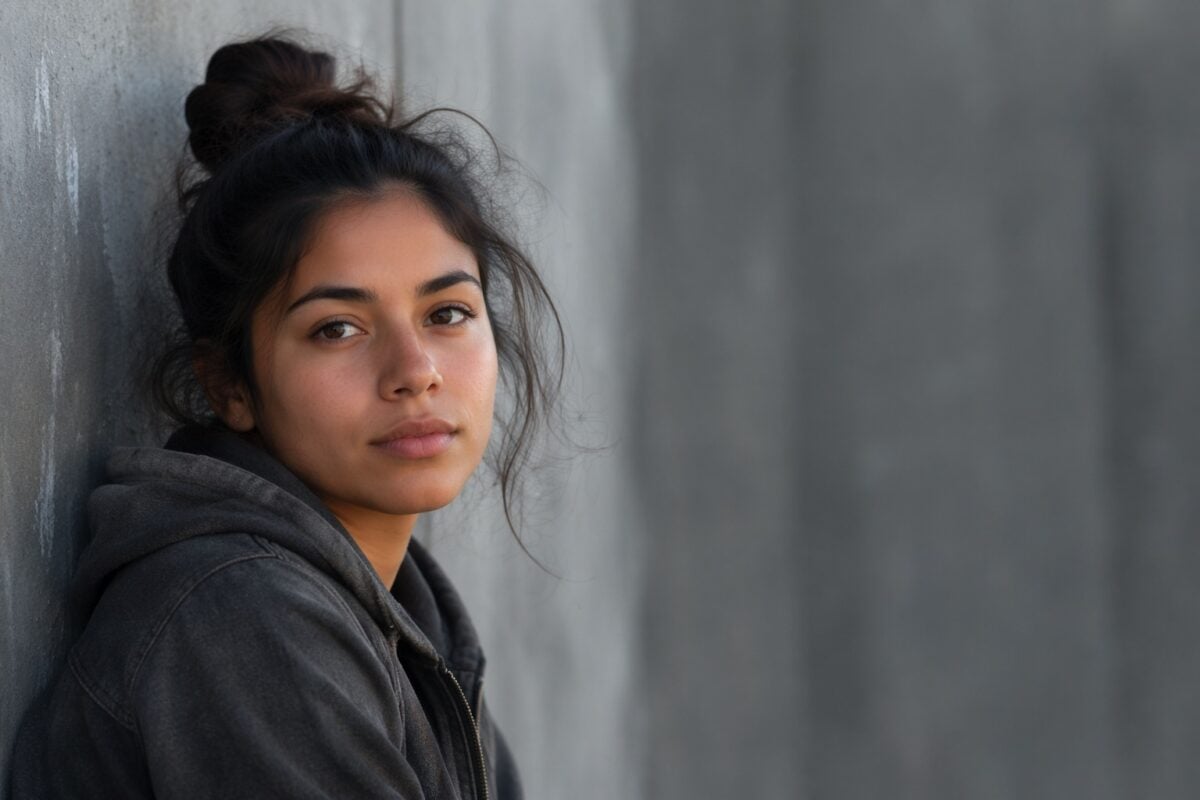
Portraits are visual weight exercises. The face usually carries the most attention. Eyes, expression, skin tone, hair, hands, clothing, jewelry, and background all compete for priority.
For portrait photographers, the first job is hierarchy. What should the viewer see first?
Usually, it is the face or expression. That means the face needs enough light, focus, tonal separation, and background control. Hands can be important, but if they are brighter or closer to the lens than the face, they may become too heavy. Clothing can support the portrait, but bold patterns can pull attention away. Background lights can add atmosphere, but bright points near the head can become unwanted focal points.
Small direction helps:
Turn your face toward the light.
Relax the hand closest to camera.
Step away from the background.
Bring your chin slightly toward the window.
Hold the jacket still.
These are not generic posing instructions. They are visual weight controls.

Use Visual Weight in Landscapes and Travel Photos
In landscapes, visual weight often comes from scale, light, contrast, and placement. A mountain can be heavy because it is large. A tree can be heavy because it is isolated. A person can be heavy because the viewer recognizes the human form. A bright cloud can be heavy because it dominates the sky. A road can be heavy because it pulls the eye forward.
Travel photography adds another challenge: clutter.
Markets, streets, cafes, stations, hotels, beaches, and landmarks often contain signs, people, cars, bags, shadows, and random colors. The scene may feel alive, but the frame can lose hierarchy quickly.
Use visual weight by simplifying the route through the image.
Find the subject. Place it against a quieter area Use light or color to separate it. Let supporting details stay secondary. Do not let every interesting thing become equally loud.

Use Visual Weight in Product and Commercial Photos
Product and commercial images need precise visual weight because the viewer’s attention must move quickly.
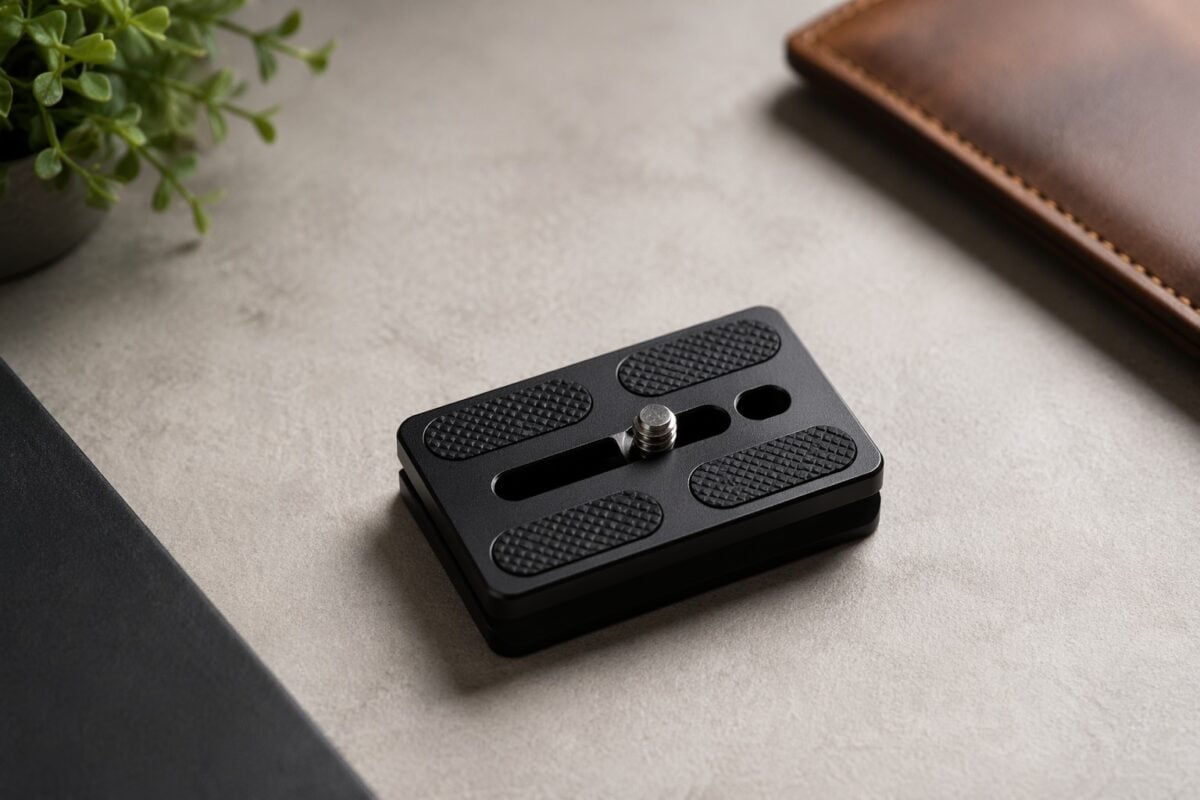
The product should usually be the strongest element. The label, shape, texture, material, or key feature needs to read before the background, props, or styling. Props can help tell the story, but they can also become too heavy.
A bright flower beside a skincare bottle may overpower the bottle. A dark prop near the edge may pull the viewer away from the product. A textured surface may look premium, but if it is sharper or more contrasty than the product, it can compete.
Use clean space, controlled light, and restrained props.
Commercial composition often works best when the visual weight is obvious: product first, supporting texture second, background last.
Common Visual Weight Mistakes
The first mistake is letting the wrong element become the heaviest part of the frame. This often happens with bright backgrounds, colorful signs, white clothing, windows, candles, flowers, or edge highlights.
The second mistake is ignoring the background. A subject can be strong, but a detailed background can still pull attention away. Background detail is visual weight.
The third mistake is overcrowding the frame. If everything is bright, colorful, sharp, or detailed, nothing feels important.
The fourth mistake is relying only on the rule of thirds. A subject can sit on a perfect third and still lose to a bright object in the opposite corner. Composition rules help with placement, but they do not replace visual hierarchy.
The fifth mistake is overcorrecting in post. Darkening every background, blurring every distraction, or over-brightening the subject can make the edit obvious. Visual weight should be refined, not forced.
How to Refine Visual Weight in Post-Production
The strongest visual weight decisions happen while shooting.
Post-production should refine them.
Start with the crop. Remove weak edge space, reduce accidental tension, and strengthen the relationship between the subject and supporting elements. Do not crop so tightly that the image loses the balance that made it work.
Then control tone. Lower a bright corner. Lift the subject slightly. Reduce contrast in a background area. Protect highlights that matter and soften highlights that distract.
Use color carefully. Desaturate a competing object. Warm the subject slightly. Cool the background if it is pulling too much warmth. Reduce a color that steals attention from the subject.
Use local adjustments when the problem is local. A global edit may fix exposure but create new visual weight problems. The better move is often selective: adjust the face, darken one corner, lower one background patch, or reduce one color.
The goal is a believable hierarchy. The viewer should not see the edit. The viewer should simply know where to look.
Where Evoto Fits in the Visual Weight Workflow
Visual weight problems often show up late.
You may not notice the bright corner, heavy background, uneven skin shine, distracting backdrop, or overpowering prop until you review the files as a set. At that point, the bottleneck is not creative vision. It is controlled refinement.
That is where Evoto can support the workflow after the composition decisions are already made.
For local attention control, Evoto’s guide to local adjustment is useful because visual weight issues are often isolated: one bright edge, one dull face, one color patch, one shadow shape, or one background area that needs less pull.
When a portrait’s visual weight depends on precise subject isolation, Evoto’s notes on AI masking and masking for hair and face retouching are especially relevant. Masking lets the edit target the area that is actually carrying attention instead of changing the whole photo.
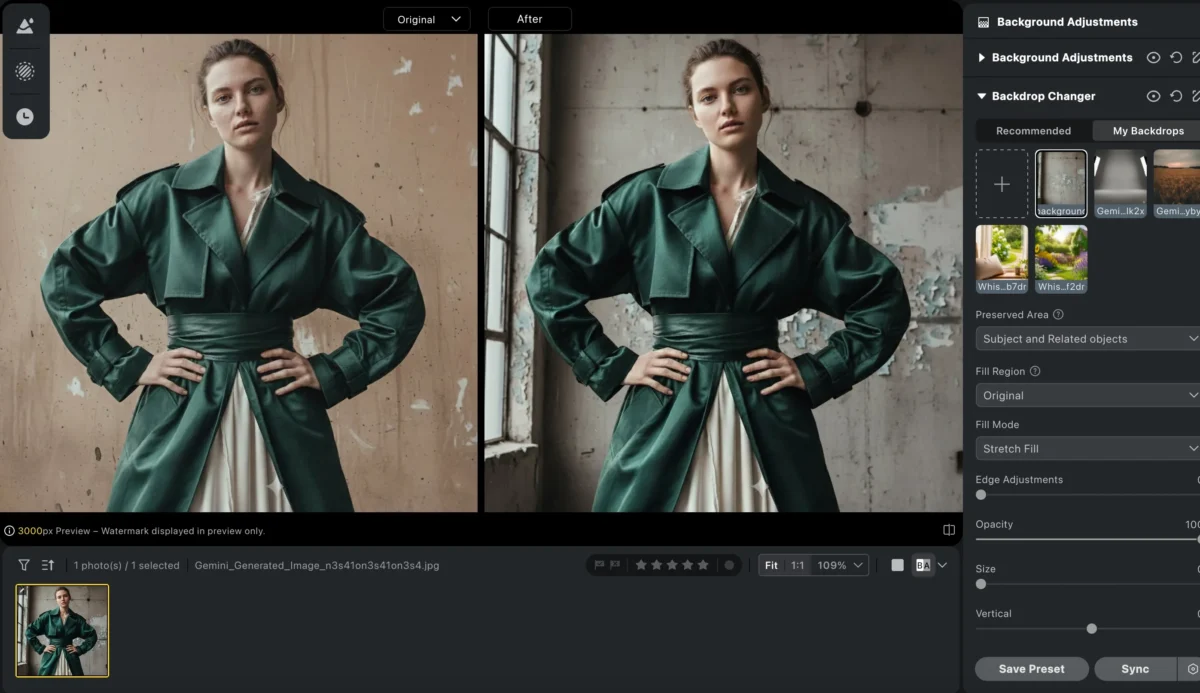
For clean commercial, fashion, or portrait sets where the background is becoming too heavy, Evoto Bulk Background Remover can support consistent background control across multiple images. This is useful when the subject needs to stay visually dominant and the backdrop needs to stop competing.
For fashion or editorial images where light, skin, background, and color all affect attention, Evoto Fashion Photography Editing is a better match than a generic editing link because the workflow is built around polished subject presentation, background refinement, and controlled color direction.
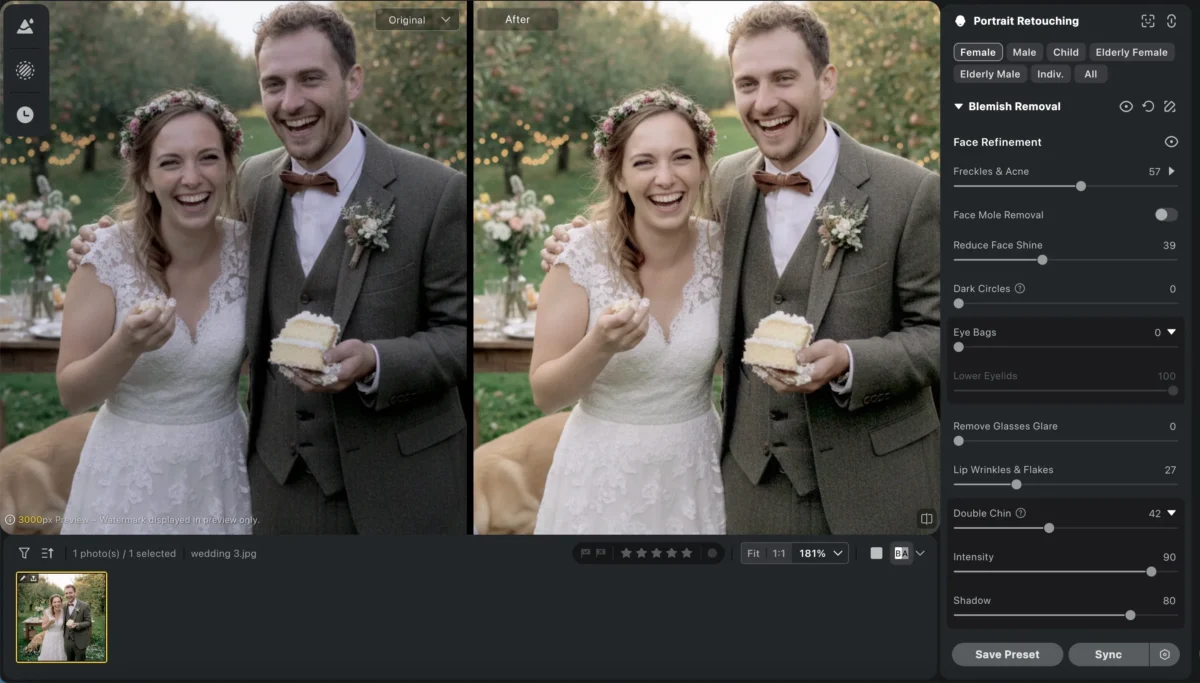
For close portrait work, Evoto Skin Smoothing can help reduce small texture distractions while keeping skin believable. This matters when the face is the intended focal point and the viewer has fewer competing elements in the frame.
The product role should stay clear.
Evoto is not there to invent composition after the fact. It helps refine the hierarchy you already built: subject first, supporting elements second, distractions reduced, and final delivery consistent.


Powerful AI Photo Editor
A Visual Weight Field Checklist
Before shooting, ask:
- What should the viewer notice first?
- Is that element actually the heaviest part of the frame?
- Is anything brighter, sharper, larger, or more colorful than the subject?
- Does the background compete?
- Are the frame edges clean?
- Does negative space help balance the subject?
- Is the light supporting the hierarchy?
After shooting, ask:
- Does the crop strengthen the attention path?
- Does any corner pull the eye away?
- Are there colors that need to be reduced?
- Does the subject need a subtle local lift?
- Does the background need less contrast or detail?
- Does the edit still look believable?
This checklist keeps visual weight practical. It turns composition from a vague feeling into a repeatable review process.

Final Thoughts
Visual weight in photography explains why the viewer looks where they look.
It is created by light, color, contrast, size, texture, sharpness, placement, faces, text, and negative space. It affects balance, focal points, mood, and the path the eye takes through the frame.
The goal is not to make every part of the image equal. The goal is to make the hierarchy clear.
Choose the subject. Notice what competes. Use light, color, placement, and space to guide attention. Then refine the file in post with crop, tone, local adjustment, and restrained cleanup.
When visual weight supports the subject, the photo feels intentional. When it fights the subject, the photo feels busy. That difference is often what separates a technically good image from a strong one.
Try Evoto AI Photo Editor
Retouch photos with Evoto AI and make your photos best! Available on Windows, MacOS and iPadOS.



