

If you keep asking what is metering mode on a camera, you have probably seen one frame glow and the next sink. Skin tone shifts even when the settings look close. That is usually a weighting problem. The meter reads reflected light, but it still needs your priority.
Think of metering as a fast assistant. It estimates brightness through the lens. It does not know whether you care most about a face, a white dress, a sunset sky, or a singer’s cheek under a spotlight. Metering mode tells the assistant what to prioritize.
This guide answers “what is camera metering” in field language, walks the core patterns without repetitive template blocks, and gives you five steps you can run on the next outing.
TL;DR
- What is metering mode on a camera? It is the rule that tells your camera which parts of the frame count most when it recommends exposure.
- Matrix / evaluative / multi are broad-pattern names that vary by brand. Center-weighted, spot, and partial are distinct coverage options.
- Reliable exposure is priority + mode + histogram + small compensation, not one magic menu item forever.
What Is Camera Metering? A Beginner-Friendly Definition
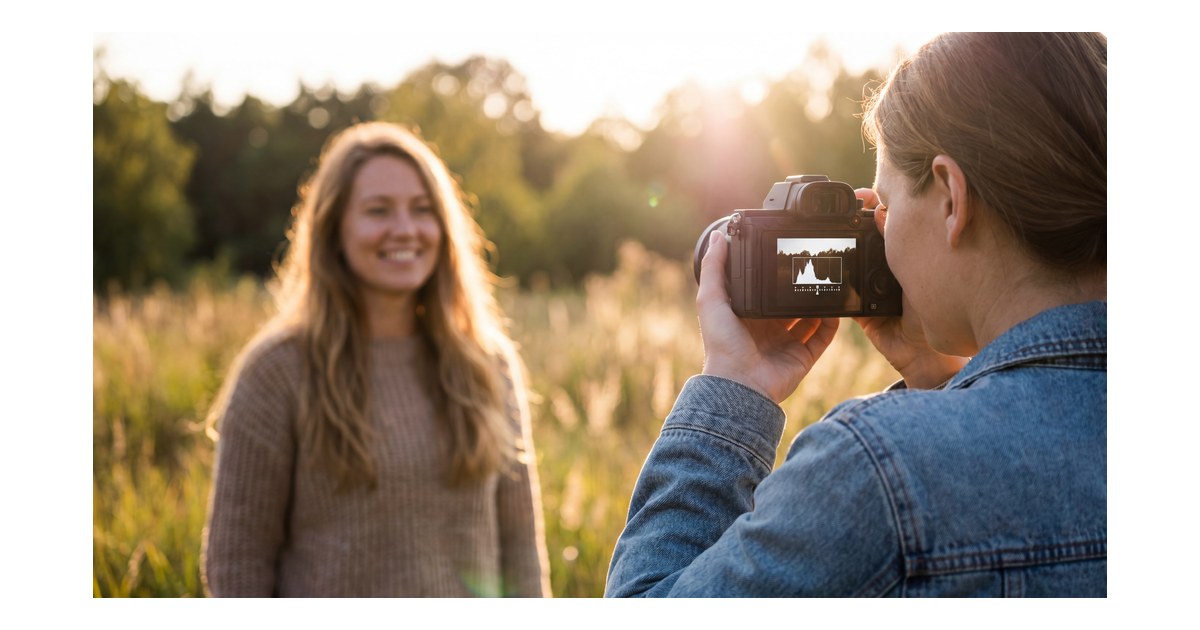
What is camera metering? It is reflected-light measurement through the lens. The camera samples brightness and steers exposure toward a reference tone often described as middle gray in tutorials—not because every scene is gray, but because the system needs a predictable anchor.
Plain-language version: every frame is a brightness puzzle. What is metering on a camera if not “solve the puzzle my way”? It is the camera’s first draft answer—still subject to your priorities, compensation, and confirmation tools.
Keep four truths in mind:
- a meter reading is a recommendation, not a moral verdict
- high-reflectance subjects (snow, satin, white dresses) and low-reflectance wardrobe (black suits) bias the math
- if you meter directly from those tones and simply center the scale, the result often drifts gray or too bright
- you still verify with histogram and highlight warnings when your body offers them (see Histogram (photography))
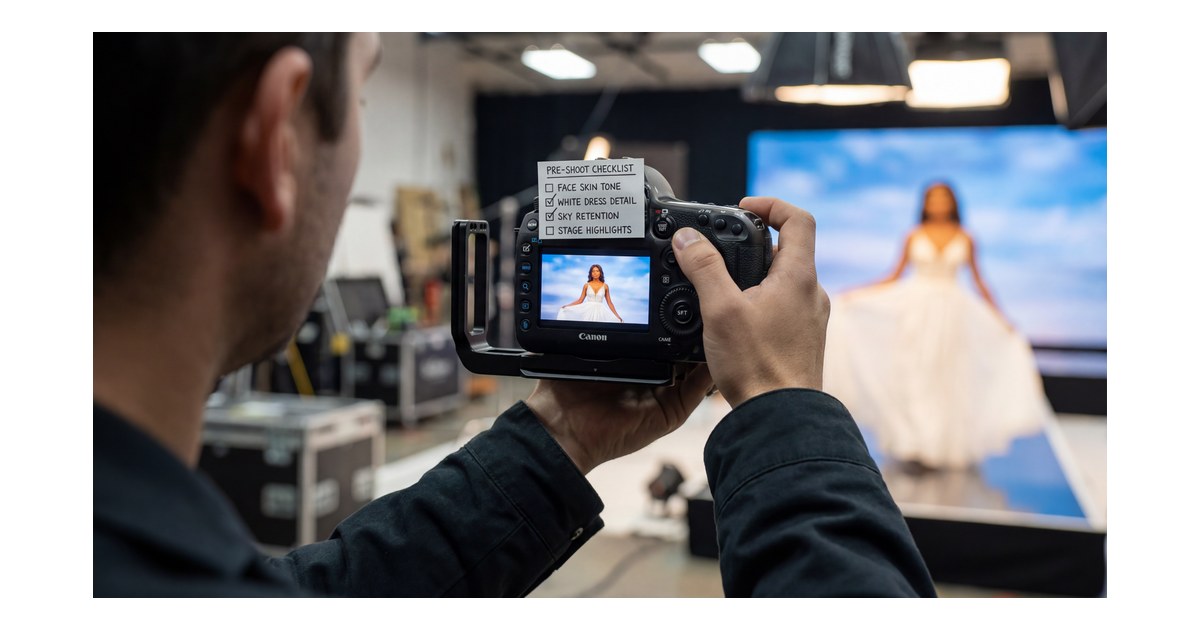
Example: a bride in white against a dark church interior. Broad averaging may shove the dress toward clipping. A tighter read on skin or fabric still needs exposure compensation and a histogram check before you trust the frame.
Brand menus love different words for the same physics. Matrix, evaluative, and multi usually point to the same broad-pattern idea. Center-weighted, spot, and partial describe different coverage areas, so they are not just label swaps.
When you are ready to compare bodies and menus side by side, camera metering modes explained is the cross-brand ladder. For skin-first framing language, read best metering mode for portraits. If you already shoot Canon or Nikon and want model-specific limits, bookmark Canon EOS R5 Mark II metering modes and Nikon Z6 III metering—they are supplements, not replacements, for the ideas below.


Powerful AI Photo Editor
Camera Metering Modes at a Glance
Use this as orientation. Names shift by brand; the weighting is what matters.
| Pattern (common names) | What it prioritizes | Reach for it when… | Main risk |
|---|---|---|---|
| Matrix / evaluative / multi | Whole-frame balance | Moderate contrast, fast composition changes, travel and events | Backlit small subjects can look underexposed |
| Center-weighted | Center of the frame | Headshots, centered couples, speakers at a podium | Subject parked on a strong third while a bright edge votes |
| Partial | Medium circle (if offered) | Centered backlit portraits when spot feels twitchy | Less precise than spot for tiny targets |
| Spot | Tiny area (often AF-linked) | Stage spots, representative skin-tone priority, extreme contrast | Aim error swings exposure hard |
Wide Pattern Metering: Matrix, Evaluative, Multi
This is the default reflex when contrast is moderate and pace is high. The camera samples many zones and chases a whole-frame compromise—kids zigzagging through dappled shade, street work on an overcast afternoon, reception coverage when composition never sits still.
Field anchor: open shade, 35mm, subject moving through mixed sun patches; the meter’s job is stability, not cheek-perfect science on every stride.
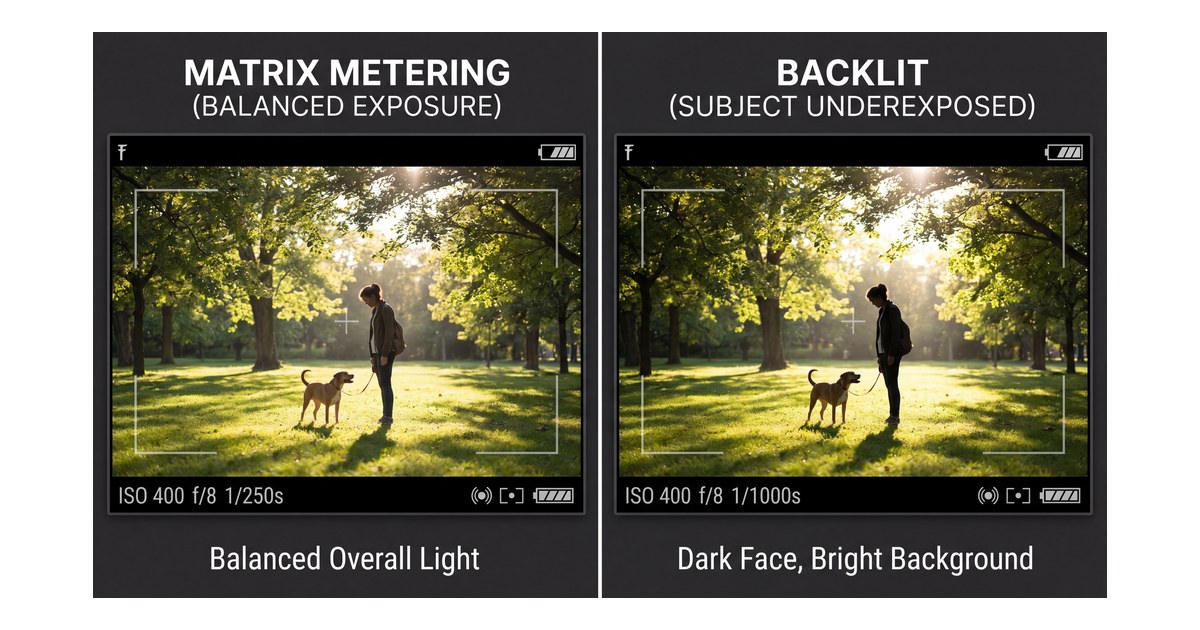
Where it bites: hard backlight. The sky still votes; faces can read dark. That is not a broken meter—it is a priority fight, which is why backlit sunsets keep fooling beginners.
Center-Weighted Average: When the Middle Owns the Story
Center-weighted still reads broadly but turns up the volume in the middle—straight-on portraits, centered couples, podium speakers when the edges are bright but not the story.
Reach for it when:
- the face owns the center and the background is volatile
- you want less sky voting than wide pattern might allow—without jumping to spot yet
- you recompose in small arcs instead of slamming subjects to a hard third every frame
Where it drifts: subject locked on a strong third while a bright strip lives on the opposite edge—the weighting map no longer matches what you care about.
Spot and Partial: Precision When You Can Aim
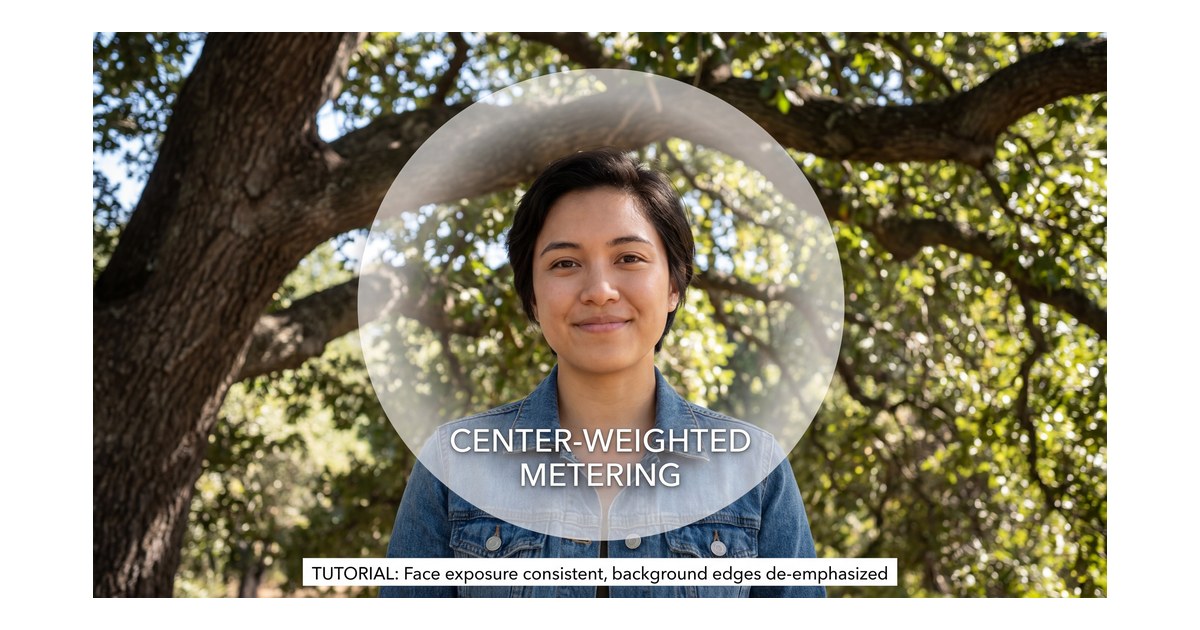
Spot reads a tiny sample—often tied to your active AF point on modern bodies. Partial is a wider circle when the camera offers it. It is less jumpy than spot and less sky-forgiving than wide pattern.
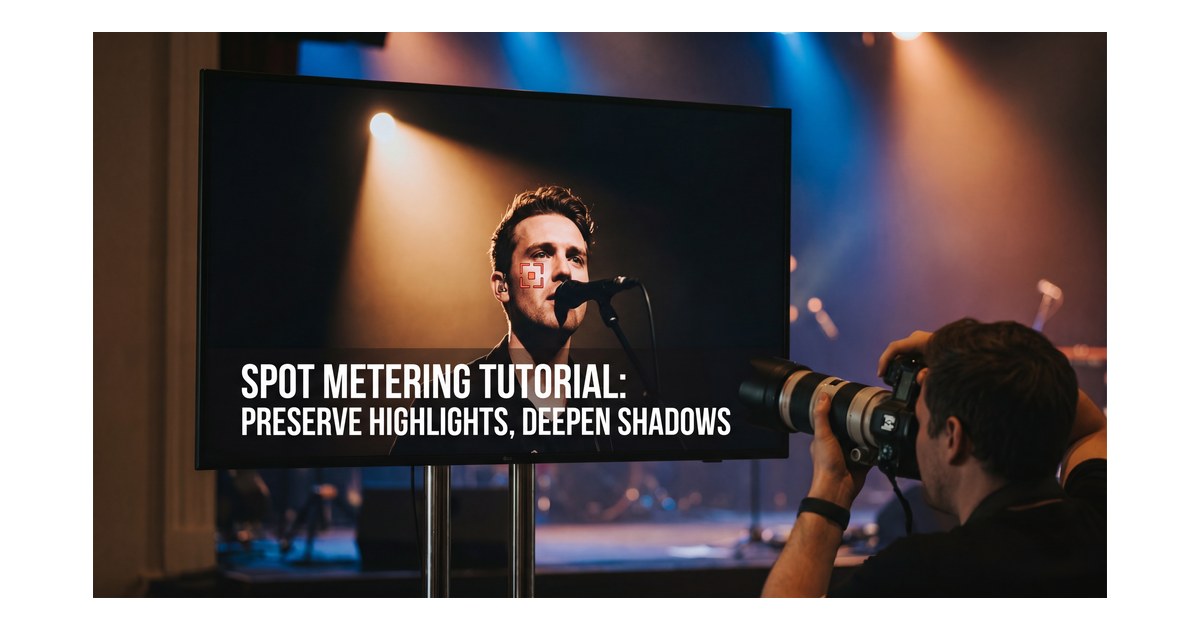
Field story: singer under one hard spotlight. Spot on a representative cheek midtone keeps skin texture readable. Then use compensation if you need to protect the brightest highlight. Miss the aim—black lapel instead of skin—and exposure lurches. Partial helps when the subject is centered against bright sky but your hands are not steady enough for pin-point spot.
Habit: stability with spot tracks how stable your aim and AF area are. A small framing shift moves the sample.
The same caution applies to snow, white dresses, and black suits. If you point spot or partial at those tones and simply zero the meter, the scene often shifts the wrong way. Add compensation, then confirm with the histogram or highlight warning.
Same backlight engagement portrait, three readings:
- Wide pattern may average sky plus couple and sink skin
- Center-weighted may lift skin if the couple stays middle-weighted
- Spot on a representative cheek midtone may protect skin while sacrificing sky detail
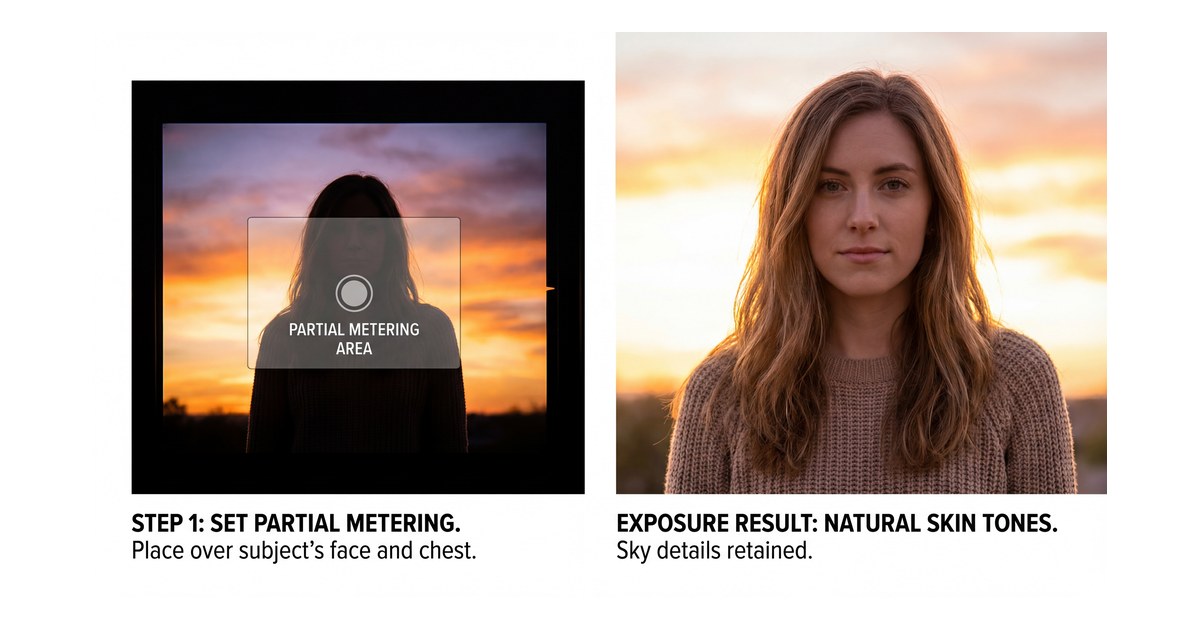
None is automatically wrong. The modes answer different questions. That is the practical heart of metering mode: you are choosing which disagreement the camera should settle first. Experienced shooters stack mode + exposure compensation + histogram + highlight warning, not menu roulette.
Metering recommends a bundle of shutter, aperture, and ISO. Shutter speed still governs motion blur. If the histogram looks fine but hands smear, you have a motion problem. Address it with Shutter Speed: How It Changes Motion and Exposure in Real Photos, not by cycling modes twelve times.
For a creative tangent on how analog capture handled tone differently, Film Negatives in Photography: History, Science, and How to Recreate the Look pairs well once exposure basics feel less fragile.
Step-by-Step: Answer “What Is Metering Mode on a Camera?” With Actions
Follow this sequence until it feels automatic. When someone asks that question at a meetup, you can answer with a loop, not a textbook.
Step 1: Finish the “If I lose ___” line before you touch the dial
Name the non-negotiable tone or texture: printable cheeks, lace highlight, stage rim, cloud gradient. If that line is blank, mode choice feels random.
Stealable prompts: “Cheeks stay printable—sky can go.” “Satin cannot clip.” “We lift shadows in post—we do not invent cheek highlights.”
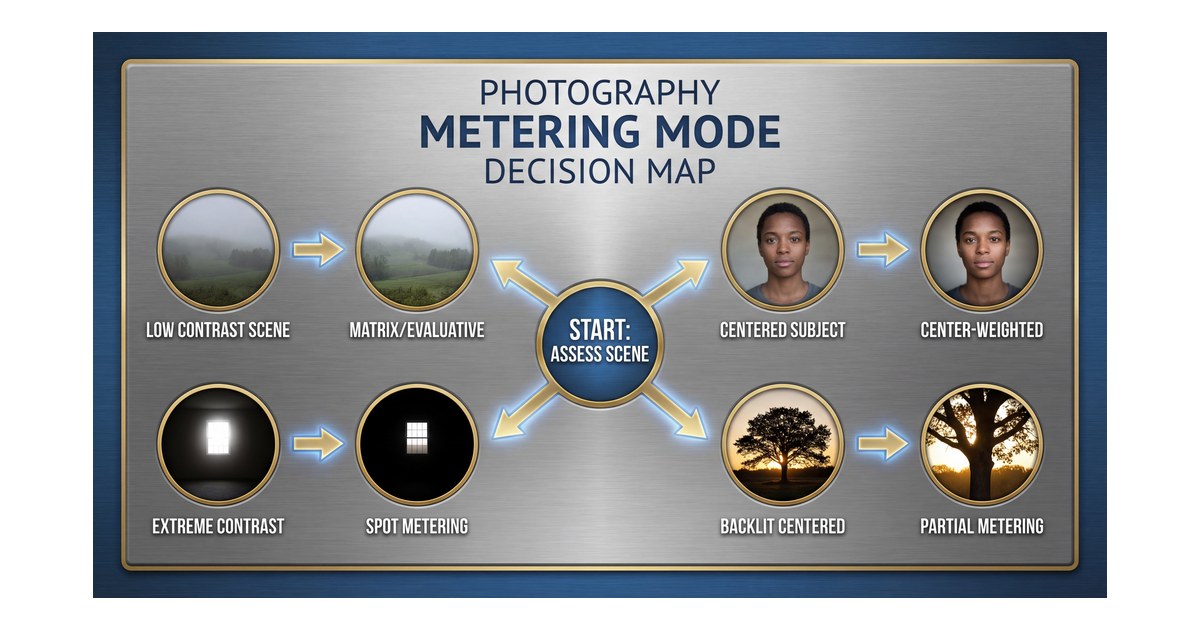
Step 2: Tag contrast in two seconds, then pick a mode family
- Low / moderate contrast (open shade, soft overcast) → start wide pattern
- Subject centered with bright edges you want to down-vote → center-weighted
- Extreme contrast with a clear target → spot
- Backlit centered subject, spot too twitchy → partial if available
Beginner drill: same static scene, cycle modes, compare histogram + skin. The differences become obvious faster than any glossary.
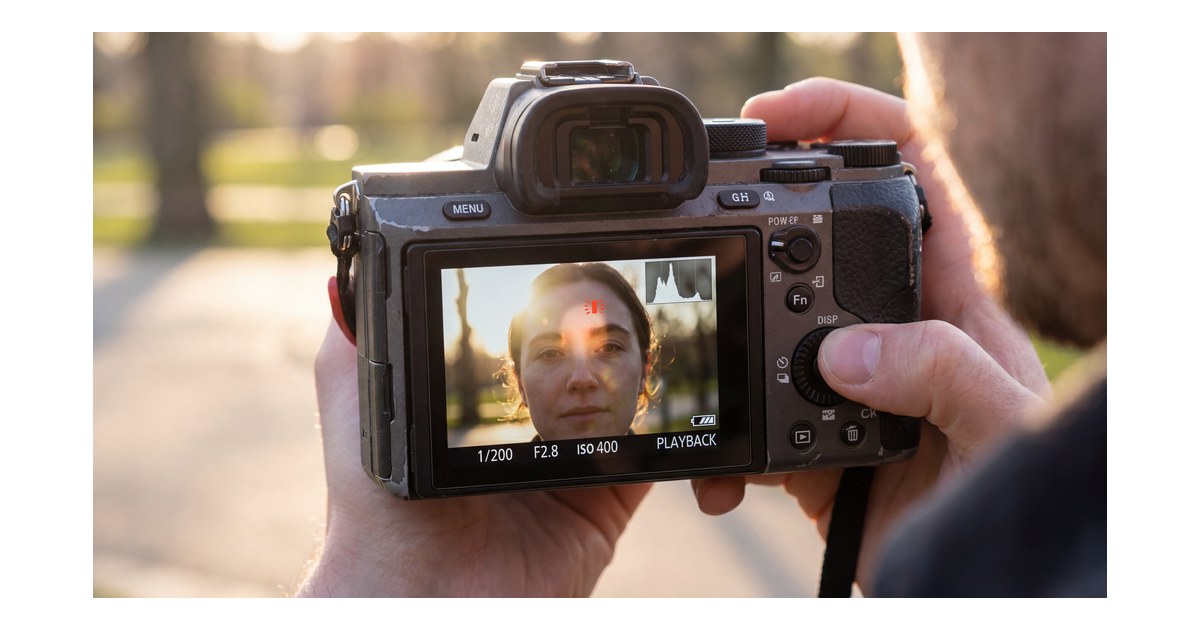
Step 3: Burn a test frame and read the histogram like a preflight
Do not trust rear-screen brightness alone outdoors.
Check:
- right-edge clipping (lost highlights)
- left-edge crushing (blocked shadows)
- facial midtone consistency on people work
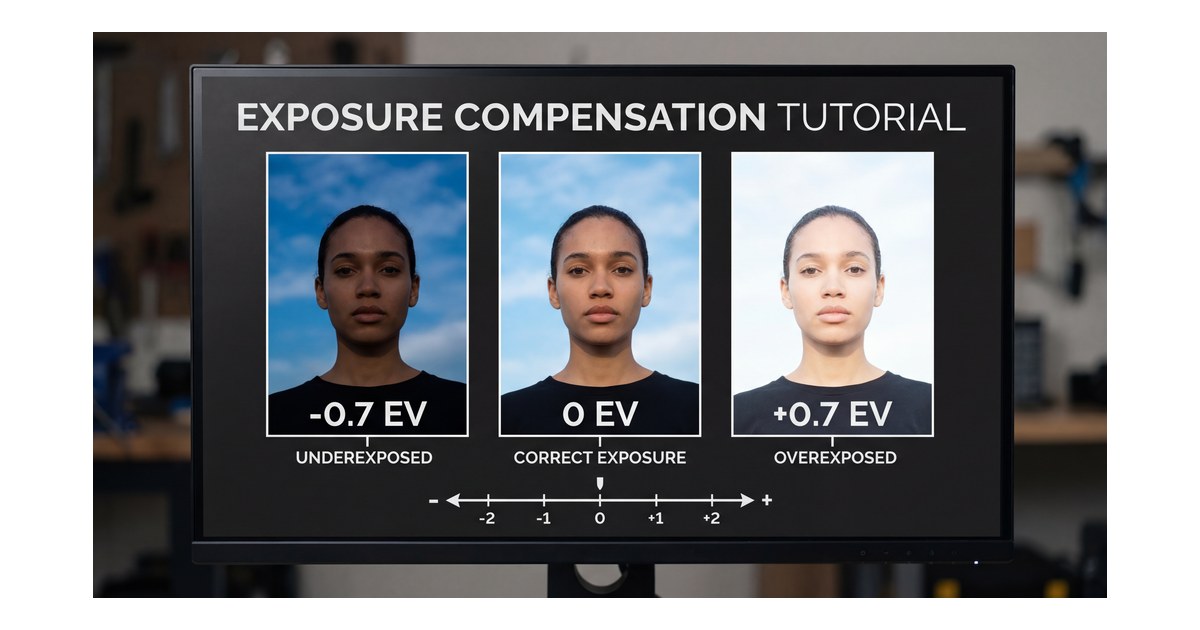
If skin reads dark but highlights are safe, add positive compensation. If highlights blink, pull exposure even when the LCD looks dramatic. If your sample came from white fabric, snow, or black clothing, expect to fine-tune before you trust the reading.
Step 4: Nudge exposure compensation in third-stop clicks
Compensation is where metering mode meets delivery:
+0.3to+1.0 EVoften helps backlit faces under wide pattern-0.3to-1.0 EVprotects bright highlights
Retest after each nudge. Full-stop jumps on a paid job read as “which frame is real?” in the edit.
At this stage, what is metering mode on a camera becomes a repeatable field check instead of just a menu label.
Step 5: Hold the pairing until light geometry changes
One mode + one compensation habit per lighting block. Reset when you move indoor/outdoor, sun to shade, or wardrobe reflectance jumps (white dress to black tux group).
Common Mistakes (Rhythm, Not Bad Luck)
The spot you never park. Spot rewards stable aim. Run-and-gun? Return to wide pattern until subjects cluster.
LCD hero, histogram zero. Glare makes midtones look brighter than they are—trust the graph and blinkies.
Zeroing white or black subjects. White dresses and snow often go gray when you trust the centered meter. Black clothing can go too bright. Add compensation and recheck the histogram.
Chasing meter zero like a moral law. Expose for the priority tone, then verify.
Ignoring AF–meter linkage. On many bodies, spot follows the focus point—confirm once with the manual, not during a toast.
If Evoto is part of your color workflow, keep it within reach before the post section:
Capture First, Then Polish Consistency in Post
Strong in-camera decisions reduce rescue edits; client delivery still needs cohesive mapping across mixed blocks. That is the practical meaning of camera metering once galleries leave Lightroom: you protect key tones first, then align the set.
Hybrid habit:
- choose mode intentionally in the field
- protect critical highlights and skin priorities
- use post for consistency, not emergency surgery
When frames land darker than delivery needs, try AI Image Brightener. Then compare AI Color Match and preset photo editor in the Evoto features directory. For a clean desktop install near this CTA block, use Download Evoto. For broader tool context, see AI Photo Editor and Top Photo Editing Software for Professionals in 2026: Complete Comparison Guide.
Powerful AI Photo Editor
Final Takeaway: What Is Metering Mode on a Camera Really About?
What is metering mode on a camera is not a trivia label. It is exposure politics: who gets the vote when sky and subject disagree. Connect mode choice, histogram review, and small compensation moves, and exposure stops feeling like luck. That repeatability is the real answer in daily shooting.
FAQ
1. Is there one best metering mode for every situation?
No. The best option changes with scene contrast, subject placement, and your exposure priority.
In real scenes, what is metering mode on a camera becomes a question of which tone you refuse to lose first.
2. Should beginners start with matrix or spot?
Start with matrix/evaluative for general work, then add center-weighted and spot when contrast gets hostile.
3. Why does my portrait look dark against a bright sky?
Broad metering often protects sky brightness first. Try center-weighted, partial, spot on skin, or add positive compensation.
4. Does metering still matter in manual mode?
Yes. Manual sets parameters directly, but meter feedback still helps you build a reliable baseline.
5. Can editing fully fix badly metered photos?
Minor misses are sometimes recoverable; clipped highlights often are not. Protect priority bright detail in camera.
6. What should I practice this week?
Shoot one scene in every available mode, compare histogram and skin tone, and note which mode matched your stated priority.



